
iTechGuides is reader-supported. When you buy through links on our site, we may earn an affiliate commission. As an Amazon Associate I earn from qualifying purchases. Learn more
The best MP3-to-text converter depends on what you need after the upload. Otter is the most practical choice for meeting-style recordings and imported MP3s; Descript is better when the transcript will drive podcast or video editing; Sonix suits multilingual files and pay-as-you-go billing; Rev is the choice when a human must check the wording; Happy Scribe adds subtitles, translation and proofreading; Notta targets multilingual meetings; and Riverside offers the simplest free MP3 upload workflow.
There is no universal accuracy winner. Plans, speaker labeling, language support, timestamps, export formats, privacy terms and monthly volume matter as much as the transcription engine. Use the comparison below to narrow the field, then run a representative clip from your own recordings before committing to a paid plan.
Which MP3-to-text converter is best in 2026?
Choose the tool that matches your workflow rather than relying on a single ranking. Meeting assistants add summaries and action items, creator editors let you cut media by changing transcript text, file-transcription services emphasize language coverage and exports, subtitle platforms add translation, and human services are designed for names, quotations and other high-stakes wording.
Quick wins for a faster PC:
Repair Windows errors before they cause bigger problemsFix Now →Scan for outdated or missing drivers - takes under a minuteDriver Scan →Clear out junk files and repair common Windows errorsFree Scan →| Service | Best fit | Free allowance or trial | Paid pricing cited | Languages and file details |
|---|---|---|---|---|
| Otter | Meetings, lectures and imported MP3s | 300 transcription minutes/month; three lifetime file imports; 30-minute conversation cap | Free tier; paid plans available | Six languages; MP3 import; 5 GB maximum per file |
| Descript | Editing podcasts or video through transcript text | One media hour/month | Hobbyist from $16 per person/month, billed annually | 25 transcription languages; transcript-linked editing |
| Sonix | Multilingual uploaded files and occasional long projects | 30-minute trial | $10/audio hour pay-as-you-go; Core from $25/month with five hours | 54+ languages; word-level timestamps and speaker identification |
| Rev | Human-checked transcripts | 45 AI minutes/month | $0.25/AI minute; $1.99/human minute | AI and human workflows; human option carries a 99%+ accuracy guarantee claim |
| Notta | Multilingual meetings and interviews | 120 minutes/month; three-minute Free conversation limit | Pro from $8.17/month, billed annually | 58 languages; uploads, live meetings, speaker identification and search |
| Happy Scribe | Subtitles, translation and proofreading | 10-minute AI file trial | Basic from $8.50/month, billed annually; human proofreading from $2/minute | Automatic speaker detection; subtitle and translation workflows |
| Riverside | Free MP3 uploads and quick TXT/SRT exports | Free transcription without signup | From $24/month with unlimited automatic transcription | 100+ languages and dialects; MP3, WAV, MP4 and MOV uploads |
Prices and allowances are vendor figures reported in October 2026 and can change by region, billing cycle or product edition. A monthly minute allowance is not the same as an unlimited upload plan, and a trial may apply only to one file or a short segment.
Popular on Amazon

- The NewTH USB Type-A Microphone: Plug & Play ,No Driver Needed, the cable length is 6.58 feet (2M).USB Microphone Lavalier Lapel Clip on Mic for Laptop, Computer, PC.
- Multiple Purpose Microphone: This Lapel USB microphone for computer is perfect for Streaming Conferencing,Interviews, Online Singing,home studio, Chatting, Meeting,Skype, MSN, Yahoo Recording, Audio Video Recording,YouTube Recording, Google Voice Search.
- Clear & Natural Sound: Excellent Sound Quality,This Omnidirectional Condenser USB lavalier lapel microphone offers crystal clear voice capture capability,Noise cancellation and isolates the main sound source.Features omni-directional stereo output, high sensitivity and anti-noise ability.
- Easy to Carrying and Extremely Lightweight: Portable USB mic, small size ,Light weight, only 39 grams, it's very easy to carry. As it is a clip type, it also can be easily attached to clothes or breast pocket.
- 24 hours Customer Services Team: Please feel free to contact us if you have any questions about the products.Package included:1x USB microphone,1x Wind Muff, 1x Aluminum Lapel Clip.
What should you check before uploading an MP3?
Start with the recording and the final deliverable. A clean, single-speaker interview destined for a TXT file has very different requirements from a six-person podcast that needs diarization, captions and translated subtitles.
- Input limits: confirm MP3 acceptance, maximum file size, per-conversation caps and whether the service counts uploaded minutes against a monthly allowance.
- Workflow: decide whether you need meeting notes, transcript-linked editing, subtitles, translation or a plain text export.
- Quality controls: look for speaker labels, timestamps, editable text, search, punctuation controls and optional human proofreading.
- Language and accent: a published language count is only a starting point. Test the language, names and accent present in your own recording.
- Cost model: compare a free tier, subscription allowance, pay-as-you-go hour and per-minute human service at your expected monthly volume.
- Privacy: check the vendor’s retention and security terms and whether uploading the recording is allowed by your employer, client or interview subject.
1. Otter: who is it for?
Otter is the strongest fit for meetings, lectures and conversations where a searchable record, summary and action list are more useful than a bare transcript. Its help documentation says you can import audio and video from a computer or mobile device for automatic transcription, including MP3, AAC, M4A, WAV, WMA and OGG files.
What it does well
- Supports MP3 uploads with a documented 5 GB maximum per imported file.
- Turns imported recordings into searchable transcripts and can add summaries, action items and outlines.
- Supports six languages in the comparison data.
- Computer and mobile-device importing makes it practical for files captured away from a desk.
Free plan, limits and cost
The Free plan is reported at 300 transcription minutes per month, but it permits only three lifetime audio or video file imports. Each conversation is capped at 30 minutes on Free. Those limits make the tier useful for evaluating a short recording or occasional meeting, not for repeatedly processing long MP3 archives. Paid-plan pricing is not specified in the cited figures, so check the current plan page before budgeting.
The Tool Desk
Outbyte Driver Updater FREEFix the driver behind crashes, sound loss and screen glitchesFind Drivers →Outbyte PC Repair FREERepair Windows errors before they cause bigger problemsFix Now →2. Descript: who is it for?
Descript is for podcasters, video makers and editors who want the transcript to control the media. Uploading creates an automatic transcript; deleting or changing words in the transcript edits the underlying audio or video. The same workspace includes speaker identification, captions and cleanup tools.
Standout workflow
This transcript-first model removes the need to hunt through a waveform for every cut. It is especially useful when removing a repeated phrase, tightening an interview or producing captions from the same source. If you only need a TXT document, the broader editing environment may add complexity you will not use.
Free plan, platforms and cost
Descript’s Free plan includes one media hour per month. The Hobbyist plan is reported from $16 per person per month when billed annually, with 25 transcription languages. It is a cloud-connected media editor rather than a simple one-click converter, so allow time for upload, transcript generation and media editing before export. The cited plan details do not establish a maximum MP3 file size.
3. Sonix: who is it for?
Sonix is designed for uploaded audio and video: import a file, review the transcript in a browser, use word-level timestamps and identify speakers, then export or continue editing. It is a good match for multilingual projects and for people who process files irregularly enough to dislike paying for an unused monthly seat.
Languages and transcript controls
The comparison cites 54-plus transcription languages, along with speaker identification and word-level timestamps. Those controls help when you need to locate a quote precisely or separate voices in an interview. Translation and additional services can raise the final bill beyond transcription alone.
Trial and pricing
A 30-minute trial is available. Pay-as-you-go transcription is listed at $10 per audio hour, while the Core subscription starts at $25 per month and includes five hours. Pay-as-you-go is attractive for occasional long files, but calculate the cost of translation, extra processing and repeated revisions before choosing it for a large archive. The documented workflow is browser-based; the cited figures do not specify a maximum upload size.
Also popular on Amazon
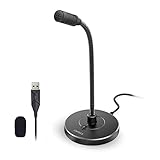
- 【Crystal Clear Audio Quality】Our Omnidirectional pattern condenser microphone accurately captures your voice, making it perfect for dictation, online classrooms, and more.
- 【Active Noise-Cancelling】Come in CMTECK CCS2.0 SMART CHIP with Omnidirectional Polar Pattern, which can effectively block the background noise. The pop filter prevents plosives from overloading the microphone, ensuring only your voice is heard.7
- 【Convenient Mute Button with LED Indicator】You can quickly mute/un-mute the microphone with the Mute Button and the built-in LED light lets you know the working status(Greenlight: Connected; Red light: Mute mode).
- 【Easy to use】 No drivers needed, just plug and record without external power supply, directly connect the microphone to a USB compatible device, well compatible with Windows(7, 8 and 10), Mac OS and PS4 (NOT compatible with Raspberry Pi/Linux/Android)
- 【Mini size with Adjustable Gooseneck】Adopted flexible and adjustable gooseneck metal pipe, easily adjust position 360 degrees to suit user comfort. The compact and stable base maximizes your desktop space.
4. Rev: who is it for?
Rev is the most suitable option when wording must be checked by a person rather than accepted as an AI draft. It combines an automated service for speed with a human transcription service for legal, research, quotation-heavy or name-sensitive material.
AI versus human transcription
The reported AI price is $0.25 per minute. Human transcription is listed at $1.99 per minute with a vendor claim of 99% or better accuracy. At that rate, a 60-minute recording costs $15 for the AI option or $119.40 for the human option before any additional services, so reserve human review for files where errors carry a meaningful cost.
Do these 3 things before closing this tab:
1Clear out junk files and repair common Windows errors2Scan for outdated or missing drivers - takes under a minute3Repair Windows errors before they cause bigger problemsFree allowance and practical limits
Rev’s reported free tier includes 45 AI minutes per month. The two services have different turnaround and quality expectations: AI is suited to a searchable draft, while human transcription is a premium workflow. The cited details do not specify MP3 file-size limits or a language count, so confirm those points for your recording before purchase.
5. Notta: who is it for?
Notta targets multilingual meetings and interviews. It supports uploaded files as well as live meeting workflows, with speaker identification, search and exports on paid plans.
Language coverage and meeting features
The comparison reports 58 transcription languages. Speaker identification and search are useful when an interview contains several voices or when you need to find every mention of a project term. Because the service also handles live meetings, it can keep a recurring meeting archive alongside imported MP3s.
Free plan, cap and price
Free includes 120 minutes per month, but each Free conversation is limited to three minutes. That unusually short per-conversation limit means the allowance is mainly for testing short clips rather than transcribing a full interview. Pro starts at $8.17 per month when billed annually. Paid-plan exports are documented, while the cited information does not state an MP3 maximum file size.
6. Happy Scribe: who is it for?
Happy Scribe is built for projects that extend beyond a transcript: subtitles, translation, automatic speaker detection and optional human proofreading. It is a natural fit for video publishers, course creators and documentary teams that need timed caption files as well as readable text.
Subtitle and proofreading workflow
Automatic speaker detection helps structure a multi-voice file before you correct names and timing. Translation can produce additional language versions, while human proofreading provides a separate quality-control step when an AI draft is not sufficient.
Trial, plans and limits
The AI file trial covers 10 minutes. Basic starts at $8.50 per month when billed annually. Human proofreading starts at $2 per minute, making it more expensive than automated transcription but comparable to a specialist post-production service. The cited plan details do not establish a maximum MP3 size or a full language count; verify both for a large or multilingual project.
Also popular on Amazon

- [Natural Audio Clarity] Operated with frequency response of 50Hz-16KHz, the podcasting XLR mic delivers balanced audio range, likely to resonate with your audience. Directional cardioid dynamic microphone corded will not exaggerate your voice, while rejects unwanted off-axis noise for vocal originality and intelligibility during your PS5 gaming streaming video recording. (Tips: Keep the top of end-addressing XLR dynamic microphone AM8 facing audio source, and suggested recording range is 2 to 6 in.)
- [XLR Connection Upgrade-Ability] To use XLR connection, connect the podcast microphone to an audio interface (or mixer) using a separate XLR cable (NOT Included) . Well-connected and smooth operation improves audio flexibility to make you explore various types of music recording singing. The streaming mic isolates the pristine and accurate sound from ambient noise with greater no interference and fidelity. (RGB and function key on mic are INACTIVE when using XLR connection.)
- [USB Connection with Handy Mute] Skip the hassle of setting something up and plug the cable to play the dynamic USB microphone directly, which suits for beginner creators or daily podcast. You can quickly control the gamer mic with tap-to-mute that is independent of computer/Macbook programs to keep privacy when live streaming. LED mute reminder helps you get rid of forgetting to cancel the mute. (RGB and function key are only available for USB connection, but NOT for XLR connection)
- [Soothing Controllable RGB] RGB ring on the desktop gaming microphone for PC, with 3 modes and more than 10 light colors collection, matches your PC gears accessories for gaming synergy even in dim room. You can control the RGB key button of the dynamic microphone USB directly for game color scheme gaming or live streaming. Configured memory function, the streaming microphone RGB no need to repeated selections after turnning off and brings itself alive when power on. (Only available for USB connection)
- [More Function Keys] Computer microphone with headphones jack upgrades your rhythm game experience and gets feedback whether the real-time voice your audience hear as expected. Get the desired level via monitoring volume control when gaming recording. Smooth mic gain knob on the PC microphone gaming has some resistance to the point, easily for audio attenuation or boost presence to less post-production audio. (Only available for USB connection)
7. Riverside: who is it for?
Riverside is the easiest recommendation for a free MP3 upload when you want a transcript without creating an account. Its transcription page accepts MP3, WAV, MP4 and MOV files, supports TXT and SRT export, and claims support for more than 100 languages and dialects.
Free upload workflow
Upload the MP3, select transcription and download a text or subtitle file. The free multi-speaker upload assigns all text to one speaker, so it is fine for a solo recording or a rough draft but not for a conversation where attribution matters.
Paid features and limits
Paid plans start at $24 per month and add unlimited automatic transcription, speaker detection, text-based editing and audio cleanup. Choose a paid recording workflow when diarization is essential. The free service’s no-signup convenience is its main advantage; the cited details do not state a free monthly-minute allowance or maximum upload size.
How do I convert an MP3 to text for free?
For the lowest-friction route, Riverside accepts MP3 uploads and offers free transcription without signup, with TXT or SRT export. Otter’s Free plan is better when you want meeting summaries and searchable notes, but its three lifetime file imports and 30-minute conversation cap make it a poor choice for a large backlog. Descript and Notta also provide free allowances, although Descript limits Free to one media hour per month and Notta limits each Free conversation to three minutes.
- Trim silence and remove duplicate files so you do not spend an allowance on unused minutes.
- Upload a short, representative segment first, especially if the recording has multiple speakers or a strong accent.
- Check speaker labels, names, numbers and timestamps before exporting the full file.
- Export TXT for prose or SRT when you need timed subtitles, then retain the original MP3 for later corrections.
How accurate are MP3 transcription tools?
Accuracy percentages from different vendors are not interchangeable benchmarks. Providers test different languages, microphones, background noise levels, models and datasets, so a percentage advertised on one service cannot predict the result on another.
Background noise, overlapping speech, poor microphone quality and low recording volume can reduce transcript quality. A practical comparison uses the same representative MP3 on each shortlisted service and records:
- word accuracy in ordinary sentences;
- spelling of names, places, products and technical terms;
- numbers, dates and quoted material;
- speaker separation in overlapping conversation;
- timestamp placement and export format;
- processing time and total cost at your expected monthly volume.
Use a human option when an incorrect name, quotation or figure would create legal, financial or editorial risk. For routine notes, an AI transcript that you can search and correct may be the better value even when it is not perfect.
What is the cheapest way to transcribe a long MP3?
Compare total minutes, not the headline monthly price. Sonix lists $10 per audio hour pay-as-you-go, which avoids a recurring subscription for occasional long files. Automated Rev is listed at $0.25 per minute, or $15 for an hour, while human Rev transcription is $1.99 per minute, or $119.40 for an hour.
Free plans can be cheaper for short clips but become restrictive for long recordings: Otter caps Free conversations at 30 minutes and allows three lifetime imports; Notta caps each Free conversation at three minutes; Riverside’s free upload is convenient but assigns a multi-speaker file to one speaker. Include translation, proofreading, extra exports and repeat uploads in your estimate.
PC Slower Than It Used to Be?
A free scan shows the junk files, broken settings and background clutter dragging Windows down - then fixes them in one click.Free scan · Windows 10 & 11Crashes, No Sound, or Screen Glitches?
Random freezes, missing sound and display glitches usually trace back to one bad driver. Find and replace yours safely.Free scan · under a minuteAlso popular on Amazon

- Cardioid Pick-up: Cardioid pickup pattern that captures clear and crisp voice in front of the mic and suppresses unwanted background noise. Design for chatting, teleconferencing, recording, podcast
- For Podcast: Equipped with a non-slip stand that adds stability while occupying a small desktop area. One-click mute and volume control for easy operation during the recording. The shock mount and pop filter can prevent recordings from being disturbed by vibration
- Strong Compatibility: TC-777 is multi-device and program compatible, you can use it on Windows, MAC, PS4 and 5. It can also be quickly recognized by Zoom, Skype, Discord, allowing you to start creating or communicating immediately. (Not compatible with Xbox)
- Plug & Play: With a USB 2.0 data port, the TC-777 is plug and play, with no additional drivers or assembly process required. The angle of both microhone and pop filter can be adjusted as needed to achieve the best audio effect
- What's In the Box: 1 x Microphone with Power Cord(1.9m), 1 x Foldable Mic Tripod, 1 x Mini Shock Mount, 1 x Pop Filter and 1 x Manual
How do speaker labels and timestamps affect the choice?
Speaker labels are essential for interviews, panels and legal or research transcripts, while timestamps matter when you need to return to the original audio or create captions. Sonix documents word-level timestamps and speaker identification; Notta offers speaker identification; Happy Scribe offers automatic speaker detection; Riverside reserves speaker detection for paid workflows because its free multi-speaker upload assigns all text to one speaker.
Otter’s meeting-oriented summaries can be more useful than detailed diarization when the main goal is action items. Descript’s speaker identification is valuable when the transcript will also drive an edit. Always inspect a short multi-speaker sample: overlapping voices can cause labels to switch even when the service supports diarization.
Independent reader supportYour contribution helps us test, update, and keep practical guides available for everyone.How should you choose among these seven tools?
Choose Otter for meeting records
Pick Otter when imported MP3s are meetings, classes or conversations and you want summaries, action items and searchable notes. Avoid relying on Free for a long archive because of its import and conversation caps.
Choose Descript for production editing
Choose Descript when deleting text should cut the audio or video and captions are part of the same production. Its Free allowance is enough for a small project, while the annual Hobbyist price suits regular creators who need the editor.
What’s actually slowing this PC down?
Pick the symptom - the matching free tool is one click away.
Choose Sonix for irregular multilingual work
Sonix is the most flexible fit when you have long uploaded files, need 54-plus languages and prefer pay-as-you-go billing. Budget separately for translation and other add-ons.
Choose Rev for high-stakes wording
Use Rev’s AI service for a quick draft and reserve human transcription for names, numbers, quotations and records where a reviewer must check the text. The per-minute difference is substantial but buys a different quality-control process.
Choose Notta for multilingual meetings
Notta makes sense when live meetings and uploaded interviews belong in one searchable workspace. The three-minute Free conversation cap means serious testing requires a paid plan or very short clips.
Choose Happy Scribe for caption pipelines
Happy Scribe is the better match when you need subtitles, translation and optional human proofreading rather than a plain transcript. Factor proofreading minutes into the project budget.
Free tools Windows power users keep installed
One-click scans. No signup required.
Choose Riverside for a free first pass
Riverside is the simplest way to upload an MP3 without signing up and export TXT or SRT. Upgrade or use another service when separate speaker labels are required on a multi-person recording.
Also popular on Amazon

- Studio-Quality Sound for Clear Podcast Recording – The K66 USB podcast microphone delivers studio-quality, broadcast-level audio using a high-performance condenser capsule and cardioid pickup pattern that focuses on your voice while reducing unwanted background noise. Designed as a reliable microphone for PC, it features a wide 40Hz–18kHz frequency response and a 46kHz sampling rate to reproduce rich lows, smooth mids, and clear highs for natural, detailed vocals. With –45dB ±3dB sensitivity, it captures balanced sound without distortion during expressive speaking. Ideal for podcasting, voice-over, online classes, meetings, and professional content creation.
- Intelligent Noise Reduction Mode for Cleaner Podcast Audio – This podcast microphone features an advanced Noise Reduction Mode designed for clearer, more focused voice recording in real-world environments. Press and hold the mute button to enable noise reduction (blue indicator). In this mode, the microphone helps reduce keyboard clicks, PC fan noise, air conditioner hum, and background chatter. Default Mode maintains a warm, natural vocal tone for quiet spaces. Designed as a reliable microphone for PC, it allows creators to identify the active mode instantly and adapt as needed, ensuring clear audio for podcasting, gaming, streaming, online classes, meetings, and recording.
- True Plug-and-Play USB Microphone with Wide Device Compatibility – Engineered for effortless plug-and-play use, the K66 USB microphone requires no drivers, apps, or software installation. Simply connect and start recording on Windows PC, Mac, laptops, PS4, PS5, and tablets. Included USB-C and Lightning adapters ensure seamless compatibility with iPhone, iPad, and modern USB-C phones and devices, making it easy to switch between desktop and mobile recording. Ideal for creators working across multiple platforms, this microphone delivers consistent, high-quality audio for YouTube, TikTok, Twitch, Zoom, Discord, OBS Studio, Streamlabs, podcasting, livestreaming, and professional voice recording.
- Real-Time Zero-Latency Monitoring with Adjustable Volume Control – This podcast microphone features real-time, zero-latency monitoring through a built-in 3.5mm headphone jack, allowing you to hear exactly what’s being recorded without delay. Designed as a reliable microphone for PC, it includes a dedicated monitoring volume control that lets you adjust headphone listening levels independently for accurate and comfortable audio monitoring. Real-time feedback helps identify distortion, background noise, or uneven volume before it affects your final recording, making this podcast microphone ideal for podcasting, streaming, online teaching, voice-over work, and professional content creation.
- Precision Audio Adjustment Knobs for Full Sound Control – This podcast microphone gives creators hands-on control with dedicated knobs for microphone volume, monitoring volume, and echo adjustment. Fine-tune mic gain to maintain clear, balanced vocal output, adjust headphone monitoring levels independently for comfortable listening, and add or reduce echo to enhance depth and presence. Designed as a reliable PC microphone, these intuitive physical controls allow fast, on-the-fly adjustments without software, helping identify distortion, background noise, or level inconsistencies instantly. Ideal for podcasting, streaming, ASMR, voice-overs, singing, and professional multi-platform recording.
Frequently Asked Questions
Can I transcribe an MP3 without installing software?
Yes. Riverside, Sonix and other services in this list use upload-and-process workflows in a browser, so the conversion happens online. Your file still leaves the local device, which makes the provider’s retention and security terms part of the decision.
Will converting an MP3 change the original audio?
No. Transcription creates text or subtitle output and does not replace the source MP3. Keep the original file because you may need it to resolve an uncertain word, verify a timestamp or generate a revised transcript later.
How can I improve a transcript before uploading?
Use the clearest available MP3, reduce steady background noise where possible and avoid clipping or very low volume. Do not over-process the file: aggressive noise removal can distort consonants and make names harder for a speech model to recognize.
Recommended Free Tools
Do subtitle files and text files contain the same information?
No. TXT is continuous text intended for reading, while SRT includes cue numbers and time ranges so a video player knows when each caption appears. Choose SRT for captions and TXT for notes, search, quoting or editing.
Frequently Asked Questions
Can I transcribe an MP3 without installing software?
Yes. Riverside, Sonix and other services in this list use upload-and-process workflows in a browser, so the conversion happens online. Your file still leaves the local device, which makes the provider’s retention and security terms part of the decision.
Will converting an MP3 change the original audio?
No. Transcription creates text or subtitle output and does not replace the source MP3. Keep the original file because you may need it to resolve an uncertain word, verify a timestamp or generate a revised transcript later.
How can I improve a transcript before uploading?
Use the clearest available MP3, reduce steady background noise where possible and avoid clipping or very low volume. Do not over-process the file: aggressive noise removal can distort consonants and make names harder for a speech model to recognize.
Free tools Windows power users keep installed
One-click scans. No signup required.
Do subtitle files and text files contain the same information?
No. TXT is continuous text intended for reading, while SRT includes cue numbers and time ranges so a video player knows when each caption appears. Choose SRT for captions and TXT for notes, search, quoting or editing.
Quick Recap
Product prices and availability are accurate as of the date/time indicated and are subject to change. Any price and availability information displayed on Amazon at the time of purchase will apply.

