
Quick wins for a faster PC:
Fix the driver behind crashes, sound loss and screen glitchesFind Drivers →Repair Windows errors before they cause bigger problemsFix Now →Scan for outdated or missing drivers - takes under a minuteDriver Scan →iTechGuides is reader-supported. When you buy through links on our site, we may earn an affiliate commission. As an Amazon Associate I earn from qualifying purchases. Learn more
The Dell SE2426HGS is the best all-around choice for competitive gaming under $200, thanks to its 240Hz refresh rate, IPS panel, adjustable stand, and $139.99 listed price. For better contrast, HDR, and 1440p image quality, choose the AOC Q27G3XMN when its live selling price is below $200. For office work and sharp text, the Sceptre U275W-UPT or U275W-UPT2 is the better fit because it provides 27-inch 4K resolution.
This is a U.S. buying guide checked August 9, 2026. Monitor prices, stock, sellers, and configurations change frequently. Treat “under $200” as a live price requirement: verify the exact model and checkout price before tax and shipping.
Quick picks
| Best for | Monitor | Why buy it | Main limitation |
|---|---|---|---|
| Competitive gaming | Dell SE2426HGS | 23.8-inch 1080p IPS, 240Hz, FreeSync Premium, and a height-adjustable stand | Low contrast, gray-looking blacks, no local dimming, and no strong HDR |
| Best picture quality when discounted | AOC Q27G3XMN | 27-inch 1440p VA, 180Hz, 336-zone Mini-LED backlight, and DisplayHDR 1000 | Must use DisplayPort for 180Hz; VA black smearing can appear in dark scenes |
| Sharper productivity display | Sceptre U275W-UPT / U275W-UPT2 | 27-inch 4K IPS, up to 70Hz, 99% sRGB, and built-in speakers | Tilt-only stand and limited suitability for high-refresh gaming |
| Office work, if available below budget | Dell P2425H | 100Hz IPS panel, full ergonomic stand, USB hub, and USB-C data port | Dell currently marks the standard configuration unavailable |
| Alternative gaming monitor | LG UltraGear 24GS65F-B | 23.8-inch 1080p IPS, 180Hz, HDR10, and G-SYNC Compatibility | Usually costs more than the Dell and refreshes at 180Hz rather than 240Hz |
1. Dell SE2426HGS: best for competitive gaming
The Dell SE2426HGS is the easiest recommendation if your priority is high-frame-rate gaming. Dell lists it at $139.99, with a 23.8-inch IPS panel running at 1920×1080 and 240Hz. It also includes height, swivel, and tilt adjustment, two HDMI ports, DisplayPort 1.4, AMD FreeSync Premium, and 99% sRGB coverage. See the official Dell specifications.
PC Slower Than It Used to Be?
A free scan shows the junk files, broken settings and background clutter dragging Windows down - then fixes them in one click.Free scan · Windows 10 & 11Crashes, No Sound, or Screen Glitches?
Random freezes, missing sound and display glitches usually trace back to one bad driver. Find and replace yours safely.Free scan · under a minuteA 240Hz display is especially useful in games such as Counter-Strike 2, Valorant, Overwatch 2, and Fortnite if your computer can sustain frame rates well above 144 frames per second at 1080p. The high refresh rate makes motion and aiming feel smoother than on a typical 60Hz office monitor.
Popular on Amazon

- CRISP CLARITY: This 23.8″ Philips V line monitor delivers crisp Full HD 1920x1080 visuals. Enjoy movies, shows and videos with remarkable detail
- INCREDIBLE CONTRAST: The VA panel produces brighter whites and deeper blacks. You get true-to-life images and more gradients with 16.7 million colors
- THE PERFECT VIEW: The 178/178 degree extra wide viewing angle prevents the shifting of colors when viewed from an offset angle, so you always get consistent colors
- WORK SEAMLESSLY: This sleek monitor is virtually bezel-free on three sides, so the screen looks even bigger for the viewer. This minimalistic design also allows for seamless multi-monitor setups that enhance your workflow and boost productivity
- A BETTER READING EXPERIENCE: For busy office workers, EasyRead mode provides a more paper-like experience for when viewing lengthy documents
The trade-off is image quality. RTINGS’ testing finds substantially weaker contrast than on the AOC Q27G3XMN: blacks can look gray, and the Dell has no local-dimming backlight. It is therefore a performance-first monitor, not the best choice for HDR movies, dark single-player games, or a sharp 1440p desktop.
Buy the Dell if
- You play competitive games and value frame rate over resolution.
- Your graphics card can produce more than 144 fps at 1080p.
- You want a genuinely adjustable stand without adding a monitor arm.
- You want FreeSync Premium and G-SYNC-compatible variable refresh support.
Choose something else if
- You want deep blacks or convincing HDR.
- You prefer 1440p resolution at 27 inches.
- You are sensitive to the softer appearance of 1080p compared with 1440p or 4K.
2. AOC Q27G3XMN: best picture quality under $200
If you can find the AOC Q27G3XMN for less than $200, it offers the most ambitious image quality in this guide. It combines a 27-inch 2560×1440 VA panel, a maximum refresh rate of 180Hz, Adaptive Sync, and a 336-zone Mini-LED local-dimming backlight. AOC lists a typical 4,000:1 static contrast ratio, 700 cd/m² typical brightness, DisplayHDR 1000 certification, a height-adjustable and pivot-capable stand, and a 100×100mm VESA mount. The AOC product page has the current specifications.
Its Mini-LED backlight is the important distinction. Many inexpensive monitors accept an HDR signal but lack the brightness and local dimming needed to make HDR look meaningfully different. The AOC can produce brighter highlights and darker areas than ordinary edge-lit LCD monitors. RTINGS’ testing ranks it above typical budget LCDs for contrast and HDR performance.
Free tools Windows power users keep installed
One-click scans. No signup required.
There is one important limitation: the maximum refresh rate depends on the input.
| Input | Maximum listed mode |
|---|---|
| DisplayPort 1.4 | 2560×1440 at 180Hz |
| HDMI 2.0 | 2560×1440 at 144Hz |
Use DisplayPort from your gaming PC if you want the full 180Hz mode. The AOC technical documentation lists the input-specific limits.
Because it uses a VA panel, the Q27G3XMN can show dark-scene smearing, where dark objects leave a visible trail during motion. This may matter more in dark competitive games than in bright or slower-paced titles. A fast IPS monitor such as the Dell or LG may look cleaner in some motion-heavy scenes, even though it will not match the AOC’s contrast or HDR.
Also popular on Amazon
- CRISP CLARITY: This 22 inch class (21.5″ viewable) Philips V line monitor delivers crisp Full HD 1920x1080 visuals. Enjoy movies, shows and videos with remarkable detail
- 100HZ FAST REFRESH RATE: 100Hz brings your favorite movies and video games to life. Stream, binge, and play effortlessly
- SMOOTH ACTION WITH ADAPTIVE-SYNC: Adaptive-Sync technology ensures fluid action sequences and rapid response time. Every frame will be rendered smoothly with crystal clarity and without stutter
- INCREDIBLE CONTRAST: The VA panel produces brighter whites and deeper blacks. You get true-to-life images and more gradients with 16.7 million colors
- THE PERFECT VIEW: The 178/178 degree extra wide viewing angle prevents the shifting of colors when viewed from an offset angle, so you always get consistent colors
Buy the AOC if
- You want the best HDR and contrast available near this price.
- You prefer 27-inch 1440p over 24-inch 1080p.
- You play a mixture of modern games, single-player titles, and competitive games.
- You have a DisplayPort output and cable available.
Do not choose it automatically if
- Your graphics card or console connects only through HDMI and you specifically need 180Hz.
- You are highly sensitive to VA dark-scene smearing.
- The current price is over $200 after selecting the correct configuration.
3. Sceptre U275W-UPT or U275W-UPT2: best for 4K office work
The Sceptre U275W-UPT family is the best fit here for coding, documents, spreadsheets, photo viewing, and general productivity when sharp text matters more than gaming speed. The current UPT2 specification lists a 27-inch IPS panel with 3840×2160 resolution, up to 70Hz, 99% sRGB coverage, 300 cd/m² typical brightness, 1,000:1 typical contrast, a 7ms G-to-G response time with overdrive, tilt adjustment, 100×100mm VESA mounting, and built-in speakers. See Sceptre’s UPT2 specifications.
Do these 3 things before closing this tab:
1Fix the driver behind crashes, sound loss and screen glitches2Repair Windows errors before they cause bigger problems3Scan for outdated or missing drivers - takes under a minuteThe older U275W-UPT documentation lists DisplayPort as supporting 4K at 70Hz, HDMI 2.0 as supporting 4K at 60Hz, and HDMI 1.4 inputs as limited to 4K at 30Hz. If you buy the older model, connect through DisplayPort for its highest listed refresh rate. The older UPT support page provides those input details.
At 27 inches, 4K produces approximately 163 pixels per inch. Text, photographs, and fine interface elements look considerably sharper than on a 27-inch 1080p screen. The limitation is gaming: 70Hz is only moderately smoother than 60Hz, and this is not a high-refresh gaming display. A 1440p monitor running at 144Hz or 180Hz is generally the better gaming choice under $200.
Check the exact model and retailer price carefully. Sceptre’s own product page may show a much higher list price than the monitor’s discounted retail price. Count the UPT or UPT2 as an under-$200 choice only when the exact model and seller’s current checkout price are below $200.
Buy the Sceptre if
- You want the sharpest text and the most desktop space in this price range.
- You primarily use office applications, web browsers, code editors, or photo viewers.
- You are comfortable with a tilt-only stand or plan to use a VESA arm.
- You do not need 144Hz-or-faster gaming.
4. Dell P2425H: best office monitor if you find it in stock
The Dell P2425H would be an excellent office-focused purchase below $200. It has a 23.8-inch 1920×1080 IPS panel with a 100Hz refresh rate, plus height, swivel, tilt, and pivot adjustment. Its listed connections include HDMI, DisplayPort, VGA, three USB-A downstream ports, and a USB-C downstream data port with up to 15W power delivery. Dell’s specification page describes the port and stand configuration.
There is a major availability caveat: Dell currently shows the standard configuration as unavailable, even though the page displays a $184.99 price. That makes it a “buy if found” option rather than a dependable primary recommendation. Check the retailer, exact configuration, and stock status before planning around it.
Also popular on Amazon
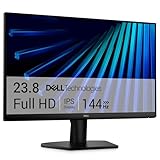
- Clear visuals. Fluid motion: A 144Hz refresh rate and 1ms MPRT deliver smooth, tear‑free motion across work, gaming, and streaming for clearer, more fluid viewing.
- Eye comfort: TÜV Rheinland 3‑star* certification reduces harmful blue light while preserving stunning color quality without compromise. *TÜV Rheinland 3-star eye comfort certification.
- Wide viewing angle: Get consistent views across a wide 178° /178° viewing angle.
- In-Plane Switching (IPS): See excellent color accuracy and consistency across wide viewing angles with In-plane Switching (IPS) technology.
- Ultra-thin bezels: Maximize your viewing experience with thin bezels.
The USB-C port also needs careful interpretation. It is a downstream data port with up to 15W power delivery, not a USB-C video input or a complete laptop-docking connection. You should not assume that one USB-C cable will carry your laptop’s display signal to this monitor. Use HDMI or DisplayPort for video unless the particular configuration explicitly says otherwise.
5. LG UltraGear 24GS65F-B: a strong alternative to the Dell
The LG UltraGear 24GS65F-B is a 23.8-inch 1080p IPS gaming monitor with a 180Hz refresh rate, a 1ms-class response specification, HDR10, G-SYNC Compatibility, and a stand with height, tilt, and pivot adjustment. LG’s support page provides the model information.
RTINGS’ budget-monitor guide describes the LG as having sharper motion handling and better brightness than the Dell SE2426HGS, but it generally costs more and has a lower maximum refresh rate. Choose the LG when it is priced below the Dell or when its image characteristics and stand fit your setup better. If both cost roughly the same and your PC can drive very high frame rates, the Dell’s 240Hz advantage is more compelling.
How to choose the right monitor size and resolution
| Size and resolution | Approximate pixel density | Best use |
|---|---|---|
| 23.8–24 inches at 1080p | 92–93 pixels per inch | Budget and competitive gaming |
| 27 inches at 1440p | About 109 pixels per inch | Balanced gaming, productivity, and image quality |
| 27 inches at 4K | About 163 pixels per inch | Sharp text, detailed images, and office work |
A 24-inch 1080p monitor is a sensible match for a low-cost gaming system because it keeps the resolution easy to drive while maintaining good-enough sharpness at normal viewing distances. A 27-inch 1440p monitor is a better balance if you want a larger, sharper gaming display. A 27-inch 4K monitor produces the sharpest text in this group, but it requires substantially more graphics performance in games and is usually limited to a lower refresh rate at this price.
A 27-inch 1080p model is not automatically unusable, but its lower pixel density makes text and fine interface elements look less crisp than on a 24-inch 1080p, 27-inch 1440p, or 27-inch 4K monitor.
The specifications that matter most under $200
Refresh rate
For gaming, 144Hz or faster is a meaningful improvement over 60Hz when the computer can produce enough frames. The Dell reaches 240Hz, the AOC and LG reach 180Hz, and the Sceptre reaches up to 70Hz. Do not select on the advertised maximum alone: the monitor, cable, graphics output, game settings, and input used must all support the desired mode.
Also popular on Amazon

- CURVED FOR ENHANCED ENGAGEMENT: An immersive viewing experience with a curved monitor that wraps more closely around your field of vision; It creates a wider view, enhancing depth perception and minimizing peripheral distraction
- SMOOTH PERFORMANCE FOR SEAMLESS CONTENT: Stay in the action when playing games, watching videos, or working on creative projects; The 100Hz refresh rate reduces lag and motion blur so you don't miss a thing in fast-paced moments¹
- MORE GAMING POWER: Gain the edge with optimizable game settings; Color and image contrast can be adjusted to see scenes more vividly and spot enemies hiding in the dark; Game Mode adjusts any game to fill the screen so you can view every detail²
- KEEP IT EASY ON THE EYES: Care for your eyes and stay comfortable, even during long sessions; Advanced eye comfort technology certified by TÜV reduces eye strain by minimizing blue light and reducing irritating screen flicker²
- INCREASED VERSATILITY: Connect to more; Plug devices straight into your monitor for increased flexibility, making your computing environment even more convenient
Panel type
- IPS: Usually offers better viewing angles and cleaner motion than inexpensive VA panels, but typically has weaker native contrast. The Dell SE2426HGS and LG 24GS65F-B are IPS gaming options.
- VA: Usually provides higher native contrast and deeper blacks, but budget VA panels can show dark-scene smearing. The AOC Q27G3XMN uses VA and offsets some of its limitations with Mini-LED local dimming.
- OLED: Provides excellent black levels and motion clarity, but burn-in remains a consideration for static desktop content. Do not assume that a monitor marketed as “OLED-like” or using similar language is actually OLED; verify the manufacturer’s panel specification. A genuine new OLED monitor should not be expected to fit a normal $200 budget.
HDR and local dimming
“HDR support” does not guarantee good HDR. A monitor may accept an HDR signal without having enough brightness, contrast, or backlight control to display it convincingly. The AOC’s 336-zone Mini-LED local dimming is materially different from a basic budget monitor that merely lists HDR compatibility. Its DisplayHDR 1000 certification and Mini-LED backlight are the reasons it stands apart in picture quality.
What’s actually slowing this PC down?
Pick the symptom - the matching free tool is one click away.
Response-time claims
A manufacturer’s “1ms” number does not mean the monitor always responds in 1ms. These figures can apply only to a particular overdrive or motion-blur mode. For example, Dell lists several response modes for the SE2426HGS—0.5ms, 1ms, 3ms, and 5ms—depending on the selected setting. Treat response-time figures as one specification, not a guarantee of identical performance in every mode or scene.
Stand and mounting
Budget monitors often save money on their stands. Before buying, check whether the monitor has:
- Height adjustment
- Swivel adjustment
- Pivot rotation
- 100×100mm VESA support
- A suitable DisplayPort cable in the box
- The HDMI and DisplayPort versions your computer requires
The Dell SE2426HGS and AOC Q27G3XMN offer substantially more stand adjustment than a typical tilt-only budget monitor. The Sceptre U275W-UPT family is more attractive when mounted on an arm or used at a fixed desk position.
Independent reader supportYour contribution helps us test, update, and keep practical guides available for everyone.Input limits you should check before buying
Refresh rate and resolution are often limited by the connection rather than the panel itself. The AOC Q27G3XMN reaches 1440p at 180Hz through DisplayPort 1.4 but only 144Hz through HDMI 2.0. The older Sceptre U275W-UPT reaches 4K at 70Hz through DisplayPort, 4K at 60Hz through HDMI 2.0, and only 4K at 30Hz through HDMI 1.4.
This matters especially when connecting a laptop, game console, or older graphics card. Look up the exact input specification for the exact monitor revision, then confirm that your device and cable can produce the resolution and refresh rate you want.
Also popular on Amazon

- 【INTEGRATED SPEAKERS】Whether you're at work or in the midst of an intense gaming session, our built-in speakers provide rich and seamless audio, all while keeping your desk clutter-free.
- 【EASY ON THE EYES】 Protect your eyes and enhance your comfort with Blue-Light Shift technology. This feature reduces harmful blue light emissions from your screen, helping to alleviate eye strain during long hours of use and promoting healthier viewing habits.
- 【WIDEN YOUR PERSPECTIVE】Our sleek minimal bezel design ensures undivided attention. The nearly bezel-free display seamlessly connects in a dual monitor arrangement, delivering an unobstructed view that lets you focus on more at once, completely distraction-free.
Under-$200 buying checklist
- Confirm the exact model number. Similar names can represent different sizes, refresh rates, resolutions, or revisions. The Sceptre U275W-UPT and UPT2, for example, should be checked separately.
- Verify the live selling price. A $199.99 listing may become more than $200 after shipping, tax, a different seller, or a different configuration. The prices in this guide are pre-tax and pre-shipping reference points.
- Check stock and seller status. The Dell P2425H demonstrates why a displayed price is not enough: Dell currently marks the standard configuration unavailable.
- Match resolution to your graphics card. Choose 1080p for easier high frame rates, 1440p for the best gaming balance, or 4K for desktop sharpness and detail.
- Check the input-specific refresh rate. Do not assume that every port supports the monitor’s advertised maximum.
- Inspect the stand. If height, swivel, or pivot adjustment matters, confirm it before buying; a low price can conceal a tilt-only stand.
- Check USB-C wording carefully. A USB-C data port is not necessarily a USB-C display input, laptop charger, or docking station.
- Use independent testing for motion and HDR. Specifications alone do not reveal black smearing, overdrive behavior, gray blacks, or whether HDR looks worthwhile.
Which monitor should you buy?
- Choose the Dell SE2426HGS if you want the most dependable high-refresh competitive-gaming monitor and can accept 1080p and weak contrast.
- Choose the AOC Q27G3XMN if its current price is below $200 and you want the best contrast, HDR, and 1440p image quality. Use DisplayPort for 180Hz.
- Choose the Sceptre U275W-UPT or UPT2 for 4K office work, coding, documents, and sharp text—not for serious high-refresh gaming.
- Choose the Dell P2425H only if you find the required configuration in stock below $200.
- Choose the LG 24GS65F-B when it costs less than the Dell or when its motion handling and adjustable stand better suit your setup.
Frequently Asked Questions
Is a 240Hz 1080p monitor better than a 1440p 180Hz monitor?
Neither is universally better. The Dell SE2426HGS is the better choice for competitive games when your PC can sustain very high frame rates. The AOC Q27G3XMN is better for a larger, sharper desktop and stronger contrast and HDR. Choose based on whether speed or image quality matters more to you.
Can the AOC Q27G3XMN run at 180Hz over HDMI?
No. The AOC documentation lists 2560×1440 at up to 180Hz through DisplayPort 1.4 and up to 144Hz through HDMI 2.0. Use DisplayPort for the full 180Hz mode.
Is the Sceptre U275W-UPT good for gaming?
It is suitable for casual gaming, but it is not a serious high-refresh gaming monitor. Its 4K panel reaches up to 70Hz, while the Dell, AOC, and LG offer 180Hz or 240Hz modes. The Sceptre is better for sharp text and office work.
The Tool Desk
Outbyte Driver Updater FREEScan for outdated or missing drivers - takes under a minuteDriver Scan →Outbyte PC Repair FREERepair Windows errors before they cause bigger problemsFix Now →Does the Dell P2425H connect a laptop through one USB-C cable?
Not based on the listed standard configuration. Dell describes its USB-C connection as a downstream data port with up to 15W power delivery, not a USB-C video input or full laptop-docking connection. Use HDMI or DisplayPort for the display signal.
Does a monitor advertised as 1ms always respond in 1ms?
No. Response-time numbers usually depend on the selected overdrive or motion mode. Dell, for example, lists multiple response modes for the SE2426HGS. Use independent testing to judge real motion performance rather than treating the headline number as a constant.
The Bottom Line
For most competitive gamers, buy the Dell SE2426HGS. If the AOC Q27G3XMN is genuinely available below $200, it is the superior choice for contrast, HDR, and 1440p image quality. Choose the Sceptre U275W-UPT or UPT2 for sharp 4K productivity work, and consider the Dell P2425H only when you can actually find it in stock below the budget. Whatever you choose, verify the exact model, live price, input limits, stand, and panel type instead of relying on refresh rate or response-time marketing alone.

