
Do these 3 things before closing this tab:
1Repair Windows errors before they cause bigger problems2Scan for outdated or missing drivers - takes under a minute3Clear out junk files and repair common Windows errorsiTechGuides is reader-supported. When you buy through links on our site, we may earn an affiliate commission. As an Amazon Associate I earn from qualifying purchases. Learn more
Shotcut is the best overall lightweight video editor for most low-end PCs in 2026. Its published workload tiers are unusually clear: 4GB of RAM for SD, 8GB for HD and 16GB for 4K, with Preview Scaling and Proxy enabled when a computer is near the lower edge. Kdenlive is the stronger open-source choice when you need a deeper timeline, while OpenShot is easier for basic cuts and titles. CapCut suits short, caption-heavy social videos if your Windows PC meets its 4GB minimum, and Clipchamp is the quickest browser-first option.
There is no universal “low-end” performance guarantee. CPU generation, memory, integrated graphics, codec, frame rate, effects and storage all affect playback. The safest approach is to match your project to the published requirements, reduce preview quality before the timeline stutters and make a short test project from your own camera or phone footage.
Which lightweight video editor is best for a low-end PC?
Choose Shotcut for the best balance of low hardware requirements, a conventional local timeline, broad format support and no subscription requirement. Choose Kdenlive if you need more timeline control and can tolerate a denser interface. OpenShot is friendlier for simple cuts, transitions and titles, while CapCut is optimized for short-form social edits. Clipchamp works when you cannot install software and your project is short enough for a browser workflow.
The two special-purpose tools below, Avidemux and LosslessCut, can feel lighter because they focus on trimming, cutting or simple conversions rather than a full multi-track editing environment. They are useful when your job does not require a conventional effects-heavy timeline.
Popular on Amazon
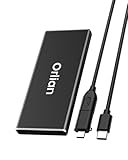
- High-speed Transmission Speed: Equipped with a solid-state drive that supports the USB 3.2 Gen 2 standard, the read speed can reach up to 500MB per second, and the write speed can reach up to 450MB per second, the performance of solid-state drives is much faster.. This enables fast file access and a smooth gaming experience, thereby providing a more efficient and enjoyable usage experience.
- Portable and Lightweight: The product is small in size, light in weight, easy to carry, and convenient to use. The metal design allows for quick heat dissipation.
- Durable Design: Designed with aluminum alloy material, featuring waterproof, dustproof and shockproof functions,stand wear and tear.
- Wide Compatibility: The external SSD can be easily connected to various Type-C devices such as Windows, Mac, iPad Pro, iPhone, and Android devices via USB-C and USB-A interfaces, enabling convenient and fast file transfer.
- What You Get:1 x 500GB Pocket-sized solid-state drive, 1 xUSB-A to Type-C data converter, 1 x USB-A to Type-C data cable (8.66 Inch), 1 x storage bag
Best lightweight video editors at a glance
| Editor | Best for | Platforms | Published low-end guidance | Proxy or preview controls | Free access | Main limitation |
|---|---|---|---|---|---|---|
| Shotcut | Most low-end PCs and general editing | Windows, macOS, Linux | 2GHz single core for SD, four cores for HD, eight for 4K; 4GB, 8GB and 16GB RAM tiers | Preview Scaling and Proxy | Free | Effects-heavy or high-resolution timelines still need more CPU and memory |
| Kdenlive | Advanced open-source timelines | Windows, macOS, Linux | 2GHz core for SD, four cores for HD, eight for 4K; 4GB, 8GB and 16GB RAM tiers | Preview Resolution, Proxy and Timeline Preview Rendering | Free | Denser interface and CPU-heavy timeline playback |
| OpenShot | Simple cuts, titles and transitions | Windows, macOS, Linux | 4GB minimum; 16GB recommended, 64-bit multi-core CPU and 1GB installation space | Basic preview and project controls; use lower-resolution media when necessary | Free | Documentation recommends an SSD and at least 500GB available media storage |
| CapCut | Captions, templates and vertical social video | Windows and other CapCut-supported platforms | Windows 10 or later, Core i3 or equivalent AMD CPU, 4GB RAM, Intel HD Graphics 4000 or better, 2GB free space | Proxy Mode and lower preview resolution | Free access is available; account, template and export terms can change | Cloud features, templates, watermark and export rules vary by project and account |
| Clipchamp | Browser-first quick edits | Web browser | No single hardware tier published in the cited guidance | Depends on browser and project settings | Free browser access is available | Less granular control; browser, network, memory and source-file size affect responsiveness |
| Avidemux | Fast trims and simple format work | Desktop platforms supported by the project | Not stated | Not a full proxy-based timeline workflow | Free and open source | Limited multi-track editing and compositing |
| LosslessCut | Very fast cuts without re-encoding where possible | Desktop platforms supported by the project | Not stated | Designed around direct stream handling rather than complex previews | Free and open source | Not a replacement for a full editor with effects, titles and layered audio |
The RAM figures for Shotcut and Kdenlive are workload targets, not promises that every file will play smoothly. A 4GB computer handling SD footage is a different proposition from an 8GB computer with an SSD editing 1080p H.264 clips.
1. Shotcut: best overall for a low-end PC
Shotcut is the safest default when you want a real desktop timeline without a subscription. It is free, runs on Windows, macOS and Linux, and publishes separate CPU and memory guidance for SD, HD and 4K work.
What it does
You can assemble clips on a local timeline, trim and split footage, add titles and effects, mix audio and export to common video formats. Its broad format support makes it practical when clips come from a phone, screen recorder and camera in the same project.
Quick wins for a faster PC:
Scan for outdated or missing drivers - takes under a minuteDriver Scan →Clear out junk files and repair common Windows errorsFree Scan →Hardware guidance
- SD: one 2GHz CPU core and 4GB RAM.
- HD: four CPU cores and 8GB RAM.
- 4K: eight CPU cores and 16GB RAM.
- Linux requires compatible OpenGL 2.0; Windows requires Direct3D 11.
These are workload tiers rather than a guarantee for every codec or effect. Long-GOP H.264/H.265, high frame rates and multiple filters can exceed the nominal tier.
How to keep playback responsive
Shotcut’s FAQ specifically advises using both Preview Scaling and Proxy when a computer is near the lower edge of the CPU and RAM requirements. Preview Scaling reduces the resolution used for the monitor; Proxy creates easier-to-decode editing media while retaining the original files for output.
Free plan and limits
Shotcut is free to download and use. There is no subscription tier to unlock the basic editor. Its limit on a weak computer is practical rather than licensing-related: complex 4K timelines, many effects or compressed camera files can still overwhelm the CPU.
2. Kdenlive: best advanced open-source choice
Kdenlive is the choice for editors who need a deeper multi-track workflow and are willing to learn a denser interface. It supports Windows, macOS and Linux and publishes the same broad memory ladder as Shotcut.
Published requirements
- SD: a 2GHz CPU core and 4GB RAM.
- HD: four CPU cores and 8GB RAM.
- 4K: eight CPU cores and 16GB RAM.
The Kdenlive manual notes that video editing generally relies heavily on CPU power. Timeline playback uses the CPU even though some render profiles can use GPU acceleration, so an older integrated GPU does not remove the need for a capable processor.
Also popular on Amazon

- High-speed data transfer: The external Lexar SSD ES3 supports USB 3.2 Gen 2 with up to 1050 MB/s read and 1000 MB/s write speed for fast file transfer and more efficient work. (The performance may be lower if USB 3.2 Gen 2 is not supported on Mac and other systems)
- Wide Compatibility: Lexar Portable SSD ES3 compatible with the iPhone 15 series (not supported on iPhone 14 and older models), Android mobile devices, laptops, cameras, Xbox X|S, PS4, PS5, gaming consoles and more
- On the go: The sleek, stylish and robust design of the Lexar ES3 External Solid State Drive weighs 42g and is only 10.5mm thick, so it is smaller than a card and fits comfortably in your pocket. It comes with a Type-C cable for easy plug and play
- Data security is a priority: Lexar SSD-ES3 includes Lexar DataShieldTM 256-Bit AES encryption software to protect files
- Note: Magsafe is not available in this version
Controls for slower systems
Use Preview Resolution to reduce the monitor workload, Proxy to edit with lower-resolution copies and Timeline Preview Rendering to pre-render difficult sections. These controls are most useful before a project accumulates many effects and compositing layers.
Free plan and limits
Kdenlive is free and open source. Its advantage over simpler editors is timeline depth, not lower CPU demand. Expect a steeper learning curve, and plan to render difficult sections when real-time playback is not possible.
3. OpenShot: simplest full editor for basic projects
OpenShot is a straightforward option for cuts, titles, transitions and short projects. Its documentation lists a 64-bit operating system, a 64-bit multi-core processor with at least two cores, 4GB RAM and 1GB of installation space as minimums.
Outdated Drivers Are Slowing You Down
One free scan finds every outdated or missing driver and matches the right update for your exact hardware.Free scan · exact hardware matchWindows Errors? Fix Them Before They Spread
Repair common Windows errors and clear accumulated junk for a smoother, more stable PC - no reinstall needed.Free scan · no reinstallWhat the recommendations mean
OpenShot raises the recommendation to 16GB RAM, an SSD and at least 500GB of available media storage. That gap matters: the 4GB figure describes a starting point, while the recommendation reflects the disk space and memory that make larger projects easier to manage. The documentation says most computers made after 2017 will run OpenShot; that is a broad compatibility statement, not a promise of smooth 4K playback.
Best use case
Pick OpenShot for school videos, simple YouTube cuts, title cards and short family projects where you value a less intimidating interface over advanced trimming, compositing or color workflows.
Free plan and limits
OpenShot is free. On a 4GB machine, keep projects short, close other applications and use lower-resolution source files when possible. An SSD helps with import, cache and export operations, but it cannot compensate for an underpowered CPU during effects-heavy playback.
4. CapCut: best for short-form social video
CapCut is a practical choice for vertical clips, captions, templates and quick social exports when your Windows computer meets its published minimums.
Recommended Free Tools
Windows minimums
- Windows 10 or later.
- Intel Core i3 or equivalent AMD processor.
- 4GB RAM.
- Intel HD Graphics 4000 or better.
- 2GB of free storage.
Proxy and preview settings
CapCut’s PC guidance describes Proxy Mode, which creates lower-resolution copies for editing, and a lower preview-resolution setting that reduces GPU load. Enable these before stacking filters, animated text, transitions or background removal effects.
Also popular on Amazon

- Blazing 20Gbps: Instantly view and edit files with external ssd speed up to 2000MB/s.(This speed runs on CrystalDiskMark 7.0. Actual speeds vary with capacity, file sizes, system conditions and number of files in the folder)
- Universal Compatibility: Utilizing USB 3.2 Gen2x2, this portable ssd Plug-and-play across most USB devices. (External ssd requires USB3.2Gen2x2 compatibility for full-speed; Other ports including thunderbolt capped at 10Gbps)
- USB-C/A Dual-Cable: 500GB external ssd comes with 20Gbps USB-C cable (cutting-edge speed) and 10Gbps USB-A cable (backward compatibility), effortlessly bridging cross-platform file transfers between computers, phones, gaming hosts and tablets
- Data Security: External solid state drive integrates S.M.A.R.T. health diagnostics and adaptive TRIM optimizing data block management—it sustains peak write speeds and extends the SSD's longevity
- Blue Indicator: This external ssd features an LED that displays real-time activity during data transfers, preventint accidental disconnections and data loss. *Always Eject Safely, Never unplug the flash drive during transfers
Free access and changing terms
CapCut offers free access, but account requirements, templates, watermark behavior and export rules can change. Check the export screen for the current project before committing to a large edit, especially when using a template or cloud-backed feature.
Limits on older laptops
CapCut is aimed at fast social production rather than long, layered documentary timelines. A machine that meets the 4GB minimum may still struggle with high-bitrate phone footage, 60-fps clips or several AI-style effects at once.
5. Clipchamp: best browser-first option
Clipchamp is useful when you cannot install a desktop editor or need a quick browser workflow for short social content. Current roundup coverage positions it as beginner-friendly and lightweight for short projects, but less powerful and less granular than a full desktop timeline.
The Tool Desk
Outbyte PC Repair FREEClear out junk files and repair common Windows errorsFree Scan →Outbyte Driver Updater FREEScan for outdated or missing drivers - takes under a minuteDriver Scan →How the browser workflow changes the decision
Responsiveness depends on the browser, available system memory, network conditions and the size and codec of the source files. Those variables make a browser editor harder to predict on an old laptop than a local application with published CPU and RAM tiers.
Best use case
Use Clipchamp for trimming a few clips, adding basic text, resizing for social platforms and exporting a short video without installing software. Move to Shotcut or Kdenlive when you need many tracks, precise audio edits or a long timeline.
Free access and limits
A free browser workflow is available. Before exporting, review the current account and output options shown in your Clipchamp project, because browser products can change available media, templates and export features over time.
6. Avidemux: lightest choice for simple cuts and conversions
Avidemux is a free, open-source utility for straightforward cutting, filtering and format work. It is a better fit for removing unwanted sections or making a quick clip than for building a multi-track production.
Free tools Windows power users keep installed
One-click scans. No signup required.
Why it feels light
The workflow is focused: open a file, mark the start and end, choose copy or an output codec and save. When the selected settings allow stream copying, the operation can avoid a full re-encode, preserving quality and reducing processing time.
Also popular on Amazon

- SMALL DRIVE. POWERHOUSE PERFORMANCE: The Verbatim Pocket SSD delivers high-speed storage in an ultracompact design built for creators, gamers, travelers, and everyday backup.
- COMPACT AND CONVENIENT: Ultra-lightweight and small enough to slip into your back pocket, with a convenient keyring and cable holder to keep your cable neat and tangle-free
- HIGH-SPEED READ AND WRITE PERFORMANCE: Read speeds up to 1000MB/s and write speeds up to 1000MB/s help you transfer files, back up content, and access media faster
- RELIABLE SSD PERFORMANCE: Durable solid-state storage with no moving parts for dependable everyday use and improved energy efficiency
- USB-C COMPATIBILITY: Connects easily to USB-C PCs, Macs, tablets, smartphones, gaming consoles, and more.
Free plan and limits
Avidemux has no subscription requirement. It does not provide the layered timeline, title animation and broad compositing tools expected from Shotcut or Kdenlive, so choose it only when the edit is genuinely simple.
7. LosslessCut: fastest for trimming without re-encoding
LosslessCut is designed around rapid cutting and stream handling. It is useful when you need to remove sections from a large camera or screen-recording file while avoiding unnecessary re-encoding where the source allows it.
Best use case
Choose it for cutting out pauses, extracting a segment, joining compatible sections or preparing clips before a larger edit. Its narrow workflow can be much easier on an old PC than decoding several layers of effects in real time.
Free plan and limits
LosslessCut is free and open source. It is not a replacement for a full editor: titles, animated transitions, complex color work and layered audio require Shotcut, Kdenlive, OpenShot or another timeline editor.
How do I choose an editor for a 4GB, 8GB or 16GB PC?
Start with memory, then account for the CPU, storage and footage format. The same editor can feel usable on an 8GB SSD-equipped laptop and frustrating on a 4GB hard-drive system.
For 4GB RAM
- Prefer SD or 720p projects and short timelines.
- Choose Shotcut with Preview Scaling and Proxy enabled, or OpenShot for basic cuts.
- CapCut is viable when the Windows minimums are met and you keep effects modest.
- Use Avidemux or LosslessCut when you only need trims or extracts.
- Close background applications before importing or exporting.
For 8GB RAM
- 1080p becomes more realistic, especially with an SSD and a reasonably modern CPU.
- Shotcut and Kdenlive are the strongest general choices; use proxies for compressed phone footage.
- OpenShot remains suitable for simple edits but may need more free storage for media and cache.
For 16GB RAM
- Short 4K projects are more practical, but CPU cores and codec still determine playback.
- Kdenlive’s preview rendering and proxy workflow help with multi-track timelines.
- Shotcut is a simpler alternative when you do not need Kdenlive’s deeper controls.
How can I edit 1080p video without lag on an old laptop?
- Match the project settings. On a 4GB computer, start at 720p or use proxies for 1080p. Reserve native 4K editing for systems near the 16GB tier.
- Enable low-load previews first. In Shotcut, turn on Preview Scaling and Proxy. In Kdenlive, reduce Preview Resolution, enable Proxy and use Timeline Preview Rendering. In CapCut, enable Proxy Mode and lower preview resolution.
- Keep media and cache on fast storage. OpenShot recommends an SSD and at least 500GB of available media storage. Leave working space rather than filling the drive.
- Reduce simultaneous work. Close browsers, game launchers and other memory-heavy applications. Timeline playback is CPU-heavy, so watch CPU and RAM pressure while scrubbing.
- Limit expensive effects. Blur, denoise, stabilization, animated overlays and multiple color filters can make a simple 1080p clip harder to play than a lightly compressed 4K clip.
- Render difficult sections. Use timeline preview rendering where available, then replace the temporary preview with the final export.
- Check a short sample. Import a representative clip from the actual phone or camera, add the effects you expect to use and export a minute before starting a long project.
What should I check before installing?
- Operating system: Shotcut, Kdenlive and OpenShot cover Windows, macOS and Linux; CapCut’s stated desktop minimum is Windows 10 or later; Clipchamp runs in a browser.
- CPU: Core count matters because the published Shotcut and Kdenlive tiers rise from one 2GHz core for SD to eight cores for 4K.
- Graphics support: Shotcut requires compatible OpenGL 2.0 on Linux or Direct3D 11 on Windows. CapCut lists Intel HD Graphics 4000 or better.
- Storage: An SSD improves media and cache handling. OpenShot recommends at least 500GB of available media storage.
- Codec and frame rate: H.264/H.265, 60-fps footage and variable-frame-rate phone recordings can be harder to decode than their resolution alone suggests.
- Export needs: Confirm the output resolution, frame rate, file format, account requirement and watermark behavior in the current editor before finishing the project.
Which editor is best for different projects?
| Project | Best starting point | Reason |
|---|---|---|
| Basic family or school video | OpenShot | Simple cuts, titles and transitions with a beginner-oriented workflow |
| General YouTube editing on an older PC | Shotcut | Clear hardware tiers, local timeline and proxy controls |
| Multi-track open-source production | Kdenlive | More timeline control plus proxy and preview rendering tools |
| Vertical social clips and captions | CapCut | Templates, captions and proxy mode for short-form work |
| Quick edit without installing software | Clipchamp | Browser-first workflow for short projects |
| Trim without a full re-encode | LosslessCut | Focused stream-cutting workflow |
| Simple cut or conversion utility | Avidemux | Minimal interface and straightforward output controls |
What are the most common low-end editing problems?
Playback stutters but audio is fine
Lower preview resolution or scaling and enable proxies. The preview is a monitoring path; a stutter does not automatically mean the final export will contain dropped frames.
The editor freezes when effects are added
Disable expensive effects temporarily, render a preview section or edit with proxy media. Re-enable effects for the final export once the cut is locked.
Export runs out of storage
Check the free space on the media, cache and export drives. OpenShot’s recommendation of at least 500GB available media storage illustrates how quickly source clips, proxies, previews and exports can accumulate.
Also popular on Amazon

- Blazing-fast speed. Powered by the latest USB 3.2 Gen 2x2 technology, this USB-C external SSD maximizes the read and write speed up to 2000/1800MB/s, perfect for capturing and store best footage or creating incredible contents.
- Versatile use. Backed by top-quality A+ memory chips, the external solid state drive offers sustainable performance for handling high-res photos, 8K video editing, games, graphic designs, content creations, and more.
- Exceptional Durability. The all-metal body features excellent heat dissipation and excellent resistance to shocks and bumps. A removable protective silicone case reinforces the superior performance of shockproof, drop-proof, and waterproof. Perfect to travel with you anywhere.
- Widely compatible. This USB 3.2 portable SSD is widely compatible with Windows, Mac, Linux, and Android systems. Coming with USB-C to USB-C/USB-A cables, this Type-C external SSD creates extra large storage space for PC, Mac, smartphone, tablet, game console, and more.
- What you get. 1 x USB 3.2 external SSD, 1 x USB-C to USB-C cable, 1 x USB-C to USB-A cable, 1 x travel pouch, 1 x User Guide, and our friendly customer service. Please contact us if you have any questions about this portable SSD.
Phone footage plays unpredictably
Variable-frame-rate recordings and highly compressed files can be difficult for older CPUs. Create a proxy or an editing-friendly intermediate, then keep the original files for final output when the editor supports that workflow.
A browser editor is slow even though the project is short
Close extra tabs, keep the browser updated, reduce source-file size and check the network connection. Browser performance depends on more variables than a local editor, so switch to Shotcut or Kdenlive for a long or effects-heavy timeline.
Frequently Asked Questions
Can a video editor work on a laptop with 2GB of RAM?
The editors compared here publish 4GB as the starting memory tier for SD work in Shotcut and Kdenlive, and OpenShot lists 4GB as its minimum. A 2GB system may open a very simple utility, but it is below the documented starting point for a practical timeline workflow.
What’s actually slowing this PC down?
Pick the symptom - the matching free tool is one click away.
Should I upgrade RAM or install an SSD first for video editing?
An SSD improves loading, cache access and file handling, while extra RAM reduces swapping and helps larger timelines. If the computer constantly runs out of memory, RAM is the immediate bottleneck; if applications pause while reading media, storage may be the larger problem. Check whether the specific laptop allows either upgrade before buying parts.
Will proxies reduce the quality of my final video?
Proxy files are lower-resolution editing copies. The final export normally uses the original media when the project remains linked correctly, so proxy playback does not by itself lower output quality; verify the editor’s media and export settings before rendering.
Is an integrated Intel GPU enough for a lightweight editor?
It can be, depending on the generation, driver support, codec and effects. CapCut lists Intel HD Graphics 4000 or better for Windows, while Shotcut requires Direct3D 11 on Windows or OpenGL 2.0 on Linux; these are compatibility baselines, not guarantees of smooth 4K playback.
What is the lightest free editor without a watermark?
Shotcut, Kdenlive, OpenShot, Avidemux and LosslessCut are free projects without a subscription requirement. CapCut and Clipchamp also offer free workflows, but review the current template, account and export conditions for the specific project because those terms can vary.

