
iTechGuides is reader-supported. When you buy through links on our site, we may earn an affiliate commission. As an Amazon Associate I earn from qualifying purchases. Learn more
The best inkjet printer for artistic, beautiful, colorful, detailed images and fine-art masterpieces depends on your paper, print size, ink budget, and sales goals. For serious 13-inch fine-art work, choose the Canon imagePROGRAF PRO-310 or Epson SureColor P700; choose the EcoTank ET-8550 for frequent lower-cost printing, or a PRO-1100/P900 for 17-inch gallery prints.
There is no universal best printer for every artist. A digital illustrator producing glossy reproductions has different requirements from a photographer selling archival cotton-rag editions, an Etsy seller making frequent batches, or a gallery artist printing work wider than 13 inches.
Key takeaways
- The Canon imagePROGRAF PRO-310 and Epson SureColor P700 are the strongest direct choices for serious 13-inch pigment-based fine-art printing.
- The Epson EcoTank Photo ET-8550 is better suited to frequent colorful production because its refillable six-color tank system can reduce ongoing ink costs, although Epson’s claimed yield of up to 6,200 color pages varies with coverage and page size.
- The Canon imagePROGRAF PRO-1100 and Epson SureColor P900 are the appropriate shortlist when 17-inch-wide output matters for exhibitions, portfolios, or large premium prints.
- Pigment ink is generally the safer choice for fine-art paper, matte media, black-and-white work, and prints sold with long-term display expectations; dye ink is particularly attractive for vivid glossy color.
- Paper profiles, monitor calibration, source color space, printer drivers, and feed reliability affect artistic output at least as much as a printer’s maximum DPI.
- Canon PRO-310 availability and pricing showed conflicting signals in the August 2026 research pass, so buyers should verify the official U.S. product page immediately before purchase.
Which printer is best for artistic, beautiful, colorful, detailed images?
For archival-oriented fine-art prints up to 13 × 19 inches, the Canon imagePROGRAF PRO-310 is the most defensible overall recommendation, with the Epson SureColor P700 as its closest Epson alternative. The Epson EcoTank Photo ET-8550 is the better value-oriented choice for artists who print frequently, need a scanner, and do not require a dedicated professional pigment workflow. For 17-inch gallery work, compare the Canon imagePROGRAF PRO-1100 with the Epson SureColor P900.
Recommended Free Tools
The recommendation changes when the artwork, paper, and business model change. A vivid glossy illustration may look excellent from a dye printer such as the Canon PIXMA PRO-200S, while a textured matte-rag reproduction usually justifies a professional pigment printer. A high-volume seller may spend less overall with a tank printer even if the tank printer is not the strongest option for premium archival editions.
Popular on Amazon

- Affordable Versatility - A budget-friendly all-in-one printer perfect for both home users and hybrid workers, offering exceptional value
- Crisp, Vibrant Prints - Experience impressive print quality for both documents and photos, thanks to its 2-cartridge hybrid ink system that delivers sharp text and vivid colors
- Effortless Setup & Use - Get started quickly with easy setup for your smartphone or computer, so you can print, scan, and copy without delay
- Reliable Wireless Connectivity - Enjoy stable and consistent connections with dual-band Wi-Fi (2.4GHz or 5GHz), ensuring smooth printing from anywhere in your home or office
- Scan & Copy Handling - Utilize the device’s integrated scanner for efficient scanning and copying operations
Quick comparison
| Printer | Best for | Ink approach | Maximum size class | Main advantage | Main drawback | U.S. price or status signal |
|---|---|---|---|---|---|---|
| Canon imagePROGRAF PRO-310 | Overall 13-inch fine-art printing | LUCIA PRO II pigment; nine color inks plus Chroma Optimizer | 13-inch class; borderless media up to 13 × 19 inches | Fine-art paper handling, wide color potential, and strong black-and-white positioning | Cartridge expense, slower production, and inconsistent current availability signals | Canon pages showed different promotional prices and contradictory availability language; verify before buying |
| Epson SureColor P700 | 13-inch pigment work and monochrome output | UltraChrome PRO10 pigment | 13-inch class | Matte and fine-art media support with a strong black-and-white workflow | Higher ongoing consumable cost than a tank printer | No current official Epson U.S. checkout price was verified in the research pass |
| Epson EcoTank Photo ET-8550 | Frequent colorful artwork, proofs, and scanning | Six-color refillable Claria ET tank system | A3/13-inch class | Lower potential ink cost, plus print, scan, and copy functions | Less conservative choice for premium archival pigment editions | TechRadar reported a retailer promotion from $749.99 to $599.99 on August 14, 2026; promotions change |
| Canon imagePROGRAF PRO-1100 | Large professional prints | Professional pigment workflow | 17-inch class | More suitable for exhibitions and large premium artwork | Large footprint and higher printer, ink, and paper costs | Canon U.S. showed $1,249.99 promotional pricing against $1,403.99 regular pricing during the August 2026 pass |
| Epson SureColor P900 | 17-inch Epson fine-art and photographic work | UltraChrome PRO10 pigment | 17-inch wide | Dedicated photo-black and matte-black channels plus Advanced Black and White mode | Expensive and excessive for small occasional prints | Current direct Epson price was not exposed in the retrieved page |
| Canon PIXMA PRO-200S | Vivid glossy color at a lower entry price | Dye-based photo ink | Professional-photo-size class | Saturated, attractive glossy output | Weaker choice for formal archival fine-art editions and still uses cartridges | Canon U.S. showed $549.99 promotional pricing against $647.99 regular pricing during the August 2026 pass |
| Epson Expression Photo XP-15000 | Budget wide-format printing | Dye-based photo ink | 13-inch class | Lower purchase barrier with vivid photo and illustration color | Cartridge costs and less professional archival positioning | No current official Epson U.S. price was verified in the research pass |
Prices in the table are U.S. signals observed during an August 2026 research pass, not guaranteed current prices. Check the manufacturer or retailer page before ordering, especially for the PRO-310, whose official Canon page displayed conflicting stock and discontinuation language.
What are the best printers for each type of artwork?
| Your priority | Best starting point | Why | What to accept as the trade-off |
|---|---|---|---|
| Selling fine-art reproductions | Canon PRO-310 or Epson P700 | Pigment output, fine-art media compatibility, tonal control, and professional color-management options | Higher cartridge costs and maintenance requirements |
| 17-inch exhibition prints | Canon PRO-1100 or Epson P900 | 17-inch width provides substantially more presentation area than a 13-inch desktop model | More space, more expensive media, and higher ownership cost |
| Frequent colorful production | Epson ET-8550 | Refillable tanks and a scanner make repeated proofs, illustrations, cards, and mixed studio work more economical | Do not automatically market every print as archival fine art |
| Vivid glossy illustrations and photos | Canon PIXMA PRO-200S | Dye ink can produce exceptionally saturated glossy color | Less conservative for long-term fine-art editions |
| Occasional beginner wide-format work | Epson XP-15000 | Provides 13-inch-class output without starting with a professional pigment system | Cartridge economics may become unattractive with frequent printing |
| Black-and-white artwork | Epson P700, P900, or Canon PRO-310 | Professional pigment systems provide better control of deep blacks and tonal transitions | Premium hardware is difficult to justify for occasional small prints |
Why does pigment versus dye ink matter for art printing?
Pigment ink is usually the better fit for fine-art paper, matte or cotton-rag media, long-term display, black-and-white work, and prints sold as premium editions. Dye ink is often the better fit for exceptionally vivid glossy color, personal photographs, bright illustrations, and a lower initial purchase price.
When should an artist choose pigment ink?
Pigment particles sit in or on the paper differently from dye colorants, and professional pigment systems are designed around controlled tonal transitions, dense blacks, and fine-art media. The Canon PRO-310 uses Canon’s LUCIA PRO II pigment system with nine color inks plus Chroma Optimizer. Canon specifically describes its Matte Black ink as supporting black density and gradation on fine-art paper in the PRO-310 product information.
The Epson P700 and P900 use UltraChrome PRO10 pigment technology. The P900 also provides dedicated photo-black and matte-black channels and an Advanced Black and White mode, according to Epson’s P900 specifications.
Pigment ink does not automatically make a print immortal. Longevity depends on the ink, paper, exposure, framing, humidity, lighting, and the specific permanence test. Use the word archival only when the relevant manufacturer claim or independent test is identified with its paper and display conditions.
When is dye ink the better choice?
Dye ink can produce very attractive, highly saturated results on glossy and luster paper. The Canon PIXMA PRO-200S is therefore a sensible option for bright personal prints, colorful portfolios, and artists whose buyers prioritize appearance and price over a formal archival specification.
Dye-based output should not be casually described as archival. Dye printers are not automatically poor quality, but pigment is generally the more conservative choice when an artist promises long-term fine-art display performance.
Do these 3 things before closing this tab:
1Scan for outdated or missing drivers - takes under a minute2Repair Windows errors before they cause bigger problems3Fix the driver behind crashes, sound loss and screen glitchesHow large should an artist’s printer be?
Choose the printer’s maximum paper width before comparing resolution or smart features. Print width determines which artwork sizes can be produced at home and affects paper cost, desk space, feed handling, and the economics of every edition.
| Printer size class | Typical creative use | Who should choose it? |
|---|---|---|
| Letter/A4 | Studies, cards, small prints, proofs, and portfolio drafts | Artists who rarely need larger artwork or plan to outsource finished editions |
| 13-inch / A3+ | Common home-studio art prints, illustrations, photographs, and limited editions | Most independent artists who need a useful balance of size, quality, and footprint |
| 17-inch | Gallery prints, exhibition pieces, portfolios, and larger premium editions | Artists whose business depends on larger presentation sizes |
| 24 inches or wider | Studio and production printing | Artists with regular large-format demand, suitable space, and a workflow beyond ordinary desktop printers |
The PRO-310 supports borderless media up to 13 × 19 inches, making the 13-inch class a practical home-studio target; see Canon’s PRO-310 product page. The P900 is a 17-inch professional printer, as documented by Epson’s P900 product page.
A 17-inch printer is not merely a larger version of a 13-inch printer. A larger machine needs more desk or stand space, larger paper storage, and a higher budget for both sheets and failed tests. Choose 17 inches when the larger finished print creates enough artistic or commercial value to justify those costs.
Also popular on Amazon
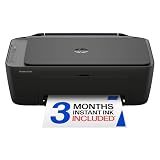
- PERFECT FOR BASIC PRINTING NEEDS – Print everyday color documents like to-do lists, letters, financial documents and recipes
- KEY FEATURES – Color print, copy, scan, and a 60-sheet input tray, plus mobile and wireless printing
- OPTIMIZE PRINT FORMATTING WITH HP AI – Print web pages and emails with precision—no wasted pages or awkward layouts; HP AI easily removes unwanted content, so your prints are just the way you want
- ICON LCD – Print your basic documents with ease from the intuitive control panel
- PRINT SPEED – Up to 7.5 ppm black, 5.5 ppm color
How do paper type and printer choice affect the finished image?
Paper and printer form a system. Glossy and luster surfaces usually maximize apparent sharpness and saturation, while matte, cotton-rag, and textured papers create a less reflective fine-art appearance and can reveal subtle tonal strengths or weaknesses.
Quick wins for a faster PC:
Scan for outdated or missing drivers - takes under a minuteDriver Scan →Clear out junk files and repair common Windows errorsFree Scan →| Paper type | Visual result | Printer and workflow concerns |
|---|---|---|
| Glossy | High apparent sharpness, contrast, and saturation | Can reveal reflections, bronzing, or uneven gloss; use the correct media setting |
| Luster/semi-gloss | Strong color with fewer reflections than glossy paper | Good general photo and illustration choice; test the paper profile |
| Matte | Soft, non-reflective art presentation | Requires suitable black-ink handling and may produce less apparent saturation |
| Cotton rag or textured fine-art paper | Premium tactile surface and art-paper character | Check thickness, rear or manual feed, margins, drying, and borderless restrictions |
Thick fine-art paper can expose a feed-path limitation even when the printer produces excellent color. Before purchasing, check the supported thickness, required feed path, minimum margins, whether sheets must be loaded individually, and whether borderless printing is disabled for that media. Canon’s fine-art documentation illustrates why paper settings and margins need to be checked rather than assumed; consult the relevant Canon fine-art specifications and media guidance for the documented professional workflow.
Incorrect paper settings can cause washed-out color, excess ink, slow drying, smearing, bronzing, weak shadow detail, and feed errors. A premium printer cannot rescue cheap, incompatible, or poorly profiled paper.
How important are color gamut, profiles, and resolution?
Color gamut is the range of colors a printer-and-paper combination can reproduce. Artists should pay particular attention to saturated reds, oranges, blues, and greens, smooth gradients, shadow detail, highlight transitions, and skin tones when relevant.
More ink colors do not guarantee better results for every image. A printer’s driver, paper profile, source color space, monitor calibration, and paper surface can change the result as much as the nominal ink count. A color displayed by a bright monitor may lie outside the gamut of the printer and paper, so the printed version can look less saturated or shift in hue.
The Tool Desk
Outbyte PC Repair FREEClear out junk files and repair common Windows errorsFree Scan →Outbyte Driver Updater FREEScan for outdated or missing drivers - takes under a minuteDriver Scan →A reliable art-print workflow
- Calibrate the monitor so the screen is not misleading you about brightness, contrast, or color.
- Work in an appropriate color space and preserve the source file rather than repeatedly exporting compressed copies.
- Install the correct ICC profile for the exact printer, ink, and paper combination when the paper maker supplies one.
- Use soft proofing in compatible editing software to preview out-of-gamut colors and the effect of the paper surface.
- Print a small test strip or reduced proof before committing an expensive 13 × 19 or 17-inch sheet.
- Compare the physical print under the intended viewing light, not only beside a glowing monitor.
Maximum DPI is not a reliable way to rank artistic printers. Droplet control, driver quality, gamut, black density, gradient smoothness, paper profiles, feed reliability, actual print size, and cost per sellable print are more useful decision criteria.
Which professional 13-inch printer should you buy?
Canon imagePROGRAF PRO-310: best overall 13-inch fine-art option
The Canon imagePROGRAF PRO-310 is the leading choice for an artist who wants a dedicated, pigment-based printer for detailed illustrations, photographic reproductions, matte paper, and fine-art editions up to 13 × 19 inches. Canon announced the model in January 2025 with a U.S. MSRP of $899.99; the Canon launch announcement supplies that dated MSRP and launch context.
The PRO-310 combines LUCIA PRO II pigment inks, nine color inks, and Chroma Optimizer. Chroma Optimizer can improve the appearance of glossy and semi-gloss output by reducing uneven reflection and bronzing. Canon also lists a Nozzle Recovery System and Skew Correction technologies, features that are relevant when a professional print must be produced consistently rather than merely look good in a one-off test.
The main disadvantages are cartridge expense, slower high-volume production, and current-status uncertainty. During the August 2026 research pass, Canon’s U.S. product page showed price and stock language while also stating that the model was discontinued or no longer available. Treat the PRO-310 as a strong technical recommendation, not as a guaranteed in-stock model; verify the current Canon product status immediately before purchase.
Epson SureColor P700: best Epson alternative at 13 inches
The Epson SureColor P700 is the closest alternative for artists who prioritize pigment output, matte and fine-art paper, and black-and-white printing. The P700 uses UltraChrome PRO10 pigment technology and is positioned as a professional 13-inch-class photo printer.
Also popular on Amazon

- AFFORDABLE ALL-IN-ONE FOR HOME AND HOME OFFICE: Print, copy, and scan on one compact wireless printer designed for everyday home office printing, schoolwork, documents, and reports. Produce beautiful prints for results that stand out.
- EASY TO USE WITH CLOUD APP CONNECTIONS: Print from and scan to popular Cloud apps(2), including Google Drive, Dropbox, Box, OneDrive, and more from the simple-to-use 1.8” color display on your printer.
- FULL-SIZE FEATURES IN A COMPACT DESIGN: This printer includes automatic duplex (2-sided) printing, a 20-sheet single-sided Automatic Document Feeder (ADF)(3), and a 150-sheet paper tray(3). Engineered to print at fast speeds of up to 16 pages per minute (ppm) in black and up to 9 ppm in color(4).
- MULTIPLE CONNECTION OPTIONS: Connect your way. Interface with your printer on your wireless network or via USB.
- MOBILE PRINTING MADE EASY: Go mobile with the Brother Mobile Connect app(5) that delivers easy onscreen menu navigation for printing, copying, scanning, and device management from your mobile device. Monitor your ink usage with Page Gauge to help ensure you don’t run out(6).
The P700 makes the most sense for photographers and artists already comfortable with Epson’s profiles and software workflow, or for anyone who places monochrome and matte-paper performance above tank economics. Comparative testing from RTINGS’ P700 review treats the P700 as a high-quality professional option while highlighting the higher ongoing cost relative to a tank printer.
The P700 is excessive for occasional glossy snapshots and is not the right economic choice for large quantities of low-priced cards or merchandise. Its value appears when each finished print matters more than minimizing the cost of every sheet.
Which printer is best for large gallery artwork?
Canon imagePROGRAF PRO-1100
The Canon imagePROGRAF PRO-1100 is the Canon choice when 17-inch-wide output, professional pigment printing, and exhibition-scale presentation matter more than compactness. The PRO-1100 is better suited to artists selling larger, higher-priced prints than to users who only need 8 × 10 or 13 × 19 output.
Free tools Windows power users keep installed
One-click scans. No signup required.
Canon U.S. showed a regular listed price of $1,403.99 and a special price of $1,249.99 during the August 2026 research pass, with a displayed $154 instant-saving promotion. Those are time-sensitive U.S. price observations from Canon’s large-format printer category, not permanent pricing.
The PRO-1100 requires more room, more expensive paper, and a larger investment in ink. Choose it when 17-inch prints are central to the studio business, not simply because a larger specification looks impressive.
Epson SureColor P900
The Epson SureColor P900 is the Epson alternative for 17-inch professional photographic and fine-art printing. Epson documents UltraChrome PRO10 technology, dedicated photo-black and matte-black channels, Carbon Black mode for higher black density on glossy paper, and an Advanced Black and White mode on the P900 product page.
The P900 is particularly compelling for gallery photographers and monochrome artists who need large output and detailed control over black-and-white work. The P900 is a poor fit for a small desk, occasional printing, or an artist whose customers rarely buy work larger than 13 × 19 inches. A current direct Epson price was not exposed in the retrieved research, so no fixed price should be assumed.
Is the Epson EcoTank ET-8550 better for frequent colorful printing?
The Epson EcoTank Photo ET-8550 is better than a cartridge-based professional printer for many artists who print frequently, make proofs, produce colorful illustrations or cards, and need scanning and copying. The ET-8550 has a six-color Claria ET refillable tank system, A3/13-inch-class output, and print, scan, and copy functions.
According to Epson’s manufacturer estimate reported by TechRadar, replacement bottles can produce up to 6,200 color pages; actual output varies substantially with image coverage, paper size, cleaning cycles, and print settings. The claim and its limitations are discussed in TechRadar’s all-in-one printer coverage.
The ET-8550 is not a universal replacement for the PRO-310 or P700. The ET-8550 is a practical production and studio-workflow choice, while a professional pigment printer is the safer starting point when the product itself is a premium archival fine-art edition. Tank economics also depend on regular use: an occasional printer may not recover a higher initial purchase price before ink ages, maintenance is required, or the artist’s needs change.
Also popular on Amazon

- Affordable Versatility - A budget-friendly all-in-one printer perfect for both home users and hybrid workers, offering exceptional value
- Crisp, Vibrant Prints - Experience impressive print quality for both documents and photos, thanks to its 2-cartridge hybrid ink system that delivers sharp text and vivid colors
- Effortless Setup & Use - Get started quickly with easy setup for your smartphone or computer, so you can print, scan, and copy without delay
- Reliable Wireless Connectivity - Enjoy stable and consistent connections with dual-band Wi-Fi (2.4GHz or 5GHz), ensuring smooth printing from anywhere in your home or office
- Scan & Copy Handling - Utilize the device’s integrated scanner for efficient scanning and copying operations
TechRadar reported a retailer promotion reducing the ET-8550 from $749.99 to $599.99 on August 14, 2026. That was a retailer promotion rather than a permanent Epson price; verify current stock and price before purchase using a current retailer or manufacturer listing.
PC Slower Than It Used to Be?
A free scan shows the junk files, broken settings and background clutter dragging Windows down - then fixes them in one click.Free scan · Windows 10 & 11Crashes, No Sound, or Screen Glitches?
Random freezes, missing sound and display glitches usually trace back to one bad driver. Find and replace yours safely.Free scan · under a minuteAre the Canon PIXMA PRO-200S and Epson XP-15000 good budget choices?
Canon PIXMA PRO-200S
The Canon PIXMA PRO-200S is a good lower-entry-price choice for vivid glossy color, bright illustrations, personal photographs, and beginner portfolios. Its dye-based photo workflow can look excellent on suitable glossy media, but the PRO-200S is a weaker choice than a pigment printer for formal archival fine-art editions.
Canon U.S. showed $549.99 promotional pricing against a $647.99 regular price during the August 2026 research pass. The price signal came from Canon’s large-format printer category and is U.S.-specific and time-sensitive. Cartridge costs can still become difficult for frequent production, and the dedicated printer does not include a scanner.
Epson Expression Photo XP-15000
The Epson Expression Photo XP-15000 is a budget-conscious 13-inch wide-format candidate for occasional photos and illustrations. The XP-15000 lowers the purchase barrier for a beginner who needs larger output but is not yet selling premium archival editions.
The XP-15000’s low initial price can be misleading for a prolific artist because replacement cartridges and maintenance may erode the advantage. The XP-15000 should not be compared with the PRO-310, P700, PRO-1100, or P900 as though all five printers target the same fine-art requirement.
How much does artistic inkjet printing really cost?
The purchase price is only one part of the cost of a sellable print. Include ink, paper, cleaning and ink-channel maintenance, wasted sheets, test strips, packaging, failed feeds, and the time needed to process each finished image.
| Cost factor | Why it matters | How to budget it |
|---|---|---|
| Ink | Cartridge printers can have high replacement costs; tank printers usually reduce cost at regular volume | Track ink purchases and finished sellable sheets rather than relying only on advertised yields |
| Cleaning and maintenance | Inkjet printers may use ink during cleaning and channel maintenance, especially after inactivity | Include maintenance waste in the cost of every edition |
| Paper | Fine-art rag, textured, and large sheets can cost much more than ordinary office paper | Use the exact paper size and surface required by the product, plus failed-test allowance |
| Proofing | Soft proofs and test strips prevent expensive full-size mistakes | Budget for test sheets before each unfamiliar paper or important edition |
| Space and storage | 17-inch printers and paper require more studio capacity | Measure the printer, feed path, ventilation, and opened-sheet storage before buying |
| Outsourcing | Very low-volume artists may spend less at a professional print service | Compare the full home-printing cost with the actual quote for the required size and paper |
Dedicated cartridge printers can still be financially sensible when each print sells for a premium and the artist prints occasionally. Tank printers generally make more economic sense when the printer runs regularly for proofs, drafts, cards, and repeated colorful batches. Neither statement is a guaranteed cost-per-print result because coverage, image size, cleaning, paper, and failed prints vary.
What should artists check before buying?
- Artwork: Decide whether the main output is digital painting, fine-art reproduction, photography, posters, cards, stickers, black-and-white work, or merchandise.
- Ink: Choose pigment for a conservative fine-art and matte-paper workflow; choose dye when vivid glossy color and lower entry cost matter more.
- Size: Select 13-inch output for most home studios and 17-inch output for regular gallery or exhibition work.
- Paper: Confirm the printer supports the exact thickness, texture, feed path, margins, and borderless requirements of the paper you intend to sell.
- Color management: Check ICC profile availability, monitor calibration, soft-proofing support, and editing-software workflow.
- Volume: Estimate finished prints per month and include maintenance waste, paper, tests, and failed sheets.
- Connectivity: USB, Wi-Fi, macOS and Windows drivers, AirPrint, and mobile printing are useful, but reliable color management matters more to professionals.
- Function: Choose an all-in-one such as the ET-8550 if scanning signatures, traditional art, or source material is part of the workflow; a scanner does not replace a calibrated reproduction setup.
- Availability: Verify current stock, model status, supplies, warranty terms, and U.S. pricing immediately before paying.
What problems can occur during fine-art printing?
What if the printer sits unused?
An inkjet printer that sits unused for months may require maintenance and cleaning before producing reliable color. Print regular test patterns and follow the manufacturer’s maintenance procedure instead of allowing a professional inkjet printer to remain idle indefinitely.
Why do saturated screen colors look different on paper?
Some monitor colors lie outside the gamut of the printer-and-paper combination. Use a calibrated monitor, the correct ICC profile, soft proofing, and a test strip before committing an expensive fine-art sheet.
What’s actually slowing this PC down?
Pick the symptom - the matching free tool is one click away.
Why does thick paper fail to feed?
Thick rag or textured paper may require a rear or manual feed, larger margins, one-sheet loading, or a non-borderless mode. Check the manufacturer’s thickness and media instructions before assuming a feed failure means the printer is defective.
Also popular on Amazon

- The OfficeJet Pro 8125e is perfect for home offices printing professional-quality color documents like business documents, reports, presentations and flyers. Print speeds up to 10 ppm color, 20 ppm black
- PERFECTLY FORMATTED PRINTS WITH HP AI – Print web pages and emails with precision—no wasted pages or awkward layouts; HP AI easily removes unwanted content, so your prints are just the way you want
- UPGRADED FEATURES – Fast color printing, scan, copy, auto 2-sided printing, auto document feeder, and a 225-sheet input tra
- WIRELESS PRINTING – Stay connected with our most reliable dual-band Wi-Fi, which automatically detects and resolves connection issues
- 3 MONTHS OF INSTANT INK WITH HP+ ACTIVATION – Subscribe to Instant Ink delivery service to get ink delivered directly to your door before you run out. After 3 months, monthly fee applies unless cancelled.
Does switching matte black and photo black waste ink?
Some professional printers use separate matte-black and photo-black channels, and switching between matte and glossy media can consume ink and time. Artists who alternate frequently between glossy photographs and matte editions should factor that switching behavior into the workflow cost.
Can these printers make waterproof stickers or outdoor products?
A fine-art or photo printer is not automatically suitable for waterproof stickers, outdoor signage, vinyl, or heat-transfer products. Verify ink and media compatibility, coating and drying requirements, and whether a laminator or cutting machine is also needed.
Which printer should you choose?
Choose the Canon imagePROGRAF PRO-310 if you want the strongest compact 13-inch pigment-fine-art proposition and can confirm current availability. Choose the Epson SureColor P700 if Epson’s matte-paper and black-and-white workflow is more appealing. Choose the Epson EcoTank Photo ET-8550 if you print frequently, want scanning, and value lower potential ink cost over a dedicated professional pigment system.
Recommended Free Tools
Choose the Canon imagePROGRAF PRO-1100 or Epson SureColor P900 when 17-inch output is a real requirement for exhibitions, portfolios, or large premium editions. Choose the Canon PIXMA PRO-200S for vivid glossy work at a lower dedicated-photo entry price, or the Epson XP-15000 when a beginner needs budget wide-format output and accepts higher cartridge costs.
The best artistic printer is the one whose ink technology, paper path, print width, color-management workflow, and ownership cost match the artwork being sold. Buy the complete print system—not the highest DPI number—and test the actual paper before committing to an edition.
Frequently Asked Questions
Is pigment or dye ink better for fine-art prints?
Pigment ink is generally better for fine-art paper, matte and rag media, black-and-white work, and prints sold with long-term display expectations. Dye ink can produce excellent vivid glossy color, but dye output should not automatically be marketed as archival.
Is the Epson EcoTank ET-8550 good for selling art prints?
The Epson EcoTank ET-8550 is good for frequent colorful proofs, illustrations, cards, and moderate-priced prints because its refillable tanks can lower ongoing ink costs. Artists selling premium archival editions should compare its dye/tank workflow with a dedicated pigment printer and confirm the claims they intend to make about longevity.
Should an artist buy a 13-inch or 17-inch printer?
A 13-inch printer is the practical choice for most home-studio prints up to 13 × 19 inches. A 17-inch printer is worthwhile when gallery, exhibition, portfolio, or large premium prints are central to the artist’s work and the studio can accommodate the larger machine and media.
Does a higher DPI guarantee better art prints?
A higher maximum DPI does not guarantee better artistic output. Ink set, gamut, droplet control, driver quality, paper profile, monitor calibration, black density, gradient smoothness, feed reliability, and print size are more useful quality criteria.
The Bottom Line
Bottom line: Start with the Canon PRO-310 or Epson P700 for serious 13-inch pigment fine-art work, the ET-8550 for frequent colorful production with lower potential ink costs, and the PRO-1100 or P900 for 17-inch gallery output. Verify U.S. price, stock, and model status before buying—particularly for the Canon PRO-310.

