
The Tool Desk
Outbyte Driver Updater FREEFix the driver behind crashes, sound loss and screen glitchesFind Drivers →Outbyte PC Repair FREERepair Windows errors before they cause bigger problemsFix Now →iTechGuides is reader-supported. When you buy through links on our site, we may earn an affiliate commission. As an Amazon Associate I earn from qualifying purchases. Learn more
There is no single best HRIS for every small business. For a conventional U.S. employer that wants payroll and everyday HR in one approachable package, Gusto is a practical starting point. BambooHR is a better fit when deeper core HR is the priority; Rippling when HR changes need to trigger IT or finance actions; Justworks when the business specifically wants a PEO relationship; ADP RUN when payroll support and compliance assistance lead the decision; and OnPay when published starting pricing for full-service payroll and HR matters. The right choice depends on your workers, locations, required services, and total contract cost—not a feature-count contest.
This is a research-based comparison, not a hands-on product test. Prices and plan details below were checked against the supplied vendor information for November 2026; confirm your exact configuration directly with each provider.


At a glance
| Name | Best for | Key spec | Free plan / price | Checked |
|---|---|---|---|---|
| Gusto | Conventional U.S. small businesses combining payroll and everyday HR | Payroll, tax filing, benefits support, onboarding, and time tools | Simple $49/month + $6/person; Plus $80/month + $12/person; Premium $180/month + $22/person | Nov 2026 |
| BambooHR | Businesses prioritizing employee records, onboarding, performance, or experience | Core HR orientation, with performance and employee-experience features in higher tiers | Core $10, Pro $17, Elite $25 per employee/month; businesses with 25 or fewer employees start at $250/month | Nov 2026 |
| Rippling | Businesses connecting HR changes to IT, apps, devices, permissions, finance, or global workflows | Modular platform and cross-system automation | Quote-based | Nov 2026 |
| Justworks | Employers seeking a PEO structure and outsourced HR support | PEO services alongside payroll, HR support, compliance, workers’ compensation, and benefits-related services | Quote-based; fees depend on plan and worker type | Nov 2026 |
| ADP RUN | Small employers prioritizing payroll support, compliance assistance, and established operations | Payroll foundation with optional HR and related services | Quote-based | Nov 2026 |
| OnPay | Businesses wanting full-service payroll and HR with visible starting pricing | Payroll and HR support, tax filings, and time/PTO features | $49/month + $6/employee/month starting formula | Nov 2026 |
How should you choose an HRIS for a small business?
Start with the work you need the system to do and the service relationship you want, then compare equivalent quotes. An HRIS can mean anything from a payroll-centered system with employee records to a deeper HR platform or a PEO arrangement; those are not interchangeable purchases.
Recommended Free Tools
Before choosing by feature count, establish the operational basics:
Popular on Amazon

- Made in USA - Proudly produced in Ohio by a Veteran-owned business
- 120 page Weekly Shifts Journal 8.5" x 11"
- Wire-O with Stunning Yellow Cover Design
- Pages include spaces for employee name, position, and daily schedule tracking
- Reorder SKU: LOG-120-7CW-PP-(WeeklyShifts)
- Where are your workers, and how are they paid? List every state and any international jurisdiction, and distinguish W-2 employees, contractors, and other worker types. Confirm support for your payroll frequency, off-cycle runs, tax registrations, and any multi-state needs.
- How deep must core HR be? Decide whether employee records, onboarding, PTO, performance management, reporting, and employee experience are must-haves or optional extras. A payroll bundle may cover everyday HR adequately without providing the depth a growing people team needs.
- Do you need benefits administration or a PEO? Benefits tracking is not the same as administering benefits, and neither is automatically the same as buying PEO services. Clarify who handles enrollment, workers’ compensation, HR advice, and employer responsibilities.
- Should HR trigger IT and finance actions? If onboarding or termination should change app access, device assignments, permissions, or finance workflows, cross-system automation may justify a modular platform. If not, that breadth may add cost and implementation work without solving a present problem.
- What support is necessary? Decide whether you need live payroll help, compliance assistance, implementation guidance, or an outsourced HR relationship—and verify what is actually included in the proposed plan.
These questions reflect the practical comparison dimensions discussed in Paychex’s HRIS guide. A survey figure in its related 2026 business-owner guide says 73% of full-time U.S. workers expect a high level of employee self-service; the guide does not identify the survey year, so treat that as attributed context rather than a dated, independently verified benchmark.
Which HRIS is the best fit for each kind of small business?
The six picks serve different buying needs. Gusto is the default starting point for many conventional U.S. small businesses seeking payroll plus everyday HR, not a universal winner.
1. Gusto: a simple U.S. payroll-plus-HR starting point with public pricing
Choose Gusto when you want payroll, tax filing, benefits support, onboarding, and time tools in a payroll-first package without starting with a quote process. Its published plan prices are Simple at $49/month plus $6/person, Plus at $80/month plus $12/person, and Premium at $180/month plus $22/person. Confirm which features, add-ons, eligibility rules, and services apply to your company.
Gusto Simple is the entry option in this lineup; Plus and Premium cost more and should be assessed against the specific features and service requirements you actually need. Do not infer that the tier names alone tell you which plan is right. Map your requirements to the current plan details and ask for a written explanation of any add-ons. Gusto’s appeal is the combined payroll-and-HR starting point, not a claim that it has the deepest HR, automation, or PEO services.
Best fit: a conventional U.S. small business that wants a straightforward payroll-centered system with everyday HR alongside it. Check first: whether required benefits and other features are available in your location and included in the total you were quoted.
2. BambooHR: deeper core HR, records, and employee experience
BambooHR is the stronger direction when employee records, onboarding, performance, or employee experience matter more than choosing a payroll-first bundle. Its higher tiers include performance management and employee-experience features. The supplied pricing information lists Core at $10, Pro at $17, and Elite at $25 per employee/month; the title-matching article says companies with 25 or fewer employees start at a $250 monthly flat amount. The vendor’s pricing page should be treated as a starting point: request a quote that states the applicable minimum, modules, and add-ons.
BambooHR HRIS depth may be valuable when HR processes are becoming more formal. But payroll and benefits may be separate or add-on services, so compare the configuration you need rather than assuming a listed HR tier includes a complete payroll-and-benefits solution. For example, ask whether you are buying benefits tracking, benefits administration, or only a place to store relevant employee information. BambooHR’s partner-program overview describes programs for certain consultants, brokers, accountants, HR advisors, and software partners; it does not establish general publisher eligibility or affect whether the product suits your business.
Also popular on Amazon
Best fit: a company that needs stronger core HR processes and is prepared to confirm payroll and benefits scope separately. Check first: the actual minimum price and which HR, payroll, and benefits capabilities are included in your proposal.
3. Rippling: HRIS automation that connects to IT and finance
Rippling is the most relevant pick when HR events should initiate work across systems—such as app access, devices, permissions, or finance workflows—or when a business needs broader modular or global workflows. Its distinction is cross-system automation, not a published one-size-fits-all price. The comparison is quote-based, so ask for a written breakdown of core fees, required modules, implementation, employee minimums, contract term, renewal pricing, and cancellation terms.
Rippling HRIS can be compelling if connecting systems removes repeated administrative work. It can be unnecessary breadth if all you need is payroll and basic employee records. Ask the vendor to demonstrate the exact workflows you need and to distinguish included functionality from separately priced modules. If global workers are in scope, have the provider specify supported jurisdictions and services in writing rather than treating “global” as an unlimited promise.
Best fit: a small business with meaningful HR-to-IT, application, device, permission, or finance workflows. Check first: total cost and implementation scope across the required modules.
Free tools Windows power users keep installed
One-click scans. No signup required.
4. Justworks: a PEO relationship and outsourced HR assistance
Choose Justworks when you specifically want a PEO-style service—not simply because a PEO sounds like a cheaper or more complete software plan. The PEO model combines payroll with HR support, compliance, workers’ compensation, and benefits-related services. Its pricing help page distinguishes Basic and Plus and explains that fees depend on plan and worker type. Compare the service value, obligations, and included support, not just a software subscription line.
Justworks PEO is therefore a different buying decision from a payroll subscription. Ask which tasks the provider handles, what remains your responsibility, how benefits availability works for your workforce, and what fees apply to each worker type. A PEO is not automatically cheaper: its price may cover services that a software-only subscription does not, while those services may be unnecessary for an employer that wants to keep HR administration in-house. The company’s referral page describes customer referrals and a separate partnerships program; that is not evidence of software fit or a general publisher-partner invitation.
Best fit: an employer that values outsourced HR support and wants a PEO structure. Check first: the employer’s retained duties, service scope, plan, and worker-specific price.
Also popular on Amazon
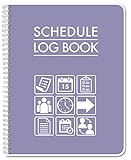
- Made in USA - Proudly produced in Ohio by a Veteran-owned business
- This BookFactory Schedule log book tracks employee schedules by day and time
- There is a page to write down employee contact information; and the pages have lined sections for each day of the week
- This can even be used by an individual to track your own schedule for work or school
- Wire-O binding; 100 Pages ; Dimensions are 8.5" x 11" Reorder SKU: LOG-110-7CW-PP(Schedule-Log)
5. ADP RUN: payroll support and compliance assistance as priorities
ADP RUN is worth considering when payroll operations, compliance assistance, and support are the top buying criteria, with HR and related services added as needed. Pricing in this comparison is quote-based. Do not judge the offer from a headline or an initial monthly figure: ask for the written total, including setup, per-run charges, year-end work, tax filing, modules, contract length, and renewal terms.
Do these 3 things before closing this tab:
1Fix the driver behind crashes, sound loss and screen glitches2Clear out junk files and repair common Windows errors3Scan for outdated or missing drivers - takes under a minuteADP RUN Payroll belongs on the shortlist for an employer that values payroll-centered service and an established operating model. Ask who handles payroll corrections, tax notices, and escalations, what live support is available, and which responsibilities stay with your business. The PartnerStack listing for a RUN Powered by ADP referral offer is application-based; it says nothing about whether the software’s service levels or price are right for your company.
Best fit: a small employer that places high value on payroll support and compliance assistance. Check first: the complete quote and the exact service commitments in writing.
6. OnPay: visible starting pricing for full-service payroll and HR
OnPay suits a business that wants simple full-service payroll and HR with a published starting price. The advertised formula is $49/month plus $6/employee/month, and the vendor’s payroll page describes tax filings, HR tools, and time/PTO features. Treat that as a starting formula, not a complete price for every configuration; verify any additional services, eligibility, and setup costs.
OnPay Payroll is a reasonable comparison point against Gusto’s entry-level formula when the desired service mix is similar. Do not assume that matching base amounts mean identical plans: compare payroll frequency, employee and contractor needs, states, time tools, benefits services, support, and implementation. OnPay’s published partner referral terms date from 2020 and describe participant restrictions; they are not a current product specification or evidence that any publisher qualifies.
Quick wins for a faster PC:
Clear out junk files and repair common Windows errorsFree Scan →Fix the driver behind crashes, sound loss and screen glitchesFind Drivers →Best fit: an employer seeking a straightforward payroll-and-HR service with a visible starting formula. Check first: the exact configuration and all costs beyond the advertised starting price.
How can you compare the real price?
Normalize the offers before deciding. A public starting subscription and a quote for a PEO or modular platform are not apples-to-apples. Comparing a base fee with an all-in-one total can make one option look cheaper simply because it includes less—or make a fuller service look expensive without accounting for what it covers.
Also popular on Amazon
For a useful comparison, give each provider the same scenario: employee and contractor counts; states; payroll frequency; benefits and workers’ compensation needs; time, performance, recruiting, and integration requirements; expected support level; expected growth; and desired contract term. Request a written breakdown showing:
- The exact plan and every required module or add-on.
- Monthly and annual charges, including per-employee, minimum, and per-pay-run fees.
- Setup, migration, implementation, tax-registration, and year-end charges.
- Multi-state support and the price or conditions for additional jurisdictions.
- Benefits-related scope, workers’ compensation, and any separate service fees.
- Contract duration, renewal pricing, cancellation process, and data-export process.
An illustrative 10-employee calculation in the comparison gives Gusto Simple as $109/month, Gusto Plus as $200/month, Gusto Premium as $400/month, and OnPay as $109/month, before benefits premiums, implementation fees, or extra services. These are arithmetic examples from the stated base formulas, not vendor quotes or complete totals. BambooHR is described as starting at $250/month for companies with 25 or fewer employees; Rippling, Justworks, and ADP RUN require quotes. Reconfirm all figures and inclusions with the vendor before committing.
What’s actually slowing this PC down?
Pick the symptom - the matching free tool is one click away.
Ask each quote-based provider to show how a change in headcount, adding a state, or selecting another module affects both current and renewal pricing. Get the answer in writing. A low opening figure is not enough if it excludes a necessary service, assumes a minimum term, or changes materially at renewal.
What happens during implementation?
Implementation is more than importing a list of names. Payroll and HR systems depend on accurate employee, pay, tax, benefits, and time data; the provider should state who owns each task, what the business must supply, and how errors or missing records will be handled.
Before signing, ask for a written implementation plan with a named owner, expected milestones, migration responsibilities, and a process for checking imported records. Confirm whether the vendor or your team handles tax registrations and multi-state setup, how historical payroll information is migrated, what employee communications are required, and how long parallel checks or review periods last if offered. Do not assume these services are included in the subscription price.
During a demonstration, have the vendor walk through a new hire, termination, pay-rate change, benefits change, correction, PTO request, and year-end question. These scenarios expose differences in usability, workflow ownership, support, and integration. Ask who can make or approve each change and what audit trail or confirmation the system provides.
Outdated Drivers Are Slowing You Down
One free scan finds every outdated or missing driver and matches the right update for your exact hardware.Free scan · exact hardware matchWindows Errors? Fix Them Before They Spread
Repair common Windows errors and clear accumulated junk for a smoother, more stable PC - no reinstall needed.Free scan · no reinstallWhat risks should you check before signing?
Payroll tax filing does not remove all employer risk. The employer still needs to supply accurate information and verify jurisdictions, respond to notices, and resolve corrections; ask what the provider handles and what remains yours. Get specific written answers about tax filings, tax registrations, notices, corrections, benefits availability, and implementation responsibilities rather than relying on a broad “full-service” label.
Also popular on Amazon

- ♚WEEKLY APPOINTMENT BOOK - January 2027 - December 2027, 2027 weekly hourly planner/appointment book (9" x 11") covers 12 months, hourly plan can help you to keep your life totally organized, perfect for staying focused and hit your goals.
- ♚PLAN YOUR DAY - One week per two page spread features one vertical column for each day. Schedule your day from 8:00 a.m. - 5:30 p.m. in 30 minute intervals from Monday to Sunday with ample ruled writing space, and the countdown of days can help you organize your whole year.
- ♚GUIDE YOUR WEEK - Each week has the past and the following month as reference for a easier long-term planning; priorities section help you to keep organized for the whole week with easier planning and tracking.
- ♚FEATURES - 9" x 11" Planning Pages | Reference Information | Yearly Overview | Holidays | 2027 Calendar | Strong Twin-Wire Binding | Julian Date | Premium Paper | Elegant Design | Colorful Monthly Tabs | Two-side Pocket
- ♚MAKES YOUR LIFE PRODUCTIVE - Perfect tool to make your life effective. Utilizing this 2027 weekly appointment book, you can stick down notes, ideas, meetings, appointments, etc. It would help to improve your time management skills and become a better version of yourself.
Do not buy only for today’s headcount. A platform that fits a very small team may become cumbersome or costly after hiring in another state, adding contractors, or formalizing performance management. Conversely, buying an enterprise-style module set early can mean paying for complexity you do not use. Ask for pricing at your present size and a reasonable growth scenario, including how employee minimums and renewal terms work.
Do not ignore contract details: duration, renewal price, termination notice, cancellation process, data export, and any service fees can matter as much as the monthly base. Also avoid treating review scores as proof of fit. Paychex reports G2 ratings as of June 2026 of Rippling 4.8, BambooHR 4.4, and Gusto 4.6; those are ratings reported by Paychex, not direct measures of fit for your company. This comparison did not involve hands-on tests of the six products.
Finally, do not assume a PEO is automatically cheaper, that tax filing transfers all risk, or that the platform with the most features is the best choice. Decide whether you want software, outsourced HR support, deeper HR tools, automation, or a combination—and compare the total price and responsibilities for that specific outcome.
How should you make the final decision?
Use the shortlist as a way to match the model to the need, then verify details with a vendor proposal.
- Define the required outcome. Pick the must-haves: reliable payroll, deeper employee records, benefits administration, PEO services, IT automation, or a particular support level.
- Set the operating scenario. Write down worker types, jurisdictions, payroll frequency, headcount, and likely growth.
- Eliminate mismatches. If you do not need HR-to-IT or finance automation, do not pay for it by default. If you specifically need a PEO, compare service scope rather than software features alone.
- Request comparable written offers. Use the same scenario and ask for all fees, inclusions, contract terms, implementation ownership, and exit/data-export conditions.
- Test the workflows that matter. Use demonstrations to examine hiring, terminations, pay changes, corrections, PTO, benefits changes, and support escalation.
- Choose the clearest fit, not the broadest promise. A smaller package that reliably covers the work you need may be a better decision than a wider platform with unused modules.
How we picked
These six practical picks reflect distinct buyer needs in the supplied comparison: bundled payroll and everyday HR, deeper core HR, cross-system automation, PEO services, payroll support and compliance assistance, and published starting pricing for payroll and HR. The comparison is not based on hands-on testing. Price and plan details are treated as starting points that require confirmation for a company’s actual locations, workers, modules, and service requirements.
Frequently Asked Questions
Can a small business switch HRIS providers in the middle of a tax year?
The supplied comparison does not establish a universal best time or a guaranteed migration process. Ask each candidate how it handles year-to-date payroll data, tax records, employee records, and transition responsibilities, and get the migration scope and timing in writing before ending the current service.
Should I put contractors on the same HRIS as employees?
That depends on the vendor’s supported worker types and the records and payment workflows you need. Give vendors your employee and contractor counts and ask them to specify which features, fees, and payroll or reporting processes apply to each group.
Does an HRIS replace an accountant or employment lawyer?
The comparison describes payroll, HR, compliance assistance, and tax-filing services, but does not say that any platform replaces professional advice. Ask the provider to define its service boundary and consult an appropriate professional for questions outside that scope.
What should I ask about employee data if I leave a provider?
Ask for the export format, available records, delivery timing, fees, and any steps required before cancellation. The supplied buying guidance specifically recommends confirming the data-export process and cancellation terms in writing.

