
Windows Errors? Fix Them Before They Spread
Repair common Windows errors and clear accumulated junk for a smoother, more stable PC - no reinstall needed.Free scan · no reinstallOutdated Drivers Are Slowing You Down
One free scan finds every outdated or missing driver and matches the right update for your exact hardware.Free scan · exact hardware matchiTechGuides is reader-supported. When you buy through links on our site, we may earn an affiliate commission. As an Amazon Associate I earn from qualifying purchases. Learn more
For professional video editing, the best “hard drive” is usually a fast SSD or NVMe drive for your operating system, applications, cache and active projects—not a single spinning disk. Use a portable NVMe SSD for location work, a desktop RAID or NAS HDD array when capacity and shared access matter, and independent backups regardless of the storage type. Adobe’s storage guidance (updated January 7, 2026) calls for a high-speed system drive, a separate SSD for Media Cache and a high-speed NVMe media drive. Spinning disks generally need RAID to sustain HD/UHD editing rates.
The right choice depends on resolution, codec, simultaneous streams, interface, capacity, portability and fault tolerance. The recommendations below separate those decisions so you can build a reliable 4K, 6K or 8K workflow instead of buying on a peak sequential-speed number alone.
Which drives are best for professional video editing?
Choose storage by role rather than trying to make one device do everything. A fast NVMe SSD is the best working drive for high-resolution timelines and cache; a portable Thunderbolt SSD is the best field option; desktop RAID or NAS HDDs provide economical capacity and collaboration; and a separate backup protects the project when any primary device fails.
| Editing role | Best-fit drive class | Research-backed example | Published performance or capability | Important qualification |
|---|---|---|---|---|
| Portable 8K editing and on-location dailies | Rugged external NVMe SSD | LaCie Rugged SSD Pro5 | Up to 6,700 MB/s read and 5,300 MB/s write | Seagate positions these figures for real-time 8K work; actual speed depends on the host, cable, enclosure temperature and workload. |
| Studio or DIT ingest | Desktop SSD with card-reader and dock functions | LaCie 1big Dock SSD Pro | Up to 2,800 MB/s | Designed for 6K/8K workflows and direct card ingestion. |
| Desktop 4K capacity and multiple streams | Two-drive desktop RAID | LaCie 2big Dock or 2big RAID | Up to 550 MB/s; positioned for several simultaneous 4K streams in RAID 0 | RAID 0 has no fault tolerance and requires an independent backup. |
| Internal workstation media and cache | M.2 NVMe SSD | Samsung 980 Pro, Samsung 970-series, SanDisk Extreme PRO 3D or WD Black NVMe models | Listed by Blackmagic Design for 8K Apple ProRes HQ and cache recording | Check motherboard slot, heatsink, firmware and operating-system compatibility. |
| Shared projects and large archives | NAS with HDD array, SSD tier or local cache | QNAP Thunderbolt NAS or a TrueNAS system | HDDs for large volumes and backups; SSDs for real-time 4K-plus playback | Use suitable RAID/RAIDZ, SMB3 and a network of at least 10Gbps for demanding shared work. |
These are product classes, not interchangeable speed claims. A drive rated at several gigabytes per second can still perform poorly if it is connected through a slower port, filled close to capacity, thermally throttled or asked to serve many clients over a network.
Popular on Amazon

- This product has been replaced by our latest generation. Please search for the SANDISK Optimus GX PRO 850X NVMe SSD
- TRANFORM YOUR PC: Insane speeds up to 7,300MB/s (1TB - 4TB models) deliver top-tier performance with ridiculously short load times for your gaming PC or workstation — for the elite experience you’ve been waiting for.
- MORE ROOM FOR MORE GAMES: Capacities up to 8TB built with SANDISK TLC 3D NAND, means you get to keep more games at the ready — and get into the action even faster.
Why does storage speed matter so much in Premiere Pro and other editors?
Editing software constantly reads camera originals, writes preview and render files, updates project databases and generates cache data. If the storage cannot deliver sustained throughput with low enough latency, playback drops frames, scrubbing becomes uneven and background renders compete with media reads.
Adobe’s current recommendation is to “Use fast SSD or NVMe storage and configure drives efficiently to enhance your video editing performance.” Its preferred layout is a high-speed system drive, a separate SSD for Media Cache and a high-speed NVMe drive for media. Avid likewise states that disk performance has a significant impact on video playback performance.
Peak sequential speed is only one part of the result. Judge a drive by:
- Sustained throughput: performance after the device’s short write cache is exhausted, using your actual codec and stream count.
- Random access and latency: important for many small cache files, thumbnails, audio assets and project metadata.
- Queue behavior: whether simultaneous reads, writes and background indexing cause playback interruptions.
- Thermal stability: compact bus-powered SSDs may reduce speed when hot during long transfers.
- Host bandwidth: the slowest link—drive, enclosure, cable, adapter or computer port—sets the practical ceiling.
How much throughput do 4K, 6K and 8K projects need?
There is no universal number because codec compression, bit depth, frame rate, stream count and software decoding all change the storage load. Use the following figures as workflow targets, not guarantees for every camera format.
| Workload | Practical storage guidance | How to apply it |
|---|---|---|
| HD and lower-resolution video | Avid lists at least a 550 MB/s SSD. | A SATA SSD or equivalent can be adequate when the project is lightly compressed and uses few simultaneous streams. |
| Direct 4K from an external drive | Seagate reports 500–600 MB/s as a practical sustained target. | Suitable for many single-stream 4K edits when the interface and codec do not add a heavier load. |
| Several 4K or 6K streams | At least 1 GB/s is a useful target. | Prefer NVMe, Thunderbolt storage or a properly configured RAID rather than a single spinning disk. |
| Demanding media on a Mac workstation | Avid lists a 2,500 MB/s Thunderbolt 3 SSD or a 1,000 MB/s Thunderbolt RAID 0 array. | Use a certified high-bandwidth enclosure and a direct connection; hubs and slower adapters can reduce performance. |
| 8K timelines and high-bitrate intermediates | Seagate describes multi-gigabyte-per-second SSD throughput as the appropriate class. | Use NVMe or high-end Thunderbolt storage, and test the exact codec, frame rate and stream count before a paid production. |
| Windows workstation NVMe media | Avid specifically recommends M.2 NVMe storage for Windows workstations. | Install the drive in a suitable PCIe slot and leave thermal headroom for sustained reads and writes. |
Thunderbolt 3 and 4 provide up to 40 Gb/s, while Thunderbolt 5 provides up to 80 Gb/s. USB 3.2 Gen 2 (10 Gb/s) and USB4 can handle many 4K projects. Those are interface ceilings; protocol overhead, the enclosure controller and the computer’s implementation reduce delivered MB/s.
Which drive should I choose for portable 8K editing?
For field editing, prioritize a rugged NVMe SSD with a high-bandwidth connection, predictable sustained performance and enough capacity for camera originals plus working files. Seagate’s guide identifies the LaCie Rugged SSD Pro5 as a portable 8K option, with up to 6,700 MB/s read and 5,300 MB/s write.
When the Rugged SSD Pro5 class makes sense
- You must review or assemble 8K material away from a studio.
- Your computer has a compatible Thunderbolt port and you have the correct cable.
- You need a compact drive rather than a desktop RAID enclosure.
- You can provide a second copy of the footage; portability does not remove the need for backup.
Do not assume the advertised maximum appears on every laptop. A USB-only host, a passive adapter, a shared hub or thermal throttling can make the same drive behave like a much slower device. Confirm the port generation and cable before purchase.
Recommended Free Tools
What is the best storage for studio or DIT ingest?
A studio ingest drive benefits from fast writes, card-reader connectivity and enough capacity to receive multiple camera cards without constant cable changes. Seagate describes the LaCie 1big Dock SSD Pro for 6K/8K work and direct card ingestion, with up to 2,800 MB/s.
Also popular on Amazon

- PCIe 5.0 Performance: Delivers up to 14,900 MB/s read and 13,800 MB/s write speeds for quicker game load times, bootups, and smooth multitasking
- Spacious 4TB Capacity: Store AAA titles, 8K+ video, and creative assets with blazing-fast Gen5 NVMe throughput
- Platform-Optimized Compatibility: Designed for Intel 13th/14th Gen and AMD Ryzen 7000 in M.2 2280 Gen5 slots
- Heatsink-Compatible Design: Install with a compatible heatsink for optimal performance in sustained gaming sessions and demanding workloads
- Trusted Micron Quality: Engineered for tech enthusiasts and hardcore gamers with Micron G9 TLC NAND and a 5-year warranty
Use an ingest device as a landing zone, not the only copy. A DIT workflow should verify each card transfer, keep the original card untouched until at least two verified copies exist, and move completed projects to production storage according to your organization’s retention policy. The 2,800 MB/s figure is a maximum published rate; card media and the source reader may be slower.
When is a desktop RAID better than a single SSD?
A desktop RAID is preferable when you need many terabytes, several simultaneous 4K streams or a fixed studio workspace. The LaCie 2big Dock and 2big RAID are reported at up to 550 MB/s and positioned for several simultaneous 4K streams when configured as RAID 0.
RAID 0: speed without protection
RAID 0 stripes data across both disks, increasing throughput and presenting one larger volume. It also means that failure of either disk can make the entire volume unavailable. Because RAID 0 has no fault tolerance, maintain an independent backup before storing irreplaceable media on it.
Quick wins for a faster PC:
Repair Windows errors before they cause bigger problemsFix Now →Scan for outdated or missing drivers - takes under a minuteDriver Scan →Capacity, redundancy and rebuild trade-offs
Choose a redundant RAID level or a separate backup system when downtime and data loss cost more than the extra disks. Redundancy improves availability, but it is not a substitute for versioned backups: accidental deletion, corruption, theft and ransomware can be replicated to every member of an array.
For an edit volume, reserve free space for cache, proxies and renders rather than filling the RAID to its marketed capacity. The usable capacity after RAID overhead is the number that matters to your project plan.
Should I use an internal NVMe drive for cache and active media?
Yes, when your workstation has a suitable M.2 slot and cooling. Internal NVMe storage avoids external-cable limitations and is an effective location for applications, project files, Media Cache and active high-resolution timelines.
Blackmagic Design’s HyperDeck Extreme manual lists Samsung 980 Pro NVMe, Samsung 970-series, SanDisk Extreme PRO 3D and WD Black NVMe models as recommended media for 8K Apple ProRes HQ and cache recording. Treat that list as compatibility guidance for the specified recorder and workload, not as a guarantee that every generation or capacity has identical endurance or speed.
Do these 3 things before closing this tab:
1Repair Windows errors before they cause bigger problems2Fix the driver behind crashes, sound loss and screen glitches3Clear out junk files and repair common Windows errorsA practical workstation layout
- System drive: install the operating system and editing applications on a fast internal SSD or NVMe device.
- Cache drive: point Premiere Media Cache and similar temporary-file locations to a separate SSD where possible.
- Media drive: store active camera originals, proxies and project media on a dedicated NVMe, Thunderbolt SSD or appropriately fast RAID.
- Backup target: copy project files and media to a separate device or NAS; do not count a second partition on the same physical disk as a backup.
A separate media drive prevents operating-system updates, application activity and cache cleanup from competing with timeline reads. If you must use one device, prioritize free space and sustained performance, then move cache off it when playback or exports become inconsistent.
Also popular on Amazon
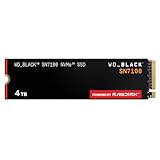
- This product has been replaced by our latest generation. Please search for the SANDISK Optimus GX 7100 NVMe SSD
- HIGH-OCTANE GAMING. Experience speeds up to 7,250MB/s read and 6,900MB/s write (1-2TB models), with up to 35% faster performance than previous generation.
- PURPOSE-BUILT. Designed for serious on-the-go gamers, with a PCIe Gen4 interface and SANDISK’s next generation TLC 3D NAND.
- MORE TIME TO CLEAR THAT CHECKPOINT. Built with laptops and handheld gaming devices in mind, with up to 100% more power efficiency over the previous generation. DO MORE WITH DASHBOARD. Ensure your drive is optimized for prime performance with the downloadable WD_BLACK Dashboard (Windows only).
- AMPLIFY YOUR CONTENT. Up to 2,400TBW endurance (4TB model) for gameplay streaming, speedrun captures, or creating with the latest game engines.
Can a NAS handle professional 4K or 8K editing?
A NAS works well for shared projects when the network, storage array and client configuration are designed for the workload. QNAP distinguishes HDDs for large media volumes and backups from SSDs for real-time 4K-plus playback, and describes Thunderbolt NAS systems that can be mounted for Final Cut Pro shared editing. TrueNAS recommends SMB3, suitable RAIDZ layouts and local SSD/NVMe cache for clients.
Network requirements
Adobe recommends 10Gbps-plus networking for smooth NAS performance and 10Gbps for shared 4K workflows. A 1Gbps link can be adequate for lighter proxies or a single low-bitrate stream, but it leaves little headroom for multiple editors, audio, metadata and background transfers.
NAS configuration checklist
- Use SMB3 as recommended by TrueNAS for compatible client sharing.
- Select a RAID or RAIDZ layout that matches the number of disks, required redundancy and rebuild risk.
- Keep Premiere’s Media Cache local even when project media resides on the NAS.
- Use wired 10Gbps networking for shared 4K work; avoid relying on congested Wi-Fi for primary media playback.
- Measure sustained read and write speed from the actual editing workstation, not only from the NAS specification sheet.
- Maintain a backup outside the active NAS pool, preferably with version history or an offline copy.
NAS storage is a collaboration choice as much as a speed choice. If only one editor needs a small active project, a local NVMe drive is usually simpler and avoids network variability. If several editors need the same media and centralized permissions, the NAS complexity can be justified.
How much storage do I need for professional video editing?
Plan from camera originals, then multiply for working space. Seagate’s 2025 planning ranges estimate roughly 50–100 GB per hour for HD, 300–400 GB per hour for 4K, 600 GB–1 TB per hour for 6K and 1–2 TB or more per hour for 8K. Seagate recommends allowing two to three times the raw-footage size for renders, proxies and export versions.
| Source format | Approximate footage per hour | Planning range including 2–3× working allowance |
|---|---|---|
| HD (1080p) | 50–100 GB | 100–300 GB per recorded hour |
| 4K | 300–400 GB | 600 GB–1.2 TB per recorded hour |
| 6K | 600 GB–1 TB | 1.2–3 TB per recorded hour |
| 8K | 1–2 TB or more | 2–6 TB or more per recorded hour |
These are planning ranges, not fixed file sizes. Codec, chroma subsampling, bit depth, frame rate, audio channels and whether you retain proxies all change the result. Add capacity for at least one verified backup, because the working allowance does not protect against drive failure.
How do I match the drive to my computer’s interface?
Start with the host port, then select the enclosure and cable that can use it. A drive connected through a slower bus is bottlenecked regardless of its internal controller.
- Identify the computer port: distinguish Thunderbolt 3/4/5 from USB-C shape alone; USB-C is a connector, not a speed specification.
- Check the cable: use a cable rated for the required Thunderbolt or USB generation and length.
- Check the enclosure: confirm that its controller supports the advertised interface and that it does not share bandwidth with another port.
- Check the operating system: verify filesystem, driver and RAID-management support before moving a production volume between macOS and Windows.
- Benchmark the real workflow: copy a representative media folder and test playback with the intended number of streams, effects and background tasks.
Thunderbolt 3/4 can provide up to 40 Gb/s and Thunderbolt 5 up to 80 Gb/s, but those headline values are not equivalent to file-copy MB/s. USB 3.2 Gen 2 (10 Gb/s) and USB4 remain practical choices for many 4K projects when the codec and stream count are moderate.
Free tools Windows power users keep installed
One-click scans. No signup required.
What common storage mistakes cause dropped frames or lost footage?
- Using a single HDD for high-bitrate timelines: spinning disks generally lack HD/UHD speed without RAID. Move active media to SSD/NVMe or use a properly configured array.
- Putting cache on a slow NAS: keep cache local on an SSD as Adobe recommends.
- Buying by peak speed alone: compare sustained performance, thermal behavior and the actual interface.
- Editing on RAID 0 without a backup: RAID 0 increases performance but provides no fault tolerance.
- Filling the volume completely: leave room for proxies, previews, renders and exports; a nearly full device can make housekeeping and caching difficult.
- Using an unsuitable cable or hub: verify the complete path from computer port to drive.
- Assuming RAID is backup: redundancy can keep a system running, but it does not restore deleted or corrupted files.
- Ignoring heat: monitor long transfers and provide airflow for internal NVMe and compact external SSDs.
What should I test before committing a drive to a paid production?
Test the complete workflow with representative footage rather than a synthetic benchmark alone. Include the highest-bitrate camera format, intended frame rate, multicam angle count, audio, effects and export codec.
Also popular on Amazon

- MEET THE NEXT GEN: Consider this a cheat code; Our Samsung 990 PRO Gen4 SSD helps you reach near max performance with lightning-fast speeds; Whether you’re a hardcore gamer or a tech guru, you’ll get power efficiency built for the final boss
- REACH THE NEXT LEVEL: Gen4 steps up with faster transfer speeds and high-performance bandwidth; With a more than 55% improvement in random performance compared to 980 PRO, it’s here for heavy computing and faster loading
- THE FASTEST SSD FROM THE WORLD'S FLASH MEMORY BRAND: The speed you need for any occasion; With read and write speeds up to 7450/6900 MB/s you’ll reach near max performance of PCIe 4.0 powering through for any use
- PLAY WITHOUT LIMITS: Give yourself some space with storage capacities from 1TB to 4TB; Sync all your saves and reign supreme in gaming, video editing, data analysis and more
- IT’S A POWER MOVE: Save the power for your performance; Get power efficiency all while experiencing up to 50% improved performance per watt over the 980 PRO; It makes every move more effective with less consumption
- Format the test volume with the filesystem your production will use and confirm the editor can read and write it.
- Copy a representative project and measure a sustained transfer large enough to exceed the drive’s short burst cache.
- Play the real timeline at full resolution while generating previews or proxies in the background.
- Check dropped-frame indicators, cache behavior, temperature and performance after an extended session.
- Disconnect and reconnect the device, then verify that the project relinks cleanly and that the backup copy is readable.
Record the tested computer, port, cable, enclosure, drive capacity and software version. That record makes it easier to reproduce a stable setup when adding another editor or replacing a component.
What is the best buying decision for each editing scenario?
| Your priority | Recommended configuration | Why |
|---|---|---|
| 8K editing while traveling | Portable Thunderbolt NVMe SSD plus a second copy | High sustained bandwidth and portability; the backup addresses the risk of carrying one device. |
| Fast card ingest in a studio | Dock-style SSD with direct card ingestion, plus verified backup storage | Reduces transfer steps and supports high-resolution dailies. |
| Single-editor 4K workstation | Internal NVMe for system/cache and a separate SSD or RAID for media | Separates cache and operating-system activity from timeline reads. |
| Several simultaneous 4K streams | Desktop RAID with adequate sustained throughput or local NVMe, backed up independently | Provides more capacity and aggregate bandwidth than a single HDD. |
| Team editing from common media | 10Gbps NAS with suitable RAID/RAIDZ, SSD cache and local client cache | Balances shared access, capacity and playback responsiveness. |
| Long-term archive and backup | Large HDD-based array or NAS with versioned, separate copies | HDD capacity is economical for storage that does not need constant high-speed editing. |
For most professionals, the balanced design is a fast local working tier plus a larger protected storage tier. Spend on throughput where the timeline runs, capacity where footage accumulates and redundancy where recovery matters.
Frequently Asked Questions
Can I edit directly from a regular external HDD?
You can for proxies, lightly compressed HD or simple single-stream projects, but a conventional spinning disk is a poor default for high-bitrate 4K, 6K or 8K timelines. If playback is unstable, move cache and active media to an SSD/NVMe drive or generate lower-resolution proxies.
The Tool Desk
Outbyte Driver Updater FREEFix the driver behind crashes, sound loss and screen glitchesFind Drivers →Outbyte PC Repair FREEClear out junk files and repair common Windows errorsFree Scan →Is USB-C fast enough for professional video editing?
USB-C describes the connector, not the transfer rate. A USB 3.2 Gen 2 connection is 10 Gb/s and can suit many 4K projects, while higher stream counts may justify USB4 or Thunderbolt; verify the computer port, cable and enclosure together.
How should I format a drive shared between Mac and Windows editors?
Choose the filesystem only after confirming the required operating systems, permissions, RAID software and maximum file sizes. A cross-platform format can simplify handoffs, while a platform-native format may provide more complete permissions and management features; test the exact editor and enclosure before production.
Does a faster drive make Premiere Pro export faster?
Storage can remove read/write bottlenecks, especially when the timeline uses high-resolution media, cache and simultaneous exports. Export time can still be limited by CPU, GPU, effects, codec decoding or encoding, so a faster drive is not a guaranteed proportional reduction.
How often should I replace an editing SSD?
Replace it based on health indicators, error logs, available endurance, capacity needs and the importance of the workload rather than an arbitrary age. Keep verified backups and migrate before the drive shows uncorrectable errors, repeated disconnects or sustained performance deterioration.
What’s actually slowing this PC down?
Pick the symptom - the matching free tool is one click away.

