
iTechGuides is reader-supported. When you buy through links on our site, we may earn an affiliate commission. As an Amazon Associate I earn from qualifying purchases. Learn more
For most people, the best hardware-wallet shortlist is Ledger Nano, Trezor Safe, and BitBox02. The right choice depends on the coins and apps you use, how clearly you can verify transactions on the device, your preferred recovery and backup process, and how much you value a Secure Element or open, reproducible firmware. A hardware wallet keeps private keys on a dedicated device and signs transactions locally, so your phone or computer acts as a host rather than the key store. That sharply reduces exposure to malware, but it does not make funds automatically safe: a stolen recovery phrase, a transaction approved without checking the screen, or a convincing phishing message can still result in permanent loss.
What a hardware wallet protects—and what it does not
A hardware wallet generates or imports cryptocurrency keys on the device, keeps those keys away from an internet-connected operating system, and signs transactions locally. The companion app on a phone or computer prepares a transaction and displays balances; the device shows the important details and requires physical confirmation before signing. The signed transaction is then returned to the host for broadcast.
This separation matters because malware on the host can attempt to change a destination address or amount. A clear device screen gives you a second, more trustworthy place to inspect the transaction. It does not help if you approve a malicious transaction without reading it, install counterfeit companion software, or disclose your recovery phrase.
Free tools Windows power users keep installed
One-click scans. No signup required.
- Protected: private keys are kept on dedicated hardware rather than routinely exposed to the host computer.
- Still your responsibility: the recovery phrase, PIN, passphrase, device authenticity, software source, and every transaction you approve.
- Irreversible consequence: anyone with the recovery phrase can generally restore the wallet and control its funds.
How the leading options differ
The table compares the capabilities documented for the three product families. Supported assets and integrations change, so check the current model and app before buying a device for a particular coin, token, network, or decentralized application.
Popular on Amazon
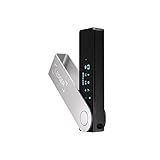
- Effortlessly build your crypto portfolio via the all in one Ledger Wallet app: buy, sell, send, receive, swap, stake and more across popular blockchains. 15,000+ coins & tokens in a single dashboard. Keep a close eye on the market. Compare service providers. Track performance. Get timely alerts. Build your portfolio with confidence.
- Enjoy Bluetooth connectivity, iOS access, and hours of battery use with this mobile-first, secure backup signer. Freedom you can depend on.
- Genuine Check: confirm your signer is authentic during setup with the Ledger Wallet app.
- Protect your signer: keep it in mint condition at all times with a bespoke Pod or Case to avoid scratches and everyday wear and tear.
| Factor | Ledger Nano | Trezor Safe | BitBox02 |
|---|---|---|---|
| Key storage and signing | Private keys are kept in the device’s Secure Element; transactions require physical approval. | Keys are generated and stored offline; access is protected by a device PIN. | Keys remain on the device; important details are verified on the device before signing. |
| Asset and app reach | The current Ledger Wallet app says it supports more than 100 blockchains; its Bitcoin page says 500+ cryptocurrencies, with integrations changing over time. | Supported assets and third-party integrations vary by Safe model and current Trezor software. | Supported coins and compatible software depend on the BitBox02 edition and current integrations. |
| Secure-element approach | Ledger emphasizes certified Secure Element hardware. Its explainer describes EAL5 and EAL6 certifications as indicators of third-party security evaluation. | Safe 3 and Safe 5 include a Secure Element for protection and authenticity checks; Safe 7 adds two secure elements plus a hardened microcontroller. | Its guidance emphasizes layered protection and reproducible open-source firmware rather than a stated Secure Element specification. |
| Screen and confirmation | Use the device display and physical controls to confirm address and amount before signing. | Safe devices emphasize visible controls and tactile confirmation; screen size and controls differ by model. | OLED display with touch sensors; verify transaction details on the device. |
| PIN, passphrase, and authentication | Device authentication and physical approval are required; exact PIN and passphrase behavior depends on the current Nano model and software. | Trezor documents PIN protection of up to 50 digits. Passphrase and device-authentication options depend on the Safe model and software. | Layered seed protection and device confirmation are central to the design; exact passphrase behavior depends on the current firmware. |
| Firmware transparency | Security is centered on the Secure Element and Ledger’s signed device software. | Transparency and device-authentication features vary by Safe generation. | Open-source, reproducible firmware is a central selling point. |
| Backup choices | Recovery-phrase backup is created during initialization; follow the current device workflow. | Recovery-phrase backup is created during setup and must be kept offline. | Supports offline microSD and BIP39 backup options in addition to the recovery phrase. |
| Connectivity and physical details | Model-specific USB and mobile/desktop compatibility; verify the exact Nano model. | Model-specific connection and display features; Safe 7 uses two secure elements and a hardened microcontroller. | OLED display, touch sensors, USB-C and USB-A support; offline microSD backup is available. |
| Best fit | People who need broad multi-chain coverage and a mature app ecosystem. | People who prioritize visible controls, tactile use, and explicit device-authentication features. | Security-focused users who value open, reproducible firmware and local backup choices. |
Ledger Nano: broad network coverage in a Secure Element
Ledger describes its hardware wallets as storing the private key inside a Secure Element and requiring physical transaction approval. The companion Ledger Wallet app is a self-custody application: it prepares transactions, while the Nano signs them on the device. Ledger’s current product information states support for more than 100 blockchains, and its Bitcoin wallet page lists support for 500+ cryptocurrencies. Those figures are current claims accessed on October 18, 2026; integrations can change, and the count does not mean every asset has identical app, staking, swap, or decentralized-application support.
Why choose a Nano
- Broad network and token coverage is useful if your portfolio spans several ecosystems.
- The Secure Element is designed to resist extraction of secrets, and Ledger explains EAL5 and EAL6 certifications as third-party security evaluations.
- Physical approval on the device creates a checkpoint between an untrusted computer and a signed transaction.
What to verify first
“Ledger Nano” is a family name, not one specification. Confirm the exact current model, connector, display, mobile or desktop compatibility, and support for each asset and app you intend to use. A network may be supported in the Ledger app while a particular decentralized application or account type is not. Never assume that a token listed by name uses the same network or account format you already have.
Trezor Safe: visible controls and layered device authentication
Trezor says its hardware wallets generate and store keys offline and protect access with a PIN of up to 50 digits. Current Safe models add hardware-authentication measures: Safe 3 and Safe 5 include a Secure Element for protection and authenticity checks, while Safe 7 uses two secure elements together with a hardened microcontroller.
Quick wins for a faster PC:
Clear out junk files and repair common Windows errorsFree Scan →Fix the driver behind crashes, sound loss and screen glitchesFind Drivers →Repair Windows errors before they cause bigger problemsFix Now →Also popular on Amazon

- Seedless by design, nothing to steal: Your private key is generated inside the EAL6+ chip and never leaves it. No seed phrase is shown or typed at setup, so a tampered device, keylogger, or phishing site has nothing to capture. 9+ years, millions of cards, no known remote hacks.
- Tap once to manage your entire crypto wallet across 90 blockchains - no USB cables or Bluetooth, no batteries, no setup. Access 16,100+ coins & tokens, DeFi, NFTs, and staking instantly from your phone
- Backup without a seed phrase: Your wallet is copied to 2 backup cards with end-to-end encryption, so there are no words on paper to lose or leak. Keep them in separate places; if one card is lost, the others restore full access. Optional seed phrase for advanced users.
- Engineered to last up to 25 years: Waterproof (IP69K), shockproof and tested for extreme temperatures from −25°C to 50°C. A durable cold wallet with long‑term protection and independently audited security.
- Trusted by 6 million users worldwide (4.9 App Store, 4.8 Google Play) - buy, sell, swap, stake, and spend cryptocurrency directly. The secure offline storage wallet designed for how people actually use crypto wallets
Why choose a Safe model
- The PIN length documented by Trezor gives you a clearly defined device-access control.
- Visible controls and tactile confirmation make it easier to pause and inspect a destination address before signing.
- Safe 3, Safe 5, and Safe 7 offer different combinations of screen, controls, and hardware-authentication features, so the model—not just the brand—matters.
Model-selection questions
- Do you need the larger or more interactive display of a particular Safe model?
- Do the assets and wallet applications you use support that model’s current firmware?
- Do you want the two-secure-element design and hardened microcontroller specified for Safe 7?
- Can you complete setup and recovery without relying on a phone or computer you do not control?
BitBox02: open firmware and flexible offline backups
BitBox’s security guidance focuses on keeping private keys on the device, verifying important details on the device, protecting the seed in layers, using trustworthy software, and publishing open-source, reproducible firmware. Bitcoin.org lists the BitBox02 with an OLED display, touch sensors, USB-C and USB-A connectivity, and offline microSD and BIP39 backup options.
Why choose BitBox02
- Open-source, reproducible firmware lets technically minded users inspect how releases can be reproduced from published source.
- The OLED screen and touch sensors provide a local confirmation surface for addresses and amounts.
- MicroSD and BIP39 options give you local backup choices in addition to the recovery phrase created during setup.
Important limits
Backup flexibility does not make the seed disposable. A microSD card, a paper record, or a metal record is still a copy of the recovery credential. Protect every copy from theft, fire, moisture, casual photography, and cloud upload. Check the current BitBox02 edition and software support before moving an asset onto it.
Which hardware wallet is best for your situation?
Best for beginners
Choose the model whose supported assets and companion software are easiest for you to understand, then prioritize a clear screen and a recovery workflow you can perform without help. Trezor Safe’s visible controls are attractive to beginners who want explicit device authentication; Ledger Nano is practical when a beginner needs broad multi-chain coverage; BitBox02 suits a beginner willing to learn an open, locally controlled backup process.
Also popular on Amazon

- Seedless by design, nothing to steal: Your private key is generated inside the EAL6+ chip and never leaves it. No seed phrase is shown or typed at setup, so a tampered device, keylogger, or phishing site has nothing to capture. 9+ years, millions of card.
- Tap once to manage your entire crypto wallet across 90 blockchains - no USB cables or Bluetooth, no batteries, no setup. Access 16,100+ coins & tokens, DeFi, NFTs, and staking instantly from your phone
- Backup without a seed phrase: Your wallet is copied to 2 backup cards with end-to-end encryption, so there are no words on paper to lose or leak. Keep them in separate places; if one card is lost, the others restore full access. Optional seed phrase for advanced users.
- Engineered to last up to 25 years: Waterproof (IP69K), shockproof and tested for extreme temperatures from −25°C to 50°C. A durable cold wallet with long‑term protection and independently audited security.
- Trusted by 6 million users worldwide - buy, sell, swap, stake, and spend cryptocurrency directly. The secure offline storage wallet designed for how people actually use crypto wallets
Best for Bitcoin-only storage
Start with the Bitcoin-specific edition or configuration offered by the manufacturer, if available, and verify compatibility with the Bitcoin wallet software you intend to use. The decisive criteria are address verification, backup and recovery discipline, and whether the device supports your preferred multisignature or passphrase workflow—not a marketing coin count.
The Tool Desk
Outbyte Driver Updater FREEScan for outdated or missing drivers - takes under a minuteDriver Scan →Outbyte PC Repair FREEClear out junk files and repair common Windows errorsFree Scan →Best for many networks and tokens
Ledger Nano has the clearest documented breadth: the current Ledger Wallet page claims more than 100 blockchains and the Bitcoin page claims 500+ cryptocurrencies. Treat both as changing integration counts, not a promise that every asset has identical features. Confirm network, account type, and application support before purchase.
Best for transparency-focused users
BitBox02 is the natural fit when open-source, reproducible firmware and local backup options are priorities. Trezor users may instead prioritize visible controls and hardware-authentication features. Ledger users may prioritize the Secure Element and ecosystem reach. None of these preferences removes the need to protect the recovery phrase.
Also popular on Amazon

- EAL5+ CERTIFIED SECURE ELEMENT + FINGERPRINT PROTECTION — Your private keys stay encrypted offline on a certified EAL5+ chip, the same security tier used in EMV bank cards. Built by DCENT, securing crypto since 2018. Fingerprint authentication adds a second layer no PIN-only wallet can match.
- 10,000+ ASSETS NATIVE ON 100+ BLOCKCHAINS — Hold Bitcoin, Ethereum, XRP, Solana, Cardano, popular stablecoins (USDT, USDC), and NFTs in one wallet. No third-party apps, no fragmented setup — every supported asset works straight out of the box.
- TAP-TO-SIGN MOBILE EXPERIENCE — Pair your wallet with the DCENT mobile app over Bluetooth. Manage tokens, review transactions, and access in-app swap features directly from your phone — no cables, no desktop required.
- WEB3 & dAPP ACCESS VIA METAMASK — Connect to MetaMask and other browser extension wallets to manage NFTs, claim airdrops, and access dApps. A large screen and intuitive 4-button interface keep every transaction clearly visible before you sign.
- SEAMLESS FIRMWARE UPDATES & 30-DAY MONEY-BACK GUARANTEE — Apply security updates without resetting your wallet or migrating funds. Backed by Amazon's 30-day money-back guarantee — your purchase is risk-free.
How to set up a hardware wallet safely
Perform initialization yourself, in a private location, using only official software. The exact labels differ by model, but the security sequence is consistent.
- Buy through a trustworthy channel. Use the manufacturer’s store or an authorized seller. Avoid used devices and listings with unclear ownership or altered packaging.
- Inspect the package and device. Look for tampering, unexpected seals, or instructions that tell you to use a prewritten phrase. A device-authentication prompt should be completed through the official setup flow.
- Install the official companion app. Download it from the manufacturer’s verified channel. Do not use a link sent in a direct message, pop-up, email, or unsolicited support conversation.
- Initialize the device yourself. Let the device generate the recovery phrase. Never accept a phrase printed in the box, displayed on a website, or supplied by a seller or “support” agent.
- Record every recovery word offline. Write the words in order, exactly as displayed. Keep the record away from cameras, phones, cloud storage, password managers, and printers connected to a network.
- Complete the device’s verification quiz or re-entry step. This confirms that your backup is legible and complete before funds are deposited.
- Set a strong device PIN. Do not reuse a phone, exchange, or email PIN. Store any written reminder separately from the device and recovery phrase.
- Enable a passphrase only if you understand recovery. A passphrase creates a different wallet; a typo can open an apparently empty wallet. Document the exact passphrase and recovery procedure offline.
- Send a small test transaction. On the receiving screen, compare the address shown by the host with the address displayed on the device. Approve only when they match.
- Verify every later transaction on the device. Check the complete destination, network, amount, and fee before pressing the physical confirmation control.
Recovery-phrase security is the decisive control
The recovery phrase is the ultimate fallback credential. A person who obtains it can generally restore the wallet without possessing your hardware device. Conversely, losing the device is usually survivable if the phrase is intact and compatible with the replacement wallet.
- Keep at least one durable offline copy in a location protected from unauthorized access.
- For substantial holdings, consider a fire- and water-resistant metal record; it is an accessory for the phrase, not a replacement for the hardware wallet.
- Do not split or rearrange words unless you have a documented, tested recovery design. Improvised schemes can make your own funds unrecoverable.
- Never type the phrase into a website, exchange form, support chat, browser extension, or computer prompt. Legitimate support should not need it.
- Test recovery with a spare device or an isolated procedure before committing a large balance, and then erase any temporary digital traces.
Can a hardware wallet be hacked?
“Hacked” covers several different failures. Hardware can have vulnerabilities, but many real-world losses occur because a user signs a transaction they did not inspect or gives away the recovery phrase.
Also popular on Amazon
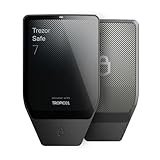
- Dual-chip architecture for maximum protection: The next-gen, fully auditable TROPIC01 chip works alongside a certified EAL6+ Secure Element—completely NDA-free—to deliver radically transparent, industry-leading defense against physical attacks.
- Quantum-ready security: Get protection against future threats with the first-ever hardware wallet designed with quantum-ready architecture.
- See every detail with confidence: Our largest high-resolution color touchscreen makes it easy to navigate your assets, review transactions and manage your coins with clarity.
- Wireless freedom with encrypted Bluetooth control: Manage, buy, swap and stake securely using Trezor Suite on desktop or mobile. Qi2-compatible wireless charging keeps your Trezor powered up. No cables required—security meets convenience.
- Works seamlessly with Android, iOS and desktop: Connect wirelessly or via USB-C to your phone or computer. Manage your crypto anywhere with our companion Trezor Suite app.
| Threat | What happens | Useful defense |
|---|---|---|
| Malware changes a destination on the computer | The host prepares a transaction that pays an attacker. | Compare the full destination and amount on the hardware-wallet screen before signing. |
| Phishing or fake support | An attacker requests the recovery phrase or tricks you into installing counterfeit software. | Use only official software and channels; never disclose the phrase or PIN. |
| Compromised or counterfeit device | A tampered device may expose keys or provide a false setup phrase. | Buy from the manufacturer or an authorized seller, inspect packaging, and complete device-authentication checks. |
| Lost or destroyed device | You lose access to the hardware itself. | Restore from the correctly recorded recovery phrase on a compatible replacement device. |
| Leaked recovery phrase | Anyone with the phrase can restore and spend from the wallet. | Move funds to a newly initialized wallet immediately, then retire the exposed phrase and investigate how it leaked. |
| User approves a malicious contract | A valid signature authorizes an unwanted transfer or permission. | Understand the application, verify the network and contract details, and reject unexpected signing prompts. |
Secure Elements, hardened microcontrollers, PINs, open firmware, and on-device screens reduce particular attack surfaces; they do not guarantee that a user will reject every malicious request or recognize every phishing attempt.
Operational habits that prevent avoidable losses
- Keep the wallet firmware and companion app current, but initiate updates from the official app rather than an unsolicited link.
- Use a separate browser profile or computer for high-value transactions when practical, and keep the operating system patched.
- Confirm the network as well as the address. The same-looking token name can exist on multiple networks with different deposit and withdrawal requirements.
- Maintain an inventory of which accounts, passphrases, and backup copies exist, without recording the recovery words in that inventory.
- For shared or high-value funds, consider a multisignature arrangement so one compromised device or phrase is not sufficient; verify that every signer understands recovery.
- When a message creates urgency—“your account will close,” “verify immediately,” or “claim now”—stop and open the official app yourself.
Buying checklist
- Confirm the exact model and current supported assets, networks, and applications.
- Check that the device has the display and controls you can comfortably read and operate.
- Decide whether Secure Element hardware, open reproducible firmware, or local microSD/BIP39 backups matter most to you.
- Verify regional connector, mobile, desktop, and operating-system compatibility.
- Buy from the manufacturer or an authorized seller and retain the receipt for authenticity and warranty questions.
- Plan where the recovery phrase will be written, how it will be protected physically, and how you would recover if the device disappeared.
Bottom line
Ledger Nano is the strongest starting point when broad multi-chain support and a Secure Element are your priorities. Trezor Safe is compelling when you want highly visible controls, a documented PIN of up to 50 digits, and explicit device-authentication features; Safe 7 adds two secure elements and a hardened microcontroller. BitBox02 fits security-focused users who value open, reproducible firmware, OLED/touch confirmation, and microSD or BIP39 backup choices. Whichever you select, the safest setup is one you initialize yourself, back up offline, and use with disciplined on-device verification.

