
iTechGuides is reader-supported. When you buy through links on our site, we may earn an affiliate commission. As an Amazon Associate I earn from qualifying purchases. Learn more
There is no single best Bitcoin hardware wallet. The right choice depends on whether you value Bitcoin-only design, air-gapped signing, broad asset support, on-device transaction checks, or the easiest recovery path. For most buyers, the shortlist is COLDCARD Mk5 for specialized Bitcoin security, Trezor Safe 5 Bitcoin-only for dedicated Bitcoin use with flexible backups, Ledger Nano Gen5 for a clear screen and broad ecosystem, and BitBox02 Bitcoin-only as a focused alternative.
Whichever device you choose, the recovery backup matters more than the device itself. A hardware wallet keeps signing keys on a separate device, but anyone who obtains your recovery words can generally recreate the wallet elsewhere. Choose the device whose verification and backup system you can operate correctly for years, not merely the one with the longest feature list.
Quick recommendations by priority
| If your priority is | Strongest fit from this shortlist | Why |
|---|---|---|
| Bitcoin-only operation and advanced controls | COLDCARD Mk5 | Bitcoin-only design, QR or microSD signing, duress and brick-me PINs, anti-phishing words, SeedXOR, BIP-85 derived wallets, and air-gapped multisig co-signing. |
| A dedicated Bitcoin configuration with flexible backup choices | Trezor Safe 5 Bitcoin-only | On-device confirmation, 12- or 24-word recovery, and Shamir multi-share backup support. |
| Clear signing and broad app and asset support | Ledger Nano Gen5 | Secure E-Ink touchscreen, on-device transaction review, broad compatibility, a 24-word seed, and an optional Ledger Recovery Key. |
| A Bitcoin-focused device with a simple physical signing workflow | BitBox02 Bitcoin-only | Bitcoin-focused configuration, OLED display with buttons, and a 24-word seed backup. |
These are use-case recommendations, not a measured safety ranking. Bitcoin.org’s hardware-wallet directory provides qualitative ratings for control, validation, transparency, environment, privacy, and fees; it does not establish a universal winner or a controlled breach-rate score.
What a Bitcoin hardware wallet protects—and what it cannot
A hardware wallet is a dedicated device that stores the private signing material used to authorize Bitcoin transactions. The companion computer or phone prepares a transaction, while the hardware wallet signs it. The private keys are intended to remain on the device rather than being exposed to the host operating system.
Popular on Amazon

- UNPARALLELED SECURITY: Protect your assets with Trezor Safe 5's NDA-free EAL 6+ Secure Element, offering robust defense and complete transparency.
- EFFORTLESS NAVIGATION: Experience seamless crypto management with the vibrant color touchscreen, designed for intuitive and user-friendly interactions.
- ENHANCED USER EXPERIENCE: Enjoy tactile confirmation with Trezor Touch Haptic Engine, making each interaction precise and engaging.
- SUPPORTS 1000s OF COINS & TOKENS: Securely handle thousands of assets, including Bitcoin, Ethereum, and more, all in one wallet.
- EASY ASSET MANAGEMENT: Monitor and transact seamlessly with Trezor Suite, our user-friendly desktop and mobile app
The security boundary is useful only if you verify what you are signing. Malware on a computer can alter a destination address or amount before the transaction reaches the wallet. An on-device screen gives you a trusted place to check those details. If a model does not present the relevant transaction information for confirmation, you must treat the host screen as untrusted.
The device also does not rescue a compromised recovery backup. A PIN normally protects routine access to the device; the recovery words are the portable backup that can recreate the wallet after loss, damage, or reset. Anyone who gets the words may be able to spend the funds without your hardware wallet.
The five decisions that matter most
1. Can you verify the destination and amount on the device?
On-device verification is the practical defense against a manipulated computer. Trezor Safe 5 Bitcoin-only and Ledger Nano Gen5 are described as supporting on-device confirmation or transaction review. With other devices, check the manufacturer’s documentation for exactly what appears on the trusted display and which transaction types are covered.
Always compare the address and amount shown on the hardware wallet, not just the details in the desktop or mobile application. A small test transaction is sensible when sending to a new destination, but it does not replace checking every later transaction.
2. Do you want USB convenience or an air-gapped workflow?
COLDCARD Mk5 supports QR and microSD signing workflows. In an air-gapped process, an online device creates an unsigned transaction, removable media or a QR transfer carries it to the signing device, and the signed transaction is transferred back for broadcast. This reduces the number of direct connections, but it adds file-management and scanning steps that must be followed accurately.
USB-connected workflows are usually simpler for routine use. Convenience is valuable if it means you will verify transactions and maintain backups consistently. Air-gapping is most useful for people who understand the transfer process and want to minimize direct connectivity.
Also popular on Amazon

- UNPARALLELED SECURITY: Protect your assets with Trezor Safe 5's NDA-free EAL 6+ Secure Element, offering robust defense and complete transparency.
- EFFORTLESS NAVIGATION: Experience seamless crypto management with the vibrant color touchscreen, designed for intuitive and user-friendly interactions.
- ENHANCED USER EXPERIENCE: Enjoy tactile confirmation with Trezor Touch Haptic Engine, making each interaction precise and engaging.
- SUPPORTS 1000s OF COINS & TOKENS: Securely handle thousands of assets, including Bitcoin, Ethereum, and more, all in one wallet.
- EASY ASSET MANAGEMENT: Monitor and transact seamlessly with Trezor Suite, our user-friendly desktop and mobile app
3. Is Bitcoin-only scope worth the trade-off?
A Bitcoin-only firmware or configuration narrows the software surface and keeps the interface focused on Bitcoin. It can be a good fit when you have no need for other assets or third-party applications. Broad-asset devices can be more convenient if you already manage several networks, but the additional ecosystem and app support may make the setup and update process more involved.
PC Slower Than It Used to Be?
A free scan shows the junk files, broken settings and background clutter dragging Windows down - then fixes them in one click.Free scan · Windows 10 & 11Outdated Drivers Are Slowing You Down
One free scan finds every outdated or missing driver and matches the right update for your exact hardware.Free scan · exact hardware match4. How portable is the recovery backup?
Standard 12- or 24-word backups are familiar and can often be restored across compatible wallets that implement the same standards and derivation choices. Trezor’s documented options include 12- or 24-word recovery and Shamir multi-share backup. Shamir shares divide the backup into multiple pieces, reducing dependence on one sheet, but support is narrower than standard BIP-39 in parts of the wallet ecosystem.
Ledger documents a unique 24-word phrase generated during initialization and a physical recovery sheet; its Nano Gen5 comparison also lists an optional Ledger Recovery Key. Treat any vendor recovery service or additional key as a separate trust and availability decision, not as a replacement for understanding the underlying seed backup.
5. What transparency signals can you evaluate?
Look at the device’s source-code and validation information, secure-element assumptions, firmware-update process, and supply-chain controls. Bitcoin.org’s directory is useful for comparing qualitative ratings in these areas. A rating is evidence to weigh, not a guarantee that a device will be safe in every configuration.
Device-by-device comparison
| Device | Bitcoin scope | Transaction confirmation | Signing and connection approach | Recovery information | Distinctive controls or design |
|---|---|---|---|---|---|
| COLDCARD Mk5 | Bitcoin-only | Not stated in the cited material | QR or microSD signing; supports air-gapped co-signing for native multisig | Recovery tools, passphrase entry, SeedXOR, and BIP-85 derived wallets | Duress PIN, brick-me PIN, and anti-phishing words |
| Trezor Safe 5 Bitcoin-only | Dedicated Bitcoin configuration | On-device confirmation | Connection method not stated in the cited material | 12- or 24-word recovery and Shamir multi-share backup | Bitcoin-only configuration with multiple backup formats |
| Ledger Nano Gen5 | Broad asset and app compatibility | On-device transaction review | Connection method not stated in the cited material | 24-word seed with optional Ledger Recovery Key | Secure E-Ink touchscreen and broad ecosystem support |
| BitBox02 Bitcoin-only | Bitcoin-focused | Not stated in the cited material | OLED display and button-based signing workflow | 24-word seed backup | Focused Bitcoin configuration |
COLDCARD Mk5: for Bitcoin specialists who want layered controls
COLDCARD Mk5 is the strongest fit when you deliberately want a Bitcoin-only device and are comfortable with a more involved operating model. Its documented QR and microSD workflows let you sign without maintaining a direct connection to an online computer. Native multisig support includes air-gapped co-signing, which can be useful when several independent signing devices protect one wallet.
Recommended Free Tools
The feature set goes beyond basic signing. A duress PIN is intended for a pressured-access scenario, while a brick-me PIN can render the device unusable under a defined threat model. Anti-phishing words help confirm that you are interacting with the expected device interface. SeedXOR provides an additional way to split or combine seed material, and BIP-85 can derive wallets for other purposes from a parent seed.
Also popular on Amazon

- Unparalleled Security: Protect your assets NDA-free EAL 6+ Secure Element, offering robust defense and complete transparency
- Simple & Secure Interface: Manage your digital assets easily with a clear OLED screen for secure on-device confirmations
- Supports 1000s of Coins & Tokens: Securely handle thousands of assets, including Bitcoin, Ethereum, and more, all in one wallet
- Effortless Asset Management: Monitor and transact seamlessly with Trezor Suite, our intuitive desktop and mobile app
- Enhanced Backup Solution: Rest assured with Multi-share Backup, eliminating single points of failure for secure cold wallet recovery
Those controls increase the number of decisions you must document. You need a clear record of which PIN behavior is configured, where each backup component is stored, how an air-gapped transaction moves between devices, and which derivation path a recovery wallet should use. A sophisticated feature that you cannot explain to your future self is a liability.
Trezor Safe 5 Bitcoin-only: dedicated focus with flexible backups
Trezor Safe 5 Bitcoin-only suits readers who want a dedicated Bitcoin setup but prefer on-device confirmation and multiple recovery choices. The documented recovery options include either 12 or 24 words, plus Shamir multi-share backup support.
Choose the word length and backup design before receiving funds. A conventional single seed is easier to understand and restore across compatible wallets. Shamir shares can reduce the chance that one lost or damaged sheet destroys access, but every share must be stored and the restoration software must support the same scheme. Test that you understand the threshold and storage locations before relying on it for meaningful funds.
Do these 3 things before closing this tab:
1Fix the driver behind crashes, sound loss and screen glitches2Repair Windows errors before they cause bigger problems3Scan for outdated or missing drivers - takes under a minuteLedger Nano Gen5: clear signing and a broad ecosystem
Ledger Nano Gen5 is aimed at users who want a secure E-Ink touchscreen, clear transaction review, and compatibility with a broad range of assets and applications. The comparison material describes on-device review and a 24-word seed generated during initialization, with an optional Ledger Recovery Key.
Broad support can reduce the need to buy separate devices, but it also means more applications, firmware considerations, and account choices. Keep the device’s Bitcoin account separate from unrelated experiments, and verify every transaction on the touchscreen before approving it. The optional recovery product should be evaluated on its own terms: understand what it stores, what identity or service dependencies it introduces, and how you would recover if that service were unavailable.
BitBox02 Bitcoin-only: a focused alternative
BitBox02 Bitcoin-only is a credible option for readers who want a Bitcoin-focused device with an OLED display and physical-button signing workflow. The cited comparison describes a 24-word seed backup.
Also popular on Amazon
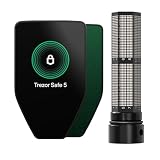
- Trezor Safe 5 with EAL 6+ Secure Element + passphrase protection, paired with Keep Metal for durable stainless steel seed backup storage
- UNPARALLELED SECURITY: Protect your assets with Trezor Safe 5's NDA-free EAL 6+ Secure Element, offering robust defense and complete transparency
- EFFORTLESS NAVIGATION: Experience seamless crypto management with the vibrant color touchscreen, designed for intuitive and user-friendly interactions
- ENHANCED USER EXPERIENCE: Enjoy tactile confirmation with Trezor Touch Haptic Engine, making each interaction precise and engaging
- SUPPORTS 1000s OF COINS & TOKENS: Securely handle thousands of assets, including Bitcoin, Ethereum, and more, all in one wallet
Its appeal is straightforward scope. You are not choosing broad app compatibility, so confirm that the companion software and recovery procedure meet your needs before funding the wallet. As with every model, the important operational question is whether you will check the device display, maintain the seed backup, and keep the firmware and software supply chain under control.
What’s actually slowing this PC down?
Pick the symptom - the matching free tool is one click away.
Recovery backups: the part that decides whether you can get your Bitcoin back
Trezor’s official guidance puts the priority plainly: “Having a secure wallet backup means you can recover your Bitcoin in case of hardware failure or device loss. The physical security of your wallet backup is even more important than that of the device itself.” That principle applies regardless of which model you buy.
Write the words during initialization
When a device generates a recovery phrase, write it exactly as displayed, in order, on the supplied sheet or another offline medium. Ledger describes the phrase as a unique sequence of 24 words randomly generated during initialization. Do not accept a device that arrives with a prewritten phrase, and do not let another person generate or record it for you.
Keep the backup offline
Never photograph the words, paste them into a password manager, email them, or type them into a computer or phone. A website, support agent, or software application that asks for the complete phrase is not needed for normal device operation. Store the physical backup where unauthorized people cannot reach it and where you can retrieve it after a hardware failure.
Consider metal for long-term durability
A metal seed-phrase plate can protect against hazards that damage paper. The useful question is whether the specific plate and your storage location suit your threat model; do not assume a universal fire or water rating without product-specific evidence. Metal does not solve the problem of theft, photographing, or an incorrect transcription, so verify the words before sealing the backup away.
Understand multi-share designs
Shamir backups can reduce single-location failure by dividing recovery into shares. They also create more operational dependencies: you must know how many shares are required, keep enough shares available, and use software that can restore that format. Compatibility is narrower than standard BIP-39 in some ecosystems, so document the exact backup type with the shares.
Also popular on Amazon

- Unparalleled Security: Protect your assets with EAL 6+ Secure Element, offering robust defense and complete transparency
- Simple & Secure Interface: Manage your digital assets easily with a clear OLED screen for secure on-device confirmations
- Supports 1000s of Coins & Tokens: Securely handle thousands of assets, including Bitcoin, Ethereum, and more, all in one wallet
- Effortless Asset Management: Monitor and transact seamlessly with Trezor Suite, our intuitive desktop and mobile app
- Enhanced Backup Solution: Multi-share Backup eliminates single points of failure for secure cold wallet recovery
Safe setup procedure
- Buy through a trustworthy channel. Check the seller, model revision, packaging, and current stock. A hardware wallet should not arrive initialized or with recovery words supplied by someone else.
- Initialize on the device itself. Let the device generate the recovery phrase. Follow its screen rather than copying words from a computer.
- Record and verify the backup. Write every word in order, complete the device’s confirmation quiz or verification step, and store the backup offline before receiving funds.
- Set a strong PIN. The PIN protects ordinary device access; it is not the recovery backup and cannot replace it.
- Install only the official companion software. Keep the host computer updated and treat unexpected prompts, browser pages, and support messages as potential phishing.
- Create the intended Bitcoin account. Confirm that you selected the Bitcoin-only configuration or account type you planned to use.
- Verify the receiving address on the hardware wallet. Do not rely only on the address shown in the companion application.
- Send a small test amount. Confirm that it arrives, then continue to verify the destination and amount on the device for every transaction.
- Document recovery details without exposing the words. Record the device model, account type, backup format, and any required threshold or passphrase procedure separately from the secret words.
Common failure scenarios and recovery choices
The device is lost or stops working
Acquire a compatible replacement, choose its restore option, and enter the recovery words on the replacement device. The wallet is recreated from the backup; the original hardware does not contain a second copy that you can retrieve. If you used Shamir shares, restore with the required number of shares and the software that supports that format.
The PIN is forgotten
A forgotten PIN may require resetting the device and restoring from the recovery backup. This is why the words must be readable, complete, and stored separately from the device.
The recovery words may have been exposed
Assume the wallet is compromised. Move funds to a newly initialized wallet with a newly generated backup, using a device and software you trust. Do not continue using the exposed phrase merely because the hardware wallet still works.
The Tool Desk
Outbyte Driver Updater FREEScan for outdated or missing drivers - takes under a minuteDriver Scan →Outbyte PC Repair FREEClear out junk files and repair common Windows errorsFree Scan →The restored wallet appears empty
Check that you selected the same Bitcoin-only or multi-asset configuration, account type, derivation choice, and any passphrase used originally. A correct word sequence with a different passphrase or account path can produce a different wallet. If you cannot reproduce the original configuration, consult the manufacturer’s documented recovery procedure without entering the words on a networked website.
How to choose between the four
- Choose COLDCARD Mk5 if Bitcoin-only scope, QR or microSD air-gapping, multisig co-signing, and specialized threat-response controls justify a more complex setup.
- Choose Trezor Safe 5 Bitcoin-only if you want on-device confirmation and a choice between conventional word backups and Shamir shares.
- Choose Ledger Nano Gen5 if secure touchscreen review and broad asset and app compatibility matter more than a Bitcoin-only design.
- Choose BitBox02 Bitcoin-only if you want a focused Bitcoin device with OLED-and-button signing and a conventional 24-word backup.
Before purchasing, write down the recovery plan you would follow after loss, theft, a forgotten PIN, or a suspected seed exposure. If you cannot explain that plan without improvising, select the simpler backup design or learn the more advanced one before funding the wallet.
What “safer” can and cannot mean
There is no authoritative percentage showing that one of these devices is the safest, and no controlled statistic in the cited material establishes market share, breach rate, or loss rate. Security depends on the device, firmware, supply chain, host computer, transaction verification, PIN practice, and—most critically—the recovery backup.
Use published transparency and validation information, documented recovery behavior, and the workflow you can reliably follow as your decision criteria. A device with fewer features may be safer for you if it reduces mistakes; a device with air-gapped signing or multi-share recovery may be safer for a practiced operator who maintains those procedures.

