
iTechGuides is reader-supported. When you buy through links on our site, we may earn an affiliate commission. As an Amazon Associate I earn from qualifying purchases. Learn more
Blender is the best free 3D animation software for most people in 2026. It is open source, commercially usable, cross-platform, and covers modeling, rigging, keyframe animation, simulation, rendering, compositing, motion tracking, and video editing in one application. Its breadth also means a steeper learning curve and higher hardware demands than lightweight 2D programs. Choose Godot when the finished work must run interactively as a game, or choose Krita, OpenToonz, Pencil2D, Synfig Studio, or Tahoma2D for hand-drawn, traditional, or vector 2D animation.
Which free 3D animation software is best in 2026?
For a conventional 3D film, YouTube short, visual-effects shot, architectural animation, or game asset, Blender is the strongest all-round choice. The Blender Foundation describes it as a free and open-source 3D creation suite, and its toolset spans the complete production path from modeling and rigging to animation, simulation, rendering, compositing, motion tracking, and editing.
Blender is released under the GNU GPL. The Blender Foundation’s licensing guidance says you own the artwork, movie files, .blend files, and other data you create, and may sell work made with Blender for animation, visual effects, games, research, or education. That permission applies to your work, not automatically to models, textures, fonts, music, add-ons, or other assets imported into a project.
The alternatives below are not interchangeable. Godot is a real-time engine for interactive projects; Krita is a painting-first raster animator; OpenToonz and Tahoma2D suit traditional production; Pencil2D keeps hand-drawn animation lightweight; and Synfig Studio focuses on vector, cut-out, bone-based, and tweened work.
Popular on Amazon

- 【Upgraded Durability with Metal Shell】The Meatanty tiny mouse jiggler has upgraded into solid metal material. Now featuring a robust metal shell for superior durability and extended longevity, this improved mini mouse mover ensures your device remains operational and protected against daily wear and tear. Meatanty mouse wiggler is an amazing device to prevent your computer from unwanted locking.
- 【ON/OFF & Mode Selection Buttons】Compared to most 1 button or no button small mouse jigglers on the market, Meatanty mouse shaker has 2 separate "ON/OFF switch" and "Mode selection" buttons, it’s easier to operate and no need repeated plugging and unplugging the mouse mover, saving the damage of your computer and laptop USB ports.
- 【3 Random Tracks with LED Screen】Our auto mouse mover has 3 random tracks to choose from. mode 1 is small range of movement, mode 2 is wide range of movement. ❤In Mode 3, the cursor just jiggles slightly, so Mode 3 will NOT affect your normal use of the mouse. Another exclusive design makes our mouse wiggler outstanding other brands is the LED Screen. It allows you to tell from LED display whether the device is running and which track it’s in.
- 【100% Undetectable&Memory Function】Based on undetectable and absolute secure principle, this automatic mouse juggler is recognized as a “USB OPTICAL MOUSE” when it’s connected to the computer for the first time. So don't worry about it being recognized as an unknown/unsafe device, unless your computer does not allow access to the mouse. This jiggler mouse mover has exclusive memory function: the next time it is turned on, it will continue to runs the track set at the last time.
- 【No Software & Wide Compatibility】No software installation require–simply plug the undetectable mouse jiggler into a laptop USB port and enjoy instant activity on your screen. This mouse giggler device is compatible with most systems like Mac OS, Windows XP/7/8/10/11, Android, Linux, etc.
How do the best free animation programs compare?
| Software | Best for | Animation approach | Platforms | Cost and license | Main limitation |
|---|---|---|---|---|---|
| Blender | Complete 3D production | Keyframes, rigs, simulations, motion graphics | Windows, macOS, Linux | Free and open source under GPL; commercial use allowed for your created work | Large scope and demanding hardware create a steeper learning curve |
| Godot Engine | Interactive games and real-time scenes | Real-time 2D/3D nodes, animation players, scripting | Windows, macOS, Linux and other supported desktop targets | Free, open source, OSI-approved MIT license; personal, nonprofit, and commercial use permitted | It is an engine rather than a full offline film-rendering suite |
| Krita | Painted frame-by-frame 2D | Raster drawing and hand-drawn frames | Windows, macOS, Linux | Free and open source | Not a general-purpose 3D modeling or rigging application |
| OpenToonz | Traditional 2D production | Scan, draw, exposure-sheet and compositing workflows | Windows, macOS, Linux | Free and open source | Its production interface takes longer to learn than lightweight drawing tools |
| Pencil2D | First hand-drawn animation exercises | Simple bitmap/vector frame-by-frame drawing | Windows, macOS, Linux | Free and open source | Limited 3D, rigging, simulation, and studio-pipeline features |
| Synfig Studio | Vector and cut-out animation | Bone rigs, interpolation, and tweened vector artwork | Windows, macOS, Linux | Free and open source | Less suitable for painted frame-by-frame work or full 3D scenes |
| Tahoma2D | Traditional 2D users wanting an OpenToonz-style workflow | Exposure sheets, drawing, cut-out and compositing tools | Windows, macOS, Linux | Free desktop software | 2D-focused; it does not replace Blender for 3D modeling or rendering |
1. Blender: who is it for?
Blender is for creators who want one application for a complete 3D pipeline. You can model characters and environments, build armatures, animate with keyframes, run particle or physics simulations, render images or sequences, composite passes, track live-action footage, and assemble a finished edit without switching to a paid suite.
Standout capabilities
- Modeling, sculpting, UV work, materials, lighting, rigging, and non-linear animation are integrated.
- Simulation tools cover effects such as rigid bodies, cloth, smoke, fluids, and particles.
- Rendering and compositing are built in, while motion tracking supports live-action integration.
- The Video Sequence Editor handles basic cutting, audio placement, and finishing.
Platforms, price, and commercial rights
Blender runs on Windows, macOS, and Linux. It has no paid tier and is distributed as free, open-source software under the GPL. The Blender Foundation states that creators retain ownership of their output and can sell Blender-made artwork, films, .blend files, and other project data.
Limits to plan for
Blender’s breadth is its trade-off. New users must learn a 3D viewport, object and data management, coordinate systems, materials, lighting, cameras, and animation editors before production feels fast. Imported assets remain governed by their own licenses, so Blender’s commercial permission does not clear third-party rights.
Quick wins for a faster PC:
Fix the driver behind crashes, sound loss and screen glitchesFind Drivers →Repair Windows errors before they cause bigger problemsFix Now →2. Godot Engine: who is it for?
Godot is the better free choice when animation must respond to player input or run in a real-time application. Use Blender to create and rig assets, then bring them into Godot for scenes, cameras, animation state machines, scripting, physics, and deployment.
Standout capabilities
- A scene-and-node structure organizes characters, environments, cameras, lights, and animation players.
- Real-time 2D and 3D rendering lets you preview interactive behavior rather than only exporting a pre-rendered movie.
- Scripting and input systems connect animation to gameplay, menus, triggers, and physics.
Platforms, price, and license
Godot is free and open source under an OSI-approved MIT license. Its official FAQ permits personal, nonprofit, and commercial use. The editor is available for major desktop operating systems, including Windows, macOS, and Linux.
Limits to plan for
Godot is an engine, not a replacement for Blender’s modeling, sculpting, and offline-rendering pipeline. A cinematic project may still need Blender or another DCC for character creation, UVs, complex simulations, and high-end render passes. Export targets and runtime performance also depend on the project’s assets and scripts.
3. Krita: who is it for?
Krita suits artists who think in painted frames rather than polygonal scenes. Its raster canvas, brushes, layers, onion-skin workflow, and frame-by-frame tools make it a natural choice for hand-drawn 2D clips, animatics, and illustrated loops.
Also popular on Amazon

- USB-A Wired Connection: Wired mouse with USB Type-A connectivity for desktops, laptops, and other USB-A equipped devices. Connects directly without adapters for a stable, reliable connection.
- Smooth & Precise Optical Tracking: 3-button optical mouse delivers accurate and responsive cursor control. Dimensions: 4.33 × 2.36 × 1.50 in (110 × 60 × 38 mm); Weight: 0.26 lb (120 g).
- No Batteries Required: Powered by a durable 5-ft cable for hassle-free use with no battery replacements needed. Cable length allows flexible routing above or below the desk—ideal for home or office setups.
- Hassle-Free Plug-and-Play: No drivers or software required. Simply plug the USB-A cable into your device and start using immediately.
- Ambidextrous Design: Symmetrical, sculpted shape is comfortable for both left- and right-handed users. Primary button can be switched in system settings.
Standout capabilities
- Brushes, stabilizers, layer blending, masks, and color tools support a painting-first process.
- Animation workspaces provide timelines, keyframes, and onion skinning for drawing successive poses.
- Raster artwork can be developed at the same time as non-animated illustrations and backgrounds.
Platforms, price, and license
Krita is free and open source for Windows, macOS, and Linux desktop systems. There is no subscription requirement for the desktop application.
Limits to plan for
Krita is not a 3D modeler, skeletal-rig package, or physically based renderer. Long sequences with many high-resolution raster frames can consume substantial memory, and complex camera moves or reusable character rigs require more specialized software.
4. OpenToonz: who is it for?
OpenToonz is aimed at a traditional 2D production workflow. It is a stronger fit than a simple drawing app when you need exposure-sheet timing, scanned or digitally inked drawings, reusable levels, cut-out elements, and compositing stages.
Standout capabilities
- Exposure-sheet organization makes frame timing and holds visible in a production-oriented timeline.
- Drawing, scanning, cleanup, palette work, and compositing tools support a traditional pipeline.
- It can handle both hand-drawn and cut-out approaches inside one project.
Platforms, price, and license
OpenToonz is free and open source, with desktop versions for Windows, macOS, and Linux.
Free tools Windows power users keep installed
One-click scans. No signup required.
Limits to plan for
The interface exposes more production concepts than a beginner sketching app, so the initial setup can feel complex. OpenToonz is designed for 2D output; it does not provide Blender’s polygon modeling, 3D rigging, or 3D renderers.
5. Pencil2D: who is it for?
Pencil2D is the simplest starting point for a first hand-drawn animation. Its uncluttered timeline and drawing tools let beginners concentrate on poses, timing, and onion-skin comparisons instead of learning a large production system.
Standout capabilities
- Frame-by-frame bitmap and vector drawing can be mixed in a lightweight project.
- Onion skinning helps compare neighboring drawings while you refine motion.
- A small interface is suitable for short tests, classroom exercises, and rough animatics.
Platforms, price, and license
Pencil2D is free and open source for Windows, macOS, and Linux.
Also popular on Amazon

- Upgraded Ultra-Slim Design: At only 17.3 mm thick and 105 g, this Vaydeer mouse mover features a slim, lightweight design that takes up minimal desk space. It is easy to place on your desktop and convenient to carry between home, office, and travel setups.
- Automatic Mouse Movement: This mouse mover provides smooth automatic cursor movement at preset intervals, making it useful for downloads, presentations, online meetings, system updates, and other long-running computer tasks. Its driver-free design requires no software installation and is easy to use for home offices, shared workspaces, and everyday computer use.
- Adjustable Interval Timer: Choose from 4 interval settings: 10 seconds, 30 seconds, 3 minutes, or random 1–60 seconds. The turntable rotates for a fixed 15 seconds each time, while the pause interval between rotations can be adjusted as needed. Use the mode button to select your setting, and the separate ON/OFF button makes it easy to start or stop the device.
- Plug-and-Play Compatibility: This upgraded mouse mover is compatible with Windows and Mac computers and requires no additional software or driver installation. Simply connect it with the Type-C cable, choose your preferred mode, and turn it on for daily use. The simple setup makes it suitable for home offices, shared workspaces, and everyday computer use.
- Quiet Mouse Jiggler: Designed with a compact ultra-quiet micro motor, this mouse mover runs smoothly with low noise during use. It helps reduce distracting sounds, making it a practical choice for home offices, shared workspaces, and quiet environments.
Limits to plan for
It is not a 3D application and does not offer Blender-style modeling, lighting, simulations, or character rigs. Larger productions may outgrow its scene management, compositing, and asset-organization features.
PC Slower Than It Used to Be?
A free scan shows the junk files, broken settings and background clutter dragging Windows down - then fixes them in one click.Free scan · Windows 10 & 11Crashes, No Sound, or Screen Glitches?
Random freezes, missing sound and display glitches usually trace back to one bad driver. Find and replace yours safely.Free scan · under a minute6. Synfig Studio: who is it for?
Synfig Studio is for vector and cut-out animation where you want smooth motion without drawing every intermediate frame. Bone-based controls, interpolation, and reusable vector artwork are useful for explainers, motion graphics, and puppet-style characters.
Standout capabilities
- Vector artwork can be scaled without the pixel stair-stepping associated with raster frames.
- Bone systems and parameters let a character or graphic be animated from a smaller set of poses.
- Tweening automatically creates transitions between keyed states, reducing repetitive drawing.
Platforms, price, and license
Synfig Studio is free and open source for Windows, macOS, and Linux desktop systems.
Limits to plan for
Synfig’s procedural and vector approach is different from painted animation. It is also not a 3D modeler or real-time game engine, so users needing polygonal characters, camera perspective, or gameplay logic should choose Blender or Godot instead.
7. Tahoma2D: who is it for?
Tahoma2D is suited to artists who want a traditional 2D workspace with exposure-sheet timing, drawing, cut-out elements, and compositing, but prefer a focused alternative to a full 3D suite.
Standout capabilities
- Exposure-sheet and timeline views make traditional timing, holds, and frame substitutions explicit.
- Drawing and cut-out workflows support both hand-animated and puppet-like scenes.
- Compositing tools allow layers and effects to be assembled before export.
Platforms, price, and license
Tahoma2D is available as free desktop software for Windows, macOS, and Linux. It does not require a subscription.
Limits to plan for
Tahoma2D is a 2D production tool. It cannot replace Blender for mesh modeling, 3D rigging, physically based lighting, or volumetric simulation, and its traditional workflow may be unnecessary for a single short loop.
Also popular on Amazon
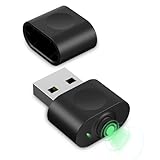
- 【Computer Helper】Mouse Jiggler is an ideal design for computer/laptop, it auto simulates mouse movements, prevents your computer from going into sleep and keeps your screen and apps active. You can go back to using your computer at any time and never have to re-enter your password at the annoying lock screen again. The mini mouse mover is ptotable and easy use for meetings, gaming tasks, online courses, remote operations and more.
- 【Undetectable】When this mini mouse wiggler is connected to your computer, it is recognized as a "USB composite device", the same as an external mouse. So don't worry about it being recognized by IT software as an unknown/unsafe device.
- 【Three Modes to Switch】 This mouse mover device has three jiggler modes: large range small range up and down moving, small range parallel moving. Simply press the button to switch to the mode you want. The "small range" mode moves only 1-2 pixels at a time, and the mouse can be used normal in the mode.
- 【Plug and Play】This mouse jiggler does not require any software/program to be installed, just plug it into USB port and it works. A "short press" of the button switches the shake mode, no need to plugging and unplugging frequent, preventing damage to the computer, making it easy for anyone to use.
- 【Wide Compatibility】This USB mouse mover always keeps your mouse cursor moving. Suitable for Windows XP/7/8/10, Mac OS, Linux system, Hub and so on. And fit for your wireless mouse, wired mouse, optical mouse, magic mouse and so on.
What computer do you need for Blender?
Blender’s official 2026 requirements list 8 GB of RAM and 2 GB of video memory as Windows minimums. The recommended Windows configuration rises to 32 GB of RAM, 8 GB of VRAM, Windows 11, and an eight-core CPU.
| Component | Minimum listed by Blender Foundation | Recommended listed by Blender Foundation |
|---|---|---|
| Operating system | 64-bit Windows 8.1 | Windows 11 |
| CPU | Four-core processor with SSE4.2 | Eight-core processor |
| Memory | 8 GB RAM | 32 GB RAM |
| Graphics memory | 2 GB VRAM | 8 GB VRAM |
| macOS | Blender 5.0 and later require macOS 13 Ventura on Apple Silicon | Blender 4.5 LTS is the last release supporting Intel Macs and macOS 11.2 |
| Linux | 64-bit distribution with glibc 2.28 or newer | Use a current supported distribution and graphics driver |
These figures are requirements-page guidance, not a promise that every scene will play smoothly. Dense geometry, high-resolution textures, particle caches, simulations, and path-traced renders can exceed the minimum quickly. A three-button mouse is recommended for efficient viewport navigation; a pen tablet is useful for sculpting, texture painting, and Grease Pencil drawing.
The Tool Desk
Outbyte Driver Updater FREEFix the driver behind crashes, sound loss and screen glitchesFind Drivers →Outbyte PC Repair FREEClear out junk files and repair common Windows errorsFree Scan →How should you choose among free animation tools?
- Identify the final output. Choose Blender for a rendered 3D movie or asset, Godot for an interactive real-time project, and a 2D application for hand-drawn or vector output.
- Match the drawing method. Pick Krita or Pencil2D when every frame is painted, OpenToonz or Tahoma2D for a traditional production pipeline, and Synfig when interpolation and vector rigs should create most in-betweens.
- Check your hardware. If the computer is near Blender’s minimum of 8 GB RAM and 2 GB VRAM, expect simpler scenes and lower render settings. A 32 GB RAM and 8 GB VRAM target leaves more room for demanding projects.
- Plan the hand-off. Interactive work may move from Blender into Godot. 2D tools may exchange image sequences, layered files, or rendered video, so decide where compositing and sound editing will happen.
- Audit every asset license. Software freedom does not grant commercial rights to downloaded models, textures, fonts, music, motion-capture files, or plug-ins. Keep a license record for each external asset.
- Budget learning time. Blender and OpenToonz expose broad production systems; Pencil2D has a shorter path to a first exercise. The fastest first result is not always the best long-term pipeline.
Can free software make professional animation?
Yes. Professional quality depends on planning, art direction, animation principles, lighting, sound, rendering, and revision—not on a subscription price. Blender’s complete pipeline can support commercial animation, visual effects, games, research, and education, while Godot’s MIT license permits commercial interactive projects.
The practical limits are skill, time, hardware, and asset rights. A free application may still require paid storage, render capacity, sound libraries, commissioned artwork, or specialist plug-ins. Before release, confirm the license for every imported element and the terms of any exporter or add-on used in the project.
What are the most common free-animation pitfalls?
- Choosing by feature count: A large toolset can slow a beginner; choose the workflow that matches the animation type.
- Confusing real-time and offline rendering: Godot previews interactive scenes, while Blender is the stronger choice for a controlled cinematic render.
- Ignoring color and frame-rate settings: Set resolution, frame rate, color management, and delivery format before animating long sequences.
- Working below hardware headroom: Proxy geometry, lower viewport samples, and cached simulations can keep a complex Blender scene workable.
- Assuming open source means unrestricted assets: Software and content licenses are separate legal questions.
Frequently Asked Questions
Is Blender really free for commercial use?
Yes. Blender is GPL-licensed, and the Blender Foundation says you may sell artwork, films, .blend files, and other data you create with it. That does not transfer ownership or commercial permission for third-party assets imported into the project.
Can Blender run on an older Intel Mac?
Blender 4.5 LTS is the last release supporting Intel Macs and macOS 11.2. Blender 5.0 and later require macOS 13 Ventura on Apple Silicon, so an older Intel Mac should remain on the supported LTS branch rather than install the newest release.
What’s actually slowing this PC down?
Pick the symptom - the matching free tool is one click away.
What is the easiest free animation program for a child or first exercise?
Pencil2D generally has the shortest path to a first hand-drawn sequence because it keeps the interface and workflow small. It is a 2D sketching tool, so a learner who later needs 3D models, lights, or simulations will need to move to Blender.
Also popular on Amazon

- TerrainTested Tracking Technology utilizes a blue LED sensor to deliver rock-solid cursor control practically anywhere
- An attractive, ambidextrous design looks great and provides comfort for both left and right-handed users
- The textured scroll wheel lets you breeze through documents and web pages
- A 1000 dpi sensor ensures and optimum blend of tracking speed and accuracy
- An attractive, ambidextrous design looks great and provides comfort for both left and right-handed users
Do I need a drawing tablet to animate in Blender?
No. A mouse and keyboard are enough for modeling, rigging, and keyframe animation, and Blender recommends a three-button mouse for navigation. A pen tablet becomes useful for sculpting, painting, and Grease Pencil drawing, where pressure and direct strokes are more natural.
Can I use free animation software without an internet connection?
These are desktop applications that can be installed and run locally after download. Online activation, cloud rendering, asset libraries, or optional services may have separate requirements, but the core Blender, Godot, Krita, OpenToonz, Pencil2D, Synfig Studio, and Tahoma2D workflows are not subscription-streaming products.
Frequently Asked Questions
Is Blender really free for commercial use?
Yes. Blender’s GPL license allows you to sell work and project files you create. Imported models, textures, fonts, music, and plug-ins keep their own licenses.
Do these 3 things before closing this tab:
1Repair Windows errors before they cause bigger problems2Scan for outdated or missing drivers - takes under a minute3Clear out junk files and repair common Windows errorsCan Blender run on an older Intel Mac?
Blender 4.5 LTS is the last release supporting Intel Macs and macOS 11.2. Blender 5.0 and later require macOS 13 Ventura on Apple Silicon.
What is the easiest free animation program for a child or first exercise?
Pencil2D offers the simplest starting point for a short hand-drawn sequence. It does not provide Blender’s 3D modeling, lighting, or simulation tools.
Do I need a drawing tablet to animate in Blender?
No; a mouse and keyboard cover core modeling and keyframe work. Blender recommends a pen tablet for sculpting, painting, and Grease Pencil drawing.
Can I use free animation software without an internet connection?
The listed programs are desktop applications that run locally after installation. Optional cloud, asset, or rendering services can have separate connectivity requirements.
Quick Recap
Product prices and availability are accurate as of the date/time indicated and are subject to change. Any price and availability information displayed on Amazon at the time of purchase will apply.

