
The Logitech MX Keys Mini is the clearest match for a compact wireless keyboard that recharges: it charges over USB-C, connects by Bluetooth, and Logitech lists up to three paired devices for its business model. Its quoted battery life depends heavily on the backlight setting, so treat Logitech’s figures as estimates rather than real-world test results. If you are willing to use disposable batteries, the smaller-feature set Logitech Pebble Keys 2 K380s is a compact alternative—but it is not rechargeable.
Which compact wireless keyboard is rechargeable?
Among the two models compared here, only the Logitech MX Keys Mini has a built-in rechargeable battery. Logitech describes it as a compact wireless illuminated keyboard and specifies USB-C charging. The MX Keys Mini for Business specifications list Bluetooth Low Energy and a Logi Bolt USB receiver connection, as well as switching among up to three paired computers. Receiver availability and compatibility depend on the device you intend to connect; check that it has a suitable port. Logitech MX Keys Mini specifications.
Compact size alone does not mean a keyboard is rechargeable. The Logitech Pebble Keys 2 K380s pairs over Bluetooth with up to three devices, but it runs on two AAA alkaline batteries. It is an option only if you are comfortable replacing batteries rather than charging the keyboard. Logitech Pebble Keys 2 K380s specifications.
How do the MX Keys Mini and K380s compare?
| Feature | Logitech MX Keys Mini | Logitech Pebble Keys 2 K380s |
|---|---|---|
| Power | Built-in rechargeable battery; USB-C charging (Logitech product specifications) | Two AAA alkaline batteries; not rechargeable (Logitech product specifications) |
| Quoted battery life | Up to 10 days per full charge with predefined settings, or up to five months with backlighting off; Logitech estimates, varying with user and computing conditions (publication date not stated) | Up to 36 months from two AAA alkaline batteries; Logitech estimate, varying with use (publication date not stated) |
| Wireless connections | Bluetooth; the business specifications also list Logi Bolt USB receiver support (Logitech product specifications) | Bluetooth (Logitech product specifications) |
| Device switching | Up to three paired computers in the business specifications (Logitech product specifications) | Three Bluetooth device channels (Logitech product specifications) |
| Dimensions and weight | Not stated in the cited specifications | 279 mm wide × 124 mm high × 16 mm deep; 415 g with batteries (Logitech product specifications) |
| Backlighting and keys | Illuminated; 79 keys in the business specifications (Logitech product specifications) | Low-profile keys; backlighting not stated in the cited specifications |
What to consider before choosing a keyboard for work and travel
Check the battery type and connector
Look for an explicitly built-in rechargeable battery rather than assuming that “wireless” or “portable” means rechargeable. For the MX Keys Mini, that means charging over USB-C. The K380s’s two AAA cells avoid charging sessions, but they are replaceable batteries, not a rechargeable pack.
Quick wins for a faster PC:
Scan for outdated or missing drivers - takes under a minuteDriver Scan →Repair Windows errors before they cause bigger problemsFix Now →#1 Best Overall

- Perfect Stroke Typing with Smart Keys (1): Type on keys shaped for your fingertips, with voice to text Dictation (4), Mic Mute/Unmute, and Emoji keys
- Mini Size, Mighty Powerful: A layout designed for effortless precision, with a minimalist form for an ergonomic keyboard that's portable and can travel wherever you get work done
- Smart Illumination: The wireless keyboard's backlit keys light up the moment your hands approach, and automatically adjust to suit changing lighting conditions
- Multi-Device, Multi OS: Pair MX Keys Mini compact keyboard with up to 3 devices on nearly any operating system via Bluetooth Low Energy and switch between them seamlessly
- Multiple Computers, One Flow: Team the slim MX Keys Mini with MX Master 3 or MX Anywhere 3 and type across multiple computers or laptops in one fluid workflow(1)
Interpret battery-life estimates alongside backlighting
Logitech lists up to 10 days on a full charge for the MX Keys Mini with predefined settings, compared with up to five months when backlighting is off. Those are different operating conditions, not interchangeable promises: the five-month estimate does not describe use with backlighting active. Logitech says battery life varies with user and computing conditions. No independent battery testing is established for either model here.
Match the connection to your devices
Bluetooth is the direct option for compatible laptops, tablets, and phones. The MX Keys Mini for Business also lists Logi Bolt receiver support, which may be useful if your setup calls for a USB receiver; make sure your device has a compatible port. Both models support switching among three devices, though Logitech describes the MX Keys Mini as paired computers and the K380s as Bluetooth channels.
Rank #2

- Mastered for Mac: MX Keys Mini for Mac is optimized for macOS, iPadOS(2), and iOS(2) and features a keyboard with a layout for Mac for maximum productivity
- Designed for Mac: Compatible with Apple MacBook Pro, MacBook Air, iMac & iPad models
- Perfect Stroke Typing with Smart Keys (1): Type on keys shaped for your fingertips, with voice to text Dictation (4), Mic Mute/Unmute, and Emoji keys
- Mini Size, Mighty Powerful: A layout designed for effortless precision, with a minimalist form for an ergonomic keyboard that's portable and can travel wherever you get work done
- Smart Illumination: The wireless keyboard's backlit keys light up the moment your hands approach, and automatically adjust to suit changing lighting conditions
Balance portability with typing preference
The K380s has published dimensions and a weight of 415 g with batteries, which gives a concrete basis for judging its packed size and carry weight. Comparable dimensions and weight are not stated in the cited MX Keys Mini specifications. Logitech describes the K380s as having low-profile keys and the MX Keys Mini as illuminated, but the available specifications do not establish which keyboard feels more comfortable, lasts longer in travel use, or suits a particular typing style. If possible, assess the layout and feel before buying.
Independent reader supportYour contribution helps us test, update, and keep practical guides available for everyone.Which one should you choose?
- Choose the MX Keys Mini if built-in rechargeable power is essential, you want USB-C charging, or backlighting is a priority. Keep its backlight-dependent manufacturer runtime estimates in mind.
- Consider the K380s if compact Bluetooth typing and switching between three devices matter more than recharging, and you accept two AAA batteries. Its quoted battery life is a manufacturer estimate, not an independent test result.
These specifications support a direct match and a useful non-rechargeable comparison, not a market-wide claim that either is objectively the best compact keyboard. Current prices and retailer stock are not established here.
Quick Recap
Best Value

- Typing perfect stroke with smart keys: type your finger-shaped keys, with speech to text dictation, mute/unmute microphone and emoji keys
- MINI SIZE, POWERFUL POWERFUL - A design designed for effortless accuracy, with a minimalist shape for an ergonomic keyboard that is portable and can travel wherever it does the job
- SMART LIGHTING - The wireless keyboard's backlit keys illuminate the moment hands approach and automatically adjust to adapt to changing lighting conditions
- MULTI DEVICE, MULTI OS: connect MX keys Mini compact keyboard with up to 3 devices on almost any operating system via Bluetooth Low Energy and switch between them seamlessly
- Multiple Computers, One Flow - Combine MX Mini keys with MX Master 3 or MX Anywhere 3 and type on multiple computers or laptops in a smooth workflow
Rank #4

- Perfect Stroke Typing with Smart Keys (1): Type on keys shaped for your fingertips, with voice to text Dictation (4), Mic Mute/Unmute, and Emoji keys
- Mini Size, Mighty Powerful: A layout designed for effortless precision, with a minimalist form for an ergonomic keyboard that's portable and can travel wherever you get work done
- Smart Illumination: The wireless keyboard's backlit keys light up the moment your hands approach, and automatically adjust to suit changing lighting conditions
- Multi-Device, Multi OS: Pair MX Keys Mini compact keyboard with up to 3 devices on nearly any operating system via Bluetooth Low Energy and switch between them seamlessly
- Multiple Computers, One Flow: Team the slim MX Keys Mini with MX Master 3 or MX Anywhere 3 and type across multiple computers or laptops in one fluid workflow(1)
Rank #3
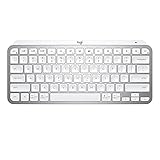
- Perfect Stroke Typing with Smart Keys (1): Type on keys shaped for your fingertips, with voice to text Dictation (4), Mic Mute/Unmute, and Emoji keys
- Mini Size, Mighty Powerful: A layout designed for effortless precision, with a minimalist form for an ergonomic keyboard that's portable and can travel wherever you get work done
- Smart Illumination: The wireless keyboard's backlit keys light up the moment your hands approach, and automatically adjust to suit changing lighting conditions
- Multi-Device, Multi OS: Pair MX Keys Mini compact keyboard with up to 3 devices on nearly any operating system via Bluetooth Low Energy and switch between them seamlessly
- Multiple Computers, One Flow: Team the slim MX Keys Mini with MX Master 3 or MX Anywhere 3 and type across multiple computers or laptops in one fluid workflow(1)
Product prices and availability are accurate as of the date/time indicated and are subject to change. Any price and availability information displayed on Amazon at the time of purchase will apply.

