
Outdated Drivers Are Slowing You Down
One free scan finds every outdated or missing driver and matches the right update for your exact hardware.Free scan · exact hardware matchWindows Errors? Fix Them Before They Spread
Repair common Windows errors and clear accumulated junk for a smoother, more stable PC - no reinstall needed.Free scan · no reinstalliTechGuides is reader-supported. When you buy through links on our site, we may earn an affiliate commission. As an Amazon Associate I earn from qualifying purchases. Learn more
The best cheap Android tablet in 2025 is the Samsung Galaxy Tab A9+ when its 4GB/64GB Wi-Fi model falls below about $200. Choose the Amazon Fire HD 10 for inexpensive streaming, the Lenovo Tab M11 for a bundled stylus, and the Fire HD 10 Kids for younger children.
This US buying guide covers new tablets priced roughly from $100 to $300. The recommendations separate standard Google Android tablets from Amazon Fire tablets, which use Fire OS and do not include Google Play by default.
Key takeaways
- The Samsung Galaxy Tab A9+ is the best overall cheap Android tablet for most US buyers because it combines Google Play, an 11-inch 90Hz display, quad speakers, microSD expansion, and optional 5G.
- The Amazon Fire HD 10, 13th generation from 2023, is the better low-cost media tablet, but Fire OS does not include Google Play Store or Google mobile services out of the box.
- The Lenovo Tab M11 is the best budget note-taking choice when the exact retail bundle includes its stylus; M11 bundles differ in RAM, storage, accessories, and warranty.
- The Amazon Fire HD 10 Kids is the strongest choice for younger children because the package adds a protective case, child profiles, parental controls, and kid-focused software rather than faster hardware.
- Buy at least 4GB of RAM and 64GB of internal storage for a conventional Android tablet; 128GB is preferable when the price difference is modest.
- No-name tablets below $100 are usually false economies when the seller cannot document Google Play certification, security updates, warranty coverage, and a reliable return policy.
Best cheap Android tablets in 2025 at a glance
The table below uses 2025 US price positioning rather than treating a temporary sale as a permanent price. Exact prices depend on storage, RAM, advertisements, retailer, cellular connectivity, and discount timing.
Free tools Windows power users keep installed
One-click scans. No signup required.
| Tablet | Best for | Typical 2025 price position | Screen | Memory and storage | Google Play | microSD | Stylus included? | Main drawback |
|---|---|---|---|---|---|---|---|---|
| Samsung Galaxy Tab A9+ | Best overall | MSRP signal: $219.99 for 4GB/64GB Wi-Fi and $269.99 for 8GB/128GB Wi-Fi; sale value is generally below $200 | 11-inch, 1920×1200, 90Hz | 4GB/64GB or 8GB/128GB reported | Yes, standard Android experience | Yes | No | Ordinary cameras and 15W charging; shorter support horizon than newer Samsung models |
| Amazon Fire HD 10, 2023 | Cheapest media tablet | About $140 in a cited price observation; sale price varies | 10.1-inch, 1920×1200 | 3GB; 32GB or 64GB | No, not by default | Yes, up to 1TB reported | No; optional USI 2.0 stylus support reported | Fire OS and Amazon Appstore limit Google-app compatibility |
| Lenovo Tab M11 | Note-taking and light productivity | High-$100s in some market signals; verify the US bundle | 11-inch, 1920×1200, 90Hz | Up to 8GB/128GB reported | Yes on standard supported configurations | Yes | Sometimes; confirm the box contents | Helio G88 is weaker than the A9+ processor; no 5G version reported |
| Xiaomi Redmi Pad SE | Hardware value where officially available | About $190 for a high-storage configuration in one market signal | 11-inch FHD+, 90Hz | Up to 8GB/256GB reported | Check the exact regional model | Yes | Bundle and model dependent | Uncertain US availability, warranty, and regional software support |
| Amazon Fire HD 10 Kids, 2023 | Younger children | About $134.99 in a cited deal signal; fluctuates | 10.1-inch, 1920×1200 | Hardware broadly based on Fire HD 10 | No, not by default | Yes | No | Costs more than the standard model for the protective and parental-control bundle |
What does cheap mean for an Android tablet?
For this guide, cheap means a new US tablet costing approximately $100 to $300, with three useful buying bands:
Popular on Amazon

- COMPACT SIZE, COMPACT FUN – The Lenovo Tab One is compact, efficient, and provides non-stop entertainment everywhere you go. It’s lightweight and has a long-lasting battery life so the fun never stops.
- SIMPLICITY IN HAND - Add a touch of style with a modern design that’s tailor-made to fit in your hand. It weighs less than a pound and has an 8.7” display that’s easy to tuck in a purse or backpack.
- NON-STOPPABLE FUN – Freedom never felt so sweet with all-day battery life and up to 12.5 hours of unplugged YouTube streaming. It’s designed to charge 15W faster than previous models so you can spend less time tethered to a power cable.
- PORTABLE MEDIA CENTER - Enjoy vibrant visuals, immersive sound, and endless entertainment anywhere you go. The HD display has 480 nits of brightness for realistic graphics and dual Dolby Atmos speakers that provide impressive sound depth.
- ELEVATED EFFICIENCY - Experience the MediaTek Helio G85 processor and 60Hz refresh rate that ensure fluid browsing, responsive gaming, and lag-free streaming.
| Price band | What to expect | Best use |
|---|---|---|
| Under $150 | Entry-level performance, limited RAM, basic displays, and more compromises | Streaming, reading, children, and light browsing |
| $150–$220 | The practical budget sweet spot, including discounted mainstream models | Families, students, browsing, streaming, and light productivity |
| $220–$300 | Stretch-budget hardware with better memory, stylus support, or build quality | Longer ownership, note-taking, multitasking, and heavier everyday use |
| Over $300 | Usually outside the cheap category unless substantially discounted | Consider only when the extra support or performance solves a real need |
Prices in this article are either manufacturer MSRP signals or reported market observations, not guaranteed current prices. Before purchasing, check the exact configuration, retailer, return period, and US warranty.
Why is the Samsung Galaxy Tab A9+ the best overall cheap Android tablet?
The Samsung Galaxy Tab A9+ is the best overall cheap Android tablet when a discounted US Wi-Fi model costs below roughly $200, because the tablet provides the least compromised standard Android experience in this group. Google Play access, a large 11-inch display, quad speakers, expandable storage, and optional 5G make the A9+ useful beyond simple video playback.
The reported hardware includes a Qualcomm Snapdragon 695 processor, 11-inch 1920×1200 display with a 90Hz refresh rate, 7,040mAh battery, 15W charging, quad speakers, 3.5mm headphone jack, and microSD expansion. Notebookcheck reports the A9+ configurations and specifications, including 4GB/64GB and 8GB/128GB versions. Specifications can vary by region and SKU, so do not combine the memory of one listing with the connectivity or storage of another.
Samsung’s March 2025 US MSRP document listed the Galaxy Tab A9+ Wi-Fi 4GB/64GB at $219.99 and the 8GB/128GB version at $269.99. Samsung’s March 2025 MSRP sheet supports those US list prices. The practical buying rule is simple: the A9+ becomes compelling below about $200, while the 8GB/128GB version is preferable if the price gap is reasonable.
The A9+ is well suited to Netflix and other streaming services, web browsing, split-screen work, reading, video calls, and casual games. The 90Hz refresh rate mainly makes scrolling and interface animation feel smoother; 90Hz does not automatically mean superior brightness, contrast, color accuracy, outdoor visibility, or HDR performance.
Samsung’s US product page for the A9+ now redirects to the newer Galaxy Tab A11+ page. Samsung’s A9+ product destination should therefore be checked carefully before purchase so that the buyer receives the intended model rather than a newer or differently configured replacement.
Who should skip the Galaxy Tab A9+?
Skip the A9+ if the absolute lowest price matters more than Google Play, if a protective kids bundle is the priority, or if note-taking requires a stylus in the box. The A9+ also is not a laptop replacement for serious typing, desktop web applications, video editing, or demanding games.
What’s actually slowing this PC down?
Pick the symptom - the matching free tool is one click away.
Is the Amazon Fire HD 10 a real Android tablet?
The Amazon Fire HD 10 is Android-based, but the 2023 13th-generation tablet is not equivalent to a conventional Google-certified Android tablet. Amazon uses Fire OS and the Amazon Appstore, and the Fire HD 10 does not ship with Google Play Store or Google mobile services by default.
The distinction matters more than the word Android. Fire OS works well for Amazon Prime Video, Kindle, Alexa, music, reading, web browsing, and many mainstream streaming services. Google Classroom, Google Drive, Gmail, Google Photos, banking apps, specialist Android apps, and Google-dependent workflows can be unavailable, limited, or less convenient. Unofficial Google Play installation workarounds exist, but they are not an official or guaranteed solution.
The 2023 Fire HD 10 has a 10.1-inch 1920×1200 display, 3GB of RAM, 32GB or 64GB internal storage, USB-C, stereo speakers, a 3.5mm headphone jack, and reported microSD support up to 1TB. Notebookcheck reported a price signal of approximately $140 and up to 13 hours of advertised battery life; that figure is a manufacturer-style advertised claim and the price is a historical observation, not a guaranteed current offer. The cited Fire HD 10 comparison lists the model’s reported specifications and price signal.
The Fire HD 10 supports 15W charging but was reported to include a 9W charger, so the tablet’s maximum charging capability and the bundled adapter are not the same thing. Amazon’s Fire HD 10 product page is the right place to verify the current storage, charger, bundle, and software details.
Do these 3 things before closing this tab:
1Scan for outdated or missing drivers - takes under a minute2Clear out junk files and repair common Windows errors3Fix the driver behind crashes, sound loss and screen glitchesAlso popular on Amazon
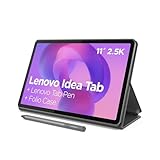
- POWER YOUR STUDY, FUEL YOUR PLAY – Discover smarter learning with the Lenovo Idea Tab. Stay campus-ready with all-day battery life, AI-powered apps to enhance your work, and sharp graphics for tv marathons with friends.
- SMOOTH, POWERFUL, IMMERSIVE – The MediaTek Dimensity 6300 processor is more powerful than ever, with the AI-enhanced multitasking you need to stay ahead.
- CIRCLE IT, SEARCH IT – Use your Lenovo Tab Pen or fingertip to circle items for instant search results or to translate other languages without switching apps. Circle to Search with Google ensures answers are only a circle away.
- SHARP VIEW, CLEAR SOUND – Experience sharp visuals and immersive sound for study sessions and streaming breaks. With 72% NTSC and quad Dolby Atmos-tuned speakers you can enjoy your study breaks with vivid videos and crystal-clear sound.
- LEVEL UP YOUR STUDY – Write, organize, sketch, and calculate with four learning apps built to match your flow. Lenovo AI Note, Squid, Nebo, and MyScript Calculator help you stay clear, focused, and ready for every study session.
Choose the Fire HD 10 when low price, Amazon services, reading, and streaming matter most. Choose the Galaxy Tab A9+ instead when Google Play, Google Workspace, broad app compatibility, or smoother multitasking is important.
Which cheap Android tablet is best for streaming and browsing?
The Samsung Galaxy Tab A9+ is the best conventional Android choice for streaming and browsing, while the Amazon Fire HD 10 is the best lowest-cost choice for viewers already invested in Amazon’s ecosystem.
| Priority | Better choice | Why | Trade-off |
|---|---|---|---|
| Google Play and general app compatibility | Galaxy Tab A9+ | Standard Android interface, 11-inch screen, quad speakers, 90Hz scrolling | Usually costs more than a Fire HD 10 sale price |
| Lowest cost for Amazon media | Fire HD 10 | Full HD screen, Amazon content integration, expandable storage | No Google Play Store by default |
| Large screen for split-screen browsing | Galaxy Tab A9+ or Lenovo Tab M11 | Both have 11-inch 90Hz displays | Neither is a high-end display or laptop replacement |
Screen resolution is only one part of viewing quality. Budget tablets can have modest brightness, reflective glass, narrow viewing angles, limited outdoor visibility, ordinary color reproduction, and no HDR certification. A 90Hz panel improves perceived scrolling smoothness but does not guarantee a better picture.
Which cheap tablet is best for kids?
The Amazon Fire HD 10 Kids is the best packaged choice for younger children because the purchase includes a child-focused case and software ecosystem, not because the tablet has substantially faster hardware than the standard Fire HD 10.
The Kids edition typically adds a protective bumper case, child profiles, parental controls, content filtering, and a child-focused warranty or subscription package depending on the edition and current Amazon offer. Android Central listed the Fire HD 10 Kids 2023 as its kids recommendation and reported an approximately $134.99 deal signal. Android Central’s kids-tablet coverage provides that price observation and recommendation, but the price should not be treated as a fixed 2025 price.
Check the current bundle for the exact case, storage configuration, warranty period, included content subscription, trial length, and renewal charge. A subscription that renews after a trial can materially change the total cost.
Amazon’s ecosystem is not ideal for every child. Older students who need Google Classroom, YouTube, Google Docs, Gmail, or ordinary Play Store apps may be better served by a Samsung Galaxy Tab A9+ despite the higher purchase price. For children, app compatibility should be decided before parental-control features.
Which cheap Android tablet is best for note-taking?
The Lenovo Tab M11 is the best budget note-taking option when the exact US retail bundle includes a compatible stylus. The Lenovo Tab M11 combines an 11-inch 1920×1200 90Hz display, quad speakers, 3.5mm headphone jack, microSD slot, and reported configurations up to 8GB RAM and 128GB expandable storage.
The tablet uses a MediaTek Helio G88 processor, which is adequate for handwritten notes, reading, browsing, video, and light schoolwork but weaker than the Galaxy Tab A9+’s Snapdragon 695 for heavier multitasking and games. Notebookcheck reported Android 13 at launch and a security-update commitment through 2028 in the market it covered. Notebookcheck’s Lenovo Tab M11 coverage explains the reported hardware and support commitment; the US SKU should be verified before relying on that regional support detail.
Do not assume every Lenovo Tab M11 listing includes a stylus. Retail bundles can differ in RAM, storage, stylus, keyboard, case, charger, warranty, and Wi-Fi configuration. Lenovo’s US Tab M11 destination should be checked for the exact box contents before checkout.
The M11 is a sensible student tablet for handwritten notes and light documents, but a Chromebook is usually better for long-form typing, multiple browser windows, file management, and desktop-style school applications.
Also popular on Amazon

- ✅ 1. 7" HD IPS Eye-Caring Display for Immersive Entertainment: Dive into crisp, vibrant visuals on the 7-inch 1024×600 IPS display. Designed with eye protection technology, it reduces blue light and flicker, making long streaming sessions on Netflix, YouTube, or Hulu comfortable for the whole family. Whether watching movies, reading e-books, or browsing photos, the wide-angle screen delivers vivid colors and sharp details for an immersive viewing experience.
- ✅ 2. Upgraded Android 14 OS with Smooth Multitasking: Powered by the latest Android 14 system, this tablet offers faster app launches, enhanced privacy controls, and longer software support. With 3GB RAM + 5GB expansion (up to 8GB total) and 32GB ROM (expandable to 1TB via microSD), you can easily run multiple apps at once—from Zoom video calls to social media and light gaming—without lag or crashes.
- ✅ 3. Dual-Band 2.4G+5G WiFi for Stable, Fast Connectivity: Enjoy seamless internet access with dual-band WiFi (2.4G for wide coverage, 5G for high-speed streaming). The stronger signal transmission ensures reliable connections even in crowded spaces, so you can download apps, stream HD videos, or video chat without buffering. The advanced WiFi design also optimizes battery efficiency for longer use between charges.
- ✅ 4. 3000mAh Battery & Versatile Dual Camera for Daily Use: The built-in 3000mAh rechargeable battery delivers hours of use on a single charge—perfect for travel, commutes, or daily errands. The front camera supports clear video calls and selfies, while the rear camera lets you capture photos and short videos. Lightweight and portable, this tablet fits easily in your bag for on-the-go productivity and entertainment.
- ✅ 5. Ideal Companion for Work, Study & Casual Use: This compact Android tablet is designed to handle everyday tasks with ease. Whether you’re taking notes for school, managing emails, streaming content, or playing light games, it offers reliable performance at an affordable price. The included protective case adds extra durability, making it a great choice for kids, students, or anyone looking for a versatile secondary device.
Is the Xiaomi Redmi Pad SE worth considering?
The Xiaomi Redmi Pad SE can offer excellent hardware per dollar where the exact model is officially available and supported, but it is not the safest default US recommendation because availability, warranty, Google-service status, and software support can vary by region and seller.
Reported features include an 11-inch FHD+ LCD with 90Hz refresh, Qualcomm Snapdragon 680 processor, quad speakers, 8,000mAh battery, 18W charging support, 3.5mm headphone jack, microSD expansion, and configurations up to 8GB RAM and 256GB storage. Notebookcheck reported an approximately $190 price signal for a 256GB configuration and security updates through September 2026. The Redmi Pad SE comparison supplies those reported specifications and regional support details.
Before buying an imported Redmi Pad SE, verify official US availability, US warranty coverage, seller reputation, return policy, Google Play certification, charger type, language options, software-update eligibility, and LTE-band compatibility if the tablet is cellular. A modified ROM or unsupported regional model can erase the value of attractive hardware. Xiaomi’s global Redmi Pad SE destination is useful for model verification, but a global product page does not by itself prove US warranty or carrier support.
How much RAM and storage should a cheap tablet have?
For a conventional Android tablet, 4GB of RAM and 64GB of internal storage are the practical minimums. Choose 6GB or 8GB of RAM and 128GB of storage when the tablet will be kept for several years, used with split-screen apps, or shared by a family.
| Specification | What it can handle | Who should choose it |
|---|---|---|
| 3GB RAM | Basic Fire OS streaming, reading, and light browsing | Buyers who accept limited multitasking and choose a low-cost Fire tablet |
| 4GB RAM | Streaming, web browsing, email, and ordinary app switching | Minimum practical target for standard Android |
| 6GB–8GB RAM | More browser tabs, split-screen work, larger apps, and longer useful life | Students, families, and buyers keeping the tablet for years |
| 32GB storage | Light use with careful file management and microSD support | Only very light users; not ideal for a shared family tablet |
| 64GB storage | Normal apps, photos, browsing, and some offline media | Minimum sensible capacity for most buyers |
| 128GB storage | Games, downloads, children’s content, and less frequent cleanup | Best value when the upgrade is inexpensive |
| 256GB storage | Large offline video libraries and many games | Users who do not want to manage storage frequently |
PCMag’s 2025 guidance recommended at least 4GB of RAM for switching smoothly between streaming and web browsing, while noting that Fire tablets can perform acceptably with less because of software optimization. The cited PCMag roundup reports the RAM guidance and identifies the Galaxy Tab A9+ as a value-oriented Editors’ Choice.
microSD expansion helps with videos, photos, music, and documents, but removable storage does not replace internal storage for every app. Android may prevent an app from moving fully to a card, and inexpensive cards can be slow or unreliable. A 32GB tablet can still feel cramped even with a large microSD card.
What software support should a cheap tablet have?
A tablet with a clearly documented update policy can be a better three-year purchase than a cheaper tablet with no support commitment. Check the launch operating-system version, major OS upgrades, security-patch period, applicable US SKU, and whether the information is an official promise or a reviewer expectation.
| Model | Software information reported in the research | How to interpret it |
|---|---|---|
| Galaxy Tab A9+ | Android 13 at launch; Android 14 available and Android 15 support reported; security support reported through 2027 | Reported coverage, not a substitute for checking the exact US SKU and Samsung policy |
| Amazon Fire HD 10 | Fire OS and Amazon Appstore | Different update and app ecosystem from Google-certified Android |
| Lenovo Tab M11 | Android 13 at launch; security updates reported through 2028 in a covered market | Verify that the reported commitment applies to the US configuration |
| Redmi Pad SE | Security updates reported through September 2026 in cited coverage | Regional availability and update eligibility require careful checking |
Manufacturer support terminology is not uniform. A major Android-version upgrade is not the same as a security patch, and a general company policy is not necessarily a promise for every regional SKU. Avoid a tablet whose seller cannot identify the Android or Fire OS version and update policy.
What should buyers avoid?
The safest tablet to avoid is an unfamiliar marketplace model with inflated specifications, no named update policy, no clear Google Play certification, and seller-dependent warranty coverage. Leading budget-tablet coverage warns that the sub-$100 marketplace contains many off-brand products with uncertain quality control and support. The cited budget-tablet roundup discusses the risks of off-brand sub-$100 tablets.
Recommended Free Tools
- Avoid listings that do not specify the exact generation, Android version, RAM type, storage capacity, and model number.
- Avoid standard Android tablets with only 2GB or 3GB of RAM unless the use is restricted to very light reading or streaming.
- Avoid 32GB models without microSD expansion, especially for children or shared family use.
- Avoid products with no meaningful security-update commitment or no official support page.
- Avoid imported models when the seller cannot confirm Google Play certification, US warranty, compatible LTE bands, and a return address.
- Avoid claims such as 16GB RAM on an unfamiliar tablet until the listing explains whether the number includes virtual or extended memory.
A tablet that costs $80 instead of $150 is not necessarily cheaper if the tablet cannot run required apps, receives no security patches, has poor Wi-Fi, or becomes unusable after one major update.
Independent reader supportYour contribution helps us test, update, and keep practical guides available for everyone.Which cheap tablet should you buy for your use case?
| Your priority | Recommendation | Buying condition |
|---|---|---|
| Best standard Android experience | Samsung Galaxy Tab A9+ | Prefer the 8GB/128GB model if affordable; target the 4GB/64GB model below about $200 |
| Lowest-cost streaming and reading | Amazon Fire HD 10 | Accept Fire OS and the lack of Google Play by default |
| Handwritten notes | Lenovo Tab M11 | Confirm that the stylus is included in the exact bundle |
| Young child | Amazon Fire HD 10 Kids | Review subscription renewal, warranty, case, and content terms |
| Best hardware value in a supported region | Xiaomi Redmi Pad SE | Confirm official availability, Google services, warranty, and update eligibility |
| Google Classroom and school apps | Galaxy Tab A9+ or a standard Android Lenovo model | Do not choose Fire OS without confirming every required app |
| Long-form typing and many windows | Consider a Chromebook instead | A $150 tablet is not a full laptop replacement |
What else should be included in the tablet budget?
Accessory costs can change the value calculation. A tablet that looks inexpensive may need a case, keyboard, stylus, charger, screen protector, microSD card, or child-focused subscription.
Also popular on Amazon

- Latest Android Tablet - This android tablet features a quad-core processor, android 15 OS and a 10.1" IPS screen, its smooth operation enables seamless video playback, gaming, and multitasking.
- 12GB RAM/64GB ROM + 1TB Expand - With ample storage capacity that can be expanded up to 1TB via SD card (sold separately), you can confidently store all your photos, videos and files without concerns.
- IPS Display & Dual Camera - Equipped with 10.1" IPS 1280x800 HD screen, 2.0MP front camera/8.0MP rear camera, this android 15 tablet offers you a delightful experience while watching movies, reading books, or making video calls.
- Long Battery Life - Built-in 6000mAh lithium battery, this android tablet provides up to 8 hours of uninterrupted video playback, enabling you to use it for longer periods without any interruptions.
- Worry-Free Service - We offer comprehensive support to put your mind at ease. Our warranty lasts for 1 year. If you have any questions, please don't hesitate to contact us. We will respond promptly and assist you in resolving any issues.
Samsung’s March 2025 MSRP sheet listed a Galaxy Tab A9+ book cover at $49.99 and a keyboard slim cover at $99.99. Samsung’s MSRP document shows how A9+ accessories can materially increase the total cost. The Fire HD 10 may also need a case, microSD card, keyboard, or optional stylus. The Lenovo M11 may be good value when the stylus is bundled but poor value if the buyer must add every accessory separately.
A Wi-Fi tablet is the best value for home use, libraries, hotels, and places with dependable wireless internet. Cellular connectivity makes more sense for commuters, travelers, field workers, children away from home, or people without reliable Wi-Fi. A phone hotspot can substitute for cellular service, but hotspot use drains the phone battery and may be restricted by the mobile plan.
The Tool Desk
Outbyte Driver Updater FREEScan for outdated or missing drivers - takes under a minuteDriver Scan →Outbyte PC Repair FREEClear out junk files and repair common Windows errorsFree Scan →Should you buy a 2026 tablet for a 2025 buying guide?
No. A 2025 ranking should not silently insert products launched after 2025. Current 2026 coverage names the Samsung Galaxy Tab S10 Lite and Galaxy Tab A11 as newer budget options, but those products belong in a separate current-market guide or a clearly labeled later-alternatives section.
Android Central’s current coverage describes the S10 Lite as a sub-$300 option with Android 15 and a seven-year update promise, while also noting US availability limitations for the A11. The current Android Central roundup provides that later-market context. The S10 Lite is therefore not presented here as a normal 2025 recommendation.
How to check a cheap tablet before buying
- Confirm the exact model year, generation, model number, RAM, storage, and Wi-Fi or cellular version.
- Confirm whether Google Play Store is installed and certified, rather than assuming that Android-based means Google Android.
- Check the current price against the tablet’s normal MSRP and label a temporary discount appropriately.
- Read the box contents to verify the stylus, keyboard, case, charger, and screen protector.
- Find the manufacturer’s support page and record the launch OS, expected updates, and security-patch period.
- Check whether microSD expansion is supported and remember that a card cannot move every app.
- Confirm US warranty coverage, seller identity, return window, and charger type, especially for imported models.
- List the required apps before buying, including school, banking, work, streaming, and video-call apps.
Frequently Asked Questions
Is the Amazon Fire HD 10 an Android tablet?
The Amazon Fire HD 10 is based on Android technology, but it runs Amazon Fire OS rather than the standard Google-certified Android experience. The tablet uses Amazon Appstore and does not include Google Play Store or Google mobile services by default.
Does the Amazon Fire HD 10 have Google Play?
The Amazon Fire HD 10 does not have Google Play Store installed by default. Unofficial installation workarounds may exist, but they are not official or guaranteed, so Google-dependent buyers should choose a Samsung or supported Lenovo tablet instead.
Quick wins for a faster PC:
Fix the driver behind crashes, sound loss and screen glitchesFind Drivers →Clear out junk files and repair common Windows errorsFree Scan →Scan for outdated or missing drivers - takes under a minuteDriver Scan →Is 4GB of RAM enough for a cheap Android tablet?
Four gigabytes of RAM is the practical minimum for a conventional Android tablet used for streaming, browsing, email, and ordinary app switching. Choose 6GB or 8GB for split-screen work, many browser tabs, games, or longer ownership.
Is the Lenovo Tab M11 good for students?
The Lenovo Tab M11 is good for students who mainly read, browse, watch lessons, and take handwritten notes, provided the exact bundle includes the stylus. The Helio G88 processor is less suitable for demanding games, heavy multitasking, and laptop-like workloads.
Can a cheap Android tablet replace a laptop?
A cheap Android tablet can replace a laptop for streaming, reading, casual browsing, touch-first apps, and light travel use, but it is not a full replacement for long-form typing, multiple desktop windows, file management, or demanding productivity software. A Chromebook is usually better for those tasks.
The Bottom Line
For most US buyers shopping for a new cheap Android tablet in 2025, buy the Samsung Galaxy Tab A9+ when the 4GB/64GB model is below roughly $200, or choose the 8GB/128GB version for heavier multitasking. Buy the Amazon Fire HD 10 for low-cost Amazon media, the Lenovo Tab M11 when a stylus bundle is confirmed, and the Fire HD 10 Kids for younger children. Avoid no-name tablets unless the seller can prove app compatibility, updates, warranty coverage, and reliable returns.

