
Windows Errors? Fix Them Before They Spread
Repair common Windows errors and clear accumulated junk for a smoother, more stable PC - no reinstall needed.Free scan · no reinstallCrashes, No Sound, or Screen Glitches?
Random freezes, missing sound and display glitches usually trace back to one bad driver. Find and replace yours safely.Free scan · under a minuteiTechGuides is reader-supported. When you buy through links on our site, we may earn an affiliate commission. As an Amazon Associate I earn from qualifying purchases. Learn more
The Asus ExpertBook P5 P5405 is the best overall business laptop from the 2025 models covered here. It combines a light chassis, strong keyboard, useful ports, business security features, a 144Hz display, more than 14 hours in Laptop Mag’s battery test, and—on the reviewed offering—an unusually long warranty. It is the best value choice for an individual professional, freelancer, or small business.
Large organizations should not automatically buy the ExpertBook P5, however. For fleet deployment, the Lenovo ThinkPad T14 Gen 6 is the safer conventional recommendation because its available vPro or AMD PRO platform options, Ethernet, WWAN, smart-card support, docking compatibility, security hardware, and replaceable-battery options align more closely with corporate requirements. The ThinkPad T14s Gen 6 Snapdragon is the battery-life winner, but only after IT verifies Windows-on-Arm compatibility.
This is a 2025 historical buying guide, not a claim about the best laptops available on August 9, 2026. The recommendations compare configurations reviewed or documented during calendar year 2025. Prices and availability changed after those reviews, so check the exact US SKU, warranty, display, memory, and storage before ordering. The article separates commercial business laptops from consumer models that happen to work well for business.
Quick verdict
The table uses published review results and manufacturer specifications. Battery figures are not directly interchangeable: each outlet uses different brightness, software, power settings, displays, and workloads. A dash means the supplied research did not provide a comparable measurement.
Popular on Amazon

- 【AI-Powered Performance】 The ASUS ExpertBook B1 business laptop is equipped with Intel Core 7 150U processor, delivering reliable computing power and adopting AI-enhanced productivity technology to streamline daily office workflows and boost overall work efficiency for diverse business tasks.
- 【Vibrant Visual Experience】 Featuring a 15.6-inch FHD display with 1920*1080 resolution and 60Hz refresh rate, this anti-glare screen delivers clear and vivid visuals, ensuring comfortable viewing during long-hour business presentations, document reading and video conferences.
- 【Optimized Thermal System】 Built with ExpertCool for optimized thermal management, the laptop maintains stable temperature and steady performance under prolonged business operation, effectively avoiding overheating issues and supporting continuous work.
- 【Enterprise-grade Security】 This business laptop comes with comprehensive enterprise-grade security configurations including TPM 2.0 chip, BIOS protection, hard drive password protection and privacy camera shutter, fully safeguarding business data and device security without fingerprint reader design.
- 【Full I/O Port Selection】 It retains a complete set of I/O ports as official specifications, including dual USB 3.2 Gen 2 Type-C, dual USB 3.2 Gen 1 Type-A, RJ45 Gigabit Ethernet, HDMI 1.4 and 3.5mm combo audio jack, enabling convenient connection to external monitors, storage devices and network equipment for flexible business expansion.
| Laptop | Best for | Reviewed or documented configuration | Weight | Published battery result | Important qualification |
|---|---|---|---|---|---|
| Asus ExpertBook P5 P5405 | Best overall value | Core Ultra 7 258V, 32GB RAM, 1TB SSD, 14-inch 2,560×1,600 144Hz display | Sub-3 lb | More than 14 hours in Laptop Mag’s test | Soldered RAM; display and warranty vary by region |
| Lenovo ThinkPad T14s Gen 6 Snapdragon | Longest battery life | Snapdragon X Elite X1E-78-100, 32GB RAM, 1TB SSD, 14-inch 1,920×1,200 display | 2.72 lb | More than 21 hours in Laptop Mag’s test | Windows-on-Arm compatibility must be checked |
| Lenovo ThinkPad X1 Carbon Gen 13 Aura Edition | Premium executive travel | Core Ultra 7 258V, Arc 140V, 32GB soldered RAM, up to 2TB SSD; tested reviews used different panels | About 2.2 lb starting weight | 11:28 in Tom’s Guide; about 5.5 hours of screen-on use in Windows Central tracking; about an eight-hour workday in PCWorld’s usage | Very light and expensive; no RAM slots; battery varies greatly by workload and display |
| Lenovo ThinkPad T14 Gen 6 | Traditional corporate deployment | Intel Core Ultra Series 2 or AMD Ryzen AI PRO 300, with optional vPro or PRO features depending on version | Configuration-dependent | Not presented as a directly comparable result here | CPU, screen, battery, RAM, WWAN, and authentication options materially change the product |
| Apple MacBook Air M4 | Mac-compatible professionals | 13-inch model; 10-core CPU, 8- or 10-core GPU, 16GB unified memory, 256GB SSD base | Light, model-dependent | More than 15 hours in Laptop Mag; Apple rates wireless web at up to 15 hours | Limited ports, non-upgradeable memory and storage, macOS software requirements |
| Lenovo ThinkPad E14 Gen 5 | Lowest sensible traditional-business cost | Core i7-1355U, 16GB RAM, 512GB SSD, 14-inch 1,920×1,200 display | 3.3 lb | 7 hours 48 minutes in Laptop Mag’s test | Older platform and poor choice for frequent travel |
| MSI Summit 13 AI+ Evo 2-in-1 | Travelers who need a convertible | Core Ultra 7 258V, 32GB RAM, 2TB storage, 13.3-inch touchscreen, included stylus | 2.9 lb | Almost 17 hours in Laptop Mag’s test | Small screen, cramped keyboard, weak speakers, limited high-end performance |
| Lenovo ThinkPad P1 Gen 7 | Windows workstation workloads | Core Ultra 7 165H, RTX 1000 Ada, 32GB RAM, 1TB SSD, 16-inch 1,920×1,200 display | 4.3 lb | More than 17 hours in Laptop Mag’s test | Heavy and unnecessary for ordinary office work |
| Acer TravelMate P6 14 AI | Light commercial alternative | Core Ultra 7 258V, 32GB RAM, 1TB SSD, 65Wh battery, Windows 11 Pro | 2.29 lb | See the detailed PCWorld test rather than transferring a generic claim | Expensive; high-resolution camera is not as impressive in practice as its specification suggests |
| Microsoft Surface Laptop 7th Edition for Business | Premium Windows on Arm | Snapdragon-based business model with a 3:2 display and serviceable internals | Model-dependent | Excellent endurance in IT Pro’s review | Emulation and driver compatibility require an application audit |
Price note: the supplied 2025 evidence does not establish one reliable US street price for every exact configuration, and those prices are no longer current in 2026. Laptop Mag positioned the ThinkPad E14 Gen 5 below $800 in its review, while the TravelMate P6 occupied roughly the $1,750–$2,000 range in PCWorld’s coverage. Treat those as historical positioning, not live prices.
Best overall: Asus ExpertBook P5 P5405
The Asus ExpertBook P5 P5405 offers the most convincing balance of business practicality and price for an individual buyer. Laptop Mag’s tested unit had an Intel Core Ultra 7 258V processor, Intel Arc 140V graphics, 32GB of memory, a 1TB SSD, and a 14-inch 2,560×1,600 display running at 144Hz. That sample lasted more than 14 hours in Laptop Mag’s battery test and reached 465 nits of brightness.
Its appeal is not just the processor. Asus lists Windows 11 Pro, Core Ultra 5 and Core Ultra 7 options, up to 32GB of LPDDR5X memory, a user-upgradeable SSD, a 63Wh battery, Wi-Fi 6E or Wi-Fi 7, HDMI 2.1, two Thunderbolt 4 ports, two USB-A ports, TPM 2.0, fingerprint authentication, and an IR camera. Those are the details that make a laptop convenient in meeting rooms, at home, and on the road.
The Tool Desk
Outbyte Driver Updater FREEScan for outdated or missing drivers - takes under a minuteDriver Scan →Outbyte PC Repair FREERepair Windows errors before they cause bigger problemsFix Now →What it gets right
- A strong, comfortable keyboard for long typing sessions.
- A bright, fast-refresh screen that makes scrolling feel smooth.
- More useful built-in connectivity than many thin consumer laptops.
- TPM, fingerprint login, and an IR camera for Windows Hello-style authentication.
- A three-year warranty and one year of accidental-damage protection on the offering reviewed by Laptop Mag.
- An SSD that can be upgraded, although the exact service path depends on the model and region.
What to check before buying
- The RAM is soldered, so choose capacity carefully.
- Laptop Mag found the touchpad click mushy.
- The display is practical rather than especially vivid; premium OLED competitors offer stronger contrast and color.
- Asus states that specifications, service, and warranty coverage vary by territory. Confirm the exact US retailer SKU instead of assuming every P5405 includes the reviewed warranty.
Buy it if: you want one light Windows laptop for office applications, web work, meetings, travel, and general professional use without paying primarily for an enterprise procurement package.
Skip it if: your company requires a specific fleet-management platform, on-site service-level agreement, smart-card configuration, cellular modem, or a long-established corporate purchasing relationship. In that case, evaluate the ThinkPad T14 Gen 6, HP EliteBook, Dell Pro or Latitude, and Microsoft Surface for Business through the commercial channel.
Best business laptop by category
Best battery life: Lenovo ThinkPad T14s Gen 6 Snapdragon
The ThinkPad T14s Gen 6 with Snapdragon X Elite is the endurance champion in the supplied comparisons. Laptop Mag’s configuration used the Qualcomm Snapdragon X Elite X1E-78-100, 32GB of RAM, a 1TB SSD, and a 14-inch 1,920×1,200 display. It weighed 2.72 pounds and exceeded 21 hours in Laptop Mag’s battery test.
That makes it particularly attractive for frequent flights, conferences, client visits, and days spent away from a charger. It retains the ThinkPad keyboard and business-oriented security features while offering the efficiency advantage of Windows on Arm.
Recommended Free Tools
The qualification is decisive: this is not the universal corporate choice. Windows 11 on Arm can run many x86 and x64 applications through emulation, including applications that are not yet native Arm64. Microsoft explains the platform and emulation model in its Windows on Arm overview, FAQ, and emulation guidance. But kernel-mode drivers must be compiled for Arm64. VPN clients, endpoint-security agents, printer and scanner drivers, smart-card middleware, specialist plug-ins, virtualization tools, anti-cheat components, and custom peripherals can still fail or behave differently.
Recommendation: choose the T14s Snapdragon for browser-based productivity, Microsoft 365, Teams, remote work, and long travel days after testing the company’s complete software and hardware stack. Choose Intel or AMD x86 when compatibility is unknown or when legacy Windows software and drivers are business-critical.
Best traditional corporate workhorse: Lenovo ThinkPad T14 Gen 6
The ThinkPad T14 Gen 6 Intel is the strongest fleet-oriented recommendation because it offers the configuration breadth that corporate buyers actually need. Lenovo lists Core Ultra Series 2 processors, Windows 11 Pro, optional Intel vPro Enterprise, discrete TPM 2.0, optional fingerprint and IR authentication, a camera privacy shutter, Ethernet, Thunderbolt 4, HDMI, optional smart-card support, optional 4G or 5G, and docking support.
The AMD version is also important. Its Ryzen AI PRO 300 datasheet lists a 45-TOPS NPU, customer-replaceable 57Wh battery, optional 5G, RJ45 Ethernet, USB4, HDMI 2.1, and a 5MP camera with IR. The AMD model’s socketed memory is a particularly meaningful advantage for buyers planning a longer service life, although the exact memory arrangement must be confirmed for the selected SKU.
Free tools Windows power users keep installed
One-click scans. No signup required.
The T14 is not being crowned because one independent review produced the highest score. It is recommended for corporate deployment because it can be specified around security, authentication, wired networking, cellular connectivity, docking, serviceability, and software compatibility. The exact CPU, display, memory, battery, camera, and wireless options can substantially change the experience, so a purchasing department should create a fixed configuration rather than allow employees to order any T14 bearing the same family name.
Best premium ultraportable: Lenovo ThinkPad X1 Carbon Gen 13 Aura Edition
The ThinkPad X1 Carbon Gen 13 Aura Edition is the executive travel choice. It starts at about 2.2 pounds and can be configured with a Core Ultra 7 258V, Intel Arc 140V graphics, 32GB of soldered memory, up to a 2TB PCIe 5.0 SSD, Wi-Fi 7, and a 57Wh battery. Its strongest qualities are the excellent ThinkPad keyboard, light construction, business security, and good port selection.
Lenovo’s official specification sheet lists several screen choices, including WUXGA IPS and 2.8K 120Hz OLED panels. Brightness, color gamut, HDR, touch capability, reflections, power consumption, and flicker therefore depend on the screen selected. Do not assume that one X1 Carbon review describes every retail configuration.
Why battery reviews disagree
Battery evidence for this model varies sharply. Tom’s Guide recorded 11 hours 28 minutes in its test. Windows Central reported approximately 5.5 hours of real-world screen-on use in its tracking, while PCWorld said its sample could generally complete an eight-hour workday. These findings are not necessarily contradictory: the outlets used different workloads, brightness levels, power modes, firmware, and possibly display panels.
The correct conclusion is not that one outlet is wrong. It is that the X1 Carbon’s battery result is configuration- and workload-sensitive. Buy it for low weight and keyboard quality, not on the assumption that every OLED configuration will deliver a guaranteed full day.
Buy it if: every ounce matters, you travel constantly, and the organization values a premium commercial laptop.
Skip it if: you need upgradeable RAM, maximum performance per dollar, a replaceable battery, or predictable endurance from a high-resolution OLED panel.
Also popular on Amazon
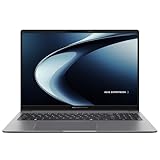
- Windows 11 Pro - ASUS recommends Windows 11 Pro for business
- AMD RyzenAI 5 330 Processor 2.0GHz with 50 NPU TOPS
- 16GB RAM, 512GB M.2 NVMe PCIe 4.0 Performance SSD for snappy performance
- 16-inch WUXGA (1920 x 1200) anti-glare display for less reflection and better clarity
- Enterprise-grade security with fingerprint login, a 1080P webcam with privacy shutter, Kensington Nano Security Slot, and TPM 2.0 chip
Best Mac for business: Apple MacBook Air M4
The 13-inch MacBook Air with M4 is the best Mac option in this group. Apple lists a 10-core CPU, an 8- or 10-core GPU, 16GB of base unified memory configurable to 24GB or 32GB, 256GB of base storage configurable to 2TB, a 13.6-inch 2,560×1,664 display, and a 53.8Wh battery. Apple rates wireless web use at up to 15 hours, and Laptop Mag measured more than 15 hours on its reviewed 13-inch configuration.
Quick wins for a faster PC:
Fix the driver behind crashes, sound loss and screen glitchesFind Drivers →Repair Windows errors before they cause bigger problemsFix Now →Scan for outdated or missing drivers - takes under a minuteDriver Scan →It is quiet, light, fast, efficient, and equipped with a strong webcam, display, keyboard, and MagSafe charging. MagSafe also leaves both USB-C ports available while charging.
It is not the best laptop for every business because the operating system is part of the purchase decision. Verify support for Windows-only accounting, engineering, healthcare, government, industrial, VPN, endpoint-security, printer, scanner, smart-card, and line-of-business software. Memory and storage are not user-upgradeable, so 16GB and 256GB should be treated as entry-level rather than automatically suitable for a four- or five-year professional life.
For organizations, Apple Business Manager and mobile-device management provide a legitimate deployment path, but it is a different administrative model from a Windows fleet. Apple describes the setup in its Apple Business Manager guide. The MacBook Air is therefore the best choice for a Mac-compatible company, self-employed user, or creative professional—not a drop-in replacement for a Windows corporate standard.
Best budget traditional business laptop: Lenovo ThinkPad E14 Gen 5
The ThinkPad E14 Gen 5 is an older but useful budget option. Laptop Mag reviewed a Core i7-1355U model with 16GB of RAM, a 512GB SSD, a 14-inch 1,920×1,200 display, and a 3.3-pound chassis. It praised the keyboard, build quality, display, security features, and sub-$800 positioning, but measured only 7 hours 48 minutes of battery life.
What’s actually slowing this PC down?
Pick the symptom - the matching free tool is one click away.
That result changes the recommendation. It is sensible for a desk-bound employee who wants a real business keyboard and basic security at clearance pricing. It is not a good travel laptop, and buyers should confirm that the older platform, available warranty, Windows edition, and exact memory and storage configuration still meet their needs.
Best travel convertible: MSI Summit 13 AI+ Evo 2-in-1
The MSI Summit 13 AI+ Evo 2-in-1 is a specialist recommendation for people who will actually use a touchscreen, tablet mode, or included stylus. Laptop Mag’s sample used a Core Ultra 7 258V, 32GB of RAM, 2TB of storage, a 13.3-inch touchscreen, and a 2.9-pound chassis. It lasted almost 17 hours in that outlet’s test and includes HDMI, Thunderbolt 4, USB-A, and a headphone jack.
The convertible design comes with costs: the screen is small, the keyboard is cramped, the speakers are weak, and high-end performance is limited. If presentations, handwriting, and cramped travel spaces matter, it is a strong flexible choice. If typing comfort and screen area matter more, a 14-inch clamshell such as the ExpertBook P5 or TravelMate P6 is the better fit.
Best Windows workstation: Lenovo ThinkPad P1 Gen 7
The ThinkPad P1 Gen 7 belongs on the list for professional workloads rather than ordinary office work. Laptop Mag’s tested configuration paired a Core Ultra 7 165H with Nvidia RTX 1000 Ada graphics, 32GB of RAM, a 1TB SSD, and a 16-inch 1,920×1,200 display. It weighed 4.3 pounds and exceeded 17 hours in Laptop Mag’s battery test. RTINGS also identifies the P1 Gen 7 as a Windows choice for intensive work, with stronger GPU possibilities than a MacBook Pro in some configurations but weaker battery life and less bright display options.
It is appropriate for CAD, 3D work, engineering, GPU-accelerated development, video production, and other applications that benefit from professional graphics. The dedicated GPU, larger chassis, weight, and price are unnecessary for email, web applications, documents, and video meetings. A buyer should specify the GPU, display, cooling configuration, and memory needed by the application rather than purchasing the P1 simply because it is faster on paper.
Best lightweight commercial alternative: Acer TravelMate P6 14 AI
PCWorld gave the Acer TravelMate P6 14 AI an Editors’ Choice designation in its July 2025 review. The tested model used a Core Ultra 7 258V, 32GB of memory, a 1TB SSD, a 65Wh battery, Windows 11 Pro, Wi-Fi 7, two Thunderbolt 4 ports, HDMI, two USB-A ports, a fingerprint reader, facial recognition, and a 2.29-pound chassis.
It is a credible business alternative for travelers who want commercial features and very low weight. The main issue is value: PCWorld’s coverage placed the reviewed product around $1,750–$2,000, making it expensive beside capable consumer systems. The camera specification is also a reminder not to judge a webcam by resolution alone; although it is listed at 2,880×1,800, PCWorld found the image less sharp and vibrant than that number suggested.
Best Windows-on-Arm alternative: Microsoft Surface Laptop 7th Edition for Business
The Microsoft Surface Laptop 7th Edition for Business is a premium Windows-on-Arm alternative with excellent battery life, a polished build, a productive 3:2 screen, and serviceable internals. IT Pro describes it as a definitive Snapdragon business laptop, but its platform caveat remains the same as the ThinkPad T14s Snapdragon: emulated applications may work well while drivers, virtualization tools, security agents, and specialist peripherals do not.
It makes sense for organizations already standardized on Microsoft 365 and cloud applications that can test their endpoint stack. It is a riskier choice for a company with unknown legacy software. The commercial specifications should be checked against Microsoft’s Surface Laptop 7th Edition for Business documentation, because consumer and business configurations can differ.
Repairability-focused alternative: HP EliteBook 8 G1a
The HP EliteBook 8 G1a deserves consideration when memory access and service life matter more than minimum weight. HP’s specifications document lists two accessible SODIMM slots and support for up to 64GB of DDR5 memory. That is a meaningful advantage over systems such as the X1 Carbon Gen 13 and ExpertBook P5, whose memory is soldered.
This is a repairability and upgradeability recommendation based primarily on HP’s specifications and HP’s own review material, not a claim that it won an independent battery or performance comparison. Confirm access to replacement parts, the battery service procedure, support terms, and the exact processor and display before placing a fleet order.
What makes a laptop a business laptop?
There is no single technical standard called a business laptop. The label usually describes a combination of design, security, support, connectivity, and procurement features:
- Security hardware: TPM 2.0, Secure Boot, BIOS protections, fingerprint readers, IR cameras, privacy shutters, and sometimes smart-card or NFC support.
- Professional operating-system options: Windows 11 Pro or Enterprise rather than only a consumer Windows edition.
- Manageability: Intel vPro, AMD PRO, firmware controls, imaging support, docking support, and compatibility with an organization’s endpoint-management tools.
- Practical ports: USB-A, HDMI, Ethernet, Thunderbolt or USB4, headset connectivity, and optional cellular networking.
- Service and procurement: longer warranties, commercial support channels, replacement parts, consistent configurations, and sometimes on-site service-level options.
- Workday ergonomics: a durable chassis, comfortable keyboard, privacy shutter, usable camera and microphones, and a design intended for frequent carrying.
Windows 11 Pro’s security stack includes TPM 2.0, Secure Boot, BitLocker, virtualization-based security, and Microsoft Defender-related protections, according to Microsoft’s business security documentation. Those are useful building blocks, not proof that a laptop is enterprise-ready. Firmware implementation, hardware choices, management software, Windows edition, identity controls, patching, and company policy all matter.
Also popular on Amazon

- Professional-grade performance with vPro Essentials Intel Core i7-1260P Processor and Iris Xe graphics with 1TB SSD, 16GB DDR5 RAM, and Windows 11 Pro
- 14-inch FHD display that is TUV certified to lower blue light emission
- Security feature includes fingerprint sensor, webcam privacy shield and TPM 2.0 to ensure peace of mind
- 2-way AI noise-canceling audio technology filters out unwanted ambient noise apart from human speech
- Backlit chiclet keyboard with NumberPad
Business and consumer categories overlap. A consumer laptop can have a better OLED display, speakers, GPU, or price than a commercial model. The commercial laptop earns its premium through less visible benefits such as serviceability, Ethernet, smart-card or WWAN options, deployment consistency, warranty, and support. PCWorld’s business-versus-consumer comparison and Computerworld’s buyer’s guide provide useful context.
Is a business-class laptop worth paying more for?
For a large organization
Usually, yes—but the justification is operational rather than benchmark-based. Prioritize the following in order:
- Compatibility with deployment, identity, endpoint-management, and security systems.
- Warranty terms, response times, on-site service, and vendor-account support.
- Consistent configurations that can be ordered and replaced throughout the planned refresh cycle.
- TPM, Secure Boot, biometric authentication, BIOS controls, and the organization’s required security features.
- Replaceable batteries, SSDs, and RAM where appropriate.
- Docking, Ethernet, smart-card readers, cellular connectivity, and privacy options.
- Windows Pro or Enterprise licensing and the ability to manage firmware at scale.
A high-scoring consumer laptop may be an inferior fleet purchase if every dock, camera, driver, warranty claim, and replacement order becomes an exception.
Do these 3 things before closing this tab:
1Repair Windows errors before they cause bigger problems2Fix the driver behind crashes, sound loss and screen glitches3Clear out junk files and repair common Windows errorsFor a small business
The premium is often worthwhile when employees type for hours, meet clients, travel, or cannot afford downtime. A stronger keyboard, better webcam, Windows Hello, a durable chassis, Ethernet or reliable docking, a replaceable component, and more than one year of warranty coverage can repay the difference over several years.
For a home-based worker
A premium consumer laptop may be the smarter purchase if the worker uses web applications, Microsoft 365, or macOS-compatible software and does not need corporate management, wired Ethernet, smart-card authentication, cellular connectivity, or commercial support. The MacBook Air M4 is a good example: it is excellent for a compatible individual user but is not automatically the right Windows fleet endpoint.
How the published test evidence was compared
This article did not perform original hands-on testing. It compares identified configurations and published evidence from Laptop Mag, PCWorld, Tom’s Guide, TechRadar, Windows Central, IT Pro, RTINGS, Notebookcheck, and manufacturer documentation. Results from different outlets are not combined into a fake universal score.
The editorial framework gives the following approximate emphasis:
| Category | Suggested emphasis | Questions it answers |
|---|---|---|
| Work performance | 20% | Can it handle office multitasking, browser tabs, meetings, spreadsheets, code, or creative work? |
| Battery life | 20% | How long does the identified configuration last under a named test method and realistic workload? |
| Keyboard and touchpad | 15% | Is it comfortable for a full workday, and does the pointing device behave predictably? |
| Display | 15% | What are brightness, reflections, color, resolution, refresh rate, and flicker characteristics? |
| Business features | 10% | Are TPM, Windows Hello, privacy, vPro or PRO, smart-card, WWAN, and BIOS features available? |
| Portability and build | 10% | How practical is it to carry, dock, present from, and use while traveling? |
| Serviceability and support | 10% | Can memory, storage, or the battery be replaced, and what support does the exact SKU include? |
RTINGS says it buys laptops to reduce review bias and uses colorimeters, mechanical test equipment, and performance benchmarks. Notebookcheck’s business ranking groups recently tested models, notes that prices change daily, and uses review recency as one factor when similarly rated systems are ordered. These methods are useful context, but their numbers should still be read alongside the exact configuration and test method.
Windows x86 versus Windows on Arm
Choose Intel or AMD x86 when compatibility is the priority
Traditional Windows x86 remains the default for organizations with legacy applications, specialized VPN or endpoint-security clients, printer and scanner drivers, smart-card middleware, virtual machines, engineering and accounting tools, healthcare or government software, industrial peripherals, or custom kernel-level drivers.
Intel and AMD systems are not automatically better at every task. Snapdragon laptops can be dramatically more efficient. The point is risk management: x86 is the safer choice when IT cannot test every application and device before deployment.
Choose Snapdragon when the workload is modern and tested
Snapdragon X systems are attractive for browser-based applications, Microsoft 365, Teams, remote work, cellular connectivity, and long battery life. Many x86 and x64 applications run through Windows emulation, and native Arm64 applications can perform efficiently.
Recommended Free Tools
Before buying, ask IT or the software vendors to verify:
- VPN and zero-trust clients.
- Endpoint-security, antivirus, and device-control agents.
- Multifactor-authentication software and security keys.
- Printer, scanner, label-printer, and other USB drivers.
- Smart-card middleware and identity software.
- Specialized accounting, engineering, medical, manufacturing, or government programs.
- Hyper-V, VMware, Docker, and other virtualization requirements.
- Browser plug-ins, Office add-ins, macros, and legacy extensions.
- Remote-desktop, virtual-application, and graphics-acceleration tools.
- Any software using a kernel-mode driver.
Microsoft’s guidance is explicit that emulation does not make every driver compatible: drivers need native Arm64 support. HP likewise cautions that traditional x86 EliteBooks remain safer where compatibility with business software and devices is important. See HP’s Snapdragon business-laptop review before standardizing on Arm.
MacOS versus Windows for a business fleet
Choose macOS when the employer supports Apple devices, the required applications are available, and IT is prepared to use Apple Business Manager and mobile-device management. Choose Windows when the organization depends on Windows-only line-of-business software, legacy drivers, established imaging, or a Windows-first support model.
The question is not whether the MacBook Air M4 is powerful enough; it is whether it fits the organization’s application, identity, security, peripheral, and support systems. A Mac can be the best business laptop for a Mac-compatible design studio or freelancer and the wrong endpoint for a Windows-only accounting practice.
Quick wins for a faster PC:
Fix the driver behind crashes, sound loss and screen glitchesFind Drivers →Repair Windows errors before they cause bigger problemsFix Now →Scan for outdated or missing drivers - takes under a minuteDriver Scan →How much RAM and storage should a business laptop have?
| Capacity | Recommendation |
|---|---|
| 8GB RAM | Only for very light browser, email, or tightly controlled Chromebook-style workloads. Avoid for a new long-lived Windows or Mac professional laptop. |
| 16GB RAM | The sensible minimum for most new business laptops used for documents, browser work, meetings, and ordinary multitasking. |
| 32GB RAM | Preferred for heavy multitasking, large spreadsheets, development, local AI tools, creative work, or a four- to five-year replacement cycle. |
| 64GB RAM | Useful for virtual machines, professional development, data work, engineering, and demanding content creation. |
| 256GB storage | A bare minimum and poor value for a long-lived Windows business machine. |
| 512GB storage | A sensible minimum for most professionals. |
| 1TB storage | Better for local files, creative projects, virtual machines, and long replacement cycles. |
Upgradeability matters more than an advertised maximum. The X1 Carbon Gen 13 has soldered memory and no memory slots, so select 16GB, 32GB, or 64GB at purchase. The ExpertBook P5 also uses soldered LPDDR5X memory but offers user-upgradeable SSD options on applicable models. HP’s EliteBook 8 G1a, by contrast, supports two accessible SODIMM slots and up to 64GB of DDR5 memory.
Do not pay a large factory premium for a 2TB SSD if the laptop accepts a sensibly priced replacement. Conversely, do not assume that a statement such as up to 64GB means the particular retail configuration has accessible memory. Confirm the service manual or official specification for the exact model.
Independent reader supportYour contribution helps us test, update, and keep practical guides available for everyone.Which screen is best for office work?
- 14-inch 16:10, 1,920×1,200 IPS: the best general balance of workspace, portability, battery life, and cost.
- 15- or 16-inch: more comfortable for spreadsheets, programming, editing, and split-screen work.
- 13- or 13.8-inch: easier to carry but less comfortable for large documents and side-by-side windows.
- OLED: excellent contrast and color, but potentially more reflective, power-hungry, flicker-prone, and susceptible to burn-in.
- Anti-glare IPS: generally the safer fleet choice for offices, travel, and long static work sessions.
- High refresh rate: improves scrolling and cursor movement but does not compensate for low brightness, poor color, or reflections.
The X1 Carbon Gen 13 demonstrates why the panel must be specified. Its WUXGA IPS and 2.8K 120Hz OLED options differ in brightness, color gamut, HDR, touch support, battery behavior, and viewing comfort. RTINGS flags 480Hz flicker on the OLED panel of the 2025 ThinkPad X9 15 Aura Edition and notes that some users may experience eyestrain. If you work eight or more hours in static applications, are sensitive to PWM flicker, or regularly work outdoors, a matte IPS panel is often the safer choice.
Also popular on Amazon

- Model No.: E457; internal dimensions of the case: 32.2x23.7x2 cm (12.68x9.33x0.79 inch)
- Advanced Shock Protection with “Super-Corner” Design: Our patented “Super-Corner” impact protection technology is engineered to safeguard your laptop from accidental drops and bumps. This unique design delivers superior protection without adding unnecessary bulk, ensuring your device remains secure in a sleek, perfectly sized sleeve
- Specifically designed for 14 inch ASUS Zenbook 14 Flip OLED UP3404; 14 inch ASUS ExpertBook P5 P5405. Enjoy a tailored, snug sleeve experience that standard cases can't offer
- Wide Range of Custom Sizes: Smatree offers nearly 20 tailored sleeve options for ASUS laptops and many more for brands like Lenovo, HP, DELL, MSI, Samsung, Microsoft, Apple, Acer, Razer and others. Our sleeves are precisely crafted to match the dimensions of your laptop, providing a perfect fit that generic cases can’t achieve
- Durable, Water-Resistant Design: Made from high-quality 300D polyester, our sleeve effectively resists water, protecting your laptop from splashes and light moisture. The included accessory bag conveniently stores your cables, charger, mouse, USB drives, and other essentials, while the integrated luggage strap makes travel easy and organized. A thoughtful Christmas gift or holiday gift for professionals and anyone commuting to campus or the office, offering everyday laptop protection on the go.
Keyboard, webcam, microphone, and privacy
These are core business features, not luxuries. A comfortable keyboard affects every workday; a 1080p-or-better webcam is preferable for meetings; a physical privacy shutter prevents accidental exposure; and IR facial recognition or fingerprint authentication makes secure login less disruptive.
What’s actually slowing this PC down?
Pick the symptom - the matching free tool is one click away.
Microphone noise handling can matter more than camera resolution. A camera’s pixel count also does not guarantee a good image. PCWorld found that the Acer TravelMate P6’s 2,880×1,800 camera did not look as sharp or vibrant as its specification implied. Check independent image quality and meeting performance where possible.
Ports, docking, and connectivity
For a general-purpose Windows business laptop, look for two USB-C ports with charging and display support, at least one USB-A port, HDMI, a headset jack, and either built-in Ethernet or a reliable included adapter. Thunderbolt 4 or USB4 is valuable for docks, external storage, and multiple displays.
Specialist buyers may also need an integrated smart-card reader, NFC, 4G or 5G WWAN, or a specific dock. The ThinkPad T14 Gen 6 is a good example of the conventional business layout: Lenovo lists USB-A, Thunderbolt 4, HDMI, Ethernet, optional smart-card support, optional WWAN, and docking support.
The MacBook Air M4 is more restrictive. Apple lists two Thunderbolt 4 or USB4 ports, MagSafe charging, and a headphone jack. A user who regularly connects HDMI, Ethernet, USB-A equipment, or multiple displays will probably need a dock or adapters. Count those accessories—and the loss of desk flexibility—when comparing its price with a commercial Windows laptop.
Warranty, repairability, and durability
Confirm the exact warranty before buying. Coverage can differ by country, retailer, SKU, and sales channel. A three-year system warranty may not mean a three-year battery warranty, and accidental-damage protection may be promotional or limited to selected configurations. Commercial support may also be available only through a business account or reseller.
Ask three separate upgrade questions:
- Can the SSD be replaced?
- Can the battery be replaced without replacing the whole chassis?
- Can RAM be upgraded, or is it soldered?
Do not collapse those into one vague claim about repairability. The ExpertBook P5 can have an upgradeable SSD but soldered memory. The X1 Carbon Gen 13 has soldered memory with no slots. The HP EliteBook 8 G1a’s accessible SODIMM slots make it more adaptable over a longer service period.
Treat MIL-STD-810H as a testing or validation claim, not a promise that a laptop is indestructible. The manufacturer may not disclose every test, the claim may not cover every configuration, and it does not guarantee survival after drops, liquid exposure, crushing, or careless handling. A rigid chassis can still have a vulnerable screen, hinge, port, or keyboard.
Does an AI PC or Copilot+ label matter?
An NPU can accelerate supported AI workloads, but NPU TOPS is not a general productivity score. For ordinary Office, browser, email, and video-conferencing work, processor performance, memory, thermals, keyboard, screen, and battery behavior remain more important.
Free tools Windows power users keep installed
One-click scans. No signup required.
The ExpertBook P5 and several 2025 ThinkPad configurations qualify as AI or Copilot+ PCs depending on their processor and exact configuration. The practical benefits depend on the Windows version, enabled features, application support, privacy policy, and whether the workloads actually use the NPU. Do not pay a premium solely for an AI label unless you have a defined local AI workload or an organizational requirement.
Business laptops versus consumer laptops
Some buying guides include models such as the Lenovo Slim 7 or Acer Aspire Go 15 as business recommendations. Tom’s Guide’s business-laptop list is useful for individual workers, but those models should not automatically be treated as equivalents to commercial ThinkPad, EliteBook, Latitude or Dell Pro, ExpertBook, TravelMate, or Surface for Business systems.
A consumer laptop may be the better choice when the buyer values a high-quality display, speakers, GPU, or low price and does not need commercial deployment, support, Ethernet, smart-card authentication, WWAN, replaceable components, or consistent fleet configurations. A commercial model is usually worth the premium when downtime, support, security controls, procurement, and long-term maintenance matter.
Common mistakes to avoid
- Buying 8GB of RAM: it may work today but leaves little headroom for browser tabs, meetings, and future software.
- Buying 128GB of storage: updates, local files, and security tools can consume it quickly.
- Assuming every Snapdragon application works: test drivers, security software, virtualization, plug-ins, and peripherals—not only Microsoft 365.
- Ignoring the display panel: the same model family may include a dim IPS panel or a vivid but reflective OLED panel.
- Repeating a manufacturer’s battery claim as real-world endurance: identify the outlet, test method, brightness, panel, and configuration.
- Paying for a workstation GPU unnecessarily: a ThinkPad P1 makes sense for CAD or GPU workloads, not routine documents.
- Assuming MIL-STD means indestructible: it does not eliminate damage risk.
- Ignoring warranty geography: coverage and accidental-damage terms can change by territory and SKU.
- Choosing soldered 16GB for a five-year plan: buy 32GB or 64GB at the start if your workload may grow.
- Buying a Mac for a Windows-only organization: validate applications, management, identity, and peripherals first.
- Choosing a cheap consumer laptop for regulated or security-sensitive work: confirm encryption, firmware, support, and management requirements.
Final recommendations by buyer
- Most individual professionals and small businesses: Asus ExpertBook P5 P5405.
- Corporate fleet: Lenovo ThinkPad T14 Gen 6, subject to procurement, management, warranty, and exact-configuration requirements.
- Longest battery life: Lenovo ThinkPad T14s Gen 6 Snapdragon, after application and driver testing.
- Lightest premium Windows option: Lenovo ThinkPad X1 Carbon Gen 13 Aura Edition.
- Mac-compatible professional: Apple MacBook Air M4.
- Lowest sensible traditional-business cost: Lenovo ThinkPad E14 Gen 5 if mostly desk-bound and available at a suitable clearance price.
- Frequent traveler who needs a convertible: MSI Summit 13 AI+ Evo 2-in-1.
- Frequent traveler who wants a conventional commercial laptop: Acer TravelMate P6 14 AI.
- Heavy professional workload: Lenovo ThinkPad P1 Gen 7.
- Upgradeability priority: HP EliteBook 8 G1a, after verifying the exact service and support package.
Frequently Asked Questions
Is a business laptop better than a consumer laptop?
Not automatically. Consumer laptops can offer better displays, speakers, graphics, or pricing. A business laptop is usually worth the premium when you need commercial support, fleet deployment, security controls, Ethernet, smart-card or cellular options, durable construction, replaceable parts, or consistent configurations.
Do these 3 things before closing this tab:
1Repair Windows errors before they cause bigger problems2Scan for outdated or missing drivers - takes under a minute3Clear out junk files and repair common Windows errorsAre Snapdragon Windows laptops safe for business use?
They can be excellent for Microsoft 365, browser applications, Teams, remote work, and battery life, but they are not universally compatible. Test the VPN, endpoint-security agent, printer and scanner drivers, smart-card middleware, virtualization tools, specialist applications, plug-ins, and any hardware that uses a kernel-mode driver before deployment.
Is the MacBook Air M4 suitable for a business fleet?
Yes, when the organization supports macOS and has an Apple Business Manager and mobile-device-management plan. It is not a drop-in Windows replacement. Confirm compatibility with line-of-business software, identity systems, security tools, printers, scanners, and other peripherals.
How much RAM should a business laptop have in 2025?
Choose 16GB as the minimum sensible capacity for most new professional laptops, 32GB for heavy multitasking or a four- to five-year service life, and 64GB for virtual machines, development, data work, engineering, or demanding creative workloads. Treat 8GB as a light-use exception.
The Bottom Line
For most individual professionals, buy the Asus ExpertBook P5 P5405. It offers the strongest 2025 balance of portability, keyboard quality, battery life, ports, security, and value. For a corporate fleet, choose the Lenovo ThinkPad T14 Gen 6 when manageability, service, wired connectivity, WWAN, and configuration flexibility outweigh review-score appeal. Choose the ThinkPad T14s Snapdragon only after compatibility testing, and choose the MacBook Air M4 only when macOS is an approved part of the organization’s software and management environment.

