
Quick wins for a faster PC:
Scan for outdated or missing drivers - takes under a minuteDriver Scan →Repair Windows errors before they cause bigger problemsFix Now →Fix the driver behind crashes, sound loss and screen glitchesFind Drivers →iTechGuides is reader-supported. When you buy through links on our site, we may earn an affiliate commission. As an Amazon Associate I earn from qualifying purchases. Learn more
For a beginner who wants to learn command-line basics and then write shell scripts, start with The Linux Command Line, 3rd Edition by William Shotts. Its publisher describes a path from first terminal commands to scripting, with downloadable scripts. It is specifically Linux-focused, however, so choose a broader reference if you need coverage across Unix-like systems and shells.
Best starting book: The Linux Command Line, 3rd Edition
William Shotts’s The Linux Command Line, 3rd Edition is the clearest fit for a new command-line user who wants to progress into shell scripting. The publisher describes it as beginning with first terminal keystrokes and moving toward writing shell scripts; downloadable scripts are included. Penguin Random House lists the edition as published February 17, 2026, at 544 pages. Publisher listing.


Its scope matters: this is a Linux-focused learning path, not a promise of equal coverage for every Unix system or shell. It is a good first choice if Linux and a gradual learning progression match your goal. The publisher’s listing does not establish a specific number of exercises, so do not choose it on that assumption.
Recommended Free Tools
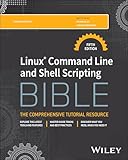
Best broad single-volume alternative: Linux Command Line and Shell Scripting Bible, 5th Edition
Wiley lists the fifth edition of Linux Command Line and Shell Scripting Bible. Its description moves from command-line fundamentals into shell scripting and automating frequently performed functions. That makes it a reasonable option if you want one book spanning both command use and practical automation rather than a beginner-only introduction. Wiley edition listing.
Popular on Amazon
The available publisher description supports its breadth of subject matter, but it does not establish comparative learning outcomes or make it a cross-shell Unix reference. Check the contents and shell coverage against the system you use before buying.
Broad utility reference: Unix Power Tools, Third Edition
Unix Power Tools, Third Edition is a possible choice for readers seeking a wide-ranging Unix utility reference. A University of Surrey Unix books page describes coverage across Unix-like systems, Bash, Zsh, and utilities. That recommendation page is several years old, though, and does not establish current availability or whether the listed edition is the right match for a current system. University of Surrey Unix books page.
Also popular on Amazon
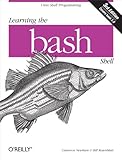
- Used Book in Good Condition
Consider it as a reference rather than the safest current beginner purchase. Verify the edition, condition, and availability in your region before ordering.
How to choose the right Unix or shell scripting book
- If you are new to terminals: choose a book that starts with basic command-line use and builds toward scripting. The publisher describes The Linux Command Line as following that progression.
- If you want command-line skills plus automation in one volume: compare the fifth edition of Linux Command Line and Shell Scripting Bible, whose publisher description explicitly includes scripting and automation.
- If you need multiple shells or Unix-like systems: inspect the book’s contents for the specific shell and utilities you use. The available description of Unix Power Tools mentions Bash, Zsh, and Unix-like systems, but its recommendation source is old.
- If hands-on practice is important: the publisher listing for The Linux Command Line says downloadable scripts are included. It does not specify an exercise count.
- Before purchasing: confirm the edition and format are available in your territory. Listings and stock can vary, and the available information does not establish regional prices or current stock.
ScreenshotNeo: a separate tool for documenting terminal lessons
If you are building tutorials about Linux commands or shell scripting, ScreenshotNeo is a website screenshot API and MCP server—not a book or a way to learn shell scripting. Its API can capture a website as PNG, JPEG, WebP, or PDF; the MCP server offers screenshot and page-information tools for AI agents.
Also popular on Amazon
Or skip the browser setup
One GET request can capture a page. See the ScreenshotNeo API documentation for options.
curl -G "https://api.screenshotneo.com/v1/shot" -d access_key=YOUR_API_KEY --data-urlencode url=https://stripe.com -o shot.webpScreenshotNeo accepts cookie or consent banners like a visitor and removes more than 60 known consent platforms, newsletter popups, and chat widgets before capture; each step can be turned off. Bot checks, blank pages, timeouts, and failed loads are not billed, and cache hits cost nothing. Responses indicate the page verdict and billing status. Its MCP server includes take_screenshot, get_page_info, and capture_pdf. The free plan includes 1,000 screenshots a month with no card; paid plans start at $5 for 3,000 shots.
Sign up for 1,000 free screenshots a month, with no card required.
What’s actually slowing this PC down?
Pick the symptom - the matching free tool is one click away.

