
iTechGuides is reader-supported. When you buy through links on our site, we may earn an affiliate commission. As an Amazon Associate I earn from qualifying purchases. Learn more
The HP Poly Voyager 4300 UC is the safest overall choice for frequent phone calls on a Windows PC, particularly in a noisy office. Its flexible noise-canceling boom microphone and Acoustic Fence technology are designed around speech, and it is certified for Microsoft Teams and Zoom. If you prefer full-size earcups and active noise cancellation (ANC), the Microsoft Surface Headphones 2+ is the strongest over-ear Teams option. The Microsoft Modern Wireless Headset is a straightforward Microsoft-native choice with both Bluetooth and a USB-A dongle, while the Jabra Evolve3 85 is the premium pick when one headset must remain connected to a computer and a phone.
Yes, Bluetooth can work directly for Windows calls. Zoom says, “You can use Bluetooth headphones, such as Apple AirPods, as the speaker and microphone in a Zoom meeting.” Microsoft supports native Bluetooth-certified devices on Windows PCs, but cautions that the host computer’s Bluetooth radio affects performance. A USB adapter is worthwhile when the built-in radio is unreliable or when you need more consistent mute, call-control, or collaboration behavior.
Quick recommendations
- Best for noisy offices and clearest boom-mic speech: HP Poly Voyager 4300 UC.
- Best over-ear ANC headset for Teams: Microsoft Surface Headphones 2+.
- Best Microsoft-native Bluetooth-and-dongle combination: Microsoft Modern Wireless Headset.
- Best premium multipoint option: Jabra Evolve3 85.
For any model, update Windows, the computer’s Bluetooth driver or radio firmware, and the headset firmware before judging reliability. Microsoft specifically notes that native Bluetooth performance is affected by the radio in the host PC.
The Tool Desk
Outbyte Driver Updater FREEScan for outdated or missing drivers - takes under a minuteDriver Scan →Outbyte PC Repair FREERepair Windows errors before they cause bigger problemsFix Now →What matters most for Windows call quality
Give the microphone more weight than music ANC
Noise cancellation in the earcups keeps sound out of your ears; it does not automatically make your outgoing voice clear. For calls, the microphone system is the deciding component. A boom microphone positioned close to your mouth, such as the one on the Voyager 4300 UC, has a direct speech path and dedicated noise handling. Headsets with multiple built-in microphones can also perform well, but their voice pickup depends more heavily on placement, software processing, and the noise around the PC.
Popular on Amazon
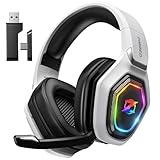
- 【Amazing Stable Connection-Quick Access to Games】Real-time gaming audio with our 2.4GHz USB & Type-C ultra-low latency wireless connection. With less than 30ms delay, you can enjoy smoother operation and stay ahead of the competition, so you can enjoy an immersive lag-free wireless gaming experience.
- 【Game Communication-Better Bass and Accuracy】The 50mm driver plus 2.4G lossless wireless transports you to the gaming world, letting you hear every critical step, reload, or vocal in Fortnite, Call of Duty, The Legend of Zelda and RPG, so you will never miss a step or shot during game playing. You will completely in awe with the range, precision, and audio quality your ears were experiencing.
- 【Flexible and Convenient Design-Effortless in Game】Ideal intuitive button layout on the headphones for user. Multi-functional button controls let you instantly crank or lower volume and mute, quickly answer phone calls, cut songs, turn on lights, etc. Ease of use and customization, are all done with passion and priority for the user.
- 【Less plug, More Play-Dual Input From 2.4GHz & Bluetooth】 Wireless gaming headset adopts high performance dual mode design. With a 2.4GHz USB dongle, which is super sturdy, lag<30ms, perfectly made for gamers. Bluetooth mode only work for phone, laptop and switch. And 3.5mm wired mode (Only support music and call).
- 【Wide Compatibility with Gaming Devices】Setup the perfect entertainment system by plugging in 2.4G USB. The convenience of dual USB work seamlessly with your PS5,PS4, PC, Mac, Laptop, Switch and saves you from swapping cables.
Check how the headset connects
Native Bluetooth is convenient and avoids a spare USB device. Its consistency depends on the quality, placement, and driver state of the PC’s Bluetooth radio. A USB adapter creates a second radio path and can be easier to position away from a metal desktop or crowded ports. It may also provide more predictable collaboration controls than a generic Bluetooth pairing.
Look for the certification you actually use
Teams and Zoom certification indicates that the headset has been validated for that collaboration platform’s expected controls and audio behavior. It does not guarantee that every Windows PC will behave identically. Confirm that the exact edition is the Teams or UC variant you need; manufacturers can sell visually similar versions with different software integration.
Decide whether multipoint is essential
Multipoint keeps a headset linked to two devices, usually a Windows computer and a phone. It matters if you need to answer a mobile call without manually disconnecting from the PC. If all calls arrive through Teams, Zoom, or a desk-phone application on the computer, multipoint may be less important than microphone quality and comfort.
Match the earcup style to your day
Over-ear designs can be more comfortable for long sessions and physically block more room noise, while on-ear designs are generally lighter and less enclosing. A boom headset may be mono or stereo depending on its particular configuration, so verify the configuration before ordering. ANC is useful for what you hear, but it should not replace a speech-focused microphone.
Consider realistic battery evidence
Battery figures are normally manufacturer or review measurements under a stated use case. Music playback and voice calling can produce different results. Treat a music-listening figure as separate from a voice-call figure, and allow for higher drain when ANC, a USB link, or multipoint is active.
Comparison of the four recommended headsets
| Headset | Microphone and noise handling | Windows connection and adapter | Collaboration support | Computer-plus-phone connection | ANC and wearing style | Battery evidence |
|---|---|---|---|---|---|---|
| HP Poly Voyager 4300 UC | Flexible noise-canceling boom with Acoustic Fence technology. | Bluetooth PC/Mac connectivity; supports the BT700 USB adapter. Confirm whether the adapter is included with the particular UC package. | Microsoft Teams and Zoom certified. | Not stated in HP materials. | Not stated in the cited materials; the boom is the defining voice feature. | Not stated in the cited materials. |
| Microsoft Surface Headphones 2+ | Eight-microphone voice system. | Bluetooth on Windows 10/11; users can also select the Surface USB Link. | Teams controls; current firmware is required for Bluetooth controls. | Not stated in Microsoft materials. | 13 ANC levels; over-ear design. | Microsoft reports 18.5 hours of music listening or up to 15 hours of voice calling (Microsoft, 2026). |
| Microsoft Modern Wireless Headset | Noise-reducing microphone. | Bluetooth plus a USB-A dongle. | Teams certified with on-ear call controls. | Not stated in Microsoft Store materials. | On-ear; ANC level not stated in the cited materials. | Not stated in the cited materials. |
| Jabra Evolve3 85 | AI-noise-canceling microphone, according to a March 2026 Tom’s Guide review. | Bluetooth 5.4 with LC3 and a pre-paired USB adapter. | Teams, Zoom, and Meet certified, according to the March 2026 review; verify the exact Teams or UC variant. | Simultaneous computer-and-phone connections, according to the March 2026 review. | ANC and earcup details should be confirmed for the specific configuration; the cited review identifies the model as the premium option. | Not stated in the cited materials. |
Prices, stock, regional SKUs, and firmware requirements change. Check the exact model number, included adapter, and regional compatibility at purchase rather than relying on a product photo or an old listing.
HP Poly Voyager 4300 UC: best for noisy offices
The Voyager 4300 UC is the most directly voice-focused headset in this group. Its flexible boom places the microphone near your mouth, while Acoustic Fence noise handling is intended to reduce surrounding office sound. That makes it the logical first choice when colleagues, keyboards, or open-plan conversations regularly compete with your voice.
It can connect to a PC or Mac over Bluetooth and supports HP’s BT700 USB adapter. The adapter is useful when the computer’s built-in Bluetooth radio is weak, crowded, or inconsistent. The headset is certified for both Teams and Zoom, so it fits workplaces that switch between those applications.
Choose it when
- Your priority is intelligible speech rather than immersive music.
- You work in an open office or share a room with other people.
- You want a physical boom microphone and established Teams and Zoom support.
- You are willing to verify the package contents and add the BT700 adapter if your PC needs one.
Check before buying
Voyager 4300 UC listings can differ by regional package and adapter inclusion. Confirm the exact UC model, whether the BT700 is in the box, and whether the product is new enough to receive current firmware.
Also popular on Amazon
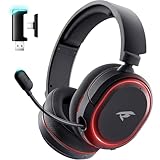
- 🎵【7.1 Surround Sound & Aesthetic Decorative Light】 UG-08S PC gaming headset can provide you with a cinema 3D stereo surround sound experience, designed specifically for gamers and audiophiles and multi-platform Compatibility. Long-press the 'M' key to activate 7.1 surround sound and dynamic driver reproduces deep bass and clear highs. Which allows you to hear every detail in the game with pin-drop clarity from up to 40 feet away. Such as teammates' voices, footsteps, direction, and more. Double-click the M key to activate the ambient light, then single-click the M key to switch between two modes: steady light and gradient. Valorise wireless pc headset will bring a cooler gaming atmosphere.
- 🔋【Extraordinary 100-Hour Battery Life & Support Use While Charging 】Valorise PS5 headset has a sustainable game time of 45-100Hrs. 100-hour playtime via bluetooth mode, turn off RGB lights and microphone. 45-hour playtime via 2.4GHz dongle mode, turn on RGB lights and microphone. With a low battery alert for timely recharging, our wireless PS5 headset supports simultaneous charging and use. Even if it runs out of battery, 3.5mm headphone jack is still available for console gaming using. Full-recharge in just 2-3Hrs.
- ⚡【2.4GHz Wireless & Bluetooth 5.4 & 3.5 mm】 Experience the Valorise Wireless Gaming Headset, designed with wide compatibility for gaming devices like PS5, PS4, PC, Mac, phone, pad, Nintendo Switch. One step to setup the wireless headset by plugging in USB & Type-C 2.4G transmitter(ultra-low latency ≤5ms). Which has better freedom and more stable data transmission than traditional wired gaming headsets. Switch to bluetooth mode with a simple 3-tap for mobile devices like phones, tablets and Switch. For those preferring a wired setup, connect to various gaming devices via a standard 3.5mm cable.
- 🎙️【Retractable ENC Noise-Canceling Microphone & One-touch Mute】Equipped with a 360° omnidirectional Noise-Canceling microphone. Our wireless headset can accurately calculate the speaker's direction, preserving the target voice while eliminating background noise for improved call quality. Gaming headsets with mic ensure your voice are relayed in high-definition clarity to your teammates, even in the heat of battle. Meanwhile, the retractable microphone combines the advantages of various types of microphones: ultra-low latency, high sound reproduction, concealability, and portability, the perfect gift for gamers and music enthusiasts.
- 🎧【Ergonomic Memory Sponge Cushions & Passive noise cancellation 】Combine soft lightweight memory sponge cushions and breathable fabric, complemented by the flexibility of rotating ear cups and adjustable angles. Valorise pc gaming headset are designed to perfectly fit the shape of your head, providing a customized fit. Breathable fabric minimizes sweat and heat, experience long-lasting, comfortable wear without squeezing your head. With ear cups designed to envelop your ears, effectively isolates environmental noise, enjoy passive noise cancellation without the need for active noise cancelling.
Microsoft Surface Headphones 2+: best over-ear ANC option for Teams
Surface Headphones 2+ is the strongest fit for someone who wants over-ear comfort, adjustable ANC, and Microsoft-oriented controls. Microsoft lists 13 ANC levels and an eight-microphone voice system. In Teams, you can select the headphones or the Surface USB Link as the speaker and microphone.
Microsoft reports 18.5 hours of music listening or up to 15 hours of voice calling in its 2026 information. Those are different use cases: do not treat the music figure as a promise of 18.5 hours of continuous meetings. ANC level, call volume, wireless link, and multipoint behavior can all affect actual runtime.
What’s actually slowing this PC down?
Pick the symptom - the matching free tool is one click away.
Firmware is part of the setup
Current firmware is required for Bluetooth controls. If the headset pairs but mute, answer, or Teams controls behave inconsistently, update the headset before concluding that the hardware is defective. You can also use the Surface USB Link and select it explicitly in Teams when the native Bluetooth path is unreliable.
Choose it when
- You prefer full-size earcups for long calls.
- You want adjustable ANC for the noise you hear.
- Teams is your primary calling platform and you value Microsoft-specific controls.
- You can keep firmware current and have a USB Link available as a fallback.
Microsoft Modern Wireless Headset: simplest Microsoft dongle choice
The Modern Wireless Headset combines Bluetooth with a USB-A dongle, so it offers a practical fallback when a PC’s internal radio is troublesome. Microsoft lists Windows 10 and Windows 11 support, Teams certification, a noise-reducing microphone, and on-ear call controls.
This is a sensible choice for a user who wants recognizable Microsoft integration without configuring a separate Bluetooth adapter. The on-ear format may feel less enclosing than an over-ear ANC model, which can be an advantage if you need to stay aware of people around you.
Choose it when
- Your workday is centered on Teams.
- You want both Bluetooth and a USB-A receiver in one purchase.
- You prefer on-ear controls and a lighter, less isolating fit.
- You need a simple fallback connection rather than advanced multipoint behavior.
USB-A is a practical constraint
Check the ports on your computer or dock. If the available ports are USB-C only, you may need a compatible adapter, and that extra connection can affect desk layout and portability.
Outdated Drivers Are Slowing You Down
One free scan finds every outdated or missing driver and matches the right update for your exact hardware.Free scan · exact hardware matchPC Slower Than It Used to Be?
A free scan shows the junk files, broken settings and background clutter dragging Windows down - then fixes them in one click.Free scan · Windows 10 & 11Jabra Evolve3 85: premium multipoint alternative
A March 2026 Tom’s Guide review describes the Evolve3 85 as a premium headset with Bluetooth 5.4, LC3 support, a pre-paired USB adapter, simultaneous computer-and-phone connections, and support for Windows, macOS, Android, and iOS. The review also reports Teams, Zoom, and Meet certification and an AI-noise-canceling microphone.
Its main advantage is workflow flexibility: the headset can stay connected to the Windows PC and a phone at the same time. That is useful for people who take mobile calls, listen to computer audio, and move between both devices throughout the day.
Important variant check
Verify whether the listing is the Teams or UC variant that matches your platform. Review observations are based on a particular test sample and date, so confirm current firmware, adapter contents, regional availability, and software compatibility before purchase.
Also popular on Amazon

- Personalize your Logitech wireless gaming headset lighting with 16.8M vibrant colors. Enjoy front-facing, dual-zone Lightsync RGB with preset animations—or create your own using G HUB software.
- Total freedom - 20 meter range and Lightspeed wireless audio transmission. Keep playing for up to 29 hours. Play in stereo on PS4. Note: Change earbud tips for optimal sound quality. Uses: Gaming, Personal, Streaming, gaming headphones wireless.
- Hear every audio cue with breathtaking clarity and get immersed in your game. PRO-G drivers in this wireless gaming headset with mic reduces distortion and delivers precise, consistent, and rich sound quality.
- Advanced Blue VO CE mic filters make your voice sound richer, cleaner, and more professional. Perfect for use with a wireless headset on PC and other devices—customize your audio with G HUB.
- Enjoy all-day comfort with a colorful, reversible suspension headband designed for long play sessions. This wireless gaming headset is built for gamers on PC, PS5, PS4, and Nintendo Switch.
Do you need a USB Bluetooth dongle?
No. Windows can use a native Bluetooth-certified headset directly, and Zoom documents Bluetooth headphones as both speaker and microphone devices. A dongle becomes useful when the host radio is the weak link or when the headset’s collaboration controls are more reliable through its supplied adapter.
Recommended Free Tools
Use native Bluetooth first when
- Your PC has a modern, stable Bluetooth radio.
- You want to keep every USB port free.
- Basic speaker and microphone operation is all you need.
- Call controls and mute synchronization already work correctly.
Use the supplied adapter when
- The headset repeatedly disconnects or develops crackling audio.
- The Bluetooth radio is inside a desktop case, behind a monitor, or surrounded by other wireless devices.
- Teams or Zoom does not reliably synchronize mute and call controls over native Bluetooth.
- The manufacturer specifically supports collaboration features through that adapter.
Microsoft’s warning is important: “The performance in native Bluetooth mode is impacted by the Bluetooth radio on the host PC.” Updating the PC radio driver and headset firmware should come before replacing a working headset.
Windows, Teams, and Zoom setup
1. Prepare the PC and headset
- Install pending Windows updates and the latest Bluetooth driver or firmware offered for your PC.
- Charge the headset and install its current firmware using the manufacturer’s supported update process.
- Disconnect other unused Bluetooth audio devices while testing, so Windows has a single obvious call device.
2. Pair through Windows Bluetooth
- Open Windows Settings and go to Bluetooth & devices.
- Turn Bluetooth on, put the headset into pairing mode, and choose it from the list of available devices.
- Place the headset on your head and confirm that Windows shows it as connected for audio.
3. Add the USB adapter if needed
- Insert the supplied adapter, such as the BT700, Surface USB Link, or the Modern Wireless Headset’s USB-A dongle.
- Allow Windows a moment to install or recognize it, then power-cycle the headset if the adapter does not connect.
- Do not leave Windows and the adapter competing as separate call paths during your first test; choose one deliberately in the calling app.
4. Select the same device for speaker and microphone
- In Teams, open the app’s device settings and choose the headset or its USB adapter for both speaker and microphone.
- In Zoom, open the audio settings and select the same headset or adapter for speaker and microphone.
- Make a test call, speak continuously, and verify that the call application’s mute state follows the headset’s physical mute control.
5. Test native Bluetooth against the adapter
If native Bluetooth is clear and stable, you can keep using it. If you hear dropouts, see delayed controls, or lose microphone selection, repeat the test with the USB adapter. Compare both paths in the same room and with the same application rather than judging one from memory.
Troubleshooting call problems
The other person hears room noise
- Move the boom microphone closer to the corner of your mouth on a boom-equipped model.
- Use a headset with a dedicated speech-focused system, such as the Voyager 4300 UC’s noise-canceling boom and Acoustic Fence.
- Check that the calling app is using the headset microphone rather than the laptop’s built-in microphone.
- If the model uses software noise cancellation, update firmware before changing hardware.
Audio cuts out or sounds robotic
- Update the PC Bluetooth driver or radio firmware.
- Move a USB adapter to a clearer port using a short extension if the desktop case or monitor blocks it.
- Temporarily disconnect other Bluetooth audio devices.
- Test the supplied adapter; the host radio may be the limiting component.
Teams or Zoom cannot find the microphone
- Confirm that Windows recognizes the headset and that the same device is selected for both input and output in the app.
- Close other applications that may have exclusive control of the microphone, then reopen the calling app.
- Switch from native Bluetooth to the headset’s USB adapter and select the adapter explicitly.
- Install current headset firmware, especially for Surface Headphones 2+, whose Bluetooth controls require current firmware.
Mute or answer controls do not synchronize
Basic Bluetooth audio can work even when platform controls do not. Update firmware, verify the exact Teams or UC edition, and use the supplied adapter if the manufacturer supports call controls through it. A certification badge is helpful, but the selected device and current software still determine the behavior on your PC.
How to choose for your work pattern
Open-plan office or shared room
Start with the Voyager 4300 UC because its boom and Acoustic Fence are explicitly built around voice rejection of surrounding noise. Keep the adapter option available if your desktop radio is unreliable.
Do these 3 things before closing this tab:
1Fix the driver behind crashes, sound loss and screen glitches2Clear out junk files and repair common Windows errors3Scan for outdated or missing drivers - takes under a minuteQuiet home office with long Teams sessions
Surface Headphones 2+ is the natural over-ear choice when comfort, adjustable ANC, and Microsoft controls matter more than a boom microphone. Use the Surface USB Link if native Bluetooth controls are inconsistent.
Teams-only employee who wants the least setup
The Modern Wireless Headset provides Bluetooth, a USB-A dongle, Teams certification, and on-ear controls in one Microsoft-oriented package.
PC-and-phone workflow
The Evolve3 85 is the only model in this shortlist with simultaneous computer-and-phone connections documented in the cited review. Confirm the Teams or UC variant and current availability before ordering.
Quick Recap
Buying checklist
- Confirm Windows 10 or Windows 11 compatibility for your chosen model.
- Verify whether the USB adapter is included, optional, or sold with a different regional package.
- Check that the listing names the correct Teams or UC variant.
- Look for current firmware support and an update method you can use on your PC.
- Decide whether you need a boom microphone, over-ear ANC, on-ear comfort, or multipoint more than the other features.
- Check current regional price and stock at the time of purchase; those details change and are not fixed specifications.

