
Free tools Windows power users keep installed
One-click scans. No signup required.
iTechGuides is reader-supported. When you buy through links on our site, we may earn an affiliate commission. As an Amazon Associate I earn from qualifying purchases. Learn more
The best Bluetooth 5.0 dongle in 2026 depends on the job: TP-Link UB500 or ASUS USB-BT500 suit Windows keyboards, mice, and controllers; Plugable USB-BT5 prioritizes Windows support; Creative BT-W3 handles PS5 and console audio; and Creative BT-W5 or BT-W6 targets premium codecs. Bluetooth 5.0 alone does not guarantee better range, latency, sound, or compatibility.
A conventional Bluetooth USB adapter and a USB Bluetooth audio transmitter are different products. Choosing the wrong category is the main reason a supposedly compatible dongle fails to deliver usable headphone audio on a PS5, premium codec support on a Mac, or reliable operation on Linux.
Key takeaways
- TP-Link UB500 and ASUS USB-BT500 are the most sensible low-cost choices for Windows keyboards, mice, controllers, phones, and ordinary Bluetooth audio.
- Plugable USB-BT5 supports Windows 10 and 11, advertises up to seven simultaneous pairings, and explicitly does not support macOS or Linux.
- Creative BT-W3 is a Bluetooth 5.0 audio transmitter for PC, Mac, PS4, PS5, and Nintendo Switch, not a general-purpose peripheral adapter.
- Creative BT-W5 supports aptX Adaptive, aptX HD, aptX, and SBC, but premium codec benefits require compatible headphones and may disappear when a microphone uses hands-free mode.
- TP-Link UB500 has appeared in multiple hardware revisions marketed with different Bluetooth versions, so buyers should check the revision rather than relying only on the model name.
- USB placement can matter more than the Bluetooth number: USB 2.0 ports and a short extension cable often help a nano adapter avoid PC-case shielding and USB 3.x interference.
Which Bluetooth 5.0 dongle should you buy?
Buy a TP-Link UB500 or ASUS USB-BT500 for inexpensive Bluetooth on a Windows desktop or laptop. Choose Plugable USB-BT5 if Windows support and documented assistance matter more than cross-platform compatibility. Choose Creative BT-W3 or another console-specific transmitter for PS5 audio, Creative BT-W5 for premium PC or Mac Bluetooth audio, and Creative BT-W6 only when LE Audio, Bluetooth 5.4, or Snapdragon Sound is a specific requirement.
There is no universal winner because these products do not perform the same role. A general-purpose adapter creates a Bluetooth controller for an operating system; an audio transmitter usually presents itself as a USB sound device and manages the headphone connection itself.
Popular on Amazon

- Bluetooth 5.4 + Broad Compatibility - Provides Bluetooth 5.4 plus EDR technology and is backward compatible with Bluetooth V5.3/5.0/4.2/4.0/3.0/2.1/2.0/1.1.
- Faster Speed, Extended Range - Get up to 2x faster data transfer and 4x broader coverage compared to Bluetooth 4.0 — perfect for smooth audio streaming and stable connections.
- EDR and BLE Technology - This Bluetooth dongle is quipped with enhanced data rate and Bluetooth low energy, UB500 has greatly improved data transfer speed and operates at the optimal rate of power consumption
- Nano-Sized - A sleek, ultra-small design means you can insert the Nano Bluetooth receiver into any USB port and simply keep it there regardless of whether you are traveling or at home
- Plug & Play with Free Driver Support - Plug and play for Windows 8.1/10/11 (internet required). Supports Win7 (driver required and can be downloaded from website for free). Download the latest driver from TP-Link website to utilize Bluetooth 5.4
Bluetooth adapter versus Bluetooth audio transmitter: what is the difference?
A general-purpose Bluetooth USB adapter adds Bluetooth networking to a computer. It is intended for keyboards, mice, controllers, phones, tablets, printers, wearables, speakers, and headphones when the host operating system supports those functions. Examples include TP-Link UB500, ASUS USB-BT500, Plugable USB-BT5, and Avantree DG45.
A USB Bluetooth audio transmitter is designed primarily to send computer or console audio to Bluetooth headphones or speakers. Audio transmitters may support aptX, aptX HD, aptX Adaptive, or aptX Low Latency; they commonly include a pairing button, audio-specific firmware, and console support. Creative BT-W3, Creative BT-W5, Creative BT-W6, and Avantree DG80 belong to this category.
| Need | Correct category | Suitable examples | What not to assume |
|---|---|---|---|
| Keyboard, mouse, controller, phone, or printer on Windows | General-purpose Bluetooth adapter | TP-Link UB500, ASUS USB-BT500, Plugable USB-BT5, Avantree DG45 | Codec-focused audio transmitters are not replacements for a normal Bluetooth controller. |
| Headphones on a PS5, PS4, or Nintendo Switch | USB Bluetooth audio transmitter | Creative BT-W3 or Avantree DG80 | A normal Bluetooth data dongle is not automatically a PS5 audio device. |
| Premium wireless audio from a PC or Mac | Codec-focused audio transmitter | Creative BT-W5 or BT-W6 | Bluetooth 5.0 does not itself provide aptX, aptX Adaptive, LDAC, or low latency. |
| Linux Bluetooth | Adapter with explicit support for the exact revision and distribution | ASUS USB-BT500 is listed with Linux support by ASUS | Support for one Linux distribution or chipset revision does not prove universal Linux compatibility. |
Best Bluetooth 5.0 adapters and transmitters by use case
TP-Link UB500: best inexpensive Windows adapter
Best for: adding affordable Bluetooth to a Windows desktop or laptop.
TP-Link UB500 is the straightforward choice for Windows peripherals and ordinary Bluetooth devices. TP-Link lists Windows 11, 10, 8.1, and 7 support on its UB500 product page. Windows 7 requires driver installation, while newer Windows versions are generally simpler to set up.
The nano USB-A design is convenient, backward-compatible, and suitable for keyboards, mice, controllers, phones, tablets, headphones, and speakers on supported Windows systems. The small size is also the principal physical weakness: the radio sits close to the computer chassis, often behind a metal desktop case and near noisy USB 3.x hardware.
UB500 is not a dedicated PS5 audio transmitter, and the UB500 name covers more than one hardware generation. TP-Link’s 2025 UB500 datasheet should not be treated as proof that every older UB500 has the same Bluetooth version. Check the hardware revision printed on the packaging or product page before ordering.
Buy it if: you want basic Bluetooth for a Windows PC at a low price. Avoid it if: you need guaranteed Mac or Linux support, PS5 headphone audio, premium codec control, or a high-mounted external antenna.
What’s actually slowing this PC down?
Pick the symptom - the matching free tool is one click away.
ASUS USB-BT500: best compact Windows/Linux candidate
Best for: buyers who want a small adapter from a major PC-hardware manufacturer and need a model whose official specifications include Linux.
ASUS USB-BT500 is a Bluetooth 5.0 USB-A adapter that supports Bluetooth Classic and Bluetooth Low Energy. ASUS lists backward compatibility with Bluetooth 2.1, 3.x, and 4.x, and its technical specification page lists Windows 8.1/10 and Linux; an ASUS comparison page lists Windows 10/11 and Linux. Because regional pages and product revisions can differ, verify the exact market and revision before purchase.
ASUS rates the USB-BT500 for up to 3 Mbps with Classic Bluetooth and up to 2 Mbps with Bluetooth Low Energy. ASUS also lists up to 10 meters for Classic Bluetooth and up to 40 meters for BLE in open space. Those are rated conditions, not a promise of 40 meters through walls in a home. The adapter measures approximately 7.1 × 14.9 × 17.4 mm and weighs about 1.9 grams according to ASUS USB-BT500 specifications.
USB-BT500 has no external antenna and is not presented by ASUS as a dedicated aptX or console audio transmitter. It is therefore a better fit for general Bluetooth than for PS5 headphone audio or codec-focused gaming.
The Tool Desk
Outbyte Driver Updater FREEScan for outdated or missing drivers - takes under a minuteDriver Scan →Outbyte PC Repair FREERepair Windows errors before they cause bigger problemsFix Now →Pricing varies by region. The ASUS U.S. comparison page showed a store price starting at $19.99 in the research snapshot, while the Canadian specification page displayed $29.99 CAD; check the price in your country before buying.
Buy it if: you need a compact general adapter and want explicit Linux support to investigate further. Avoid it if: your desktop has poor radio placement, your main goal is premium audio, or your PC already has reliable Bluetooth.
Plugable USB-BT5: best for documented Windows support
Best for: Windows users who value clear limitations, technical support, and warranty coverage.
Plugable USB-BT5 supports Bluetooth Classic and BLE on Windows 10 and Windows 11. Plugable advertises up to seven simultaneous pairings, lifetime technical support, a two-year warranty, and a 30-day money-back guarantee on its official USB-BT5 product page. Plugable specifically recommends a front USB 2.0 port for best results.
The Windows-only limitation is important: Plugable states that USB-BT5 is not suitable for Mac or Linux, game consoles, televisions, car stereos, or standalone sound systems. Windows also supports only one Bluetooth adapter at a time, so an onboard Bluetooth controller may need to be disabled while troubleshooting USB-BT5.
The official page showed a price of $18.95 USD in the research snapshot, but also indicated that the product was out of stock at Amazon at that time. Stock and price should be checked immediately before publication or purchase.
Also popular on Amazon

- Upgraded Bluetooth 5.3 Adapter: This bluetooth adapter for pc uses the latest upgraded Bluetooth 5.3 BR+EDR+BLE technology, greatly improves the stability of the connection data transfer speed, reduces the possibility of signal interruption and power consumption.
- Up to 5 Devices Sync Connected: UGREEN Bluetooth dongle for PC supports up to 5 different types of Bluetooth devices to be connected at the same time without interfering with each other, such as Bluetooth mouse/keyboard/mobile phone/headphones, etc. If Bluetooth audio devices of the same type (such as speakers/headphones) are connected, only one device can play music.
- Plug and Play: The Bluetooth adapter is developed for Windows systems only and does not support other systems. No driver installation is required under Windows 11/10/8.1. NOTE: Win 7, Linux and MacOS System are NOT supported.
- Mini Size: An extremely compact Bluetooth stick that you can leave on your laptop or PC without removing it.The compact size does not interfere with other USB ports. Convenient to carry, no space occupation.
- What Can I do if the Bluetooth adapter can not work?: Ensure there are no other Bluetooth devices installed on the computer. If there are, disable all existing Bluetooth devices in "Device Manager", then insert the adapter and try again. (For detailed information please read the user manual)
Buy it if: the host is Windows 10 or 11 and support matters. Avoid it if: you use macOS or Linux, need console audio, or need a product that is currently available from your preferred retailer.
Avantree DG45: best basic Windows PC alternative
Best for: a basic Windows PC Bluetooth upgrade when you want a product explicitly positioned for computer peripherals.
Windows Errors? Fix Them Before They Spread
Repair common Windows errors and clear accumulated junk for a smoother, more stable PC - no reinstall needed.Free scan · no reinstallCrashes, No Sound, or Screen Glitches?
Random freezes, missing sound and display glitches usually trace back to one bad driver. Find and replace yours safely.Free scan · under a minuteAvantree DG45 is a Bluetooth 5.0 USB adapter for Windows PCs. The official DG45 page describes support for headphones, speakers, keyboards, mice, and Bluetooth data transfer. Its compact USB design makes it a reasonable general-purpose choice, but the product should not be treated as a universal Mac, Linux, or console solution.
DG45 is not intended for non-Bluetooth audio equipment and should not be confused with Avantree’s dedicated audio transmitters. Buyers looking specifically for PS5 audio should start with a transmitter such as Creative BT-W3 or Avantree DG80 instead.
Buy it if: you want a basic Windows PC adapter and the stated platform support matches your system. Avoid it if: you need console audio, broad cross-platform support, or advanced codec features.
Creative BT-W3: best for PS5, PS4, Switch, and low-latency audio
Best for: sending Bluetooth audio from a PC, Mac, PS4, PS5, or Nintendo Switch.
Creative BT-W3 is a Bluetooth 5.0 audio transmitter, not a general-purpose Bluetooth adapter. Creative lists support for SBC, aptX, aptX Low Latency, and aptX HD, subject to matching support in the headphones or speaker. The transmitter connects to the host as an audio device, and the included USB-A-to-C adapter helps it fit different host ports.
Creative rates BT-W3 for up to 30 meters or 100 feet under unobstructed line-of-sight conditions in its technical specifications. A console under a desk, nearby wireless traffic, walls, and headset antenna performance can reduce that distance.
BT-W3 is a much better PS5-audio category match than a TP-Link or ASUS data dongle. Before purchase, confirm how the console recognizes the transmitter, whether microphone and voice chat are supported for the intended headset, which USB connector is available, and whether the headset supports the desired codec. AptX Low Latency helps only when both transmitter and receiver support it.
Buy it if: headphone audio from a PS5, PS4, Switch, PC, or Mac is the goal. Avoid it if: you need to pair a keyboard, mouse, controller, printer, or several unrelated Bluetooth peripherals.
Creative BT-W5: best premium PC/Mac Bluetooth audio
Best for: premium Bluetooth audio from Windows or macOS, especially with headphones that support aptX Adaptive.
Creative BT-W5 is a Bluetooth 5.3 audio transmitter supporting aptX Adaptive, aptX HD, aptX, and SBC. Creative also lists codec selection, device switching, compatibility with Windows and macOS through Creative software, and USB audio input up to 24-bit/96 kHz stereo on its BT-W5 product page and technical specifications.
Creative rates BT-W5 for up to 50 meters or 165 feet of unobstructed line of sight. That figure is not directly comparable with indoor range from another product because manufacturers use different conditions. A clear USB position and compatible receiver remain more important than the printed range number in many homes.
BT-W5’s premium features have boundaries. The headphones or speaker must support the selected codec, and Creative’s BT-W5 FAQ states that premium A2DP codecs are unavailable when the headset enters HFP hands-free mode for voice chat. In other words, aptX Adaptive support on the transmitter does not guarantee aptX Adaptive while the headset microphone is active.
Do these 3 things before closing this tab:
1Fix the driver behind crashes, sound loss and screen glitches2Clear out junk files and repair common Windows errors3Scan for outdated or missing drivers - takes under a minuteBT-W5 is excessive for a keyboard, mouse, or ordinary controller. It is also not a general Bluetooth controller for non-audio peripherals.
Buy it if: you have compatible premium headphones and want codec selection or device switching on PC or Mac. Avoid it if: your headphones support only SBC or your only requirement is basic Bluetooth connectivity.
Creative BT-W6: best for LE Audio and Snapdragon Sound requirements
Best for: buyers specifically seeking Bluetooth LE Audio, LC3, Bluetooth 5.4, or Snapdragon Sound-oriented features.
Also popular on Amazon

- Latest Bluetooth 6.0 EDR Adapter: This Bluetooth adapter for PC adopts the latest Bluetooth 6.0 EDR and BLE technology, delivering faster data transfer speeds, seamless high-quality audio/video streaming and reliable large-file transfers.
- Wide Backward Compatibility: Backward compatible with Bluetooth 5.4/5.3 and earlier Bluetooth versions for broad device pairing.
- EDR and BLE Technology - This Bluetooth dongle is equipped with enhanced data rate and Bluetooth low energy, it wil optimize energy.
- Up to 5 Devices Sync Connected: This Bluetooth dongle for PC supports up to 5 different types of Bluetooth devices to be connected at the same time without interfering with each other, such as Bluetooth mouse/keyboard/mobile phone/headphones, etc. Note: If Bluetooth audio devices of the same type (such as speakers/headphones) are connected, only one device can play music.
- Plug and Play: The Bluetooth receiver is developed for Windows systems only and does not support other systems. No driver installation is required under Windows 11/10/8.1. NOTE: Linux and MacOS , Win 7 System are NOT supported.
Creative describes BT-W6 as supporting Bluetooth LE Audio and Classic Bluetooth 5.4, along with Snapdragon Sound technologies, on its official product page. BT-W6 should be viewed as a newer premium audio-transmitter alternative, not as a direct replacement for a $15–$20 general-purpose dongle.
Recommended Free Tools
Compatibility requires more than the transmitter’s specification. Verify the headphone or speaker’s supported modes, firmware requirements, host platform, and console behavior before buying. The available product information establishes BT-W6’s feature direction but does not prove that every advertised mode works with every headset or console. Current pricing and stock should also be checked at the time of purchase.
Buy it if: you have a specific LE Audio, LC3, or Snapdragon Sound use case. Avoid it if: your devices use ordinary SBC audio or you only need a mouse, keyboard, or controller.
Comparison table: which adapter fits your setup?
| Product | Type | Bluetooth version | Host support in researched material | Peripherals | Audio/codecs | Console audio | Connector | Range or design note | Main limitation |
|---|---|---|---|---|---|---|---|---|---|
| TP-Link UB500 | General adapter | Revision-dependent; versions marketed as 5.0, 5.3, and 5.4 have appeared | Windows 11, 10, 8.1, 7; Windows 7 needs a driver | Yes | Ordinary Bluetooth audio; no dedicated premium-codec claim established | No dedicated PS5 audio | USB-A nano | No external antenna; placement can limit performance | Check hardware revision; Linux is not universally promised |
| ASUS USB-BT500 | General adapter | 5.0 | Windows 8.1/10 and Linux listed on ASUS technical material; regional pages vary | Yes | Classic Bluetooth and BLE; not a dedicated codec transmitter | No dedicated console audio | USB-A | Up to 10 m Classic and up to 40 m BLE in open space, rated by ASUS | No external antenna; verify regional OS claims |
| Plugable USB-BT5 | General adapter | 5 | Windows 10/11 only | Yes; up to seven simultaneous pairings claimed | General Bluetooth audio | No | USB-A | Front USB 2.0 placement recommended | Not Mac/Linux/console; Windows supports one active adapter |
| Avantree DG45 | General adapter | 5.0 | Windows PC-oriented | Yes | Basic Bluetooth audio | No | USB | Compact design | Not a universal Mac/Linux/console solution |
| Creative BT-W3 | Audio transmitter | 5.0 | PC, Mac, PS4, PS5, Nintendo Switch in listed configurations | No; audio-focused | SBC, aptX, aptX Low Latency, aptX HD | Yes, subject to setup and headset behavior | USB-A with USB-C adapter | Up to 30 m/100 ft unobstructed line of sight | Receiver must support the codec; microphone behavior varies |
| Creative BT-W5 | Audio transmitter | 5.3 | Windows and macOS through Creative software | No; audio-focused | aptX Adaptive, aptX HD, aptX, SBC; USB audio up to 24-bit/96 kHz stereo | Not its primary documented role | USB | Up to 50 m/165 ft unobstructed line of sight | Premium A2DP codecs unavailable in HFP hands-free mode |
| Creative BT-W6 | Audio transmitter | Classic Bluetooth 5.4 plus LE Audio features | Verify current platform and firmware requirements | No; audio-focused | LE Audio/LC3 and Snapdragon Sound-oriented features | Verify receiver and console compatibility | USB | Feature-focused rather than a verified universal range winner | More expensive category; every mode needs matching support |
Is Bluetooth 5.0 still worth buying in 2026?
Bluetooth 5.0 remains adequate in 2026 for keyboards, mice, controllers, phones, wearables, and ordinary headset connections. Newer Bluetooth 5.3 and 5.4 products can be better choices when the newer chipset brings current drivers, LE Audio, or improved power management, but the version number alone does not guarantee better Classic Bluetooth audio.
Bluetooth 5 technology commonly advertises up to 2 Mbps BLE data rate, up to four times the theoretical BLE range, backward compatibility, and lower power use for supported BLE devices. These are technology-level or manufacturer-claimed capabilities, not guaranteed household results. Classic Bluetooth and BLE use different modes, and range depends on transmit power, receiver sensitivity, antenna design, walls, furniture, USB interference, and nearby 2.4 GHz networks.
Quick wins for a faster PC:
Scan for outdated or missing drivers - takes under a minuteDriver Scan →Clear out junk files and repair common Windows errorsFree Scan →Fix the driver behind crashes, sound loss and screen glitchesFind Drivers →Bluetooth 5.0 also does not automatically mean aptX, aptX HD, aptX Adaptive, LDAC, or low latency. Codec support belongs to the transmitter-and-receiver combination and can change when a microphone activates. For buying purposes, a well-supported Bluetooth 5.0 adapter can be better than a poorly supported Bluetooth 5.4 adapter.
TP-Link’s UB500 name deserves special caution. TP-Link product material has used different Bluetooth-version claims across hardware generations, including 5.0, 5.3, and 5.4. Check the revision on the package or the TP-Link support material rather than assuming all UB500 units are identical.
How should you choose a Bluetooth adapter?
1. Start with the operating system or console
Windows 10 and Windows 11 provide the broadest choice in this shortlist. Windows 7 and 8.1 require closer attention to drivers and product-specific support. macOS and Linux should not be treated as interchangeable with Windows: Plugable explicitly excludes both platforms for USB-BT5, while ASUS lists Linux support for USB-BT500.
For PS5, PS4, or Nintendo Switch, start with a USB audio transmitter that explicitly supports the console. Ordinary Bluetooth pairing support on a PC does not establish that a console will recognize a dongle as a USB audio device.
2. Decide whether you need peripherals or only audio
Choose a general adapter for keyboards, mice, controllers, printers, phones, and mixed Bluetooth devices. Choose an audio transmitter for headphones or speakers connected to a computer or console. A reader who needs both may need two separate products, although host limitations can complicate that arrangement.
3. Match codecs at both ends
Codec selection requires matching support in the transmitter and headphones or speaker. Creative BT-W3 supports aptX Low Latency and aptX HD; Creative BT-W5 supports aptX Adaptive, aptX HD, aptX, and SBC. Neither statement means every connected headset will use the most advanced codec.
Gaming buyers should match a transmitter and headset as a pair. A claimed low-latency codec has no benefit if the headphones do not support it. A headset microphone can also force HFP hands-free mode, which may remove premium stereo A2DP codecs.
4. Treat range figures as test-condition claims
ASUS’s USB-BT500 ratings of up to 10 meters for Classic Bluetooth and up to 40 meters for BLE apply to the stated open-space conditions. Creative’s BT-W3 and BT-W5 ratings of up to 30 meters and 50 meters respectively apply to unobstructed line of sight. Walls and furniture can reduce both figures substantially.
Do these 3 things before closing this tab:
1Scan for outdated or missing drivers - takes under a minute2Repair Windows errors before they cause bigger problems3Fix the driver behind crashes, sound loss and screen glitchesTP-Link identifies 2.4 GHz Wi-Fi, USB 3.0 devices, microwaves, other Bluetooth devices, and PC placement as possible interference sources. A USB extension cable that moves a nano dongle into clear view can improve a desktop connection without changing the adapter’s Bluetooth version.
5. Check simultaneous-device claims realistically
Plugable’s claim of up to seven simultaneous pairings is useful as a comparison signal, not a promise that seven demanding devices will perform identically. Audio bandwidth, controller polling, device traffic, driver quality, Bluetooth mode, and radio interference all affect stability.
6. Check the USB connector and physical location
Most inexpensive adapters use USB-A. A USB-C-only laptop may need a USB-A-to-USB-C adapter, while an audio transmitter may include a suitable converter. On a desktop, a short extension cable is often more valuable than a smaller dongle hidden behind the case.
Independent reader supportYour contribution helps us test, update, and keep practical guides available for everyone.How do you set up a Bluetooth dongle in Windows 11 or Windows 10?
- Insert the adapter into a USB 2.0 port if one is available. For a desktop, use a short extension cable to move the adapter away from the metal chassis and USB 3.x devices.
- Install the manufacturer’s driver when the product or Windows version requires one. Windows 7 users buying TP-Link UB500 should expect driver installation.
- Open Settings → Bluetooth & devices and turn Bluetooth on.
- Select Add device → Bluetooth.
- Put the keyboard, mouse, controller, headphones, or speaker into pairing mode, then select the device in Windows.
- For headphones or speakers, open Settings → System → Sound and select the paired device as the output.
Windows labels can change with updates, but the current Windows 11/10 path uses Settings → Bluetooth & devices for pairing and Settings → System → Sound for audio output.
Quick wins for a faster PC:
Scan for outdated or missing drivers - takes under a minuteDriver Scan →Clear out junk files and repair common Windows errorsFree Scan →Fix the driver behind crashes, sound loss and screen glitchesFind Drivers →Also popular on Amazon
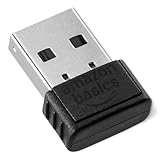
- BLUETOOTH ACCESS: Amazon Basics Bluetooth 5.4 USB dongle adapter receiver converts non-Bluetooth PCs into Bluetooth-capable devices with a simple USB connection
- WIDE COMPATIBILITY: Supports Bluetooth 5.4 & is backwards compatible with Bluetooth 5.3/5.2/5.1/5.0/V4.2/4.0/3.0/2.1/2.0/1.1; ONLY works with Windows 8.1, 10 & 11
- MULTI-DEVICE CONNECTION: Connect up to 6 devices simultaneously via any standard USB port; nano Bluetooth receiver plugs in easily for quick setup on laptops & PCs
- ENHANCED PERFORMANCE: EDR & BLE technology provides enhanced data transfer speed & low energy consumption for efficient wireless connectivity across connected devices
- SYSTEM REQUIREMENTS: Not compatible with Mac, Linux, Chrome, Unix, Playstation, or Windows 7 & below; disable any built-in Bluetooth on the device before use
What should you do if the adapter is not detected or keeps disconnecting?
- Open Device Manager → Bluetooth and check whether the adapter appears or shows a warning icon.
- Install the manufacturer’s current driver for the exact model and hardware revision, then reboot.
- If the computer has onboard Bluetooth, disable the internal Bluetooth adapter temporarily in Device Manager. Windows generally supports only one active Bluetooth adapter, and Plugable explicitly documents this limitation.
- Remove the paired device from Windows and pair it again.
- Move the USB adapter to a USB 2.0 port or connect it through a short extension cable.
- Move the adapter away from USB 3.x devices, Wi-Fi antennas, and 2.4 GHz wireless receivers.
- Test with only one Bluetooth device connected. If one device works but several disconnect, radio traffic, driver behavior, or simultaneous-device limits may be involved.
- Reduce the distance and remove walls or furniture from the test path before deciding that the adapter is defective.
A detected dongle that disconnects is not necessarily suffering from an outdated Bluetooth version. Common causes include PC-case shielding, USB 3.x interference, an internal-adapter conflict, generic drivers, power management, distance, and receiver-side limitations.
What are the important Mac, Linux, and console edge cases?
PS5 and PS4 audio
A regular Bluetooth data dongle may not provide usable PS5 headphone audio. Use a transmitter explicitly designed for console USB audio, such as Creative BT-W3 or Avantree DG80, and verify that the console recognizes the transmitter as a USB audio device.
Before buying, check microphone and voice-chat support, headset codec matching, available USB-A or USB-C ports, and any firmware requirements. “Works with PS5” must mean the specific audio-transmission setup works; it does not mean that every Bluetooth keyboard, mouse, or headset can pair directly with the console.
Linux
Linux compatibility is chipset-, kernel-, firmware-, and distribution-dependent. Check the exact hardware revision, kernel support, firmware availability, and whether the distribution includes the required linux-firmware files. ASUS’s official material lists Linux for USB-BT500, while Plugable explicitly excludes Linux for USB-BT5; those statements should not be generalized to every adapter.
The Tool Desk
Outbyte PC Repair FREERepair Windows errors before they cause bigger problemsFix Now →Outbyte Driver Updater FREEFix the driver behind crashes, sound loss and screen glitchesFind Drivers →Mac
Do not choose a Windows-only general adapter for Mac without explicit manufacturer support. Plugable excludes Mac for USB-BT5, while Creative’s BT-W3 and BT-W5 are designed for Mac audio transmission. A Mac buyer still needs to distinguish audio transmission from general Bluetooth peripheral management.
Headsets with microphones
Bluetooth headphone microphones can force a hands-free HFP profile that reduces stereo audio quality or disables premium A2DP codecs. Creative specifically documents this limitation for BT-W5. Buyers who need high-quality game audio and a reliable microphone should compare a Bluetooth transmitter/headset combination with a proprietary 2.4 GHz gaming headset.
What if your laptop already has Bluetooth?
If a laptop already has reliable Bluetooth 5.x, a cheap USB adapter may add no benefit and can create controller conflicts. First update the internal Wi-Fi/Bluetooth driver or replace the internal wireless card when the hardware is defective. A USB adapter is most useful when the internal radio is unreliable, poorly positioned, unsupported by the operating system, or unable to provide the audio features you specifically need.
Are there better alternatives to a nano USB dongle?
A desktop that needs maximum range and stable controller connectivity may benefit from a PCIe Wi-Fi/Bluetooth card with an external antenna. Installation requires an open PCIe slot, an appropriate motherboard USB-header connection for Bluetooth, external antenna placement, and driver installation. A PCIe card is more involved than a nano adapter and is not suitable for a laptop.
A proprietary 2.4 GHz wireless gaming headset is another alternative for gaming. A matched 2.4 GHz receiver can provide more predictable latency and microphone behavior than Bluetooth, although it is less universal for phones and other Bluetooth devices.
For televisions or stereo systems that lack Bluetooth, use a dedicated Bluetooth receiver/transmitter designed for those devices rather than a normal computer Bluetooth controller.
Final buying recommendations
| Your priority | Recommended choice | Why |
|---|---|---|
| Affordable Windows peripherals | TP-Link UB500 or ASUS USB-BT500 | Compact general-purpose adapters for ordinary Bluetooth devices |
| Windows support and warranty | Plugable USB-BT5 | Clear Windows-only positioning, lifetime technical support, two-year warranty, and up to seven pairings claimed |
| Basic Windows PC Bluetooth | Avantree DG45 | Explicitly aimed at Windows PCs and common peripherals |
| PS5, PS4, or Switch headphone audio | Creative BT-W3 or Avantree DG80 | Purpose-built audio-transmitter category rather than a general data dongle |
| Premium PC/Mac codecs | Creative BT-W5 | aptX Adaptive, aptX HD, aptX, SBC, codec selection, and device switching |
| LE Audio or Snapdragon Sound | Creative BT-W6 | Bluetooth 5.4 Classic Bluetooth and LE Audio-oriented features, subject to verification |
| Best desktop radio placement | USB adapter on an extension cable or PCIe card with external antenna | Physical antenna position can matter more than the Bluetooth version |
The safest 2026 buying rule is to select by host platform, product category, codec, receiver compatibility, and antenna placement, then use Bluetooth version as a secondary filter. TP-Link UB500 and ASUS USB-BT500 are sensible general Windows choices; Plugable USB-BT5 is attractive for supported Windows systems; and Creative’s BT-W3, BT-W5, and BT-W6 are audio transmitters for increasingly specialized needs.
Frequently Asked Questions
Will a Bluetooth 5.0 dongle work with a PS5?
A standard Bluetooth 5.0 data dongle is not automatically suitable for PS5 headphone audio. Use a USB Bluetooth audio transmitter explicitly designed for PS5, such as Creative BT-W3 or Avantree DG80, and verify USB audio recognition, microphone behavior, codec matching, and firmware requirements.
Free tools Windows power users keep installed
One-click scans. No signup required.
Does Bluetooth 5.0 provide lower latency or better sound?
Bluetooth 5.0 alone does not guarantee lower latency or better sound. Audio latency and quality depend on the transmitter, receiver, supported codec, operating profile, firmware, and whether a microphone forces hands-free mode.
Can one Bluetooth adapter connect seven devices at once?
Plugable USB-BT5 advertises up to seven simultaneous pairings, but seven demanding devices are not guaranteed to perform identically. Audio bandwidth, device traffic, polling, drivers, interference, and the operating system affect stability.
Is TP-Link UB500 Bluetooth 5.0 or Bluetooth 5.4?
The TP-Link UB500 name has appeared across hardware revisions marketed with different Bluetooth versions, including 5.0, 5.3, and 5.4. Check the revision printed on the package or the exact TP-Link product documentation before buying.
Can Bluetooth headphones keep premium audio quality while using the microphone?
Usually, hands-free microphone mode can reduce audio quality or disable premium stereo A2DP codecs. Creative documents that BT-W5 premium A2DP codecs are unavailable when a headset enters HFP hands-free mode.
What’s actually slowing this PC down?
Pick the symptom - the matching free tool is one click away.
The Bottom Line
Bottom line: buy TP-Link UB500 or ASUS USB-BT500 for ordinary Windows Bluetooth, Plugable USB-BT5 for supported Windows systems where support matters, and a dedicated Creative or Avantree audio transmitter for console or premium headphone audio. Bluetooth 5.0 is still adequate in 2026, but compatibility, codec matching, revision details, drivers, and USB placement matter more than the number on the box.

