
Recommended Free Tools
iTechGuides is reader-supported. When you buy through links on our site, we may earn an affiliate commission. As an Amazon Associate I earn from qualifying purchases. Learn more
Voice Recorder is the best all-around Chrome audio recorder for most people. It can capture your microphone, the active browser tab, or both together, then export MP3, WAV, or WebM. Choose Chrome Audio Recorder if you need a built-in multitrack editor, Web Audio Recorder for straightforward tab capture up to 60 minutes, and Tab Recorder when local recording and optional local transcription matter most. Wave and Notta are better when a searchable transcript or summary is more valuable than keeping only an audio file.
This guide compares seven named Chrome tools by input sources, file formats, duration limits, editing, transcription, privacy model, and platform restrictions. Product ratings, user counts, versions, and limits are figures shown by the relevant Chrome Web Store or vendor listings in 2026 and can change.
At a glance: the best audio recorders for Chrome
| Recorder | Best for | Inputs | Exports or output | Duration and workflow | Privacy and notable limits |
|---|---|---|---|---|---|
| Voice Recorder | Microphone plus tab recording | Microphone, tab, or mixed | MP3 at 128–320 kbps, 16-bit WAV, WebM | Pause/resume, crop, speed control, side-panel history | Recordings stay in the browser until download; system-audio capture on Windows and macOS 14.2 or later when sharing a screen with sound; target-tab activation required |
| Chrome Audio Recorder | Editing without a desktop app | Tab audio and voice-recorder modes | MP4/AAC, MP3, WebM | Automatic downloads, shortcuts, pause/resume, multitrack editor | Editor includes trimming, splitting, fades, equalization, compression and other effects |
| Web Audio Recorder | Simple tab-only capture | Browser-tab audio | MP3, WAV, M4A | Up to 60 minutes per recording | No account or upload requirement; Chrome Web Store listing shows 100,000 users and 3.9/5 from 85 ratings in 2026 |
| Tab Recorder | Local-first recording and optional transcription | Current tab, with optional microphone | Local recording files; local speech-to-text and summaries when Chrome’s built-in AI is available | Saved on the device | No cloud upload, analytics or remote logging is advertised; permissions disclosure includes personal communications, web history, website content and user activity |
| Audio Recorder – Record Voice & Tab Sound | Beginner-friendly mixed capture | Tab audio, microphone, or both | WebM, with conversion to WAV and MP3 | Playback speed from 0.5× to 3× | Simple interface rather than a full editor |
| Wave | Meeting transcripts and summaries | Tab audio, microphone, or both | Recording, transcript and summary in a Wave library | Service-based library workflow | Sign-in and hosted storage are part of the workflow |
| Notta | Transcription as the primary result | Audio playing in a browser tab | Real-time transcript and recorded audio in its service | Available on all Notta plans | Cloud transcription service rather than a purely local recorder |
For a USB microphone, Voice Recorder can use any microphone visible to the computer, including a USB model. A USB microphone is optional; Chrome can use the computer’s built-in input if the operating system exposes it.
Quick wins for a faster PC:
Fix the driver behind crashes, sound loss and screen glitchesFind Drivers →Clear out junk files and repair common Windows errorsFree Scan →1. Voice Recorder: best for microphone and tab audio together
Voice Recorder is the most flexible default when you need one file containing your voice and browser sound. Its three modes are microphone only, tab only, and both mixed together. That covers voice notes, interviews, lectures, browser meetings and demonstrations without switching applications.
Popular on Amazon

- [Natural Audio Clarity] Operated with frequency response of 50Hz-16KHz, the podcasting XLR mic delivers balanced audio range, likely to resonate with your audience. Directional cardioid dynamic microphone corded will not exaggerate your voice, while rejects unwanted off-axis noise for vocal originality and intelligibility during your PS5 gaming streaming video recording. (Tips: Keep the top of end-addressing XLR dynamic microphone AM8 facing audio source, and suggested recording range is 2 to 6 in.)
- [XLR Connection Upgrade-Ability] To use XLR connection, connect the podcast microphone to an audio interface (or mixer) using a separate XLR cable (NOT Included) . Well-connected and smooth operation improves audio flexibility to make you explore various types of music recording singing. The streaming mic isolates the pristine and accurate sound from ambient noise with greater no interference and fidelity. (RGB and function key on mic are INACTIVE when using XLR connection.)
- [USB Connection with Handy Mute] Skip the hassle of setting something up and plug the cable to play the dynamic USB microphone directly, which suits for beginner creators or daily podcast. You can quickly control the gamer mic with tap-to-mute that is independent of computer/Macbook programs to keep privacy when live streaming. LED mute reminder helps you get rid of forgetting to cancel the mute. (RGB and function key are only available for USB connection, but NOT for XLR connection)
- [Soothing Controllable RGB] RGB ring on the desktop gaming microphone for PC, with 3 modes and more than 10 light colors collection, matches your PC gears accessories for gaming synergy even in dim room. You can control the RGB key button of the dynamic microphone USB directly for game color scheme gaming or live streaming. Configured memory function, the streaming microphone RGB no need to repeated selections after turnning off and brings itself alive when power on. (Only available for USB connection)
- [More Function Keys] Computer microphone with headphones jack upgrades your rhythm game experience and gets feedback whether the real-time voice your audience hear as expected. Get the desired level via monitoring volume control when gaming recording. Smooth mic gain knob on the PC microphone gaming has some resistance to the point, easily for audio attenuation or boost presence to less post-production audio. (Only available for USB connection)
What it records and exports
You can select any microphone available to the computer, including a USB microphone. MP3 export offers 128–320 kbps choices; WAV is 16-bit; WebM is also available. Pause and resume are built in, and the extension provides crop and playback-speed controls. A side-panel history keeps earlier recordings available until you download them.
Platform and permission boundaries
On Windows and macOS 14.2 or later, the extension can capture system audio when you share a screen with sound. System-audio behavior therefore depends on the operating system and the screen-sharing choice. To capture a tab, invoke the extension while that tab is active and grant the requested permission. Chrome-internal pages such as chrome:// URLs cannot be captured.
Listing figures
The Chrome Web Store listing shows version 1.10.3, updated October 24, 2026, with a 4.8/5 rating from 119 ratings and 40,000 users. The listing states: “Recordings stay in your browser until you download them.” That describes the browser-storage workflow, not a guarantee that every browser profile, enterprise policy or operating-system backup is private.
PC Slower Than It Used to Be?
A free scan shows the junk files, broken settings and background clutter dragging Windows down - then fixes them in one click.Free scan · Windows 10 & 11Outdated Drivers Are Slowing You Down
One free scan finds every outdated or missing driver and matches the right update for your exact hardware.Free scan · exact hardware match2. Chrome Audio Recorder: best when you need an integrated editor
Chrome Audio Recorder separates tab-audio recording from voice-recorder mode, then lets you refine clips before exporting. It is the strongest choice here when cutting pauses, joining segments or applying basic cleanup matters more than having the simplest interface.
Editing and export tools
The integrated multitrack editor supports trimming, splitting, fades, equalization, compression and other effects. You can pause and resume, use keyboard shortcuts, and enable automatic downloads. Export choices listed by the extension are MP4/AAC, MP3 and WebM, so you can choose a broadly compatible compressed file or keep a browser-oriented format.
Version information
The listing identifies version 1.0.13 and an update dated June 22, 2026. It is presented as an individual-developer extension, so treat the feature list as the developer’s current description and review permissions before recording sensitive material.
3. Web Audio Recorder: best simple tab recorder with a 60-minute cap
Web Audio Recorder focuses on one job: capturing audio from the browser tab you select. It saves MP3, WAV or M4A and does not require an account or an upload workflow. That makes it suitable for webinars, podcasts, online lectures and other sessions where you do not need microphone mixing, transcription or a multitrack editor.
The Tool Desk
Outbyte Driver Updater FREEScan for outdated or missing drivers - takes under a minuteDriver Scan →Outbyte PC Repair FREEClear out junk files and repair common Windows errorsFree Scan →Also popular on Amazon

- [Convenient Setup] Plug and play recording USB microphone for PC, with 5.9-Foot USB cable included for computer PC laptop, is connected directly to USB-A port for recording music, computer singing or podcast. The office condenser microphone for computer is easy to use and install. (NOT compatible with Xbox and Phones)
- [Durable Metal Design] Solid sturdy metal construction design, the computer microphone for Zoom meetings with stable tripod stand is convenient when you are doing voice overs or livestreams on YouTube. Durable material extends the service life of the voice-over microphone.
- [Mic Volume Knob] Gaming condenser USB mic compatible for PS4 with additional volume knob itself has a louder or quieter adjustment and is more sensitive. Your voice would be heard well enough through the zoom microphone USB when gaming, skyping or voice recording. Also, you can adjust your volume to zero and protect your privacy.
- [Widely Use] USB-powered design, the condenser microphone for recording no need the 48v Phantom power supply, works well with Cortana, Discord, voice chat and voice recognition. The podcast microphone for Mac, with USB-B to USB-A/C cable, is compatible with desktop, laptop or PS4/PS5, which meets most of your daily recording needs.
- [Clear Output Voice] Cardioid condenser microphone for PC captures your voice properly, producing clear smooth and crisp sound. Great computer recording mic for gamers/streamers/youtubers focus on the main source and reduces background noise. The streaming microphone does the job well for broadcast ,OBS and teamspeak.
The hard limit
Each recording can run for up to 60 minutes. For longer events, stop and start a second file before the limit rather than assuming the extension will continue automatically. Split files also reduce the risk of losing an entire long session if a tab crashes.
Store figures
The Chrome Web Store listing shows version 2.5.1, updated October 17, 2026, with 100,000 users and a 3.9/5 rating from 85 ratings. Those are listing figures, not independent reliability measurements.
4. Tab Recorder: best local-first workflow with optional local transcription
Tab Recorder records the current browser tab and can include microphone input. Files are saved locally, and the extension advertises local speech-to-text and summaries when Chrome’s built-in AI is available. This combination suits people who want a recording and optional notes without sending the audio to a hosted transcription service.
Privacy details to weigh
The listing says there is no cloud upload, analytics or remote logging. It also discloses handling of personal communications, web history, website content and user activity. “Local-first” should therefore not be read as “permission-free”: inspect the extension’s current permissions and privacy disclosures, especially on a work profile or a shared computer.
Best use cases
Use it for a browser lecture, a support call or a meeting when keeping the source file on the device is the priority and Chrome’s built-in AI is available for local transcription. If you need a hosted, searchable library across devices, Wave or Notta is a better fit.
5. Audio Recorder – Record Voice & Tab Sound: best beginner-friendly mixed recorder
This extension records tab audio, microphone audio or both at once. It saves WebM and can convert the result to WAV or MP3, covering the formats most people use for sharing, editing or archiving.
Simple playback controls
A playback-speed control ranges from 0.5× to 3×. Slower playback helps when checking a recording for missed words; faster playback is useful for quickly reviewing a long lecture. The interface is intentionally simpler than a multitrack editor, so choose Chrome Audio Recorder instead if you need fades, equalization, compression or detailed clip assembly.
Also popular on Amazon

- Custom three-capsule array: This professional USB mic produces clear, powerful, broadcast-quality sound for YouTube videos, Twitch game streaming, podcasting, Zoom meetings, music recording and more
- Blue VO!CE software: Elevate your streamings and recordings with clear broadcast vocal sound and entertain your audience with enhanced effects, advanced modulation and HD audio samples
- Four pickup patterns: Flexible cardioid, omni, bidirectional, and stereo pickup patterns allow you to record in ways that would normally require multiple mics, for vocals, instruments and podcasts
- Onboard audio controls: Headphone volume, pattern selection, instant mute, and mic gain put you in charge of every level of the audio recording and streaming process
- Positionable design: Pivot the mic in relation to the sound source to optimize your sound quality thanks to the adjustable desktop stand and track your voice in real time with no-latency monitoring
6. Wave: best for meeting transcripts and summaries
Wave treats recording as the first step in a notes workflow. Its Chrome extension can capture tab audio, microphone input or both, then places the recording, transcript and summary in a Wave library.
Free tools Windows power users keep installed
One-click scans. No signup required.
Where it fits
Wave’s documented examples include Google Meet, Zoom on the web, webinars, online courses, YouTube, podcasts and training sessions. A library is useful when you need to search or revisit meeting notes rather than download isolated files.
Hosted-service trade-off
Sign-in and a hosted library are part of the product. That is fundamentally different from a local-only recorder: consider your organization’s consent rules, retention policy and permission requirements before capturing a meeting or customer conversation.
7. Notta: best when the transcript matters more than the audio file
Notta records audio playing in a browser tab and transcribes it in real time. Its documentation covers podcasts, online classes, livestreams and local files opened in Chrome. The feature is available on all Notta plans.
Choose it for text-first work
Notta is a transcription service rather than a purely local file recorder. Choose it when you need searchable text, quotations or a written record from browser audio. If your requirement is only an MP3 or WAV saved on the device, Voice Recorder, Web Audio Recorder or Tab Recorder avoids the extra transcription workflow.
Do these 3 things before closing this tab:
1Scan for outdated or missing drivers - takes under a minute2Clear out junk files and repair common Windows errors3Fix the driver behind crashes, sound loss and screen glitchesHow to choose the right Chrome recorder
1. Identify the sound source
- Only the browser tab: Web Audio Recorder is the most direct option; Notta and Wave add transcription.
- Your microphone: Voice Recorder’s microphone mode is straightforward, including USB microphones recognized by the computer.
- Tab and microphone together: Voice Recorder, Tab Recorder, Audio Recorder – Record Voice & Tab Sound and Wave support mixed capture.
- System audio outside a tab: Voice Recorder documents this through screen sharing with sound on Windows and macOS 14.2 or later; confirm that your operating system exposes the source you need.
2. Pick the file format before recording
- MP3: convenient for sharing and small files; Voice Recorder offers 128–320 kbps.
- WAV: useful when you plan further editing; Voice Recorder specifies 16-bit WAV.
- M4A or MP4/AAC: available in Web Audio Recorder and Chrome Audio Recorder for common compressed workflows.
- WebM: offered by Voice Recorder, Chrome Audio Recorder and Audio Recorder – Record Voice & Tab Sound.
3. Check duration against the event
Web Audio Recorder has an explicit 60-minute maximum per recording. For longer sessions, use a recorder without that stated cap or plan deliberate file breaks. A 60-minute ceiling is easy to miss when recording a multi-hour class or conference.
4. Decide whether editing belongs in Chrome
Use Chrome Audio Recorder when you need trimming, splitting, fades, equalization or compression before export. Voice Recorder provides crop and speed controls for lighter cleanup. The other local-first choices are better when you want to save quickly and edit later in a desktop application.
Also popular on Amazon
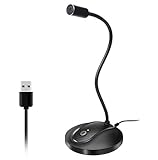
- 360 Degree Position Adjustable Gooseneck Design --Plug and play USB microphone Pick up the sound from 360-degree with high sensitivity, in the best possible location for sound to your PC gaming, dragon voice dictation, and talk to Cortana
- Mute Button & LED Indicator --One-click to mute/unmute your microphone for pc, Build-in LED indicator tells you the working status at any time
- Intelligent Noise-Canceling Tech --Premium omnidirectional condenser microphone with noise-canceling technology can pick up your clear voice and reduce background noise and echo
- USB Plug&Play(1.8/6ft USB Cable) -- No driver required. Just need to plug & play for the microphone to start recording, well compatible with Windows(7, 8, 10 and 11) and macOS. (NOT compatible with Xbox/Raspberry Pi/Android)
- Solid Construction--Adopting premium metal pipe and heavy-duty ABS stand to make sure that you will be satisfied with our computer mic quality
5. Decide where transcription should happen
Tab Recorder advertises local speech-to-text and summaries when Chrome’s built-in AI is available. Wave and Notta use service libraries or hosted transcription workflows. Choose local processing for a device-contained workflow; choose Wave or Notta when cross-device search and generated notes are worth the account-backed service.
6. Match the privacy model to the recording
Before recording a meeting, interview or customer call, read the extension’s current permission and privacy screens. Local-storage claims differ from hosted-library workflows, and permissions can include access to website content, browsing history or user activity. Recording another person’s voice may also require notice or consent under your workplace rules and applicable law.
What’s actually slowing this PC down?
Pick the symptom - the matching free tool is one click away.
How to record tab audio and microphone audio in Chrome
- Install the chosen extension from the Chrome Web Store and review its permissions before pinning it to the toolbar.
- Open the source tab. Navigate to the webinar, meeting, lecture or local audio file you want to capture. Chrome-internal pages such as
chrome://pages are not capturable by Voice Recorder. - Activate the extension on that tab. Click the extension icon while the target tab is active. Tab capture is permission-sensitive; invoking it from another tab can leave you recording the wrong source.
- Select the input mode. Choose tab, microphone or mixed mode. If Chrome asks for microphone access, allow it only when the selected recorder needs your voice.
- Configure system audio when required. For Voice Recorder on Windows or macOS 14.2 or later, use the screen-sharing prompt’s option to share sound when the workflow calls for system audio.
- Start, pause or resume. Pause during breaks when the extension supports it. For Web Audio Recorder, keep the 60-minute per-recording limit in view.
- Stop and export. Select MP3, WAV, WebM, M4A or MP4/AAC according to the destination. Download the file before closing the browser if the extension keeps recordings only in its panel or local browser storage.
Troubleshooting common Chrome recording failures
No tab audio in the file
Return to the source tab, click the extension there and repeat the tab-capture permission step. Check that the media is actually playing in that tab and that you did not select microphone-only mode. Chrome-internal pages cannot be captured.
Your voice is missing
Choose a mixed or microphone mode, then verify the selected input in the extension and the operating system’s microphone settings. A USB microphone must appear as an available system input before the extension can select it.
System sound is absent
Use the screen-sharing option that includes sound where supported. Voice Recorder documents this mode for Windows and macOS 14.2 or later; other operating systems or browser policies may not expose the same source.
The recording stops during a long event
With Web Audio Recorder, the 60-minute limit is expected. Stop before the limit and begin another file, or select a recorder whose listing does not state that cap. Keep the source tab open and avoid suspending the computer during lengthy captures.
You need a transcript but received only audio
Choose Tab Recorder with Chrome’s built-in AI when local transcription is available, or use Wave or Notta for a hosted transcript and summary workflow. A basic audio recorder will not create text automatically.
Also popular on Amazon
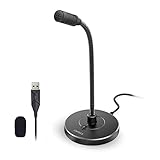
- 【Crystal Clear Audio Quality】Our Omnidirectional pattern condenser microphone accurately captures your voice, making it perfect for dictation, online classrooms, and more.
- 【Active Noise-Cancelling】Come in CMTECK CCS2.0 SMART CHIP with Omnidirectional Polar Pattern, which can effectively block the background noise. The pop filter prevents plosives from overloading the microphone, ensuring only your voice is heard.7
- 【Convenient Mute Button with LED Indicator】You can quickly mute/un-mute the microphone with the Mute Button and the built-in LED light lets you know the working status(Greenlight: Connected; Red light: Mute mode).
- 【Easy to use】 No drivers needed, just plug and record without external power supply, directly connect the microphone to a USB compatible device, well compatible with Windows(7, 8 and 10), Mac OS and PS4 (NOT compatible with Raspberry Pi/Linux/Android)
- 【Mini size with Adjustable Gooseneck】Adopted flexible and adjustable gooseneck metal pipe, easily adjust position 360 degrees to suit user comfort. The compact and stable base maximizes your desktop space.
Frequently Asked Questions
Frequently Asked Questions
What is the best Chrome recorder for tab audio and microphone audio together?
Voice Recorder is the strongest all-around choice because it offers microphone-only, tab-only and mixed modes, with MP3, 16-bit WAV and WebM export. Tab Recorder, Audio Recorder – Record Voice & Tab Sound and Wave also support mixed capture.
Can I record audio from a Chrome tab without uploading it?
Web Audio Recorder states that it needs no account or upload, and Tab Recorder saves recordings locally while advertising no cloud upload. Review each extension’s current permissions and privacy disclosure before recording sensitive material.
Which Chrome recorder saves WAV files?
Voice Recorder exports 16-bit WAV, and Web Audio Recorder exports WAV. Audio Recorder – Record Voice & Tab Sound can convert its WebM recording to WAV.
Is there a Chrome recorder with a time limit?
Web Audio Recorder lists a maximum of 60 minutes per recording. For longer sessions, split the event into multiple files or choose another recorder.
Can Chrome record a chrome:// page?
No. Voice Recorder’s listing says Chrome-internal pages cannot be captured. Open the media in a regular web page or use an appropriate system-audio workflow where your operating system supports it.
Which option creates transcripts and summaries?
Tab Recorder advertises local speech-to-text and summaries when Chrome’s built-in AI is available. Wave places recordings, transcripts and summaries in its hosted library, while Notta transcribes browser audio in real time.
Can these extensions record a web meeting?
Voice Recorder can mix microphone and tab audio, and Wave documents Google Meet and Zoom web among its examples. Check participant-consent rules, browser permissions and the meeting platform’s own recording policy before starting.
What should I use if I need to edit the recording in Chrome?
Chrome Audio Recorder has an integrated multitrack editor with trimming, splitting, fades, equalization, compression and other effects. Voice Recorder offers lighter crop and playback-speed controls.
The Bottom Line
Choose Voice Recorder for the broadest microphone-and-tab capture, Chrome Audio Recorder for in-browser editing, Web Audio Recorder for uncomplicated tab recordings up to 60 minutes, and Tab Recorder for a local-first workflow. Select Wave or Notta when transcripts and summaries are the main deliverable rather than a standalone local audio file.
Quick Recap
Product prices and availability are accurate as of the date/time indicated and are subject to change. Any price and availability information displayed on Amazon at the time of purchase will apply.

