
The Tool Desk
Outbyte Driver Updater FREEScan for outdated or missing drivers - takes under a minuteDriver Scan →Outbyte PC Repair FREEClear out junk files and repair common Windows errorsFree Scan →iTechGuides is reader-supported. When you buy through links on our site, we may earn an affiliate commission. As an Amazon Associate I earn from qualifying purchases. Learn more
Choose Nova Launcher if you want the most control over app grids, folders, drawers, icons, backups, notification badges, and assignable desktop gestures. Choose Niagara Launcher for a fast, list-first interface designed for one-handed use. Choose Smart Launcher 6 when automatic app categorization is the deciding feature. Choose Lawnchair for a free, open-source, Pixel-style home screen, or Microsoft Launcher if your phone needs to fit into a Windows and Microsoft 365 workflow.
The right launcher is less about visual themes than about how you find and trigger apps every day. Traditional grids favor deliberate placement, alphabetical lists reduce hunting, automatic categories reduce setup work, and desktop gestures can turn a swipe or pinch into a reliable shortcut. Android navigation settings and the phone maker’s software still determine how consistently those gestures work.
Quick comparison
| Launcher | Organization model | Gesture and shortcut depth | Best fit | Important qualification |
|---|---|---|---|---|
| Nova Launcher | Conventional home-screen pages, folders, dock and app drawer | Deep assignment of gestures to apps and Nova Actions; more gesture options with Nova Prime | Manual organization and maximum control | Some advanced features, including expanded gestures, badges and drawer folders, are in Nova Prime |
| Niagara Launcher | Alphabetical list with a small set of favorites, widgets and focused shortcuts | Deliberately limited to preserve simplicity; Niagara Pro adds Niagara Button tap and swipe-up actions | One-handed access and low visual clutter | It is not intended to be a Nova-style gesture laboratory; moving folders into the app list requires Pro |
| Smart Launcher 6 | Automatically categorized app drawer with a modular home-screen layout | Gesture availability and premium limits vary by the installed version | Automatic organization | Check the current category-editing controls and premium gates in the app before relying on a specific behavior |
| Lawnchair | Pixel-like launcher layout with added customization | Pixel-style behavior plus project-specific customization | Open-source, Pixel-direction defaults | Development branches and device behavior can change; the Android 16 branch is based on Android 16 Launcher3 |
| Microsoft Launcher | Traditional home screen with Microsoft-focused feeds and work/personal separation | Useful shortcuts and launcher actions, with behavior affected by Android and device navigation settings | Windows and Microsoft 365 users | Microsoft documents a full-screen-gesture error on some devices with third-party launchers |
There is no universal winner. Organization style determines the daily experience more than the number of themes: Nova asks you to design a system, Niagara gives you a focused list, Smart Launcher automates the first pass, Lawnchair follows Pixel conventions, and Microsoft Launcher connects the home screen to a work ecosystem.
Quick wins for a faster PC:
Clear out junk files and repair common Windows errorsFree Scan →Fix the driver behind crashes, sound loss and screen glitchesFind Drivers →How to choose an Android launcher
Start with the way you look for apps
If you know where every app should live, a grid with folders is efficient. Nova Launcher lets you set the desktop, dock, folders, icon themes, app drawer and backup/restore behavior in detail. This suits people who want a permanent layout such as a first page for daily tools, a second page for communication and a drawer for everything else.
Popular on Amazon
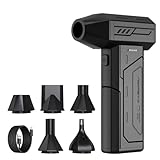
- Powerful Turbo Fan:CAGIWIRU Electric Air Duster have reached speed up to 130000RPM,Can efficient remove dust and debris.With LED light and Three Adjustable Speed to meet with different cleaning tasks.
- With Attached USB C Fasting Charging cable.Charing 3 hours,Enjoy up to 240 minutes of use on the lowest setting, For third speed can use for 25mins.with four charging options to meet with your needs.
- Wide Application: attached 5 different nozzles,making it suitable for a variety of scenes, such as car,pet, pc, keyboards, and other electronic devices. It also serves for office and home clean duster.
- Handy Design & Portable:Cordless air duster electric nozzle is Light weight and small size, design and comfortable to hold and space saving, convenient to carry around. You can put it in your room or inside the car without taking up space.
- Economical &Reusable: Built durable materials with a long-lasting battery,our CAGIWIRU air duster it's a sustainable alternative to disposable air cans.
If you remember an app’s name but not its location, Niagara’s alphabetical list is usually faster. The list replaces multiple pages with a single vertical index, while favorites and widgets remain available for the few items you use constantly.
If you do not want to sort apps yourself, Smart Launcher 6 is the organization-first choice. Its central differentiator is automatic categorization. Because category controls and premium limits can change between releases, verify the categories you need after installation rather than assuming every version exposes the same editing options.
Decide how much gesture customization you actually need
There are two very different meanings of “best gestures.” One is the number of actions available; the other is whether a gesture is easy to remember and works reliably alongside Android navigation.
Recommended Free Tools
Nova is the strongest choice for action depth. With Nova Prime, pinching, swiping and two-finger swiping can launch apps or Nova Actions. That makes gestures useful for actions such as opening search, expanding notifications or jumping to a chosen app, provided you can remember the assignments.
Niagara intentionally keeps gesture customization limited. Its Niagara Button can open a favorite app, widget, folder or another action, and Niagara Pro lets you assign separate tap and swipe-up behavior. The restraint is part of the design: fewer gestures mean fewer conflicts and less setup, but also fewer opportunities to build a complex gesture map.
Also popular on Amazon

- Screen Cleaner is Your Screen’s New Bestfriend! - EVEO is proud to present a screen cleaner that’s perfectly suited for your TV. Meet your new screen cleaner, computer screen cleaner, laptop cleaner, iPad cleaner, Macbook,tv cleaner or any other electronic device. Our screen cleaner spray and wipe along with the included plush microfiber cloth, easily removes dust, fingerprints & other smudges on the screen’s surface. Clean effectively for a streak-free screen
- Gentle on your Screens - Our screen cleaner spray and wipes is compatible to be used even for the most sensitive LCD, LED, CRT, and OLED screens in proper use. Be at ease knowing that this product is compatible with all the major brands: LG, SONY, Samsung, Sharp, iPad, iPhone, Android screens, Kindle, PC monitors - we’ve got you covered! Can be used as LCD screen cleaner, tv cleaner, smart tv screen cleaner, and more
- Premium Super Soft Plush Microfiber Cloth - Included in this efficient screen cleaning kit. This screen cleaner spray and wipe has our signature plush microfiber cloth specially designed to comply with screens and monitors and leave them streak-free. Has been shown to effectively absorbs stubborn stains, zero streaks, and no fiber shedding. Always use this together with our screen cleaner for the best results
- Easy-to-Use Screen Cleaner Kit + microfiber cleaning cloth - The EVEO Screen Cleaning Kit will easily be your new favorite tool when it comes to taking care of the things you love most, quick and easy solution for a streak-free screen. Simply screw on the sprayer gun on the screen cleaner bottle. Spray the cleaning liquid onto the microfiber cloth, then wipe the screen until desired cleanliness & shine is achieved.
- Quality Screen Care Kit Worth Purchasing - Enjoy a convenient Screen Cleaner anytime, anywhere you need it. Your satisfaction is our top priority. We stand behind the quality of our products and that’s why, you shouldn’t be worrying at all. We manufacture the Best Screen Cleaner. and can be used for laptop cleaning kit, laptop screen cleaner, tv screen cleaner for smart tv. MacBook screen cleaner, monitor cleaner or screen cleaner spray for electronic devices with microfiber cleaning cloth
Lawnchair and Microsoft Launcher can feel familiar if you prefer Pixel-like or conventional Android interactions, but the exact gestures available depend on the version and the phone. Treat any gesture list as a starting point and test it with your device’s navigation mode.
Check reach, density and visual load
For one-handed use, a list can be more practical than a dense grid because the app index and favorite shortcuts can be reached without crossing several pages. Niagara is designed around this approach. Nova can also be made one-handed by reducing the grid, placing important icons in the lower rows and assigning a gesture to search or a favorite action, but that requires manual setup.
Do these 3 things before closing this tab:
1Repair Windows errors before they cause bigger problems2Scan for outdated or missing drivers - takes under a minute3Clear out junk files and repair common Windows errorsTraditional layouts remain better when you rely on spatial memory. A fixed icon in a fixed location can be faster than scanning a list, especially on a tablet or a large display where two-handed use is common.
Consider integrations and work separation
Microsoft Launcher is the practical pick when your phone is part of a Windows or Microsoft 365 routine. Microsoft Support documents that it can become the Android home screen, import an existing home-screen layout and separate work and personal apps into tabs. Those functions matter more than theme variety if you regularly switch between business and personal accounts.
Choose Lawnchair when transparency and community development matter more than a vendor ecosystem. Its project describes a free, open-source home app based on Launcher3/AOSP that ports Pixel Launcher features and adds customization.
Also popular on Amazon

- 【Large size】:Measuring 800 x 300 mm/ 31. 5×12 inches, which is wider and taller than others. Large mouse pad can perfectly fit your keyboard and mouse of any size, and there is also ample space for peripherals such as phones, tablets, etc.
- 【LED backlight mouse pad】:Blade Hawks RGB mouse pad provides 7 static modes and 7 dynamic modes will give you the options you are looking for. Power-off memory function remembers the last lighting mode you selected. The super glow fiber Chroma will give you a colorful gaming setup that you want.
- 【Anti-slip rubber base】:Made from Natural rubber, this gaming mousepad will firmly grip your desktop, allowing you to enjoy the ultimate precision in the games you are most passionate about. It also comes with a texture that enhances this ability even further.
- 【Smooth and waterproof surface】: Micro-textured cloth surface, for extremely precise mouse control and a smooth movement. When liquid splashes on the gaming mouse pad, it forms water droplets and slides down. Will not delay your work or gameplay.
- 【Plug and play】: This mouse and keyboard pad is powered by USB, plug and play, no driver required. One button control light modes. Press one time to change the lighting mode, press twice to change the brightness, press and hold about 3 seconds turn ON/OFF.
Nova Launcher: best for manual organization and deep gestures
Nova replaces the stock home screen with a highly configurable desktop, app drawer, dock and folder system. Its official feature description emphasizes control over those areas, along with icon themes and backup/restore. The result is a launcher for people who want to decide exactly where an app appears and how the layout behaves after a reset or device change.
Free tools Windows power users keep installed
One-click scans. No signup required.
What Nova does best
- Precise placement: Adjust desktop and drawer grids, dock contents, folders and icon presentation instead of accepting a fixed layout.
- Repeatable setups: Use backup and restore to preserve a carefully arranged home screen.
- Action-based gestures: Nova Prime adds gestures that can launch apps or Nova Actions from pinching, swiping and two-finger swiping.
- Drawer organization: Nova Prime adds notification badges and drawer folders for users who want a second layer of manual sorting.
Nova’s trade-offs
Nova rewards planning. You must choose the grid, folder structure, drawer behavior and gesture assignments yourself, so the initial setup takes longer than a list-first or automatic launcher. Advanced functions are split between the base launcher and Nova Prime; check the current app listing for the feature gate before migrating a layout that depends on a paid capability.
Nova’s official page also says it is “loved by over 50 million.” That is an undated vendor claim, not a dated independent usage measurement.
A practical Nova setup
- Set Nova as the default home app in Android’s Default apps settings.
- Choose a desktop grid that leaves room for readable labels and your preferred widget sizes.
- Reserve the dock for apps you open throughout the day; put less frequent apps in folders or the drawer.
- Create folders by task rather than by arbitrary download order, such as travel, finance or media.
- Assign only a few gestures at first. For example, use an upward swipe for search and a two-finger swipe for a system action you use repeatedly.
- Use Nova’s backup/restore before changing devices or performing a reset, then verify widgets and account-dependent shortcuts after restoring.
Niagara Launcher: best for a list-first, one-handed workflow
Niagara replaces the conventional home screen with what its press material calls “a clean and elegant list interface.” Instead of maintaining several pages of icons, you keep a small group of favorites visible and reach the rest through an alphabetical app list.
Why the list model works
- Fast name-based access: The alphabetic index is useful when you remember an app but not its folder.
- Less visual noise: A short favorites list and selected widgets keep the first screen focused.
- Reachable controls: The interface is designed around quick access without repeated page swipes.
The Niagara Button and Pro features
The Niagara Button is a shortcut to a favorite app, widget, folder or another action. Niagara Pro allows you to customize the Button’s tap and swipe-up gestures. Pro also allows folders to be moved into the app list, which lets you retain list-first navigation while grouping related apps.
Also popular on Amazon

- 【Softer and More Comfortable】Vaydeer wrist rest has unique diamond pattern, which is the combination of softness and aesthetics. The materials of wrist rest are improved into higher quality memory foam and covered with silky smooth lycra. The computer wrist rest makes you as comfortable and cushiony as like rest your wrists on clouds.
- 【Ergonomic Wrist Saver】The wrist rests for keyboard and mouse comes with a 17.32×3.15×0.83 inch keyboard wrist pad and a 5.94×3.15×0.83 inch mouse wrist support. Based on ergonomic design, the unique concave shape is the perfect fit for your wrist joints. The wrist rest pad fits most computer keyboards and laptops, improve hand and wrist posture, release your wrist and arm stress.
- 【Non-Slip Rubber Bottom】Featuring an anti-skid silicone base on the bottom, this wrist keyboard support stays firmly in place on your desk, preventing the padding from sliding around, ensuring stable and consistent wrist support during extended computer sessions.
- 【Better Experience & Pain Relief】Our keyboard arm rest is beneficial to alleviate the soreness caused by direct contact and friction between your arm and a hard desk surface, reducing the risk of wrist fatigue or carpal tunnel. The soft texture of memory foam can evenly distribute the pressure around your wrists and provide good support with just enough give.
- 【Helpful in Multiple Scenarios】Whether you're working, studying, writing, typing, gaming, this keyboard and mouse rest combo is an essential accessory to add comfort and support to your hands and wrists. It’s also a great gift for men, women, family, friend, coworker, gamer, teacher, etc.
Niagara’s documentation intentionally describes gesture customization as limited to preserve simplicity. That is a benefit if you want a small, dependable shortcut set, but it makes Niagara a poor match for someone who wants many gesture combinations, extensive drawer rules or a different action on every swipe direction.
When to choose Niagara
Choose it when your priority is opening a known app quickly with one hand, not building a visually elaborate desktop. Before paying for Pro, decide whether Button customization or folders inside the app list solves a real problem; the basic list model may already be enough.
Smart Launcher 6: best when automatic categorization matters
Smart Launcher 6 is the strongest fit when the launcher should do the first round of organization for you. Its defining approach is an automatically categorized app drawer combined with a modular layout, reducing the need to drag every new download into a manually maintained folder.
What to verify after installation
Automatic sorting is not the same as perfect sorting. Open the drawer and inspect where your frequently used, newly installed and unusual apps land. Then check whether the current version lets you rename, merge or move categories and whether the controls you need are limited to a premium tier. Exact category names, pricing and gesture counts are version-dependent and should be confirmed in the installed app.
What’s actually slowing this PC down?
Pick the symptom - the matching free tool is one click away.
Who benefits most
- People who install many apps and do not want to maintain folders.
- Users who prefer a modular home screen over a fixed page-and-dock arrangement.
- Anyone willing to accept the launcher’s categorization rules and correct only the exceptions.
If you need every app in a deliberately chosen position, Nova remains a better match. If you want the fewest visible elements and primarily search by name, Niagara’s list can be simpler.
Also popular on Amazon

- 【No Drill Mounted】Cable management tray can be assembled in as little as 3 minutes or less-simply. Side clips easily clampe the edge of desk, pass through the holes on the sides, and secure excess cables with baskets. Desk cable management supports inward or outward installation to meet your needs in different scenarios, and provides you with great convenience when collecting and organizing wires.
- 【Rubber Pad Protects Desk】Wire organizer under desk built-in soft rubber pads on the clamp protect your desk from scratches, so you will not damage your furniture or office.
- 【Sturdy and Beautiful】Cord management under desk is made of high-quality carbon steel and holds about 15 lbs. The wire basket has 2 holes on each side of the tray to enable your cables to pass freely. Cable baskets are suitable for desk thickness use from 0.4" to 2.4".
- 【Space Saving & Keep Organized】Desk cable management tray holds all your power cords, outlet strips, USB hubs and computer transformers hidden from your feet, and the data cables will not enter the vacuum cleaner to keep your desk clean and tidy. Desk wire organizer is also suitable for use in the kitchen and outdoors.
- 【Reduce Safety Risks】Cable tray under desk keeps all plugs away from your kids, no more worry about tripping. Using 2 holes wire tray saves extra space, helps you easily cabling and wire protection. The mesh design is not easy to accumulate dust, but avoids safety accidents caused by messy wires.
Lawnchair: the open-source Pixel-style option
Lawnchair is a free, open-source Android home app based on Launcher3/AOSP. Its project aims to bring Pixel Launcher features to more devices while adding customization. The GitHub project identifies its Android 16 development branch as based on Android 16 Launcher3.
Why Lawnchair stands out
- Pixel direction: The default interaction model is familiar to people who like Pixel Launcher conventions.
- Transparency: The source is publicly developed rather than being a closed, ecosystem-specific home screen.
- Customization: It adds controls beyond the baseline Launcher3 experience.
Important stability qualification
Development branches can change, and behavior can differ by phone, Android release and installed build. If your phone is a work-critical device, test the release you intend to use before replacing a stable setup. Check widgets, notification dots, animation behavior and gesture navigation rather than judging compatibility from screenshots alone.
Microsoft Launcher: best for Windows and Microsoft 365 users
Microsoft Launcher can become the Android home screen, import an existing home-screen layout and separate work and personal apps into tabs. Those capabilities make it more useful than a generic launcher for people who already manage documents, calendars or accounts through Microsoft services.
Use it when separation is the priority
Work and personal tabs can reduce accidental mixing of accounts and make a busy phone easier to scan. The import option also lowers the cost of switching because you can start from an existing arrangement instead of rebuilding every page immediately.
Check navigation compatibility
Microsoft Support records that some devices show an error when full-screen gestures are used with third-party launchers. Before committing, test Home, Back, Recents, edge swipes and the animation when returning to the home screen. If full-screen navigation is unreliable, try the phone’s three-button navigation mode or consult the device maker’s documented workaround.
How launcher gestures interact with Android
A launcher controls only part of the gesture pipeline. Android navigation and the phone maker’s software may reserve edge swipes, Home, Back, Recents, transition animations or other system actions. Some manufacturers also limit whether third-party launchers receive full-screen gesture support.
Test these combinations
- Three-button navigation: Confirm that Home, Back and Recents remain immediate after switching launchers.
- Gesture navigation: Test both bottom-edge and side-edge swipes, especially if the launcher assigns similar actions.
- Widgets: Verify that a widget opens its app, resizes and refreshes after the launcher becomes the default.
- Animations: Check the return-to-home animation and app-opening transition; a launcher can function while still feeling visually broken on a particular build.
- Battery restrictions: Exclude the launcher from aggressive background restrictions if widgets or notification badges stop updating.
- Work profiles: Confirm that work apps, private apps and account-specific shortcuts remain visible in the intended profile.
Recover if gestures fail
- Open Android’s navigation settings and switch temporarily from full-screen gestures to three-button navigation.
- Re-test the launcher’s desktop gestures separately from system edge swipes.
- Disable overlapping gestures in the launcher and keep only one action per direction or trigger.
- Check the phone maker’s battery and background settings for launcher restrictions.
- If the issue is limited to one Android build or device, return to the stock launcher or use the navigation mode that the device supports consistently.
Switching launchers without losing your layout
- Record the current setup: Take screenshots of each home-screen page, dock and folder before changing the default.
- Check account-dependent widgets: Note which widgets require sign-in, a work profile or a companion app.
- Install one launcher at a time: This keeps troubleshooting clear and makes it easier to identify a compatibility problem.
- Set the default: Use Android’s Default apps screen, then grant only the permissions the launcher actually requests.
- Rebuild the first screen: Put daily apps and essential widgets in place before tuning themes or animations.
- Test navigation: Perform Home, Back, Recents, edge swipes, app search, widget refresh and notification-badge checks.
- Keep a fallback: Leave the stock launcher installed until the replacement survives a full day of normal use.
Which launcher should you choose?
| Your priority | Best starting choice | Reason |
|---|---|---|
| I want to place every app and folder myself | Nova Launcher | Most detailed control over pages, grids, drawers, folders, icons and backups |
| I want the best one-handed list | Niagara Launcher | Alphabetical access, a small favorite set and focused shortcuts |
| I want apps sorted automatically | Smart Launcher 6 | Automatic categorization is its central differentiator |
| I want a free, open-source Pixel direction | Lawnchair | Launcher3/AOSP foundation with Pixel-oriented behavior and added customization |
| I want Windows and Microsoft 365 continuity | Microsoft Launcher | Layout import plus work and personal app separation |
| I want many custom desktop gesture actions | Nova Launcher | Nova Prime supports app and Nova Action assignments for multiple gesture types |
| I want only a few intentional shortcuts | Niagara Launcher | The limited gesture model favors simplicity over exhaustive assignment |
Before switching, identify whether your real bottleneck is finding apps, reaching them one-handed, maintaining folders, or connecting work accounts. Pick the launcher that changes that bottleneck directly, then validate navigation and widgets on your exact Android version and phone model.

