
What’s actually slowing this PC down?
Pick the symptom - the matching free tool is one click away.
The best Android antivirus apps for your phone and tablet depend on your risk and needs: Google Play Protect is enough for many careful users, while Bitdefender Mobile Security is the strongest dedicated-app choice in current testing. Norton or McAfee suit multi-device households; ESET and Malwarebytes add specialist anti-phishing, scam, privacy, or recovery features.
A paid antivirus app is not mandatory for every Android device. Play Protect, automatic Android and app updates, cautious installation habits, and built-in security controls provide a meaningful baseline. A dedicated app becomes easier to justify when you sideload APKs, manage devices for children or older relatives, want anti-phishing or scam tools, or already pay for a household security plan.
Key takeaways
- Google Play Protect is enabled by default on supported certified Android devices and scans apps from Google Play and outside sources.
- Bitdefender Mobile Security is the best overall dedicated Android antivirus pick by this article’s criteria, but Avast, Avira, McAfee, and Norton also tied it at 6/6/6 in AV-TEST’s May 2026 test.
- Google Play Protect scored 5.5/6 for protection, 6/6 for performance, and 5/6 for usability in the same AV-TEST test, so a lower lab score does not make Play Protect useless.
- ESET Mobile Security is a strong feature-led option for anti-phishing, anti-smishing, payment protection, app lock, scheduled scanning, and anti-theft controls.
- Malwarebytes is worth considering for malware removal and scam-focused tools, including Scam Guard and an optional WireGuard-based VPN.
- Do not run several overlapping real-time antivirus apps at once; use one primary security app alongside Play Protect and safer installation practices.
Best Android antivirus apps for your phone and tablet: comparison
The table separates the built-in baseline from dedicated apps. A checkmark means the dossier supports the feature or positioning; “plan-dependent” means the feature may require a paid tier or broader subscription. Exact prices, renewal terms, and regional availability must be checked before purchase because those details change.
| App | Best for | Free or baseline option | Independent-test evidence | Notable security features | Tablet or buying caveat | Verdict |
|---|---|---|---|---|---|---|
| Google Play Protect | Most cautious users | Included on supported certified devices | 5.5/6 protection, 6/6 performance, 5/6 usability in AV-TEST May 2026 | Play and sideloaded-app scanning; warnings; harmful-app disabling or removal | Requires the usual Google Play services environment; not a VPN, identity, or full family suite | Best free baseline |
| Bitdefender Mobile Security | Best dedicated Android protection | Check current plan and trial terms | 6/6/6 in AV-TEST May 2026 | Dedicated malware and mobile-security protection | Price, renewal, device limits, and feature availability vary by country and purchase channel | Best overall dedicated app |
| Norton 360 / Norton Mobile Security | Households with several devices | Check whether an existing Norton plan includes Android | 6/6/6 in AV-TEST May 2026 | Mobile protection within a broader security, VPN, identity, or family ecosystem | Bundle and renewal pricing can be excessive for one Android-only user | Best broader household-bundle candidate |
| McAfee Mobile Security / Total Protection | Existing McAfee subscribers | Check current plan coverage | 6/6/6 in AV-TEST May 2026 | Broader subscription features may matter more than a mobile-only scanner | Do not assume every mobile feature belongs to every McAfee plan | Consider for multi-device coverage |
| ESET Mobile Security | Anti-phishing and security controls | Free basic protection plus a 30-day premium-feature trial | Not among the specific May 2026 AV-TEST results listed in the dossier | Anti-phishing, anti-smishing, payment protection, anti-theft, app lock, scheduled scanning, call filtering | Requires Android 9.0 or later; some anti-theft features are unavailable on tablets without calling and messaging | Best controls-focused alternative |
| Malwarebytes Mobile Security | Malware removal and scam-focused tools | Free download; premium features are plan-dependent | Malwarebytes cites an MRG Effitas Android test result | Malware scanning and removal, Scam Guard, phishing and ransomware protection claims, WireGuard-based VPN | Verify which features are premium; current AV-TEST ranking was not established in the dossier | Best specialist alternative |
| Avast Antivirus & Security / AVG AntiVirus Free | Free third-party protection | Free tiers with possible advertising or upsells | Both received 6/6/6 in AV-TEST May 2026 | Third-party scanning and additional security features | Review current ads, permissions, privacy disclosures, and free-tier limits | Free alternatives, not automatic winners |
AV-TEST’s May 2026 Android test evaluated 12 products with protection, performance, and usability categories. The maximum total was 18 points. Several products tied at the top, so the test identifies a credible shortlist rather than proving that one app is universally best.
#1 Best Overall

- THREAT DETECTION – Stay one step ahead. Suspicious links, risky sites, viruses, and scams, caught automatically before they reach you.
- PERSONAL INFO PROTECTION – Keep your personal info safer. Identity monitoring watches for your exposed info and tells you what to do about it.
- SECURE CONNECTIONS – Just a few easy clicks, and we'll automatically protect your info on public Wi‑Fi, every time you connect.
- GUIDED ACTION – Know what matters and what to do next. Clear alerts and simple guidance make it easy to take action.
- MORE THAN ANTIVIRUS – Scam protection, identity monitoring, VPN, web protection, and antivirus work together to protect you, all in one place.
Do you need antivirus on Android?
Many Android users do not need a separate paid antivirus app if the device is Play Protect certified, apps come from Google Play, Android and apps stay updated, and the user avoids suspicious links and downloads. Google Play Protect is a substantial built-in protection layer rather than a token feature.
Google says Play Protect checks apps before they are downloaded from Google Play, periodically scans installed apps, checks apps installed from outside Google Play, and can warn about, disable, or remove harmful apps. Google also says Play Protect may reset permissions for unused apps on some Android versions and can block certain unverified installations requesting sensitive permissions commonly abused for financial fraud. The official Google Play Protect documentation describes the current coverage and settings.
A dedicated Android security app is more useful in higher-risk situations. Consider one if you regularly sideload APKs, use third-party app stores, handle banking or work data on a less-controlled device, install apps for children or older relatives, want web or SMS scam protection, or need one subscription covering phones, tablets, and computers.
“Antivirus” also means more than detecting traditional viruses. Depending on the product, a security app can combine malware and potentially unwanted-app detection with real-time scanning, malicious-link protection, smishing analysis, ransomware or spyware detection, Wi-Fi warnings, privacy auditing, anti-theft controls, app lock, VPN access, breach monitoring, or call filtering.
What is the best dedicated Android antivirus app?
Bitdefender Mobile Security is the best dedicated Android antivirus app for most readers who have decided they want a separate security product. The recommendation reflects its current independent-test result and focused positioning, not a claim that Bitdefender blocks every threat or beats every competitor in every situation.
Bitdefender received 6/6 for protection, 6/6 for performance, and 6/6 for usability in AV-TEST’s May 2026 Android results. That maximum result makes Bitdefender a strong default for readers who want independent testing to carry significant weight without immediately choosing a large identity-security bundle.
Bitdefender is not automatically the right purchase for a cautious user who installs only trusted Play Store apps and needs no extra features. Check the current country-specific price, renewal price, device limit, trial terms, and Android feature list before subscribing. Those commercial details were not independently verified in the supplied evidence.
Is Google Play Protect the best free Android antivirus?
Google Play Protect is the best free baseline because it is already integrated into supported Android devices and requires no separate subscription. Play Protect is generally enabled by default, and Google recommends leaving it enabled.
Play Protect checks Google Play apps before installation and periodically scans installed apps, including apps obtained from other sources. Play Protect can warn about harmful software and may disable or automatically remove a harmful app. Play Protect also provides a manual scan, which makes it a practical first response when an Android phone or tablet behaves strangely.
Independent testing puts its strengths and limits into perspective. According to AV-TEST’s May 2026 results, Google Play Protect scored 5.5/6 for protection, 6/6 for performance, and 5/6 for usability. A dedicated product scored higher in that particular test, but Play Protect’s zero-cost integration and broad default availability still make it adequate for many careful users.
Rank #2

- THREAT DETECTION – Stay one step ahead. Suspicious links, risky sites, viruses, and scams, caught automatically before they reach you.
- PERSONAL INFO PROTECTION – Keep your personal info safer. Identity monitoring watches for your exposed info and tells you what to do about it.
- SECURE CONNECTIONS – Just a few clicks, and your info stays protected on public Wi-Fi every time you connect.
- PERSONAL DATA SCANS – Take your info off the market. We’ll find your personal information on sites selling it, then guide you on how to remove it.
- SOCIAL PRIVACY MANAGER – Decide what you share. McAfee finds the privacy settings buried in your social accounts and fixes them.
Play Protect does not replace a VPN, identity-monitoring service, complete anti-theft suite, app-lock tool, or family-security subscription. It also cannot make risky sideloading safe, and protection can vary with Google Play services, device certification, Android version, manufacturer configuration, and regional availability.
Which Android antivirus is best for families and multiple devices?
Norton 360 or McAfee is more compelling than a mobile-only app when a household already needs security for computers, phones, tablets, VPN access, identity features, or family controls. A broader plan can reduce subscription sprawl when several device types need coverage.
Recommended Free Tools
Norton and McAfee each received 6/6/6 in AV-TEST’s May 2026 Android test. That result supports both as technically credible options, but the buying decision depends on plan coverage. A Norton 360 plan may include features that are not part of the standalone Norton mobile app, and McAfee’s mobile features may differ between Mobile Security and Total Protection plans.
For one Android phone needing only malware scanning, a broad household subscription may be poor value. Compare the number of covered devices, supported operating systems, VPN or identity limits, introductory price, renewal price, auto-renewal terms, and cancellation or refund conditions. Do not treat a discounted first year as the long-term price.
Which Android antivirus is best for anti-phishing and scam protection?
ESET Mobile Security is the clearest feature-led choice for readers prioritizing anti-phishing, anti-smishing, payment protection, app lock, scheduled scanning, and anti-theft controls. ESET lists those premium features, along with security auditing and call filtering, on its Android product page.
ESET offers free basic protection and advertises a 30-day trial of premium features. ESET states that its Android app supports Android 9.0 and higher, requires at least 512 MB of RAM, an internet connection, Google Play and Accessibility services, and a non-rooted device.
Do these 3 things before closing this tab:
1Fix the driver behind crashes, sound loss and screen glitches2Clear out junk files and repair common Windows errors3Scan for outdated or missing drivers - takes under a minuteTablet owners need to check the limitations carefully. ESET states that some features, including anti-theft, are unavailable on tablets without calling and messaging support. That limitation affects Wi-Fi-only tablets and other devices without ordinary telephony functions.
ESET’s feature list is vendor-provided information, not independent proof that every listed feature stops every phishing or scam attempt. A security app can identify malicious links or suspicious messages, but no scanner can prevent every case where a user voluntarily gives credentials to an impersonator.
Is Malwarebytes Mobile Security worth using on Android?
Malwarebytes Mobile Security is worth considering when malware removal, potentially unwanted apps, spyware, adware, or scam analysis matters more than choosing the highest current AV-TEST score. Malwarebytes describes its Android app as scanning for viruses and malware, including ransomware, spyware, phishing scams, and potentially unwanted apps.
Malwarebytes also advertises Scam Guard, an AI-powered tool for assessing suspicious texts, links, or screenshots, and a VPN using WireGuard. Malwarebytes cites an Android 360° award from an MRG Effitas test on its Android product page.
The Tool Desk
Outbyte PC Repair FREEClear out junk files and repair common Windows errorsFree Scan →Outbyte Driver Updater FREEFix the driver behind crashes, sound loss and screen glitchesFind Drivers →Rank #3
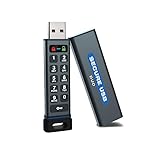
- The Encrypted Drive includes both USB-C Adapter. Ready for any USB-C or USB-A ports on your computer, laptop, phone, or other systems with USB support. Full USB 3.2 Speeds up to 5MBs. TAA Compliant, CJIS, HIPAA, CMMC, GDPR Compliant.
- The Secure Stick (Encrypted USB) does not require any software or drivers to validate and unlock the drive. Users can use face ID, fingerprint, or remember the password to unlock with the Free App on their smartphone. When using the Keypad, the built-in battery allows unlocking the drive before insertion.
- USB 3.2/3.1./3.0/2.0 is compatible with all systems and Operating systems. The USB Flash Drive comes formatted FAT32, but you can easily reformat it for Win, Mac, or Linux.
- Protect your files on with the Antivirus Software included on the drive. AV runs from the drive and scans all files written to it. This is a subscription service and the first year is included. Go online to activate the license after purchase.
- Military Grade, XTS-AES 256-bit Hardware Encryption made with aircraft grade and crush-proof aluminum sleeve keeps the data and the wireless flash drive safe. Rated IP68 to protect the drive from water or dust when the sleeve is on.
Malwarebytes’ own product page is vendor evidence for its feature descriptions and cited result. The supplied AV-TEST excerpt did not list Malwarebytes among the May 2026 products, so the available evidence does not support ranking Malwarebytes above the AV-TEST leaders on current malware protection alone. Verify which scanning, Scam Guard, and VPN functions require a premium plan.
Are Avast and AVG good free Android antivirus alternatives?
Avast Antivirus & Security and AVG AntiVirus Free are reasonable free third-party alternatives, but “free” does not mean frictionless or trade-off-free. Both Avast and AVG received 6/6/6 in AV-TEST’s May 2026 Android results.
Before installing either app, check the current Google Play listing and privacy disclosures for advertising, permissions, data collection, real-time protection limits, premium upsells, device restrictions, and support. Avast and AVG are closely related products, so readers should not assume that installing both provides meaningfully different protection.
These apps make more sense for someone who wants a separate third-party interface or additional scanning controls. They make less sense when the user only wants quiet baseline malware protection, because Play Protect already supplies that baseline without adding another app, account, notification stream, or permission set.
Quick wins for a faster PC:
Scan for outdated or missing drivers - takes under a minuteDriver Scan →Repair Windows errors before they cause bigger problemsFix Now →Fix the driver behind crashes, sound loss and screen glitchesFind Drivers →How should Android antivirus apps be judged?
The strongest comparison combines independent testing with practical buying and privacy criteria. A high lab score is evidence that an app performed well in a particular test configuration; it is not a guarantee against every scam, malicious APK, or account takeover.
Independent protection and performance
Look for current results from AV-TEST, AV-Comparatives, MRG Effitas, and specialist stalkerware or spyware tests where relevant. Protection matters, but performance and usability matter too. AV-TEST separately scores protection, performance impact, and usability, including false-positive behavior.
According to AV-TEST’s May 2026 test methodology and results, 12 Android products were tested with default settings across three categories, for a maximum of 18 points. Use that evidence to reject weak options and identify leaders, then compare the features and commercial terms that affect your own device.
Real-world feature quality
Confirm whether real-time scanning, web protection, SMS analysis, anti-theft, app lock, VPN access, and identity monitoring are free, premium-only, region-limited, tablet-limited, or dependent on a broader desktop plan. Some functions also require Accessibility access, VPN permission, device-administrator access, Google Play services, or other sensitive controls.
Privacy and permissions
Review whether an app requires an account, uses advertising identifiers, uploads suspicious files or URLs to cloud services, or requests permissions unrelated to its stated security purpose. VPN logging claims should be treated as vendor policies unless supported by credible independent verification.
Usability and maintenance
Check setup complexity, notification frequency, advertising, upselling, automatic scanning, detection explanations, removal steps, battery-optimization behavior, and offline behavior. Do not accept “lightweight” or “zero impact” as measured facts unless independent performance testing supports those descriptions.
Rank #4

- Security Scanner - On-demand or scheduled scans of your mobile phone. Schedule automatic scans and rest easy knowing that your phone is secure from viruses, malware, spyware and trojans.
- Secure Web Browsing - Get an instant notification when a site you're browsing is known to be malicious or part of a phishing scheme.
- System Manager - Monitor your phone’s well-being by checking on app bandwidth use, power consumption and memory usage.
- Privacy Guard - Analyzes, detects and notifies you of threats on installed apps that may be accessing your private data maliciously.
- Data Backup - Stores, backup and restores your phone’s data securely in the cloud.
Cost and renewal terms
Compare the free-tier limits, monthly and annual billing, introductory and renewal prices, device count, app-store versus direct-vendor billing, auto-renewal, cancellation, refund policy, and whether an existing desktop subscription already covers Android. Current prices were not reliably established in the supplied research, so prices should be checked on the official checkout page for the reader’s country immediately before publication.
How do you turn on and manually scan with Google Play Protect?
Use the current Google Play Store path below. Menu labels can vary slightly by Android version, manufacturer, language, and region.
Free tools Windows power users keep installed
One-click scans. No signup required.
- Open the Google Play Store.
- Tap the profile icon in the upper-right corner.
- Tap Play Protect.
- Tap the settings gear.
- Keep Scan apps with Play Protect enabled.
- Consider enabling Improve harmful app detection, particularly if you install apps from outside Google Play.
The Play Protect screen also provides a manual scan option. Leave Play Protect enabled even when a dedicated antivirus app is installed; the two protections should not be treated as a reason to disable Google’s built-in checks.
What should you do if an Android phone may be infected?
If an Android phone may be infected, stop exposing accounts and financial information first, then investigate from the least risky position.
- Disconnect temporarily from untrusted networks if active abuse appears possible.
- Do not enter banking, payment, or important account credentials on the suspect device.
- Run a manual Play Protect scan.
- Run one reputable dedicated scanner if the first scan does not explain the symptoms.
- Remove unfamiliar or recently installed apps, especially apps installed shortly before the problem began.
- Review Accessibility, notification access, VPN, device-admin, and install unknown apps permissions for anything unexpected.
- Update Android and every installed app.
- Change important passwords from a clean device and enable multifactor authentication where available.
- Contact banks or payment providers if payment details, banking sessions, or one-time codes may have been exposed.
- Back up essential personal files only after checking that the files are safe.
- Factory-reset the device if symptoms persist or a serious compromise is suspected, then restore only necessary apps from trusted sources.
No antivirus app can promise complete cleanup of a rooted or deeply compromised device. A factory reset is the safer recovery boundary when the security state cannot be trusted.
What should you do when installing APKs outside Google Play?
Sideloading increases the need for caution even when Play Protect and a dedicated scanner are active. Prefer the developer’s official distribution channel, verify the publisher, and check a cryptographic checksum when the developer provides one.
Crashes, No Sound, or Screen Glitches?
Random freezes, missing sound and display glitches usually trace back to one bad driver. Find and replace yours safely.Free scan · under a minuteWindows Errors? Fix Them Before They Spread
Repair common Windows errors and clear accumulated junk for a smoother, more stable PC - no reinstall needed.Free scan · no reinstallAvoid cracked, pirated, or modified APKs. Treat requests for Accessibility access, SMS access, notification access, device-administrator control, or broad file access as high-risk decisions that require a specific, understandable reason.
Keep Improve harmful app detection enabled in Play Protect. Google says Play Protect can scan apps outside Google Play and may block unverified installations that request sensitive permissions commonly abused for financial fraud. Never disable Play Protect merely because an APK installer tells you to do so.
Independent reader supportYour contribution helps us test, update, and keep practical guides available for everyone.Why do Android antivirus apps produce false positives?
Android antivirus apps can flag ad-supported apps, sideloaders, accessibility tools, remote-administration utilities, modified APKs, privacy utilities, and security-testing tools. A detection is a warning to investigate, not always proof that the developer intended harm.
Check the vendor’s explanation and seek confirmation from a second reputable source before declaring an app malicious. Do not restore a flagged modified APK simply because it is familiar, and do not ignore a warning merely because the app has many downloads.
Best Value
![Norton 360 for Amazon Antivirus, 10 Devices, Auto-Renews [Subscription]](https://m.media-amazon.com/images/I/51ZuUQb0dML._SL160_.jpg)
- ONGOING PROTECTION You can download instantly to install protection for up to 10 PCs, Macs, iOS or Android devices in minutes!
- AI-POWERED SCAM PROTECTION Our powerful AI tools provide holistic scam detection across emails, calls, texts, videos** and web browsing.
- REAL-TIME THREAT PROTECTION Advanced security that helps defend against existing and emerging malware, and it won’t slow down your device performance.
- SECURE VPN – Browse anonymously and securely with a no-log VPN while using public WiFi. Add bank-grade encryption to help keep your information like passwords and bank details secure and private.
- DARK WEB MONITORING We monitor and notify you if we find your personal information on the Dark web*
What are the main Android tablet limitations?
Android tablet support is not identical to Android phone support. A tablet may lack cellular calling, SMS, SIM-change events, telephony permissions, or manufacturer-specific security hooks, which can disable call filtering or anti-theft functions.
Check the minimum Android version, Google Play services requirement, RAM requirement, account requirement, and phone-only features before subscribing. Shared family tablets also require separate consideration of user accounts, parental controls, app-install permissions, and who receives security notifications.
ESET provides a concrete example: ESET Mobile Security requires Android 9.0 or later, at least 512 MB of RAM, Google Play and Accessibility services, internet access, and a non-rooted device, while some anti-theft features are unavailable on tablets without calling and messaging support. These requirements are documented on ESET’s Android requirements page.
Devices without Google Play services, including some vendor ecosystems and custom ROMs, may not provide Play Protect in the usual form. Rooted or modified devices also change the security model and may be unsupported by particular products; ESET explicitly states that rooted devices are not supported.
The Tool Desk
Outbyte PC Repair FREERepair Windows errors before they cause bigger problemsFix Now →Outbyte Driver Updater FREEScan for outdated or missing drivers - takes under a minuteDriver Scan →What common Android antivirus mistakes should you avoid?
- Installing multiple real-time antivirus apps: Overlapping scanners can create conflicting warnings, duplicate notifications, battery costs, VPN conflicts, and confusing removal instructions. Use one primary dedicated app.
- Assuming a VPN is antivirus: A VPN can protect network traffic in some situations, but a VPN by itself does not scan Android malware or make a malicious APK safe.
- Disabling Play Protect: Keep Google’s built-in scanning enabled, especially when sideloading.
- Granting Accessibility access casually: Accessibility access can be powerful and is abused by some malicious apps. Grant it only when the security app genuinely needs it and the publisher is trusted.
- Ignoring updates: Antivirus software cannot compensate for an outdated Android system or unpatched app.
- Confusing a clean scan with a safe account: A clean device scan does not prove that phishing credentials, payment details, or one-time codes were not already stolen.
- Buying from the first advertised price: Compare renewal costs, device limits, and whether an existing household plan already includes Android protection.
Which Android antivirus should you choose?
| If your priority is… | Choose… | Why |
|---|---|---|
| Simple, no-cost baseline protection | Google Play Protect | It is built into supported certified Android devices, enabled by default, and scans Play and non-Play apps. |
| A focused dedicated security app | Bitdefender Mobile Security | It earned 6/6/6 in AV-TEST’s May 2026 Android test and is the strongest overall editorial fit. |
| Several household devices | Norton 360 or McAfee | A broader subscription may combine Android protection with computer, VPN, identity, or family features. |
| Anti-phishing, anti-smishing, app lock, or payment protection | ESET Mobile Security | Those controls are among ESET’s listed Android features, subject to plan and device requirements. |
| Malware removal, spyware concerns, or scam analysis | Malwarebytes Mobile Security | Malwarebytes advertises malware scanning and removal, Scam Guard, and an optional WireGuard-based VPN. |
| A free third-party alternative | Avast or AVG | Both achieved 6/6/6 in AV-TEST’s May 2026 results, but current privacy, advertising, and upsell trade-offs require review. |
| Frequent APK sideloading | Play Protect plus one dedicated app such as Bitdefender, ESET, or Malwarebytes | Layered scanning helps, but no antivirus removes the supply-chain and social-engineering risks of untrusted APKs. |
Frequently Asked Questions
Is Google Play Protect enough for Android?
Google Play Protect is enough for many cautious Android users who install apps from trusted sources, keep Android updated, and do not need VPN, identity, app-lock, or family features. Play Protect scans Google Play and sideloaded apps, but higher-risk users may benefit from one dedicated security app.
What is the best Android antivirus app in 2026?
Bitdefender Mobile Security is the best overall dedicated Android antivirus app by this article’s criteria because it received 6/6/6 in AV-TEST’s May 2026 test. Avast, Avira, McAfee, and Norton also received 6/6/6, so features, privacy, price, and device coverage can make another app a better personal choice.
Can Android antivirus apps stop phishing and scam texts?
Some Android security apps add malicious-link, phishing, smishing, or scam-analysis features, but antivirus cannot prevent every social-engineering attack. Users can still voluntarily submit credentials or payment information to a convincing fake website or impersonator.
Should you install more than one antivirus app on Android?
You should generally use one primary real-time Android antivirus app rather than several overlapping apps. Multiple real-time scanners can cause conflicting warnings, duplicate notifications, battery costs, VPN conflicts, and confusing remediation.
Do these 3 things before closing this tab:
1Clear out junk files and repair common Windows errors2Scan for outdated or missing drivers - takes under a minute3Repair Windows errors before they cause bigger problemsDoes Android tablet antivirus work the same as phone antivirus?
Android tablet antivirus does not always provide the same features as phone antivirus because tablets may lack calling, SMS, SIM-change, and telephony functions. ESET, for example, states that some anti-theft features are unavailable on tablets without calling and messaging support.
The Bottom Line
Bottom line: Start with Google Play Protect, updates, and careful installation habits. Choose Bitdefender Mobile Security when you want a focused dedicated app; choose Norton or McAfee when a broader household plan is more valuable; choose ESET for anti-phishing and security controls; and choose Malwarebytes for malware-removal and scam-focused features. Check tablet support, permissions, privacy terms, and renewal pricing before installing or subscribing.
Quick Recap
Product prices and availability are accurate as of the date/time indicated and are subject to change. Any price and availability information displayed on Amazon at the time of purchase will apply.

