
iTechGuides is reader-supported. When you buy through links on our site, we may earn an affiliate commission. As an Amazon Associate I earn from qualifying purchases. Learn more
The best replacement depends on the job you want automation to do. Choose YNAB if you want deliberate, forward-looking zero-based planning; Monarch Money for a shared household dashboard; Copilot Money for an Apple-oriented automated tracker; Quicken Simplifi for low-cost cash-flow management; Rocket Money for finding and canceling recurring charges; or Empower Personal Dashboard for free investment and net-worth visibility.
These products are not identical substitutes. Some help you decide where every dollar should go, while others mainly observe transactions, forecast cash flow, expose investments, or reduce subscriptions. The comparison below separates those jobs so you can switch without losing the features that matter to you.
What automated money management should do
An AI-enabled banking or budgeting app usually promises less manual work: it imports transactions, recognizes merchants, groups spending, spots recurring charges, and may summarize your financial position. A useful alternative should automate the repetitive parts without taking away control over decisions such as how much to save, which bills to prioritize, or whether an investment account belongs in the same view as your checking account.
Evaluate each candidate on six separate capabilities:
#1 Best Overall

- Effective Budget Planning - Take control of your finances with the budget account book. This comprehensive planner allows you to plan and track your income, expenses, savings, and financial goals in one convenient place. With its intuitive layout and easy-to-use sections, you can stay organized and make informed decisions to achieve financial success.
- User-Friendly Layout - The budget planner features a user-friendly layout designed for easy navigation and organization. Each month, you'll find dedicated budget pages where you can set financial goals, track your income, and plan your expenses. Additional sections include debt trackers, savings goals, bill payment trackers, and more, making it simple to stay on top of your finances.
- Undated Monthly Calendar & Bonus Stickers - Featuring undated calendar each month, you'll have ample space to mark paydays, bills due, appointments, and important dates. Say goodbye to difficult writing spaces. Plus, we've included 3 cute sticker sheets that allow you to personalize your financial organizer and make budgeting more fun. Dates are not pre-printed and are completed by the user.
- Reliable and Convenient Design - Our monthly budget planner is designed for your convenience and built to last. The elastic band keeps everything securely in place, and the dual-sided pocket provides extra storage. Experience a budget planner that combines practicality and durability.
- Master Budgeting with Ease - Our financial planner includes a complete guidebook that provides valuable insights and instructions for optimal usage. From setting financial goals to tracking expenses, this guidebook offers step-by-step guidance and practical tips. Whether you're new to budgeting or an experienced user, this resource will help you make the most of your budget planner, empowering you to achieve financial success.
- Planning: Does the app assign available money before you spend it, or only report what happened afterward?
- Connection breadth: Can it reliably reach your banks, cards, loans, brokerages, property records, and other accounts?
- Automation: Does it categorize transactions, detect recurring payments, project cash flow, or assist with cancellation and negotiation?
- Household use: Can partners share one financial picture, goals, and reports without duplicating work?
- Investments: Is the main product a spending tool, a full net-worth view, or a portfolio dashboard?
- Control and privacy: Can you correct classifications, limit data sharing, secure access with strong authentication, and remove the connection later?
Before moving any history, check that your specific financial institutions connect successfully. A long list of supported institutions is useful only if your accounts refresh and categorize correctly.
Comparison at a glance
| App | Best fit | Planning approach | Automation emphasis | Household and investment scope | Device or connection notes |
|---|---|---|---|---|---|
| YNAB | People who want intentional, forward-looking budgeting | Assign money to jobs before spending; flexible zero-based method | Account importing plus hands-on plan decisions | Budget-centered; investment depth is not the primary positioning | Account and platform details are not established in the available product information |
| Monarch Money | Households wanting one shared financial dashboard | Budgets, goals, and reports built on an aggregated view | Automatic categorization, recurring-subscription detection, and customizable reporting | Banking, cards, loans, real estate, investments, and partner collaboration | Web, iOS, and Android; connects to more than 13,000 financial institutions |
| Copilot Money | Apple-oriented users who value polished automatic tracking | Retrospective spending, investment, and net-worth tracking | Automated tracking across spending and investments | Individual-focused tracking with investment and net-worth views | Designed around a supported Apple ecosystem; verify current device coverage before subscribing |
| Quicken Simplifi | Beginners who want inexpensive cash-flow automation | Cash-flow planning and straightforward budgeting | Automated transaction organization and future cash-flow visibility | General personal-finance scope; exact investment depth is not stated here | Check current Quicken connection coverage and offer terms for your institutions |
| Rocket Money | People whose main goal is reducing recurring bills | Charge review rather than deep zero-based planning | Recurring-charge discovery, cancellation assistance, and bill negotiation | Subscription and bill management; not a substitute for a comprehensive investment dashboard | Use it as a focused automation layer when recurring charges are the problem |
| Empower Personal Dashboard | Investors who mainly need free net-worth and portfolio visibility | Portfolio and balance monitoring rather than envelope budgeting | Account aggregation and investment reporting | Strongest for investments and net worth; advisory services are a separate offering | Confirm current account support and terms; distinguish the free dashboard from paid advice |
Detailed alternatives
YNAB: best for deliberate, forward-looking budgeting
YNAB is the clearest choice when your replacement must tell you what available money is for before you spend it. You add accounts, then ask What’s it for? and make a flexible plan. The method is intentionally decision-led: imported transactions provide information, but you still decide the job each dollar should perform.
That makes YNAB different from a dashboard that simply labels last month’s purchases. It suits people who are rebuilding an emergency fund, paying down debt, smoothing irregular income, or trying to stop “available balance” from being mistaken for spendable money. The trade-off is that it asks for more participation. If you want a system that quietly observes your finances with minimal input, another option below may fit better.
What’s actually slowing this PC down?
Pick the symptom - the matching free tool is one click away.
YNAB describes its philosophy this way: “How you spend your money is how you live your life.” The practical implication is that budgeting is treated as a daily decision system, not a report generated after the fact.
The official product page offers a 34-day free trial. It also publishes vendor-reported survey results from 2026: 92% of respondents said they felt less money stress after starting, 90% said their finances were in a better place, 91% said YNAB changed how they think about money, 70% said they could live for three months or more on savings, and 93% recommended it. The page does not provide independent methodology, so treat those figures as company-reported indications rather than a guarantee of your outcome. YNAB also claims that the average user saves $600 in the first month and $6,000 in the first year; those are vendor claims, not a promise for an individual budget.
Choose YNAB when:
- You want a plan that looks forward and assigns money before purchases happen.
- You are willing to review categories and make active trade-offs.
- Your biggest problem is spending drift, not a lack of investment visibility.
Monarch Money: best for a shared, all-in-one household view
Monarch Money is designed for people who want many account types in one place without building a spreadsheet. It brings bank accounts, credit cards, loans, real estate, and investments into a single view. Automatic categorization reduces data entry, while budgets, goals, recurring-subscription detection, and customizable reports turn the aggregate into an ongoing household dashboard.
Rank #2

- Effective Budget Planning - Take control of your finances with the budget account book. This comprehensive planner allows you to plan and track your income, expenses, savings, and financial goals in one convenient place. With its intuitive layout and easy-to-use sections, you can stay organized and make informed decisions to achieve financial success.
- User-Friendly Layout - The budget planner features a user-friendly layout designed for easy navigation and organization. Each month, you'll find dedicated budget pages where you can set financial goals, track your income, and plan your expenses. Additional sections include debt trackers, savings goals, bill payment trackers, and more, making it simple to stay on top of your finances.
- Undated Monthly Calendar & Bonus Stickers - Featuring undated calendar each month, you'll have ample space to mark paydays, bills due, appointments, and important dates. Say goodbye to difficult writing spaces. Plus, we've included 3 cute sticker sheets that allow you to personalize your financial organizer and make budgeting more fun. Dates are not pre-printed and are completed by the user.
- Reliable and Convenient Design - Our monthly budget planner is designed for your convenience and built to last. The elastic band keeps everything securely in place, and the dual-sided pocket provides extra storage. Experience a budget planner that combines practicality and durability.
- Master Budgeting with Ease - Our financial planner includes a complete guidebook that provides valuable insights and instructions for optimal usage. From setting financial goals to tracking expenses, this guidebook offers step-by-step guidance and practical tips. Whether you're new to budgeting or an experienced user, this resource will help you make the most of your budget planner, empowering you to achieve financial success.
Partner collaboration is a central advantage. Couples or families can work from the same financial picture instead of reconciling separate apps. The model is more observational and dashboard-oriented than YNAB’s assign-every-dollar method, so it is a strong fit when visibility and coordination matter more than strict envelope discipline.
Do these 3 things before closing this tab:
1Scan for outdated or missing drivers - takes under a minute2Repair Windows errors before they cause bigger problems3Fix the driver behind crashes, sound loss and screen glitchesMonarch states that it works on the web, iOS, and Android and connects to more than 13,000 financial institutions. That breadth can make migration easier, but you should still test your own banks and brokerages: institution coverage does not guarantee a stable refresh, complete transaction history, or correct account type.
Choose Monarch Money when:
- Multiple people need shared budgets, goals, and reports.
- You want property and investment accounts beside everyday spending.
- You prefer automatic categorization with the ability to customize reports.
Copilot Money: best for Apple-oriented automated tracking
Copilot Money focuses on polished automatic tracking for spending, investments, and net worth. It is a natural alternative for someone who wants a clean, low-friction overview rather than a heavily manual budgeting workflow. The product offers a free test drive, and its listed subscription options are $7.92 per month when billed yearly ($95 annually) or $13 per month when billed monthly.
Its main qualification is platform fit. Copilot is presented around a supported Apple ecosystem, but the exact device coverage can change. Confirm that your current iPhone, iPad, Mac, and account-connection needs are supported before paying, especially if your household uses mixed operating systems.
Copilot works best when the desired outcome is a constantly updated view of spending patterns, portfolio balances, and net worth. It is less suitable if your primary requirement is a rigorous zero-based plan that requires assigning every dollar before spending.
Free tools Windows power users keep installed
One-click scans. No signup required.
Choose Copilot Money when:
- You use Apple devices and value a polished, automated interface.
- You want spending, investments, and net worth in one tracking experience.
- You prefer low manual upkeep over detailed pre-spending allocation.
Quicken Simplifi: best for affordable cash-flow automation
Quicken Simplifi is positioned as an inexpensive, beginner-friendly alternative for automated cash-flow and budgeting. Its appeal is practical: organize transactions, see what money is available, and understand upcoming cash flow without adopting a demanding budgeting method.
Rank #3

- Effective Budget Plan Book – Take control of your finances with the SUNEE budget account book. This all-in-one budget planner allows you to plan and track your income, expenses, savings, and financial goals. Its intuitive layout and easy-to-use sections help you stay organized and make smart decisions to reach financial success. Our financial planner also included a comprehensive guidebook with valuable tips and instructions to help you get the most out of your budgeting planner.
- Full-Page Calendars – Each month’s full-page calendar provides plenty of space to track paydays, bills due dates, appointments, and important events. No more cramped boxes or tight writing areas, you can easily plan and organize your schedule at a glance.
- Colorful Pages Layout and Tabs – This vibrant budget planner features a user-friendly design for easy navigation and organization. Each month includes dedicated budget pages to set financial goals, track income, and plan expenses. Additional sections like debt trackers, savings goals, and bill payment trackers make managing your finances a breeze. The colorful backgrounds on each page offer clear, instant visibility.
- Bonus 4 Stickers and Convenient Design – This monthly budget planner is built for convenience and durability. Water-resistant cover protects against spills, while the elastic band keeps everything secure, and the dual-sided pocket offers extra storage. Plus, we’ve included 4 adorable sticker sheets to personalize your planner and make budgeting more enjoyable. Experience a budget planner that combines practicality with lasting quality.
- UNDATED DESIGN & 1 YEAR USE - Undated finance books start with 1 page-financial goals, 1 page-Mind Map, 1 page-Financial Strategy, 1 page-Tactics, 2 pages-Important Dates, 4 pages-Bill Tracker, 4 pages-Saving Tracker, 8 pages-Debt Tracker, followed by 12 Months(10 pages per month, 1 unique color for each month). 2 pages-Christmas Budgeting, 2 pages-Yearly Summary, 2 pages-Check Register and 12 pages-Notes(dotted). It is UNDATED, so you could start at any time, suitable for 1 year use.
That makes Simplifi a middle ground. It is more proactive than a simple spending report because cash-flow visibility helps you anticipate bills and shortfalls, but it generally requires less category-by-category discipline than a strict zero-based system. It is a good starting point for someone who finds advanced budgeting apps intimidating or wants a lower-cost way to establish a regular money review.
A precise current price is not established here. Quicken promotions and annual rates change, so check the live offer for your country and billing interval before subscribing. Also confirm that your particular institutions connect reliably; a low subscription price does not compensate for missing accounts or stale data.
Choose Quicken Simplifi when:
- You want automated cash-flow awareness with a beginner-friendly workflow.
- You care about keeping recurring software costs low.
- You need a general budgeting tool rather than an investment-only dashboard or subscription-cancellation service.
Rocket Money: best for recurring charges and bill reduction
Rocket Money solves a narrower problem than the other choices: finding recurring subscriptions, helping with cancellation, and assisting with bill negotiation. If money is leaking through forgotten memberships or negotiable bills, this focused automation can produce a faster benefit than setting up a complete budget.
PC Slower Than It Used to Be?
A free scan shows the junk files, broken settings and background clutter dragging Windows down - then fixes them in one click.Free scan · Windows 10 & 11Crashes, No Sound, or Screen Glitches?
Random freezes, missing sound and display glitches usually trace back to one bad driver. Find and replace yours safely.Free scan · under a minuteDo not treat it as a deep zero-based budgeting replacement. Its value is charge discovery and bill management, not assigning every dollar, coordinating a household balance sheet, or presenting a full investment plan. You can use it alongside another budgeting or net-worth tool if recurring charges are your specific pain point.
Cancellation assistance and negotiation may involve eligibility rules, user authorization, or separate terms. Read the service screen carefully before allowing an action on your behalf, and confirm that a canceled subscription really stops billing by checking the merchant account and a later statement.
Choose Rocket Money when:
- Your immediate goal is to identify and remove recurring charges.
- You want assistance with cancellations or bill negotiation rather than a complete budget.
- You are comfortable pairing a focused bill tool with another app for broader planning.
Empower Personal Dashboard: best for free investment visibility
Empower Personal Dashboard is repeatedly positioned as the free option for people who mainly need net-worth and portfolio visibility. It is useful when the question is “How are my investments and total assets doing?” rather than “Which category can I spend from today?”
Rank #4
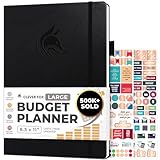
- Achieve Financial Mastery & Goals – master home finance, boost savings, and manage cash flow seamlessly with Clever Fox expense tracker notebook – guiding you to your financial freedom.
- Maximize Financial Goals – This large bill tracker notebook is more than a tool—it's your strategy for financial success. Break down big goals into manageable tasks and take small steps.
- Effortlessly Manage Spending, Debts, and Savings – This 12-month finance planner features an undated format with monthly calendars, budget plans, expense trackers, 8 savings and 12 debt trackers.
- Sized at 8.3x11 inches, this budgeting book includes a vegan leather cover, premium 120gsm paper, pen holder, elastic band, triple bookmarks, receipt pocket, budgeting stickers & detailed user guide.
- 60-Day Promise – Not satisfied with your mini budget planner? We'll refund or replace your budgeting planner. Simply message us for an easy return of your pocket-sized monthly budget planner.
The distinction between the free dashboard and separately offered advisory services matters. The dashboard is a tracking product; advisory services have different eligibility, pricing, and relationship terms. Do not assume that using the free view enrolls you in advice, and do not evaluate advisory costs as though they were required for dashboard access.
The Tool Desk
Outbyte PC Repair FREERepair Windows errors before they cause bigger problemsFix Now →Outbyte Driver Updater FREEFix the driver behind crashes, sound loss and screen glitchesFind Drivers →Empower is a strong complement to a spending-oriented app for investors who want a consolidated portfolio view. It is a weaker fit if your main need is granular household budgeting, subscription cancellation, or a forward allocation method.
Choose Empower Personal Dashboard when:
- You primarily want free investment, balance, and net-worth visibility.
- Your budgeting needs are simple or handled elsewhere.
- You understand that the dashboard and advisory service are separate offerings.
Known pricing and trial terms
| Product | Published term in the available information | What to verify before payment |
|---|---|---|
| YNAB | 34-day free trial | Current subscription price, renewal amount, taxes, and regional availability |
| Monarch Money | Price not stated in the available product information | Current monthly or annual rate, trial terms, and household-account rules |
| Copilot Money | $7.92 per month billed yearly ($95 annually), or $13 per month billed monthly; free test drive offered | Whether the displayed price applies in your country, renewal pricing, taxes, and supported Apple devices |
| Quicken Simplifi | Current price not stated; promotions and annual rates change | Live Quicken offer, renewal rate, billing interval, and institution connectivity |
| Rocket Money | Price and plan terms not stated here | Which cancellation or negotiation services have fees, eligibility limits, or separate terms |
| Empower Personal Dashboard | Free dashboard positioned for investment and net-worth visibility | Current dashboard terms and the separate pricing and eligibility of any advisory service |
Do not compare a promotional first term with a recurring renewal price. Record the renewal date, export or download any data you may need, and cancel through the correct app-store or website billing channel if the product is not a fit.
Independent reader supportYour contribution helps us test, update, and keep practical guides available for everyone.Which alternative fits your situation?
You want to stop overspending before it happens
Start with YNAB. Its forward allocation model forces a decision about each dollar while there is still time to change course. Choose Monarch Money or Simplifi instead if you want lighter-touch budgeting and more automatic observation.
Your partner needs the same household picture
Monarch Money is the strongest match in this group because it combines shared use with broad account aggregation, goals, budgets, and reports. Confirm how each person will sign in and which accounts should remain private before linking everything.
Quick wins for a faster PC:
Repair Windows errors before they cause bigger problemsFix Now →Fix the driver behind crashes, sound loss and screen glitchesFind Drivers →You use Apple devices and dislike manual categorization
Copilot Money is the most directly aligned option. Verify current Apple platform support and your financial-institution connections during the test period, then decide whether its tracking-first approach gives you enough planning control.
Best Value

- Effective Budget Planning - Take control of your finances with the budget account book. This comprehensive planner allows you to plan and track your income, expenses, savings, and financial goals in one convenient place. With its intuitive layout and easy-to-use sections, you can stay organized and make informed decisions to achieve financial success.
- User-Friendly Layout - The budget planner features a user-friendly layout designed for easy navigation and organization. Each month, you'll find dedicated budget pages where you can set financial goals, track your income, and plan your expenses. Additional sections include debt trackers, savings goals, bill payment trackers, and more, making it simple to stay on top of your finances.
- Undated Monthly Calendar & Bonus Stickers - Featuring undated calendar each month, you'll have ample space to mark paydays, bills due, appointments, and important dates. Say goodbye to difficult writing spaces. Plus, we've included 3 cute sticker sheets that allow you to personalize your financial organizer and make budgeting more fun. Dates are not pre-printed and are completed by the user.
- Reliable and Convenient Design - Our monthly budget planner is designed for your convenience and built to last. The elastic band keeps everything securely in place, and the dual-sided pocket provides extra storage. Experience a budget planner that combines practicality and durability.
- Master Budgeting with Ease - Our financial planner includes a complete guidebook that provides valuable insights and instructions for optimal usage. From setting financial goals to tracking expenses, this guidebook offers step-by-step guidance and practical tips. Whether you're new to budgeting or an experienced user, this resource will help you make the most of your budget planner, empowering you to achieve financial success.
You need the lowest practical barrier to getting started
Quicken Simplifi is the sensible first look for a beginner who wants cash-flow automation without a complex method. Check the live price and run a small connection test before importing your complete history.
Your money problem is subscriptions and rising bills
Rocket Money is the focused choice. Use it to identify recurring charges and pursue cancellations or negotiations, while keeping a separate system for budgeting and investments if those needs remain.
You mainly monitor investments
Empower Personal Dashboard is the natural starting point for free portfolio and net-worth visibility. It is not a replacement for a spending plan, so pair it with a budgeting workflow if you also need category limits or bill scheduling.
How to switch without losing control of your data
- Write down the job to be replaced. Decide whether the goal is forward budgeting, shared aggregation, Apple-first tracking, cash-flow forecasting, subscription reduction, or investment visibility. Pick the app that solves that job instead of choosing the one with the longest feature list.
- Inventory every connection. List banks, credit cards, loans, brokerages, retirement accounts, property records, and recurring merchants. Mark which accounts are essential and which can remain outside the new app.
- Test connections before canceling the old service. Add one low-risk account first. Confirm that the balance refreshes, pending and posted transactions appear, account types are labeled correctly, and duplicates are not created. Only then add the rest.
- Choose a history strategy. Some people need years of records; others need only the current month and opening balances. Export the old app’s data if it allows it, retain the file securely, and avoid importing duplicate transactions into the new system.
- Map categories or rules deliberately. Review automatic categories for rent, transfers, credit-card payments, reimbursements, and irregular expenses. Correct recurring mistakes early so future reports and forecasts do not compound them.
- Configure the automation you actually want. Turn on recurring detection, cash-flow alerts, goals, or subscription reviews only after the basic ledger is accurate. Too many notifications can make an automated system harder to use.
- Run both systems briefly. Compare balances and a complete statement cycle. Investigate every mismatch instead of assuming the new app is right; pending transactions, transfers, and card payments commonly explain differences.
- Secure and retire the old connection. Enable multi-factor authentication where available, review authorized devices, revoke the old app’s access at your bank if you are leaving, and delete stored data according to the old provider’s controls.
Connection and automation troubleshooting
An account will not connect
- Confirm that you selected the correct institution, not a similarly named regional or credit-card login.
- Complete any bank security prompt in a fresh browser session, then retry the connection.
- Check whether the institution requires a one-time consent screen or a separate brokerage authorization.
- If the account still fails, keep the old service active and use a manual opening balance rather than deleting records.
The balance is wrong or transactions are duplicated
- Compare the app’s last refresh time with the bank’s posted balance.
- Separate pending items from posted items before reconciling.
- Check for a transfer recorded once at each end and for a credit-card payment imported as both a payment and an expense.
- Use the app’s merge, hide, or correction controls only after saving a statement copy.
Categories or recurring charges are misidentified
- Correct the merchant rule on the next transaction instead of editing dozens of old entries blindly.
- Review annual, quarterly, and irregular bills that may not look recurring after one month.
- For a cancellation service, verify the merchant’s confirmation and watch the next statement; an in-app status alone is not proof that billing stopped.
Privacy and security checks before you connect accounts
- Read what data the app imports, how long it retains it, and whether you can delete an account and its history.
- Prefer a connection method that does not require handing your bank password directly to an unfamiliar service; understand the authorization screen and the provider involved.
- Turn on multi-factor authentication, use a unique password, and review active sessions regularly.
- Limit access to only the institutions and accounts needed for the app’s job.
- Check whether household sharing exposes balances, investment details, or transaction notes to every invited member.
- Understand notifications and marketing permissions, especially when a free dashboard also offers a separate advisory service.
- Keep independent statements or exports for tax, dispute, and reconciliation purposes. An aggregator should not be your only record.
Bottom line
There is no single best alternative to an AI banking app because “automated money management” covers different jobs. YNAB is the strongest behavior-change tool for assigning money before spending. Monarch Money is the broadest household dashboard. Copilot Money is the best fit for Apple-oriented automatic tracking. Quicken Simplifi offers an approachable cash-flow middle ground. Rocket Money targets subscriptions and bill reduction, while Empower Personal Dashboard concentrates on free investment and net-worth visibility.
Choose by the decision you want the app to improve, verify your own financial connections during a trial or test period, and keep an independent record before you close the old account.
Quick Recap
Product prices and availability are accurate as of the date/time indicated and are subject to change. Any price and availability information displayed on Amazon at the time of purchase will apply.

