
iTechGuides is reader-supported. When you buy through links on our site, we may earn an affiliate commission. As an Amazon Associate I earn from qualifying purchases. Learn more
For most homes and home offices, the Epson EcoTank ET-3850 is the best-supported overall choice. It combines color printing, scanning, copying, an automatic document feeder (ADF), automatic two-sided printing, Wi-Fi and Ethernet with refillable ink tanks that can keep replacement-ink costs low. It is not the right choice for everyone: buyers who need fax should look elsewhere, and businesses printing thousands of pages each month need a more robust machine.
The best alternative depends on the workload. Choose the Brother MFC-J4335DW for a lower-cost, light-duty home-office setup; the HP OfficeJet Pro 9125e for a faster, fax-equipped cartridge inkjet; the Canon PIXMA TR8620/TR8620a for photo printing; the Epson EcoTank Pro ET-5850 or Canon MAXIFY GX7150 for higher-volume color work; and the Canon imageCLASS MF462dw/MF465dw for fast monochrome documents.
How these picks were assessed: This guide synthesizes manufacturer specifications and source-attributed independent reviews and testing. It does not claim that iTechGuides personally tested these printers. TechRadar’s May 2025 buying guide says its staff tested more than 200 printers; those are TechRadar’s test results, not tests conducted for this article.
What’s actually slowing this PC down?
Pick the symptom - the matching free tool is one click away.
Quick comparison
| Printer | Best for | Main strengths | Important limitation |
|---|---|---|---|
| Epson EcoTank ET-3850 | Best overall for most homes and home offices | Low running-cost potential, ADF, automatic duplex printing, color, Wi-Fi and Ethernet | Higher purchase price; no fax identified on Epson’s U.S. product page; no dual scanning |
| Brother MFC-J4335DW | Budget and light-duty printing | Lower-cost entry point, color multifunction features and automatic duplex output | Available evidence is thinner on running costs and detailed scan/fax features |
| HP OfficeJet Pro 9125e | Office-oriented cartridge printing | Fast ISO speeds, fax, 250-sheet input, 35-sheet ADF, Ethernet and dual-band Wi-Fi | HP+ rules can require an HP account, internet connection and Original HP ink |
| Canon PIXMA TR8620/TR8620a | Photo-friendly home printing | Five-ink system, two paper trays, ADF and automatic duplex printing | Older product family; availability and cartridge costs need checking |
| Epson EcoTank Pro ET-5850 | High-volume color business printing | Refillable tanks, dual 250-sheet cassettes, 50-sheet ADF, fax and fast tested performance | Higher upfront cost than a basic home printer |
| Canon MAXIFY GX7150 | High-volume duplex workflows | Refillable ink, dual 250-sheet cassettes, 100-sheet multipurpose tray and duplex printing and scanning | Large and expensive for occasional household use |
| Canon imageCLASS MF462dw/MF465dw | Fast monochrome documents | Laser speed, fax, Ethernet, Wi-Fi, automatic duplex printing and one-pass duplex ADF | Monochrome output; not the choice for color photos |
Best overall: Epson EcoTank ET-3850
For a household, student, or moderate-volume home office that needs to print, scan and copy regularly, the Epson EcoTank ET-3850 offers the most balanced package in this group. TechRadar’s 2025 buying guide recommends it for almost anyone who needs an all-in-one printer, highlighting its print quality, ADF, automatic two-sided printing and low operating costs.
Epson’s product information describes the ET-3850 as a wireless color all-in-one with printing, scanning, copying, an ADF, Ethernet and automatic two-sided printing. That combination matters more in everyday use than a headline print-speed figure: you can scan a small stack of pages, print on both sides of ordinary documents and connect it to a wired office network as well as Wi-Fi.
Why the refillable ink tanks matter
The ET-3850 costs more initially than many basic cartridge inkjets, but its refillable tanks are designed to reduce the cost and disruption of replacement ink. Epson says the printer includes up to two years of ink and that replacement bottles can save up to 90% compared with cartridges. Those are Epson’s claims, not an independent cost-per-page test.
Popular on Amazon

- INNOVATIVE CARTRIDGE-FREE PRINTING — High-capacity ink tanks mean no more dealing with lots of tiny ink cartridges; Epson’s exclusive EcoFit ink bottles make filling easy to keep you using this home office printer for longer
- CLEAR AND VIBRANT PRINT QUALITY ― Create memorable prints and projects; Unique Micro Piezo Heat-Free Technology allows wireless color printer to produce sharp text and impressive color photos and graphics on virtually any paper type
- ZERO CARTRIDGE WASTE — By using an Epson EcoTank printer you can help reduce the amount of cartridge waste ending up in landfills
- BUILT IN SCANNER AND COPIER ― All-In-One Epson EcoTank is more than a printer; High-resolution flatbed scanner and color display come together for easy document copying and navigation; Boost productivity with this printer, copier, scanner, and fax
- LESS FREQUENT INK REPLACEMENT — Replacement ink bottles don't have to be changed nearly as often as ink cartridges¹; Printer, scanner and copier lets you print up to 4,500 pages black/7,500 color² extra
Epson rates the included replacement ink at up to 7,500 black pages and 6,000 color pages under ISO conditions. TechRadar’s review gives a different estimate for the amount of ink included—up to 14,000 black-and-white pages or 5,200 color pages. These figures should not be treated as a direct contradiction: manufacturer bottle-yield figures and a reviewer’s estimate of the total ink supplied may use different assumptions, page coverage and measurement bases.
When the original ink is eventually used, check the current price and regional compatibility of Epson T502 ink bottles before buying. The tank economics only work as expected when replacement bottles are available at a reasonable price and the printer is used often enough to justify its higher initial cost.
What the ET-3850 does not provide
- No clearly identified fax: Epson’s official U.S. product page highlights printing, scanning, copying, the ADF, Ethernet and duplex printing but does not list fax. Treat the ET-3850 as a non-fax model unless the current specification for your region says otherwise.
- No touchscreen: TechRadar’s review identifies the lack of a touchscreen. Its small control display may be adequate for routine work, but it is less convenient than a large color panel for navigating settings.
- No USB host port: TechRadar also notes that it lacks a USB host port for directly printing from a USB flash drive.
- No dual scanning: The review says the ADF cannot perform dual or one-pass duplex scanning. Automatic duplex printing is not the same thing as automatic duplex scanning.
Choose it if: you want low potential ink costs, color output, an ADF and two-sided printing for regular household or home-office work. Skip it if: fax, direct USB-drive printing, a touchscreen or high-volume duplex scanning is essential.
Best budget and light-duty pick: Brother MFC-J4335DW
The Brother MFC-J4335DW is the sensible alternative when the priority is a comparatively low purchase price for occasional or light home-office printing. A 2025 roundup syndicated by Yahoo names it as a top choice for light printing in home offices and small businesses.
It is a color multifunction printer with automatic duplex output. ENERGY STAR lists the U.S./Canada model as a certified inkjet multifunction device and gives it a rated print speed of 35 pages per minute. A rated speed is a standardized comparison figure, not a promise that every real-world job will finish at that rate; mixed pages, photos, scanning and printer warm-up all affect elapsed time.
The Tool Desk
Outbyte PC Repair FREERepair Windows errors before they cause bigger problemsFix Now →Outbyte Driver Updater FREEFix the driver behind crashes, sound loss and screen glitchesFind Drivers →The Brother support page confirms active support, manuals, drivers and compatible supplies. However, the available evidence is not as detailed as the Epson evidence on long-term running costs or as the HP evidence on fax and document-handling specifications. That makes the MFC-J4335DW a good light-duty value candidate, not a defensible choice for the lowest lifetime cost or highest reliability without additional testing.
Choose it if: you want an affordable entry point, automatic two-sided output and basic color multifunction capability. Do not choose it solely because: an ink-tank model may be cheaper to operate over several years if you print regularly.
Best cartridge-based office option: HP OfficeJet Pro 9125e
The HP OfficeJet Pro 9125e is better suited to a small office or busy home office that values speed, paper capacity, fax and network connectivity over the lowest possible ink cost. HP rates it at up to 22 pages per minute in black ISO mode and up to 18 pages per minute in color ISO mode. Its specification includes automatic duplex printing, a 250-sheet input tray, a 35-sheet ADF, Ethernet, dual-band Wi-Fi, USB and fax.
Also popular on Amazon

- The OfficeJet Pro 8125e is perfect for home offices printing professional-quality color documents like business documents, reports, presentations and flyers. Print speeds up to 10 ppm color, 20 ppm black
- PERFECTLY FORMATTED PRINTS WITH HP AI – Print web pages and emails with precision—no wasted pages or awkward layouts; HP AI easily removes unwanted content, so your prints are just the way you want
- UPGRADED FEATURES – Fast color printing, scan, copy, auto 2-sided printing, auto document feeder, and a 225-sheet input tra
- WIRELESS PRINTING – Stay connected with our most reliable dual-band Wi-Fi, which automatically detects and resolves connection issues
- 3 MONTHS OF INSTANT INK WITH HP+ ACTIVATION – Subscribe to Instant Ink delivery service to get ink delivered directly to your door before you run out. After 3 months, monthly fee applies unless cancelled.
HP gives the printer a recommended monthly volume of up to 1,500 pages and a maximum monthly duty cycle of up to 25,000 pages. These numbers are not interchangeable. The recommended volume is the more useful guide to a sustainable workload; the maximum duty cycle is a comparison or upper-limit figure, not a recommendation to print 25,000 pages every month.
Consumer Reports’ accessible product summary describes the 9125e as a color inkjet all-in-one with scanning, copying, an ADF, fax and Ethernet. Its accessible test findings report very good text quality, typical text speed, very good graphics and very good glossy-photo output. Those are the available reported findings; they should not be expanded into an overall Consumer Reports ranking.
Read the HP+ terms before setup
The most important ownership issue is HP+. HP identifies the 9125e as HP+ enabled. If HP+ is activated, HP says the printer requires an HP account, an ongoing internet connection and exclusive use of Original HP ink for the life of the printer. Once HP+ is chosen, those restrictions are not merely a temporary trial condition.
That requirement can outweigh the 9125e’s office advantages for buyers who want to use third-party cartridges, operate the printer on an isolated network or avoid tying basic printing to an online account. If you do choose this model, verify the current setup choices and terms for your country before completing installation. The printer’s documented cartridge family is HP 936 ink cartridges, whose current cost should be included in your ownership calculation.
Choose it if: you need fax, Ethernet, a larger input tray, an ADF and faster office-style cartridge printing. Skip it if: HP+’s account, internet and Original HP ink requirements conflict with how you expect to own the printer.
Windows Errors? Fix Them Before They Spread
Repair common Windows errors and clear accumulated junk for a smoother, more stable PC - no reinstall needed.Free scan · no reinstallCrashes, No Sound, or Screen Glitches?
Random freezes, missing sound and display glitches usually trace back to one bad driver. Find and replace yours safely.Free scan · under a minuteBest for photos: Canon PIXMA TR8620/TR8620a
The Canon PIXMA TR8620a is the photo-friendly option among the models considered here. Tom’s Guide’s review describes a five-ink cartridge system, an ADF, automatic duplex printing and two paper trays, and identifies photo-print speed as a relative strength compared with some competitors.
The five-ink design and flexible paper handling make it a better fit for a household that prints glossy photographs as well as documents. Use good-quality glossy inkjet photo paper matched to the printer and ink system; ordinary office paper is not a substitute when you care about photo contrast, detail and surface finish.
This is an older product family, not a newly introduced 2025 model. Canon’s available product-guide material identifies the TR8620a as an all-in-one, while the independent review supplies the photo-oriented feature context. Because stock, replacement status and retailer availability can change, check that the TR8620 or TR8620a is actually available in your region before making it the basis of a purchase.
Cartridge costs are the trade-off. A five-ink photo printer can produce attractive images, but frequent photo printing may cost more than printing the same number of ordinary pages on a refillable tank printer. Choose it if: glossy photos and compact paper flexibility matter more than the lowest document-printing cost.
Recommended Free Tools
Best for high-volume color business printing
Epson EcoTank Pro ET-5850
The Epson EcoTank Pro ET-5850 is the stronger Epson choice when a business has moved beyond moderate home-office volume. Tom’s Guide lists print, copy, scan and fax capability, dual 250-page paper cassettes, a 50-sheet ADF and refillable ink tanks. Its review also reports very fast tested printing and low estimated per-page costs.
Also popular on Amazon
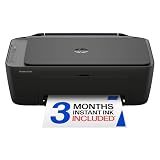
- PERFECT FOR BASIC PRINTING NEEDS – Print everyday color documents like to-do lists, letters, financial documents and recipes
- KEY FEATURES – Color print, copy, scan, and a 60-sheet input tray, plus mobile and wireless printing
- OPTIMIZE PRINT FORMATTING WITH HP AI – Print web pages and emails with precision—no wasted pages or awkward layouts; HP AI easily removes unwanted content, so your prints are just the way you want
- ICON LCD – Print your basic documents with ease from the intuitive control panel
- PRINT SPEED – Up to 7.5 ppm black, 5.5 ppm color
Two 250-page cassettes reduce the need to reload paper and can make it easier to keep different paper types or sizes ready. The 50-sheet ADF is also more appropriate for recurring multi-page copying and scanning than a basic flatbed-only setup. The trade-off is a substantially more business-oriented purchase: there is little reason to pay for this class of printer if the household prints only a few pages a month.
Canon MAXIFY GX7150
The Canon MAXIFY GX7150 is another serious high-volume color candidate. A review describes it as a four-in-one printer with print, scan, copy and fax, a 50-sheet ADF, dual 250-sheet cassettes, a 100-sheet multipurpose tray and duplex operation for both printing and the ADF.
That combination is particularly useful for duplex document workflows: the printer can produce two-sided output, while the ADF can process both sides of a document automatically. As with the ET-5850, the larger paper system and refillable ink make more sense for a business than for occasional household printing.
Do these 3 things before closing this tab:
1Scan for outdated or missing drivers - takes under a minute2Clear out junk files and repair common Windows errors3Fix the driver behind crashes, sound loss and screen glitchesBest monochrome laser alternative: Canon imageCLASS MF462dw/MF465dw
If nearly everything you print is black-and-white text, forms or reports, the Canon imageCLASS MF462dw/MF465dw family is the laser alternative to consider. Canon’s brochure documents printing, copying, scanning and fax, automatic two-sided printing, Wi-Fi, Ethernet, USB and a 50-sheet one-pass duplex ADF.
Depending on the model, Canon rates print speed at up to 37 or 42 pages per minute. Laser output is especially compelling when crisp, fast monochrome documents matter more than color photos. The compromise is straightforward: these are not the right machines for a color-photo workflow, and the hardware and toner economics should be compared with the actual volume you expect.
Ink tank, cartridge inkjet or laser?
There is no universally best printing technology. Start with the work you do, then choose the consumable system that matches it.
| Technology | Usually best for | Advantages | Trade-offs |
|---|---|---|---|
| Refillable ink tank | Regular color documents, schoolwork, family printing and moderate home-office volume | Higher ink capacity and the potential for substantially lower replacement-ink costs | Higher upfront purchase price; refill availability and page-yield assumptions matter |
| Cartridge inkjet | Lower initial spend, general home printing and office-oriented features | Often widely available, with models offering fast printing, fax, Ethernet and capable ADFs | Replacement cartridges can become expensive at regular volume; some models impose ownership restrictions |
| Laser | Fast, crisp, document-heavy monochrome work | Strong text output and high document throughput | Color-capable models can cost more, and monochrome models are unsuitable for color photos |
How to choose the right all-in-one printer
1. Estimate your real monthly workload
Separate occasional use from sustained volume. A few pages each week does not justify the same machine as a home business printing invoices, reports and shipping documents every day. For the HP 9125e, for example, use its recommended volume of up to 1,500 pages as a workload guide rather than treating its 25,000-page maximum duty cycle as a target.
Also popular on Amazon

- AFFORDABLE ALL-IN-ONE FOR HOME AND HOME OFFICE: Print, copy, and scan on one compact wireless printer designed for everyday home office printing, schoolwork, documents, and reports. Produce beautiful prints for results that stand out.
- EASY TO USE WITH CLOUD APP CONNECTIONS: Print from and scan to popular Cloud apps(2), including Google Drive, Dropbox, Box, OneDrive, and more from the simple-to-use 1.8” color display on your printer.
- FULL-SIZE FEATURES IN A COMPACT DESIGN: This printer includes automatic duplex (2-sided) printing, a 20-sheet single-sided Automatic Document Feeder (ADF)(3), and a 150-sheet paper tray(3). Engineered to print at fast speeds of up to 16 pages per minute (ppm) in black and up to 9 ppm in color(4).
- MULTIPLE CONNECTION OPTIONS: Connect your way. Interface with your printer on your wireless network or via USB.
- MOBILE PRINTING MADE EASY: Go mobile with the Brother Mobile Connect app(5) that delivers easy onscreen menu navigation for printing, copying, scanning, and device management from your mobile device. Monitor your ink usage with Page Gauge to help ensure you don’t run out(6).
2. Calculate ownership cost, not just purchase price
A useful comparison is:
Estimated ownership cost = printer price + replacement ink or toner + paper + required services or subscriptions.
Do not compare advertised yields as though they were produced under identical conditions. Look at the number of pages you expect to print, whether they are mostly black text or color pages, the price of replacement supplies in your country and whether the printer accepts the supplies you intend to use. For tank printers such as the ET-3850, bottle yield is central. For cartridge models such as the HP 9125e, the cost and availability of the correct cartridge family matter more.
3. Distinguish a flatbed, an ADF and duplex scanning
- Flatbed scanner: best for books, identity documents, photographs and single pages.
- ADF: feeds multiple sheets automatically, which is much faster for a stack of one-sided originals.
- Duplex ADF: scans both sides automatically. A one-pass duplex ADF does both sides in one pass and is especially useful for two-sided forms and records.
An all-in-one can have automatic duplex printing without having duplex scanning. The ET-3850 is the clearest example in this guide: it has automatic two-sided output, while TechRadar reports that it lacks dual scanning.
4. Verify fax model by model
Do not infer fax capability from the phrase “all-in-one.” The HP OfficeJet Pro 9125e, Epson EcoTank Pro ET-5850, Canon MAXIFY GX7150 and Canon imageCLASS MF462dw/MF465dw sources document fax functionality. Epson’s ET-3850 U.S. product page does not list fax, and the available evidence here does not establish fax for the Brother MFC-J4335DW or Canon PIXMA TR8620/TR8620a. Fax availability can also vary by regional model, so check the exact specification sheet before buying.
5. Match the printer to your photo expectations
Office-oriented printers can produce good graphics, but a photo-friendly inkjet is the safer choice when glossy images are a major reason for buying. The Canon PIXMA TR8620/TR8620a’s five-ink system and two-tray design make it the photo-oriented option here. Conversely, a monochrome laser should be ruled out if you need color photographs.
6. Choose connectivity deliberately
Wi-Fi is convenient for a household or hybrid-work setup. Ethernet is valuable when a printer will remain on a stable office network or needs to be shared by several computers. USB is useful for direct computer connection, but a USB host port for printing from a flash drive is a separate feature; TechRadar notes that the ET-3850 does not include one.
7. Check availability and regional specifications immediately before purchase
Printer prices, retailer stock, replacement models and consumable availability change quickly. This is particularly important for the aging Canon TR8620/TR8620a family. Confirm the exact model number, included supplies, supported ink or toner, fax status, warranty and network features for your country rather than relying on a listing for a similar regional model.
Also popular on Amazon

- BEST FOR SMALL BUSINESSES – Engineered for extraordinary productivity, the Brother DCP-L2640DW Monochrome (Black & White) 3-in-1 combines laser printer, scanner, copier in one compact footprint and delivers high-quality black & white prints
- FAST PRINTER WITH EFFICIENT SCANNING – Produces documents quickly with print speeds up to 36 ppm(2) and scan speeds up to 23.6/7.9 ipm(3) (black/color). A 50-page auto document feeder(4) allows for convenient, time saving multi-page scanning and copying
- FLEXIBLE CONNECTION OPTIONS – Easily navigate the changing demands of your business with secure multi-device connectivity via built-in dual-band wireless (2.4GHz / 5GHz) and Ethernet. Or connect locally to a single computer via USB interface
- BROTHER MOBILE CONNECT APP – Print, scan, and manage your wireless printer anytime, from almost anywhere from your mobile device. Order Brother Genuine Supplies, track toner usage, and complete more work on-the-go(5)
- CHOOSE BROTHER GENUINE TONER – When it’s time to replace your toner, be sure to choose Brother Genuine TN830 or TN830XL replacement toner. And with Refresh EZ Print Subscription Service, you’ll never worry about running out of toner again and you’ll enjoy savings of up to 50%(6) on Brother Genuine Toner. Get started with Refresh today with a Free Trial(1)
Which printer should you buy?
- Buy the Epson EcoTank ET-3850 for the best overall balance of color, scanning, copying, ADF convenience, duplex printing and low potential ink costs.
- Buy the Brother MFC-J4335DW when the initial purchase price matters most and printing will remain light.
- Buy the HP OfficeJet Pro 9125e when you need fax, a 250-sheet tray and office-oriented cartridge-ink performance—but read the HP+ conditions before activation.
- Buy the Canon PIXMA TR8620/TR8620a when glossy photos are a priority and you can confirm current availability.
- Buy the Epson ET-5850 or Canon MAXIFY GX7150 for sustained, high-volume color and duplex business workflows.
- Buy the Canon MF462dw/MF465dw when your office is document-heavy, color is unnecessary and fast monochrome laser output is the priority.
Evidence note: Product specifications and claims in this guide are attributed to the manufacturers or to the cited independent sources in the research for this article. Manufacturer claims such as ink savings, page yield, duty cycle and rated speed should not be confused with independent lifetime-cost or real-world performance tests.
Quick wins for a faster PC:
Fix the driver behind crashes, sound loss and screen glitchesFind Drivers →Repair Windows errors before they cause bigger problemsFix Now →Scan for outdated or missing drivers - takes under a minuteDriver Scan →Frequently Asked Questions
Does the Epson EcoTank ET-3850 have fax?
Epson’s official U.S. product information does not list fax among the ET-3850’s highlighted functions. Treat it as a non-fax model unless the current specification for your region explicitly confirms fax. If fax is essential, consider the HP OfficeJet Pro 9125e, Epson ET-5850, Canon MAXIFY GX7150 or Canon imageCLASS MF462dw/MF465dw.
Are ink-tank printers cheaper than cartridge printers?
They can be substantially cheaper to run when you print regularly, but they usually cost more to buy initially. Compare the printer price, expected page mix, replacement-bottle or cartridge prices, stated yields and your actual monthly volume. Do not compare page-yield figures from different manufacturers as if every test used the same assumptions.
What is the difference between automatic duplex printing and duplex scanning?
Automatic duplex printing puts ink or toner on both sides of a page without requiring you to turn it manually. Duplex scanning reads both sides of an original document automatically, usually through a duplex-capable ADF. A printer can support the first feature without supporting the second, as with the Epson ET-3850.
What happens if I activate HP+ on the OfficeJet Pro 9125e?
HP says that activating HP+ requires an HP account, an ongoing internet connection and exclusive use of Original HP ink for the life of the printer. Those restrictions apply once HP+ is chosen, so review the current terms before completing setup.
Free tools Windows power users keep installed
One-click scans. No signup required.
The Bottom Line
Bottom line: The Epson EcoTank ET-3850 is the strongest all-around recommendation for most home and moderate home-office users, provided you do not need fax or duplex scanning. Choose the HP OfficeJet Pro 9125e for office features and fax, the Canon PIXMA TR8620/TR8620a for photos, a business EcoTank or MAXIFY for sustained color volume, and a Canon monochrome laser for fast document work.

