
Do these 3 things before closing this tab:
1Scan for outdated or missing drivers - takes under a minute2Clear out junk files and repair common Windows errors3Fix the driver behind crashes, sound loss and screen glitchesiTechGuides is reader-supported. When you buy through links on our site, we may earn an affiliate commission. As an Amazon Associate I earn from qualifying purchases. Learn more
Adobe Firefly, Luma AI, Pika, and Runway are the strongest options in this research for turning prompts into short animations. The right pick depends less on an unproven claim about which makes the “best” video and more on your workflow: whether you want to start with text or an image, how much control you need to edit clips, and how you want to track generation costs. There is no controlled comparison here establishing a universal winner for visual quality, prompt accuracy, or motion consistency.
At a glance
| Name | Best for | Key spec | Checked |
|---|---|---|---|
| Adobe Firefly | Generating and finishing clips in one workspace | Text or image input; model-dependent clips up to 8 seconds for most models and up to 15 seconds for some | Nov 2026 |
| Luma AI | Checking a generation’s stated credit cost before submitting | Shows the selected setup’s credit cost before generation, according to an October 2026 comparison | Nov 2026 |
| Pika | Short, social-oriented text-to-video or image-to-video work | Supports text and image input; generation options and plan credits reported in 2026 | Nov 2026 |
| Runway | Creators or developers looking for text-to-video through a service or API | A 2026 comparison reported an API rate of 12 credits per second, with a two-second minimum | Nov 2026 |
These are workflow distinctions, not a quality ranking. Credit counts are specific to each provider, and Runway’s reported API rate is not a consumer-plan price; check each service’s current options before committing to a project.
Which AI tool should you choose for a short animation?
Choose by the work you need to do before and after generation, not by assuming one model will reliably outperform the others on every prompt.
What’s actually slowing this PC down?
Pick the symptom - the matching free tool is one click away.
- Choose Adobe Firefly if you want to generate from text or images, choose among available models, and make basic edits in the same workspace. Its video generator includes tools for trimming, reordering, regenerating, and extending segments, with audio additions and export; capabilities vary by model and workflow. Adobe’s Firefly video generator page describes its input, model, and editing options.
- Consider Luma AI if seeing a stated credit cost for a selected generation setup before you submit it matters to your budgeting. That transparency does not make its credits directly comparable with another provider’s, and the cost can still depend on the chosen setup.
- Consider Pika if you want a social-oriented workflow with text-to-video and image-to-video options. A comparison published in October 2026 reported short generation options and plan credits, but specific allowances and plans are time-sensitive; confirm the live terms rather than relying on an old credit figure.
- Consider Runway if you are exploring text-to-video through a service or an API. A comparison based on 2026 access reported an API cost of 12 credits per second with a two-second minimum. That figure is not a consumer subscription price or a direct value comparison with other services.
None of these distinctions proves that one tool produces more attractive animation, follows prompts more faithfully, or keeps motion consistent across frames. Results can depend on the model, settings, prompt, and reference material, and the available evidence does not establish a controlled quality winner.
Popular on Amazon

- PLEASE NOTE:XPPen Artist13.3 Pro drawing tablet Need to connect with computer,you need to use it with your computer or laptop, the 3 in 1 cable is included
- Drawing Tablet with Screen: Tilt Function- XPPen Artist 13.3 Pro supports up to 60 degrees of tilt function, so now you don't need to adjust the brush direction in the software again and again. Simply tilt to add shading to your creation and enjoy smoother and more natural transitions between lines and strokes
- Graphics Tablets: High Color Gamut- The 13.3 inch fully-laminated FHD Display pairs a superb color accuracy of 88% NTSC (Adobe RGB≧91%,sRGB≧123%) with a 178-degree viewing angle and delivers rich colors, vivid images, and dazzling details in a wider view. Your creative world is now as powerful as it is colorful
- Drawing Pad: One is enough- The sleek Red Dial on the display is expertly designed with creators in mind, its strategic placement allows for natural drawing postures. With just one wheel, you can effortlessly zoom in and out, adjust brush sizes, and flip the canvas—all tailored to suit the habits of everyday artists. The 8 customizable shortcut keys allow you to personalize your setup, streamlining your workflow and enhancing creative efficiency
- Universal Compatibility & Software Support:supports Windows 7 (or later), Mac OS X 10.10 (or later), Chrome OS 88 (or later), and Linux systems. Fully compatible with major creative software including Photoshop, Illustrator, SAI, and Blender 3D. Register your device to access additional programs like ArtRage 5 and openCanvas for expanded creative possibilities.
What should you compare before generating?
Compare the complete path from idea to deliverable: input, model controls, output limits, editing, iteration cost, and rights.
Input: text alone or a visual reference?
Text-to-video is useful when you are starting with an idea rather than an image. Image-to-video or sketch-led input can give the model a visual starting point when a character, composition, or look matters. Firefly supports text and image inputs, and its animation guidance also describes starting from sketches or images. Adobe’s animation generator page explains these input options and the rights expectations for uploaded references.
Before choosing a service, ask whether it accepts only text or can animate a suitable still or sketch as well. A reference may help establish what is in the frame, but it does not guarantee the exact motion, framing, or style you imagined.
Free tools Windows power users keep installed
One-click scans. No signup required.
Controls: which choices affect the result?
Look for the controls that match your output: model choice, clip duration, resolution, aspect ratio, and motion settings. Adobe says most models available in Firefly generate clips up to eight seconds, while some can generate up to 15 seconds. Downloadable video can be up to 4K depending on the chosen model and workflow; these are not guarantees that every model or account offers every setting. Check Adobe’s current product details for the model-specific limits.
Also popular on Amazon

- Please note: Kamvas 13 (Gen 3) Pen Display is not a standalone product, this device must be connected to a computer/laptop to work.
- All-new Canvas Glass 2.0: HUION Kamvas 13 (Gen 3) drawing tablet for pc features a fully laminated 13.3-inch screen and brand new anti-sparkle canvas glass 2.0 for reduced glare and improved accuracy. It is perfect for designers, artists, and illustrators to unleash their creativity.
- Advanced PenTech 4.0 Technology: The 16384 levels of pressure sensitivity and 2g IAF ensure a fluid and natural drawing experience, while the 3 customized pen side buttons improve your workflow.
- Improved Color Accuracy: With enhanced color accuracy to Avg. ΔE<1.5, 16.7 million display colors, 99% sRGB coverage, and Rec.709 standard color gamuts, HUION Kamvas 13 (Gen 3) digital art tablet delivers stunning visuals.
- Rigorous Color Calibration: HUION Kamvas 13 (Gen 3) drawing monitor includes a factory calibration report for added assurance of color consistency.
When comparing options, check the settings for the exact model you plan to use. A tool’s overall maximum is less useful than knowing whether your chosen model can produce the required duration, aspect ratio, and resolution in the format your destination needs.
Finishing: can you turn a generated clip into the deliverable?
A generation is often only one shot in a finished piece. If you need a sequence, titles, narration, a different aspect ratio, or a precise endpoint, find out whether the workspace lets you trim, reorder, reframe, extend, or regenerate clips—or plan to finish the work elsewhere. Firefly’s video workspace lists tools for trimming, reordering, regenerating, and extending segments, plus audio additions and export. Those capabilities are model- and workflow-dependent, so confirm that the controls you need are available for your selection.
Adobe described expanded video editing, model choice, and a simplified timeline in a November 10, 2026 announcement. In the same release, it reported that 78 percent of respondents to its Creators’ Toolkit Report said creative AI had accelerated the growth of their business or following. That is Adobe’s reported survey result; the announcement passage does not give the sample size or methodology, so it should not be treated as a finding about all creators. Read Adobe’s November 2026 release.
Iteration cost: what happens when the first try misses?
One generation rarely settles every creative choice. Budget for variations, not just the clip you hope to keep. Compare equivalent settings—such as a similar duration and output quality—and check whether each service charges differently for model choice or generation configuration.
Also popular on Amazon

- Standalone Drawing Tablet,No need for a computer! Frunsi T11 is designed to be completely independent, allowing you to create, sketch, and design anywhere, anytime. Equipped with a stunning 10.1-inch Full HD IPS screen (1920×1200P resolution), it delivers vibrant colors, sharp details, and wide viewing angles for an immersive digital art experience. Ideal for artists, students, and professionals who need a portable solution for both creative projects and everyday tasks like meeting notes or classroom work.
- Drawing Tablet No Computer Needed, Fully self-contained with no external device required. Simply power it on and start creating! Built-in 5800mAh battery provides up to 5 hours of continuous use, making it perfect for long creative sessions or on-the-go use. Supports USB-C charging, ensuring quick and convenient power replenishment. You can even use a mobile power bank to extend battery life during travel.
- Digital Drawing Tablet with Screen, High-sensitivity pressure-sensitive pen (no battery required) delivers natural, fluid strokes that mimic traditional drawing tools. The responsive screen ensures precise control, whether you’re sketching, illustrating, or editing photos. Multi-touch functionality allows for intuitive zooming, panning, and scrolling, enhancing your creative workflow.
- Tablet with Pen, Pre-installed with a suite of professional-grade drawing apps, making it easy for beginners to learn and for experienced artists to dive right in. The pen is designed for comfort and precision, with adjustable pressure sensitivity to suit your artistic style. Perfect for digital artists, graphic designers, and anyone looking to transition from traditional to digital art.
- Versatile Art Tablet, Not just for drawing! Use it for note-taking during company meetings, classroom lectures, or brainstorming sessions. The included adjustable stand case adds convenience for both desktop use and travel, ensuring your tablet stays protected and accessible. Compatible with Wi-Fi networks, allowing you to access online resources, tutorials, and cloud storage directly from the device.
The October 2026 comparison reported that Luma AI shows a selected setup’s credit cost before generation. It also reported Pika plan credits and a Runway API rate, but those figures are not equivalent units or a like-for-like consumer-plan comparison. Credit schedules and model availability can change, so check the live service for the cost of the settings you will actually use. Do not infer that the largest number of credits, or the lowest-looking credit figure, is the best value across providers.
Rights: can you use the result and your reference material?
Check the terms for the specific model that creates the clip, especially if it will be used commercially. Adobe says its own Firefly video model is trained on licensed and public-domain content and is designed for commercial use, but it also cautions that eligibility depends on the model selected. Firefly may offer partner models, so do not assume the Firefly model’s stated terms apply to every model available in the workspace. Adobe’s video generator information distinguishes model options and their terms.
Also clear the rights for anything you upload. Adobe’s guidance says references must not infringe copyright, trademark, privacy, publicity, or other rights. If you do not have permission to use a reference image, do not use it as an animation input.
How do you get a more useful first generation?
Write a prompt that describes the shot, not just the subject. Adobe’s guidance is direct: “The more detailed your prompt, the better.” It recommends including details such as style, camera angle, shot distance, effects, color grading, and the subject. A more specific description gives you clearer decisions to evaluate, but it still does not guarantee a particular result.
Also popular on Amazon
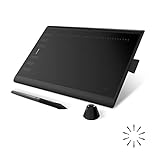
- Working Area Configuration - HUION art tablet equips with a 10 x 6.25 inches working area, providing the user with the most comfortable size to work; the 10mm slim structure and minimalist design of appearance make the drawing tablet more attractive.
- Tilt Function Battery-free Stylus: This computer graphics tablet come with a battery-free stylus PW100, no need to charge, allowing for constant uninterrupted drawing. ±60° tilt support enables imitation of lines input with diverse drawing gestures, with accuracy ensured.
- Press Keys:12 programmable press keys plus 16 programmable soft keys, you can set shortcut keys on drawing tablet's driver based on your preferences, such as erase, zoom in/out, scroll up and down, and so on.
- Compatibility: HUION graphics tablet supports Windows 7 or later/ macOS 10.12 or later/ Android 6.0 or later/ Linux (Ubuntu). A USB adapter is required to connect to a Mac computer. H1060P supports various mainstream design and drawing software, including PS, SAI, AI, CDR, etc. (Please note: The H1060P is compatible with Ubuntu, but it requires the use of the Xorg display server. Wayland is not supported.)
- NOTE: You can easily connect your phone to the art tablet via the OTG connector; while iPhone and iPad are NOT at the moment. The cursor will not show up in the SAMSUNG Galaxy S series at present. If you are not sure whether the product is compatible with your Phone or any help, please contact us.
- Define the purpose and destination. Decide whether the clip is a standalone loop, a social post, or one shot in a longer edit. This helps you choose an aspect ratio and a useful duration before generation.
- Describe the subject and action. State who or what is on screen and what it does. Keep the action focused enough to fit a short clip.
- Specify the shot. Add a camera angle, shot distance, style, and color treatment where they matter. For example, “a small paper boat drifting across a rain puddle, close-up, low camera angle, soft blue-gray palette” gives more direction than “a boat in the rain.” This is an illustrative prompt, not a claim about a tested result.
- Choose text or a reference image deliberately. Start from text if the scene is still open-ended; use a rights-cleared image or sketch if you need to provide a visual starting point. Avoid assuming a reference will lock every detail.
- Generate a small set of deliberate variations. Change one meaningful element at a time—such as camera distance or lighting—so you can tell which choice helped. Keep the model and other settings steady when making a useful comparison.
- Inspect and finish the clip. Check whether the action reads clearly, the framing fits the destination, and the ending works. Trim, reorder, regenerate, extend, or reframe if the available tools support it; otherwise, plan an editing step outside the generator.
For a sequence longer than one generated shot, plan the clips as separate pieces and assemble them in an editing workflow. A tool’s maximum clip duration is not the same thing as a complete finished animation.
Independent reader supportYour contribution helps us test, update, and keep practical guides available for everyone.Do you need a drawing tablet to make text-to-video animation?
No. Text-to-video needs no topic-specific physical accessory. A drawing tablet is only an optional way to create a sketch reference if you prefer to draw before animating; it is not required for text prompts and there is no evidence here that it improves a model’s output quality. You can also use another rights-cleared image input where supported.
Is Sora an active option in this shortlist?
This shortlist does not recommend Sora as an active option. The supplied Associated Press report says OpenAI announced the shutdown of the Sora social video app; that report alone is not a current product-status check for every related service or workflow. Associated Press reported the social app shutdown; verify official status before relying on any Sora offering.
Quick wins for a faster PC:
Repair Windows errors before they cause bigger problemsFix Now →Fix the driver behind crashes, sound loss and screen glitchesFind Drivers →Clear out junk files and repair common Windows errorsFree Scan →Frequently Asked Questions
Can I turn one AI-generated clip into a longer animation?
Yes, by combining multiple short shots in an editing workflow, or by extending a clip where the selected tool and model allow it. Keep in mind that separately generated shots may not match perfectly, so check continuity in framing, style, and motion as you assemble them.
Also popular on Amazon

- ➡️ COMPACT STANDALONE DRAWING TABLET: Draw, design, animate, and learn on the larger, immersive PicassoTab X11 — a fully standalone tablet that needs no computer. Preloaded with 5 creative apps for sketching, painting, animation, tutorials, and guided lessons.
- ➡️ 6 BONUS ITEMS ($100 value): Comes with 2 app upgrades (lifetime Pro upgrade for Concepts drawing app, lifetime VIP upgrade for Artixo tutorials app) and 4 bonus accessories (premium tablet case, drawing glove, universal power adapter, and pre‑installed screen protector)
- ➡️ LIFETIME VIP TUTORIALS - DESIGNED FOR BEGINNERS: Artixo Lifetime VIP upgrade gives you step‑by‑step lessons, guided practice, and beginner‑friendly exercises. Plus, the Xplore app provides drawing guides and instant help whenever you need it.
- ➡️LAMINATED PAPER‑LIKE DISPLAY FOR NATURAL DRAWING: The fully laminated 11" 2K screen reduces parallax and glare, delivering a smooth, realistic, paper‑like drawing feel and the upgraded 4096‑level pressure‑sensitive stylus delivers precise strokes for sketching, shading, and illustration.
- ➡️ FAST OCTA‑CORE PERFORMANCE + EXPANDABLE STORAGE: Powered by an octa‑core processor with 6GB RAM and 128GB storage (expandable up to 1TB), the X11 handles drawing apps, schoolwork, streaming, and multitasking effortlessly.
Will an AI animation generator preserve my character exactly between clips?
The evidence available here does not establish reliable character consistency across separate generations. If character continuity is essential, test the same rights-cleared visual reference and settings in the specific model you intend to use before building a larger sequence around it.
Can I use a Firefly video made with a partner model in a commercial project?
Do not assume so from the workspace name alone. Adobe says commercial-use eligibility depends on the selected model, so review the terms for that exact model and workflow before publishing or selling the result.
Does a drawing tablet make AI animation better?
There is no evidence here that a tablet improves generated video quality. It can be useful if you want to draw a reference sketch, but it is optional and unnecessary when you are starting from text.
The Tool Desk
Outbyte Driver Updater FREEFix the driver behind crashes, sound loss and screen glitchesFind Drivers →Outbyte PC Repair FREEClear out junk files and repair common Windows errorsFree Scan →
