
The Tool Desk
Outbyte Driver Updater FREEScan for outdated or missing drivers - takes under a minuteDriver Scan →Outbyte PC Repair FREEClear out junk files and repair common Windows errorsFree Scan →iTechGuides is reader-supported. When you buy through links on our site, we may earn an affiliate commission. As an Amazon Associate I earn from qualifying purchases. Learn more
For the most controlled old-photo animation, start with Kling AI; choose Runway for a broad creator workspace, Luma Dream Machine for cinematic experiments, Adobe Firefly for Adobe-centered production, and Pika for approachable stylized effects. These are cloud image-to-video workflows: the result depends on scan quality, the prompt, the selected model, your plan, and your location.
The ranking below is evidence-based from current product documentation and comparison criteria, not a claim of hands-on testing. Product names, credits, prices, licensing terms and regional access can change, so verify the live plan and model details before paying or publishing commercial work.
Quick comparison: which tool fits your old photo?
| Rank | Tool | Best fit | Documented strengths | Important caveat |
|---|---|---|---|---|
| 1 | Kling AI | Maximum control over a single photo animation | First-frame image input; 720p, 1080p or 4K output; 3–15-second clips; optional native audio in Kling 3.0 API documentation | API controls and consumer-app pricing are separate; availability and credits depend on the product you use |
| 2 | Runway | Creators who want several current video models in one workspace | Runway describes an AI animation generator and offers first-party plus partner models | Model-specific costs, limits and behavior vary |
| 3 | Luma Dream Machine | Cinematic motion tests and reframing | Image upload, motion/camera guidance, an exact credit estimate before generation, and clip reframing for another aspect ratio | Credit use changes with the selected settings and model |
| 4 | Adobe Firefly | Adobe-centric teams with an established editing pipeline | Documented first-frame image-to-video workflow using a device upload or Adobe cloud storage | Availability differs by geography, user type and regulatory requirements |
| 5 | Pika | Easy stylized effects and low-friction experimentation | Simple consumer-oriented workflow with effects designed for experimentation | Commercial licensing is listed for Creator and Fancy, not Free or Starter |
“Best” here means best documented fit for preserving an old image while adding intentional motion. It does not mean every generation will preserve a face, hand or background perfectly.
Quick wins for a faster PC:
Fix the driver behind crashes, sound loss and screen glitchesFind Drivers →Repair Windows errors before they cause bigger problemsFix Now →Why old photos are harder than ordinary image-to-video clips
A modern, sharp photograph gives a model plentiful texture and consistent edges. A family snapshot may contain scratches, faded contrast, film grain, motion blur, small faces, missing pixels and clothing patterns that are no longer clear. The model must infer what is behind a person and how that person should move without changing identity.
Popular on Amazon

- The easiest way to scan photos and documents. Supports 3x5, 4x6, 5x7, and 8x10 in sizes photo scanning but also letter and A4 size paper. Optical Resolution is up to 600 dpi ( PS: two setting: 300dpi/ 600dpi).
- Fast and easy, 2 seconds for one 4x6 photo and 5 seconds for one 8x10 size photo@300dpi. You can easily convert about 1000 photos to digitize files in one afternoon and share with your family or friends.
- More efficient than a flatbed scanner. Just insert the photos one by one and then scan. This makes ePhoto much more efficient than a flatbed scanner.
- Powerful Image Enhancement functions included. Quickly enhance and restore old faded images with a click of the mouse.
Four tests matter more than a spectacular single preview:
- Identity stability: eyes, nose, mouth shape, hairline and age should remain recognizably the same from frame to frame.
- Temporal stability: the face, hands, jewelry, lettering and background should not flicker, melt or jump as the clip advances.
- Motion plausibility: a small head turn, blink, breath or camera push is safer than a complex walk or embrace that requires unseen anatomy.
- Historical character: restoration should remove distracting damage without replacing period clothing, architecture or the original composition with generic modern details.
Upscaling and scratch removal are separate restoration tasks. Keep an untouched high-resolution master, then make a cleaned working copy for animation so you can compare the generated result with the original.
1. Kling AI: strongest first-frame and output controls
Kling is the leading choice when you want the uploaded photograph to remain the anchor of the shot. Its Kling 3.0 API documentation describes first-frame image input, selectable 720p, 1080p and 4K output, durations from 3 to 15 seconds, and a native-audio option or an audio-off setting. Those controls make it easier to constrain a respectful portrait animation or to request a silent clip for editing later.
Use the first-frame approach for a gentle push-in, a blink or a slight head movement. Keep the prompt focused on motion rather than asking the model to redesign the scene. If you need a longer story, generate several short shots and assemble them in an editor instead of asking one clip to invent a decade of movement.
Also popular on Amazon

- HIGH-SPEED PERSONAL PHOTO SCANNER¹ — Scan thousands of photos as quickly as 1 photo per second at 300 dpi ²; Further increasing your efficiency, this Epson picture scanner also allows you to batch-scan up to 36 photos at a time
- PRESERVE YOUR PRICELESS PHOTOS — Photo scanner for transforming old pictures to digital fast; Restore, organize, protect, and share your special photos; Scan Polaroid photos, panoramas, postcards, and photos up to 8 x 10 in
- SHARE STORES FOR FUTURE GENERATIONS — After scanning your photos with this Epson FastFoto scanner, use the Epson FastFoto app³ to add voice and text over your photos, or create slideshows right from your smartphone
- PRECISE PICTURE IMAGING SYSTEM — When you use this wireless, high-speed scanner you can bring new life to old photos with the help of auto enhancement, color restoration, red-eye reduction, de-skew, crop, and rotate
- SINGLE-STEP TECHNOLOGY — With this double sided scanner you can capture both the image and any handwritten notes on the back of a photo in a single scan; Duplex scanner's functionality helps you preserve what matters
Do not treat API documentation as a consumer-app price list. API access, the web product and any regional app may expose different models, queues, credit systems and limits. Confirm which Kling surface you are using before budgeting a project.
2. Runway: the broadest model workspace
Runway is a practical choice when one project may require several model styles. Runway says users can access its own and other companies’ video models in one product and describes the service as an AI animation generator for anything from subtle movement to full-scene action. That breadth is useful when a conservative portrait pass is not enough and you need to compare a different motion model without moving files between services.
The trade-off is variability. A model that handles a slow camera move well may be less reliable with a face turn, and model-specific costs, queue behavior, clip limits and controls can differ. Record the model name and settings for each promising generation so a later revision is reproducible.
Runway works best as the experimentation and assembly hub: generate a few restrained variants, select the most stable one, then finish captions, sound and color in your normal editor.
Also popular on Amazon

- Scanner type: Document
- Connectivity technology: USB
- With Auto Scan Mode, the scanner automatically detects what you're scanning
- Digitize documents and images
3. Luma Dream Machine: cinematic motion and reframing
Luma’s documented workflow is direct: upload the image, add optional guidance for motion or camera, choose the settings currently available, and review the exact credit cost before creating. That cost preview is valuable when you are comparing several prompts against a limited credit balance.
Luma is particularly useful for cinematic experiments such as a slow parallax move, a gentle rack-like change in attention or a push toward a landscape. Its reframing capability can adapt a clip to another aspect ratio, which helps when the same restored photo must appear in a vertical social edit and a widescreen family film.
Reframing cannot recover information that was never generated. Check faces and hands again after changing the aspect ratio, and keep the original composition available if the crop removes an important person or object.
4. Adobe Firefly: a documented first-frame path for Adobe users
Firefly suits teams already working in Adobe applications and wanting a documented handoff from a still image to generated video. Adobe’s documentation says you can select the first frame and upload an image from your device or Adobe cloud storage. That makes the starting composition explicit rather than leaving the model to invent an opening frame.
Also popular on Amazon
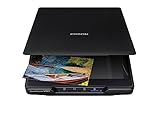
- CLEAR, DETAILED PHOTO SCANS — Achieve stand-out image clarity and detail with the Epson Perfection Scanner's 4800 dpi optical resolution1; Quickly enlarge your favorite photos with the help of this hardworking flatbed color scanner; scan up to 8.5" x 11.7"
- IMAGE AND DOCUMENT SCANNER — The versatility you need; Jumpstart your home and office projects with this compact and lightweight picture scanner; Easily scan photos, artwork, illustrations, books, documents, and more
- EFFORTLESS ONE-TOUCH SCANNING — Flatbed scanner allows you to scan documents and images in fewer steps with easy-to-use buttons³ making scanning a breeze; Scan letter-sized documents in as quickly as 10 seconds⁴
- PHOTO RESTORATION MADE EASY — Restore color to faded photos with one click using Easy Photo Fix technology, ensuring your memories remain vibrant; This scanner for old photos is the simple way to bring new life to your memories
- HIGH-RISE REMOVABLE LID — Scanner also features a high-rise, removable lid that allows you to preserve and organize information straight from pages; USB-powered for portability
Firefly availability is not universal. Adobe states that access can vary by geography, user type and regulatory requirements. Check your account and jurisdiction before promising a client a particular model, feature or licensing outcome. Treat any generative-video result as a separate asset that still needs a rights review for the source photograph, music and any people depicted.
For Adobe-centered production, the main advantage is workflow continuity: generate the motion, then perform restoration, timing, captions and sound in the editing tools your team already uses.
5. Pika: approachable stylized experimentation
Pika is the easiest shortlist option when the goal is a playful effect rather than a historically faithful documentary shot. Its consumer-oriented workflow lowers the barrier to trying a blink, a smile, a loop or a stylized camera move, and it is useful for discovering which motion direction an old image can tolerate.
Recommended Free Tools
Use it cautiously for identity-critical portraits. Stylized transformations can change facial proportions or clothing faster than a conservative image-to-video pass. Generate several short variants and keep the least distorted version, not necessarily the most dramatic one.
Also popular on Amazon

- SCAN PHOTOS IN SECONDS: Quickly digitize printed photos and preserve your memories for a lifetime.
- HANDLES MULTIPLE PHOTO SIZES: Scan 3"×5", 4"×6", 5"×7", 8"×10", small 1"×1" photos, and panoramic images up to 12".
- HIGH-QUALITY RESOLUTION OPTIONS: Choose between crisp 300 DPI or ultra-high 600 DPI scanning for archival-quality images.
- CLEAN & PROTECT DELICATE PHOTOS: Keep photos pristine with the photo cleaning kit that includes a bellow-based blower, microfiber cloth and anti-static soft brush. Protect fragile prints and safely scan with the protective carrier sheet.
- IMPORT YOUR EXISTING DIGITAL PHOTOS: Upload images from Apple Photos, Google Photos, digital cameras, memory drives, and more to keep everything together in Picture Studio by AMBIR.
Prices, credits and commercial-use boundaries
Only Pika’s monthly prices are specified in the current product information. The other services use model-, plan- or usage-dependent systems whose current figures are not stated here, so do not infer parity between a subscription and an API allowance.
| Tool or plan | Documented price or allowance | Commercial-use note |
|---|---|---|
| Pika Free | Packs only; monthly dollar price not stated | Commercial license is not listed |
| Pika Starter | $10/month (Pika, 2026) | Commercial license is not listed |
| Pika Creator | $35/month (Pika, 2026) | Commercial license listed |
| Pika Fancy | $95/month and up (Pika, 2026) | Commercial license listed |
| Kling, Runway, Luma and Firefly | Current prices and credit amounts not stated here; check the selected plan, model and region | Verify the live terms for your account and intended publication |
A “free” generation can still have a queue, watermark, resolution cap or non-commercial restriction. Save the plan name, date and terms alongside the exported clip, especially for client work or monetized archives.
How to animate an old photo without losing its character
- Preserve the master. Scan or clean the photograph externally and keep the highest-resolution untouched file. Work from a duplicate.
- Prepare the composition. Crop to the delivery aspect ratio, correct obvious dust and scratches, and improve legibility without inventing facial features. If the final use is unknown, keep a wide master and make separate crops.
- Choose a conservative first test. Use the lowest-cost or free generation that lets you evaluate motion direction and face stability. A short clip is easier to reject and regenerate than a long one.
- Write a motion-only prompt. Describe one or two actions, such as “gentle head turn toward camera, natural blink, subtle breathing, locked composition, preserve facial identity and clothing.” Avoid asking for a new setting, new outfit or dramatic action in the same prompt.
- Generate at least two variants. Compare them frame by frame for flicker, identity drift, warped hands, changing jewelry, unstable lettering and background movement. A single attractive preview is not proof of stability.
- Escalate carefully. If the face holds, try a slightly longer duration, a different camera instruction or a higher output resolution. Change one variable at a time so you know what caused an improvement or failure.
- Finish outside the generator. Export the best clip, then add restoration, interpolation if needed, captions, music or narration in a conventional editor. Keep the generated video separate from the original still and document which tool and settings produced it.
Prompt patterns that protect faces and backgrounds
Short, specific prompts generally give an old portrait less opportunity to drift. Start with the subject, then the movement, then constraints:
Archival family portrait. Very slow camera push-in. One natural blink and subtle breathing. Keep faces, clothing, pose, lighting and background unchanged. No new objects.Black-and-white street photograph. Gentle movement of tree leaves only; pedestrians remain still. Preserve period clothing, architecture and composition. No colorization.Landscape photo. Slow left-to-right camera move with mild depth parallax. Preserve the original horizon and all buildings. No warping or added details.
Negative wording is not a guarantee, but constraints such as “no extra people,” “no modern objects” and “do not alter facial features” make the intended boundary explicit. If the tool offers camera or motion guidance separately, put the action there rather than adding a long story to the text prompt.
Quality-control checklist and fixes
| Symptom | Likely cause | What to try next |
|---|---|---|
| Face changes between frames | Low-resolution source, excessive motion or an unconstrained prompt | Use a cleaner crop, shorten the clip, reduce head movement and anchor the image as the first frame |
| Eyes or mouth flicker | Ambiguous facial detail or aggressive restoration | Use a sharper working copy, request only a blink or breathing, and compare multiple seeds or generations |
| Hands and jewelry warp | Complex movement and small source details | Keep hands still, crop them out when appropriate, or choose a close-up that does not require new anatomy |
| Background ripples | Model interpreting texture as motion | Specify a locked background and limit movement to the subject or camera |
| Old photo looks modernized | Prompt asks for cinematic enhancement or color changes | State “preserve period appearance” and perform color, grain and contrast decisions in the editor |
| Output is cropped badly | Aspect ratio mismatch or reframing | Prepare the crop before generation, then inspect every face after reframing |
Which tool should you choose?
- Choose Kling when first-frame anchoring, selectable resolution, duration control or optional native audio is the deciding factor.
- Choose Runway when you want to compare multiple current video models inside one creator workspace.
- Choose Luma when cinematic camera guidance, visible credit estimates and reframing matter most.
- Choose Firefly when your team already relies on Adobe storage and editing, and your geography and account support the required feature.
- Choose Pika when you value an approachable, stylized experiment and can accept weaker suitability for identity-critical archival work.
For a treasured family image, begin with the least motion that communicates life: a blink, a breath or a slow camera move. Preserve the original, test more than one generation, and treat the generated clip as an interpretation rather than evidence of events that were never recorded.

