
Recommended Free Tools
iTechGuides is reader-supported. When you buy through links on our site, we may earn an affiliate commission. As an Amazon Associate I earn from qualifying purchases. Learn more
The lowest-impact air-conditioning strategy is simple: use the warmest indoor temperature that remains comfortable, raise it while the home is empty or people are asleep, and keep the system maintained. Conventional air conditioners generally benefit from a setback schedule. Air-source heat pumps are different: ENERGY STAR says to choose a comfortable temperature and leave it there, rather than making deep, repeated setbacks. Thermostat choices reduce electricity use, while filter care, duct work and professional leak repair address efficiency and refrigerant-related emissions.
There is no universal “best” number. Humidity, outdoor climate, insulation, equipment design, occupancy, and health requirements determine what feels comfortable and how efficiently the system operates. Use the guidance below as a decision framework rather than a promise of a particular bill reduction.
Start with the right control strategy
Before changing a setting, identify whether the system is a conventional air conditioner, an air-source heat pump, a room air conditioner, or a variable-capacity system. The same thermostat behavior does not suit every design.
| System or control | Best starting strategy | Main reason |
|---|---|---|
| Conventional central or room AC | Use the warmest comfortable cooling setpoint; raise it during vacancy and sleep. | A higher indoor target reduces cooling demand, provided comfort and humidity remain acceptable. |
| Air-source heat pump | Pick a comfortable temperature and leave it there. Use Heat or Cool mode, not Auto. | Deep setbacks can cause undesirable control behavior or trigger less-efficient backup operation on some systems. |
| Variable-capacity equipment | Follow the equipment manufacturer’s controller and operating guidance. | Very high-efficiency and variable-capacity systems may not work optimally with a generic thermostat. |
| Smart thermostat | Use schedules, geofencing or learning only after confirming system compatibility. | Automation can prevent unnecessary runtime, but incompatible controls can reduce comfort or performance. |
For context, ENERGY STAR’s guidance places average annual household heating and cooling costs at more than $900, although the actual amount varies substantially by home and year. That figure is a reason to control runtime, not a prediction of what any household will save.
Popular on Amazon

- Save up to 23% every year on heating and cooling costs, adjusts to your set schedule to save energy when you’re gone and optimize comfort when you’re home. Compared to a hold of 72
- Compatible with 85% of systems, check your system’s compatibility with our online ecobee Compatibility Checker on the ecobee support page
- Change your temperature by easily tapping the color touchscreen or using the ecobee app. Plus, free software upgrades ensure you get the best out of your Smart Thermostat Essential, for years to come
- Automatically adjusts to your set schedule to save energy when you’re gone and optimize comfort when you’re home. Keep track of your energy consumption when you're on the go on the ecobee app
- Easy DIY install. No C Wire, no problem. Get the ecobee Power Extender Kit (PEK) for homes without a C-Wire and keep your walls looking nice with our trim kit – both sold separately
Best settings for a conventional air conditioner
Choose the warmest comfortable setpoint
Set cooling as high as occupants can comfortably tolerate while maintaining acceptable humidity and air quality. An older EPA/ENERGY STAR schedule used cooling settings above 78°F as a starting point, with a smaller setback during sleep and a larger one during daytime absence. Those numbers are not a rule for every home. A humid climate, poor envelope, medical need, infant, older occupant, or equipment that cannot control moisture may require a different target.
Change the setpoint in modest steps and observe comfort for several days. A temperature that looks efficient on paper is not a success if occupants respond by repeatedly overriding the thermostat, adding portable cooling, or leaving doors and windows open. The practical objective is a stable, tolerable indoor condition.
Raise the setpoint during vacancy and sleep
When nobody needs the rooms cooled, allow the home to become warmer, then return to the comfort setting before occupants need the space. During sleep, use the highest temperature that supports restful sleep. A programmable or smart thermostat can make these changes automatically, but a manual thermostat works if occupants remember to adjust it.
The Tool Desk
Outbyte Driver Updater FREEFix the driver behind crashes, sound loss and screen glitchesFind Drivers →Outbyte PC Repair FREERepair Windows errors before they cause bigger problemsFix Now →Avoid repeated extreme swings. Large changes can create long recovery runs, increase discomfort and, in humid weather, allow moisture to build up. A smaller, predictable setback is preferable to turning the system off and then demanding rapid cooling.
Account for humidity and climate
Temperature alone does not define comfort. In a humid region, raising the setpoint may feel worse even when the thermometer reading is acceptable. If the air conditioner must run long enough to remove moisture, a slightly different schedule may be more practical than a high temperature followed by a clammy recovery period. In a dry climate, occupants may tolerate a warmer setting. Insulation, solar gain, duct losses and air leakage also change the result.
Heat-pump thermostat settings require different logic
ENERGY STAR’s air-source heat-pump guidance is explicit: “For best use, pick a comfortable temperature and leave it there.” Heat pumps often deliver heat or cooling through a variable process, and a large thermostat change can cause the system to run at an undesirable operating point or call for supplemental heat, depending on the installation and controls.
Also popular on Amazon

- Smart upgrade - Amazon Smart Thermostat is an easy way to switch from a traditional thermostat and help reduce energy usage.
- Create comfort zones throughout your home by using select Echo devices or Amazon Smart Air Quality Monitor to automatically adjust heating and cooling based on temperature readings or presence detection.
- Save money - After purchase, Amazon will send you an email with details about rebates that may be available from energy providers in your area. Explore rebates above.
- Save energy - According to EPA estimates, ENERGY STAR certified thermostats save an average of $50 on yearly energy bills.
- Automatic Control - Alexa can automatically switch between your preferred home, away, and sleep temperatures.
Use Heat or Cool mode, not Auto
Select Heat or Cool deliberately. Avoid thermostat Auto mode unless the manufacturer specifically recommends it for that system. Auto can switch between heating and cooling around a narrow temperature band, creating unwanted changes and making it harder to understand why the equipment is running.
Use Auto fan or the lowest effective speed
Set the indoor fan to Auto, or to the lowest speed that distributes air adequately. Continuous high fan operation can add fan energy and may redistribute moisture after the compressor stops. The correct choice depends on the duct design and the manufacturer’s instructions; the goal is adequate distribution without unnecessary airflow.
Avoid deep setbacks unless the manufacturer supports them
Do not apply a conventional-AC vacation schedule automatically to a heat pump. If the equipment documentation supports a setback, use the documented limits and recovery behavior. Otherwise, hold a stable, comfortable target while occupants are away and avoid aggressive recovery commands.
Place the thermostat where it can measure the home accurately
A thermostat should sense representative indoor air, not a local hot or cold spot. Mount it on an interior wall when possible and keep it away from:
- supply registers and return-air openings;
- direct sunlight and windows;
- doors, drafts and stairwells;
- ovens, televisions, lamps and other heat-producing appliances; and
- areas that are unusually warmer or cooler than the rooms the system is intended to serve.
If the thermostat is exposed to a draft or a sunlit wall, it may satisfy the setpoint too early or call for cooling unnecessarily. Correcting placement can improve control without changing the temperature setting. Relocation may require a qualified installer if wiring or wall access is involved.
Reduce electricity use with airflow and building improvements
Clean or replace filters at the right time
Inspect filters regularly and clean or replace them when visibly dirty or when the filter indicator says service is due. A loaded filter restricts airflow, makes the blower work harder and can impair cooling performance. Do not assume that a thicker or higher-resistance filter is automatically better; use the size and efficiency rating the equipment manufacturer permits.
Also popular on Amazon

- PRIVACY PROTECTION*: Sensi won’t sell your personal information to third parties
- EASY DIY INSTALLATION: Use the built-in level and step-by-step app instructions for a quick installation. Works with HVAC equipment found in most homes. Common wire (c-wire) is not required in most applications
- SAVE ABOUT 23% ON HVAC ENERGY*: The ENERGY STAR-certified Sensi smart thermostat can help you save energy with features like flexible scheduling, remote access and usage reports
- SIMPLE CONFIGURATION: Looks and feels like a thermostat. Has buttons and fits the same space as a traditional thermostat so you don’t have to patch and paint your walls
- SMART MAINTENANCE: Sensi can help monitor the performance and efficiency of your HVAC system by delivering valuable usage reports, alerts about your equipment, and maintenance reminders like filter replacement
Seal and insulate ducts where appropriate
Leaky or poorly insulated ducts waste conditioned air before it reaches occupied rooms. ENERGY STAR says duct sealing and insulation can improve system efficiency by as much as 20 percent in some homes. “Up to” is a site-specific upper result, not a guaranteed household saving. Prioritize accessible ducts in attics, crawlspaces, garages and other unconditioned areas, and have the work evaluated so sealing does not create unsafe combustion or pressure problems in a mixed HVAC system.
Keep the operating environment consistent
Keep supply and return grilles unobstructed, close exterior doors and windows while cooling, and use shading where solar gain is a problem. These actions reduce the load the compressor must meet without requiring a more aggressive thermostat setting.
Manual, programmed and smart thermostat choices
| Control type | What it can do | Advantages | Limitations and checks |
|---|---|---|---|
| Manual | Occupant changes the setpoint directly. | Low complexity and broad compatibility. | Relies on people remembering sleep and vacancy adjustments. |
| Programmed | Runs a fixed weekly schedule. | Automates predictable occupied, sleep and away periods. | A rigid schedule can waste energy when routines change; verify heat-pump behavior before using setbacks. |
| Smart thermostat | Adds schedules, geofencing, learning and remote control. | Can automate changes when occupants leave or return and provide runtime information. | Compatibility, wiring, power requirements and manufacturer control logic must be checked first. |
ENERGY STAR’s smart-thermostat program criteria report a lower 95% confidence limit of at least a 10% cooling-runtime reduction and a weighted national-average 20th-percentile reduction of at least 5% for qualifying program analysis. These are program performance thresholds, not a guaranteed percentage reduction in an individual electricity bill. Weather, schedules, equipment, thermostat placement and user overrides determine actual results.
Check compatibility before buying
Confirm the thermostat supports the exact equipment: conventional cooling, auxiliary or emergency heat, staging, variable-speed compressors, communicating controls, dehumidification terminals and any manufacturer-specific sensors. ENERGY STAR notes that variable-capacity systems and very high-efficiency equipment may perform best with the manufacturer’s controller. A generic smart thermostat can be a poor choice even when its wiring appears similar.
If a system uses a communicating protocol, proprietary outdoor-unit logic or a heat-pump balance-point setting, obtain the installation manual or ask the equipment manufacturer or installer before replacing the controller. Verify whether a common wire, accessory module or professional setup is required.
Single-speed versus variable-speed compressors
| Compressor approach | Control behavior | Comfort and humidity considerations | Compatibility and cost considerations |
|---|---|---|---|
| Single-speed | Runs at one capacity and cycles on and off. | Simple operation, but cycling can produce larger temperature swings and shorter moisture-removal periods. | Often works with conventional thermostats; installed cost and service requirements depend on the complete system. |
| Variable-speed or variable-capacity | Modulates output to match the load more closely. | Can support steadier temperatures and longer, lower-output operation when correctly controlled. | May require the manufacturer’s controller and compatible indoor and outdoor components; do not assume a generic thermostat preserves its intended performance. |
Variable-speed compressor technology can improve efficiency, but the benefit belongs to the listed, matched system and its controls. Replacing one component with a superficially compatible part can defeat the design. Ask for the complete equipment match, control requirements and maintenance plan rather than comparing compressor labels alone.
Also popular on Amazon

- COMMON WIRE REQUIREMENTS: Designed to work without a C-wire in most homes, but for some systems, including heating only, cooling only, and heat pump systems, you’ll need a C-wire or other compatible power accessory
- EASY DIY INSTALLATION: Do it yourself fast with a built-in level and simple step-by-step instructions. Works with the HVAC equipment found in most homes
- SAVE ABOUT 23% ON HVAC ENERGY: ENERGY STAR-certified and packed with features that help you save money, including flexible scheduling, geofencing, remote access and usage reports
- PRIVACY PROTECTION: Sensi won’t sell your personal information to third parties or leverage your thermostat activity data for targeting or advertising purposes
- CONTROL FROM ANYWHERE: The top-rated mobile app for Android and iOS devices makes it easy to control your comfort from a smartphone or tablet
Refrigerant choice and climate impact
Thermostat settings reduce electricity demand, but they do not prevent refrigerant emissions. EPA warns: “System leaks harm the environment and result in increased operation and maintenance costs.” A leaking system can therefore create both climate damage and avoidable service expense.
Repair leaks instead of repeatedly topping up
When cooling performance changes or a technician suspects a refrigerant problem, request a proper diagnosis and leak repair. Use a dealer that employs an EPA Section 608-certified technician. Refrigerant must not be vented. A technician should recover refrigerant with approved equipment, repair the leak, verify the system and charge it according to the listed manufacturer procedure.
Do not assume that a different refrigerant is an interchangeable “drop-in.” Refrigerants differ in pressure, oil compatibility, controls, charge limits and safety classification. A conversion may require redesigned components, new labels, altered controls and regulatory approval. If the system is not designed and listed for the proposed refrigerant, replacement is generally the safer decision.
Lower-GWP options for a room-air-conditioner replacement
When replacing a room air conditioner, ENERGY STAR recommends certified equipment and identifies lower-global-warming-potential refrigerants including R-32, R-454B and R-290. ENERGY STAR states that selecting an ENERGY STAR certified model with a lower-GWP refrigerant means the product will have a much lower environmental impact if the refrigerant is released.
| Replacement question | What to verify |
|---|---|
| Is the unit ENERGY STAR certified? | Check the current product listing and the exact model number, not only a retailer description. |
| Which refrigerant is used? | Confirm whether the listed unit uses R-32, R-454B, R-290 or another refrigerant, and review its safety classification and service requirements. |
| Is the whole system compatible? | For split or packaged systems, verify indoor coil, outdoor unit, metering device, controls and charge requirements as a matched listing. |
| Who will service it? | Use an EPA Section 608-certified technician for refrigerant work and leak checks. |
Refrigerant choice is only one part of climate impact. Efficiency, operating hours, system size, leakage rate, end-of-life recovery and electricity generation all matter. A lower-GWP refrigerant in an incorrectly installed or poorly maintained system is not a substitute for sound design and service.
Free tools Windows power users keep installed
One-click scans. No signup required.
A practical setup procedure
- Identify the equipment. Read the indoor and outdoor model labels or installation documentation. Record whether it is conventional AC, an air-source heat pump, a room unit or a variable-capacity system.
- Check the thermostat location. Move or correct obvious exposure to sunlight, drafts, registers, windows or appliances. Use an interior wall when feasible.
- Set a comfort limit. For conventional AC, choose the warmest temperature occupants accept. Treat an above-78°F cooling schedule as an older EPA/ENERGY STAR starting point, not a universal requirement.
- Add realistic occupied, sleep and away periods. Raise the conventional-AC setpoint during predictable vacancy and sleep. Keep changes moderate and avoid repeated extreme swings.
- Configure a heat pump correctly. Select Heat or Cool rather than Auto, use Auto fan or the lowest effective fan speed, and hold a stable target unless the manufacturer documents a setback strategy.
- Confirm smart-thermostat compatibility. Match stages, auxiliary heat, communicating controls, variable capacity and accessory terminals. Use the manufacturer’s controller when required.
- Service airflow. Clean or replace the filter when dirty or when the indicator calls for service. Check that supply and return grilles are open and unobstructed.
- Inspect ducts and insulation. Have accessible ducts evaluated for leaks and insulation gaps, especially in unconditioned spaces. ENERGY STAR reports improvements of up to 20% in some homes after sealing and insulation.
- Address refrigerant concerns professionally. Request an EPA Section 608-certified technician for leak diagnosis, recovery, repair and recharge. Never vent refrigerant or authorize an unapproved substitute.
- Reassess after weather changes. If humidity, comfort or cycling becomes unacceptable, adjust the schedule or obtain a system assessment instead of forcing a more extreme setpoint.
Common mistakes and how to correct them
Leaving a heat pump in thermostat Auto
Problem: The system can switch between heating and cooling unexpectedly. Correction: Select Heat or Cool and follow the equipment manual.
Also popular on Amazon
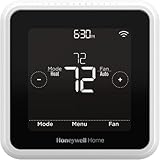
- High use of the scheduling feature of the T5 thermostat saved customers between 8 and 16% on heating and cooling bills. Dollar savings range based on nationwide average annual single-family detached home's heat and cooling bills; actual savings varies based on consumption.
- Save Energy and Get Rewarded. Check with your energy provider about available energy savings rebates to save on your purchase. Plus, eligible customers can enroll in their local Utility's "DEMAND RESPONSE PROGRAM" which can reward you for allowing the utility to slightly adjust your AC or furnace temperature settings when there is high energy demand.
- 7-Day Flexible Scheduling or Location Based Temperature Control. It’s your choice. 7-day scheduling programs your thermostat. Geofence technology helps make you comfortable by using your smartphone’s location to know when you’re away and when you return.
- Auto Home and Away Mode. Enjoy ideal temperatures at home, then save when away.
- ENERGY STAR certified. Help save energy, track your heating and cooling with monthly energy reports and get personalized tips on reducing energy use.
Using a deep vacation setback on every system
Problem: A heat pump may recover inefficiently or call for supplemental heat, while a humid home may become uncomfortable. Correction: Use vacancy setbacks primarily for conventional AC and only use heat-pump setbacks supported by the manufacturer.
Installing a smart thermostat without checking the equipment
Problem: Missing stages, proprietary communication or auxiliary-heat controls can cause poor operation. Correction: Verify compatibility before purchase and retain the original controller until the new setup is proven.
Choosing a refrigerant by name alone
Problem: A lower-GWP refrigerant is not automatically compatible with an existing system. Correction: Evaluate the complete listed system, safety classification, charge, controls and local requirements.
Windows Errors? Fix Them Before They Spread
Repair common Windows errors and clear accumulated junk for a smoother, more stable PC - no reinstall needed.Free scan · no reinstallOutdated Drivers Are Slowing You Down
One free scan finds every outdated or missing driver and matches the right update for your exact hardware.Free scan · exact hardware matchIgnoring airflow while changing the setpoint
Problem: A dirty filter or leaky duct can erase gains from thermostat adjustments. Correction: Restore airflow and inspect ducts before demanding colder operation.
How to judge whether a change worked
Look for sustained comfort with fewer unnecessary operating hours, not a single unusually low bill. Compare similar weather periods when possible and note occupancy, humidity, thermostat overrides and maintenance work. A smart thermostat’s runtime report can show whether a schedule is being followed, but runtime alone does not establish a dollar saving because equipment capacity, outdoor temperature and electricity rates vary.
If the system cannot maintain comfort at a reasonable setting, runs nearly continuously in mild weather, or repeatedly needs refrigerant service, arrange a professional evaluation. A thermostat change cannot compensate for incorrect sizing, restricted airflow, duct losses, poor insulation or a leak.
Quick Recap
What to prioritize
- For conventional AC, use a stable, comfort-appropriate setpoint and raise it during sleep and vacancy.
- For heat pumps, hold a comfortable temperature, select Heat or Cool rather than Auto, and avoid unsupported deep setbacks.
- Place the thermostat on an interior wall away from local heat, sun and drafts.
- Keep filters clean, airflow open, and ducts sealed and insulated where appropriate.
- Choose an ENERGY STAR smart thermostat only after confirming compatibility, especially with variable-capacity equipment.
- For a room-AC replacement, investigate ENERGY STAR certified models using R-32, R-454B or R-290, while checking the complete product listing and service requirements.
- Use an EPA Section 608-certified HVAC technician for refrigerant diagnosis and repair, and never vent refrigerant.
Product prices and availability are accurate as of the date/time indicated and are subject to change. Any price and availability information displayed on Amazon at the time of purchase will apply.
What’s actually slowing this PC down?
Pick the symptom - the matching free tool is one click away.

