
iTechGuides is reader-supported. When you buy through links on our site, we may earn an affiliate commission. As an Amazon Associate I earn from qualifying purchases. Learn more
A beginner’s guide to buying a tablet in 2023 starts with the operating system, not the screen size: choose iPadOS for the simplest all-around experience, standard Android for flexibility and Google services, Fire OS for inexpensive Amazon-centered entertainment, or Windows for desktop applications. Then match the screen, storage, connectivity, accessories, and support life to your actual workload.
This guide is specific to tablets available or relevant in 2023. Prices, stock, software support, and accessory bundles change, so verify the exact configuration before buying. The most important rule is to compare the complete cost—including a case, charger, keyboard, stylus, storage, and cellular service—not just the tablet’s advertised price.
Key takeaways
- iPadOS is generally the safest default for first-time buyers who want a polished interface, strong tablet apps, and straightforward accessory choices.
- Standard Android is the better fit for Google-service users who want broader prices, flexible file management, or microSD expansion on compatible models.
- Amazon Fire tablets are inexpensive and effective for streaming, reading, and browsing, but Fire OS does not provide the normal Google Play experience.
- A 10–11-inch tablet is the best general-purpose size for most buyers; small tablets favor portability, while 12–14-inch models favor multitasking.
- 64GB is workable for light use, but 128GB is a safer general-purpose target for students, families, games, photos, and offline media.
- A keyboard case or stylus can materially change the total cost, and neither accessory automatically turns a tablet into a laptop.
What will you use the tablet for?
The right 2023 tablet depends more on the buyer’s main tasks than on a universal “best tablet” ranking. Start by identifying whether the tablet will be a media screen, reading device, school computer, creative tool, children’s device, travel computer, or laptop supplement.
| Primary use | What to prioritize | What to avoid |
|---|---|---|
| Streaming and browsing | Bright 10–11-inch display, good speakers, comfortable battery life, and enough storage for occasional downloads | Paying for premium performance or a keyboard that will rarely be used |
| Reading and travel | Low weight, compact size, sharp display, long battery life, and a protective case | A large tablet that becomes uncomfortable to hold |
| Schoolwork | Required school apps, 128GB when possible, keyboard compatibility, video-call quality, and parental or school controls | Assuming every Android-derived tablet supports the same apps |
| Drawing and handwritten notes | Compatible active stylus, pressure sensitivity, palm rejection, low latency, and adequate storage | Buying a tablet that merely accepts a basic capacitive stylus |
| Office work | Keyboard and trackpad quality, multitasking, file handling, external-display support, and app compatibility | Assuming a keyboard case supplies full desktop software |
| Children’s use | Separate profiles, content controls, durable case, replacement cost, and required app support | Choosing only by the lowest upfront price |
A tablet is a strong choice when you want a larger screen than a phone with better portability than a laptop, touchscreen interaction, optional stylus input, or a shared household device. A tablet is usually a poor replacement for full desktop software, complex spreadsheets, professional coding tools, advanced photo or video editing, extensive typing, or specialized enterprise applications.
Popular on Amazon
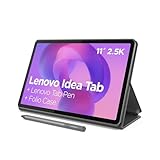
- POWER YOUR STUDY, FUEL YOUR PLAY – Discover smarter learning with the Lenovo Idea Tab. Stay campus-ready with all-day battery life, AI-powered apps to enhance your work, and sharp graphics for tv marathons with friends.
- SMOOTH, POWERFUL, IMMERSIVE – The MediaTek Dimensity 6300 processor is more powerful than ever, with the AI-enhanced multitasking you need to stay ahead.
- CIRCLE IT, SEARCH IT – Use your Lenovo Tab Pen or fingertip to circle items for instant search results or to translate other languages without switching apps. Circle to Search with Google ensures answers are only a circle away.
- SHARP VIEW, CLEAR SOUND – Experience sharp visuals and immersive sound for study sessions and streaming breaks. With 72% NTSC and quad Dolby Atmos-tuned speakers you can enjoy your study breaks with vivid videos and crystal-clear sound.
- LEVEL UP YOUR STUDY – Write, organize, sketch, and calculate with four learning apps built to match your flow. Lenovo AI Note, Squid, Nebo, and MyScript Calculator help you stay clear, focused, and ready for every study session.
Before buying a keyboard-equipped tablet as a laptop replacement, compare the complete accessory-adjusted cost with an entry-level laptop. A tablet can handle email, web browsing, short documents, video calls, and light productivity well; long-form writing, coding, complex file management, and desktop applications may still favor a laptop or Windows 2-in-1.
Which tablet operating system should a beginner choose?
The operating system should be the first major buying decision because the operating system determines available apps, cloud services, accessories, file management, parental controls, and how well the tablet works with devices you already own.
| Platform | Best for | Main strengths | Main compromises |
|---|---|---|---|
| iPadOS | Most beginners, families, students, creative users, and Apple-device owners | Simple setup, consistent interface, strong tablet-optimized apps, and broad accessory ecosystem | Less traditional file-system flexibility; storage and accessories can raise the cost |
| Standard Android | Google-service users, flexible shoppers, and buyers wanting more sizes and prices | Google Play, customizable home screens, flexible file handling, and microSD support on some models | Update policies and hardware quality vary substantially by manufacturer and model |
| Amazon Fire OS | Low-cost streaming, Kindle, Prime Video, browsing, and household use | Amazon-centered interface, inexpensive hardware, and close integration with Amazon content | Google Play is not included in the normal experience; app and service availability can be narrower |
| Windows | Full desktop applications and laptop-like office productivity | Traditional Windows software and stronger compatibility with desktop workflows | Devices are often heavier, more expensive, and less convenient for casual tablet use |
Is iPadOS the safest choice for a first tablet?
For many first-time buyers, iPadOS is the safest default because setup is simple, the interface is consistent, and tablet-optimized apps are widely available. iPadOS is particularly attractive for people who already use an iPhone, Mac, AirPods, or iCloud, and for students, families, drawing, education, and general entertainment.
Quick wins for a faster PC:
Clear out junk files and repair common Windows errorsFree Scan →Fix the driver behind crashes, sound loss and screen glitchesFind Drivers →Repair Windows errors before they cause bigger problemsFix Now →The trade-offs are real. iPadOS is less flexible than a traditional computer for file management, and Apple’s storage, keyboard, case, and Pencil choices can make the final cost much higher than the tablet alone. Apple Pencil compatibility also differs by iPad model, so buyers should identify the exact Pencil generation before checkout. Apple’s 10th-generation iPad specifications and compatibility information identify a 10.86-inch measured display, Wi‐Fi 6, USB‐C, and supported Apple accessories.
When is standard Android a better choice?
Standard Android is a better choice when Google services, the Google Play Store, home-screen customization, flexible file management, a broad range of sizes, or potentially expandable storage matter more than a uniform experience. Standard Android also makes the most sense for buyers already invested in an Android phone or Google account.
Android tablets are not interchangeable. Samsung’s tablet model guide shows how the Galaxy Tab range spans entry-level, midrange, premium, and large-screen devices. Compare the specific processor, display, storage, update policy, pen support, and accessory bundle rather than assuming every Galaxy Tab delivers the same experience.
Is an Amazon Fire tablet a real Android tablet?
An Amazon Fire tablet is Android-derived, but Fire OS is not equivalent to a conventional Google-certified Android tablet. Amazon describes Fire OS as the operating system and Android fork used by Fire tablets; Fire tablets use Amazon’s app ecosystem, and the Google Play Store is not part of the standard Fire OS experience.
Fire OS is a good fit for Kindle, Prime Video, Audible, Alexa, basic browsing, and inexpensive household or children’s use. Fire OS requires more careful app checking for Google-centric schools, workplaces, and services. Do not assume that an app available on standard Android will be available or behave identically on Fire OS.
Who should buy a Windows 2-in-1?
A Windows 2-in-1 is the better choice when the tablet must run full Windows applications, Microsoft Office workflows, desktop browser extensions, coding tools, or specialized business software. Windows 2-in-1 devices are generally less attractive for casual streaming and reading because weight, heat, fan noise, battery behavior, price, and touch optimization vary by model.
Also popular on Amazon

- POWER FOR ALL YOU DO: Galaxy Tab A11+ gives your family the optimal performance they need for all their day-to-day activities. Power through tasks, relax with a movie or jump into a game — the upgraded chipset⁴ keeps everything responsive
- CHARGES UP FAST. LASTS FOR HOURS: Galaxy Tab A11+ keeps your family going with a long-lasting battery that’s perfect for browsing, streaming and play. When you finally need a boost, fast charging gets you back to 100% quickly.⁵
- MEMORY AND STORAGE THAT KEEP UP: With up to 8GB of memory and 256GB⁶ of storage, Galaxy Tab A11+ gives your family the space and speed to multitask seamlessly and handle large files.
- BIG SCREEN. FAMILY-SIZED FUN: A bright, engaging 11" screen¹ with a refresh rate up to 90Hz delivers natural, fluid motion, making it easy for every family member to stream, play and do what they love.
- SURROUND YOURSELF WITH RICH AUDIO SOUND: Whether you're watching a movie or listening to your favorite playlist, immerse yourself in a cinema-like audio experience with quad speakers powered by Dolby Atmos on Galaxy Tab A11+
What tablet screen size is best?
A 10–11-inch tablet is the best general-purpose size for most beginners because the screen is large enough for streaming, browsing, video calls, schoolwork, games, and light note-taking without becoming difficult to carry.
| Size class | Best for | Trade-offs |
|---|---|---|
| Approximately 7–9 inches | Reading, travel, children, casual browsing, and lightweight or one-handed use | Smaller keyboard, less comfortable split-screen work, less immersive video, and limited room for handwriting |
| Approximately 10–11 inches | Streaming, browsing, video calls, schoolwork, casual games, and light productivity | Less portable than a mini tablet and less spacious than a large productivity model |
| Approximately 12–14 inches | Drawing, split-screen documents, sheet music, keyboard work, and laptop-like multitasking | Higher cost, greater weight, less comfortable handheld use, and potentially laptop-like pricing |
Display size is only one part of the experience. Check resolution and pixel density, brightness, viewing angles, color accuracy, glare, outdoor visibility, refresh rate, aspect ratio, and whether the panel is OLED or LCD. For most beginners, a sharp, sufficiently bright 10–11-inch screen is more valuable than a high refresh rate.
Do these 3 things before closing this tab:
1Repair Windows errors before they cause bigger problems2Scan for outdated or missing drivers - takes under a minute3Clear out junk files and repair common Windows errorsFor handwritten notes, also check whether the display is laminated, how responsive the active pen feels, and whether palm rejection and tilt support are available. A large display can make split-screen work easier, but a laptop may be more practical when typing is the primary activity.
How much tablet storage do you need?
Storage depends on whether the tablet will stream content or keep games, photos, videos, documents, and creative projects offline. A nominal storage number is not the same as free space because the operating system and preinstalled software consume part of the capacity.
| Capacity | Suitable for | Important qualification |
|---|---|---|
| 32GB | Very inexpensive tablets used mainly for streaming and occasional browsing | Usually too restrictive for a general-purpose tablet because apps, games, downloads, and system files quickly consume the available space |
| 64GB | Browsing, streaming, reading, light schoolwork, and cloud-storage users | Acceptable for light use, but downloaded media, photos, and games can make the capacity uncomfortable |
| 128GB | Students, families, games, photos, offline video, drawing, and long-term general use | The practical target for many buyers who want fewer storage-management decisions |
| 256GB or more | Large game libraries, extensive offline media, professional drawing, video editing, and large photo libraries | Worth the premium only when the buyer will actually keep substantial local files |
MicroSD expansion is useful for media and documents, but removable storage does not always replace internal storage for apps. The 2023 Fire Max 11 offered 64GB or 128GB of internal storage and microSD expansion up to 1TB, according to Amazon’s Fire tablet device specifications. Check the exact tablet’s rules before treating a memory card as a complete storage solution.
Should you buy a Wi‐Fi or cellular tablet?
Wi‐Fi-only tablets are the right choice for most buyers who use a tablet at home, school, or work, can tether from a phone, or want to minimize cost. Cellular connectivity is worthwhile for frequent travelers, field workers, children without phones, navigation away from Wi‐Fi, or anyone who does not want to tether.
The Tool Desk
Outbyte PC Repair FREERepair Windows errors before they cause bigger problemsFix Now →Outbyte Driver Updater FREEFix the driver behind crashes, sound loss and screen glitchesFind Drivers →Cellular hardware is only part of the cost. A cellular tablet may also require activation, a monthly data plan, SIM or eSIM fees, and a higher upfront price. Verify the exact model number, supported LTE or 5G bands, carrier certification, unlocked status, and SIM or eSIM support. Never assume that a cellular tablet works on every US carrier.
Which tablet specifications actually matter?
Tablet specifications matter when they predict a real user outcome, such as smoother multitasking, clearer video calls, faster app loading, or longer comfortable ownership. Do not select a tablet by one attractive specification, such as screen size or processor core count.
- Processor: Processor generation and real-world performance matter more than core count alone. A faster current processor usually leaves more headroom for future apps and multitasking.
- RAM: More RAM can help with multitasking, but iPadOS, Android, and Fire OS manage memory differently, so RAM numbers are not directly comparable across platforms.
- Display: Brightness, sharpness, viewing angles, glare, and color quality matter more to most tablet owners than camera megapixels.
- Storage speed: Faster storage can improve app loading and responsiveness, while insufficient capacity creates daily friction.
- Ports: USB‐C is convenient for modern chargers and accessories. Also check whether the port supports external displays, hubs, or only charging and basic data.
- Speakers: Speaker count and placement affect streaming and video calls more than many buyers expect.
- Software support: Check the launch date, stated update policy, security-update period, app compatibility, repair options, battery-replacement options, and accessory availability.
Do not call a tablet “future-proof” unless the manufacturer provides a specific, applicable support commitment. Amazon’s technical documentation identifies the 2023 Fire Max 11 as running Fire OS 8 with an Android 11/API level 30 foundation; that compatibility information does not guarantee how long future software updates will continue. See Amazon’s tablet identification documentation and the model-specific support policy before buying.
Also popular on Amazon
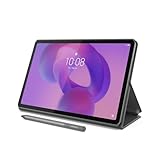
- POWER YOUR STUDY, FUEL YOUR PLAY – Discover smarter learning with the Lenovo Idea Tab. Stay campus-ready with all-day battery life, AI-powered apps to enhance your work, and sharp graphics for tv marathons with friends.
- SMOOTH, POWERFUL, IMMERSIVE – The MediaTek Dimensity 6300 processor is more powerful than ever, with the AI-enhanced multitasking you need to stay ahead.
- CIRCLE IT, SEARCH IT – Use your Lenovo Tab Pen or fingertip to circle items for instant search results or to translate other languages without switching apps. Circle to Search with Google ensures answers are only a circle away.
- SHARP VIEW, CLEAR SOUND – Experience sharp visuals and immersive sound for study sessions and streaming breaks. With 72% NTSC and quad Dolby Atmos-tuned speakers you can enjoy your study breaks with vivid videos and crystal-clear sound.
- LEVEL UP YOUR STUDY – Write, organize, sketch, and calculate with four learning apps built to match your flow. Lenovo AI Note, Squid, Nebo, and MyScript Calculator help you stay clear, focused, and ready for every study session.
How important are battery life and charging?
Battery life varies with brightness, streaming quality, cellular use, gaming, background synchronization, Bluetooth accessories, and battery age. Manufacturer battery claims are controlled-use estimates, not universal results.
Amazon claims up to 14 hours of mixed-use battery life for the 2023 Fire Max 11. The figure is a manufacturer claim, not an independent measurement, and is documented in Amazon’s Fire tablet information. Check whether the tablet uses USB‐C or an older connector, whether a charger is included, how quickly it charges, and whether your existing charger is compatible.
Do you need a stylus?
You need an active stylus only when handwriting, drawing, marking up documents, or precise interaction is central to the purchase. A passive or capacitive stylus can imitate a finger but generally does not provide the pressure sensitivity, palm rejection, tilt support, or low latency expected for serious notes or art.
| Stylus type | What it provides | Best use |
|---|---|---|
| Active, device-specific pen | Potential pressure sensitivity, palm rejection, tilt support, and lower latency | Notes, drawing, handwriting, and document markup |
| Basic capacitive stylus | Finger-like touch input without advanced pen features | Simple tapping or occasional navigation |
| Passive stylus | Usually no electronic communication with the tablet | Basic touch interaction, not serious handwriting |
Stylus support, stylus inclusion, and stylus quality are separate questions. The Fire Max 11 supports an optional Made for Amazon Stylus Pen, according to Amazon’s specifications. Samsung’s Tab S9 FE materials identify S Pen support and IP68 water and dust resistance, but the exact regional package should be confirmed using the specific Samsung specification sheet. For iPad, identify the exact compatible Apple Pencil rather than assuming every iPad supports every Pencil.
Will a keyboard turn a tablet into a laptop?
A keyboard can make a tablet useful for email, short documents, school assignments, and occasional typing, but a keyboard does not automatically provide full desktop software or laptop-level file management.
Recommended Free Tools
- Check keyboard size, key travel, trackpad quality, shortcut support, kickstand stability, weight, protection, and whether the keyboard detaches.
- Check multitasking behavior, external-monitor support, browser limitations, and compatibility with the office or school software you need.
- Compare the keyboard’s price with the cost of an entry-level laptop before deciding that a tablet is the better value.
The Fire Max 11 supports an optional keyboard and stylus, while Lenovo lists optional keyboard support for the Tab P12. The relevant Fire Max 11 specifications and Lenovo Tab P12 product information should be checked for the exact accessory bundle.
Which 2023 tablet is right for each buyer?
The best 2023 tablet depends on the use case, ecosystem, and complete cost. The following recommendations separate the safest general choice from cheaper, smaller, larger, and more specialized options.
| Reader need | Starting point | Why it fits | Main caveat |
|---|---|---|---|
| Easiest all-around choice | Apple iPad, 10th generation | Modern design, USB‐C, 10.86-inch measured display, Wi‐Fi 6, broad iPad app ecosystem, and strong accessory availability | Storage and Apple accessories can raise the total cost; Pencil compatibility must be checked |
| Lowest-cost iPadOS route | Apple iPad, 9th generation, if substantially discounted | Good for basic schoolwork, streaming, browsing, and reading | Older design and connector; do not pay near-new-model pricing |
| Portable reading and travel | Apple iPad mini, 6th generation | Compact, light, and convenient for reading and portable notes | Small workspace, less comfortable split-screen use, and relatively high price |
| Premium Android | Samsung Galaxy Tab S9 | Premium Android hardware, multitasking, note-taking, high-quality display and speakers, and expandable storage | Higher price; keyboard accessories can be expensive |
| Android notes and schoolwork | Samsung Galaxy Tab S9 FE or S9 FE+ | Midrange Android positioning, S Pen support, expandable storage, and a larger FE+ option | Slower than premium Tab S9 models; memory, storage, cellular, and bundle details vary |
| Cheap Amazon entertainment | Amazon Fire HD 10, 2023 edition | Suitable for basic streaming, browsing, reading, and children’s use | Fire OS app limitations and less performance headroom for demanding multitasking |
| Larger low-cost Fire tablet | Amazon Fire Max 11, 2023 | 11-inch display, Wi‐Fi 6, expandable storage, and optional keyboard and stylus | No standard Google Play experience; accessories change the total cost |
| Large-screen Android | Lenovo Tab P12 | 12.7-inch-class display, split-screen space, and optional keyboard support | Large and less portable; accessory inclusion varies |
| Full desktop productivity | Selected Windows 2-in-1 | Best access to desktop applications and laptop-like workflows | Heavier, often more expensive, and less tablet-like for casual use |
What is the 10th-generation iPad best for?
The 10th-generation iPad is the strongest general starting point for many first-time buyers who want iPadOS, a modern design, USB‐C, a 10.86-inch measured display, Wi‐Fi 6, and access to a broad tablet app ecosystem. The 10th-generation iPad is especially sensible for families, students, Apple-device owners, browsing, streaming, and light productivity.
The 10th-generation iPad is not automatically the cheapest complete setup. Storage, case, charger, keyboard, and the correctly compatible Pencil can materially increase the purchase price, and iPadOS is not a full macOS laptop replacement. Confirm the configuration using Apple’s official iPad technical information.
What’s actually slowing this PC down?
Pick the symptom - the matching free tool is one click away.
Also popular on Amazon

- A VIBRANT, SLIMMER BUILD FOR SHARPER MINDS – Engage in AI-powered smart learning on the stylish Lenovo Idea Tab Plus. The svelte tablet packs a powerful punch with quad speakers, sharp graphics, and all-day battery life.
- CARRY LIGHT, FEEL BRIGHT – Weighing just over a pound, the Idea Tab Plus is light enough to carry from morning to night and thin enough to easily slip between your notebooks. The Luna Grey color is soft, fresh, and designed to feel just right anywhere.
- CIRCLE TO SEARCH – Stay focused and use your Lenovo Tab Pen or fingertip to circle items for instant search results or to translate other languages without switching apps. Circle to Search is powered by Google.
- LET YOUR LEARNING CLICK – Write, organize, sketch, and calculate with four learning apps built to match your flow. Lenovo Notepad, Squid, Nebo, and MyScript Calculator help you stay clear, focused, and ready for every study session.
- MORE TO SEE, MORE TO ENJOY – The 12.1″ 2.5K display delivers rich color and sharp detail. With TÜV Rheinland Low Blue Light and up to 800 nits brightness, the display keeps every frame clear in any light.
When does the 9th-generation iPad make sense?
The 9th-generation iPad makes sense when the discounted price is meaningfully lower and the buyer mainly needs streaming, reading, browsing, or basic schoolwork. The older design and connector make the 9th-generation model less future-facing than the 10th generation, so compare the actual discount, warranty, storage, and accessory compatibility rather than buying old stock at nearly new-model pricing.
Who should choose the iPad mini?
The sixth-generation iPad mini is best for readers and travelers who value portability and low weight more than workspace. The iPad mini is less suitable for split-screen productivity, prolonged keyboard use, or buyers who want the largest screen per dollar.
What makes the Galaxy Tab S9 a strong premium Android choice?
The Samsung Galaxy Tab S9 is a strong premium Android choice for buyers who want Android flexibility, note-taking, multitasking, expandable storage, and high-quality hardware. Samsung announced the Tab S9 series in 2023 and made it available beginning August 11, 2023, according to Samsung’s 2023 announcement.
The premium hardware comes at a premium price, and the keyboard can be expensive. Buyers should also verify the exact memory, storage, cellular, and accessory configuration rather than generalizing from the Tab S9 name.
Outdated Drivers Are Slowing You Down
One free scan finds every outdated or missing driver and matches the right update for your exact hardware.Free scan · exact hardware matchWindows Errors? Fix Them Before They Spread
Repair common Windows errors and clear accumulated junk for a smoother, more stable PC - no reinstall needed.Free scan · no reinstallAre the Galaxy Tab S9 FE and S9 FE+ good for students?
The Galaxy Tab S9 FE and S9 FE+ are sensible midrange Android choices for students and note-takers who want S Pen support, expandable storage, and a larger FE+ workspace without paying for the premium Tab S9 family. The FE models are slower than premium Tab S9 models and use an LCD-class display rather than the premium OLED-class experience associated with the higher-end line.
Exact storage, memory, cellular options, regional pricing, and included accessories vary. Confirm whether the pen is included in the retail package and check school-app compatibility before buying.
What are the Fire Max 11 and Fire HD 10 best for?
The 2023 Fire Max 11 is best for budget-conscious buyers who prioritize streaming, Kindle, Prime Video, browsing, casual games, and a relatively large screen. Amazon lists an 11-inch 2000 × 1200 IPS display, 4GB of RAM, 64GB or 128GB of internal storage, microSD expansion up to 1TB, Wi‐Fi 6, Fire OS 8, USB‐C, and optional keyboard and stylus support in its 2023 Fire tablet specifications.
Amazon’s Fire Max 11 battery figure is a manufacturer claim of up to 14 hours of mixed use, not an independent test result. The Fire Max 11 is less suitable for Google-centric school or work environments because Fire OS does not provide the normal Google Play experience.
Free tools Windows power users keep installed
One-click scans. No signup required.
The 2023 Fire HD 10 is the cheaper, simpler Fire option for basic streaming, browsing, reading, and children’s use. Amazon identifies the 2023 Fire HD 10 as a 13th-generation model with a 10.1-inch 1080p display, 3GB of RAM, and a manufacturer-claimed battery life of up to 13 hours. The lower performance headroom and Fire OS app limitations make the Fire HD 10 a poor choice for demanding multitasking.
Also popular on Amazon

- Like-New Amazon Fire HD 10 tablet is refurbished, tested, and certified to look and work like new and comes with the same limited warranty as a new device. Like-New Amazon devices may be packaged in generic Amazon-branded boxes.
- Do what you love, uninterrupted — 25% faster performance than the previous generation and 3 GB RAM are ideal for seamless streaming, reading, and gaming.
- High-def entertainment — A 10.1" 1080p Full HD display brings brilliant color to all your shows and games. Binge watch longer with 13-hour battery of video playback, 32 or 64 GB of storage, and up to 1 TB expandable storage with micro-SD card (sold separately).
- Thin, light, durable — Tap into entertainment from anywhere with a lightweight, durable design and strengthened glass made from aluminosilicate glass. As measured in a tumble test, Fire HD 10 is 2.7 times as durable as the Samsung Galaxy Tab A8 (2022).
- Stay up to speed — Use the 5 MP front-facing camera to Zoom with family and friends, or create content for social apps like Instagram and TikTok.
Who should consider the Lenovo Tab P12?
The Lenovo Tab P12 is a large-screen Android option for video watching, split-screen work, light note-taking, and buyers interested in optional keyboard and stylus accessories. Lenovo describes the Tab P12 as a large-format Android tablet with optional keyboard support in its product information.
The large format makes the Tab P12 less comfortable for one-handed use and frequent travel. Confirm the exact display, storage, cellular status, pen, keyboard, and bundle contents on the specific Lenovo offer because configurations can differ.
Independent reader supportYour contribution helps us test, update, and keep practical guides available for everyone.What hidden costs should you include?
The tablet price is only the starting point when the device will be used for school, work, drawing, travel, or children. Add the accessories and services that make the tablet usable for the intended task.
- Protection: A case and, when appropriate, a screen protector are especially important for children, commuters, and students.
- Charging: Check whether a charger is included and whether your existing USB‐C charger has suitable output.
- Stylus: Include the exact compatible active pen if handwriting or drawing is part of the plan.
- Keyboard: Add the keyboard case when comparing a productivity tablet with a laptop.
- Storage: Budget for a higher internal-storage tier or compatible microSD card where appropriate.
- Connectivity: Cellular models can add activation charges and recurring data costs.
- Refurbished risk: Verify battery-health policy, return period, warranty, exact generation, screen condition, charger inclusion, activation lock, and carrier lock.
Official accessories are convenient and model-specific but may be expensive. A third-party case can offer better protection per dollar, provided the exact tablet generation is confirmed. A generic capacitive stylus is not a substitute for a compatible active pen when serious handwriting or drawing is required.
What mistakes should a first-time tablet buyer avoid?
- Buying by screen size alone: A large inexpensive screen can hide a weak processor, low RAM, poor brightness, limited storage, short support life, or weak app compatibility.
- Assuming Android means Google Play: Fire OS is Android-derived but uses Amazon’s ecosystem. Check every essential app before buying a Fire tablet.
- Ignoring storage overhead: A 64GB tablet does not provide 64GB of free space. Operating-system files, apps, games, and downloads consume capacity.
- Choosing cellular without checking the carrier: Verify the exact model number, supported bands, carrier certification, unlocked status, SIM or eSIM support, and data-plan cost.
- Treating a tablet as a laptop: A keyboard does not guarantee desktop software, advanced file management, comfortable long-form typing, multi-monitor support, or enterprise compatibility.
- Buying old stock at the wrong price: Compare processor generation, remaining support, connector, accessory compatibility, warranty, and battery age before choosing an older model.
- Assuming a stylus is included: Confirm support, inclusion, pressure sensitivity, palm rejection, charging method, and replacement availability separately.
- Buying for school without checking requirements: Confirm the learning-management system, testing software, video-conferencing app, browser requirements, file formats, keyboard needs, and school-management restrictions.
- Ignoring accessibility: Check screen magnification, larger text, high contrast, voice control, screen readers, hearing-aid compatibility, physical-keyboard support, weight, and grip.
What should you check before checkout?
Use this checklist after choosing an operating system and model:
- Write down the tablet’s primary tasks and the applications those tasks require.
- Confirm that the required applications work on the exact operating system, especially Fire OS.
- Choose the screen size based on portability versus workspace, not screen size alone.
- Select 64GB only for light use; choose 128GB when the tablet will hold games, photos, offline video, school files, or creative projects.
- Decide whether Wi‐Fi is sufficient or whether cellular service justifies the hardware and recurring plan cost.
- Verify processor, RAM, display brightness and resolution, speakers, cameras, ports, and charging details.
- Confirm the exact active stylus model, whether the pen is included, and whether palm rejection and pressure sensitivity are supported.
- Price the case, charger, keyboard, stylus, screen protector, storage card, and data plan as part of the purchase.
- Check the manufacturer’s update policy, security-support information, warranty, repair options, and replacement-accessory availability.
- For refurbished devices, verify battery condition, return rights, activation status, carrier lock, and exact storage and generation.
Frequently Asked Questions
Is an iPad better than an Android tablet for a beginner?
An iPad is generally the safer beginner choice when simple setup, consistent software, strong tablet-optimized apps, and Apple-device integration matter most. Standard Android is better when Google services, flexible file handling, broader price choices, or microSD expansion on a compatible model matter more.
Is 64GB enough tablet storage?
64GB is enough for browsing, streaming, reading, light schoolwork, and cloud-storage users, but 128GB is a safer general-purpose target for games, photos, offline video, families, and long-term ownership. System files and preinstalled software mean that a 64GB tablet does not provide 64GB of free space.
What’s actually slowing this PC down?
Pick the symptom - the matching free tool is one click away.
Can a tablet replace a laptop?
A tablet can replace a laptop for browsing, email, video calls, short documents, and light productivity, especially with a keyboard. A laptop or Windows 2-in-1 remains better for full desktop applications, coding, complex spreadsheets, extensive typing, advanced file management, and specialized enterprise software.
Do tablets need cellular service?
Most tablet buyers should choose Wi‐Fi-only hardware if the tablet will be used at home, school, or work or can tether from a phone. Cellular service is useful for frequent travelers and users who need independent connectivity, but it adds hardware, activation, and recurring data-plan costs and requires carrier compatibility checks.
Is an Amazon Fire tablet the same as a standard Android tablet?
No. Amazon Fire tablets use Fire OS, an Android-derived operating system with Amazon’s app ecosystem, and the Google Play Store is not included in the normal Fire OS experience. Buyers should verify every required app and Google service before choosing a Fire tablet.
The Bottom Line
For most first-time buyers in 2023, start with the ecosystem: choose the 10th-generation iPad for the simplest all-around experience, standard Android—especially Samsung—for Google services and flexibility, Fire OS for inexpensive Amazon-centered entertainment, or Windows when full desktop applications are essential. Then choose a 10–11-inch screen, 128GB when the budget allows, Wi‐Fi unless cellular independence is genuinely useful, and accessories only after calculating the complete cost.
Recommended Free Tools

