
Recommended Free Tools
Is the Asus Zenbook 14 OLED UX3405 worth buying? Usually, yes—if you choose the right configuration. It is a light, well-built productivity laptop with an excellent OLED option, a 75 Wh battery and unusually useful ports for a 14-inch machine. The important qualification is that “UX3405” is a family, not one fixed specification: 2024 UX3405MA models use Intel Core Ultra Series 1, while 2025 UX3405CA models use Series 2, and display, memory, wireless and battery behavior vary by region and SKU.
This review focuses on the family and identifies configuration-dependent claims instead of treating one model as universal.
Choose the exact UX3405 before judging it
Asus sells the Zenbook 14 OLED under two main branches:
| Branch | Processor examples | Display options listed by Asus | Wireless listed |
|---|---|---|---|
| UX3405MA (2024) | Intel Core Ultra Series 1, including Core Ultra 7 155H | 3K 2880 × 1800 at 120 Hz, or 1920 × 1200 at 60 Hz; touch and non-touch variants exist | Wi‑Fi 6E on listed configurations |
| UX3405CA (2025) | Intel Core Ultra Series 2, including Core Ultra 7 255H and Core Ultra 9 285H | 3K 2880 × 1800 at 120 Hz, or 1920 × 1200 at 60 Hz; touch and non-touch variants exist | Wi‑Fi 7 on listed configurations |
Memory can be 16 GB or 32 GB onboard LPDDR5X on listed models, with up to 8 GB LPDDR5 on another listed configuration. Storage is commonly a 512 GB or 1 TB M.2 PCIe 4.0 SSD. The advertised weight range is 1.20–1.28 kg, depending on the configuration. Check the full model suffix and retailer specification, not just “UX3405” or “Core Ultra.”
#1 Best Overall

- DISCLOSURE — Brand New Computer has been resealed to upgrade SSD. 1 Year warranty by Issaquash Highlands Tech
- PREMIUM PORTABILITY - The ASUS Zenbook 14 OLED features a slim, lightweight build paired with a long-lasting battery to support business trips, campus schedules, and remote workdays. The ASUS Lumina OLED touchscreen and immersive audio enhance both productivity and entertainment, making it a strong fit for professionals, students, and digital nomads
- POWERFUL PERFORMANCE - Equipped with the AMD Ryzen AI 9 465 processor (10 cores, up to 5.0GHz), Configurable with storage options from 256GB to 2TB M.2 NVMe PCIE SSD, enabling smooth multitasking and fast loading across a wide range of applications. Ideal for programmers, designers, and office users handling demanding applications or parallel workloads
- CRISP DISPLAY & PRIVACY - The 14-inch WUXGA (1920x1200) OLED touchscreen with 500nits brightness delivers accurate color output for design, media editing, and streaming. An FHD camera with a physical shutter supports clear video calls, making it suitable for remote meetings, online classes, and professional conferencing. Supports expanding the workspace with 3 external monitors via HDMI and USB-C ports, with resolution up to 4K@60Hz without a docking station
- VERSATILE CONNECTIVITY - With USB-C, USB-A, and HDMI 2.1, you can easily connect external displays, storage devices, and essential peripherals. Stay fast and reliable on the go with Wi-Fi 6E and Bluetooth 5.4, perfect for video calls, cloud work, and wireless devices without lag. Plus, the backlit keyboard enables effortless work in dim conditions
Design and ports: genuinely travel-friendly
Asus launched the UX3405 as a 14.9 mm metal ultraportable weighing about 1.2 kg and carrying a 75 Wh battery. Regional versions can differ slightly, but the basic proposition is consistent: it is easy to carry without feeling flimsy.
The port selection is stronger than many thin 14-inch laptops:
- Two Thunderbolt 4 USB-C ports with display output and power delivery
- One USB-A port
- HDMI 2.1 TMDS
- 3.5 mm headset jack
There is no built-in SD card reader on the reviewed 2024 configurations, and one USB-A port may be limiting for desktop peripherals. A USB-C hub or Thunderbolt 4 dock makes sense if you regularly connect drives, displays or wired accessories.
Phonandroid’s reviewed 2024 SKU included a webcam privacy shutter and a virtual NumberPad on the trackpad. Those are useful touches, but treat them as observations of that SKU rather than guarantees for every regional model. Laptop Mag’s Claire Tabari described the thin chassis as “surprisingly sturdy,” with a hinge that did not wobble during use.
Rank #2

- PORTABLE POWER FOR CREATIVITY - The ASUS Vivobook 16 Flip elevates your laptop experience by combining advanced technology with a slim profile and clean design. Powered by a high‑capacity 75Wh battery delivering up to 36 hours of use and tested to MIL‑STD‑810H military‑grade durability, its built for reliable everyday productivity.
- POWERFUL PERFORMANCE - Powered by the Intel Core Ultra 7 258V Processor (8 cores, up to 4.8 GHz) and a integrated NPU capable of delivering up to 47 TOPS of AI performance, this laptop handles demanding tasks, AI-powered applications, and seamless multitasking with ease. Equipped with 32GB LPDDR5x memory and 1TB PCIe SSD, it ensures swift application loading and ample storage for professional workloads
- IMMERSIVE DISPLAY — Features a 16-inch WUXGA (1920x1200) OLED display with narrow borders and 95% DCI-P3 color gamut coating to maximize screen real estate. Supports expanding the workspace with 2 external monitors via HDMI and Thunderbolt 4 ports, with resolution up to 4K@60Hz without a docking station
- ADVANCED CONNECTIVITY - With Thunderbolt 4, USB-C, USB-A, and HDMI 2.1, you can easily connect external displays, storage devices, and essential peripherals. Stay fast and reliable on the go with Wi-Fi 7 and Bluetooth 5.4, perfect for video calls, cloud work, and wireless devices without lag. The 5MP camera with privacy shutter ensures crisp video calls in various lighting conditions. Plus, the backlit keyboard enables precise typing in low-light environments
- OPERATING SYSTEM - Preinstalled with Windows 11 Home 64‑bit and AI‑powered Copilot, delivering a modern, intuitive experience with built‑in security and smart assistance. Designed for everyday use, it provides smooth performance and seamless access to productivity, creativity, and collaboration tools for work, communication, and entertainment
OLED display: the reason to buy, and the main compromise
The 3K OLED version is the most attractive UX3405 configuration. Its 2880 × 1800 resolution, 120 Hz refresh rate, deep contrast and wide color make text, photographs and video look notably better than a typical 60 Hz office panel. Independent reviews of the 2024 UX3405MA praised its color and fluidity.
However, the panel is glossy. Phonandroid measured about 400 cd/m² peak brightness on its tested unit and found reflections problematic outdoors. Asus lists several panel combinations with different brightness, HDR, resolution, refresh and touch claims, so do not assume every UX3405 has a 3K touch display. The 1920 × 1200 60 Hz option may be preferable if you value lower cost or potentially simpler battery demands over maximum sharpness and smoothness.
Performance for work, creation and light gaming
A Core Ultra 7 155H UX3405MA is capable for office software, multitasking and many creative applications. Its integrated Intel Arc graphics can handle light gaming, but this remains an ultraportable rather than a gaming laptop.
The newer UX3405CA brings Core Ultra Series 2 choices. Notebookcheck’s 2025 comparison found the Intel Core Ultra 7 255H configuration ahead of the compared AMD Zenbook 14 in CPU performance, Thunderbolt support and Wi‑Fi 7, while also noting soldered memory and SSD thermal throttling. Those findings apply to the tested machines, not automatically to every UX3405CA.
Do these 3 things before closing this tab:
1Scan for outdated or missing drivers - takes under a minute2Clear out junk files and repair common Windows errors3Fix the driver behind crashes, sound loss and screen glitchesRank #3
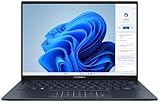
- 【Powerful AMD Ryzen AI 7 350 Processor】Experience next-level performance with the AMD Ryzen AI 7 350 Processor, featuring 8 cores and 16 threads, a 2.0GHz base clock, up to 5.0GHz boost clock, and 24MB cache. Designed to handle demanding multitasking, productivity, entertainment, and creative workloads with ease. Built-in AMD XDNA NPU delivers up to 50 TOPS of AI processing power for enhanced AI-powered experiences.
- WARRANTY: Original manufacturer warranty is voided due to hardware customization. Ranvax provides a 1-year limited warranty on the upgraded PCIe SSD storage. The original manufacturer warranty remains valid for the remaining original factory components, including the RAM and Intel processor.
- 【16GB RAM | 512B SSD + 128GB PSD】 Upgrade: ASUS Vivobook 16 equipped with 16GB RAM significantly improves computer performance. 512GB SSD storage space, free to store various data. It can help you access faster data and meet your needs in daily study, office, research, etc.
- 【🎁Bonus Accessories Included】Each package includes a complimentary a 128GB portable storage device (PSD), providing added convenience and extra storage wherever you go.
- 【Immersive 16” WUXGA NanoEdge Display】Enjoy an expansive 16-inch WUXGA (1920 x 1200) 16:10 display with a 300-nit brightness, Anti-Glare coating & an impressive 89% Screen-to Body Ratio. The Three-Sided NanoEdge Design delivers a more immersive viewing experience while TÜV Rheinland Certification helps provide comfortable viewing for extended use.
The NPU may accelerate particular supported AI workloads, but it is not by itself a reason to upgrade. Buy the newer CPU when your applications benefit from its measured performance, graphics or connectivity—not for an unspecified promise of faster “AI.”
Battery life depends on the test more than the logo
The UX3405 family has a large 75 Wh battery, but reported runtimes vary substantially with CPU, OLED settings, brightness, refresh rate, BIOS and workload. These figures should not be averaged into one promised number.
| Source and configuration | Reported result | Conditions or qualification |
|---|---|---|
| Presse-citron, 2024 | 7–8 hours of office work | Screen brightness and keyboard backlight at 100% |
| Phonandroid, 2024 | More than 16 hours of office use; 13 hours of streaming video | Review-reported experience; the cited passage does not provide a directly comparable standardized procedure |
| Ultrabookreview, 2025, UX3405CA | About 10–11 hours text editing or 1080p YouTube; about 10 hours Netflix; 7–9 hours browsing; about 2 hours gaming | Approximately 120 nits, 120 Hz and Best Power Efficiency; a BIOS change affected runtime |
| Laptop Mag, 2025, Core Ultra 9 285H UX3405CA | 9 hours 6 minutes | Continuous Wi‑Fi web surfing at 150 nits |
For your own expectation, match the review closest to your workload and screen settings. Asus also publishes manufacturer battery claims for stated configurations and test methods; those are Asus test claims, not independent results.
Independent reader supportYour contribution helps us test, update, and keep practical guides available for everyone.Keyboard, trackpad and everyday comfort
The Zenbook’s low weight and rigid hinge suit commuting, classrooms and frequent meetings. Phonandroid liked the overall productivity experience but criticized the keyboard feel, so try the key action if typing comfort is a priority. A glossy screen is also less comfortable in bright cafés, trains or outdoor locations unless you can control reflections.
Quick wins for a faster PC:
Fix the driver behind crashes, sound loss and screen glitchesFind Drivers →Repair Windows errors before they cause bigger problemsFix Now →Rank #4

- PORTABLE POWER FOR CREATIVITY - The ASUS Vivobook 16 elevates your laptop experience by combining advanced technology with a slim profile and clean design. Powered by a high‑capacity 75Wh battery delivering up to 36 hours of use and tested to MIL‑STD‑810H military‑grade durability, its built for reliable everyday productivity.
- POWERFUL PERFORMANCE - Powered by the Intel Core Ultra 7 258V Processor (8 cores, up to 4.8 GHz) and a integrated NPU capable of delivering up to 47 TOPS of AI performance, this laptop handles demanding tasks, AI-powered applications, and seamless multitasking with ease. Equipped with 32GB LPDDR5x memory and 2TB PCIe SSD, it ensures swift application loading and ample storage for professional workloads
- IMMERSIVE DISPLAY — Features a 16-inch WUXGA (1920x1200) OLED display with narrow borders and 95% DCI-P3 color gamut coating to maximize screen real estate. Supports expanding the workspace with 2 external monitors via HDMI and Thunderbolt 4 ports, with resolution up to 4K@60Hz without a docking station
- ADVANCED CONNECTIVITY - With Thunderbolt 4, USB-C, USB-A, and HDMI 2.1, you can easily connect external displays, storage devices, and essential peripherals. Stay fast and reliable on the go with Wi-Fi 7 and Bluetooth 5.4, perfect for video calls, cloud work, and wireless devices without lag. The 5MP camera with privacy shutter ensures crisp video calls in various lighting conditions. Plus, the backlit keyboard enables precise typing in low-light environments
- OPERATING SYSTEM - Preinstalled with Windows 11 Home 64‑bit and AI‑powered Copilot, delivering a modern, intuitive experience with built‑in security and smart assistance. Designed for everyday use, it provides smooth performance and seamless access to productivity, creativity, and collaboration tools for work, communication, and entertainment
Upgradeability and long-term ownership
Asus lists one M.2 2280 PCIe 4.0 x4 slot. Phonandroid reports that the SSD in its reviewed machine can be replaced, while the RAM is soldered. In practice:
- Buy enough memory at purchase; do not plan on a future RAM upgrade.
- A later SSD replacement may be possible, but verify the exact SKU, service instructions and warranty terms first.
- Choose 1 TB if your work involves large photo, video or development files and you do not want to open the laptop.
A sleeve is sensible for frequent carry, but a 14-inch sleeve is not an assured bundle item. Packaging and included accessories vary by market.
Who should buy the Zenbook 14 OLED UX3405?
It is a strong fit for
- Students, office workers and developers who want a light 14-inch laptop with full-size HDMI and Thunderbolt 4.
- Readers who value OLED contrast and 120 Hz smoothness for text, media and creative work.
- Travelers who need a substantial battery and a metal chassis without moving to a heavier performance laptop.
Consider another configuration or another laptop if
- You work outdoors frequently and cannot tolerate glossy reflections.
- You need upgradeable RAM, an SD card reader or several USB-A ports.
- You expect sustained gaming or workstation-class graphics performance.
- You are comparing prices without checking whether the deal is 3K or 1920 × 1200, 16 GB or 32 GB, touch or non-touch, and MA or CA.
A practical buying checklist
- Confirm the complete model code: UX3405MA or UX3405CA, plus the regional suffix.
- Verify CPU generation and exact processor, not only the Core Ultra branding.
- Check resolution, refresh rate, touch support, brightness and OLED finish.
- Confirm soldered memory capacity and SSD size before ordering.
- Check Wi‑Fi generation, weight and included operating-system or software package for your region.
- Compare battery evidence only when brightness, refresh rate, BIOS and workload are similar.
- Price the actual SKU against its alternatives; a cheaper 60 Hz model is not equivalent to a 3K 120 Hz model.
Verdict
The Asus Zenbook 14 OLED UX3405 is one of the calmer ultraportable choices: light, polished, well connected and—when equipped with the 3K 120 Hz OLED—visually excellent. Its weaknesses are equally clear: reflections, soldered memory, only one USB-A port and battery life that changes dramatically with configuration and settings. Buy it when the exact SKU gives you enough RAM and the display you want at a fair current price. Avoid treating the family name as a specification.
Quick Recap
Product prices and availability are accurate as of the date/time indicated and are subject to change. Any price and availability information displayed on Amazon at the time of purchase will apply.
Free tools Windows power users keep installed
One-click scans. No signup required.

