
Do these 3 things before closing this tab:
1Fix the driver behind crashes, sound loss and screen glitches2Clear out junk files and repair common Windows errors3Scan for outdated or missing drivers - takes under a minuteiTechGuides is reader-supported. When you buy through links on our site, we may earn an affiliate commission. As an Amazon Associate I earn from qualifying purchases. Learn more
The Amazon Kindle Paperwhite 11th Gen is still one of the best e-readers for most people who find it substantially cheaper than the newer model. Its sharp 6.8-inch screen, warm light, IPX8 water resistance, USB-C charging, and long battery life remain excellent, but the 2024 Paperwhite 12th Gen is the better new purchase when prices are close.
Amazon released the Kindle Paperwhite 11th Generation in 2021, and Amazon now identifies the Paperwhite 12th Generation as the 2024 successor. That changes the buying advice: the older model is no longer the automatic default, but it remains an excellent value pick in refurbished, used, or discounted condition.
Key takeaways
- The Kindle Paperwhite 11th Gen has a 6.8-inch, 300-ppi monochrome display, adjustable warm light, IPX8 water resistance, USB-C charging, and Amazon’s claim of up to 10 weeks of battery life.
- The standard 11th Gen has 8GB of storage, with approximately 6GB available to the user; that is plenty for many novel readers but less suitable for large audiobook, manga, comic, or PDF collections.
- The 2024 Paperwhite 12th Gen has a 7-inch-class display, 16GB of storage, faster newer hardware, and Amazon’s claim of up to 12 weeks of battery life.
- Buy the 11th Gen when its price, condition, warranty, and return policy make it meaningfully cheaper than the 12th Gen; buy the 12th Gen when the price gap is small.
- The basic 2024 Kindle is smaller and more portable, while the Paperwhite is better for readers who want a larger screen, warm light, and water resistance.
What is the Kindle Paperwhite 11th Gen?
The Kindle Paperwhite 11th Gen is Amazon’s 2021 mid-range Kindle, sometimes called the “Paperwhite 5” because it is the fifth major Paperwhite iteration. The consumer-facing name is Kindle Paperwhite 11th Generation. The device is not the same product as the smaller Kindle 11th Generation.
Free tools Windows power users keep installed
One-click scans. No signup required.
The 2021 Paperwhite platform came in a standard edition, a 32GB Signature Edition, and a Kids Edition. The standard model has 8GB of nominal storage, while the Signature Edition adds 32GB, automatic front-light adjustment, and wireless charging. Wireless charging requires a compatible charger sold separately, according to Amazon’s Kindle identification information.
Popular on Amazon
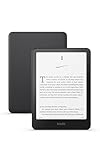
- Kindle Paperwhite – 7“ Paperwhite display with high contrast ratio and fast page turns.
- Ready for travel – The ultra-thin design has a larger glare-free screen so pages stay sharp no matter where you are.
- Escape into your books – Your Kindle doesn’t have social media, notifications, or other distracting apps.
- Battery life for your longest novel – A single charge via USB-C lasts up to 12 weeks.
- Read in any light – Adjust the display from white to amber to read in bright sunlight or in the dark.
Is the Kindle Paperwhite 11th Gen still sold new?
The Kindle Paperwhite 11th Gen may still appear as new old stock in some marketplaces, but availability depends on country, seller, and inventory. Amazon continues to document and support the model, while its current lineup prominently includes the newer 12th-generation Paperwhite. Amazon also notes that not every Kindle generation has been available in every marketplace.
In 2026, buyers may encounter four different kinds of listing:
| Listing type | What it means | What to check |
|---|---|---|
| New old stock | An unused 11th Gen unit left from earlier inventory | Warranty, seller, return period, and whether the price is close to the 12th Gen |
| Amazon Renewed or refurbished | A pre-owned device inspected or restored through a refurbishment program | Battery condition, grading, warranty, and return terms |
| Used marketplace unit | A device sold directly by an individual or third-party seller | Screen condition, account deregistration, battery behavior, and liquid or impact damage |
| Third-party listing | A seller offering inventory outside Amazon’s direct retail channel | Seller reputation, exact model, storage, advertising status, and returns |
Do not assume that an 11th Gen listing is a bargain merely because it is older. A used unit with a worn battery and weak returns can be a worse purchase than a new 12th Gen with a modestly higher price.
What are the Kindle Paperwhite 11th Gen specifications?
The standard Kindle Paperwhite 11th Gen combines a larger monochrome E Ink screen with features that the basic Kindle lacks. Amazon’s 2021 announcement specified the following core features:
| Feature | Kindle Paperwhite 11th Gen standard model |
|---|---|
| Release | 2021 |
| Display | 6.8-inch-class glare-free monochrome Paperwhite display |
| Resolution | 300 pixels per inch |
| Front light | Adjustable brightness and adjustable warm light |
| Storage | 8GB nominal; approximately 6GB available to the user according to Amazon |
| Water resistance | IPX8 |
| Charging | USB-C |
| Battery claim | Up to 10 weeks under Amazon’s stated conditions |
| Wireless connectivity | Wi-Fi, including 5GHz support according to Amazon product information |
| Accessibility | VoiceView over Bluetooth |
| Reading modes | Dark Mode and standard light mode |
Amazon’s 2021 Paperwhite announcement supports the display, warm-light, USB-C, water-resistance, storage, and battery specifications. Amazon’s device-identification page is the better reference for distinguishing the standard model from the Signature Edition and newer generations.
How good is the display?
The 6.8-inch, 300-ppi display is the Paperwhite 11th Gen’s strongest feature. Text is sharp enough for comfortable novel reading, and the larger panel shows more words per page than a six-inch basic Kindle. The display uses reflective E Ink rather than a conventional backlit tablet screen, so the screen remains particularly comfortable to read outdoors and in bright ambient light.
The flush-front design gives the Paperwhite a cleaner, more premium appearance and makes the surface easier to wipe. The trade-off is that the front surface can reflect light more noticeably than a recessed display in some conditions. E Ink also remains slower than a phone or tablet: page transitions can show visible refresh behavior, and menus, large books, PDFs, and image-heavy pages are not as fluid as ordinary touchscreen content.
The Tool Desk
Outbyte PC Repair FREERepair Windows errors before they cause bigger problemsFix Now →Outbyte Driver Updater FREEScan for outdated or missing drivers - takes under a minuteDriver Scan →The adjustable warm light is useful for evening reading and may feel more comfortable to some readers. Warm light is not a medical guarantee of reduced eye strain or improved sleep, and the Paperwhite should not be described as eliminating blue light. The 11th Gen is also a monochrome reader, so it is not the right choice for color magazines, color comics, or illustrated books where color is important.
Independent reviews from Tom’s Guide and WIRED praised the larger screen, warm lighting, waterproof construction, and reading comfort while noting the familiar Kindle software and touchscreen page turns.
Is the Paperwhite 11th Gen comfortable for long reading?
The Kindle Paperwhite 11th Gen is highly comfortable for long sessions when the reader prefers a larger text area and does not need physical page-turn buttons. The screen size, sharp text, adjustable typography, warm light, and low charging frequency make the device well suited to novels, bedtime reading, commuting, travel, and extended reading sessions.
Amazon’s Kindle reading platform supports font-size, typeface, line-spacing, margin, orientation, and background-color controls, along with highlights, notes, bookmarks, dictionary lookup, and in-book search. These controls are documented on the Amazon Kindle reading platform.
What’s actually slowing this PC down?
Pick the symptom - the matching free tool is one click away.
What makes it comfortable?
- The 6.8-inch screen provides a more spacious page than a six-inch Kindle.
- Warm light makes the display easier for many readers to live with at night.
- Font size, typeface, spacing, and margins can be adjusted to suit the reader.
- IPX8 water resistance makes reading near a bath or pool less stressful than using an unprotected tablet.
- The long battery claim means the reader does not need to charge after every few reading sessions.
What may reduce comfort?
- The Paperwhite has no physical page-turn buttons; page turns use the touchscreen.
- The larger body is less pocketable than the basic Kindle.
- The flush front may reflect overhead or side lighting.
- The screen is monochrome and optimized mainly for text.
- Touchscreen page turns may not suit readers who prefer tactile controls or who read one-handed in difficult conditions.
How waterproof is the Kindle Paperwhite 11th Gen?
The Kindle Paperwhite 11th Gen is IPX8 water resistant, which means the device passed a defined laboratory immersion test; IPX8 does not mean the device is indestructible or safe for unlimited underwater use. Amazon lists IPX8 protection for the 11th Gen on its device-identification and specification page.
Salt water, chlorinated water, soap, sand, drops, cracks, repairs, and aging seals can still create risks. Dry the charging port before connecting a USB-C cable. A used device that was once dropped or opened may not retain the same practical water resistance as an undamaged unit, even if the original model carried an IPX8 rating.
Also popular on Amazon

- Light and compact - With adjustable brightness, high contrast ratio, and fast page turns.
- Effortless reading in any light - Read comfortably with a 6“ glare-free display, adjustable front light—now 25% brighter at max setting—and dark mode.
- Escape into your books - Tune out messages, emails, and social media with a distraction-free reading experience.
- Read for a while - Get up to 6 weeks of battery life on a single charge.
- Take your library with you - 16 GB storage holds thousands of books.
How long does the battery last?
Amazon claimed up to 10 weeks of battery life for the Kindle Paperwhite 11th Gen under its stated testing conditions. The claim is a ceiling, not a guaranteed result for every reader. Brightness, warm-light level, Wi-Fi activity, audiobook playback, page-turn frequency, screen-refresh settings, and reading hours all affect endurance.
The newer Paperwhite 12th Gen carries Amazon’s claim of up to 12 weeks, so the 11th Gen no longer leads the Paperwhite range on the published battery figure. No universal real-world battery duration should be promised without a documented test using specified settings.
Crashes, No Sound, or Screen Glitches?
Random freezes, missing sound and display glitches usually trace back to one bad driver. Find and replace yours safely.Free scan · under a minuteWindows Errors? Fix Them Before They Spread
Repair common Windows errors and clear accumulated junk for a smoother, more stable PC - no reinstall needed.Free scan · no reinstallThe move to USB-C is convenient, particularly for households that already charge phones and other devices with USB-C cables. Amazon’s Paperwhite setup guidance says the cable is included while a wall charger may need to be purchased separately. A basic reputable USB charger is sufficient; an expensive fast charger is not necessary.
How fast is the 11th Gen?
The Kindle Paperwhite 11th Gen feels responsive enough for ordinary books, but it is still an E Ink reader rather than a tablet. Amazon advertised page turns up to 20% faster than the previous Paperwhite generation. That figure is a generational comparison, not a promise that the 11th Gen will be faster than every newer Kindle.
Normal page turns are the least demanding task. Opening a large book, navigating menus, rendering a complex PDF, displaying manga, and performing full-page refreshes can feel slower. The dossier does not establish a controlled 11th- versus 12th-generation latency test, so the 11th Gen should not be described as faster than, or equal in speed to, the 12th Gen without new testing.
What is the Kindle software and ecosystem like?
The Kindle Paperwhite 11th Gen provides direct access to Amazon’s Kindle ecosystem, including the Kindle Store, synchronization across supported Kindle devices and Kindle apps, highlights, notes, dictionary lookup, search, bookmarks, and supported audiobook integration. Whispersync can synchronize reading position and supported audiobook progress across compatible devices and services.
The ecosystem is both a major advantage and a buying constraint. Readers who already buy Kindle books or use Kindle apps get a straightforward library that follows them between devices. Books purchased from Amazon are tied to the reader’s Amazon ecosystem, and the Paperwhite is not an open general-purpose e-reader with unrestricted access to every bookstore or reading app.
EPUB files can be sent through supported Kindle import workflows, but EPUB support should not be interpreted as universal native compatibility. DRM, formatting, file size, conversion, and library-loan restrictions vary. A file that imports successfully may still require formatting adjustments, and a library title may need to be delivered through the lending service supported by the reader’s country and library system.
VoiceView provides accessibility support over Bluetooth. Kindle Unlimited and other Amazon subscriptions are optional rather than required, and catalog, pricing, promotions, and availability vary by country and date.
What software version does the Paperwhite 11th Gen use?
Amazon’s software-update page showed Kindle Paperwhite 11th Gen version 5.19.2 and Paperwhite 12th Gen version 5.19.5 when the page was checked in July 2026. These are date-stamped observations, not permanent final versions; Amazon can change the software before publication or afterward. Check Amazon’s Kindle software-update page for the current version.
How much storage do you need?
Eight gigabytes is generally enough for a reader whose library consists mostly of novels. Text-based e-books are relatively small, and most readers do not need every purchased title downloaded at once. Amazon states that approximately 6GB is available to the user on the standard 8GB 11th Gen.
| Storage option | Best for | Potential limitation |
|---|---|---|
| 8GB standard 11th Gen | Mostly novels and a normal downloaded library | Less room for audiobooks, comics, manga, and PDFs |
| 32GB 11th Gen Signature Edition | Large audiobook, comic, manga, or PDF collections | Extra cost is wasted if the reader mainly downloads novels |
| 16GB Paperwhite 12th Gen | New buyers wanting more standard capacity and newer hardware | May cost more than a discounted 11th Gen |
Amazon states that approximately 27GB is available to the user on the 32GB Signature Edition. Storage is not the only reason to buy the Signature Edition: automatic front-light adjustment and wireless charging are the other meaningful additions.
What is the difference between the standard and Signature Edition?
The 11th-generation Paperwhite Signature Edition uses the same general 6.8-inch Paperwhite platform but adds storage and convenience features.
Also popular on Amazon
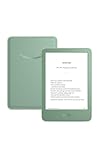
- Light and compact - With adjustable brightness, high contrast ratio, and fast page turns.
- Effortless reading in any light - Read comfortably with a 6“ glare-free display, adjustable front light—now 25% brighter at max setting—and dark mode.
- Escape into your books - Tune out messages, emails, and social media with a distraction-free reading experience.
- Read for a while - Get up to 6 weeks of battery life on a single charge.
- Take your library with you – 16 GB storage holds thousands of books.
| Feature | Standard Paperwhite 11th Gen | Paperwhite Signature Edition 11th Gen |
|---|---|---|
| Storage | 8GB nominal; approximately 6GB available | 32GB nominal; approximately 27GB available |
| Front-light adjustment | Manual brightness and warm-light controls | Includes automatic front-light adjustment |
| Wireless charging | No | Yes, with a compatible charger sold separately |
| Display platform | 6.8-inch-class, 300 ppi monochrome display | Same general 6.8-inch Paperwhite platform |
| Best match | Novel readers seeking value | Readers with large media libraries or a wireless-charging setup |
The standard model is the better value for most novel readers. The Signature Edition makes sense when the buyer will actually use 32GB, automatic brightness, or wireless charging.
How does the Paperwhite 11th Gen compare with the Paperwhite 12th Gen?
The Paperwhite 12th Gen is the better default choice for a new buyer when its price is close to the 11th Gen. The 11th Gen remains attractive when a discount, refurbished offer, or reliable used listing creates a meaningful price advantage.
| Feature | Paperwhite 11th Gen | Paperwhite 12th Gen |
|---|---|---|
| Release year | 2021 | 2024 |
| Display size | 6.8-inch class | 7-inch class |
| Resolution | 300 ppi | 300 ppi |
| Standard storage | 8GB | 16GB |
| Warm light | Yes | Yes |
| Water resistance | IPX8 | IPX8 |
| Charging | USB-C | USB-C |
| Amazon battery claim | Up to 10 weeks | Up to 12 weeks |
| Best reason to choose it | Lower reliable purchase price | Newer hardware, more storage, and a longer expected product life |
According to Amazon’s current device-identification page, the 11th Gen is a 2021 model and the 12th Gen is a 2024 model. The newer model also offers faster page turns and higher contrast according to Amazon’s current device information and 2024 product coverage, but the research does not establish a controlled independent speed benchmark for this review.
Use this decision rule:
- Choose the 11th Gen when the device is clearly cheaper, the seller is trustworthy, the return period is meaningful, and the battery and screen are in good condition.
- Choose the 12th Gen when the price difference is small, when buying new, or when 16GB storage and newer hardware matter.
- Do not pay a premium for the 11th Gen simply because it carries the Paperwhite name.
Amazon’s original 11th Gen launch price was $139.99 for the standard model in September 2021. That historical price should not be reused as a 2026 recommendation; current prices vary by country, seller, promotions, and inventory.
What is the difference between the Paperwhite 11th Gen and the basic Kindle?
The basic Kindle is the better choice for buyers who prioritize small size, low weight, pocketability, and lower cost. The Paperwhite 11th Gen is better for readers who prioritize a larger screen, adjustable warm light, IPX8 water resistance, and a more premium flush-front design.
| Priority | Better choice | Reason |
|---|---|---|
| Smallest, easiest-to-carry reader | Basic Kindle | Its six-inch form factor is more portable |
| Warm light for evening reading | Paperwhite 11th Gen | The Paperwhite offers adjustable warm light |
| Reading near water | Paperwhite 11th Gen | It carries an IPX8 water-resistance rating |
| More spacious text pages | Paperwhite 11th Gen | The 6.8-inch display shows more content per page |
| Lowest reasonable purchase cost | Basic Kindle | It is positioned below the Paperwhite range |
| 16GB in a small device | Basic Kindle 11th Gen, 2024 model | Amazon lists the 2024 basic Kindle with 16GB storage |
Amazon lists the 2024 Kindle 11th Generation with a six-inch display, 16GB storage, USB-C, adjustable front light, Dark Mode, and VoiceView. The basic Kindle is not a stripped-down Paperwhite: readers specifically wanting warm light, water resistance, or a larger page should spend more on a Paperwhite.
Is the Paperwhite 11th Gen good for PDFs, manga, comics, and textbooks?
The Paperwhite 11th Gen can display PDFs and image-heavy books, but the 6.8-inch monochrome screen is not ideal for complex layouts or large documents. Zooming, cropping, navigation, and reflow can be frustrating, and color illustrations appear without color.
Eight gigabytes may be sufficient for occasional PDFs or comics, but readers who keep many manga volumes, graphic novels, audiobooks, or large documents downloaded should consider the 32GB Signature Edition or a newer model with more storage. A larger e-ink device, tablet, or laptop is usually better for academic PDFs and textbooks with dense layouts.
The Paperwhite is an e-reader, not a general-purpose tablet. It lacks the app flexibility, color, and responsiveness of an iPad or Android tablet.
Recommended Free Tools
Does the Paperwhite 11th Gen work with library books?
Library-book compatibility depends on the reader’s country, library system, lending service, title rights, and whether the title is available in a Kindle-compatible format. The Paperwhite should not be advertised as universally compatible with every library.
Before buying, verify whether the local library supports Kindle delivery, whether the desired titles are offered in Kindle format, whether loans must be sent through Amazon, and whether a library app or separate device is required. A library’s catalog and lending workflow are more important than the Kindle model itself.
What are the main drawbacks?
- It is an older generation. Amazon has replaced the 2021 model with the 2024 Paperwhite 12th Gen.
- The standard model has only 8GB. Eight gigabytes is enough for novels but less comfortable for large audiobook, comic, manga, or PDF collections.
- There are no physical page-turn buttons. Every page turn uses the touchscreen.
- The display is monochrome. Color illustrations, magazines, and color comics lose their intended color.
- Amazon is a consequential ecosystem choice. Kindle Store purchases and synchronization are convenient, but the platform is less open than some competing e-readers.
- A wall charger is not necessarily included. Amazon’s setup guidance describes a USB cable in the package and a separately sold 5W charger.
- Availability is inconsistent. Buyers may have to choose among new old stock, refurbished units, used devices, and third-party listings.
- Used units can have hidden wear. Battery degradation, screen defects, lock-screen advertising, account-registration problems, or uncertain returns can erase the apparent saving.
- The standard model does not automatically adjust its front light. Automatic front-light adjustment belongs to the Signature Edition.
How should you buy a used or refurbished Paperwhite 11th Gen?
A used or refurbished Paperwhite 11th Gen can be a good purchase when the discount is large enough to compensate for its age and the seller offers reliable returns. Amazon’s pre-owned listings are dynamic and should be treated as availability signals rather than permanent price promises.
Check each item before buying:
- Exact model: confirm standard, Signature Edition, or Kids Edition.
- Storage: verify 8GB versus 32GB.
- Seller: prefer a seller with clear grading, warranty, and return terms.
- Battery: look for rapid drain, unexpected shutdowns, or an inability to hold a charge.
- Screen: inspect for dead pixels, bright spots, uneven lighting, ghosting, cracks, and pressure damage.
- Charging port: confirm that the USB-C cable connects securely.
- Water history: an IPX8 rating does not prove that a used unit has never suffered liquid or impact damage.
- Advertising status: determine whether lock-screen ads are present and whether removal is available in that marketplace.
- Account status: the device should be deregistered from the previous owner’s Amazon account.
- Accessories: verify whether a case or wall charger is included; a case protects the screen but adds weight and bulk.
Amazon’s pre-owned device widget has shown Amazon-tested pre-owned Paperwhite units, but discounts and inventory change. Compare the complete offer rather than the headline price.
Quick wins for a faster PC:
Fix the driver behind crashes, sound loss and screen glitchesFind Drivers →Clear out junk files and repair common Windows errorsFree Scan →Scan for outdated or missing drivers - takes under a minuteDriver Scan →Also popular on Amazon

- Kindle Paperwhite – 7“ Paperwhite display with high contrast ratio and fast page turns.
- Ready for travel – The ultra-thin design has a larger glare-free screen so pages stay sharp no matter where you are.
- Escape into your books – Your Kindle doesn’t have social media, notifications, or other distracting apps.
- Battery life for your longest novel – A single charge via USB-C lasts up to 12 weeks.
- Read in any light – Adjust the display from white to amber to read in bright sunlight or in the dark.
How do you identify the exact Kindle model?
On the Kindle, open Settings, select All Settings if that option appears, open Device Options, and select Device Info. Amazon provides this path in its Kindle device-identification guidance.
Model identification matters when buying a case, checking storage, comparing software, or evaluating a used listing. “Kindle Paperwhite 11th Gen” and “Kindle 11th Gen” are different devices, and an 11th-Gen case should not be assumed to fit a 12th-Gen Paperwhite.
How do you set up a Kindle Paperwhite 11th Gen?
For a new or reset Paperwhite, select the device language, choose whether to set up on the Kindle or with a phone, connect to Wi-Fi, register the Kindle to the Amazon account, and complete any applicable Kids+ or child-profile setup. Amazon documents these steps in its Paperwhite setup guide.
After setup, download a book over Wi-Fi, adjust font and warm-light preferences, test the charging cable, and confirm that the device synchronizes with the intended Amazon account. If buying used, deregister the previous owner’s account before registering the device to the buyer’s account.
Recommended Free Tools
Which alternatives should you consider?
| Alternative | Choose it when | Do not choose it when |
|---|---|---|
| Kindle Paperwhite 12th Gen | You want the newest standard Paperwhite, 16GB, and newer hardware | The 11th Gen is heavily discounted and you mainly read novels |
| Basic Kindle 11th Gen, 2024 model | You value portability, low weight, and a six-inch form factor | You need warm light, IPX8 water resistance, or a larger page |
| Paperwhite Signature Edition | You need 32GB, automatic light adjustment, or wireless charging | You mostly read novels and do not use those extras |
| Kindle Colorsoft | You need color illustrations, magazines, or color comics | You want the simplest and least expensive monochrome novel reader |
| Kindle Scribe | You need a larger screen or writing and note-taking features | You want a light, pocketable reader for novels |
| Kobo or another non-Amazon reader | You prefer another bookstore, broader sideloading control, or a different library workflow | You rely heavily on Kindle Store purchases and Amazon synchronization |
Amazon separates Colorsoft and Scribe from the Paperwhite line in its current Kindle buying guide. A specific Kobo recommendation would require checking the current model, price, waterproofing, display, software, and library support for the buyer’s market.
Who should buy the Kindle Paperwhite 11th Gen?
Buy the Kindle Paperwhite 11th Gen if the device is meaningfully cheaper than the 12th Gen and the seller provides reliable returns. The 11th Gen is especially well suited to:
- Novel readers who want a larger screen and sharp 300-ppi text.
- Readers who want adjustable warm light for evening use.
- People who read near a bath, pool, or outdoors and value IPX8 water resistance.
- Travelers who want long battery life and USB-C charging.
- Readers who mostly store text-based books and do not need more than the standard model’s available storage.
- Buyers comfortable with refurbished or used hardware after checking battery, screen, account, and return conditions.
Who should skip the Kindle Paperwhite 11th Gen?
Skip the Kindle Paperwhite 11th Gen when its price is close to the 12th Gen, when you want the longest likely product runway, or when the 11th Gen’s limitations directly affect your reading habits.
- Choose the Paperwhite 12th Gen for a normal-price new purchase when the price gap is modest.
- Choose the basic Kindle when pocketability and low weight matter more than warm light, water resistance, and screen size.
- Choose a Signature Edition when you need 32GB, automatic front-light adjustment, or wireless charging.
- Choose Colorsoft or another color reader when color content is central.
- Choose a Scribe or larger e-ink device when you need writing or large-format documents.
- Choose a non-Amazon e-reader when bookstore flexibility or a different library workflow matters more than Kindle ecosystem convenience.
- Do not choose the standard 8GB model for a large downloaded collection of audiobooks, comics, manga, or PDFs.
- Do not choose it if physical page-turn buttons are essential.
Frequently Asked Questions
Is the Kindle Paperwhite 11th Gen still worth buying in 2026?
The Kindle Paperwhite 11th Gen is still worth buying in 2026 when it is substantially cheaper than the 12th Gen and comes from a seller with reliable returns and acceptable battery condition. The 12th Gen is the better choice when prices are close because it is newer, has 16GB of standard storage, and carries Amazon’s longer battery claim.
Do these 3 things before closing this tab:
1Repair Windows errors before they cause bigger problems2Fix the driver behind crashes, sound loss and screen glitches3Clear out junk files and repair common Windows errorsDoes the Kindle Paperwhite 11th Gen have warm light and waterproofing?
Yes. The Kindle Paperwhite 11th Gen has adjustable warm light and an IPX8 water-resistance rating. IPX8 is a laboratory protection rating, not a guarantee against unlimited underwater use, salt water, soap, impact damage, or aging seals.
Is 8GB enough on the Kindle Paperwhite 11th Gen?
Eight gigabytes is enough for most readers who mainly download novels; Amazon states that approximately 6GB is available to the user on the standard model. Readers with large audiobook, comic, manga, or PDF collections should consider the 32GB Signature Edition or a newer model with more storage.
What is the difference between Kindle Paperwhite 11th Gen and Kindle 11th Gen?
The Kindle Paperwhite 11th Gen is the larger, more feature-rich 2021 model with a 6.8-inch display, warm light, and IPX8 water resistance. The basic Kindle 11th Generation is a separate smaller device; Amazon lists the 2024 basic Kindle with a six-inch display, 16GB storage, USB-C, adjustable front light, Dark Mode, and VoiceView.
The Bottom Line
Bottom line: The Kindle Paperwhite 11th Gen remains an excellent e-reader, but it is no longer the best default buy for every shopper. Buy it when a trustworthy new, refurbished, or used listing is clearly cheaper than the Paperwhite 12th Gen. If the prices are close, choose the 12th Gen; if portability matters most, choose the basic Kindle; and if color or writing matters, choose a different Kindle category.
Free tools Windows power users keep installed
One-click scans. No signup required.

