
The Tool Desk
Outbyte PC Repair FREERepair Windows errors before they cause bigger problemsFix Now →Outbyte Driver Updater FREEFix the driver behind crashes, sound loss and screen glitchesFind Drivers →iTechGuides is reader-supported. When you buy through links on our site, we may earn an affiliate commission. As an Amazon Associate I earn from qualifying purchases. Learn more
All Celeron models cannot be represented accurately by one definitive chronological number because Intel used the Celeron name for desktop, mobile, Celeron M, Atom-derived low-power, embedded, OEM, and frequency-named processors. This guide catalogs the major official production families, explains their naming, and shows how to verify the exact SKU, package, platform, and upgrade path.
Intel Celeron was an entry-level processor brand, not a single architecture or socket. A Celeron 300A, Celeron M 430, Celeron G5905, and Celeron N5105 belong to very different platform classes. Intel’s current ARK Celeron collection, historical product documents, and embedded catalog together provide a more reliable record than any single flat list.

Key takeaways
- Intel Celeron models span early frequency-named desktop chips, Celeron D, Celeron M, numbered desktop parts, G-series processors, N/J-series systems, and embedded products.
- A Celeron model number does not reliably indicate chronology, performance, socket, architecture, or upgradeability across different families.
- Many desktop Celerons are socketed, while most mobile, N-series, J-series, and embedded Celerons are soldered BGA devices that are not practical CPU upgrades.
- Intel announced on September 16, 2022 that Intel Processor branding would replace Pentium and Celeron in the 2023 notebook product stack, but separate product groups followed different discontinuance schedules.
- Intel ARK is the best starting point for many documented SKUs, while Intel’s legacy Celeron PDF is essential for older Celeron, Celeron M, ULV, and mobile frequency-named models.
What are all Celeron models?
“All Celeron models” means different things depending on the inclusion rule. A genuinely historical catalog should include official production SKUs whose marketing name contains “Celeron,” including desktop, notebook, Celeron M, low-power N/J, embedded, OEM-only, tray, and suffix variants when Intel documents them as distinct products.
Crashes, No Sound, or Screen Glitches?
Random freezes, missing sound and display glitches usually trace back to one bad driver. Find and replace yours safely.Free scan · under a minutePC Slower Than It Used to Be?
A free scan shows the junk files, broken settings and background clutter dragging Windows down - then fixes them in one click.Free scan · Windows 10 & 11The catalog should exclude engineering samples and unnamed stepping variants from the main model index. Rebadged OEM processors and embedded variants should be included when Intel documents them as official Celeron products. Intel Processor products released after the branding transition should not be counted as Celeron models; Intel Processor is successor branding, not another Celeron series.
Popular on Amazon
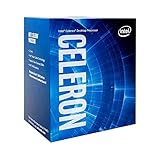
- 2 Cores / 2 Threads
- Socket Type LGA 1200
- Compatible with Intel 400 series chipset based motherboards
- Intel Optane Memory Support
There is no responsible single total without first compiling and deduplicating multiple records. The result changes depending on whether the count includes regional versions, tray and boxed versions, OEM-only parts, embedded temperature variants, mobile chips identified only by clock speed, and products that appear in discontinued PDFs but not in the current ARK family pages.
Celeron family index
The following index is a more useful way to navigate the Celeron catalog than a single chronological list.
| Family | Typical naming | Platform class | What to check first |
|---|---|---|---|
| Early desktop Celeron | 266 MHz through 1.4 GHz and related clock names | Socketed desktop | Socket 370 or other platform details, chipset, BIOS |
| Celeron and Celeron D | 1.7 GHz through 2.8 GHz-era names; Celeron D | NetBurst-era desktop | Socket 478 or LGA775, thermal requirements |
| Celeron M | Celeron M 300-, 400-, and related series | Notebook, mini-laptop, embedded mobile | Socketed versus BGA package and chipset |
| Numbered desktop Celeron | 4000 series, 3000 series, and related models | Core-era desktop and notebook platforms | Exact socket, memory generation, BIOS |
| G-series | G1000/G1600, G3000, G4000, G5000 families | Desktop | LGA generation, TDP, graphics, memory support |
| N-series | N2000, N3000, N4000, N5000, N4500/N5100-era parts | Low-power mobile and small-form-factor | BGA package and complete-system support |
| J-series | J1800, J1900, J3000, J4000, J5000, J6000 families | Low-power desktop, embedded, fanless systems | Board model, soldered package, memory limit |
| Embedded Celeron | J6412, G6900E, 7305L, and suffix variants | Industrial and long-life systems | Lifecycle, temperature range, board validation |
Which early desktop Celeron models existed?
Early desktop Celeron processors used clock speed as the product name rather than a consistent modern model-number sequence. Intel’s legacy documentation includes Celeron models from 266 MHz through 433 MHz, 466 MHz through 766 MHz, and later 800 MHz, 1.0 GHz, 1.1 GHz, 1.2 GHz, 1.3 GHz, and 1.4 GHz-era parts.
What’s actually slowing this PC down?
Pick the symptom - the matching free tool is one click away.
These processors are associated primarily with the early socketed desktop era, including Socket 370 platforms and related chipset combinations. The famous Celeron 300A is particularly relevant to retro-computing history because of its overclocking reputation, but a historical reputation does not make every 300A suitable for a modern replacement. The motherboard, voltage support, cooling, operating system, and period-correct software remain decisive.
| Historical group | Examples documented in Intel’s legacy material | Typical identification issue | Upgrade warning |
|---|---|---|---|
| Early low-clock desktop | 266 MHz, 300A, 333 MHz, 366 MHz, 400 MHz, 433 MHz | Clock speed is the model name | Verify the exact socket and bus/chipset support |
| Later clock-named desktop | 466 MHz through 766 MHz | Similar names can hide different steppings and platforms | Same apparent socket does not guarantee BIOS or voltage compatibility |
| GHz-era clock-named desktop | 800 MHz, 1.0 GHz, 1.1 GHz, 1.2 GHz, 1.3 GHz, 1.4 GHz | Frequency does not identify architecture by itself | Check the board’s supported processor list |
For historical names that are difficult to find in current ARK searches, use Intel’s legacy discontinued Celeron processor document. The document covers older desktop and mobile products that are not necessarily exposed through today’s main family page.
What were Celeron D models?
Celeron D was Intel’s NetBurst-era desktop branch, separate from both the original clock-named Celerons and later Core-era numbered or G-series processors. The family covered approximately the 1.7 GHz through 2.8 GHz-era desktop market and appeared during socket transitions that included Socket 478 and LGA775.
Celeron D systems commonly used less cache and offered fewer features than contemporary Pentium 4 systems. The result was a distinct performance and thermal profile, so a Celeron D should not be compared with a later Celeron merely by clock speed. Socket, chipset, power delivery, cooling, and operating-system support matter more than the “D” label alone.
Which Celeron M and mobile models should be included?
Celeron M was Intel’s mobile Celeron branch for budget notebooks, mini-laptops, and some embedded systems. The documented families include Celeron M 300-series and 400-series parts, Celeron M 320, 330, 370, 430, 520, and 530, plus ultra-low-voltage variants and older mobile processors identified by clock speed or other mobile suffixes.
Mobile Celeron packaging varied. Some processors were socketed in older notebook designs, while many later mobile and ultra-low-voltage parts were soldered BGA devices. The complete system’s motherboard and firmware therefore matter more than the processor’s name. Intel’s legacy Celeron reference is especially important for Celeron M, ULV, and older mobile entries.
Also popular on Amazon

- Processor Manufacturer: Intel
- Processor Core: dual-core (2 Core)
- Clock Speed: 2.80 GHz
- Direct media interface: 8 gt/s
- L2 cache: 512 kB
| Mobile family | Representative documented names | Typical use | What makes replacement difficult |
|---|---|---|---|
| Celeron M 300-series | Celeron M 320, 330, 370 | Budget notebooks and older mobile systems | Notebook chipset, package, BIOS, and thermal design |
| Celeron M 400/500-era | Celeron M 430, 520, 530 | Budget notebooks and compact systems | Some systems use BGA or proprietary firmware support |
| ULV and older mobile | ULV variants and clock-speed-only mobile models | Small notebooks and embedded mobile equipment | Low-voltage platform requirements and limited documentation |
| Later mobile suffix families | Selected U, Y, T, and L-designated Celerons | Thin notebooks and low-power systems | Suffix meaning and package are family-dependent |
Which numbered desktop Celeron families followed?
After the earliest clock-named and NetBurst-era products, Intel used several numbered desktop and mobile families, including Celeron 4000-series and 3000-series parts. The names should be grouped by platform rather than placed into one universal sequence because a 3000-series mobile chip, a 4000-series desktop chip, and a G-series desktop chip do not necessarily share an architecture, socket, or power envelope.
Low-power desktop variants commonly use a T suffix in several generations. A suffix is a clue, not a specification: the exact Intel product page remains authoritative for frequency, TDP, graphics, memory, and package.
What are the Celeron G-series models?
The G-series is a desktop-oriented Celeron family. Intel’s separate Celeron G-series ARK collection includes examples such as G1620T, G4900, and G5905, with SKU-level launch dates, cores, frequencies, cache, and TDP records.
| G-series group | Representative examples | Platform question | Compatibility consequence |
|---|---|---|---|
| Earlier G-series | G1620T | Which LGA generation and chipset does the board support? | A newer or older G-series chip is not automatically interchangeable |
| Middle G-series | G4900 | Does the board support the required memory generation and BIOS? | Socket matching alone is insufficient |
| Later G-series | G5905 | Is the system desktop or embedded, and what firmware is required? | Check the exact board support list and graphics outputs |
Across the desktop era, Celeron platforms moved through sockets including LGA775, LGA1155, LGA1150, LGA1151, and LGA1200 where applicable. The exact socket must be verified for each SKU; the Celeron brand does not identify the socket.
What are the Celeron N-series models?
Celeron N-series processors are low-power mobile or small-form-factor parts, commonly found in Chromebooks, fanless mini-PCs, thin clients, routers, NAS appliances, and embedded devices. Representative families include N2000-series, N3000-series, N4000-series, N4100/N4200-era, N5000-series, and N4500/N5100-era products.
N-series Celerons are normally integrated into the system using a soldered BGA package. A user generally cannot remove an N-series processor and install a faster N-series chip in an ordinary laptop or desktop. The practical upgrade is usually a complete motherboard or complete system, subject to the manufacturer’s design.
Recommended Free Tools
| Family or era | Representative model | Typical role | Upgrade reality |
|---|---|---|---|
| Early low-power N-series | N2808 | Compact and low-power systems | Verify the board; processor is generally platform-integrated |
| N4000-era | N4020 | Entry-level notebooks, mini-PCs, and thin clients | Usually soldered and not socket-upgradable |
| Later low-power N-series | N4500 and N5100-era parts | Modern low-cost mobile and compact systems | Compare the complete platform, not only the CPU name |
Intel’s general Celeron ARK collection provides representative N-series records such as N2808, N4020, and N4500. ARK fields vary by generation. If a field such as burst frequency is blank, reproduce Intel’s published record rather than inferring a value or assuming that blank documentation proves the absence of dynamic frequency behavior.
What are the Celeron J-series models?
J-series Celerons are low-power desktop, embedded-oriented, and small-form-factor processors. The family includes J1800, J1900, J3000-series, J4000-series, J5000-series, and J6000-series models. J-series systems are common in fanless mini-PCs, NAS appliances, routers, thin clients, and embedded boards.
| J-series group | Representative model or family | Typical design | Important limitation |
|---|---|---|---|
| Early J-series | J1800, J1900 | Low-power integrated desktop platform | Board and firmware define the practical upgrade path |
| J3000-series | J3160 | Fanless compact PCs and embedded systems | Usually soldered BGA |
| J4000-series | J4125-era family | Mini-PCs, NAS, thin clients | Do not assume N-series interchangeability |
| J6000-series | J6000-era family | Later low-power and embedded platforms | Verify exact board, memory, and firmware support |
J and N are separate product tracks. A J-series or N-series model with a similar number is not automatically a replacement for the other because package, firmware, memory support, graphics, board layout, and power behavior can differ.
Also popular on Amazon
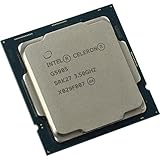
- 2 core / 2 threads
- Compatible with Intel 400 series chipset based motherboards
Which Celeron models are embedded?
Embedded Celeron models are intended for industrial, commercial, and long-life systems rather than ordinary retail PC upgrades. Intel’s embedded Celeron catalog includes products such as Celeron J6412, G6900E, and 7305L.
Quick wins for a faster PC:
Clear out junk files and repair common Windows errorsFree Scan →Fix the driver behind crashes, sound loss and screen glitchesFind Drivers →Repair Windows errors before they cause bigger problemsFix Now →Embedded status can involve lifecycle planning, validation, package choices, extended temperature options, and platform-specific support. Suffixes such as E and TE often indicate embedded-oriented variants in particular product families, but suffix meanings are not universal. The exact Intel record and the embedded board vendor’s documentation must be checked for temperature range, memory behavior, ECC or platform capabilities, package information, and ordering status.
| Embedded example | Why it belongs in a separate catalog | Buyer or integrator should verify |
|---|---|---|
| Celeron J6412 | Low-power embedded-oriented platform | Board package, lifecycle, temperature, memory, and firmware |
| Celeron G6900E | Embedded derivative of a desktop-oriented family | Exact board validation, socket/package, graphics, and support status |
| Celeron 7305L | Embedded product with a family-specific suffix | Platform generation, package, lifecycle, and system compatibility |
How do Celeron architectures and generations map?
Celeron generations must be labeled by platform or codename, not inferred from the model number alone. The historical catalog spans P6-era Celeron, NetBurst-derived Celeron and Celeron D, Core-derived desktop and mobile products, and Atom-family low-power platforms.
Useful platform groupings include Sandy Bridge, Ivy Bridge, Haswell, Broadwell, Skylake, Kaby Lake, Coffee Lake, and Comet Lake for applicable desktop families, plus Bay Trail, Braswell, Apollo Lake, Gemini Lake, and Jasper Lake for applicable low-power families. These groupings describe different Intel product tracks; they should not be treated as one continuous Celeron numbering system.
Intel’s processor support and servicing pages classify Celeron products by series and platform codename, including Skylake G-series, Apollo Lake J-series, and Gemini Lake J/N-series. A reference table should therefore use a column titled “Intel platform/codename” rather than an ambiguous “generation” column.
What do Celeron suffixes mean?
Celeron suffixes provide useful first-pass clues, but suffix meanings are family-dependent and must be verified against the exact SKU.
| Suffix or prefix | Common association | Why the rule is limited |
|---|---|---|
| G | Desktop Celeron family | Exact socket, architecture, and specifications vary by G-series generation |
| J | Low-power desktop or embedded-oriented Atom-derived family | Board integration and package must be checked |
| N | Low-power mobile or small-form-factor family | Usually soldered; model number is not a socket specification |
| T | Reduced-power desktop variant in several generations | Confirm the exact TDP and platform record |
| E / TE | Embedded or embedded-oriented variant in some families | Temperature and lifecycle differences require SKU-level verification |
| M | Mobile Celeron branding | Older mobile packages and platform requirements vary |
| U / Y | Older mobile ultra-low-power designations | These are historical family conventions, not universal Celeron rules |
| L | Low-power mobile or embedded designation in selected families | Confirm the product’s intended market and package |
For example, “G” is a useful clue that a processor is from a desktop-oriented family, while “N” or “J” suggests an integrated low-power platform. Neither clue replaces an Intel ARK lookup, because similar-looking names can have different memory, graphics, package, and firmware requirements.
How should you read a Celeron specification table?
A useful Celeron reference table should preserve the fields Intel actually publishes for each SKU rather than filling missing values from assumptions.
| Field | Why it matters |
|---|---|
| Launch date | Places the product in its platform era and helps distinguish old from newer similarly named parts |
| Intel platform/codename | Provides a more reliable generation clue than the model number |
| Cores and threads | Separates single-core, dual-core, quad-core, and other configurations |
| Base and burst/turbo frequency | Describes frequency behavior without comparing unlike architectures by clock alone |
| Cache | Helps distinguish closely related products where Intel documents the field |
| TDP or scenario design power | Indicates a processor power-design category, not total system consumption |
| Socket or package | Determines whether a processor can physically be replaced |
| Memory type and maximum | Can prevent an otherwise physically compatible upgrade |
| Graphics and display support | Important for office PCs, media systems, and embedded appliances |
| Status and lifecycle | Shows whether the part is current, discontinued, or legacy |
| Temperature and embedded capabilities | Critical for industrial boards and validated deployments |
Intel ARK provides many of these fields, but the available fields differ between generations. A blank field is a documentation limitation, not permission to infer a specification. Use Intel ARK for current and recently documented products, the legacy PDF for older products, and the embedded catalog for embedded-specific records.
Also popular on Amazon
How do you identify an unknown Celeron processor?
- Read the complete model name. Record every character, such as
Celeron G5905,Celeron J4125,Celeron N4020,Celeron 3855U,Celeron 847, orCeleron M 430. “Intel Celeron” alone is not enough. - Use the family clue. G generally points to desktop Celeron, J and N to low-power platform families, M to mobile-era Celeron, and E/TE to variants that need embedded verification.
- Determine the package. A socketed desktop processor may be replaceable; a BGA processor is normally soldered to the motherboard.
- Verify the exact system. Check the motherboard or system model, BIOS support list, chipset, board revision, memory generation, cooling, OEM firmware restrictions, and display requirements.
- Confirm with Intel. Use Windows System Information, Device Manager, BIOS setup, Linux
lscpu, CPU-Z, or another identification utility to discover the SKU, then verify the SKU through Intel’s product documentation.
Third-party utilities are useful for discovering a model name, but Intel’s product record should be treated as the authority for specifications. A system label that says only “Celeron” is insufficient for a safe replacement recommendation.
Independent reader supportYour contribution helps us test, update, and keep practical guides available for everyone.Can a Celeron processor be upgraded?
A Celeron can be upgraded only when the processor is physically replaceable and the motherboard, BIOS, chipset, memory, power delivery, and cooling support the replacement. Socketed desktop Celerons are possible upgrade candidates; many mobile, N-series, J-series, and embedded Celerons are soldered and should be treated as non-upgradeable CPU platforms.
| System type | Upgrade likelihood | Required checks |
|---|---|---|
| Older socketed desktop Celeron | Possible in principle | Socket, chipset, BIOS, bus, voltage, cooling, and supported CPU list |
| G-series desktop system | Possible in principle | LGA generation, BIOS, memory, graphics, TDP, and board support |
| Celeron M notebook | Depends on the specific notebook | Socket or BGA package, chipset, BIOS, thermal design, and vendor list |
| N-series or J-series mini-PC | Usually not a CPU upgrade | Assume soldered BGA unless the board documentation proves otherwise |
| Embedded Celeron board | Platform-specific | Vendor validation, lifecycle, temperature range, package, and firmware |
“Same socket” is only the first filter. A replacement can fail because the BIOS lacks microcode, the chipset does not support the processor, the memory generation differs, the power delivery is inadequate, the integrated graphics outputs are unsupported, or the OEM firmware restricts the processor list.
Which Celeron is appropriate for a repair, NAS, office PC, or retro system?
The right Celeron depends on the workload and platform, not simply on the largest model number.
Free tools Windows power users keep installed
One-click scans. No signup required.
- For a replacement: prioritize exact package or socket match, BIOS support, memory compatibility, equal or lower thermal requirements, graphics outputs, required instruction-set features, and a seller return option for used hardware.
- For a NAS, router, or fanless device: N- and J-series systems can be attractive because the processor and platform are integrated around a low-power design. Low TDP does not prove that the complete system is efficient; motherboard, memory, storage, power supply, and firmware also determine whole-system consumption.
- For office and web work: an older dual-core Celeron may handle lightweight tasks but can be a poor fit for modern browsers, video conferencing, multitasking, or current operating systems. Avoid a blanket “fast” or “slow” judgment without a benchmark and a defined workload.
- For retro computing: select the platform for the target operating system, game, instruction set, bus, chipset, and graphics support. A newer Celeron is not automatically a better period-correct machine.
- For buying an old system: check RAM capacity, storage interface, video-decoding capability, security-update status, idle and sustained power, replacement boards, and power-adapter availability. Treat claims such as “gaming,” “Windows-ready,” or “upgradeable” skeptically unless the motherboard and BIOS specifications are documented.
Current prices were not verified for this reference, so no price figures should be inferred from the model tables. Discontinued Celerons are usually a variable used-market or OEM purchase rather than a stable retail processor category.
What replaced the Celeron brand?
Intel announced on September 16, 2022 that the new Intel Processor branding would replace Pentium and Celeron in the 2023 notebook product stack. Intel’s branding announcement describes Intel Processor as the entry-level branding direction, while Intel’s processor-naming guidance explains its relationship to the earlier Pentium and Celeron brands.
The transition should not be simplified to “all Celerons ended in 2023.” Intel issued separate product-change notices for different groups. PCN 119074-00 lists a December 2, 2022 last-order date and December 3, 2023 last-shipment date for the products covered by that notice. A separate May 1, 2023 notice covering selected Celeron N-series and Pentium Silver products lists November 24, 2023 as the last-order date and May 24, 2024 as the last-shipment date. Those dates apply only to the products in each notification, not to every Celeron ever made.
Intel Processor N-series products may be more relevant than discontinued Celeron systems for a new low-cost purchase, but the exact processor, platform support, operating-system requirements, and current availability must be compared rather than assuming a branding change guarantees better performance.
Why is a single flat list of all Celerons misleading?
A flat chronological list conceals the distinctions that determine whether a Celeron is useful or compatible. Frequency-named Socket 370 processors, NetBurst Celeron D chips, Celeron M notebook parts, socketed G-series desktop processors, and soldered N/J-series systems are not interchangeable categories.
Also popular on Amazon

- 2 Cores /2 threads
- Base frequency 3.1 GHz
- Compatible with Intel 300 Series chipset based motherboards
- Thermal solution included
Model numbers also developed independently. A larger N-series number is not automatically faster than a smaller G-series number, and a four-digit model does not necessarily correspond directly to an Intel Core generation. Similar names can conceal different packages, graphics configurations, memory support, firmware requirements, lifecycle status, and temperature ranges.
Wikipedia’s historical Celeron model index can help locate names and chronology, but Intel ARK, Intel’s legacy PDF, embedded records, and product-change notices should be used to verify specifications, status, and lifecycle claims.
Frequently Asked Questions
What is the newest Intel Celeron model?
There is no single newest Celeron without defining the category and date, because consumer desktop, notebook, low-power, and embedded products followed separate product tracks. Use Intel ARK and the embedded catalog to identify the latest documented product in the category relevant to your system.
Do these 3 things before closing this tab:
1Scan for outdated or missing drivers - takes under a minute2Clear out junk files and repair common Windows errors3Fix the driver behind crashes, sound loss and screen glitchesAre Celeron N and J processors interchangeable?
Celeron N and J processors are not automatically interchangeable. N-series and J-series parts can differ in package, firmware, memory support, graphics, board layout, and power design, so the complete motherboard or system documentation must be checked.
Are all Celeron processors dual-core?
No. Celeron models include single-core, dual-core, quad-core, and other configurations across different generations and product families. Core count must be verified for the exact SKU rather than inferred from the Celeron brand.
Can a Celeron processor run Windows 11?
Windows 11 compatibility cannot be determined from the Celeron name alone. The exact processor, system firmware, TPM and Secure Boot configuration, supported operating-system release, drivers, and Microsoft’s current requirements must be checked for the complete PC.
What is the difference between Celeron and Intel Processor?
Intel Processor is successor branding for the entry-level notebook segment that replaced Pentium and Celeron branding in Intel’s 2023 notebook product stack. Intel Processor products should not be counted as Celeron models because they are a separate branding line.
What’s actually slowing this PC down?
Pick the symptom - the matching free tool is one click away.
The Bottom Line
The useful way to understand all Celeron models is as a catalog of platform families, not as one performance-ordered list. Identify the exact SKU, map its Intel platform or codename, verify the package and motherboard support, and then judge the processor against the intended workload. Desktop Celerons may be upgrade candidates; many mobile, N-series, J-series, and embedded products are soldered system components.

