
Windows Errors? Fix Them Before They Spread
Repair common Windows errors and clear accumulated junk for a smoother, more stable PC - no reinstall needed.Free scan · no reinstallOutdated Drivers Are Slowing You Down
One free scan finds every outdated or missing driver and matches the right update for your exact hardware.Free scan · exact hardware matchiTechGuides is reader-supported. When you buy through links on our site, we may earn an affiliate commission. As an Amazon Associate I earn from qualifying purchases. Learn more
The Alienware AW3425DW is an excellent 34-inch 240Hz QD-OLED gaming monitor, but this Alienware AW3425DW review finds that it is no longer an automatic best-in-class ultrawide. Buy it for immersive PC gaming, OLED contrast, and fast motion at a discount; skip it for bright rooms, heavy office work, USB-C docking, or the clearest OLED text.
The AW3425DW preserves the qualities that made the AW3423DWF and AW3423DW popular while adding a 240Hz refresh rate, HDMI 2.1, a newer QD-OLED generation, and a cleaner chassis. Those are meaningful upgrades, but the 3440×1440 resolution, 34-inch format, triangular QD-OLED subpixel layout, modest sustained HDR brightness, and OLED ownership trade-offs remain familiar.
Prices are volatile. Dell’s launch/MSRP reference was $799.99, while recent Dell product-page crawls showed promotional prices of $629.99 and $749.99. Treat those figures as dated snapshots, not permanent pricing, and check the current local price and warranty terms before buying.
Key takeaways
- The AW3425DW combines a 34.2-inch 3440×1440 QD-OLED panel, 240Hz refresh rate, 1800R curve, and 0.03ms manufacturer gray-to-gray response-time claim.
- The biggest upgrades over the AW3423DWF and AW3423DW are 240Hz, HDMI 2.1, a newer QD-OLED generation, and a revised chassis—not a radically different resolution or ultrawide format.
- Dell’s 1,000-nit HDR specification applies to a 3% APL peak condition, so the monitor should not be expected to deliver 1,000-nit full-screen HDR brightness.
- The monitor has USB-C downstream charging at 15W, but no USB-C video input, laptop power delivery, KVM switch, or speakers.
- Triangular QD-OLED subpixels can produce visible text fringing, while glossy reflections and purple-tinted blacks make the AW3425DW a weaker choice for bright rooms.
- As of August 2026, newer alternatives such as the Alienware AW3426DW, ASUS ROG Swift OLED PG34WCDN, and MSI MPG 341CQR QD-OLED X36 have weakened the AW3425DW’s claim to be the uncontested best 34-inch OLED.
What is the Alienware AW3425DW?
The Alienware AW3425DW is a 34.2-inch curved ultrawide gaming monitor with a 21:9 aspect ratio, 3440×1440 resolution, QD-OLED panel, and 240Hz refresh rate. The monitor has a 1800R curve, 110 pixels per inch, and a 0.03ms gray-to-gray response-time specification from Dell.
Popular on Amazon

- Ultrawide immersion for elite gameplay: Our expansive 34" QD-OLED monitor delivers seamless speed, and super smooth motion with intuitive function and connectivity.
- Sweeping visuals and color: Evolve your field of view with WQHD and an 1800R curve, combined with QD-OLED's incredible color range and clarity that easily immerses you in any world.
- Colorful clarity: Experience the full spectrum of color as intended with DCI-P3 99.3% color coverage and Delta E<2 color accuracy.
- Vast visuals: See every detail with VESA DisplayHDR TrueBlack 400, 1000 nits peak HDR brightness and infinite contrast ratio.
- Unrivaled speed: Adaptive sync technologies like NVIDIA G-SYNC Compatible, AMD FreeSync Premium Pro and VESA AdaptiveSync make games feel effortlessly smooth.
Other headline specifications include VESA DisplayHDR True Black 400, AMD FreeSync Premium Pro, NVIDIA G-SYNC Compatible support, and VESA AdaptiveSync compatibility. The official Dell AW3425DW product listing provides the current regional specification and purchasing information.
| Specification | AW3425DW |
|---|---|
| Panel | QD-OLED |
| Size and format | 34.2 inches, 21:9 ultrawide |
| Resolution | 3440×1440 |
| Refresh rate | 240Hz |
| Curve | 1800R |
| Pixel density | 110 PPI |
| Response-time claim | 0.03ms gray to gray; Dell specification, not an independent input-lag measurement |
| Typical brightness | 250 cd/m2 |
| HDR peak claim | 1,000 cd/m2 at 3% APL |
| HDR certification | VESA DisplayHDR True Black 400 |
| Color-gamut claim | 99.30% DCI-P3 |
| Video inputs | One DisplayPort 1.4 with DSC and two HDMI 2.1 ports |
| USB | USB-B upstream, one USB-A downstream, and one USB-C downstream |
| USB-C charging | 15W downstream charging; no video input or laptop power delivery |
Is the AW3425DW a real upgrade over the AW3423DWF and AW3423DW?
The AW3425DW is a meaningful feature upgrade over both earlier 34-inch Alienware QD-OLED monitors, but it is only a moderate image-quality upgrade for owners who already have a good AW3423DWF or AW3423DW.
| Monitor | Refresh rate | HDMI generation | What matters in practice |
|---|---|---|---|
| AW3423DWF | 165Hz | HDMI 2.0 | Earlier FreeSync-oriented 34-inch QD-OLED; still broadly similar in resolution, size, and OLED character |
| AW3423DW | 175Hz | HDMI 2.0 | Earlier G-SYNC-oriented version; image experience remains close in broad terms |
| AW3425DW | 240Hz | HDMI 2.1 | Newer QD-OLED generation, revised design, smoother high-refresh motion, and higher-bandwidth connectivity |
Moving from 165Hz or 175Hz to 240Hz reduces the interval between displayed frames and can make fast camera movement feel smoother, especially when a powerful graphics card can sustain high frame rates. HDMI 2.1 is also more useful for modern high-bandwidth sources and current consoles than the HDMI 2.0 connections on the older models.
The generational leap is easy to overstate. The AW3425DW still displays 3440×1440 across a roughly 34-inch 21:9 panel, so an AW3423DWF owner does not receive a completely transformed image. The upgrade is most compelling for someone coming from an older 60–144Hz ultrawide, someone who specifically wants 240Hz or HDMI 2.1, or someone who can sell an older monitor at a good price. RTINGS describes the AW3425DW as an updated version of the earlier models and highlights the refresh-rate and HDMI improvements in its independent AW3425DW review.
How good is the gaming experience?
The AW3425DW is strongest as a PC gaming monitor. QD-OLED pixels have an effectively instantaneous response characteristic, and the 240Hz panel gives fast games a clean, responsive presentation when the graphics card can supply enough frames.
Motion and adaptive sync
Motion clarity is a core strength rather than a side benefit. OLED response avoids the slower dark-scene transitions and visible smearing associated with many conventional LCD panels. The AW3425DW supports AMD FreeSync Premium Pro, NVIDIA G-SYNC Compatible operation, and VESA AdaptiveSync, giving compatible systems variable-refresh options.
Dell’s 0.03ms gray-to-gray figure is a manufacturer response-time claim. It should not be treated as independently measured input latency or as proof that every transition behaves identically. Independent testing describes the AW3425DW as sharp and responsive, but buyers should distinguish the specification from laboratory measurements.
Do these 3 things before closing this tab:
1Fix the driver behind crashes, sound loss and screen glitches2Repair Windows errors before they cause bigger problems3Scan for outdated or missing drivers - takes under a minuteVariable refresh rate can still expose brightness fluctuations in some OLED monitors when frame rates vary, particularly in dark scenes. The AW3425DW should not be described as immune to VRR flicker without a specific test demonstrating that result.
Why is 21:9 useful for gaming?
The 3440×1440 format expands horizontal peripheral vision and creates a more enveloping view than a standard 16:9 1440p screen. The format is particularly well suited to sim racing, flight simulation, role-playing games, open-world games, first-person games with good ultrawide support, and strategy titles.
Also popular on Amazon

- Bring virtual worlds to life with WQHD quality: Explore your games' vast, detailed landscapes with WQHD resolution and fluid, responsive visuals in an iconically designed ultrawide gaming monitor.
- Dive into expansive details: Whether you’re exploring open worlds or completing challenges, you’ll never miss a detail thanks to WQHD resolution and a 34” ultrawide panel with a 1500R curve.
- Fluid Performance: Get in the game with a smooth 180Hz refresh rate, 1ms gray to gray response time, AMD FreeSync Premium and VESA Adaptive Sync Technology.
- Sharp visuals: Enjoy vibrant colors with DCI-P3 95% color coverage and VESA DisplayHDR 400 certification.
- Game longer: Lock in for marathon gaming sessions with a dedicated console mode and hardware-based low blue light solution that reduces eye strain while preserving color.
Ultrawide support is not universal. Games with poor 21:9 support may display side borders, crop the image, or require community fixes. Competitive players may also prefer a smaller 16:9 display with a higher refresh rate and more predictable game support. A PS5 or Xbox console generally cannot provide a native ultrawide experience simply because the monitor has HDMI 2.1; console software and output modes remain the limiting factors.
3440×1440 offers more horizontal workspace than a conventional 16:9 1440p monitor, but it does not provide the vertical detail of a 4K display. Driving demanding games at high frame rates also requires substantially more GPU performance than ordinary 1440p gaming.
What gaming features does Alienware include?
Alienware includes AlienVision crosshair and visibility modes, a frame-rate counter, timers, screen-alignment marks, AlienFX lighting, and OLED panel-protection and maintenance features. Tom’s Hardware identifies AlienVision, the frame-rate counter, timers, and alignment tools among the monitor’s notable features in its AW3425DW review.
These features are optional rather than universally valuable. A competitive player may use a crosshair or timer, while many owners will disable the overlays and keep only the maintenance features enabled.
How good are SDR colors and contrast?
SDR image quality is excellent for games and films because the QD-OLED panel can turn individual pixels off for genuinely deep blacks while producing saturated, wide-gamut color. Independent reviews report strong out-of-box accuracy, and Dell specifies 99.30% DCI-P3 coverage plus average Delta E below 2 in sRGB and DCI-P3 modes. Those are manufacturer specifications, so they are not a substitute for independent calibration testing.
OLED contrast is especially valuable in a dim room. Dark game scenes and films retain shadow depth without the gray-black appearance common to backlit LCD monitors. QD-OLED also provides a vivid color presentation, although the AW3425DW’s color advantage is less useful if strong room reflections distract from the image.
The official AW3425DW technical specification sheet lists the monitor’s gamut, brightness, HDR, and contrast claims. Dell’s 1,500,000:1 contrast figure describes the panel technology’s on/off contrast capability rather than the behavior of every mixed-brightness scene.
Is the AW3425DW’s HDR actually bright?
The AW3425DW delivers attractive HDR because OLED contributes perfect black capability and QD-OLED contributes strong color volume, but the AW3425DW is not a high-brightness HDR monitor. Its HDR impact comes more from contrast and color than from sustained full-screen luminance.
Dell specifies a 1,000 cd/m2 HDR peak at a 3% APL, or average picture level, condition. A 3% APL test represents a small bright area against a mostly darker image. The 1,000-nit figure therefore describes a peak highlight capability, not a promise that the entire screen can remain at 1,000 nits. Dell also lists 250 cd/m2 typical brightness and VESA DisplayHDR True Black 400 certification.
Also popular on Amazon
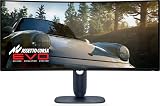
- Immersive viewing experience: 34.2 inch QD-OLED display, WQHD resolution (3440 x 1440), 1800R curvature, 240Hz refresh rate, 0.03ms response time for smooth, high-precision gaming.
- BRILLIANT COLOURS & REAL HDR : 99.3% DCI-P3 colour space coverage, Delta E<2, VESA DisplayHDR True Black 400, 1000 nits brightness for exceptional image depth.
- Eye-friendly design: ComfortView Plus minimises harmful blue light without losing colour accuracy - ideal for long sessions.
- HIGH-CLASS SYNC TECHNOLOGIES : Compatible with NVIDIA G-SYNC, AMD FreeSync Premium Pro, VESA AdaptiveSync, HDMI VRR – for smooth gameplay.
- ERGONOMICS & CONNECTIVITY FOR GAMERS: Height adjustable, tiltable, swivelable (110mm), HDMI 2.1, DisplayPort 1.4, USB-C with 15W, USB-A/B. Joystick for OSD Includes HDMI, DP and USB cable.
In a dark room, bright explosions, stars, neon signs, and specular reflections can look convincing because bright highlights sit beside OLED-black surroundings. In a bright room, the relatively modest overall brightness and reflections reduce the sense of HDR impact. PCWorld, Tom’s Guide, and other independent coverage similarly qualify the monitor’s HDR strengths with a brightness caveat.
Free tools Windows power users keep installed
One-click scans. No signup required.
What are the AW3425DW’s OLED compromises?
How serious is burn-in risk?
OLED pixels are emissive and can suffer permanent image retention when the same static elements remain on screen repeatedly for long periods. Windows taskbars, browser controls, application chrome, spreadsheets, code editors, and fixed game HUDs are all relevant examples. Burn-in is a usage-dependent risk, not a guarantee that every panel will fail.
Risk depends on factors including the type of content, brightness, duty cycle, how long static elements remain visible, and whether the monitor’s pixel-refresh and panel-maintenance routines are used. Enable the AW3425DW’s OLED maintenance features, use automatic taskbar hiding, vary content, and avoid leaving static windows at maximum brightness for extended periods.
Do not interrupt a required pixel-refresh cycle casually, and do not treat a third-party “burn-in protection” product as a guarantee against OLED failure. Dell warranty duration, advance replacement, shipping arrangements, and burn-in coverage can vary by country, retailer, and current policy. Verify the warranty terms for the country where the monitor will be purchased rather than relying on a generic three-year statement.
How noticeable is text fringing?
The AW3425DW uses the triangular QD-OLED subpixel arrangement found in earlier QD-OLED monitors. The layout can create colored edges or fringing around small text, particularly at ordinary desktop viewing distances and with small fonts.
Recommended Free Tools
Text fringing is often minor during games and video, but it can become a deciding issue for programming, spreadsheets, document editing, and other dense text work. Mac users and people sensitive to font rendering should test browser text, code, and spreadsheets during the retailer’s return window. RTINGS identifies the ASUS PG34WCDN’s newer RGB-stripe layout as clearer for text in its PG34WCDN testing.
Why can QD-OLED blacks look purple?
QD-OLED blacks can look purple or lifted when ambient light strikes the panel. The glossy or low-haze treatment produces a vivid, high-contrast image in controlled lighting, but reflections can be conspicuous near windows or bright overhead lights.
The AW3425DW is best in a dim or controlled room, preferably positioned so that a bright window is not directly opposite the screen. Buyers who need consistent black levels in daylight should compare a WOLED monitor or a newer coated QD-OLED alternative. RTINGS and PCWorld both identify bright-room behavior as an important limitation.
Is the AW3425DW good for work?
The AW3425DW is useful for multitasking but is not an ideal one-monitor office dock. The 21:9 canvas accommodates two or three windows, wide spreadsheets, video-editing timelines, game-development tools, and general multitasking. The same OLED panel can make films and games look excellent after the workday.
What’s actually slowing this PC down?
Pick the symptom - the matching free tool is one click away.
Also popular on Amazon

- INFINITELY IMMERSIVE: Quantum Dot Display Technology enables a slim panel design and delivers a superior color performance with a higher peak luminance and greater color gamut range vs WOLED (White OLED) by taking the impressive qualities of OLED (such as true blacks & infinite contrast ratio) and enhances color performance by directly converting blue light into the primary colors of red and green through a Quantum Dot pixel layer.
- STUTTER-FREE SPEED: Experience ultra-low latency gameplay, support for HDR and cinematic color, plus smooth, tear-free gaming thanks to AMD FreeSync Premium Pro Technology and VESA AdaptiveSync Display certification.
- IMPECCABLE DESIGN: The jaw-dropping new design features a sleek QD-OLED curved 1800R panel integrated into the iconic new Legend 2.0 ID, plus customizable RGB AlienFX lighting, 360° ventilation for better heat dissipation, improved cable management and a new centralized OSD 5-Axis joystick to make adjusting your settings easier. The height adjustable stand with height markers and the tilt, swivel, and slant capabilities allow for easy viewing adjustment.
- FOR CRITICAL CREATING: For content creators and game developers who require precise color-critical work, the new Creator Mode feature was designed for you. This OSD menu option allows you the flexibility to choose between the native (DCI-P3) and the sRGB color space, depending on your work needs, and the ability to adjust the gamma settings.
- QUALITY ASSURANCE GUARANTEED: The new Alienware 34 Curved QD-OLED Gaming Monitor comes with improved OLED reliability and a 3-year premium warranty, including coverage for OLED burn-in, for additional peace of mind.
| Work requirement | AW3425DW fit | Reason |
|---|---|---|
| Two or three windows side by side | Good | 3440-pixel horizontal workspace is well suited to multitasking |
| Video-editing timelines | Good | Ultrawide width provides room for timelines and panels |
| Dense coding and small text | Conditional | Triangular QD-OLED subpixels can produce visible color fringing |
| Eight-hour static office use | Conditional to poor | Repeated static content increases burn-in concern |
| Laptop docking | Poor | USB-C is downstream-only and does not carry video or laptop power |
| Bright shared workspace | Poorer fit | Reflections and purple-tinted QD-OLED blacks are more noticeable |
The presence of USB-C can be misleading. The AW3425DW has one USB-C downstream port with 15W charging for peripherals, but the port is not a USB-C video input, does not provide DisplayPort Alt Mode for a laptop, and does not supply laptop power delivery. The monitor also lacks a KVM switch and speakers. Dell’s official connectivity information should be checked against the regional model before purchase.
Which ports does the AW3425DW have?
The AW3425DW has one DisplayPort 1.4 input with DSC, two HDMI 2.1 inputs, a USB-B upstream connection, one USB-A downstream port, and one USB-C downstream port with 15W charging. Dell’s technical guide and port specification document this layout.
DisplayPort 1.4 can drive 3440×1440 at 240Hz using Display Stream Compression. The HDMI 2.1 ports are a useful generational improvement over the HDMI 2.0 inputs on the AW3423DWF and AW3423DW, particularly for high-bandwidth PC sources. HDMI 2.1 does not turn the monitor into a console-native ultrawide display, however; PS5 and Xbox games may use side borders or nonstandard scaling because console software commonly targets 16:9 output.
The AW3425DW is a strong PC gaming monitor with a small peripheral hub, not a complete USB-C docking station. Laptop users who need one-cable video, charging, Ethernet, multiple USB devices, and keyboard-and-mouse switching should consider a monitor with USB-C DisplayPort Alt Mode, substantial power delivery, and KVM.
The Tool Desk
Outbyte Driver Updater FREEFix the driver behind crashes, sound loss and screen glitchesFind Drivers →Outbyte PC Repair FREEClear out junk files and repair common Windows errorsFree Scan →How good are the design and ergonomics?
The AW3425DW uses Alienware’s updated AW30 design language and a compact stand relative to some large gaming-monitor stands. The 1800R curve is immersive without being extremely aggressive, although users working with straight-line design may prefer a flatter screen.
| Adjustment | Range |
|---|---|
| Height | 0–110mm |
| Tilt | –5° to 21° |
| Swivel | –20° to 20° |
| Portrait rotation | Not supported |
The stand supports height, tilt, and swivel adjustment, but the monitor cannot be rotated into portrait orientation. Dell’s manual warns against portrait or inverted-landscape mounting. Use a suitable VESA arm or stand if the included base consumes too much desk depth, and check the desk’s depth before buying: a 34-inch curved monitor needs enough distance for comfortable viewing and enough rear clearance for cables.
What should you check during setup?
- Use the correct high-bandwidth connection. For 3440×1440 at 240Hz from a PC, use DisplayPort 1.4 with DSC or a suitable HDMI 2.1 connection, then confirm the refresh rate in the operating system and GPU control panel.
- Confirm the actual refresh rate. A 240Hz label does not guarantee 240Hz automatically. GPU output capability, cable quality, selected resolution, DSC behavior, and operating-system settings all matter.
- Choose a sensible viewing position. Keep the screen out of direct window glare and place the viewing distance far enough back that the 1800R curve feels natural.
- Test text before the return window closes. Open browser pages, code, spreadsheets, and documents at the font sizes used every day. Text comfort varies substantially between users.
- Configure OLED maintenance. Keep pixel-refresh and panel-protection routines enabled, and learn when the monitor requests maintenance rather than cancelling every prompt.
- Test HDR with realistic expectations. Compare dark-room HDR games and films with bright-room use; do not judge the monitor solely by the 1,000-nit small-window specification.
- Check 21:9 support in the games and consoles you actually use. HDMI 2.1 improves bandwidth, but it cannot add ultrawide support to software that outputs only 16:9.
How does the AW3425DW compare with newer alternatives?
The AW3425DW remains compelling when its sale price is clearly below newer models, but the best choice depends on whether the buyer values price, laptop connectivity, text clarity, reflection handling, or bright-room performance.
| Alternative | Choose it when… | Choose the AW3425DW when… |
|---|---|---|
| MSI MPG 341CQPX QD-OLED | You need USB-C DisplayPort Alt Mode, up to 90W power delivery, or a KVM switch | You do not need docking features and Alienware pricing or support is more attractive |
| ASUS ROG Swift OLED PG34WCDN | You prioritize newer QD-OLED behavior, RGB-stripe text clarity, higher brightness, and better bright-room handling | You prioritize a lower purchase price over newer panel behavior |
| Alienware AW3426DW | You want the newer Alienware model and improved reflection handling reported by RTINGS | You can find the AW3425DW at a substantially lower sale or clearance price |
| LG 34GS95QE-B | You need matte treatment and WOLED behavior that can preserve black appearance better in bright conditions | You prefer QD-OLED’s more vivid color presentation and can control room lighting |
| Gigabyte AORUS MO34WQC2 | You find a verified current price that undercuts the Alienware while accepting a different design, tuning, and support experience | You prefer Alienware’s design and support or the price difference is small |
RTINGS added the Alienware AW3426DW as an alternative with better reflection handling in an August 10, 2026 update and also identifies the MSI MPG 341CQR QD-OLED X36 and ASUS ROG Swift OLED PG34WCDN as newer competitors in its current AW3425DW coverage. The AW3425DW should therefore be evaluated as a value-focused 34-inch QD-OLED, not automatically as Alienware’s newest or the market’s uncontested leader. See the MSI MPG 341CQPX comparison for the laptop-connectivity and KVM distinction.
Quick wins for a faster PC:
Clear out junk files and repair common Windows errorsFree Scan →Fix the driver behind crashes, sound loss and screen glitchesFind Drivers →The Gigabyte AORUS MO34WQC2 is worth investigating as a price-sensitive same-panel competitor. TechSpot reported that the monitor had fallen below the Alienware’s price in some historical market snapshots, but the old $660 figure should not be reused as a current price without a fresh retail check. Similar panel sourcing does not guarantee identical coating, tuning, firmware, ergonomics, or warranty.
Also popular on Amazon

- IMPECCABLE DESIGN: The Legend 2.0 ID boasts a sleek QD-OLED curved 1800R panel, customizable stadium loop OLED AlienFX lighting, 360° ventilation, improved cable management, and a centralized OSD joystick for easy settings adjustment..Environmental Parameters - Min Operating Temperature : 0 °C, Max Operating Temperature : 40 °C, Humidity Range Operating : 10 - 90% (non-condensing)..ixel Pitch : 0.23 mm. Maximum Operating Temperature : 104 °F
- STUTTER-FREE SPEED: Experience ultra-low latency gameplay, HDR, cinematic color, and smooth gaming with NVIDIA G-SYNC ULTIMATE certification, industry-fast 0.1 ms GtG response time, and 175 Hz high refresh rate.
- IMMERSE IN INGINITE COLOR: Quantum Dot Display Technology enables a slim panel design and delivers a superior color performance with a higher peak luminance and greater color gamut range vs WOLED (White OLED).
- CRITICIAL CREATIVITY: Creator Mode offers precise color-critical work for content creators and gamers, allowing choice between native DCI-P3 and sRGB color spaces, and adjusting gamma settings.
- Comfort Viewing: This gaming monitor offers height adjustment, anti-glare screen, swivel and tilt adjustments, and a curved display for personalized viewing and engaging pictures, ensuring immersive experiences.
Who should buy the AW3425DW?
Buy the AW3425DW when immersive PC gaming is the priority, the room can be kept reasonably dark, and the price is meaningfully below its $799.99 reference/MSRP. The AW3425DW is particularly attractive for sim racers, flight-simulation players, RPG and open-world gamers, and owners of older 60–144Hz ultrawides who can use 240Hz.
- Buy it for OLED contrast and QD-OLED color. Games and films benefit more than ordinary LCD content from deep blacks and saturated color.
- Buy it for 240Hz. The upgrade is more noticeable to high-frame-rate PC gamers than to someone whose games remain near 60fps.
- Buy it for HDMI 2.1. HDMI 2.1 is useful for high-bandwidth sources, but it does not solve console ultrawide compatibility.
- Buy it when discounted. A price substantially below $700 is an excellent buying opportunity; roughly $700–$750 is a good value if competing models cost more; around $800 is a conditional purchase justified by Alienware’s design, support, or specific feature mix.
Who should skip the AW3425DW?
Skip the AW3425DW if a bright room, dense text work, laptop docking, KVM, sustained HDR brightness, or minimal OLED maintenance matters more than gaming image quality.
- Bright-room users may prefer a matte WOLED or newer coated QD-OLED alternative.
- Programmers, spreadsheet users, and heavy document workers should test the triangular subpixel layout before keeping the monitor.
- Laptop users should choose a display with USB-C video input and meaningful power delivery rather than assuming the AW3425DW’s 15W downstream USB-C port is a dock.
- People unwilling to manage static content and pixel-refresh routines should choose a non-OLED display.
- Owners of an AW3423DWF or AW3423DW who are satisfied with OLED image quality may find the AW3425DW a sidegrade unless 240Hz or HDMI 2.1 is important.
- Console-first buyers should verify native ultrawide behavior before treating HDMI 2.1 as a reason to purchase.
Final verdict
The Alienware AW3425DW is a genuinely excellent gaming monitor, and the 240Hz refresh rate, HDMI 2.1 inputs, revised chassis, and newer QD-OLED panel make it more than a cosmetic refresh. The monitor is especially strong for dark-room PC gaming, where OLED blacks, vivid color, rapid response, and the 21:9 field of view work together.
The AW3425DW is not a universal recommendation. Its triangular subpixel layout can make desktop text less clean, QD-OLED blacks can look purple in ambient light, HDR highlights are more impressive than sustained brightness, and USB-C does not provide laptop video or charging. Newer 2026 monitors have also narrowed its advantage in panel behavior, reflection handling, and connectivity.
Buy the AW3425DW when it is substantially discounted and your priority is immersive PC gaming. At around its $799.99 reference price, compare it carefully with the AW3426DW, ASUS PG34WCDN, MSI MPG 341CQPX, and bright-room-friendly WOLED alternatives. For a satisfied AW3423DWF owner, the AW3425DW is an upgrade in speed and connectivity—not a mandatory image-quality revolution.
Frequently Asked Questions
Does the Alienware AW3425DW have USB-C video input?
No. The AW3425DW’s USB-C port is a downstream peripheral port with 15W charging; it does not accept USB-C video, provide DisplayPort Alt Mode, or charge a laptop. The monitor also lacks a KVM switch and speakers.
Is the Alienware AW3425DW good for office work?
The AW3425DW is good for wide multitasking, timelines, and spreadsheets, but it is a conditional office monitor because its triangular QD-OLED subpixel layout can cause text fringing, static desktop use creates burn-in risk, and glossy reflections are problematic in bright rooms.
Crashes, No Sound, or Screen Glitches?
Random freezes, missing sound and display glitches usually trace back to one bad driver. Find and replace yours safely.Free scan · under a minutePC Slower Than It Used to Be?
A free scan shows the junk files, broken settings and background clutter dragging Windows down - then fixes them in one click.Free scan · Windows 10 & 11Is 1,000-nit HDR brightness on the AW3425DW sustained?
No. Dell’s 1,000 cd/m2 specification applies to a 3% APL peak condition, meaning a small bright area in a mostly dark image. The specification should not be interpreted as 1,000-nit full-screen or sustained HDR brightness.
Should AW3423DWF owners upgrade to the AW3425DW?
AW3423DWF owners should upgrade only if 240Hz, HDMI 2.1, the revised design, or the newer panel generation matters. The AW3425DW retains the same broad 34-inch 3440×1440 ultrawide OLED experience, so the image-quality improvement is not necessarily dramatic.
The Bottom Line
Bottom line: The AW3425DW is an excellent discounted 34-inch QD-OLED for immersive PC gaming, but it is no longer the automatic best ultrawide OLED. Choose it for 240Hz, OLED contrast, vivid color, and Alienware’s feature mix; choose something else for bright rooms, heavy text work, USB-C docking, or the newest panel design.

