
An AI Play Store screenshot generator helps turn real Android app screens—or, with some tools, a written app description—into a coordinated set of Google Play listing images. Choose a tool that preserves your actual app interface, exports Android-sized artwork, and gives you enough control to check every caption and layout before publishing. AI can speed up the design work, but it cannot make inaccurate app screens a good store listing.
What an AI Play Store screenshot generator does
These tools create marketing images for an app’s Google Play listing. Depending on the product, you upload screenshots captured from your Android app, describe the app in a prompt, or use both. The generator can arrange screens in a template, add device frames, write headline copy, and export images in sizes intended for store listings.
That is different from taking a raw screenshot on an Android device. A raw capture records the interface; a listing image presents it with framing and explanatory copy. The strongest workflow uses AI for layout and first-draft copy while keeping the app’s real interface visible and accurate.
Two input approaches
- Brief-first generation: You describe the app and its benefits. Storescreens advertises this approach, including AI captions, phone and tablet exports, and translations. Treat generated screens and claims as concepts to review, not evidence that the app contains a feature.
- Capture-first design: You upload real app screenshots and use templates or AI to build consistent promotional layouts. Makeshots and Storeshot describe upload-based workflows. This approach makes it easier to keep the listing faithful to the shipped product.
How to choose a generator
Compare tools against the work you actually need to do, not just the number of templates or languages advertised. Vendor feature counts below are product claims, not independent evaluations; check current plan details and test a representative screen before committing.
What’s actually slowing this PC down?
Pick the symptom - the matching free tool is one click away.
#1 Best Overall

- 【Professional Lighting】The photo studio light box is designed with 160 pcs dimmable LED lights, providing powerful yet soft illumination with 10 adjustable brightness levels, allowing you to easily fine-tune lighting for different products and shooting conditions. Featuring 5500K natural daylight and 97+ CRI, it delivers accurate, true-to-life color rendering for professional results, making this setup ideal for use as a photography light box with DSLR cameras, mirrorless cameras, and smartphones from different brands and models.
- 【Uniform light】The ring light strip design ensures the subject is evenly illuminated from all angles inside this light box, while the highly reflective inner walls further distribute light throughout the entire lightbox for product photography to minimize harsh shadows and uneven exposure. The removable and closable front panel effectively blocks unwanted ambient light, reducing interference from surrounding lighting and creating a clean, controlled shooting environment—ideal for product photography in home studios, online selling setups, or indoor scenes with complex lighting conditions.
- 【6 PVC & 2 Paper Backdrops】Equipped with 6 smooth PVC backdrops that are waterproof and wrinkle-resistant, ideal for products requiring subtle background reflection, making this photo box perfect for light box photography of reflective items such as jewelry, shoes, and sports cards, enhancing texture and shine. The 2 matte paper backgrounds are designed to reduce glare and reflections, clearly showcasing product outlines and fine details—well suited for food photography and other items where accurate shape and surface detail are essential.
- 【Multi-Angle Shooting】Supports both overhead and frontal shooting with this photo light box, allowing products to be captured from different angles. The front photographic window helps reduce outside light interference for clearer results, while the diffuser opening enables stable top-down shots—ideal for online sellers, beginners, and small businesses using a compact photo booth for product photography.
- 【Easy set up & Portable】This folding light box features an all-in-one design that sets up quickly in just 5 seconds, with no tools required. Easy to use and easy to carry, it comes with a 79" USB cable and a carrying bag, making it a reliable portable photo studio for home use, small workspaces, or on-the-go product photography for online sellers and content creators.
| Tool | What the vendor says it offers | What to check before choosing |
|---|---|---|
| Storescreens | Describe an Android app once; generate a coordinated screenshot set with AI captions, Android device frames, phone and tablet exports, and 40 Play languages. Advertised exports include 1080×1920 phone and 1536×2048 tablet images. | Whether the result uses your real UI, how much text and layout you can edit, and whether translations preserve the design and meaning. |
| ScreenshotWhale | The 2026 vendor page claims 22 device sizes and 10 languages, with Free, Solo, Studio, and Agency plans. | Which sizes and export features are included in the plan you need; whether the Android framing suits your app. |
| Makeshots | Advertises iPhone, iPad, and Android exports, Play Store feature graphics, and localization into 33 languages. It also advertises a monthly credit plan and a BYOK unlimited trial using the customer’s OpenAI key. | How credits work, what the trial requires, and whether you can revise the generated copy and artwork. |
| Launch Shots | Advertises direct store publishing, keyword-rank tracking, and conversion measurement. | Which publishing and measurement functions are available for your store account and whether they match your existing ASO workflow. |
| Storeshot | Offers Android and iOS modes and two free generations. Its 2026 pricing page lists one-time packs of $8 for 25 credits and $18 for 70 credits; the credits are listed as not expiring. | How many generations or revisions a credit covers, and what export formats and dimensions are included. |
Prices and plan limits can change. ScreenshotWhale’s researched page showed a free tier plus Solo at $9.99/month, Studio at $19.99/month, and Agency at $29.99/month; confirm current pricing on the vendor’s page before purchase.
Questions that matter more than a feature count
- Can you use real app captures? Your listing should show what users will actually see. A description-only generator may invent interface details or imply unavailable features.
- Are the exports Android-native? Phone and tablet proportions, device frames, and layout options should fit the devices you support. Artwork stretched from an iPhone design can look wrong in an Android listing.
- Can you edit the output? Check whether headlines, colors, layers, and screen order can be changed, and whether you can regenerate only one image rather than the whole set.
- Does localization preserve the layout? A translated headline can be longer than the original. Inspect each language for clipping, awkward line breaks, and text that changes the intended meaning.
- What happens after export? Some workflows end at image download; others advertise publishing or listing measurement. Verify that any promised integration supports your actual account and process.
- What happens to uploaded material? Review the specific tool’s upload, retention, and deletion terms, especially if captures contain unreleased features or sensitive account data.
How to make effective Google Play screenshots with AI
- Choose the user benefit to lead with. Pick the clearest reason someone should install the app. Put that benefit in the first image, not a generic welcome headline.
- Capture the real app. Record screens from the version you intend to publish. Use a representative account and remove personal information, test data, or content you do not have permission to show.
- Plan a sequence. Give each image one job: establish the main benefit, show the key workflow, explain a supporting feature, and provide useful proof where you have it. Avoid turning every frame into a dense feature list.
- Upload captures or provide a carefully bounded brief. If the tool accepts real screenshots, use them as the source for the final compositions. If it starts from a prompt, specify the app’s actual functions and tell it not to invent interface elements, claims, or capabilities.
- Select Android phone or tablet layouts. Choose the export for the device category you intend to support. Review the actual output dimensions instead of assuming every preset meets current Play Console requirements.
- Generate, then edit every image. Check text, spelling, contrast, device-frame fit, safe margins, screen legibility, and visual consistency. Remove unsupported claims and correct any generated UI that differs from the app.
- Review each locale separately. Confirm translations with a fluent reviewer where possible. Check that longer strings remain readable and that the message still describes a real benefit.
- Validate in Play Console before upload. Google Play requirements can change. Confirm current accepted dimensions, file formats, image count, and file-size rules in the live console for the listing and asset type you are publishing.
- After publishing, evaluate the result. Use store reporting or a supported experiment to assess listing performance. Do not assume that polished images automatically increase downloads.
Google Play screenshot size and file requirements
A vendor Play Store guide lists portrait phone images at 1080×1920, 2–8 images, PNG or JPEG, a maximum file size of 8 MB, and no transparency. Storescreens separately lists 1080×1920 phone exports and 1536×2048 tablet exports. These are vendor-published guidance and product export claims, not a guarantee that every listing or asset type currently accepts those exact values. Confirm the live requirements in Google Play Console immediately before upload.
Rank #2

- 【High Brightness】Portable photography studio is built-in 120pcs high-quality LED light beads, provides enough brightness for shooting.
- 【Easy to assemble】Use it after three seconds of assembly, you can unfold this LED lightbox studio and place it on any surface to get very good backdrop for small articles business photography, taking pictures for products.
- 【CRI>95】This photo lighting studio kit Adopt CRI95 color temperature ring light board, built-in stone grain fabric, good light gathering effect.
- 【Portable and Foldable】Portable folding structure design, more convenient to install and carry, built-in led light, providing average light and prevents shadows and reflections in your photos.
- 【WIDELY USE】A box picture studio is ideal for photographing small objects, like watches, gadgets, jewelry, accessories, and toys, and is suitable for skilled persons, internet retailers, photographers, artists, and product advertising campaigns.
Do not treat a phone export as a substitute for tablet artwork if tablet presentation matters to your app. Check each exported file’s pixel dimensions, orientation, format, file size, and transparency. Keep an untouched copy of the source captures so that you can rebuild images if store rules or your app UI changes.
Making the screenshots persuasive without misleading users
Lead with a concrete benefit
Use the first frames to explain what the app helps someone do. A short, specific headline paired with the relevant screen is usually clearer than a broad slogan. Subsequent images can demonstrate how the app works and support the initial promise.
Free tools Windows power users keep installed
One-click scans. No signup required.
Rank #3

- 【Stepless Dimming & High CRI】Our light box features 112 high-quality LED light beads with a dimmable range of 0%-100%. Easily adjust the brightness for the desired lighting effect. With a high Color Rendering Index (CRI) of 95+ and no strobe, our lightbox creates brighter, softer lights, resulting in more natural and textured photos.
- 【Multi-angle Shooting】Capture the perfect product features and beauty with our light box photography. Its multiple openings design allows you to choose any photo shooting position.
- 【6 Color PVC Backdrops】Photo box included 6 waterproof backgrounds (White/Black/Orange/Blue/Green/Red) made of thick PVC. These sturdy backdrops are wrinkle-free, making it effortless to change background colors and create various shooting scenes.
- 【Assembly in Seconds】Our portable photo light box is designed for quick and easy assembly. With a folding design, it takes only 3 seconds to set up. No brackets, screws, or complicated lighting layouts required. It comes with a durable, waterproof carry bag, making it compact and convenient for on-the-go use.
- 【Advanced Photography】Enhance your photography experience with the special inner reflection boards and light diffuser included in our photo booth. These accessories address the issue of highly reflective products and ensure detailed contours. Suitable for photographers of all levels, from beginners to professionals.
Keep the product visible
Device frames and decorative backgrounds can add context, but they should not overwhelm the interface. Make sure the text and key controls in the real screen remain large enough to understand at listing size. Do not let an AI-generated redesign imply buttons, content, or workflows that are absent from the app.
Make every claim verifiable
Check generated copy for absolute promises, unsupported numbers, and features that are still planned rather than shipped. If you show ratings, awards, or performance claims, use only accurate material you are entitled to publish. A screenshot should set a truthful expectation, not merely look convincing.
Rank #4

- 【High Brightness】Portable photography studio is built-in 104pcs high-quality LED light beads, provides enough brightness for shooting.
- 【Easy to assemble】Use it after three seconds of assembly, you can unfold this LED lightbox studio and place it on any surface to get very good backdrop for small articles business photography, taking pictures for products.
- 【CRI>95】This photo lighting studio kit Adopt CRI95 color temperature ring light board, built-in stone grain fabric, good light gathering effect.
- 【Multi-angle Shooting】Photo light box With one front horizontal shooting window and one vertical window, it can meet different shooting demands.
- 【WIDELY USE】Box photo studio perfect for shooting small items, Such as jewelry, accessories, toys, watches, gadgets and other items.Great for photographers, artists, online sellers, professionals and product advertising projects.
Pricing, privacy, and performance considerations
Compare the cost of the whole revision process, not just the first generation. A credit pack may suit an occasional update; a subscription may be useful if you regularly produce new locales or listing variants. Before paying, establish how revisions consume credits, what file types and sizes are included, and whether unused credits expire. Makeshots’ advertised BYOK trial, for example, uses the customer’s OpenAI key, so understand that setup and its associated account terms before using it.
Generation speed, export limits, and data handling are vendor-specific. The available product descriptions do not establish comparable generation times, retention periods, or independent security audits across these tools. Read the current privacy and plan terms for the service you select rather than assuming browser-based uploads are private or retained for a particular period.
Best Value
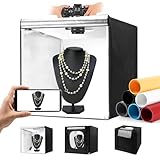
- Adjustable Brightness and High Color Rendering Index: 20"x20" Photo light box built in 243 high-quality flicker free LED beads with a color temperature of 5600K, and the brightness can be easily adjusted from 1% - 100%, the color rendering index (CRI) of the box light is up to 95+. Product light box providing soft, sufficient, and uniform photography lighting for shooting at any angle, presenting the true color of objects.
- 6-Color PVC Easy to Clean Background: The light box photography is equipped with a 6-color detachable background (black/white/yellow/blue/red/gray). The PVC material background for photography is durable, long-lasting, wrinkle resistant, and easy to clean. Our professional photo light box with no creases on the edges, provide excellent shooting backgrounds for studios, photographers.
- Multi angle Lighting and Shooting: The newly upgraded 20 inch photography box is equipped with 3 movable light panels, each of which can rotate 360 °. You can rotate or change the position of the lighting panel to obtain top light, front light, side light, and other light directions. Our photography lighting kit is specially equipped with two different light diffusers, with openings on the sides and top of the light box, allowing you to take photos from different angles according to the desired visual and detail effects.
- The Latest Upgraded Lightbox: Unlike simple portable studios, frame structure and fully wrapped photobooth are more stable and light tight, better avoids shadow and reflection issues, and will not be affected by other rays when taking photo. Sufficiently large photography box is easy to use, easy to assemble, and comes with a portable handbag for easy carrying.(Notes: 10 "/11"/12 ", 14"/15 "/16"/32 ", 47" x20 "x55"/47 "x39" x78 "is the same installation method)
- Package Content and Good After-Sales Service: Purchase our product photography light box, you will receive 1 x Photo Studio Light Box, 3 x Lights Panel, 6 x Color PVC Backdrop, 2 x Light Diffuser, 1 x Brightness Dimmer, 1 x User Manual, 1 x Carry Bag and our 1-year warranlty and lifetime friendly customer service. If you encounter any problems while using the white box for photography, please feel free to let us know and we will reply within 24 hours to help you solve them.
There is no independently audited conversion-lift statistic established here for AI-generated Play Store screenshots. Treat claims that a tool will increase downloads or conversion as unverified unless the vendor supplies a relevant experiment and its conditions. If you want to know whether a new set performs better, use an appropriate store experiment or measurement process instead of crediting the generator by assumption.
Common problems and fixes
- Play Console rejects an image: Check its actual dimensions, file type, file size, and transparency against the live requirement for that asset. Re-export from the correct Android preset rather than stretching an image made for another device.
- Text is clipped after translation: Shorten the headline or adjust the layout for that locale. Do not shrink all text until it is unreadable; review the image at the scale users will see.
- The image looks polished but the app looks different: Replace invented or altered UI with a capture from the shipped app. Keep decoration separate from the interface and remove claims that the product cannot support.
- Phone artwork looks unsuitable on tablets: Create a tablet-specific composition using an appropriate tablet layout. Do not assume that a phone frame can simply be enlarged without changing spacing and legibility.
- The set feels repetitive: Assign each image a distinct message and choose screens that prove different parts of the value proposition. Remove frames that repeat the same feature without adding useful information.
- A tool’s advertised option is missing: Check whether the option is available on the current plan, in the selected platform mode, or only in a particular export flow. Vendor features and prices may change, so confirm current terms before relying on an advertised capability.
Or skip the browser setup
ScreenshotNeo is a website screenshot API and MCP server, not an AI Play Store creative generator. It can capture a live web app or website cleanly when you need a real browser-rendered screen as source material; you will still need to compose and validate Google Play listing artwork with a suitable design workflow. A GET request returns a PNG, JPEG, WebP, or PDF. See the ScreenshotNeo API documentation.
curl -G "https://api.screenshotneo.com/v1/shot" -d access_key=YOUR_API_KEY --data-urlencode url=https://stripe.com -o shot.webpCookie banners and consent overlays, newsletter popups, and chat widgets can be removed before capture. Bot checks, blank pages, and failed loads are not billed; response headers identify the page verdict and billing status. Its MCP server gives AI agents tools for screenshots, page information, and PDF capture. The free plan includes 1,000 shots per month with no card; paid plans start at $5 for 3,000. Sign up for 1,000 free screenshots a month, with no card required.
Frequently asked questions
Can AI generate a Play Store screenshot set from only an app description?
Some products advertise brief-first generation, including Storescreens. Review the output against the actual app before publishing; a text prompt alone does not verify that generated screens or claims match your product.
Crashes, No Sound, or Screen Glitches?
Random freezes, missing sound and display glitches usually trace back to one bad driver. Find and replace yours safely.Free scan · under a minutePC Slower Than It Used to Be?
A free scan shows the junk files, broken settings and background clutter dragging Windows down - then fixes them in one click.Free scan · Windows 10 & 11Are AI-generated screenshots guaranteed to improve downloads?
No. A more coherent listing may communicate an app more clearly, but no independently audited conversion-lift result is established here. Measure a published change rather than assuming an effect.
Can I use the same screenshots for Google Play and the Apple App Store?
Some generators advertise exports for both Android and Apple devices, but store assets have distinct requirements and audiences. Select the correct platform export and validate its artwork and specifications separately.
Quick Recap
Product prices and availability are accurate as of the date/time indicated and are subject to change. Any price and availability information displayed on Amazon at the time of purchase will apply.

