
Free tools Windows power users keep installed
One-click scans. No signup required.
AGEIA PhysX was both a physics-simulation software development kit (SDK) and the name associated with AGEIA’s dedicated physics processing unit (PPU) cards. Those cards were designed to accelerate certain games, but NVIDIA’s legacy guidance limits their acceleration to games built with PhysX SDK 2.8.1 or earlier on Windows XP or Vista. That historical support does not make an AGEIA card a practical upgrade for a modern gaming PC. NVIDIA still publishes the PhysX SDK as software, with a different execution model that can use the CPU by default and optionally a CUDA-capable GPU.
What was AGEIA PhysX?
AGEIA PhysX was a physics SDK: a software library game developers could use to simulate physical interactions in a virtual world. It was also the name attached to AGEIA’s dedicated physics processing unit, or PPU, a separate card intended to handle some of that simulation work. The SDK and the PPU were related, but they were not the same thing: developers could use the software without a dedicated AGEIA card.
Sony’s July 21, 2005 announcement describes the AGEIA PhysX SDK as a physics library also known as NovodeX. Sony said it had obtained sublicensing rights effective July 20, 2005, to optimize the SDK for PlayStation 3 development and include it in the PS3 Software Development Kit. That is a historical licensing announcement, not evidence of a current Sony relationship.
The announcement captured the period’s ambitions for physics in games. Sony executive and CTO Masa Chatani said the SDK would help developers create new forms of physics expression on the Cell processor. AGEIA founder and CEO Manju Hegde described the technology as a way to introduce dynamic physical properties into games. Those were promotional statements made in 2005, rather than measurements of later game performance.
Do these 3 things before closing this tab:
1Clear out junk files and repair common Windows errors2Scan for outdated or missing drivers - takes under a minute3Repair Windows errors before they cause bigger problems#1 Best Overall

- Passive Cooling Structure: The enclosed passive-cooled card layout works with server environments, helping IT teams add compute capacity in rack or tower systems that use managed internal ventilation
- Single Card Package: Each package includes a single accelerator card, giving procurement teams a clear buying unit for server upgrades, lab builds, replacement planning, or controlled compute expansion
- Compute Expansion Role: Built as a PCIe GPU accelerator card for server-side compute growth, this hardware supports model training, inference, HPC, and scientific computing tasks with a shared platform-ready design
- Technical Architecture Detail: Volta GV100 architecture, HBM2 ECC memory design, and for FP64 FP32 FP16 with INT8 compute modes give this card a strong base for mixed workloads
- Scalable Server Integration: PCIe Gen3 x16 connectivity and NVLink help data center setups expand multi-GPU resources while keeping the product message centered on shared deployment facts rather than option-specific claims
What did an AGEIA PhysX card do?
An AGEIA PPU was a dedicated processor intended to accelerate physics calculations in compatible games. In principle, offloading supported simulation tasks could allow more physics effects than a game might otherwise run on its main processor. The practical benefit depended on the game’s implementation, the SDK version it used, and a compatible software and operating-system setup.
The key distinction is that owning a PhysX card alone did not make a game use it. The game had to use a compatible version of the PhysX SDK, and the installed legacy software had to support the card. NVIDIA’s documentation does not establish broad compatibility with current games or current Windows versions.
Rank #2

- Supported operating systems: for Win10/Win 11 32/64, Linux 5.1 and above
- Processor: AST2400
- Bus interface: PCIe*1.1 x1 2.5Gbps
- Low power consumption:Less than 2.7W
- Video-over-IP, resolution up to 1920x1200, YUV444/YUV420 video compression, 24-bit video compression quality
Does AGEIA PPU acceleration still work?
NVIDIA’s archived PhysX System Software 9.13.0725 page, dated August 20, 2013, says AGEIA PPU acceleration support applies to SDK 2.8.1 or earlier and Windows Vista and Windows XP only. Those are requirements documented for a legacy software generation; they are not a present-day support guarantee.
The same page recommends older PhysX System Software, such as version 8.09.04, for AGEIA processor users. It also says games using SDK versions before 2.7.1 need the PhysX Legacy Installer, naming CellFactor, Clive Barker’s Jericho, Gears of War, Pirates of the Burning Sea, Switchball, and Velvet Assassin as examples. The installer note and the PPU acceleration limit address different compatibility issues: an older game may need legacy runtime files, while PPU acceleration has the separate SDK and Windows limits above.
Windows Errors? Fix Them Before They Spread
Repair common Windows errors and clear accumulated junk for a smoother, more stable PC - no reinstall needed.Free scan · no reinstallOutdated Drivers Are Slowing You Down
One free scan finds every outdated or missing driver and matches the right update for your exact hardware.Free scan · exact hardware matchRank #3
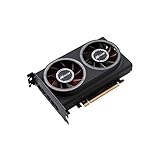
- ※The AI accelerator Support up to 8~16 x G-oogle Coral Edge TPU M.2 modules(CRL-G18U-P3DF have 8 edge TPU , support 32TOPS, CRL-G116U-P3DF have 16 edge TPU 64TOPS)
- ※The AI accelerator base on G-google Coral Edge TPU Support TensorFlow Lite machine learning framework
- ※The AI accelerator Compatible with PCI Express 3.0 x16 expansion slot
- ※Optimized thermal design with twin tubor fans
For context, the 2013 release listed then-current GeForce 8 through 700 series GPUs with at least 256 MB of dedicated graphics memory, along with Windows XP, Vista, 7, and 8.1 variants. Those details describe PhysX System Software 9.13.0725 as released in 2013; they should not be treated as current GPU or driver recommendations.
AGEIA PhysX and NVIDIA PhysX compared
| Aspect | AGEIA-era PPU use | NVIDIA’s later PhysX SDK |
|---|---|---|
| Execution hardware | Dedicated AGEIA PPU, for supported games and software combinations. | Runs on the CPU by default; can optionally use a CUDA-capable GPU, according to the PhysX 5.6.0 guide. |
| Software generation | NVIDIA’s legacy note limits PPU acceleration to SDK 2.8.1 or earlier. | PhysX 5 is a later SDK generation; NVIDIA directs new projects to it rather than the legacy PhysX 4.1 repository. |
| Operating-system evidence | The archived NVIDIA PPU guidance specifies Windows XP and Windows Vista. | The current SDK guide describes software and execution capabilities; the cited legacy PPU guidance does not establish modern AGEIA-card support. |
| Typical purpose | Restoring a compatible historical game system or collecting legacy hardware. | Developing software that uses physics simulation, including real-time applications and games. |
NVIDIA’s PhysX SDK repository identifies itself as the PhysX SDK 4.1 repository, retained for legacy users, and directs new projects to PhysX 5. It also notes PhysX integration into Unreal Engine and Unity. That continued software development is distinct from support for the discontinued AGEIA PPU.
Rank #4

- PCIe 5.0 X16 FULL BANDWIDTH: PA17 riser adapter card passes PCIe 5.0 x16 signals straight through; backward compatible with PCIe 4.0/3.0 x16 slots, GPUs and NVMe SSDs
- 200MM SLOT HEIGHT RISER: raises the motherboard PCIe 5.0 x16 slot straight up to clear shrouds, drive cages and adjacent components
- SYSTEM-WIDE GEN5 REQUIREMENT: to reach PCIe 5.0 x16 speed, the CPU, motherboard slot and GPU/SSD must all support PCIe 5.0; otherwise the link runs at the lowest common speed
- PURE SIGNAL PASS-THROUGH: no signal enhancement or protocol conversion; the card never upgrades a PCIe 4.0 signal to 5.0, ensuring stable and honest link training
- NO HOT-PLUGGING: always power off and unplug before installation or removal; rigid PCB design, low-profile option available for 1U/2U rack servers
What PhysX means in current SDK documentation
NVIDIA’s PhysX 5.6.0 guide, built and last updated March 24, 2025, describes PhysX as a library for simulating three-dimensional worlds. Its documented concepts include actors and shapes, collisions, joints, actuation, and queries. The SDK remains multithreaded and SIMD-accelerated on CPUs; it does not run GPU code by default, though it can optionally use CUDA-capable GPUs. Some features, including listed soft-body simulation features, are GPU-only.
This modern execution model is not an AGEIA PPU mode. The presence of “PhysX” in both names reflects the software’s lineage, not interchangeable hardware requirements: a current PhysX SDK project does not imply support for an AGEIA card.
Best Value

- Serial Comm Protocol: This laptop motherboard analyzer diagnostic card adds a serial communication protocol—including DEBUG for UART1 and —expanding its range of applications. Whether you’re troubleshooting motherboard issues or conducting in-depth diagnostics, this protocol support lets the card interface effectively with relevant systems. It enhances the card’s functionality, making it a versatile tool for handling various diagnostic tasks in repair or maintenance work.
- Strong Compatibility: Designed for broad use, this laptop motherboard analyzer diagnostic card supports PCI E, mini PCI E, and LPC interfaces, plus all PCI slots. Its strong compatibility means it works with a wide range of laptop motherboards, eliminating the need for multiple specialized cards. Whether you’re working on older or newer motherboard , this card fits seamlessly, boosting efficiency in repair and diagnostic processes.
- Good Performance: This laptop motherboard analyzer diagnostic card delivers reliable performance with a high recognition rate, plus it supports automatic recognition of power modules. Its high efficiency means it streamlines diagnostic work—you spend less time on manual setup and more on resolving issues. Whether you’re a professional technician or handling routine maintenance, its strong performance ensures accurate, fast results every time.
- LED Indicator: Equipped with multi-channel detection and multiple LED indicators, this laptop motherboard analyzer diagnostic card clearly displays the status of key components—power supply, motherboard, , memory, video card, and hard drive. The LED lights let you quickly identify issues without complex setup, speeding up the diagnostic process. It simplifies troubleshooting by providing real-time, easy-to-read status updates for each component.
- Included Tools: This laptop motherboard analyzer diagnostic card kit comes complete with the diagnostic card, a laptop adapter card, connection cables, and ribbon cables. Everything you need for setup is included, making connection and operation easy—no extra tools to purchase. The kit ensures convenience and practicality, letting you start diagnosing laptop motherboards right out of the box, saving time and effort.
Do you need AGEIA PhysX drivers for an old game?
It depends on the game and on whether you want the game to use the AGEIA PPU specifically. NVIDIA’s archived guidance identifies games using SDK versions before 2.7.1 as cases that need the PhysX Legacy Installer, but that does not establish that every listed or older game requires a PPU. The software needed to run a game and the software support needed to accelerate it on an AGEIA card are separate questions.
- If the goal is simply to run a legacy game, check the game’s own requirements and the appropriate runtime guidance for its release. The 2013 NVIDIA page is historical, not a current driver recommendation.
- If the goal is PPU acceleration, the documented boundary is SDK 2.8.1 or earlier and Windows XP or Vista. A newer operating system or newer SDK falls outside that specific legacy support statement.
- If the game fails to launch, do not assume installing an AGEIA card will resolve the problem; the card’s acceleration support is narrower than general game compatibility.
Is a used AGEIA PhysX card worth buying?
An AGEIA card is mainly relevant to collectors or people restoring a compatible historical PC and game setup. It is discontinued legacy hardware, and the documented acceleration limits make it unsuitable as a normal modern gaming upgrade. Current used-card availability, pricing, and reliability in present-day systems are not established by NVIDIA’s legacy documentation, so a purchase should be based on the exact historical system and game you intend to restore—not an expectation of broad contemporary compatibility.
Where can you find archived PhysX SDK materials?
NVIDIA’s PhysX downloads page retains historical SDK entries, including SDK 3.2.4 dated July 15, 2013 and SDK 3.3.0 dated December 9, 2013. Their presence shows that older materials are archived; it does not mean those SDKs support AGEIA PPU hardware or are the right choice for a new project.
Quick Recap
Product prices and availability are accurate as of the date/time indicated and are subject to change. Any price and availability information displayed on Amazon at the time of purchase will apply.

