
Do these 3 things before closing this tab:
1Scan for outdated or missing drivers - takes under a minute2Repair Windows errors before they cause bigger problems3Fix the driver behind crashes, sound loss and screen glitchesYes. The ADATA SC730 is a pocket-sized external SSD with a USB-C connector and a built-in USB-A connector, so one drive can plug directly into either port type without carrying a separate adapter. ADATA offers 512GB and 1TB versions and rates both sequential reading and writing at up to 600 MB/s. Actual compatibility and speed depend on the host device, file system, cable path and workload.
What the SC730 provides
The SC730’s defining feature is its two-connector design: USB-C and USB-A are integrated into the drive. That is useful when a household, classroom or work kit includes newer USB-C phones and laptops alongside older USB-A computers, game consoles or televisions. You select the connector that matches the host instead of adding a dongle.

| Specification | ADATA SC730 |
|---|---|
| Available capacities | 512GB and 1TB |
| Drive connectors | Built-in USB-C and USB-A |
| Interface | USB 3.2 Gen 2 (10Gbps) |
| Advertised sequential read | Up to 600 MB/s (ADATA specification, 2025) |
| Advertised sequential write | Up to 600 MB/s (ADATA specification, 2025) |
| Dimensions | 36.8 × 23.8 × 9.7 mm |
| Weight | 7.8 g |
| Limited warranty | Five years |
The capacity printed on the enclosure is not the amount available for files. Formatting, file-system metadata and the drive’s reserved functions reduce usable space.
How fast is it in practice?
ADATA’s maximum sequential figures are up to 600 MB/s for reads and up to 600 MB/s for writes. These are manufacturer specifications, not an independent benchmark. ADATA states that results vary with the computer or device, software and other hardware in the connection.
Quick wins for a faster PC:
Scan for outdated or missing drivers - takes under a minuteDriver Scan →Repair Windows errors before they cause bigger problemsFix Now →#1 Best Overall

- Features ● Supports USB 3.2 Gen2 x2 ● Fast Speeds of up to 2000 MB/s ● Highly portable, lightweight, and compact form factor ● Supports new-generation game consoles ● Supports multiple operating systems
The USB 3.2 Gen 2 interface has a 10Gbps signaling rate, but that label does not guarantee 10Gbps of file-transfer throughput. A host with a slower USB port, a hub, an unsuitable cable, thermal limits, encryption, small files or background activity can reduce the observed rate. A USB-A connection can also be limited by the capabilities of the particular USB-A port.
Compatibility by host type
Windows, macOS and Linux computers
ADATA lists Windows 10 and 11, macOS 13 or later, and Linux Kernel 6 or later. ADATA notes that macOS 13 or later requires formatting for use. Back up any existing data before reformatting, because formatting erases the volume.
Rank #2
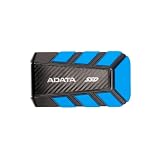
- EXTERNAL SSD ADATA DURABLE 1000GB
Android phones and tablets
ADATA lists Android 13 or later, but the operating system version alone is not enough. The phone or tablet must support external SSD/USB OTG storage and supply sufficient power. If the mobile device cannot provide enough power, transfers may fail and data can be lost. Check the device maker’s OTG and external-storage documentation, and avoid disconnecting the drive while it is writing.
Game consoles and Apple mobile devices
ADATA and ALLION report successful compatibility tests with the named models PS5, PS4 Pro, Xbox Series X|S, Xbox One X, MacBook Pro (2020, 2021 and 2023), iPad Pro (2021 and 2022), and iPhone 16 and iPhone 16 Pro. Those results apply to the tested models and test configurations; they do not establish compatibility with every console revision, operating-system version, app or storage workflow.
Rank #3
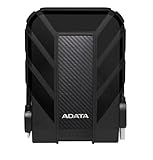
- Safe Data Storage: ADATA HD710 Pro External Hard Drive is a ruggedized hard drive built to keep your data secure for years to come in a travel-friendly design built for every adventure
- Military-Grade Toughness: Features durable, triple-layered construction with a USB 3.1 interface, an IP68 waterproof and IP6X dustproof design, and IP68 military-grade shock resistance (MIL-STD-810G 516.6)
- Built for Anyone: Ultra-fast data transfer capability makes this a great hard drive for gamers, students, and professionals; enough storage capacity for creatives and DIY PC users
- Easy Data Storage: Compatible with Linus, Mac, and PC, this external hard drive also features neat cable management for easy storage and a clean data solution
- About ADATA: ADATA means number 1 in data storage; we offer premium storage capacity, high speeds, and optimized durability, all while innovating and investing in a sustainable future
Choosing a capacity
512GB
Choose 512GB when the drive is mainly for documents, a photo library, project files or moving data between computers. It costs less and leaves a smaller data footprint if the drive is lost, but large video libraries and console game installations can fill it quickly.
1TB
The 1TB model is the more practical choice for sustained media work, frequent backups or a mixed library shared among several devices. It still has less than 1TB available after formatting and reserved space.
Rank #4
SC730 versus ADATA SC740
The related SC740 has a higher manufacturer-rated ceiling, but the figures below are specifications rather than a controlled head-to-head test.
| Model | Maximum sequential read | Maximum sequential write | What the comparison means |
|---|---|---|---|
| SC730 | Up to 600 MB/s | Up to 600 MB/s | Smaller-speed, dual-connector option |
| SC740 | Up to 1,050 MB/s | Up to 1,000 MB/s | Higher advertised throughput; host and setup still determine actual results |
Pick the SC730 when direct USB-C and USB-A access and minimal size matter more than maximum transfer speed. Consider the SC740 only if your host, cable path and workload can take advantage of its higher specification.
Best Value

- Safe Data Storage: ADATA HD710 Pro External Hard Drive is a ruggedized hard drive built to keep your data secure for years to come in a travel-friendly design built for every adventure
- Military-Grade Toughness: Features durable, triple-layered construction with a USB 3.1 interface, an IP68 waterproof and IP6X dustproof design, and IP68 military-grade shock resistance (MIL-STD-810G 516.6)
- Built for Anyone: Ultra-fast data transfer capability makes this a great hard drive for gamers, students, and professionals; enough storage capacity for creatives and DIY PC users
- Easy Data Storage: Compatible with Linus, Mac, and PC, this external hard drive also features neat cable management for easy storage and a clean data solution
- About ADATA: ADATA means number 1 in data storage; we offer premium storage capacity, high speeds, and optimized durability, all while innovating and investing in a sustainable future
Using one SC730 across different devices
- Check the host port. Identify whether the computer, phone, tablet or console has USB-C or USB-A and what USB generation it supports.
- Verify operating-system and OTG support. Confirm the listed Windows, macOS, Linux or Android requirement. For mobile devices, confirm external-SSD support and adequate power.
- Choose a file system deliberately. Use a format supported by every device you plan to share with; macOS users should expect to format the drive as ADATA specifies. Formatting deletes existing files.
- Connect directly for troubleshooting. Test the SC730 in the host’s own port before adding a hub, dock or extension. A direct connection removes one common source of power and speed limits.
- Eject before unplugging. Safely eject the volume in the operating system or console, wait for activity to stop, then remove it. This is especially important on phones, where an unexpected power interruption can corrupt data.
Common problems and practical checks
- The drive is not detected: try the other built-in connector, another host port and a direct connection; then check disk-management or storage settings on the host.
- Phone transfers stop or fail: the phone may not support SSD-class OTG storage or may be unable to supply enough power. Remove other USB accessories and test with the phone’s supported OTG setup.
- Transfers are slower than 600 MB/s: confirm the host and cable support USB 3.2 Gen 2, avoid hubs, test a large sequential file and remember that ADATA’s number is a maximum specification.
- Another device cannot read the files: the volume’s file system may not be supported there. Copy the data elsewhere before reformatting to a format shared by your devices.
- Capacity appears lower than advertised: some space is consumed by decimal-versus-binary capacity presentation, formatting and reserved functions; this is expected.
Who should buy the SC730?
The SC730 suits people who want one very small SSD for a mixture of USB-C and USB-A equipment, especially when carrying an adapter is inconvenient. Its 7.8g weight and 36.8 × 23.8 × 9.7mm body favor portability, while the five-year limited warranty is useful for a long-lived file-transfer drive.
It is less compelling if your priority is the highest possible sustained throughput and all of your hosts support faster external-storage interfaces. Also confirm availability before planning a purchase: ADATA’s US shop listing was indexed as out of stock, while current retailer stock, sellers and prices were not verified.
The Bottom Line
The ADATA SC730 is a genuinely convenient dual-connector portable SSD: it plugs directly into USB-C and USB-A devices, comes in 512GB and 1TB capacities, and carries an advertised ceiling of 600 MB/s for sequential reads and writes. Treat that speed as a manufacturer maximum, verify host and OTG support, and format the drive for the devices you intend to share.
Quick Recap
Product prices and availability are accurate as of the date/time indicated and are subject to change. Any price and availability information displayed on Amazon at the time of purchase will apply.
What’s actually slowing this PC down?
Pick the symptom - the matching free tool is one click away.

