
Do these 3 things before closing this tab:
1Scan for outdated or missing drivers - takes under a minute2Repair Windows errors before they cause bigger problems3Fix the driver behind crashes, sound loss and screen glitchesiTechGuides is reader-supported. When you buy through links on our site, we may earn an affiliate commission. As an Amazon Associate I earn from qualifying purchases. Learn more
To activate HGTV GO on a Roku, Apple TV, Fire TV, or Fire TV Stick, open the app on your device and enter the code shown on screen at watch.hgtv.com/activate. The current activation address is /activate; do not use the older watch.hgtv.com/link address.
Activation links the app to your cable, satellite, telco, or live-TV streaming provider. HGTV GO has some unlocked programming, but live TV and the complete on-demand catalog require a participating provider.
What you need before activating HGTV GO
- An internet-connected Roku, Apple TV, Fire TV, or Fire TV Stick
- The current HGTV GO app, or the all-inclusive Discovery GO app offered on your device
- A phone or computer with a web browser
- A participating TV provider account
- The username and password for that TV provider
The login used during activation is normally your provider login, not a separate HGTV password. Your TV package must also include HGTV if you want access to the live channel and locked programming.
Outdated Drivers Are Slowing You Down
One free scan finds every outdated or missing driver and matches the right update for your exact hardware.Free scan · exact hardware matchWindows Errors? Fix Them Before They Spread
Repair common Windows errors and clear accumulated junk for a smoother, more stable PC - no reinstall needed.Free scan · no reinstallActivate HGTV GO with the code
- Install and open the HGTV GO app on your streaming device.
- Choose the sign-in or activation option. The TV displays a short activation code.
- On a phone or computer, go to https://watch.hgtv.com/activate.
- Enter the code exactly as it appears on the TV.
- Select Activate.
- Choose your cable, satellite, telco, or live-TV streaming provider.
- Sign in with the provider’s username and password.
- Return to the HGTV GO app. It should refresh and unlock the content included with your subscription.
Keep the activation screen open while entering the code. Codes can expire, so if the website rejects it, back out of the activation screen and generate a new code.
Popular on Amazon

- HD streaming made simple: With America’s number 1 TV streaming platform,* exploring popular apps—plus tons of free movies, shows, and live TV—is as easy as it is fun. *Based on hours streamed—Hypothesis Group
- Compact without compromises: The sleek design of Roku Streaming Stick won’t block neighboring HDMI ports, and it even powers from your TV alone, plugging into the back and staying out of sight. No wall outlet, no extra cords, no clutter.
- No more juggling remotes: Power up your TV, adjust the volume, and control your Roku device with one remote. Use your voice to quickly search, play entertainment, and more.
- Shows on the go: Take your TV to-go when traveling—without needing to log into someone else’s device.
- TV, simplified: With setup that only takes minutes, a simple-to-navigate Home Screen, and an uncluttered remote control that does all you need—Roku makes it easier to watch the TV you love.
Roku: install and activate HGTV GO
Install the app
- Press the Home button on the Roku remote.
- Go to Streaming Channels.
- Select Search Channels.
- Search for HGTV.
- Select the HGTV app and choose Add Channel.
- Open the channel after installation and wait for its activation code.
Roku’s newer menus may also place authenticated TV apps under Home > Apps. Search for HGTV there if you do not see the app where expected.
Finish Roku activation
- Leave the code visible on the TV.
- Open watch.hgtv.com/activate on your phone or computer.
- Enter the Roku code and select Activate.
- Select your provider and sign in with the provider credentials.
Roku lists HGTV GO among apps that may support Single Sign-On, but this depends on the provider. Spectrum, Comcast Xfinity, Altice, Verizon, and Frontier are among providers that often do not support Roku SSO, so you may still need to complete the browser activation.
Roku compatibility
Discovery’s current support information lists Roku OS 13 and newer. Supported examples include Roku 3, Roku Ultra, Roku Express, Roku Stick, Roku Stick+, and Roku TV. An older Roku or an outdated operating system may not run the current app.
Also popular on Amazon

- Ultra-speedy streaming: Roku Ultra is 30% faster than any other Roku player, delivering a lightning-fast interface and apps that launch in a snap.
- Cinematic streaming: This TV streaming device brings the movie theater to your living room with spectacular 4K, HDR10+, and Dolby Vision picture alongside immersive Dolby Atmos audio.
- The ultimate Roku remote: The rechargeable Roku Voice Remote Pro offers backlit buttons, hands-free voice controls, and a lost remote finder.
- No more fumbling in the dark: See what you’re pressing with backlit buttons.
- Say goodbye to batteries: Keep your remote powered for months on a single charge.
Apple TV: install and activate HGTV GO
- Open the App Store on Apple TV.
- Select Search and enter HGTV.
- Select the HGTV or current Discovery GO app.
- Choose Get to install it.
- Open the app and copy the activation code displayed on the TV.
- On another device, open https://watch.hgtv.com/activate.
- Enter the code, select Activate, choose your provider, and sign in.
Discovery lists Apple TV Gen 4 and newer with tvOS 12 and newer as supported. If the app does not appear in the App Store, check the Apple TV model and update tvOS where possible.
Fire TV and Fire TV Stick: install and activate
- From the Fire TV home screen, select the search field.
- Search for HGTV.
- Select the HGTV or current Discovery GO app from the results.
- Download and install the app.
- Open it to display the activation code.
- On a phone or computer, visit watch.hgtv.com/activate.
- Enter the code and select Activate.
- Choose your TV provider and sign in with that provider’s credentials.
Fire TV Cube, Fire TV, Fire TV Stick, and Fire TV Edition televisions are listed as supported when running Android 5 or newer. Very old Fire TV hardware or software may be incompatible.
Why HGTV GO asks for a TV provider
Downloading the app does not automatically provide the complete HGTV service. HGTV GO offers unlocked episodes and, in some cases, unlocked seasons without authentication. Live HGTV and the full on-demand catalog require a subscription through a participating cable, satellite, telco, or live-TV streaming provider.
Also popular on Amazon

- 4K streaming made simple:With America’s number 1 TV streaming platform,* exploring popular apps—plus tons of free movies, shows, and live TV—is as easy as it is fun. *Based on hours streamed—Hypothesis Group
- 4K picture quality: With Roku Streaming Stick Plus, watch your favorites with brilliant 4K picture and vivid HDR color.
- Compact without compromises: Our sleek design won’t block neighboring HDMI ports, and it even powers from your TV alone, plugging into the back and staying out of sight. No wall outlet, no extra cords, no clutter.
- No more juggling remotes: Power up your TV, adjust the volume, and control your Roku device with one remote. Use your voice to quickly search, play entertainment, and more.
- Shows on the go: Take your TV to-go when traveling—without needing to log into someone else’s device.
The provider selection on the activation page determines which subscription is checked. It is not an invitation to create a separate HGTV subscription.
Free tools Windows power users keep installed
One-click scans. No signup required.
What to do if your provider is missing
If your provider does not appear in the list, Discovery does not currently identify it as a partner that supplies full access through HGTV GO. You can still watch any unlocked episodes or seasons, but changing the activation code or reinstalling the app will not add a provider that is absent from the list.
Fix HGTV GO activation problems
| Problem | Likely cause | What to try |
|---|---|---|
| The code is rejected | The code expired, was mistyped, or belongs to a previous session. | Return to the app, generate a new code, and enter it at watch.hgtv.com/activate. |
| “You are not authorized” appears | Your provider package may not include HGTV, or the provider could not verify the account. | Confirm the package includes HGTV and sign in with the account that manages the subscription. |
| The provider login fails | You are using an HGTV login, a streaming-device login, or credentials for the wrong provider account. | Use the username and password created with your cable, satellite, telco, or live-TV provider. |
| Activation completes but content remains locked | The wrong provider was selected, the subscription recently changed, or the app has not refreshed. | Sign out or unlink the app, then activate again with the correct provider. |
| The app crashes or will not load | Corrupt app data, cache, or an incompatible device. | Uninstall and reinstall the app. On Android-based devices such as Fire TV, also clear the app’s data and cache. |
| An “update” or “restart” error appears | The all-inclusive GO app has not completed its recent app transition. | Manually update the app, select Unlink to sign out, then sign in again by selecting the provider and entering its credentials. |
Clear the Fire TV app cache
- Open Settings on Fire TV.
- Select Applications.
- Choose Manage Installed Applications.
- Select HGTV GO or the Discovery GO app.
- Choose Clear cache. If necessary, use Clear data, then reopen the app and activate it again.
Menu labels can vary slightly by Fire TV software version. Clearing data signs the app out and removes its local settings.
Also popular on Amazon

- Stunning 4K and Dolby Vision streaming made simple: With America’s number 1 TV streaming platform,* exploring popular apps—plus tons of free movies, shows, and live TV—is as easy as it is fun. *Based on hours streamed—Hypothesis Group
- Breathtaking picture quality: Stunningly sharp 4K picture brings out rich detail in your entertainment with four times the resolution of HD. Watch as colors pop off your screen and enjoy lifelike clarity with Dolby Vision and HDR10+.
- Seamless streaming for any room: With Roku Streaming Stick 4K, watch your favorite entertainment on any TV in the house, even in rooms farther from your router thanks to the long-range Wi-Fi receiver.
- Shows on the go: Take your TV to-go when traveling—without needing to log into someone else’s device.
- Compact without compromises: Our sleek design won’t block neighboring HDMI ports, so you can switch from streaming to gaming with ease. Plus, it’s designed to stay hidden behind your TV, keeping wires neatly out of sight
Is watch.hgtv.com/link still the activation page?
No. The current activation endpoint identified for HGTV GO is watch.hgtv.com/activate. Guides that instruct you to use watch.hgtv.com/link are using an outdated or unsupported address. If a device displays a different website, verify the address carefully before entering provider credentials.
One app for Discovery networks
Discovery’s current GO model is an all-inclusive experience that can cover multiple Discovery-family networks through one app or website. You generally do not need to install a separate GO app for every network. The networks and programs you can watch still depend on your provider subscription and the device’s support.
FAQ
Can I watch HGTV GO without a cable provider?
You can watch content marked as unlocked, including some episodes or seasons. Live HGTV and the complete on-demand catalog require authentication through a participating cable, satellite, telco, or live-TV streaming provider.
Also popular on Amazon
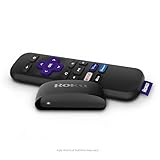
- Streaming made easy: Roku Express lets you stream free, live and premium TV over the Internet—right to your TV. It’s perfect for new users, secondary TVs and easy gifting—but powerful enough for seasoned pros
- Quick and easy setup: Just plug it into your TV with the included High Speed HDMI Cable and connect to the internet to get started
- Tons of power, tons of fun: Compact and power-packed, you’ll stream your favorites with ease; from movies and series on Apple TV, Prime Video, Netflix, The Roku Channel, HBO, Showtime and Google Play to cable alternatives like Hulu with Live TV and PlayStation Vue, enjoy the most talked about TV across free and paid channels
- Low cost, no extra fees: For under $30, Roku Express streaming device includes a High Speed HDMI Cable—and there’s no monthly equipment fee; with access to free TV on hundreds of channels, there’s plenty to stream without spending extra
- Simple remote: Incredibly easy to use, this remote features shortcut buttons to popular streaming channels
What website activates HGTV GO?
Use https://watch.hgtv.com/activate. The older watch.hgtv.com/link address should not be used as the current activation endpoint.
Which password should I use during activation?
Use the username and password for your TV provider account. This is not necessarily the same as your Roku, Apple, Amazon, or HGTV account.
Why is my TV provider not listed?
The provider may not currently participate in Discovery’s full-access authentication program. Unlocked content may still be available, but you cannot force full access by using another activation method.
What’s actually slowing this PC down?
Pick the symptom - the matching free tool is one click away.
Why does HGTV GO say I am not authorized?
The provider package may not include HGTV, the wrong provider may have been selected, or the provider may have failed to verify the subscription. Check the package and repeat activation with the correct provider account.
Does HGTV GO work on every Roku?
Discovery lists Roku OS 13 and newer, including several Roku 3, Ultra, Express, Stick, Stick+, and Roku TV models. Older hardware or software may not support the current app.
The Bottom Line
Install HGTV GO on the streaming device, note the code it displays, and enter that code at watch.hgtv.com/activate. Then select the correct TV provider and use that provider’s credentials. If activation fails, check the provider package first, generate a fresh code, and reinstall or reset the app if it crashes or remains stuck.

