
The Tool Desk
Outbyte Driver Updater FREEScan for outdated or missing drivers - takes under a minuteDriver Scan →Outbyte PC Repair FREERepair Windows errors before they cause bigger problemsFix Now →When marine electronics stop sharing data, first determine whether the problem is local power, the network connection, or the data or image itself. Check the affected display’s device list and note what still works before unplugging anything. A chartplotter that cannot see an NMEA 2000 sensor needs different checks from a radar that is missing on marine Ethernet or a sonar display showing a poor image.
Identify what failed before changing connections
Separate three symptoms: a device will not power on; it powers on but does not appear in a display’s network or device list; or it appears but does not provide the expected value or image. Record which device and function are affected, whether other displays still show the data, any status lights or exact error text, and what changed shortly before the fault began.
| Symptom | Likely connection to investigate | Useful first check |
|---|---|---|
| Device will not turn on | Its own power supply, fuse, or local wiring | Check the device’s power and fuse, then inspect accessible connections. |
| Device is on but absent from the device list | NMEA 2000 or marine Ethernet, depending on the installation | Use the display’s device list, then follow the matching network checks below. |
| Device is listed but a value or image is missing or unreliable | Feature support, settings, sensor cable, or interference | Confirm the feature and sensor are supported and enabled; inspect the relevant cable and connectors. |
These are different diagnostic paths, not interchangeable descriptions of one network fault. A chartplotter not seeing NMEA 2000 devices, GPS data missing, a radar not showing on a chartplotter, no depth reading, and marine electronics not sharing data should each be traced to the connection and function actually involved.
Check local power and visible connections
Confirm the affected unit’s own supply and fuse according to its installation manual. Do not assume the data network powers the device: some equipment needs a separate power connection. With the system in a safe state, inspect the relevant cable ends for loose seating, corrosion, visible damage, or a connector that does not match the installation.
#1 Best Overall

- MULTIFUNCTION DISPLAY: With GO7, add GPS navigation, sonar support, radar capability, and much more to your boat: perfect for sportboats, center-consoles, and smaller cruisers.
- C-MAP DISCOVER: Included C-MAP DISCOVER card with full-featured Vector Charts, Custom Depth Shading, Tides & Currents, C-MAP high-resolution Bathymetric contours, and ultra-wide coverage in the US and Canada.
- ACTIVE IMAGING 3-IN-1 TRANSDUCER: See structure and cover with a new level of refined detail with Active Imaging 3-in-1 sonar featuring CHIRP, SideScan and DownScan imaging with FishReveal.
- RADAR READY: GO7 offers safer cruising and more productive fishing with plug-and-play connectivity to Simrad radar solutions for powerboats of all sizes.
- BUILT-IN CONNECTIVITY: Mirror your display to a smartphone or tablet and get access to charts, radar and other functionality from anywhere on board. NMEA 2000 connectivity offers more integration options.
For a radar power complaint, Garmin’s model-specific support workflow checks the radar status LED and compares voltage at the radar with battery voltage, then checks whether the chartplotter lists the radar as a marine device. Treat this as a procedure for the applicable Garmin model, not a universal radar test. Follow the installed unit’s manual, especially before probing wiring.
Troubleshoot an NMEA 2000 network that is not working
Check the backbone arrangement and network power
A basic NMEA 2000 network uses a backbone, T-connectors, device drop cables, a dedicated network power cable, and two terminators placed at opposite ends of the backbone. Garmin’s technical reference says each connected device needs a T-connector, and the power cable also connects through a T-connector. Garmin cautions that there must not be more than two terminators. A misplaced connector, missing network power, damaged drop, or termination problem can keep a device from appearing.
Rank #2

- MULTIFUNCTION DISPLAY: With GO9 XSE, add GPS navigation, sonar support, radar capability, and system integration to your boat—ideal for sportboats, center consoles, and coastal cruisers
- C‑MAP DISCOVER CHARTS: Preloaded C‑MAP DISCOVER charts provide full‑featured vector charts, custom depth shading, tides and currents, high‑resolution bathymetry, and wide US and Canada coverage
- HDI TRANSDUCER WITH BUILT‑IN SONAR: Includes 83/200 kHz HDI transducer support for clear CHIRP sonar and DownScan Imaging to help identify bottom structure and fish targets
- HALO20 RADAR INCLUDED: Bundled HALO20 solid‑state radar delivers reliable target detection, pulse compression technology, and enhanced situational awareness in all conditions
- BUILT‑IN CONNECTIVITY: Wireless mirroring lets you view charts, radar, and system data on compatible smartphones or tablets, while NMEA 2000 connectivity supports broader onboard integration
Network power is nominally 12 Vdc. Garmin warns that a source above 12 Vdc can damage connected components, and says not to connect power at more than one point unless a power isolator is between the connections. Some devices, including engines or stereos, may supply network power unexpectedly. If you do not know how the installed network is powered, stop before changing feeds or topology and ask a qualified marine electronics technician.
Isolate a missing device
- Open the chartplotter’s NMEA 2000 device list or the equivalent diagnostic view for that model, and confirm whether the affected device is absent.
- Inspect the device drop cable and its T-connector for loose seating or visible damage. Garmin’s troubleshooting guidance permits a drop cable up to 6 m (20 ft) in the configuration it describes; check the applicable installation manual rather than applying that limit to every setup.
- If the network layout and manuals allow it, swap the suspect drop cable to a known-working T-connector, then check the device list again. If the device appears, investigate the original cable or connection; if it does not, the cable swap alone has not identified the fault.
- Check network voltage or resistance only if you understand the procedure and can work safely. Otherwise leave electrical measurements to a qualified person.
Interpret Garmin’s specified resistance check cautiously
Garmin’s procedure calls for disconnecting the network power cable and measuring resistance between CAN-H and CAN-L at the female end of a drop cable. In that procedure, approximately 60 ohms is expected; about 120 ohms suggests one terminator, very high resistance suggests no terminators or a break, and 40 ohms indicates three terminators. These are readings for Garmin’s specified check, not a universal diagnosis for every installation. Use the manual for the equipment and network in question.
Rank #3

- POWERFUL PERFORMANCE: With a high-definition12-inch SolarMax IPS display, NSS12 evo3S features the new iMX 8 high-performance processor. With faster response times and seamless screen transitions, this compact package delivers extensive functionality.
- BUILT-IN GPS NAVIGATION: NSS12 evo3S is a full-featured chartplotter navigation display with a built-in GPS receiver, preloaded with C-MAP US Enhanced inland and coastal charts.
- BETTER FISH FINDING: Better-than-ever processing power provides exceptional fish-finding performance and easily powers Active Imaging sonar, StructureScan 3D, HALO radar, and more.
- VESSEL-WIDE INTEGRATION: Extensive system expansion with real-time monitoring delivered through the new iMX 8 high-performance processor. Monitor engines and fuel efficiency, control your on-board sound system, and so much more.
- BETTER CONTROL: Switch seamlessly between intuitive all-weather touchscreen with multi-touch gestures, and a full-featured keypad with rotary control dial.
Troubleshoot a marine Ethernet device that is not found
Start with the chartplotter’s marine network or device list. For a Garmin radar that is missing, Garmin’s support workflow recommends testing with a known-good marine Ethernet cable connected directly between the radar and chartplotter. If the radar then appears, investigate the installed cable, compatible chartplotter ports, and any network switch or expander in the original path. Check connector seating and, where appropriate, continuity; observe expander port lights according to its manual. Update software after the device is detected, following the product instructions.
Ethernet sharing behavior can depend on manufacturer and model. For example, Raymarine documents a designated datamaster for certain multi-chartplotter systems and specifies matching software versions for networked chartplotters in the configuration it describes. Do not apply that setup rule to other brands or configurations without checking their manuals.
Rank #4

- Professional Marine GPS Chartplotter at an Unbeatable Value: This pre-configured tablet offers a high-performance Boat GPS Navigation system at a fraction of the cost of traditional hardware. At just $299 USD, it delivers the power of a Multifunction Display (MFD) without the premium price tag.
- A tablet that was engineered for the helm: anti-glare finish that eliminates reflections and hits 500 nits of peak brightness for crystal-clear navigation in direct sun. The massive 8000mAh battery provides up to 13 hours of use.
- Ready for Immediate Marine Chartplotter Use: Start navigating right out of the box with pre-installed OpenCPN software and Free US Maps. It provides a reliable and flexible solution for cruising, fishing, or offshore sailing with zero setup required.
- Offline Offshore Reliability: As charts are locally installed, this Portable Marine GPS works completely offline. It is the ideal choice for offshore navigation and deep-sea expeditions where internet access is unavailable.
- Versatile, Navionics Compatible & Built for Every Vessel: Use it as your primary system or a high-end backup. This open platform is Navionics compatible and designed to suit everyone from recreational boaters and yacht owners to professional expedition vessels.
If the device appears but data or the image is wrong
Check support and configuration first
Confirm that the device and connected sensor support the value or function you expect, and that the feature is enabled with settings appropriate to the installation. A device being visible on the network does not establish that every sensor value or feature is supported or configured.
Investigate sonar and intermittent faults
Inspect transducer or data cables and connectors. Intermittent sonar or data problems can also come from electrical interference or cable routing near equipment such as radios, lighting, pumps, radar, or trolling motors. Isolate possible sources systematically: switch likely equipment off one at a time, observe whether the symptom changes, and restore each item before testing the next. Simrad recommends checking GPS antenna cabling, data connections, and corrosion, and switching instruments and LED lighting methodically to isolate interference. Garmin also lists nearby electrical equipment and data cables among possible sources of sonar interference.
Best Value
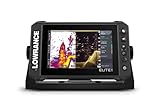
- CUSTOMIZE YOUR SONAR: No transducer is included, allowing you to select compatible sonar based on your boat and fishing style
- COMPACT 7-INCH TOUCHSCREEN: Control charts, sonar and connected equipment from a high-resolution display built for smaller installations
- ADVANCED SONAR READY: Supports compatible Active Imaging, ActiveTarget 2 and ActiveTarget 2 XL systems for future expansion
- C-MAP DISCOVER ONBOARD CHARTS: Preloaded detailed lake contours help identify ledges, drop-offs, ditches and other likely fish-holding areas
- NETWORKED SYSTEM CONTROL: Integrated wireless, NMEA 2000 and Ethernet connect compatible displays and marine electronics
Save useful diagnostics and decide when to get help
Before contacting support, record model names, software versions, the device list, status lights, exact error wording, and the result of each cable swap or direct-cable test. Raymarine describes a diagnostic screen that shows connected NMEA 2000 devices and messages and can save a log for technical support; availability and menu names depend on the installed model.
Quick Recap
- Use the exact installation and troubleshooting manuals for the devices and network involved. A cable or accessory that fits physically is not necessarily compatible across manufacturers.
- Stop before altering power feeds or backbone topology if the wiring is factory-installed, unfamiliar, or unclear. Garmin advises contacting the boat manufacturer or a certified NMEA 2000 technician when network considerations are uncertain.
- Get qualified help if the fault persists after the supported isolation checks, or if electrical measurements or safe power isolation are outside your experience.
Product prices and availability are accurate as of the date/time indicated and are subject to change. Any price and availability information displayed on Amazon at the time of purchase will apply.

