
Windows 10 PCs still run after support ends, but the operating system no longer receives ordinary security updates. First check whether your PC can upgrade to Windows 11 for free. If it cannot, check the Windows Settings app for Consumer Extended Security Updates (ESU); if neither Windows option fits, consider a free supported operating system such as Ubuntu after checking app and hardware compatibility.
Will my Windows 10 computer stop working?
No. The end of support on October 14, 2025 did not switch off Windows 10 or prevent you from using your PC. It did end general Microsoft security updates, software updates, feature updates, and technical support for Windows 10. Without regular security updates, Microsoft warns, “the operating system remains exposed to new threats.” Microsoft’s Windows 10 end-of-support guidance explains the change.
That means continuing to use the computer and keeping it supported are different things. You can keep using Windows 10, but the operating system becomes more exposed as new threats emerge. The practical choices are to move to supported Windows, use the limited ESU bridge if eligible, or switch to another supported operating system.
How do I keep using Windows 10 safely?
There is no way to make an unsupported Windows 10 installation equivalent to a supported, patched operating system. Work through these options in order:
Recommended Free Tools
#1 Best Overall

- 【Powerful Intel Quad Core i7 Processor】 Dell computer OptiPlex 9010 small form factor pc available with Intel quad Core i7 processor, enables meet your multi-taking needs and increase power, enjoy your bulk storage device! Please remember only select Redstone to get an excellent dell desktop computer.
- 【Built-in WIFI Ready】This office computer is installed AC7260 WIFI card, supports dual-stream WiFi in the 2.4GHz and 5GHz.No network cable needed,always online at high speed and stability, so you can surf the internet no latency. Please remember only select Redstone to get a dell desktop i7 with Built-in WIFI.
- 【Dual 4K Monitor Support】Dell optiplex 9010 desktop computers with 2 Display ports and 1 VGA port, makes this i7 desktop easy to connect two monitors, this dell refurbished pc easily improve work efficiency,fully capable of browsing internet, using Adobe PR etc.(Remember ONLY select Redstone Computer to get a DP to HDMI Adapter)
- 【Ready to Use】 Dell Precision Desktop is ready to use straight out of the box. Dell refurbished computers have gone through a thorough and rigorous refurbishing process as well as Quality Control Testing. Also, Windows 10 Pro is pre-install on this dell refurbished pc.
- 【Meet Your Various Needs 】 - The dell optiplex i7 desktop computer is widely in many occasions like Office Work, business, industry Design, home entertainment, cash register,work from home and remote education.
- Check for a free Windows 11 upgrade. This is the most direct way to remain on Windows while receiving support, provided both Windows version and hardware qualify.
- If the PC cannot upgrade, check Consumer ESU in Settings. Eligible personal-use devices can receive a limited period of security updates, subject to the enrollment options shown in the region.
- If Windows support routes do not fit, consider Ubuntu or another supported system. Check essential apps, devices, and accessibility needs before switching.
- If you require Windows-only software and cannot use ESU, plan for a Windows 11-capable PC. That is a paid fallback, not a free way to extend support for the old computer.
Can I upgrade to Windows 11 for free?
Potentially. Microsoft offers a free upgrade from an eligible Windows 10 version 22H2 PC to the equivalent Windows 11 edition, provided the device meets Windows 11 requirements. Start at Settings > Update & Security > Windows Update and check whether Windows offers the upgrade. If eligibility is unclear, run Microsoft’s PC Health Check.
Windows 11 requirements include a compatible 1 GHz or faster processor with at least two cores, 4 GB RAM, 64 GB storage, UEFI firmware capable of Secure Boot, TPM 2.0, compatible DirectX 12 graphics with a WDDM 2.0 driver, and a suitable display. The processor must also appear on Microsoft’s approved compatibility list. Meeting the memory or storage figures alone does not establish eligibility; check Microsoft’s full Windows 11 requirements.
Rank #2

- Intel Quad Core Powerful ProcessorDell OptiPlex 3040 refurbished desktop computers available with Intel Core i5-6500 processor, Intel HD Graphics 530,enables meet your multi-taking needs. Please remember only select Redstone to get an excellent dell desktop computer.
- Built-in WIFI ReadyThis Dell small form factor pc is installed AC8260 WIFI card, supports dual-stream WiFi in the 2.4GHz and 5GHz.No network cable needed, always online at high speed and stability, so you can surf the internet no latency. Please remember only select Redstone to get a dell pc with Built-in WIFI 5.
- Dual 4K Monitor SupportOptiPlex 3040 dell computer desktop with 1 Display ports and 1 HDMI port, makes it easy to connect two monitors, this dell refurbished pc easily improve work efficiency,fully capable of browsing internet, using Adobe PR and PS applications, 4K videos playback,etc.
- Ready to UseDell refurbished computers is ready to use straight out of the box. It has gone through a thorough and rigorous refurbishing process as well as Quality Control Testing. Also, Windows 10 Pro is pre-install on this dell optiplex desktop.
- Meet Your Various Needs - The dell pc desktop windows 10 pro is widely in many occasions like Office Work, business, industry Design, home entertainment, cash register,work from home and remote education.
Can I get Windows 10 security updates for free?
Some eligible personal-use Windows 10 version 22H2 PCs can enroll in Microsoft’s Consumer ESU program. As listed in Microsoft’s guidance accessed October 4, 2026, ESU provides critical and important security updates through October 12, 2027. It is a temporary bridge, not an extension of full Windows support: it does not provide new features, customer-requested non-security updates, or ordinary technical support. Microsoft’s Consumer ESU page describes eligibility and scope: Windows 10 Consumer ESU.
Microsoft lists three enrollment routes: syncing PC settings at no additional charge, redeeming 1,000 Microsoft Rewards points, or making a one-time $30 USD payment (or local-currency equivalent) plus applicable tax. Availability, timing, and options can vary by region. To see what applies to your PC, open the built-in ESU enrollment flow in Settings > Update & Security > Windows Update and review the terms before enrolling. Devices managed by an organization or enrolled in enterprise licensing are excluded from the consumer route.
Outdated Drivers Are Slowing You Down
One free scan finds every outdated or missing driver and matches the right update for your exact hardware.Free scan · exact hardware matchWindows Errors? Fix Them Before They Spread
Repair common Windows errors and clear accumulated junk for a smoother, more stable PC - no reinstall needed.Free scan · no reinstallRank #3

- THE ALTERNATIVE: The Office Suite Package is the perfect alternative to MS Office. It offers you word processing as well as spreadsheet analysis and the creation of presentations.
- LOTS OF EXTRAS:✓ 1,000 different fonts available to individually style your text documents and ✓ 20,000 clipart images
- EASY TO USE: The highly user-friendly interface will guarantee that you get off to a great start | Simply insert the included CD into your CD/DVD drive and install the Office program.
- ONE PROGRAM FOR EVERYTHING: Office Suite is the perfect computer accessory, offering a wide range of uses for university, work and school. ✓ Drawing program ✓ Database ✓ Formula editor ✓ Spreadsheet analysis ✓ Presentations
- FULL COMPATIBILITY: ✓ Compatible with Microsoft Office Word, Excel and PowerPoint ✓ Suitable for Windows 11, 10, 8, 7, Vista and XP (32 and 64-bit versions) ✓ Fast and easy installation ✓ Easy to navigate
Can antivirus keep Windows 10 safe after end of support?
No antivirus program can replace operating-system security updates. Antivirus may help detect or block some threats, but it does not restore Windows 10’s general security fixes or make an unsupported installation fully safe. Microsoft’s end-of-support guidance cautions that without regular security updates, Windows remains exposed to new threats: Windows 10 end of support.
What about Microsoft 365 Apps?
Microsoft says Microsoft 365 Apps continue to work on Windows 10 and will receive security updates on that system through October 10, 2028. That application-specific period does not restart general Windows 10 operating-system security updates. Microsoft still recommends moving to Windows 11 to avoid performance and reliability issues over time. See Microsoft 365 Apps on Windows 10.
Rank #4
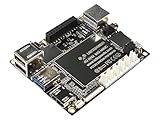
- Best Raspberry Pi alternative: The LattePanda V1 single board computer is an excellent Raspberry Pi alternative in terms of performance, features, and price, making it ideal for users who want to explore different platforms.
- High Performance: Featuring the Intel Cherry Trail Z8350 Quad-Core Processor (up to 1.92GHz), the LattePanda V1 offers faster and more powerful processing capabilities.
- 4GB RAM+64GB eMMC
- Supports multiple operating systems: This mimi PC is compatible with both Windows and Linux systems, allowing users to choose the suitable operating system based on their requirements.
- Integrated Arduino-compatible processor: The LattePanda single board computer features a built-in Arduino-compatible processor, making it easy for developers to expand hardware and program, increasing project flexibility.
What can I do with a computer that can’t run Windows 11?
If the PC is ineligible for Windows 11, decide between the temporary ESU bridge, a move to another supported operating system, or replacement. Ubuntu Desktop is a free option for people whose applications and hardware work with Linux. Canonical lists Ubuntu 26.04.1 LTS with five years of free security and maintenance updates and recommends a 2 GHz dual-core processor, 6 GB of memory, and 25 GB of free storage. These are Ubuntu’s stated recommended desktop requirements, not a guarantee that every computer or peripheral will work. Details are on Canonical’s Ubuntu Desktop download page.
Check compatibility before switching to Ubuntu
- Confirm that essential applications have Linux versions or workable alternatives; Windows-only programs may not run as they do on Windows.
- Check Wi-Fi, printers, other peripherals, accessibility tools, and any specialized hardware you rely on.
- Back up personal files before installing another operating system.
- Canonical recommends a 12 GB or larger flash drive for installation media. Writing the image erases the selected USB drive, so back up its contents first. Canonical also explains how to try Ubuntu from USB before installing: Ubuntu Desktop installation tutorial.
If you depend on Windows-only applications and cannot use ESU, Microsoft recommends moving to a Windows 11 device when your current PC does not meet Windows 11 requirements. Compare compatibility, accessibility, support, and total cost, and back up your data before moving. See Microsoft’s end-of-support options.
Quick Recap
Best Value

- Easy to Use: It is plug and play, powered by the USB port, no external power and driver required. USB DVD drive is a perfect companion for computers without the internal drive. You can burn files, install software and create a backup CD.
- Portable USB Interface: It comes with standard USB transmission which provide faster data transfer rates. Pure-copper-knitted-net tech leads to smaller resistance, stronger shielding capability, more stable data transmission.
- Fashionable Design: Embedded cable design, made with premium wire drawing material, fashionable and highly portable. This CD/DVD driver is slim, lightweight, compact and portable.
- High speed: Adopted unique intelligent burning technology, this CD-RW combo drive supported DVD+R, DVD-R, CD-ROM, DVD-ROM, CD-R, CD-RW. Read Speed: 24x (CD) / 8x (DVD) | Write Speed: 24x (CD) / 8x (DVD±R) / 6x (DVD±R DL) | Rewrite Speed 24x (CD) / 6x (DVD-RW) / 8x (DVD+RW) / 5x (DVD-RAM)
- Compatible Systems: This DVD drive is ideal for various devices. It support Windows 11/10/8/XP/2003/Vista/7/8.1/10, Linux and all version Mac OS system. Support Laptop, Notebook, PC, Desktop Computer. For the desktops, please connect the device to the USB port of the PC for normal use
Which route fits your PC?
| Route | Who can use it | Cost and update coverage | What changes |
|---|---|---|---|
| Free Windows 11 upgrade | Eligible Windows 10 version 22H2 PC that meets Windows 11 hardware requirements | Free upgrade; Windows 11 support applies according to its edition and servicing terms | Keeps Windows compatibility, but the PC must pass Microsoft’s eligibility checks |
| Consumer ESU | Eligible personal-use Windows 10 version 22H2 device; not organization-managed or enterprise-licensed | Settings sync at no additional charge, 1,000 Rewards points, or one-time $30 USD/local equivalent plus tax; critical and important security updates through October 12, 2027, per Microsoft guidance accessed October 4, 2026 | Keeps Windows 10 temporarily; no new features or ordinary technical support |
| Ubuntu Desktop | PC meets Ubuntu requirements and apps and peripherals are compatible | Free; Canonical lists five years of security and maintenance updates for Ubuntu 26.04.1 LTS | Changes operating system; requires compatibility checks and possibly data migration |
| Windows 11-capable replacement | People who need Windows but whose present PC cannot upgrade | Paid; price depends on the device | Moves to supported Windows hardware; requires migration and a new-device purchase |
Product prices and availability are accurate as of the date/time indicated and are subject to change. Any price and availability information displayed on Amazon at the time of purchase will apply.

