
What is the best secure browser alternative to Chrome and Firefox? There is no single best choice for every threat model. Brave is a practical Chromium-based option with tracking protections enabled by default; Tor Browser is designed for anonymity and censorship circumvention; and Mullvad Browser is another privacy-focused choice. Firefox also remains a relevant option if you want tracking protection without switching browsers. These are product makers’ descriptions, not proof that one browser is categorically safest.
Security and privacy protect against different risks
Browser security is about defenses against malicious sites, harmful scripts, and software flaws. Privacy is about what information websites, trackers, and network observers can retain or see. They overlap, but a browser’s privacy features do not by themselves establish that it is more secure against every threat.
Choose based on what you want to reduce: routine tracking, exposure of your identity or browsing activity, or the risk of malicious content. Consider website compatibility, device support, and day-to-day usability alongside protection defaults. The official product pages reviewed here do not provide a like-for-like independent benchmark, current patch-level comparison, or comprehensive platform availability matrix, so they cannot support a definitive ranking.
How the browser options compare
| Browser | What its maker describes | Best fit | Important qualification |
|---|---|---|---|
| Brave | Brave says Shields blocks trackers, cross-site cookie tracking, and fingerprinting. Brave is built on Chromium. | Everyday browsing with tracking protections enabled by default, especially if you want a Chromium-based browser. | Chromium lineage does not mean Brave has Chrome’s features or policies. Brave says its private windows with Tor can slow browsing. |
| Firefox | Mozilla says Enhanced Tracking Protection blocks trackers and Firefox includes defenses against harmful scripts and malware. | Readers who want tracking protection and harmful-content defenses in a browser that remains a privacy-oriented reference. | Mozilla’s description of private browsing concerns local history and passwords on shared devices; it does not establish anonymity from websites or network observers. |
| Tor Browser | The Tor Project presents it for protection against tracking and surveillance, anonymity, and censorship circumvention. | Readers who prioritize anonymity or access around censorship over convenience and broad compatibility. | The Tor Project lists desktop and Android versions. The reviewed page does not quantify speed or website compatibility. |
| Mullvad Browser | Mullvad discusses IP addresses, third-party cookies, tracking scripts, and browser fingerprints as ways visitors may be tracked, and recommends pairing a privacy-focused browser with a trustworthy VPN. | Readers seeking a privacy-focused browser and considering a VPN as an additional network-privacy measure. | Masking an IP alone does not stop cookie-, script-, or fingerprint-based tracking. |
Which browser fits your needs?
Choose Brave for familiar everyday browsing with tracking protections
Brave says its Shields feature blocks trackers, cross-site cookie tracking, and fingerprinting. Because Brave is based on the open-source Chromium project, its underlying lineage may feel familiar to Chrome users, but the browsers should not be treated as identical in features or policies. Brave also describes client-side encryption for Brave Sync and private windows with Tor; it cautions that Tor-enabled private windows can slow browsing. These are Brave’s own feature descriptions, not independent comparative test results. Brave’s features
Crashes, No Sound, or Screen Glitches?
Random freezes, missing sound and display glitches usually trace back to one bad driver. Find and replace yours safely.Free scan · under a minuteWindows Errors? Fix Them Before They Spread
Repair common Windows errors and clear accumulated junk for a smoother, more stable PC - no reinstall needed.Free scan · no reinstall#1 Best Overall
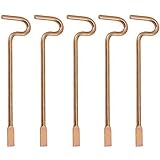
- Designed specifically and compatible with Kwikset-brand interior bedroom and bathroom door knobs/levers that feature a small emergency access hole. Perfect replacement or backup set for privacy locks.
- Includes 5 Emergency Release Tools: Comes with five durable metal tools, giving you spares for multiple rooms or easy replacements over time. Ideal for families, property managers, rental owners, and caregivers.
- Quick and Easy to Use: Flattened, slotted tip slides smoothly into the door knob's center access hole for fast release during accidents or emergencies.
- Simple 4-Step Operation: 1) Place the slotted end of the tool into the center of the knob or lever hole. 2) Push it in until it stops. 3) Slowly turn clockwise until you feel it drop into the groove. 4) To engage/disengage: turn the tool left for a lever, or right for a knob.
- Not for Push to Disengage Locksets: Will NOT work with "push-to-disengage" privacy door knobs or levers. The flat, slotted end of this tool does NOT fit the access hole on "push-to-disengage" style knobs - ensure your knob or lever is the "turn-to-disengage" style type before purchasing.
Choose Firefox if you want built-in tracking and harmful-content defenses
Mozilla describes Enhanced Tracking Protection as blocking trackers and says Firefox includes protections against harmful scripts and malware. That makes Firefox a relevant option for readers who want privacy-oriented protections without assuming that switching browsers is necessary. These claims describe Mozilla’s features; they are not a comparative independent test. Mozilla’s Firefox privacy feature description
Choose Tor Browser when anonymity and censorship circumvention matter most
The Tor Project’s official page says: “Defend yourself against tracking and surveillance. Circumvent censorship.” Tor Browser is intended for readers who prioritize those goals over convenience or broad website compatibility. The Tor Project lists versions for desktop and Android, but its page does not provide comparative speed or compatibility measurements. Tor Browser downloads
Rank #2

- The emergency keys are replacement keys for specific interior privacy locks ONLY!
- The interior bathroom/bedroom release tool is constructed of solid metal
- The bathroom/bedroom emergency release tools are compatible with Kwikset-brand interior door knobs & levers that with a small emergency access hole. They are intended only for emergency case only.
- The replacement key length: 2-3/4 inch, the straight part length: 2 inch
Consider Mullvad Browser with a VPN for layered privacy
Mullvad explains that an IP address is only one possible identifier: third-party cookies, tracking scripts, and browser fingerprints can also be used to track visitors. A VPN changes the network path and the IP address visible to sites, while a privacy-focused browser addresses browser-level tracking risks. A VPN alone does not remove cookies, stop scripts, or prevent fingerprinting. Mullvad describes pairing a trustworthy VPN with a privacy-focused browser as stronger resistance to mass surveillance, but that is not a guarantee of anonymity. Mullvad Browser
Independent reader supportYour contribution helps us test, update, and keep practical guides available for everyone.Private browsing does not make you anonymous
Private or incognito windows are primarily useful for keeping some activity—such as local browsing history and passwords—from being retained on a shared device. Mozilla describes Firefox’s private browsing in those local terms. That does not establish that websites cannot identify you or that network observers cannot see your activity. Mozilla’s explanation of private browsing
Free tools Windows power users keep installed
One-click scans. No signup required.
Quick Recap
Best Value

- 【6-Piece Interior Emergency Door Lock Key Set】 This set includes 6 interior privacy door keys, consisting of 3 round pin keys and 3 flat pin keys, providing a total of 6 keys. The bright brass metal finish adds a quality look, and the set serves as a convenient spare for quick access in emergencies.
- 【Two Key Types for Major Lock Brands】 Designed to be compatible with popular interior door lock brands, featuring 3 keys specifically shaped for Kwikset-style locks and 3 keys for Schlage-style locks. This versatile combination ensures you have the right tool for most common privacy door locks in your home.
- 【Durable Solid Metal Construction】 Each emergency key is constructed of solid metal, ensuring strength and reliability. The key measures 2-1/2 inches in total length, with a straight section of 2 inches, designed for precise and easy insertion.
- 【Convenient Emergency Access Solution】 This set is intended as a replacement key for specific interior privacy door locks. In case of an emergency, these keys allow for quick access to locked interior rooms like bedrooms and bathrooms. You can keep them on a key ring, above the door trim, or in another secure, accessible location outside the door for peace of mind.
- 【Easy to Use and Store】 The keys are simple to use—just insert into the emergency access hole on compatible interior door knobs or levers. Their compact size and durable build make them easy to store discreetly yet ensure they are ready when needed, providing a practical safety measure for your home.
Rank #4

- 4 pack Solid Interior Door Key, Bathroom Bedroom Door Emergency Key Replacement
- The Emergency Key is made of quality steel
- The replacement key length: 2-3/4 inch, the straight part length: 2 inch
- The emergency keys are replacement keys for specific interior privacy locks ONLY!
- Emergency keys is very convenient spare part in case of an emergency.
Rank #3

- 6 Pack Interior emergency key for bathroom or bedroom
- Made of solid metal, sturdy and flat end
- Length: 2-1/2inch
- Could put it on the door trim
- Compatible with many brands door lock
A practical way to decide
- Identify the main risk. If you mainly want routine tracker blocking, consider Brave or Firefox. If anonymity or censorship circumvention is central, consider Tor Browser. If you want to reduce exposure of your IP as well as browser-based tracking, consider a privacy-focused browser alongside a VPN.
- Check your essential websites and devices. The reviewed official pages do not provide a comparative compatibility or platform matrix, so verify support for your own operating system, device, and must-use sites before switching.
- Choose a protection level you can use consistently. Stronger privacy goals can bring usability and compatibility trade-offs. Do not assume that a browser, private window, or VPN alone hides every identifier.
- Review the browser’s own feature and download information. Product details and availability can change; consult the relevant official pages linked above before installing.
Product prices and availability are accurate as of the date/time indicated and are subject to change. Any price and availability information displayed on Amazon at the time of purchase will apply.

