
Free tools Windows power users keep installed
One-click scans. No signup required.
There is no universal winner. For calls alone, direct Bluetooth hands-free calling is the simpler connection to isolate and troubleshoot. Android Auto adds a display-based experience and can connect by USB or wirelessly, but wireless Android Auto also relies on Bluetooth and Wi-Fi. Reliability depends on the phone, vehicle, software, connection mode, and call-audio routing.
How the two calling setups differ
Bluetooth calling
When your phone connects directly to the car for hands-free calls, the call connection uses Bluetooth’s Hands-Free Profile (HFP). The Android Open Source Project explains that HFP lets a vehicle make and receive calls through a connected device: Android Open Source Project HFP documentation.
Android Auto calling
Android Auto projects phone functions to a compatible car display and supports both wired and wireless connections. Wireless setup is not Bluetooth-only: Google says the initial connection pairs the phone and car over Bluetooth, and recommends Bluetooth, Wi-Fi, and Location Services be enabled during setup. Check that your exact vehicle supports the Android Auto mode you want; compatibility can vary by vehicle and setup. See Google’s Android Auto connection guidance.
Which is more reliable for calls?
For calls alone, direct Bluetooth is the simpler path because it avoids Android Auto projection as an additional part of the setup. That makes it easier to isolate connection problems, but it does not prove that Bluetooth calls will be more reliable in every car. Android Auto may be the better fit if you want its display functions as well as calling, provided the specific phone, vehicle, and connection mode work consistently together.
#1 Best Overall

- 【CAR PHONE SPEAKER HANDSFREE】Built-in 3W microphone, based on excellent noise reduction and echo processing technology, will give you clearer call quality and more pleasant music, making your car journey full of fun and safety. The magnetic back clip makes it easy to mount on the car's sun visor. NOTES: Please use a normal plug. If you use fast charging for a long time, the charging IC may be damaged
- 【BLUETOOTH 5.3 SPEAKER FOR CAR】Bluetooth 5.3 stable and fast connection, supports automatic shut-off and reconnection. Double click the M button of the hands-free kit, activate Siri or Google Assistant, help answer calls or SMS or retrieve a route, safer while driving
- 【PORTABLE BLUETOOTH SPEAKER】Simply connect the device to your phone, then place the Bluetooth speaker set for the car via the clip on the car's sun visor. The magnetic basement design is suitable for use in the car, at home, in the office or outdoors. Play music via Bluetooth or via the TF card, share your beloved songs with friends or family
- 【PERFECT GIFT】Perfect gift for your mom, dad, wife, husband, sibling, cousin or anyone you care about. Nowadays in almost every country, it’s illegal to talk on your cell phone while driving, you might still need to take that important call, then This gadget is PERFECT for you. It allowed you to super easy talk wireless and hands-free with your friend, parent or business partner
- 【EXCELLENT BATTERY LIFE】After 2 hours full charge, music playback time: 9-10 hours; Hands-free time: 16 hours. Power cable included, the longevity of this Bluetooth hands-free kit makes it ideal for all your long journeys
There is no established numerical reliability comparison between Android Auto calls and Bluetooth-only calls in the sources cited here. A result from one phone and car should not be generalized to other combinations.
How to compare them in your car
Use the same phone and vehicle, in the same locations, over several drives. Keep other connected devices and settings consistent. Compare:
Rank #2
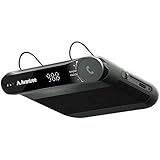
- [2-IN-1 SPEAKER & FM TRANSMITTER] Use the Roadtrip as a Bluetooth speaker for calls, voice assistant activation, or directions, or use as an FM transmitter to stream audio from your phone to your car's stereo via FM.
- [CRYSTAL CLEAR CALLS] Hear every conversation clearly with dual 3W speakers, and ensure your voice is heard just as clearly with the built-in noise-reducing microphone.
- [HIGH-DEFINITION SOUND] Despite its compact size, the Roadtrip’s dual 3W speakers deliver powerful, high-definition audio with emphasized clarity.
- [SMART AUTO POWER] The Roadtrip automatically powers off as you leave the car and your phone disconnects. When you return, its built-in motion sensor detects your presence, powers on, and reconnects to your device as you open the door.
- [EASY TO USE] Turn the rotary dial to adjust the volume, or press it to activate your phone's voice assistant for hands-free calls, texts, and more.
- Whether calls connect and reconnect reliably, including after restarting the car.
- Whether you can hear the other person and they can hear you clearly.
- Whether call audio goes to the intended speakers, rather than the handset or a headset.
- How long call setup takes and whether the connection changes during a call.
- Whether the Android Auto display functions are worth using alongside calls.
Record your phone model, vehicle model and year, head-unit software, Android version, Android Auto mode (wired or wireless), and any other connected Bluetooth devices. This makes it easier to spot whether a problem follows a particular connection path or device.
Independent reader supportYour contribution helps us test, update, and keep practical guides available for everyone.What to check when calls fail or sound wrong
Android Auto will not connect
- Confirm that your exact vehicle and phone support the Android Auto mode you are trying to use. Follow the vehicle manual and manufacturer instructions; Google recommends contacting the manufacturer if compatibility or connection issues persist.
- For wireless Android Auto, turn on Bluetooth and Wi-Fi, and enable Location Services during setup. Complete setup while parked and allow time before driving.
- For wired Android Auto, check that the USB connection is secure and the cable is not damaged. Chevrolet recommends the original cable or a high-quality compatible cable when troubleshooting its vehicles’ Android Auto connections; cable compatibility varies by phone and vehicle. This check applies to wired Android Auto, not Bluetooth-only calls. See Chevrolet’s U.S. Android Auto troubleshooting guidance.
- Check for phone and vehicle software updates, then restart and reconnect. Chevrolet includes updates, restarts, and re-pairing in its troubleshooting steps.
A call connects but audio goes to the wrong device
Check which Bluetooth audio device connected most recently and how you answered the call. Samsung describes a Galaxy-phone scenario in which Android Auto, the car’s Bluetooth system, and a Bluetooth headset are connected: media goes through the car, while call routing can depend on the last-connected Bluetooth audio device and the way the call is answered. If routing remains confusing, disconnect an unused device before starting the car. This guidance is specific to the described Samsung scenario, not a universal setting for every Android phone. See Samsung’s call-audio routing guidance.
Quick wins for a faster PC:
Fix the driver behind crashes, sound loss and screen glitchesFind Drivers →Repair Windows errors before they cause bigger problemsFix Now →Scan for outdated or missing drivers - takes under a minuteDriver Scan →Rank #3

- BLUETOOTH V5.0 and Long Working time: The latest Bluetooth 5.0+EDR technology provides lower power consumption and wider compatibility.
- BUILT-IN MOTION SENSOR for Auto Power On: Start driving without delay as this Bluetooth hands-free car kit switches to Auto Power and connects with your phone when car door is opened. 1000mAh Battery:Buit-in rechargeable 1000mAh battery, you could enjoy your smart phone music or handsfree calling up to 20 hours for a single full charge.
- Dual Speakers: Dual 2 Watts Speakers for the better sound quality and louder calling volume. You could enjoy your hands-free calling even in very noisy highway.
- CONNECT To 2 PHONES: With the multipoint technology, the Besign BK06 Bluetooth Car Kit can connect to 2 devices at the same time.
- Siri or Voice Command: One Button to activate the Siri or Voice Command In the standby mode, press the Siri Button for 2 seconds to activate the voice command function on Andriod or iOS devices.
The problem persists
After checking the connection mode, cables, updates, and audio routing, contact the vehicle manufacturer or dealer for vehicle-specific help. Set up and troubleshoot while parked; Google advises allowing time for setup before driving and paying attention to road conditions.
Quick Recap
Best Value
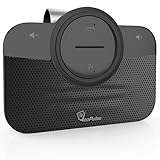
- ✅ TOP QUALITY BLUETOOTH SPEAKERPHONE - We are proud to present you our newest Car Bluetooth Speakerphone that is compatible with every car and every phone such as; iPhone, Android phone etc. or device that has Bluetooth. It does not consume a lot of energy and has an auto-shutdown feature.
- ✅ DRIVE MORE SAFE TODAY - Today in almost every country it’s illegal to talk on your cell phone while driving, still, you might need to take that important call, then This gadget is PERFECT for you. It allowed you to super easy talk wireless and hands-free with your friend, parent or business partner.
- ✅ EASY TO SETUP - Simply place the kit on your sun visor in your car and you're ready to receive or make your first call. You can set up your phone so its automatic connect to the speakerphone when you get into your car. Simply say "YES" to answer a call in seconds and enjoy your conversation. Press the VOICE COMMANDS button to use Siri or Ok Google. Easy right?
- ✅ THE PERFECT GIFT - Anyone with a car needs this amazing device, it's a great tool that can save a life. Perfect gift for your mom, dad, wife, husband, sibling, cousin or anyone you care about. Great for birthdays, Christmas or any other suitable occasion.
Rank #4

- 【Hands-Free Calls】 Built-in 3W speaker designed for phone calls and voice clarity in the car. Please note this device is not a replacement for a full car stereo system.
- 【DISTRACTION FREE DRIVING】Encourages safe driving by using Siri Assistant to make phone calls, send texts or get driving directions.
- 【Motion Wake Function】 The CK11 automatically wakes when vibration is detected (e.g., car door opens). It powers down only after the Bluetooth connection is disconnected and no activity is detected for a period of time. For best results, ensure the device is properly clipped and charged. (Please note that the physical On/Off switch must not be set to “Off” when using this feature.)
- 【LONG BATTERY LIFE】Get lost in your calls, music or driving directions with up to 18 hours of battery life! Feeling a little low? Avantree CK11 rechargeable battery charges in 2-3 hours and features over 600 hours of standby time.
- 【PAIR. PLACE. PROCEED.】Installation of CK11 is so easy your child can do it! Simply pair the device with your phone(s), place it on the visor with the included clip and be on your way to clear calls in the car!
Product prices and availability are accurate as of the date/time indicated and are subject to change. Any price and availability information displayed on Amazon at the time of purchase will apply.

