
Google’s Linux-based personal code-assistant project is a practical starting point: it serves Gemma 2 2B through a web service and connects that service to a Visual Studio Code extension. Its installation requirements describe that particular configuration—not every way to run Gemma 2—and completing setup does not establish that its explanations are reliable for a course. A lab should select a deployment that fits its hardware and privacy needs, then evaluate the resulting explanations against instructor-reviewed examples before student use.
What the Google code-assistant project provides
Google’s personal AI coding assistant tutorial describes a Linux-hosted project using Gemma 2 2B, a web service, and a VS Code extension. The setup involves Python, a Python virtual environment, Node.js and npm, Git, the Gemma cookbook project, and its dependencies.

This is a reproducible project path for a lab that wants an instructor-facing code assistant integrated with VS Code. It is not the only way to run Gemma 2, nor does the existence of the extension make the service an educationally validated tool. Follow the current project instructions for installation details: the cited guide does not establish a pinned dependency matrix, and software dependencies can change.
Choose a deployment route before choosing hardware
Google’s general Gemma execution guide treats model variant and execution framework as linked decisions. It describes approaches spanning local desktop tools, Python frameworks, edge inference, and managed or self-managed cloud serving. Compare them against the lab’s available machines, operational capacity, desired interface, privacy requirements, and maintenance responsibilities. Confirm that the framework accepts the selected model’s file format.
#1 Best Overall

- AI MINI PC WORKSTATION - Powered by the Intel Core Ultra 5 226V (3.50GHz base, 4.50GHz boost) with a dedicated 97 total TOPS (47 NPU + 64 GPU), this mini PC outperforms the Core i5 14450HX, Ryzen 7 6800H in real-world AI tasks; the K17 AI local workstation enables real-time generative AI tasks without the cloud on Gemma-4-E4B & E2B—supporting text generation, code completion, summarization, intelligent chat, and data analysis directly on your edge device for enhanced privacy, zero latency, and offline capability.
- GAMING PC WITH INTEL ARC 130V GPU - Experience a quantum leap in integrated graphics with the Intel Arc 130V GPU (boosting up to 1.85GHz), which leaves the competition in the dust by delivering comparable or superior gaming and content creation performance while consuming up to 50% less power than leading rivals like the Radeon 890M—this groundbreaking efficiency means you get desktop-class discrete performance (rivaling the GTX 1650) in a silent, cool-running mini PC, with cutting-edge features like hardware ray tracing, XeSS AI upscaling, and full AV1 encoding support that competitors' integrated solutions simply can't match
- UPDATE DRIVERS - Intel Graphics Driver 32.0.101.8509 (WHQL Certified – Released 02/13/26) for Intel Arc 130V GPU delivers XeSS 3 Multi-Frame Generation (MFG) supporting up to 4× AI-based frame output; enhances gaming performance by 10% average FPS uplift and up to 25% improvement in 1% low (99th percentile) FPS for reduced stuttering across 9-game suite including Black Myth: Wukong (+13.8%), Fortnite S34 (+17.9%), DOTA 2 (+16.0%), PayDay 3 (+12.6%), *Counter-Strike 2* (+8.0%), and Cyberpunk 2077 (+6.1%); XeSS 3 MFG officially extended to Lunar Lake platform GPUs (Arc 130V and 140V) alongside Arc B/A Series discrete GPUs.
- WHY LPDDR5X IS BETTER THAN DDR5 - Equipped with 16GB of premium SK Hynix LPDDR5x memory running at an incredible 8533 MT/s, this mini PC delivers nearly 2x the bandwidth of standard SO-DIMM DDR5 (4800–5600 MT/s). The soldered, ultra-low-latency design reduces power draw and unlocks smoother multitasking, faster app loading, and significantly better iGPU gaming performance—especially on Intel Core Ultra integrated graphics—so you can game at higher settings and zip through creative workloads without stutter or slowdown.
- TRANSFORM YOUR WORKSPACE WITH TRIPLE 4K DISPLAY SUPPORT: Unleash unparalleled productivity by connecting three crystal-clear 4K monitors at 60Hz via DUAL HDMI 2.1 TMDS and USB4 port—effortlessly run stock tickers on one screen, complex spreadsheets on another, and video conferencing on the third, or dominate trading and financial modeling with real-time data sprawled across your entire field of view without any lag or stuttering.
- Google’s code-assistant project: A Linux-hosted Gemma 2 2B web service connected to a VS Code extension. It is the closest documented match when the goal is an instructor-facing VS Code prototype.
- LM Studio: Google documents a local workflow for Gemma in GGUF and MLX formats: download a compatible model, load it, and optionally serve a local API. This is an alternative local workflow, not the same project or extension integration. See Google’s LM Studio guide.
- Other frameworks or cloud serving: Google’s general guide covers additional execution approaches. Their compute, setup, interface, and data-handling properties depend on the chosen framework and deployment.
Google’s execution guidance recommends starting with a small instruction-tuned core model unless the task calls for a specialized variant; larger models require more compute. The code-assistant example uses Gemma 2 2B. Quantization can reduce compute and memory requirements, but may affect performance or limit tuning options, so assess it on the lab’s own tasks rather than assuming a reduced-precision model will behave identically.
Hardware requirements for the tutorial configuration
Google’s undated code-assistant tutorial, accessed October 3, 2026, gives the following figures for its Gemma 2 2B web-service project:
Rank #2

- 【Your private database】: NAS N5 MAX, equipped with AMD Ryzen AI Max+395 processor, adopts 16x Zen 5 architecture and 16-core 32-thread design, single frequency up to 5.1GHz, supports multi-user access, simultaneous retrieval of multiple files, and ultra-high-speed decoding of audio and video playback. Say goodbye to the cumbersome operation of traditional hard drives and build your data management center, providing centralized storage, automatic backup, remote access and rich RAID options.
- 【200TB Enormous Storage Capacity】: The N5 MAX NAS comes pre-installed with 64 GB of LPDDR5x RAM (non-expandable) and features five 3.5-inch SATA drive bays, each supporting up to 32 TB, for a total capacity of 160 TB. Additionally, five M.2 NVMe slots support SSDs with up to 40 TB of capacity. This ensures rapid data access and enhances the performance of system applications, models, and caches, enabling the system to keep pace with steadily increasing data demands
- 【Versatile Connectivity Options】: The NAS is equipped with a variety of high-speed connectivity ports, including USB4 (80Gbps), HDMI 2.1 for up to 8K resolutions, and multiple USB connections. This wide array of interface options guarantees compatibility with a multitude of devices, facilitating ease of integration into existing systems and ensuring a smooth user experience through flexible connectivity solutions
- 【Dual 10GbE Networking】: The NAS includes dual 10GbE network ports, delivering exceptional data transfer speeds and the ability to handle simultaneous access from multiple devices without lag or disruption. This feature ensures that large files can be transmitted in seconds, providing a responsive and efficient multi-user environment for businesses that require high-performance networking for collaboration and data sharing
- 【Efficient Cooling System】: Featuring a comprehensive three-zone cooling architecture with advanced CPU heat pipes, independent HDD ventilation, and SSD/power fans to ensure optimal temperature management during extended operations. This thoughtful design minimizes noise levels while maximizing efficiency, allowing for quiet operation even in shared workspaces, enhancing user comfort
| Resource | Tutorial guidance |
|---|---|
| GPU memory | Approximately 16 GB |
| System RAM | Approximately 16 GB |
| Disk space | At least 20 GB |
| Google Cloud VM GPU | NVIDIA T4 specified; NVIDIA L4 or higher recommended |
These are project-specific setup figures, not universal minimums for Gemma 2. Requirements vary with the model, framework, precision or quantization, and accelerator. In particular, the T4 is specified for the tutorial’s Google Cloud VM route; it is not a mandatory GPU for every Gemma 2 deployment. The tutorial figures are not performance benchmarks.
Install and connect the project
The tutorial’s project setup uses Linux, Python 3 and venv, Node.js/npm, Git, and dependency installation within an activated Python virtual environment. Use Google’s current project instructions for the exact commands and configuration, including the web-service and VS Code-extension components, rather than relying on an assumed version-specific command sequence.
The Tool Desk
Outbyte Driver Updater FREEScan for outdated or missing drivers - takes under a minuteDriver Scan →Outbyte PC Repair FREERepair Windows errors before they cause bigger problemsFix Now →Rank #3
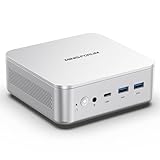
- POWERFUL & PERFORMANCE AI MINI PC - MINISFORUM M2-356H Mini PC is powered by an Intel Core Ultra 7 356H processor, offering 16 cores(4P-cores + 8E-cores + 4LPE-cores) and 16 threads, 18MB Intel smart cache, up to 4.7GHz. Built on Intel Panther Lake architecture with significantly improved power efficiency. From office work to content creation. Multi-core performance that leaves the competition behind. Its built-in Intel AI NPU (50 TOPS) enables easy local deployment and stable operation of mainstream large language models with no risk of data leakage.
- AI PERFORMANCE - With a groundbreaking 90 TOPS total AI performance (NPU+GPU), the M2-356H delivers unparalleled processing power through its engine architecture: 50 TOPS NPU, and 40 TOPS Intel GPU. GPU at 40 TOPS for graphics rendering and AI compute workloads. Verified local deployment of Qwen3.5-35B-A3B, GPT-OSS 20B, Gemma-4-26B-A4B, and other mainstream open-source models. The engine AI architecture (GPU + NPU) provides unmatched versatility for gaming, content creation, business, and home entertainment.
- EXPANDABLE STORAGE - The M2-356H Barebone Mini PC supports DDR5-5600MHz (dual SO-DIMM slots) and offers up to 128 GB of storage. It features dual M.2 2280 PCIe 4.0×4 slots, supporting up to 4TB per SSD (totaling up to 8TB), perfect for high-speed data processing, rapid file transfers, and faster system responsiveness in demanding workloads.
- DUAL 2.5G LAN RJ45 & WiFi 7 & BT5.4 - Fast Network Speeds: Enjoy up to 2500Mbps data transmission speed without worrying about lagging. Dual 2.5G Ethernet ports with link aggregation double your wired bandwidth for 4K streaming, large backups, and lag-free video calls. Cutting-edge Wi-Fi 7 delivers blazing-fast wireless speeds and rock-solid reliability, while Bluetooth 5.4 ensures simple, stable connections to peripherals.
- 4K TRIPLE DISPLAY VIDEO OUTPUTS - The M2-356H desktop computer offers stunning visual clarity with support for three simultaneous 4K displays, enabling enhanced productivity for multitasking workflows, immersive entertainment setups, and professional content creation applications across multiple monitors.
- Check the route and host. Confirm that the lab intends to reproduce the Linux-based Gemma 2 2B service and VS Code extension, and that the host meets the tutorial’s stated resource guidance.
- Install the prerequisites. Set up Python 3,
venv, Node.js/npm, and Git as directed in the project guide. - Retrieve and prepare the project. Clone Google’s Gemma cookbook and install the project dependencies in the activated virtual environment, following the guide’s current steps.
- Run the service and extension workflow. Use the guide to configure and launch the web service and connect the VS Code extension. Verify that the extension can reach the service and return a response before beginning evaluation.
Evaluate explanations before classroom use
Google’s setup tutorial demonstrates running and prompting the model; it does not report a measured reliability score for Gemma 2 code explanations in a university lab. Google describes Gemma as a starting point for developers and researchers, not a finished product. Its Intended Use Statement says: “Gemma itself is not a finished product and does not perform specific tasks directly.” The lab is responsible for adapting and assessing the application it builds.
Use a course-specific test set and have instructors review the answers. A practical evaluation can include:
Rank #4

- [Powerful Performance] Zen 5 Gen Ryzen AI Max+ 395 3.00GHz Processor (upto 5.1 GHz, 64MB Cache, 16-Cores, 32-Threads, ); AMD Radeon 8060S Integrated Graphics
- [High Speed and Multitasking] 128GB OnBoard RAM; Bluetooth 5.4, RJ-45, No
- [Superior Machine] 240W PSU; Black Color
- [Enormous Storage] 1TB PCIe NVMe SSD; 2 USB 2.0, 1 x HDMI 2.1, 1 Display Port, SD Reader, Headphone/Microphone Combo Jack
- Windows 11 Pro-64,
- Course languages, libraries, and concepts, including examples where the code is correct.
- Subtle bugs, boundary cases, and code whose behavior is easy to misread.
- Requests for explanations pitched at different student experience levels.
- Instructor scoring of factual correctness, whether the explanation matches the actual code, whether uncertainty is handled appropriately, and whether the answer invents behavior.
Re-run the evaluation when changing the model, prompt, framework, or quantization. This is a recommended lab procedure, not a claim that the setup has already passed such tests. Google’s Responsible Generative AI Toolkit discusses evaluation and safeguards, including safety, privacy, fairness, and accountability. Decide which concerns apply to the deployment and student data, and implement appropriate safeguards before use.
Independent reader supportYour contribution helps us test, update, and keep practical guides available for everyone.What reliability can—and cannot—be claimed
The official sources cited here do not establish accuracy for a particular course, student population, or deployment, and they do not show that one supported framework produces more correct explanations than another. Do not present installation success as proof of reliability or attach an accuracy percentage without a relevant measured evaluation. A defensible claim should be limited to what the lab’s own documented tests establish, for the tested model, configuration, and course tasks.
What’s actually slowing this PC down?
Pick the symptom - the matching free tool is one click away.
Quick Recap
Product prices and availability are accurate as of the date/time indicated and are subject to change. Any price and availability information displayed on Amazon at the time of purchase will apply.

