
Do these 3 things before closing this tab:
1Fix the driver behind crashes, sound loss and screen glitches2Clear out junk files and repair common Windows errors3Scan for outdated or missing drivers - takes under a minuteApple began selling its Afterburner media-acceleration card separately in March 2020, giving owners of the 2019 Mac Pro another way to accelerate demanding ProRes and ProRes RAW workflows. It is a specialist PCIe card—not a replacement for the Mac Pro’s graphics card—and its compatibility is limited to that Mac Pro generation.
What the Apple Afterburner Card does
Afterburner is dedicated hardware for decoding and processing Apple ProRes and ProRes RAW video. The goal is smoother editing and playback when a project contains multiple high-resolution or RAW streams, reducing the media-processing load on the computer’s general-purpose processors.
It does not provide general graphics acceleration, replace a GPU, or speed up every video codec. Its value is concentrated in professional workflows built around ProRes media.
Standalone availability and compatible Mac
Apple first offered Afterburner as a build-to-order option for the 2019, third-generation Mac Pro. In March 2020, it also made the card available as a standalone upgrade for people who already owned that Mac Pro.
Recommended Free Tools
#1 Best Overall
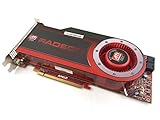
- OEM ATI boxed, non-Apple product
- Fully compatible with all Apple Mac Pro models (2006-2010)
- 512MB GDDR5 Memory
- 2 DVI ports
- Mac Pro graphics card power cables included
The product reference identifies the card as model MW682AM/A. It is designed for a PCIe 3.0 x16 slot in the 2019 Mac Pro and requires macOS 10.15 Catalina or later.
| Specification | What is established |
|---|---|
| Host computer | 2019 (third-generation) Mac Pro |
| Model | MW682AM/A |
| Interface | PCIe 3.0 x16 |
| Operating-system requirement | macOS 10.15 Catalina or later |
| Accelerated formats | Apple ProRes and ProRes RAW |
A different Mac Pro generation, an ordinary PCIe-equipped Mac, or a newer Apple-silicon Mac should not be assumed to support the card. The cited compatibility is specifically for the 2019 Mac Pro platform.
Rank #2

- Chipset: FirePro W7000
- Video Memory: 4GB GDDR5
- Memory Interface: 256-bit
- Bus: PCI-Express 3.0 x16
- RAMDAC: 400 MHz
How much video it can handle
A 2020-era Apple Wiki product reference reports support for the following simultaneous streams at 30 frames per second:
- Six 8K ProRes RAW streams
- Twenty-three 4K ProRes RAW streams
These are published capability figures, not a guarantee for every editing application, storage setup, timeline, camera format, or effects stack. Real performance depends on the complete system and project.
Rank #3

- Supported Technologies: AMD Software: Adrenalin Edition, AMD FidelityFX Super Resolution, AMD Link, AMD Noise Suppression, AMD Radeon Super Resolution, AMD Smart Access Memory, VSR(4K), AMD Privacy View, AMD Radeon Boost, AMD Radeon Anti-Lag, AMD Radeon Image Sharpening, AMD Enhanced Sync Technology, AMD FreeSync Technology, AMD Radeon Chill, TrueAudio Next, The Vulkan API, AMD Mantle API
- Core and Clocks: Boost Clock up to 2310 MHz, Memory Size 16GB, Memory Type GDDR6, Memory Bus 256-bit, Memory Speed up to 18 Gbps
- Supported Rendering Format: HDMI 4K Support, 4K H264 Decode, 4K H264 Encode, H265/HEVC Decode, H265/HEVC Encode, AV1 Decode
- Minimum PSU Recommendation: 850W
Historical price
The historical US list price was US$2,000. That figure describes the product’s period list price, not a current quote, promotion, or guaranteed used-market value. Apple’s current retail availability and second-hand pricing can change, so buyers should check live listings before purchasing.
Can you add one to a Mac Pro?
Yes—if the computer is the 2019 Mac Pro and it has a suitable PCIe 3.0 x16 slot available. Before buying, verify the Mac model, the installed macOS version, and internal slot availability. The card is an internal PCIe upgrade, so installation requires shutting down and opening the Mac Pro in accordance with Apple’s hardware-installation guidance.
Rank #4
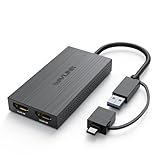
- Dual 2k Display: USB 3.0 or USB C to Dual HDMI Adapter connects back to the host, extend or mirror display, supports dual HDMI monitors resolutions up to dual 1920x1080@60Hz or one 2560x1440@60Hz another 1920x1080@60Hz. Android devices only support mirror mode with resolutions up to 1080P
- Multiple Monitors Supported: on Windows, multiple USB adapters can be added to connect up to 8 monitors. On mac OS, connect multiple USB adapters can be added to connect up to 6 monitors. Get the best results, recommended for the web and productivity apps-like Google Docs or Windows Office. it is not recommended for gaming or graphics-intensive work. It does not support playback of HDCP protected content
- Hybrid 2 in 1 USB to HDMI Universal Compatibility: Has USB 3.0 or USB C cable port match most computer, easily connect to USB-C or USB 3.0, USB 4.0, Thunderbolt 3/4. Work with windows 7/8/8.1/10/11 or higher, Mac OS 10.10 or Above, Chrome OS, Android 7.1 Above with OTG function. Note: Driver installation is required, please follow the instructions to download the latest driver
- Powerful Chip & Design: The built-in "Content Adaptive Technology" GPU reduces CPU load by up to 70% and multiple hardware decoders provide faster video streaming performance, equivalent to an external graphics card providing smooth HD video for your HDTV/projector/display. This USB C to HDMI Adapter has heat sinks on both sides and four non-slip PVC pads to protect the device and extend its lifespan
- You Get it: 1x USB 3.0 to HDMI Dual Display Adapter, 1x CD-Shaped Card for Driver Download Links, 1x Quick Start Guide. Making it a ideal portable choice to everywhere. A USB to dual HDMI adapter for life, meet your different needs for home/office/outdoor screen expansion. Buy worry-free, friendly customer service
- Confirm that the machine is the 2019 Mac Pro, not another Mac model.
- Update to macOS Catalina 10.15 or a later compatible release.
- Check that a PCIe 3.0 x16 slot is available for the card.
- Install the Afterburner card using the Mac Pro’s service procedure, then restart the computer.
- Test the actual ProRes or ProRes RAW project that motivated the purchase; stream counts alone do not predict every timeline’s behavior.
Who should consider Afterburner?
It makes sense for
- Editors working with several simultaneous 4K or 8K ProRes streams.
- Production teams using ProRes RAW multicamera or high-resolution timelines.
- 2019 Mac Pro owners who need dedicated media processing and already have an appropriate PCIe slot.
It is unlikely to help when
- Your projects primarily use codecs other than ProRes or ProRes RAW.
- You need a faster general-purpose GPU for 3D, gaming, graphics, or GPU effects.
- You use a Mac that is not the 2019 Mac Pro.
- Your workload does not involve enough simultaneous high-resolution media to justify a specialist accelerator.
Afterburner versus a graphics-card upgrade
A GPU and Afterburner solve different problems. A GPU handles graphics computation and applications that are designed to use it; Afterburner targets ProRes media processing. Installing Afterburner therefore should not be treated as an alternative to selecting a more powerful graphics card. For a ProRes-heavy edit suite, the two can be complementary rather than interchangeable.
Independent reader supportYour contribution helps us test, update, and keep practical guides available for everyone.Bottom line for 2019 Mac Pro owners
Apple Afterburner was a $2,000 historical specialist upgrade that became available separately in March 2020. If you own a 2019 Mac Pro, run Catalina or later, have a PCIe 3.0 x16 slot, and regularly handle demanding ProRes or ProRes RAW timelines, its dedicated acceleration can address a specific bottleneck. For other codecs, other Mac models, or general graphics work, it is the wrong kind of upgrade.
Quick wins for a faster PC:
Scan for outdated or missing drivers - takes under a minuteDriver Scan →Clear out junk files and repair common Windows errorsFree Scan →Quick Recap
Best Value

- 【Extend your workspace with this USB 3.0 to HDMI Adapter for dual monitors external Graphics Adapter】 Add additional monitors without expensive, internal video card, This USB A /Type-C to dual HD adapter is used to connected USB device(laptop, desktop) with two HDMI devices (monitor, projector, TV) for multi-monitor solution,has extend/Mirror mode let your laptop for visibility of multiple tasks at the same time; This USB video adapter multiplies your computer's work area
- 【Full HD Resolution 1920x1080@60Hz with USB A +USB-C/Type-C port】 This dual hdmi adapter for 2 monitors Compatible devices with two kinds of hardware port: USB A to hdmi port and TYPE-C to hdmi port, USB C to HDMI adapter support hook up 2 main monitor by HDMI cable, the 2 HDMI output display both max up to 1080P@60Hz. USB-C to HDMI adapter is made from aluminum alloy case, it is stronger and more durable than a plastic case.
- 【 High performance chips with wide compatibility】: Compatible for Mac and Windows, For windows: compatible with Windows7,10,11 or higher, support AAB, ABA, ABC, ABB modes. For MacOS: compatible with Mac OS 10.15 or higher. support AAA, ABB, ABA, ABC mode; Att: ChromeOS, Android, iOS, Linux, Unix or other systems are not supported with his USB 3.0 to dual HDMI adapter Part of laptop or PC list compatibled with:such as MacBook Pro 2016-2023, MackBook Air 2018-2023, YOGA920, Think Book15G3ITL 2021, Think PadX1 Carbon GEN92021, MateBook XPro2021,Surface Pro 9 2022, Galaxy Book Flex2020, Lenovo Savior Y9000P2022, and more other laptop with USB C 3.0 /USB A 3.0 or above standard.
- 【Driver installation is required with Simple Operation】 The usb display adapter has a built-in installation driver, only need to install the driver once, then the HDMI adapter can be used at any time, plug and play, support hot plug.
- 💓𝗧𝗶𝗽𝘀 1:𝟏𝟎𝟖𝟎𝐏@𝟔𝟎𝐇𝐙 𝐟𝐨𝐫 𝐔𝐒𝐁𝟑.𝟎 𝐚𝐛𝐨𝐯𝐞:HDMI adapter Supporting MAX 1080P@60HZ, deliver high-definition video sources ,NOTED that Not for all USB port, only compatible with USB A 3.0 or above/UsB c 3.0 or above connector can achieve HD 1080P, It just can be 720P if connect usb 2.0 port, or possible for the screen to slow down or flash, which is not product quality problem but an input interface mismatch.if you have to connect the USB 2.0 signal port in, recommend to use a resolution of 720P. Screen shake or latency can be avoided as much as possible.
Product prices and availability are accurate as of the date/time indicated and are subject to change. Any price and availability information displayed on Amazon at the time of purchase will apply.

