
What’s actually slowing this PC down?
Pick the symptom - the matching free tool is one click away.
The best construction project tracking software in 2026 depends on the work: Procore is the strongest enterprise choice, Autodesk Build fits BIM-heavy teams, Buildertrend suits residential builders, Fieldwire leads field coordination, and Contractor Foreman offers broad value for smaller contractors. No single platform is best for every construction company.
Construction project tracking is more than assigning tasks. The right system should connect schedules, milestones, drawings, daily reports, RFIs, submittals, change orders, costs, field records, communication, and accountability without forcing teams to maintain disconnected spreadsheets, texts, emails, and paper forms.
This comparison covers ten leading options for U.S. general contractors, builders, remodelers, specialty subcontractors, project managers, owners, and operations leaders evaluating software in 2026. Pricing and product packaging can change, so quote-based pricing and plan-specific capabilities should be confirmed with each vendor. Pricing references in this article were reviewed August 18, 2026.
Key takeaways
- Procore is the strongest all-around choice for larger commercial, civil, infrastructure, and multi-stakeholder projects, but its volume-based pricing and implementation effort can be excessive for small contractors.
- Autodesk Build is the best fit for design-build and BIM-heavy teams that need model, drawing, document, and design-to-field coordination.
- Buildertrend is the best fit for residential builders, remodelers, and custom-home contractors that need scheduling, selections, client communication, budgets, and change orders.
- Fieldwire is the strongest field-first option for plans, tasks, punch lists, inspections, photos, and mobile jobsite coordination; its more advanced construction workflows are associated with higher tiers.
- Contractor Foreman offers broad construction-management functionality for small and midsize contractors, while Raken focuses more narrowly on daily reports, time tracking, and field visibility.
- Smartsheet, monday.com, and ClickUp are flexible work-management platforms, but they require configuration or integrations for many construction-specific controls.
What is the best construction project tracking software in 2026?
Procore is the best overall construction project tracking software for a larger commercial general contractor or enterprise construction organization because it covers a broad range of project-execution, cost, document, quality, safety, and stakeholder workflows. Procore is not the universal winner: Buildertrend is usually a better fit for residential construction, Fieldwire for field-first coordination, and Autodesk Build for BIM-centered design-to-field work.
Do these 3 things before closing this tab:
1Fix the driver behind crashes, sound loss and screen glitches2Clear out junk files and repair common Windows errors3Scan for outdated or missing drivers - takes under a minute#1 Best Overall

- Multi-Use Calendar Dry Erase Board: Our magnetic monthly whiteboard can put your life in order and plan ahead. You can write down your weekly schedule, and this whiteboard planner is perfect to plan ahead any activities, reminders, appointments, tasks. The magnetic double-sided whiteboard allows you to have two projects going. The other sided is blank. It is the best tool for home teaching or memo. It can hang on wall to remind you not forget the important thing.
- Weekly Planner & Whiteboard: This whiteboard provides double side, white board and dry erase calendar board. Dry erase weekly calendar for busy people to keep in track of event, dates, or use as to-do list, aid to daily tasks. The movable hanging hooks allow you to adjust the hanging distance easily. Small Portable white board can be hung horizontally and vertically as you like. This whiteboard is great for distance learning, daily reminder, grocery list, to do list, meal plans.
- Never Miss the Important Thing: The board is printed with an undated Week Calendar grid. Our portable dry erase board is cool for the kitchen, dorm, bedroom and office. The whiteboard is a great classroom learning board that help students lesson plans go smoothly. Perfect vision board organizer for planning weekly schedule, to do list tasks and family chores organization. The weekly board is the perfect visual tool for clear communication.
- Super Value Pack of Small Whiteboard: The 16 X 12 inches double-sided weekly planner dry erase board set comes with 10 pack magnetic dry erase markers (include 8 color), 4 pack magnetic piece, 1 pack dry eraser. This big dry erase whiteboard is great size for wall, office desktop, study table, bedside table, class podium and kitchen counter. Double sided wall portable small magnet dry erase whiteboard easel with solidly built but light weight which makes it suitable for handheld as well.
- Smoothly Writing & Easy to Clean: Magnetic white board comes with a smooth and sturdy writing surface. It's easy to write on and easy to wipe clean without stain. The value of getting organized and always be on time. Our magnetic dry erase calendar makes it easy to always be a step ahead of your schedule. The dry erase board is specially made for home, kitchen, teacher, office or anywhere you want. Perfect for reading, learning, memo, to do list.
The shortlist below is organized by use case rather than a falsely precise universal ranking. Current comparison coverage also separates enterprise construction platforms, residential-builder systems, field tools, and general-purpose work-management software. See the current construction software landscape comparison and the construction-management software feature comparison for additional category context.
Quick comparison of the 10 best construction project tracking software options
| Software | Best for | Construction-specific strengths | Mobile or offline fit | Cost model | Main drawback |
|---|---|---|---|---|---|
| Procore | Mid-sized to enterprise commercial GCs, owners, and specialty contractors | Project execution, cost management, RFIs, submittals, documents, safety, quality, integrations | Strong field and stakeholder access; verify exact offline workflows during a pilot | Custom pricing tied to annual construction volume; unlimited-user model | Expensive and implementation-heavy for small contractors |
| Autodesk Build | BIM-heavy, design-build, and Autodesk-centered teams | Models, drawings, documents, issues, RFIs, submittals, and design-to-field coordination | Designed for field execution; test offline behavior for the chosen plan | Module- and account-based pricing | Complex or costly without an existing Autodesk workflow |
| Buildertrend | Residential builders, remodelers, and custom-home companies | Scheduling, daily updates, budgets, selections, change orders, client portal, sales workflows | Useful for residential field and client communication; confirm specific mobile limits | Custom quote; official site emphasizes unlimited users and projects | Less suited to complex commercial controls and multi-party coordination |
| Fieldwire | Field teams, specialty contractors, plans, punch lists, and inspections | Plan viewing, tasks, photos, reports, checklists, sheet comparison, forms, RFIs, submittals, change orders | Mobile-first; verify offline creation and synchronization in the live pilot | Free Basic plan; paid annual tiers shown at $39, $64, and $89 per user/month | Not necessarily a replacement for ERP, estimating, or deep finance systems |
| Contractor Foreman | Small and midsize general and specialty contractors | Estimates, schedules, forms, safety, compliance, invoicing, project management, integrations | Useful broad coverage; test the field experience with actual crews | Subscription and free-trial signals; verify the live quote | Less enterprise depth and ecosystem breadth than the largest platforms |
| Raken | Daily reports, time tracking, site documentation, and superintendent workflows | Daily logs, labor and time capture, photos, field reporting, site visibility | Field-oriented; confirm offline capabilities for the selected plan | Tiered per-user pricing; comparison coverage reports a starting signal around $15/user/month | Not a complete cost-control, document-control, or ERP platform |
| Trimble Construction One | Contractors already invested in Trimble products | Connected project management, financials, analytics, estimating, and field workflows | Depends on the selected Trimble products and workflows | Custom pricing | Overkill without a reason to adopt the Trimble ecosystem |
| Smartsheet | Office-led teams replacing spreadsheets with dashboards and forms | Gantt-style planning, forms, automation, reporting, portfolio views, integrations | Good office flexibility; generally weaker than construction-native field tools | Public plan options may exist; total cost depends on plan, add-ons, and users | No native construction cost-code system or deep field administration |
| monday.com | Small teams wanting visual boards and configurable workflows | Boards, automations, dashboards, forms, collaboration | Convenient for lightweight workflows; construction-field depth requires configuration | Public tiered pricing; validate current plan and minimum-seat rules | Lacks many native construction controls, including formal RFIs and submittals |
| ClickUp | Small construction-office teams needing customizable tasks and documents | Tasks, dependencies, docs, dashboards, automations, custom fields, templates | Useful for office coordination; field and offline workflows need testing | Public tiered pricing; verify current limits | Construction-specific financial and field controls are not its core strength |
How was this construction project tracking software list evaluated?
This list uses published vendor capabilities, official pricing information where available, and current comparison research. The assessment is not a claim of independent hands-on testing. A live pilot on one real project remains necessary because a feature listed on a product page may be native, configurable, dependent on an integration, or available only in a higher module or plan.
| Criterion | Suggested weight | What to examine |
|---|---|---|
| Construction-specific workflows | 20% | RFIs, submittals, change orders, drawings, punch lists, and cost controls |
| Field usability and mobile access | 15% | Speed, offline mode, photos, forms, plans, and ease for superintendents and crews |
| Schedule and progress tracking | 15% | Dependencies, baselines, look-aheads, milestones, delays, and resource visibility |
| Cost and financial visibility | 15% | Budget, commitments, actuals, forecasts, change-order impact, and accounting integration |
| Document and drawing control | 10% | Revision history, permissions, markups, search, and auditability |
| Collaboration and stakeholder access | 10% | Subcontractor, owner, architect, client, guest, notification, and permission workflows |
| Integrations and ecosystem | 5% | ERP, accounting, BIM, estimating, payroll, CRM, marketplace connectors, and APIs |
| Implementation and adoption risk | 5% | Training, configuration, migration, support, and administrative burden |
| Total cost of ownership | 5% | Subscription, implementation, training, add-ons, and internal administration |
What does project tracking include in construction?
Construction project tracking includes schedule control, field progress, contract administration, documents, costs, quality, safety, communication, and reporting—not merely a list of assigned tasks.
- Schedule control: Master schedules, look-ahead planning, milestones, dependencies, critical-path visibility, baselines, schedule variance, and delay causes.
- Accountability: Assigned tasks, due dates, trade responsibility, approvals, notifications, and overdue-work reporting.
- Field reporting: Daily logs, weather, labor, equipment, work completed, delays, site conditions, photos, videos, and location-based records.
- Document control: Drawings, specifications, revisions, markups, permissions, search, and an auditable record of the current version.
- Contract administration: RFIs, submittals, potential change events, approved change orders, pay applications, retainage, and schedules of values.
- Cost visibility: Original budget, committed cost, actual cost, forecast cost, cost to complete, and the financial effect of pending and approved changes.
- Quality and safety: Inspections, punch lists, issues, safety observations, incidents, corrective actions, and closeout records.
- Collaboration: Controlled access for owners, architects, subcontractors, clients, and internal teams.
- Connectivity: Mobile access, offline work, synchronization, dashboards, exports, and integrations with accounting, ERP, BIM, estimating, payroll, and CRM systems.
Which construction project tracking software is best for each contractor type?
The best construction project tracking software changes with project type, team size, and the company’s existing technology ecosystem.
The Tool Desk
Outbyte Driver Updater FREEScan for outdated or missing drivers - takes under a minuteDriver Scan →Outbyte PC Repair FREERepair Windows errors before they cause bigger problemsFix Now →| Contractor or team | Best starting options | Why |
|---|---|---|
| Large commercial GC or infrastructure contractor | Procore or Autodesk Build | Broad stakeholder, document, cost, quality, safety, and contract workflows |
| BIM-heavy or design-build firm | Autodesk Build | Model, drawing, document, issue, and design-to-field coordination |
| Residential builder or remodeler | Buildertrend | Client communication, selections, scheduling, budgets, and change orders |
| Specialty subcontractor focused on plans and punch lists | Fieldwire | Mobile plans, tasks, photos, forms, inspections, and punch-list coordination |
| Small contractor needing broad functionality | Contractor Foreman | Wide coverage across estimates, schedules, forms, safety, compliance, invoicing, and project management |
| Superintendent or field-reporting team | Raken | Daily reports, time capture, photos, and field visibility |
| Trimble-centered enterprise | Trimble Construction One | Connects project, financial, estimating, analytics, and field workflows within the Trimble ecosystem |
| Office team replacing spreadsheets | Smartsheet | Flexible schedules, forms, dashboards, automations, and portfolio reporting |
| Small team wanting visual workflows | monday.com | Configurable boards, dashboards, forms, and automations |
| Highly customizable task-and-document operation | ClickUp | Flexible tasks, dependencies, docs, custom fields, dashboards, and automations |
Which tools are construction-specific?
Procore, Autodesk Build, Buildertrend, Trimble Construction One, and Contractor Foreman are the end-to-end construction platforms in this shortlist. Fieldwire and Raken are field-execution and documentation tools. Smartsheet, monday.com, and ClickUp are general-purpose work-management platforms.
The distinction matters because a general-purpose platform may produce an attractive schedule dashboard while lacking construction-native cost codes, committed-versus-actual cost, formal RFIs, submittals, progress billing, retention, schedule-of-values workflows, or contract-specific permissions. A general platform can still be appropriate when the company mainly needs office coordination and is willing to configure or integrate the missing controls.
What are the 10 best construction project tracking software options?
1. Procore: best overall for enterprise construction projects
Best for: Mid-sized and enterprise commercial general contractors, owners, infrastructure organizations, and specialty contractors managing complex, multi-stakeholder work.
Procore is the strongest all-around choice when a company needs one broad platform for project execution, cost management, RFIs, submittals, documents, safety, quality, integrations, and stakeholder access. Procore’s cost-management product information supports its position as a serious project-controls option rather than a simple task tracker.
Quick wins for a faster PC:
Repair Windows errors before they cause bigger problemsFix Now →Fix the driver behind crashes, sound loss and screen glitchesFind Drivers →Strengths: Broad lifecycle coverage, permissions, audit trails, document and contract workflows, cost visibility, and an ecosystem suitable for scaling across many projects.
Limitations: Procore can be expensive and implementation-heavy for a small contractor or a field team that only needs drawings, photos, tasks, and punch lists. A complex configuration can also reduce adoption if field users find the workflows slower than texts or paper forms.
Pricing: Procore describes a custom, volume-based model tied to annual construction volume and says its model provides unlimited user access rather than ordinary per-seat licensing. The official Procore platform and pricing information should be used for a current quote; do not compare Procore with a simple monthly per-user figure.
Poor fit: Solo contractors and small crews with a few active jobs and no need for enterprise cost, document, or contract controls.
Verdict: Choose Procore when the cost of fragmented project controls is greater than the cost and effort of enterprise implementation.
2. Autodesk Build: best for BIM and design-to-field coordination
Best for: Design-build firms, BIM-heavy contractors, and organizations already centered on Autodesk workflows.
Autodesk Build combines model and drawing coordination with documents, issues, RFIs, submittals, and field execution. Autodesk Build is particularly attractive when the project team needs design information to move reliably from office and model workflows into field coordination.
Strengths: Model and drawing coordination, document workflows, issue tracking, RFIs, submittals, and a natural fit with the broader Autodesk ecosystem.
Recommended Free Tools
Limitations: Autodesk Build may be complex or costly for a company that does not already use Autodesk products or does not need model-based coordination. Product packaging and commercial naming can change, so buyers should confirm the current Autodesk construction product and module combination.
Pricing: Pricing is module- and account-based. Autodesk’s broader construction pricing information is available through its official construction products pricing page; request a quote for the exact geography, modules, users, and billing term.
Rank #2

- Thickened No Slip Magnet: Durable and Tear Resistant Design Say goodbye to flimsy calendars that easily fall off! Our thickened magnetic refrigerator calendar stays securely in place without bubbles or bending. Keep your daily, weekly, and monthly plans organised year after year with this durable design
- Effortless Writing and Erasing: The Hivillexun fridge calendar is made from high quality PP and PET materials, ensuring easy wiping with no residue left behind. Reusable and cost effective, its magnetic design sticks to any smooth metal surface, from refrigerators to office filing cabinets
- Track Your Month with Ease: Looking for an efficient way to plan your life? Our magnetic monthly planner provides a clear visual tool for communication and organisation. Easily manage your monthly schedule, plan events, set reminders, appointments, tasks, and even birthday parties
- Stay on Top of Your Kids’ Nutrition: Plan your children’s weekly meals to ensure they get the right nutrients. Use our kitchen calendar to track their diet and plan your grocery shopping for a well-balanced, healthy meal plan
- Fits Most Refrigerators: Measuring 16.5 inches by 11.8 inches, the horizontal design of this whiteboard calendar fits both mini and full sized refrigerators. Keep your family organised by recording activities, grocery lists, appointments, and busy schedules all in one place
Poor fit: A small contractor needing only a basic schedule, photos, and punch list without BIM or Autodesk-centered design coordination.
Verdict: Choose Autodesk Build when design information, models, drawings, and field execution must remain connected.
3. Buildertrend: best for residential builders and remodelers
Best for: Residential builders, custom-home companies, remodelers, and contractors whose projects depend on client communication, selections, allowances, schedules, budgets, and change orders.
Buildertrend is built around the residential construction workflow. Scheduling, daily updates, budgets, change orders, selections, client communication, and customer-facing access make Buildertrend a more natural fit for custom homes and remodeling than a large commercial platform.
Strengths: Residential scheduling, daily updates, client portal functions, selections, financial workflows, change orders, and sales-related processes.
Limitations: Buildertrend is less suited to heavy civil, industrial, or highly complex commercial projects requiring deep BIM coordination, formal multi-party document governance, or enterprise-grade contract administration.
Free tools Windows power users keep installed
One-click scans. No signup required.
Pricing: Buildertrend uses a custom-quote approach and promotes unlimited users and projects. The official Buildertrend pricing page is the appropriate source for a current quote. Buildertrend’s construction software pricing explanation provides additional context about its pricing model.
Poor fit: A large commercial contractor that needs complex submittal, BIM, multi-tier stakeholder, or enterprise project-control workflows.
Verdict: Choose Buildertrend when the customer relationship and residential project workflow matter as much as internal task tracking.
4. Fieldwire: best field-first construction tracking app
Best for: Field teams, specialty contractors, punch-list coordination, inspections, plan-based work, and mobile jobsite communication.
Fieldwire is strongest when the immediate problem is getting current plans, tasks, photos, reports, checklists, and issues into the hands of field users. Fieldwire supports plan viewing, task management, photos, reports, checklists, sheet comparison, forms, RFIs, submittals, change orders, and budget tracking on higher tiers.
Strengths: Mobile plan access, task accountability, photos, forms, reports, inspections, punch lists, and relatively clear public pricing.
Limitations: Fieldwire is not necessarily a standalone ERP, estimating platform, accounting system, or deep construction-finance platform. The current pricing information associates RFIs, submittals, change orders, and budget tracking with the higher Business Plus tier, so feature availability must be checked against the selected plan.
Pricing: According to Fieldwire’s current pricing information, Basic is free for up to five users, three projects, and 100 sheets. The same vendor-published comparison shows annual-billing tiers at $39, $64, and $89 per user per month. Verify the current price, billing term, user limits, and plan features before purchase.
Poor fit: A company that requires integrated accounting, estimating, procurement, progress billing, or deep job costing as its primary system.
Verdict: Choose Fieldwire when field adoption, plan access, and fast issue resolution are more important than having a complete construction ERP.
5. Contractor Foreman: best value-oriented broad platform for smaller contractors
Best for: Small and midsize general contractors and specialty contractors that want many construction-management modules without starting with an enterprise platform.
Contractor Foreman covers a broad range of functions, including estimates, schedules, forms, safety, compliance, invoicing, project management, and integrations. The breadth can make Contractor Foreman attractive to a company trying to consolidate several disconnected tools.
Rank #3

- 【Versatile Weekly Planner Whiteboard】Featuring a weekly calendar on one side and a blank whiteboard on the other, this double-sided planning whiteboard offers ample space for daily, weekly, and task planning. With a dedicated notes zone and goal-tracking section, it visually highlights priorities and monitors progress. Ideal for home, office, or school use, it keeps tasks visible, coordinates schedules, and boosts productivity.
- 【All-inclusive Accessory Kit】Everything you need is included in the 24x18 inches week calendar set—4 colours dry erase markers, 8 magnets, 1 eraser, a movable tray, hanging hooks and wall mounted screw kit. Start organizing your schedule immediately with no extra purchases required.
- 【Smooth Writing & Reusable Surface】Write and wipe with ease on this clear, color-printed surface. The colorful printed design adds vibrancy and makes your planning experience more enjoyable. The stain-resistant and waterproof layers make writing smooth and cleaning hassle-free, keeping your weekly planning whiteboard fresh and reusable for long-term use.
- 【Flexible Installation Options】Install with ease! Use the movable hooks for hanging anywhere or secure the calendar whiteboard with pre-drilled hidden holes and screws. Supports both horizontal and vertical mounting, adapting seamlessly to any space.
- 【Durable & Long-Lasting Design】 This weekly planner board built with a reinforced aluminum frame and ABS rounded protective corners, this weekly planner whiteboard is designed to resist warping and ensure long-term use. A reliable choice for home, office, and school.
Strengths: Wide feature coverage, small-contractor orientation, construction forms, safety and compliance workflows, invoicing, scheduling, estimates, and integrations.
Limitations: Smaller vendors may not provide the same enterprise ecosystem breadth, implementation capacity, or highly specialized integrations available from Procore, Autodesk, or Trimble. Broad functionality can also require careful setup and training.
Pricing: Current comparison coverage shows subscription and free-trial signals, but the dossier does not provide a confirmed 2026 price. Request a live quote and verify included modules, user limits, implementation, and billing terms.
Poor fit: A large organization requiring the deepest enterprise ecosystem, extensive consulting services, or highly specialized integrations.
Crashes, No Sound, or Screen Glitches?
Random freezes, missing sound and display glitches usually trace back to one bad driver. Find and replace yours safely.Free scan · under a minutePC Slower Than It Used to Be?
A free scan shows the junk files, broken settings and background clutter dragging Windows down - then fixes them in one click.Free scan · Windows 10 & 11Verdict: Choose Contractor Foreman when broad construction functionality and value are more important than enterprise scale.
6. Raken: best for daily reports and field visibility
Best for: Superintendents, project managers, and field teams focused on daily logs, labor and time capture, photos, site documentation, and progress visibility.
Raken is a focused field-reporting platform rather than a complete construction-control system. Raken’s strengths are daily reports, labor and time tracking, photos, field documentation, and superintendent workflows.
Strengths: Fast daily reporting, time capture, labor visibility, site documentation, photos, and field-focused reporting.
Limitations: Raken should not automatically be treated as a replacement for comprehensive cost control, document control, contract administration, accounting, or ERP software.
Pricing: Comparison coverage reports tiered per-user pricing and a starting signal around $15 per user per month, but the dossier does not establish a current official 2026 price. Confirm the live vendor quote, plan limits, mobile capabilities, and included reporting features before relying on that signal.
Poor fit: A contractor seeking one system for formal RFIs, submittals, procurement, pay applications, committed costs, and complete project financial control.
Verdict: Choose Raken when the most urgent visibility gap is what happened on the jobsite today.
7. Trimble Construction One: best for contractors invested in Trimble
Best for: Larger contractors already using Trimble estimating, project-management, accounting, analytics, or field products.
Trimble Construction One is strongest as an ecosystem decision. Connected project management, financials, analytics, estimating, and field workflows can reduce duplication when a contractor already relies on Trimble products and wants a more connected operating environment.
Strengths: Enterprise project and financial workflows, estimating connections, analytics, and field integration within the Trimble ecosystem.
Limitations: Trimble Construction One may be excessive for a small company that does not need enterprise financial depth or the wider Trimble product family. The value depends heavily on existing systems and the quality of the planned implementation.
Pricing: Pricing is custom. Buyers should use the official Trimble Construction One site to request a quote based on products, projects, users, integrations, and implementation services.
Poor fit: A contractor with no existing Trimble investment and no business requirement for a connected enterprise ecosystem.
Rank #4
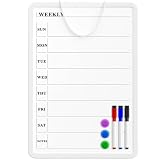
- Weekly Planner on One Side, Blank Whiteboard on the Other: This MaxGear dry erase calendar board features a double-sided design. One side is a weekly planner for scheduling and task tracking, while the other side is a blank whiteboard for notes, reminders, or drawings
- Double-Sided Magnetic Surface: Both sides of the board are magnetic, allowing you to attach notes, paper, or reminders on either the weekly planner side or the blank whiteboard side
- Works with Standard Dry Erase Markers: The smooth writing surface works with standard dry erase markers. The set includes 3 colorful dry erase markers, and you can also use other dry erase markers for clear writing and easy erasing
- Easy to Hang or Stick, Ready to Use: Includes a hanging rope and double-sided adhesive tapes, allowing you to hang the board on walls or doors or stick it to smooth surfaces like refrigerators—no other tools required
- AFTER-SALES SERVICE: 12-Month After-Sales Service. If you have any questions with our product, please feel free to contact us
Verdict: Choose Trimble Construction One when the company’s existing Trimble footprint is a strategic advantage rather than a constraint.
8. Smartsheet: best spreadsheet-style flexibility and portfolio reporting
Best for: Office-led construction teams replacing spreadsheets with structured schedules, forms, dashboards, automations, and portfolio reporting.
Smartsheet is a flexible work-management platform with spreadsheet-style planning, Gantt views, forms, automation, dashboards, reporting, portfolio views, and integrations. Smartsheet can work well for office coordination and management reporting when construction-native contract controls are not the central requirement.
Strengths: Familiar grid interface, flexible schedules, forms, automation, dashboards, portfolio reporting, and cross-functional collaboration.
Limitations: Smartsheet does not natively provide the same construction-specific depth as purpose-built platforms for cost codes, committed-versus-actual cost, formal RFIs, submittals, progress billing, retention, or field documentation. Custom workflows can become fragile if the team treats a configured spreadsheet as an authoritative project-control system without governance.
Pricing: Public plans may be available, but construction-specific total cost depends on the selected plan, add-ons, users, and integrations. Check the official Smartsheet pricing page for current plan limits and minimum-seat rules.
The Tool Desk
Outbyte PC Repair FREEClear out junk files and repair common Windows errorsFree Scan →Outbyte Driver Updater FREEFix the driver behind crashes, sound loss and screen glitchesFind Drivers →Poor fit: A contractor that needs native construction administration, deep job costing, or reliable field workflows without substantial configuration.
Verdict: Choose Smartsheet when flexible office planning and portfolio visibility are the main priorities.
9. monday.com: best for lightweight visual workflows
Best for: Small construction teams that want visual boards, configurable workflows, dashboards, forms, and automation for relatively lightweight coordination.
monday.com is useful for task tracking and cross-functional collaboration. Teams can configure boards for bids, procurement, project tasks, issues, inspections, or closeout, but the platform does not natively handle many construction controls such as retention, progress billing, committed-versus-actual cost, formal RFIs, or submittals without configuration or integrations.
Quick wins for a faster PC:
Fix the driver behind crashes, sound loss and screen glitchesFind Drivers →Repair Windows errors before they cause bigger problemsFix Now →Strengths: Easy-to-configure boards, automations, dashboards, forms, notifications, and collaboration.
Limitations: Customization can create administrative work and inconsistent processes. A polished board does not prove that the underlying data is contractually authoritative or financially complete.
Pricing: monday.com uses public tiered pricing, but current plan prices, minimum-seat rules, storage, automation limits, and construction-related templates should be validated on the official monday.com pricing page.
Poor fit: A project team needing native RFIs, submittals, cost control, formal document revision workflows, or integrated construction accounting.
Free tools Windows power users keep installed
One-click scans. No signup required.
Verdict: Choose monday.com for configurable coordination, not as an automatic replacement for a construction-management platform.
10. ClickUp: best for customizable tasks and documents
Best for: Small construction-office teams that need configurable tasks, dependencies, documents, custom fields, dashboards, automations, and templates.
ClickUp can support office workflows for project tasks, approvals, meeting records, document libraries, procurement actions, and issue lists. ClickUp’s flexibility is also its main trade-off: construction-specific financial, contract, drawing, and field controls require substantial configuration, integrations, or manual operating discipline.
Strengths: Tasks, dependencies, docs, dashboards, automations, custom fields, templates, and flexible workflow design.
Best Value
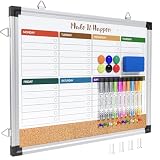
- WEEKLY DRY ERASE & CORK BOARD COMBO: This 17"x13" reversible wall board features an undated weekly grid with an integrated bottom cork strip on one side for structured task scheduling and quick note pinning, and a full blank writing surface on the reverse, perfect for organizing your home command center
- STURDY ALUMINUM FRAME DRY ERASE BOARD: Built with a 9-layer reinforced core and rust-resistant aluminum frame, this board resists warping and denting with daily use. The premium smooth surface writes effortlessly and wipes completely clean without ghosting or residual stains, while shatter-proof ABS corner guards absorb accidental impacts
- ALL-IN-ONE DRY ERASE ACCESSORY KIT: This complete bundle arrives with 10 magnetic markers (7 vibrant colors for color-coded planning + 3 classic black), 6 strong magnetic dots, 1 magnetic eraser, and 10 push pins, covering all your daily writing and document pinning needs
- EASY DUAL ORIENTATION WALL MOUNTING: Hidden screw fasteners enable a flush, seamless wall installation for a tidy professional look, and adjustable sliding hooks support both horizontal and vertical hanging to fit narrow hallways, office cubicles, and classroom walls. Even beginners can complete setup in just a few minutes
- MULTI-SCENE USE FOR HOME OFFICE SCHOOL: This versatile combo board adapts seamlessly to every space, serving as a lesson planner for teachers, a project tracker for remote workers, a weekly meal prep chart in the kitchen, and a homework organizer for kids at home
Limitations: ClickUp is not centered on construction administration. A team may build a useful task system while still lacking authoritative committed costs, formal submittals, progress billing, offline field operation, or controlled drawing revisions.
Pricing: ClickUp uses public tiered pricing. Verify current user limits, storage, automation limits, integrations, and construction-template functionality on the official ClickUp pricing page.
Poor fit: A contractor that needs native construction workflows rather than a customizable general-purpose work-management system.
Verdict: Choose ClickUp when customization and office productivity matter more than construction-native controls.
What’s actually slowing this PC down?
Pick the symptom - the matching free tool is one click away.
How should construction software pricing be compared?
Construction software pricing should be compared by total cost of ownership, not just the advertised monthly subscription. A low per-user price can become expensive after adding implementation, integrations, storage, training, minimum seats, and internal administration.
| Pricing factor | Why it matters | Question to ask the vendor |
|---|---|---|
| Per-user versus unlimited-user pricing | Field crews, subcontractors, owners, and guests can materially change the cost | Which users, guests, subcontractors, and external stakeholders count as paid users? |
| Per-project pricing | Companies with many active jobs may pay differently from companies with one large project | Are projects, archives, templates, or inactive users billed separately? |
| Annual construction volume | Some enterprise platforms price according to construction volume instead of ordinary seats | Which revenue or construction-volume figure determines the quote? |
| Modules and add-ons | RFIs, submittals, cost control, payroll, BIM, or reporting may require higher tiers | Which required workflows are included in the quoted plan? |
| Minimum seats and billing term | Annual billing and minimum-seat requirements affect the effective price | What is the minimum commitment, and is monthly billing available? |
| Implementation and migration | Data cleanup, configuration, migration, and setup can require substantial labor | What are the one-time onboarding, migration, and consulting fees? |
| Training and support | Low adoption can erase the value of a software purchase | How much training is included, and what support tier is required? |
| Integrations and API access | Accounting, ERP, estimating, payroll, BIM, and CRM connections may cost extra | Are native connectors, APIs, marketplace apps, and integration support included? |
| Storage and document limits | Drawings, photos, videos, and closeout records can consume storage quickly | What are the storage, export, attachment, and archive limits? |
| Renewal and cancellation | Renewal increases and data access affect long-term risk | How are renewals priced, and how is data exported after cancellation? |
Procore officially describes volume-based pricing tied to annual construction volume and an unlimited-user model. Buildertrend directs buyers toward a custom quote and promotes unlimited users and projects. Fieldwire provides one of the clearest public price signals in this category: according to Fieldwire’s pricing article, Basic is free for up to five users, three projects, and 100 sheets, while the vendor-published annual tiers shown are $39, $64, and $89 per user per month.
Unlimited users do not mean zero implementation cost. Setup, data migration, training, workflow configuration, integration work, consulting, and internal administration can still be significant. The construction software total-cost discussion is useful context when preparing a budget.
What should a construction software demo prove?
A construction software demo should use one real project and real workflows instead of a generic presentation. The buyer should test whether the team can complete core work without maintaining parallel spreadsheets, texts, email chains, or paper forms.
Recommended Free Tools
- Upload two revisions of the same drawing and confirm that field users can identify the current revision.
- Create an RFI from a phone, attach a photo, assign the RFI, set a due date, and close the RFI.
- Create a submittal and track its approval status, responsible party, dates, attachments, and audit history.
- Create a potential change event and a change order, then determine whether the budget forecast updates correctly.
- Enter a daily report containing weather, labor, equipment, progress, delays, and photos.
- Track a punch-list item by location, trade, assignee, due date, photo, and completion status.
- Turn off connectivity, perform the field workflow, restore connectivity, and verify synchronization without duplicate or lost records.
- Export project records, reports, drawings, photos, and audit information in a usable format.
- Invite a subcontractor or owner with restricted permissions and confirm exactly what the external user can view, edit, download, and approve.
- Compare original budget, committed cost, actual cost, forecast cost, and remaining budget.
- Test accounting integration with the company’s actual accounting or ERP system rather than a sample connector.
- Ask what happens to project data, documents, permissions, and exports after cancellation.
- Test notifications, overdue reporting, approval chains, and responsibility by person, trade, and due date.
- Ask which demonstrated features are native, configurable, integration-dependent, or available only in a higher plan or module.
What are the main trade-offs between construction software categories?
Enterprise construction platforms
Enterprise platforms offer broad lifecycle coverage, stronger audit trails and permissions, deeper cost, document, quality, safety, and stakeholder controls, and more integrations. Enterprise platforms also bring higher implementation effort, slower adoption risk, configuration overhead, and pricing that may scale with project or annual construction volume.
A field team can still reject an enterprise platform if daily workflows are cumbersome. Adoption should therefore be tested with superintendents, foremen, project engineers, subcontractors, and office administrators—not only executives or software specialists.
Residential-builder platforms
Residential-builder platforms are strong for client portals, selections, allowances, scheduling, change orders, customer communication, and residential financial workflows. Residential-builder platforms may be weaker for complex commercial submittals, formal document control, BIM coordination, and multi-party governance.
Field-first tools
Field-first tools usually deploy quickly and provide strong mobile experiences for plans, tasks, photos, inspections, reports, and punch lists. Field-first tools may not replace accounting, estimating, procurement, deep job costing, or enterprise contract administration, and higher tiers may be needed for RFIs, submittals, change orders, or budget tracking.
Crashes, No Sound, or Screen Glitches?
Random freezes, missing sound and display glitches usually trace back to one bad driver. Find and replace yours safely.Free scan · under a minutePC Slower Than It Used to Be?
A free scan shows the junk files, broken settings and background clutter dragging Windows down - then fixes them in one click.Free scan · Windows 10 & 11General-purpose work-management platforms
General-purpose platforms are flexible, familiar, and often effective for dashboards, automation, forms, and office coordination. General-purpose platforms can become fragile custom systems when teams need construction-native controls, authoritative contract data, field adoption, offline operation, drawing revision control, or integrated committed-cost reporting.
What common construction software buying mistakes should be avoided?
- Choosing by feature count: A long feature list does not show whether a workflow is deep, usable, native, or included in the purchased plan.
- Comparing unlike categories: A field app, an ERP-backed construction platform, and a general-purpose task tool solve different problems.
- Ignoring external access: Subcontractor, owner, architect, client, guest, and field-user access can materially change licensing and adoption.
- Skipping offline testing: Do not assume every mobile app supports full offline creation and reliable synchronization.
- Equating budget tracking with cost control: A budget screen may not provide cost codes, committed-versus-actual reporting, accounting integration, change-order impact, or cost to complete.
- Assuming integrations are included: Native integrations, marketplace connectors, APIs, and manual exports are not interchangeable.
- Ignoring data exit: Confirm export formats, document access, cancellation terms, and retention of audit records before signing.
- Underestimating administration: Configuration, training, migration, user management, and workflow governance require internal time.
- Buying too much platform: Enterprise software can be wasteful for a small contractor with a few active jobs.
- Buying too little platform: A lightweight task tool is inadequate when the real requirement is cost control, pay applications, procurement, RFIs, submittals, or contract administration.
How should a contractor choose the right platform?
Start with the company’s most expensive visibility gap, then choose the smallest platform that solves that gap without creating parallel systems.
- Need enterprise cost, contract, document, and stakeholder controls? Start with Procore. Compare Autodesk Build or Trimble Construction One if BIM or an existing ecosystem changes the requirements.
- Need BIM and design-to-field coordination? Start with Autodesk Build.
- Primarily building or remodeling homes? Start with Buildertrend.
- Primarily need plans, tasks, punch lists, inspections, and field photos? Start with Fieldwire.
- Need many construction modules at a smaller-company scale? Evaluate Contractor Foreman.
- Need daily reports, labor tracking, and superintendent visibility? Evaluate Raken.
- Already standardized on Trimble? Start with Trimble Construction One.
- Mostly need office schedules, dashboards, forms, and portfolio reporting? Evaluate Smartsheet.
- Want simple visual boards and automations? Evaluate monday.com.
- Want highly customizable tasks and documents? Evaluate ClickUp, but budget time for configuration and governance.
Category winners
| Category | Winner | Reason |
|---|---|---|
| Best overall enterprise platform | Procore | Broad project execution, cost, document, quality, safety, and stakeholder coverage |
| Best for BIM and design coordination | Autodesk Build | Strong model, drawing, document, issue, RFI, and design-to-field workflows |
| Best for residential construction | Buildertrend | Residential schedules, selections, client communication, budgets, and change orders |
| Best field app | Fieldwire | Mobile plans, tasks, photos, inspections, forms, and punch lists |
| Best value for small contractors | Contractor Foreman | Broad construction-management coverage at a smaller-contractor orientation |
| Best for daily reporting | Raken | Daily logs, time capture, photos, and field visibility |
| Best Trimble ecosystem choice | Trimble Construction One | Connected project, financial, estimating, analytics, and field workflows |
| Best spreadsheet-style flexibility | Smartsheet | Schedules, dashboards, forms, automation, and portfolio reporting |
| Best visual workflow platform | monday.com | Configurable boards, dashboards, forms, and automations |
| Best customizable task platform | ClickUp | Flexible tasks, dependencies, documents, fields, dashboards, and automations |
Frequently Asked Questions
Is Procore worth it for a small contractor?
Procore is usually not the best fit for a solo contractor or small crew that only needs schedules, photos, tasks, and punch lists. Procore becomes more defensible when the contractor needs enterprise cost control, formal document workflows, contract administration, stakeholder permissions, and audit trails across complex projects.
What is the cheapest construction project tracking software on this list?
Fieldwire has the clearest free starting option in the available research: Basic is free for up to five users, three projects, and 100 sheets. Fieldwire’s paid annual tiers shown in the vendor’s current pricing information are $39, $64, and $89 per user per month, but the buyer should verify current pricing and plan limits before subscribing.
Do these 3 things before closing this tab:
1Clear out junk files and repair common Windows errors2Scan for outdated or missing drivers - takes under a minute3Repair Windows errors before they cause bigger problemsCan monday.com or ClickUp replace construction-management software?
monday.com and ClickUp can replace spreadsheets or support lightweight office workflows, but neither should automatically be treated as a complete construction-management replacement. Formal RFIs, submittals, drawing revision control, committed-versus-actual costs, progress billing, offline field operation, and contract administration may require configuration, integrations, or another construction-specific platform.
What should be tested before buying construction project tracking software?
A buyer should test a real project by uploading drawing revisions, creating an RFI from a phone, processing a submittal and change order, entering a daily report, tracking a punch item by location, working offline and syncing, exporting records, restricting subcontractor access, comparing committed and actual costs, and connecting the actual accounting system.
The Bottom Line
There is no single best construction project tracking software for every contractor in 2026. Choose Procore for broad enterprise project controls, Autodesk Build for BIM and design-to-field coordination, Buildertrend for residential construction, Fieldwire for field-first plan and punch-list work, Contractor Foreman for broad small-contractor value, and Raken for daily reporting and field visibility. Choose Smartsheet, monday.com, or ClickUp only when flexible work management—not native construction administration—is the primary requirement. Before signing, run the fourteen-step pilot on one real project and price implementation, training, integrations, external access, and data export alongside the subscription.
Quick Recap
Product prices and availability are accurate as of the date/time indicated and are subject to change. Any price and availability information displayed on Amazon at the time of purchase will apply.

