
The Tool Desk
Outbyte Driver Updater FREEFix the driver behind crashes, sound loss and screen glitchesFind Drivers →Outbyte PC Repair FREERepair Windows errors before they cause bigger problemsFix Now →Microsoft Family Safety may stop enforcing limits if the child’s account or device is not connected to the family group, the child has administrator rights, a Windows policy is stuck, a saved limit is not working, or the requested control is unsupported on that platform. Work through these fixes in order and test the restriction after each one. Sign in as a Family organizer when changing settings.
1. Confirm that the child account and device are connected
Family Safety controls apply only to accounts in the Microsoft family group and devices connected to that group. A person included in Microsoft 365 subscription sharing is not automatically a Family Safety member.
- Sign in at account.microsoft.com/family.
- Select the child’s family tile.
- Select the affected platform: Windows, Xbox, or Mobile.
- Check whether the affected device appears in the list.
- If it does not, sign in to that device using the child’s Microsoft account.
On Windows 11, add the child under Settings > Accounts > Family. Some Microsoft support pages still call this Settings > Accounts > Family & other people, but that label is outdated on many current installations. The child’s account must be added to the device’s family accounts and then used to sign in.
Also check for an account-verification warning. If Windows shows Verify, open Start > Settings > Accounts > Verify and complete the prompts. If that option is missing, open Microsoft Edge and visit aka.ms/familyverify.
Free tools Windows power users keep installed
One-click scans. No signup required.
#1 Best Overall

- 【4 Key Finders Locator with Sound】- Can't find your lost items? Choose Reyke item key finder locator, just press the button and follow the beeps! You'll never lose your valuables again. Come with 4 receivers, key chain rings and double-sided adhesive can be attached to keys, TV remote controllers, mobile phones, wallets, pets (cat tracker), luggage or other easily lost valuables.
- 【Loud 80db+ Beep & LED Flashlight】- No phone and app needed. Simply press the corresponding color-coded buttons, beeping sound from receiver will help you find lost car keys. The built-in LED Flashlight, which is helpful to locate items lost in darkness.
- 【Ultra-long Battery Life】- Tired of change the batteries so frequently? Premium batteries are included to support the device for a longer lasting service life. Package include : 4 x CR2032 batteries for receivers and 2 x 1.5v AAA batteries for transmitter.
- 【Up to 131ft Long-Distance Tracking】- Use Reyke remote finder, you'll be able to find your lost goods no matter where they are. Radio frequency can easily penetrates though walls, cushions and doors to trackers for keys and wallets up to 131ft far away. (Walls and other obstacles will reduce the sound level)
- 【A Great Present】- Designed with large push buttons for easy use, especially for aging parents and forgetful friends. Reyke Key Tracker / find my keys device save you from lostting your belongings, convenient using method by attaching the receivers to your important items.
Only a Family organizer can manage limits and activity reports. If the child’s tile or device is missing, fix the account connection before changing individual limits.
2. Change the child’s Windows account to Standard user
A child’s Windows account should not be an administrator account. Administrators have system-level permissions and can change settings that Family Safety relies on, which can make restrictions unreliable or allow them to be bypassed.
- Open Settings.
- Select Accounts.
- Select Other users.
- Select the child account’s options menu.
- Choose Change account type.
- Set Account type to Standard User.
- Select OK.
Keep the parent’s account as an administrator and use a separate Microsoft account for the child. Do not give the child the parent’s administrator password; changing the account type alone will not provide reliable enforcement if the child can use an administrator account.
3. Refresh a stuck Windows Family Safety policy
Sometimes Windows continues applying an old Family Safety policy after a limit has been removed. A new policy may also fail to appear to apply. Microsoft provides a scheduled task to refresh Family Safety policy data.
PC Slower Than It Used to Be?
A free scan shows the junk files, broken settings and background clutter dragging Windows down - then fixes them in one click.Free scan · Windows 10 & 11Crashes, No Sound, or Screen Glitches?
Random freezes, missing sound and display glitches usually trace back to one bad driver. Find and replace yours safely.Free scan · under a minute- Press Windows key + R.
- Type cmd.
- Select OK.
- Run this exact command: schtasks /run /tn “Microsoft\Windows\Shell\FamilySafetyRefreshTask”.
- Restart the computer.
Run the command on every affected Windows device. This is a policy refresh, not an uninstall command. It does not remove the child from the family group or delete the organizer’s settings.
Rank #2

- Confirmation before Purchasing: Please make sure your original garage door remotes / gate opener remotes are listed as compatible as provided in the Compatibility List - The XIHADA Universal Remote clones and programs with most major brands & models of dip switches, fixed code and rolling code garage door remotes, entry gate remotes and community gate remotes on the market, (see Compatibility List in the Listing Picture 3 and the A+ Page ). Also pls check the List of Not Compatible Brands & Models in the Product A+ page before purchasing.
- Remote Cloning Function, One XIHADA Garage Door and Gate Opener Remote for 4 Different Doors. It is the perfect replacement for your original garage remotes and gate opener remotes. 4 independent buttons allow you to pair up to 4 different doors separately. One remote can control your garage door opener, community gate, entry gate, and shop rolling shutter door, no more carrying a bunch of remotes when you go out. BUT NOTE: Your Original Remotes are Needed – You should have your original remote working at hand to clone or program its codes into XIHADA Universal Remote. The XIHADA Universal Remote can not be programmed without your original remote.
- Brands & Models Not Compatible with XIHADA – These brands & models can not be compatible with XIHADA Universal Remote: Chamberlain / Liftmaster Security 2.0, 2.0+ Garage Door Opener/ Chamberlain Garage door Opener with MYQ / Liftmaster Garage Door Opener with MYQ/ LiftMaster 8500W Garage Door Opener/ Liftmaster 892LT/ LiftMaster 811LMX / LiftMaster 893LM / Chamberlain B 6713T Garage Opener/Chamberlain B 6753T Smart Garage Opener / Condo's garage door opener, Ryobi, Softens Doors, Blue Sea, Allister, Amarr, Atoms, Doorking/DKS, Lynx, Merik, Stanley, Skylink, Wayne Dalton, Martin, Saco Gate Opener.
- Simple to Program – Even if your original garage door opener remote and gate remote operate in different frequencies from 280mhz - 868mhz, it is possible to clone up to 4 different original remotes into one device, It is easy and simple for the beginners to follow the detailed programming steps to learn and use. For the XIHADA Universal Remote's Detailed Programming Instructions, pls check the Detailed Programming Video and A+ Detail Page on our Amazon listing website.
- Smart Design – Smaller than a business card, this super-compact universal garage door opener Remote and Universal Gate Opener Remote fits comfortably on your keychain and features a built-in clip
This step is specifically useful when an adult account is still restricted on a computer that was previously configured for Family Safety, even though the adult is no longer in a family group.
4. Remove the broken limit and create it again
A limit can appear in the Family Safety dashboard but fail to enforce correctly. Removing the existing schedule and adding it again forces the service to save a fresh rule.
From the Family Safety website
- Open account.microsoft.com/family and sign in.
- Select the child’s tile.
- Select Windows, Xbox, or Mobile.
- If necessary, select Turn limits on.
- Select the affected day, device, app, or game.
- Remove the existing schedule or limit.
- Add the limit again with the required time and schedule.
- Select Finished when editing a daily schedule.
For a specific app or game, use Family Safety > family member > platform > Apps and games > App and game limits. Turn on App and game limits, select the app, and set its allowed duration and schedule.
From the mobile app
- Open the Microsoft Family Safety app.
- Select the family member.
- Select the relevant platform.
- Delete and recreate the device, app, or game schedule.
After saving the new rule, allow time for the device to synchronize. If it still does not apply, restart the child’s device while signed in to the child’s account.
5. Check whether the platform supports the control
Some apparent failures are limitations of the feature rather than configuration problems.
Rank #3

- Application Applicable to automobiles, garage doors, doors, skylights, car/motorcycle alarms, home safety products, short-distance wireless remote control products, electrical appliances/home automation lamps, industrial control products, etc.
- 4 Buttons Design There are 4 buttons one each of the remote control key fobs, which can help you control the devices precisely.433.92mhz Remote Cloner The 433.92mhz fixed frequency remote cloner for copying 99.99% common fixed and learning code remote controls.
- One-click Anti-theft Remote Control Key Fob with one-click anti-theft function could helps you control your gadgets, cars, homes and garages.
- How To Use: 1. Clear Data: Press the upper two buttons at the same time, let go when the LED indicator starts to flash; after the clear is successful, the LED light will flash once every time you press the button and then go out.
- One-to-one Copy: Press the buttons of both at the same time, (press the copy remote control with one hand, press the original remote control with the other hand), when the indicator light of the copy remote control is always on, it means the code matching is successful. The other buttons also operate like this.
| Feature | What Family Safety supports | Common reason it appears not to work |
|---|---|---|
| Website and search filters | Microsoft Edge with the child signed in | The child is browsing with Chrome, Firefox, or another browser |
| Android device screen-time limits | Not supported | Expecting one daily device allowance to lock the entire Android device |
| Android app and game limits | Supported | Required app permissions were revoked |
| Xbox screen time | Counts while the child is signed in | The child remains signed in while the console is idle or another person uses it |
Web filtering requires Edge
Family Safety web and search filters do not cover every browser. The child must use Microsoft Edge and be signed in to Edge with the child’s Microsoft account.
To configure filtering, sign in to your Microsoft account, select Family Safety from the left menu, open the family member’s More menu, and select Go to overview. Choose Edge as the platform, then turn on Filter inappropriate websites and searches. Add domains under Blocked Sites or Allowed sites. For an allowlist-only setup, enable Only use allowed websites.
App and game limits do not limit time spent on a website. To restrict a website, use the blocked-sites, allowed-sites, or allowlist controls instead.
Android has an important limitation
Microsoft currently supports Android app and game limits, but not total Android device screen-time limits. Therefore, an Android phone may correctly enforce an app allowance while continuing to allow general device use.
On Android, the child must sign in to the Microsoft Family Safety app and allow every requested permission. If permissions such as usage access or app monitoring are disabled later, reporting and enforcement can stop.
Rank #4
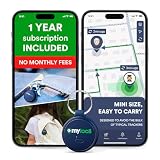
- Enjoy peace of mind knowing your device comes with 12 months of subscription included. After 12 months, you can continue using the device with the flexible and transparent tariff plan you choose (check the product gallery to see the tariff plans).
- Never Lose What Matters – Keep track of keys, backpacks, wallets, or even your child’s schoolbag with this compact GPS tracker that works in real-time via WiFi, 4G & Bluetooth.
- Instant Alerts via App – Receive smart anti-loss alerts right on your phone when your item moves out of safe geo fence. Works seamlessly with iOS and Android devices
- SOS Button for Emergencies – One tap on the tracker sends instant SOS notifications, helping you respond fast when your loved ones need you most
- Discreet & Waterproof – Sleek, ultra-lightweight design attaches like a keychain tag and survives rain or spills thanks to its IP67 waterproof rating. Built-In SIM, No Setup Hassles – Arrives ready to use with a built-in SIM. Rechargeable battery and wide compatibility make it a perfect travel companion
Xbox counts signed-in time
Xbox screen time continues counting while the child is signed in, even when a game is paused or another person is using the console. The child should sign out when finished. Because multiple Xbox users can be signed in at once, use separate profiles and set a console PIN to reduce account switching and bypasses.
What’s actually slowing this PC down?
Pick the symptom - the matching free tool is one click away.
What Family Safety activity reports do—and do not—show
Family Safety enforcement counts time while the child is signed in, including idle time. An activity report may show little or no activity during that idle period, so the report will not always match the time deducted from a limit.
Also check the Microsoft account’s time-zone setting if activity appears under the wrong day. A time-zone mismatch can make a schedule or report look incorrect even though the service is using the account’s configured day boundaries.
Independent reader supportYour contribution helps us test, update, and keep practical guides available for everyone.One more Windows check
If the affected computer is still running Windows 10, remember that Microsoft ended normal Windows 10 support on October 14, 2025. In 2026, a Windows 10 Family Safety problem may be occurring on an unsupported operating system unless the computer is covered by an applicable extended-support arrangement. Updating to a supported Windows version is preferable where the hardware allows it.
FAQ
Why is Microsoft Family Safety not blocking websites?
Web and search filtering works with Microsoft Edge when the child is signed in to Edge with the child’s Microsoft account. Chrome, Firefox, and other browsers are not covered. Use Edge filtering settings under Family Safety > family member > Go to overview > Edge.
Best Value

- ALL-IN-ONE PROTECTION – award-winning antivirus, total online protection, works across compatible devices, Identity Monitoring, Secure VPN
- SCAM DETECTOR – Automatic scam alerts, powered by the same AI technology in our antivirus, spot risky texts, emails, and deepfakes videos
- SECURE VPN – Secure and private browsing, unlimited VPN, privacy on public Wi-Fi, protects your personal info, fast and reliable connections
- PERSONAL DATA SCAN - Scans for personal info, finds old online accounts and people search sites, helps remove data that’s sold to mailing lists, scammers, robocallers
- SOCIAL PRIVACY MANAGER - helps adjust more than 100 social media privacy settings to safeguard personal information
Why does Family Safety still restrict an adult account?
Run schtasks /run /tn “Microsoft\Windows\Shell\FamilySafetyRefreshTask” from Command Prompt, restart the computer, and repeat the process on each affected Windows device.
Can a child use a Windows administrator account with Family Safety?
It is not recommended. An administrator can change or break settings that Family Safety depends on. Change the account to Settings > Accounts > Other users > Change account type > Standard User.
Does Microsoft Family Safety support total screen-time limits on Android?
No. Microsoft currently supports Android app and game limits, but not total Android device screen-time limits. Android permissions must also remain enabled in the Family Safety app.
Why is Xbox screen time used up when nobody is playing?
Xbox counts time while the child is signed in, including paused or idle time and time when another person uses the console. Sign out of the child’s profile when finished and use separate profiles with a PIN.
Do these 3 things before closing this tab:
1Repair Windows errors before they cause bigger problems2Scan for outdated or missing drivers - takes under a minute3Clear out junk files and repair common Windows errorsThe Bottom Line
Start by confirming the child account and device appear in the Family Safety group, then make the child a Standard user on Windows. Refresh stuck Windows policies, recreate limits that fail to save, and verify that the requested control is supported on the platform. In particular, website filters require Edge, Android does not support total device screen-time limits, and Xbox counts time for as long as the child remains signed in.
Quick Recap
Product prices and availability are accurate as of the date/time indicated and are subject to change. Any price and availability information displayed on Amazon at the time of purchase will apply.

