
iTechGuides is reader-supported. When you buy through links on our site, we may earn an affiliate commission. As an Amazon Associate I earn from qualifying purchases. Learn more
For most songwriters, LyricToMelody AI is the best starting point for turning lyrics or a MIDI vocal line into an editable sung draft. Producers who need note-by-note control should choose Synthesizer V Studio 2 Pro, while voice-conversion work is better served by Kits AI, Audimee, Applio, UtaiSynthesizer, or CAVN AI. VOCALOID6 and AirMusic are stronger choices when you want a complete virtual singer or a fast vocal layer over an instrumental.
Best AI Vocalizer Tools At A Glance
| Rank | Tool | Price | Availability | Best Fit |
|---|---|---|---|---|
| 1 | LyricToMelody AI | Free Starter; paid from $10/month (annual) | Web application | Complete vocal arrangements |
| 2 | Synthesizer V Studio 2 Pro | Paid one-time purchase; 14-day trial | Windows and macOS desktop | Precise vocal editing |
| 3 | Kits AI | Free plan; paid from $10/month | Web, Windows, API | Conversion and vocal production |
| 4 | Audimee | Free introduction; paid from $9/month | Web platform | Harmony-focused conversion |
| 5 | VOCALOID6 | From $225 one-time; 31-day trial | Windows and macOS desktop | Multilingual virtual singers |
| 6 | Applio | Free and open source | Windows, macOS, Linux, Colab, Kaggle | Open-source voice conversion |
| 7 | UtaiSynthesizer | Free and open source | Windows desktop | Local notation-to-vocal workflows |
| 8 | AirMusic | Not stated | Not stated | Adding AI vocals to beats |
| 9 | CAVN AI | Free to start; other pricing not stated | Not stated | Fast voice cloning and swaps |
How To Choose An AI Vocalizer For Music
- Need a melody from words? Use LyricToMelody AI, which can generate a melody around lyrics or turn a MIDI vocal line into a guide vocal.
- Need detailed MIDI editing? Synthesizer V Studio 2 Pro and VOCALOID6 accept notes and lyrics and provide expression controls.
- Already have a performance to transform? Kits AI, Audimee, Applio, UtaiSynthesizer, and CAVN AI focus on voice conversion or custom models.
- Need harmonies or separated stems? Audimee provides harmony and stem tools; Kits AI combines conversion, separation, and mastering.
- Need local, open-source processing? Applio supports desktop and self-hosted use, while UtaiSynthesizer is a Windows workstation.
For any cloned or converted voice, use a voice you own or have permission to use. Read the vendor’s current voice, model, cover, and commercial-use terms before release; the rights notes below describe only the stated product terms.
Ranked AI Vocalizer Tools
1. LyricToMelody AI — Best For Complete Vocal Arrangements
LyricToMelody AI is the most direct fit when a song starts as lyrics rather than a finished topline. Enter lyrics to generate a melody, preview it with an AI singing voice, then export MIDI and audio for further arrangement. You can also upload a MIDI vocal line, add lyrics, and create an AI guide vocal.
What’s actually slowing this PC down?
Pick the symptom - the matching free tool is one click away.
Its paid plans include commercial rights. The free Starter plan begins with 20 credits and keeps projects for seven days; the Creator plan costs $10 per month when billed annually and refreshes 1,200 credits monthly with 30-day project retention. It is a web application, so check the vendor site for current browser requirements and any voice-specific terms.
Popular on Amazon
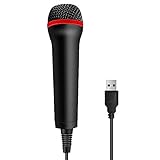
- 💙 Professional Customization: Professional Customization: 4M USB wired microphone for use with for PC/PS2/PS3/PS4/PS4 Pro/Wii/Wii U/SWITCH/XBOX360/XBOX ONE/XBOX ONE X/XBOX ONE S/XBOX Series S/X.
- 💙 Accurate Voice Reproduction: With upgraded frequency response accurately reproduces the sound of your voice. it is the perfect design for all music games, rock band, guitar hero and karaoke games.
- 💙User Friendly: Light enough to not be a burden; Easy to use, just plug and play, NO drivers is needed; With13ft lengthy cord gives you plenty of space to move around and interact with your family or friends enthusiastically.
- 💙 Detects Loud and Quiet Voice: From shouts to whispers, the mic's wide dynamic range ensure your voice is heard with utmost clarity while singing your music games. You will be lost yourself in the wonderful singing.
- 💙 Backed By Real Support: We offer 12-month warranty and 24-hours online service. Plus, any quality issues, please contact us fristly for free replacement or refund, no questions asked policy which makes this purchase a no-brainer. The friendly team at our TPFOON headquarters is here for whatever you need
Workflow example: Paste a verse and chorus, compare the generated melody, export the MIDI and audio, and finish timing, instruments, and final vocals in your DAW.
2. Synthesizer V Studio 2 Pro — Best For Precise Vocal Editing
Synthesizer V Studio 2 Pro is for producers who want to place notes and lyrics, then edit pitch, timing, pronunciation, timbre, and expression. It works as a standalone application or through VST3, AU, AAX, and ARA plug-ins, with MIDI support.
The synthesizer can translate a voice across English, Japanese, Korean, Mandarin Chinese, Cantonese Chinese, and Spanish. It is a paid Windows and macOS desktop product with a 14-day trial and no perpetual free plan. It does not provide voice cloning, so choose a purchased professional voice instead of expecting to train your own.
Do these 3 things before closing this tab:
1Repair Windows errors before they cause bigger problems2Fix the driver behind crashes, sound loss and screen glitches3Clear out junk files and repair common Windows errorsWorkflow example: Import or draw the MIDI line, enter lyrics, select a voice, adjust pronunciation and expression phrase by phrase, then render inside your DAW.
3. Kits AI — Best For Voice Conversion And Vocal Production
Kits AI covers several stages of vocal work: instant or professional voice cloning, voice conversion, blending, vocal isolation, stem separation, and AI mastering. It is available on the web, Windows, and through an API.
The Free plan provides 15 conversion minutes, one voice slot, and zero download minutes each month. Paid plans start at $10 per month; the Starter tier is where the strongest cloning tools begin. Kits says its model voices are ethically licensed and sourced from artists. Artist-model outputs may require approval for commercial release, so verify approval and download rights for the specific voice you select.
Also popular on Amazon

- [USB Output] Enables simple setup. USB studio recording microphone kit provides a direct convenient plug-and-play connection to pc and laptop without any additional hardware or drivers for recording vocals, podcasts and Skype. Studio microphone for recording vocals is never been easier to get high-quality sound for your voice and computer-based audio recordings. (Incompatible with Xbox)
- [Excellent Sound Quality] With rugged construction for durable performance, the vocal recording microphone, USB condenser mic for PC,offers a wide frequency response and handles high SPLs with ease. Ideal for project/home-studio applications. The cardioid condenser capsule captures crystal-clear audio from the front and avoid ambient noise when communicating/creating/recording. Comes ready to go with a desktop mic boom arm stand and 8.2ft USB cable, you're guaranteed to get great-sounding results.
- [Durable Arm Set] The podcast microphone bundle with versatile and sturdy broadcast suspension boom scissor arm with 180° up and down rotation, 135° forward and backward extension for optimal adjustment, for capturing your voice in podcast or voiceover. The double pop filter attached on the music recording microphone provides two layers of dissipation, removes the rush of air, minimize the popping sounds or cancel noise that can compromise your recording, great for studio as well as home use.
- [Easy to Attach] The streaming microphone for PC includes adjustable boom studio scissor arm stand that features a heavy-duty combo mount consisting of a sturdy C-clamp and a detachable desktop mount. With 13" fixed horizontal arm and offers a 30" reach, the low-profile, table-hugging design of audio recording microphone allows on-air talent to perform without facial obstruction to record in podcasting or make dubbing sounds for videos, use voice chat in Discord or online conference on Zoom or Skype.
- [The Accessory Package Includes] The studio microphone music recording comes with practical accessories for you to use in most of recording. The scissor arm stand is made out of all steel construction, sturdy and durable, a studio-grade shock mount, a double pop filter, premium 8.2' USB-B to USB-A/C cable, a podcast PC gaming microphone, a user manual and friendly Technical Support.
Workflow example: Record a clean guide vocal, convert it to a permitted model, isolate or separate stems, and use the mastering tools before exporting the result.
Outdated Drivers Are Slowing You Down
One free scan finds every outdated or missing driver and matches the right update for your exact hardware.Free scan · exact hardware matchPC Slower Than It Used to Be?
A free scan shows the junk files, broken settings and background clutter dragging Windows down - then fixes them in one click.Free scan · Windows 10 & 114. Audimee — Best For Harmony-Heavy Vocal Conversion
Audimee combines voice conversion with isolation, pitch editing, stem splitting, and a harmony maker that supports up to five harmony tracks. Its royalty-free voices and custom voice models suit creators who already have a vocal performance to reshape.
The introductory free access includes 15 one-off conversion minutes, 11 royalty-free voices, 31 instruments, and no custom voice-model slots. Paid plans start at $9 per month; Starter and Pro cap monthly conversion time, while Ultimate includes unlimited monthly conversions and eight voice slots. Audimee is web-only, and API access is limited to Enterprise.
Workflow example: Upload a lead vocal, correct pitch, generate up to five harmony tracks, split stems, and check the selected voice’s usage terms before publishing a cover or original song.
5. VOCALOID6 — Best For Established Multilingual Singing Production
VOCALOID6 turns entered melody and lyrics into an expressive singing voice. A single voicebank can sing mixed Japanese, English, and Chinese lyrics, and the software includes vocal-style replication, harmony creation, and expression controls.
The Tool Desk
Outbyte Driver Updater FREEScan for outdated or missing drivers - takes under a minuteDriver Scan →Outbyte PC Repair FREERepair Windows errors before they cause bigger problemsFix Now →The Windows and macOS desktop application costs from $225 as a one-time purchase before tax, includes 25 voices, and has a 31-day trial with all features. It supports MIDI, VPR, WAV, VST3, AU, and ARA2 workflows. Check the license for each included voicebank and any replicated vocal style before commercial release.
Also popular on Amazon

- Studio-Quality Sound for Clear Podcast Recording – The K66 USB podcast microphone delivers studio-quality, broadcast-level audio using a high-performance condenser capsule and cardioid pickup pattern that focuses on your voice while reducing unwanted background noise. Designed as a reliable microphone for PC, it features a wide 40Hz–18kHz frequency response and a 46kHz sampling rate to reproduce rich lows, smooth mids, and clear highs for natural, detailed vocals. With –45dB ±3dB sensitivity, it captures balanced sound without distortion during expressive speaking. Ideal for podcasting, voice-over, online classes, meetings, and professional content creation.
- Intelligent Noise Reduction Mode for Cleaner Podcast Audio – This podcast microphone features an advanced Noise Reduction Mode designed for clearer, more focused voice recording in real-world environments. Press and hold the mute button to enable noise reduction (blue indicator). In this mode, the microphone helps reduce keyboard clicks, PC fan noise, air conditioner hum, and background chatter. Default Mode maintains a warm, natural vocal tone for quiet spaces. Designed as a reliable microphone for PC, it allows creators to identify the active mode instantly and adapt as needed, ensuring clear audio for podcasting, gaming, streaming, online classes, meetings, and recording.
- True Plug-and-Play USB Microphone with Wide Device Compatibility – Engineered for effortless plug-and-play use, the K66 USB microphone requires no drivers, apps, or software installation. Simply connect and start recording on Windows PC, Mac, laptops, PS4, PS5, and tablets. Included USB-C and Lightning adapters ensure seamless compatibility with iPhone, iPad, and modern USB-C phones and devices, making it easy to switch between desktop and mobile recording. Ideal for creators working across multiple platforms, this microphone delivers consistent, high-quality audio for YouTube, TikTok, Twitch, Zoom, Discord, OBS Studio, Streamlabs, podcasting, livestreaming, and professional voice recording.
- Real-Time Zero-Latency Monitoring with Adjustable Volume Control – This podcast microphone features real-time, zero-latency monitoring through a built-in 3.5mm headphone jack, allowing you to hear exactly what’s being recorded without delay. Designed as a reliable microphone for PC, it includes a dedicated monitoring volume control that lets you adjust headphone listening levels independently for accurate and comfortable audio monitoring. Real-time feedback helps identify distortion, background noise, or uneven volume before it affects your final recording, making this podcast microphone ideal for podcasting, streaming, online teaching, voice-over work, and professional content creation.
- Precision Audio Adjustment Knobs for Full Sound Control – This podcast microphone gives creators hands-on control with dedicated knobs for microphone volume, monitoring volume, and echo adjustment. Fine-tune mic gain to maintain clear, balanced vocal output, adjust headphone monitoring levels independently for comfortable listening, and add or reduce echo to enhance depth and presence. Designed as a reliable PC microphone, these intuitive physical controls allow fast, on-the-fly adjustments without software, helping identify distortion, background noise, or level inconsistencies instantly. Ideal for podcasting, streaming, ASMR, voice-overs, singing, and professional multi-platform recording.
Workflow example: Enter the melody and lyrics, set the language mix, build harmonies, automate expression, and send the vocal through your existing plug-in or audio-export workflow.
6. Applio — Best For Free Open-Source Voice Conversion
Applio is a free, cross-platform voice-conversion suite for real-time or uploaded-audio conversion. It supports custom model training, voice-model blending, batch inference, text-to-speech, exports, and CLI automation. It runs on Windows, macOS, Linux, Colab, and Kaggle, with desktop and self-hosted deployment options.
Applio states that users may use, modify, and redistribute the software for personal, research, or commercial work. Conversion and text-to-speech results depend on the voice models, and the lack of integrations plus its CLI and self-hosting options may suit technical users best. Obtain consent for training data and review each model’s license separately.
Recommended Free Tools
Workflow example: Train or select a permitted model, convert a recorded vocal in real time or batch mode, blend models if needed, and export the processed part for your DAW.
7. UtaiSynthesizer — Best For A Local Windows Vocal Workstation
UtaiSynthesizer is a free, open-source Windows workstation that combines vocal separation, RVC and SoVITS conversion, synthesis, model training, node workflows, and multitrack timeline editing. Its own model can turn a score into ContentVec features so a voice-conversion model sings from notation.
The workstation includes a piano roll, multitrack view, training monitor, seven-language grapheme-to-phoneme support, range extension, and exports to WAV, FLAC, MP3, OGG (Vorbis), OPUS, and M4A (AAC). Commercial use is restricted across some model weights, so inspect the individual weight terms and use only authorized voices.
Also popular on Amazon
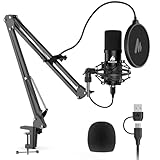
- Pro Sound Chipset 192kHz/24Bit: This Condenser Microphone has been designed with professional sound chipset, which allows the USB microphone to hold high resolution sampling rate. Smooth, flat frequency response, Extended frequency response is excellent for studio, speech and voice-over. Performed well in reproducing sound, high quality mic ensures your exquisite sound reproduces on the internet
- Plug and Play: microphone has USB data port, which is easy to connect with your computer, and no need extra driver software or external sound card. Simply plug the USB cable into your laptop to start using mic immediately, offering seamless integration with various operating systems. That makes it easy to sound good on podcasting, live-streaming, video call, recording (Note: Not compatible with XBOX)
- 16mm Condenser Mic: With the 16mm electret condenser transducer, the USB microphone can give you a strong bass response. This professional condenser microphone picks up crystal clear audio. The magnet ring, on the USB microphone cable, has a strong anti-interference function, which gives you a better feel (Best Range: 2"-6")
- ALL-in-one Set: With pop filter and foam windscreen, the condenser mic records your voice, and the sound is crystal clear. The shock mount holds the microphone steady with damping function. Suitable for voiceover, podcast, YouTube, Skype conference (The desk clamp is suitable for desktop with a thickness of less than 2.1 inch.)
- Compatible with MOST OS: For most laptops, PC, PS4, PS5, and mobile phones, easy to connect, plug and play. It can also be used with Discord, Twitch, Zoom, etc, but please note that the AU-A04 microphone isn't used with Maono Link. If you need Maono Link, recommend using the upgraded A04 Gen2 mic
Workflow example: Separate the vocal, place notes in the piano roll, run the selected conversion model, edit the multitrack timeline, and export the chosen audio format.
8. AirMusic — Best For Adding A Vocal To An Instrumental
AirMusic is aimed at the quickest path from beat to vocal track. Upload an instrumental, provide lyrics, and let the service add AI-generated vocals in multiple styles and languages. It also offers custom AI singing voices, including a cloned voice option.
AirMusic states that its AI-generated songs are royalty-free for commercial use. That statement does not replace checking the current terms for a specific voice or uploaded material. Get permission before cloning a person’s voice, and confirm supported export, platform, and plan details on the vendor site because they are not established here.
Workflow example: Upload the instrumental, paste the lyric section, choose an available style or authorized custom voice, then download the result and arrange it with the beat.
9. CAVN AI — Best For Fast Voice Cloning And Vocal Swaps
CAVN AI focuses on cloning a voice, replacing vocals, and building an AI singer or virtual artist. The service says it is free to start and that creators’ generated songs and music videos are theirs to use commercially; it also reports more than 300,000 creators and 5 million generated songs and music videos.
Free tools Windows power users keep installed
One-click scans. No signup required.
Those commercial-use statements do not establish permission to clone any real person’s voice. Use your own voice or documented consent, and read CAVN’s current terms for the model and source recording. Pricing beyond free-to-start access, supported platforms, export formats, and language coverage are not stated, so verify them before choosing it for a production pipeline.
Workflow example: Provide an authorized reference voice, create the AI singer, swap the vocal in a song, and review the output and rights terms before release.
Quick Recap
Rights Checks Before You Release An AI Vocal
- Use recordings and voice models only with the singer’s permission or a license that covers your intended use.
- Check whether the selected plan includes commercial rights: LyricToMelody AI includes them on paid plans; AirMusic states commercial use for its royalty-free AI songs; Kits AI may require approval for artist-model outputs.
- For open-source workflows, review model-weight terms separately. UtaiSynthesizer identifies restrictions across some weights, while Applio’s software permission does not automatically license every model.
- Confirm current export, download, cover, and platform terms on the vendor site when the directory details above do not state them.

