
The Tool Desk
Outbyte Driver Updater FREEScan for outdated or missing drivers - takes under a minuteDriver Scan →Outbyte PC Repair FREEClear out junk files and repair common Windows errorsFree Scan →iTechGuides is reader-supported. When you buy through links on our site, we may earn an affiliate commission. As an Amazon Associate I earn from qualifying purchases. Learn more
You cannot make an Instagram account completely invisible, but you can sharply reduce who discovers it. The strongest combination is a private account, removing existing followers, blocking specific people, disabling contact and account suggestions, stripping identifying details, and—if you need a complete pause—temporarily deactivating the account. These controls affect different discovery routes, so use the checklist below rather than relying on one switch.
At a glance
| Name | Best for | Key spec | Free plan / price | Platforms | Checked |
|---|---|---|---|---|---|
| Private account | Keeping strangers from viewing content | Followers must be approved to see posts, reels and lists | Free | Instagram app and web | Nov 2026 |
| Remove followers | Quietly cutting off current followers | Removed people are not notified | Free | Instagram app and web | Nov 2026 |
| Block accounts | Stopping a known person | Blocked accounts cannot see your profile, posts or reels | Free | Instagram app and web | Nov 2026 |
| Restrict and story/live controls | Limiting interaction without a full block | Separate controls for comments, messages, stories and live video | Free | Instagram app | Nov 2026 |
| Contact syncing controls | Reducing phone-book recommendations | Turn syncing off and delete previously uploaded contacts | Free | Instagram app and Accounts Center | Nov 2026 |
| Account suggestions | Reducing recommendation surfaces | Opt out of Similar Account Suggestions | Free | Instagram web | Nov 2026 |
| Profile and search-engine cleanup | Making the account harder to recognize or find externally | Remove identifiers, links and eligible search indexing | Free | Instagram app and web | Nov 2026 |
| Temporary deactivation | Making the entire account unavailable for a while | Profile and content disappear until you reactivate | Free | Instagram web or app when offered | Nov 2026 |
Can I make my Instagram account completely unsearchable?
No. Instagram provides controls for content access, interaction and recommendations, but it does not promise that every person, direct link, mutual contact or copied profile can be prevented from finding you. A private account still leaves a profile identity that can receive follow requests, and someone who already knows your username can still try to search for it.
Think in layers: protect content from strangers, remove people who already follow you, block high-risk accounts, close recommendation and contact-matching routes, and remove clues that let someone recognise you. If you need the whole account gone temporarily, deactivation is the only option in this list that hides the profile itself from everyone.
What’s actually slowing this PC down?
Pick the symptom - the matching free tool is one click away.
How do I make my Instagram account private?
Set the account to private first if your goal is to keep strangers from viewing posts, reels, stories, your followers list or your following list. Instagram’s guidance says private posts and lists require an approved follow request, while people who already follow you keep access until you remove or block them (Instagram privacy guidance cited in a California court record).
Popular on Amazon
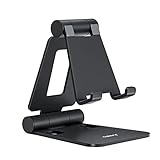
- Universal Compatbility: This phone stand works with all 4-8" Smartphones and e-readers, such as iPhone 18 17 16 15 14 13 12 11 Pro Max Xs Xr X 8 7 6, Switch, Samsung Galaxy S10 /S10+/S9 /S9+/S8 /S8+, Google Nexus, Kindle.
- Adjustable & Portable: The phone cradle is fully collapsible, it can be easily adjusted to ideal position, which is a good desk accessories while watching video, playing games, making phone call, viewing recipes, using Facetime.
- Sturdy & Protective: The cell phone stand is made of high quality premium aluminum, it stays firmly in place, hold your phone steadily, no worry any wobble at all. The rubber pads can protect your phone from any scratching and sliding.
- Case Friendly: The hook width of the stand is 18mm, no need to remove your phone case, which is long enough to hold your device with HEAVY CASE on, please make sure the thickness of your device is no more than 18mm (0.71").
- Warm Tips: Please set your device(4"-6") in landscape or portrait mode, and set the device (6"-8") in landscape mode, which will provide more stability.
- Open Instagram and go to your profile.
- Open the menu, choose Settings and activity, then Account privacy (wording can vary by app version).
- Turn on Private account and confirm.
- Review your followers immediately; privacy does not automatically remove anyone already approved.
Private mode hides posts, reels and stories from unapproved viewers, but basic account details such as your username and profile image may still identify you. It also does not retract screenshots, copied links or information another person already saved. A professional account may need to switch to a personal account before the private option appears; Instagram shows the available conversion path in the same account settings area.
How do I remove unwanted followers without notifying them?
On a private account, removing a follower is a quieter reset than blocking. Instagram says the person is not notified, but they can search for your profile again and send a new request unless you also block them.
- Open your profile and tap Followers.
- Find the account, tap Remove, and confirm.
- Repeat for every person you no longer want approved.
- For a large list, work in batches and check both the followers list and recent message requests.
Removing someone does not erase their screenshots or stop a mutual friend from showing them your username. If the person must not find or contact you, use blocking instead. After removing followers, check story and live-video audience settings because those controls can be managed separately.
Windows Errors? Fix Them Before They Spread
Repair common Windows errors and clear accumulated junk for a smoother, more stable PC - no reinstall needed.Free scan · no reinstallOutdated Drivers Are Slowing You Down
One free scan finds every outdated or missing driver and matches the right update for your exact hardware.Free scan · exact hardware matchHow do I stop one known person from finding or contacting me?
Block every account you can identify as belonging to that person. Instagram’s safety report states: “When a user blocks someone, the blocked person won’t be able to see the user’s profile, posts, or reels on Instagram” (Instagram’s 2024 online-safety report).
Also popular on Amazon
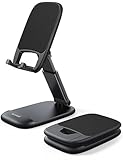
- Height & Angle Adjustable - The universal adjustable phone stand can be titled to vertical, and height can be extended up to 3.2 inches. It allows you to get a more comfortable viewing angle and height. Reduce the frequency of looking down at the phone screen to avoid hurting your back and neck. A perfect desktop accessory that frees your hands to watch online class, do live stream.
- Thick Case Friendly - This cellphone stand work for phone with thick case up to 0.71 inches thick. The enlarged & thickened anti-slip & anti-scratch silicone mats on the backrest, hooks and base feet protect your moilephone from sliding and scratching. Durable materials and the high-precision smooth surface prevent this phone stand from scratch and break even after long-term use.
- Full Foldable & Portable - This portable phone stand is easy to carry by anyone. Bi-folding design allows this foldable mobile stand to be pocket-sized. Simply fold it up to a small size anytime and carry around into a handbag, backpack wherever you travel or business trip. Necessary office desk accessories & workspace organizers, office supplies, cell phone accessories.
- Weighted Metal Base - As to ensure the stability, the telescopic rod and the base of this mobile phone stand are made of weighted excellent metal. The exquisite groove design of the base match with the strong adjustable rod allows your mobilephone to rest steadily on it, even with a thick case. It’s the best Thanksgiving Day, Christmas gift.
- Wide Compatibility - Universal table phone holder works for telephones and tablets between 4 - 8 inches, such as Apple iPhone Duo, iPhone 18 Pro, iPhone 18 Pro Max, iPhone 17, iPhone 17 Pro, iPhone 17 Pro Max, iPhone 17 Air, iPhone 16, iPhone 16 Pro, iPhone 16 Pro Max, iPhone 16 Plus, iPhone 15, iPhone 15 Pro, iPhone 15 Pro Max, iPhone 15 Plus, iPhone 14, 14 Pro, 14 Pro Max, 14 Plus, 13, 13 Pro, 13 Pro Max, 13 Mini, 12, 12 Pro, 12 Pro Max, 12 Mini, 11, 11 Pro, 11 Pro Max, XS, XS Max, XR, X, 8, 7, 7 Plus,SE, SE2, android, Galaxy S22, S22 Ultra, S21 Ultra, S21, S20, A72, A71, A52, A5. Compatible for Nintendo Switch 1 2. Best Christmas Gift.
- Open the person’s profile, tap the options menu, choose Block, and confirm.
- When Instagram offers the broader choice, block other accounts they may have or create, not only the current username.
- Block related accounts individually if you later recognise another profile.
- Review mentions, tags, message requests and shared group conversations for additional contact routes.
Blocking is person-specific, not a global invisibility switch. It cannot remove material copied to another service, and it does not prevent someone from viewing a public repost made by another account. Use the broader blocking option when available, then keep the account private for everyone else.
How do I hide stories and live videos from selected accounts?
You can hide stories and live broadcasts from chosen accounts without blocking them. This is useful for relatives, coworkers or acquaintances who may remain followers but should not see temporary posts.
- Open Settings and activity, then find Story or Story and live privacy.
- Choose Hide story and live from, search for each account and select it.
- Save the list; add or remove people later as your audience changes.
- Before starting a live video, check the displayed audience and end the broadcast if the wrong audience is selected.
Hiding a story or live video does not hide ordinary posts, reels, your profile or direct messages. For a broader interaction boundary, Instagram groups Mute, Restrict and Block as graduated tools (Meta’s safety guide). Restrict mainly changes comments and message handling: restricted comments can require approval and new messages move to requests, but Restrict should not be treated as a search-hiding control.
Do these 3 things before closing this tab:
1Scan for outdated or missing drivers - takes under a minute2Repair Windows errors before they cause bigger problems3Fix the driver behind crashes, sound loss and screen glitchesHow do I stop Instagram recommending my account to people who know me?
Close the two recommendation paths you control: phone-contact matching and profile-based suggestions. Neither setting guarantees that no mutual connection will see your account, because recommendations can use other signals and people can share your username directly.
Also popular on Amazon

- 100% LIFETIME PROTECTION: Enjoy reliable performance with lifetime coverage, guaranteeing your tripod is always protected against any defects or issues.
- Ultimate Materials & Engineerin: EUCOS's phone tripod utilizes modified Nylon PA6/6 for all-weather durability. The engineered polymer delivers exceptional crush/shear resistance and toughness, achieving optimal rigidity-flexibility balance.
- Rapid Extension Tripod for Phone: Glide the rod in a single, fluid motion to convert it from a compact tripod into a full 62" selfie stick. Achieve instant elevation for dynamic filming.
- Studio-Grade Phone Rig: Safely harness phones from 2.2" to 3.6" wide with pro-level clamping and effortless framing. Built-in cold shoe expands your creative options with lights and mics.
- Hands-Free Control: The Wireless remote enables instant pairing with smartphone and remote capture from up to 33ft/10m. Ensures rock-solid stability for blur-free photography and Start/Stop video recordings effortlessly—all without device contact.
Disconnect contact syncing and delete uploaded contacts
- In Instagram’s privacy or Accounts Center area, open Upload contacts or Contact syncing.
- Turn syncing off on every device where you use the account.
- Use the current Accounts Center control to delete contacts Instagram previously uploaded. Turning syncing off alone does not erase earlier uploads.
- Repeat after signing in on another phone, and deny contact access if the operating system asks again.
Menu names move as Meta reorganises Accounts Center, so search Settings and activity for “contacts” if the exact label differs. Deleting uploaded contacts removes one matching source; it does not remove a recommendation already shown or stop someone who has your username.
Turn off Similar Account Suggestions
- Use a browser to open Instagram and go to your profile.
- Choose Edit profile.
- Find Similar Account Suggestions (or similarly worded suggestion controls), clear the option and save.
Instagram says that opting out means your account will not appear as a suggestion on someone else’s profile. This removes that particular suggestion surface, not search results, direct links, shared followers or every recommendation system. Also avoid following a predictable cluster of local schools, workplaces or family accounts if reducing “people you may know” recommendations is important.
How do I make my profile less identifiable and stop public posts appearing in Google or Bing?
Reduce the clues that let a stranger match your account to your real identity. This is a practical privacy measure, not an Instagram guarantee.
Free tools Windows power users keep installed
One-click scans. No signup required.
- Replace your real name, employer, school, city and distinctive nickname in the display name and bio.
- Use a less recognisable profile image and remove workplace, school or neighbourhood references.
- Review tagged photos, mentions, highlights and old captions for identifying details.
- Unlink Facebook or other Meta profiles where that connection increases discoverability.
- Remove public Instagram URLs from personal websites, forums, link pages and other bios, and stop sharing the profile link.
For eligible accounts, look in the current privacy or account settings for Allow public photos and videos to appear in search engine results or a similarly worded Search engine indexing control, and turn it off. Instagram may show this option only to certain public or professional accounts; if it is absent, the account is not eligible for that control. Turning indexing off does not instantly remove an old Google or Bing result: crawlers must revisit the page, and copies or snippets may persist elsewhere. A private account also reduces what search engines can display, but it cannot retract pages that another site has copied.
Also popular on Amazon

- Adjustable Angle Viewing: Multiple Angles could be adjusted (270 degree rotating) to meet your different viewing demand. Makes you hands-free to enjoy your games, videos and Facetime.
- Superior Stability: We adopt thicker (3mm) aluminum material and bigger size (4.1*3*4.4 inch) to guarantee the stability.
- Heavy Case Compatible: The hook is long enough to hold your device (all size cell phones) with HEAVY CASE on. And no need to take off the case when charging.
- Anti- Scratch & Anti- Slippery: It is equipped with larger silicone pads to protect your device from slipping or scratch.
- Excellence on Details: Similar CNC technology as Macbook adopts, you could enjoy the comfortable sense of touch even on the edge.
How do I make the whole account unavailable for a while?
Temporarily deactivate the account when you need the profile, posts, reels and interactions unavailable to everyone, rather than merely hidden from selected people. Deactivation is reversible; deleting the account is a different, potentially permanent action.
- Save anything you need before leaving, such as account recovery details or an archive of your own posts.
- Open Instagram’s account settings or Accounts Center and choose the account-management option for Deactivation or deletion.
- Select Deactivate account, confirm your password and follow the prompts.
- Reactivate by signing in again when you are ready. Instagram may limit how often you can deactivate, so read the confirmation screen.
During deactivation, someone may still possess screenshots, copied URLs or messages you sent before leaving. If you return, recheck privacy, follower, contact-syncing and suggestion settings because a changed menu or device permission can reopen a discovery route.
Independent reader supportYour contribution helps us test, update, and keep practical guides available for everyone.Which combination should I use?
| Goal | Use first | Remaining exposure |
|---|---|---|
| Keep strangers from viewing content | Private account; remove unwanted followers | Profile identity and follow requests remain visible |
| Stop one person | Block that person and related accounts | Copied material and other services are outside Instagram’s block |
| Hide temporary updates from acquaintances | Hide story and live from selected accounts | Posts, reels and profile may still be visible to them |
| Reduce contact-based recommendations | Disable syncing; delete uploaded contacts; turn off suggestions | Mutual connections, direct searches and shared links remain |
| Disappear completely for a period | Temporarily deactivate | Previously copied information can remain elsewhere |
How we picked these eight methods
The methods cover the distinct controls documented or supported by the research: content access, follower management, person-specific blocking, interaction limits, contact matching, account suggestions, identifying and external referral paths, and full-account availability. They are ranked from the most broadly useful privacy foundations to the strongest emergency measure. Each control is judged by who it affects, what it hides, whether it is reversible and which discovery routes remain.
After changing settings, test from a logged-out browser or ask a trusted person to check only what you intend to expose. Do not use a direct link as proof that an account is invisible: links, mutual contacts, screenshots and copied pages can outlive a setting change.
Also popular on Amazon

- Ergonomic & Adjustable Design: Fight "text neck" and improve your posture. Designed for comfort, it offers an adjustable height (7.1in-8.5in) (1.4in adjustable range) and angle (5°-85°) Please note: cell phone stand is only 9 inches tall—the length of a standard pencil
- Without blocking subtitles Perfect for office desk Tiktok Face Time Zoom video—this is the ultimate kitchen desk essential for phones! Perfect viewing experience while reducing neck back strain, A must-have for gamers streamers desk, and anyone who values both style and support!
- Sleek & Stable Design fits Otterbox Case: Say goodbye to bent cables, tangles, and tip-overs! LISEN’s stylish adjustable desk phone holder features a built-in charging hole and smart cable management, keeping your phone secure and your workspace clutter-free cool gadgets for men
- ANTI-SLIP DESIGN free hands: The under 10.00 items easy gadgets back and the bottom of this kitchen essentials for women are fully covered by anti-skid silicone, which LISEN stand up desk decor can provide maximum protection device from any scratches and slides
- Your Perfect Viewing Companion:If your product arrives damaged or breaks within 365 days, reach out to LISEN for a quick and hassle-free solution. Struggling with assembly, like tightening the screw? We’ve got your back! Your experience matters to us. (Product including: phone Holder stand*1, screw*1, hexagon screwdriver*1, specification*1)
Frequently Asked Questions
Can people still see my username after I make Instagram private?
Usually, yes. Private mode protects posts and follower lists from unapproved viewers, but Instagram still needs a profile identity so people can send follow requests. Removing identifying details and disabling suggestions reduces recognition without promising invisibility.
Does deleting synced contacts remove Instagram recommendations immediately?
It removes the uploaded contact source, but recommendations already generated may remain for a while and can have other causes. Also turn off syncing on every device and remove Instagram’s contact permission from your phone.
What is the difference between Restrict and Block on Instagram?
Restrict is an interaction boundary: comments and new messages receive limited visibility or move to requests. Blocking is the person-specific access control that prevents the blocked account from seeing your profile, posts and reels.
Will temporarily deactivating Instagram erase my posts?
No. Deactivation hides the account until you sign in again; it is different from deleting the account. Save recovery information and review privacy settings after reactivation because account menus and permissions can change.

