
iTechGuides is reader-supported. When you buy through links on our site, we may earn an affiliate commission. As an Amazon Associate I earn from qualifying purchases. Learn more
The best PostgreSQL hosting provider depends on the workload. Supabase is the strongest full-stack option, Neon leads for serverless PostgreSQL and branching, Amazon RDS and Google Cloud SQL suit cloud-native production, Crunchy Bridge fits PostgreSQL-first operations, DigitalOcean favors simple infrastructure, Render suits Render-hosted apps, and Railway is best for rapid prototypes.
This is an April 2026 edition and should be read as a dated comparison, not as a guarantee that prices remain unchanged in August 2026. The comparison covers managed PostgreSQL services and application platforms that include PostgreSQL; ordinary shared hosting and self-managed VPS databases are discussed separately because they transfer substantially more operational responsibility to the customer.
Key takeaways
- Supabase is the best choice when PostgreSQL, authentication, file storage, APIs, realtime features, and edge tooling should come from one backend platform.
- Neon is the best database-first option for serverless applications, pull-request preview databases, branching, and intermittent workloads that benefit from scale-to-zero.
- Amazon RDS for PostgreSQL and Google Cloud SQL for PostgreSQL are strongest when the application already depends on AWS or Google Cloud infrastructure.
- Crunchy Bridge is the strongest PostgreSQL specialist, while DigitalOcean Managed PostgreSQL offers a simpler conventional managed-database experience.
- A free or low-cost plan is not automatically production-ready: pausing, deletion, limited backups, storage, egress, HA standbys, replicas, and variable compute can change the real cost and risk.
What does PostgreSQL hosting mean?
PostgreSQL hosting can describe several different operating models, and the distinction matters more than the provider’s position in a generic ranking.
What’s actually slowing this PC down?
Pick the symptom - the matching free tool is one click away.
| Operating model | What the provider supplies | What the customer still owns | Typical examples |
|---|---|---|---|
| Managed PostgreSQL | Provisioning, patching, backups, monitoring, and some recovery operations | Schema design, credentials, permissions, migrations, query performance, connection management, and restore testing | DigitalOcean Managed PostgreSQL, Crunchy Bridge |
| Backend as a service | PostgreSQL plus authentication, storage, APIs, realtime features, functions, or other application services | Application logic, security configuration, data model, and recovery validation | Supabase |
| Cloud database service | Managed PostgreSQL integrated with a large cloud’s networking, identity, monitoring, and infrastructure services | More architecture, billing, networking, and configuration decisions | Amazon RDS, Google Cloud SQL |
| PostgreSQL specialist | Database-focused operations, support, backups, monitoring, and PostgreSQL expertise | The application layer and surrounding services | Crunchy Bridge |
| Developer application platform | Fast deployment of an application and database in the same project or workflow | Plan selection, production durability, recovery testing, and platform limits | Render, Railway |
| VPS or shared hosting | Infrastructure or a hosting account that may support PostgreSQL | Often installation, updates, security hardening, backups, failover, monitoring, and recovery | Self-hosted PostgreSQL on a VPS |
“Managed” does not mean “zero responsibility.” A provider may operate the database server while the customer remains responsible for least-privilege roles, safe migrations, indexes, application connection pools, backup policy, and proving that a restore actually works.
Popular on Amazon

- Get NVMe solid state performance with up to 1050MB/s read and 1000MB/s write speeds in a portable, high-capacity drive(1) (Based on internal testing; performance may be lower depending on host device & other factors. 1MB=1,000,000 bytes.)
- Up to 3-meter drop protection and IP65 water and dust resistance mean this tough drive can take a beating(3) (Previously rated for 2-meter drop protection and IP55 rating. Now qualified for the higher, stated specs.)
- Use the handy carabiner loop to secure it to your belt loop or backpack for extra peace of mind.
- Help keep private content private with the included password protection featuring 256‐bit AES hardware encryption.(3)
- Easily manage files and automatically free up space with the SanDisk Memory Zone app.(5). Non-Operating Temperature -20°C to 85°C
Which PostgreSQL hosting provider is best for each workload?
| Provider | Best for | Entry signal or billing model | Free option | Availability and recovery focus | Main caution |
|---|---|---|---|---|---|
| Supabase | Full-stack web and mobile applications | Free plan; Pro from $25/month | Yes, with limits | Plan-dependent; Pro includes daily backups with seven-day retention | Compute, storage, egress, logs, and add-ons can increase the bill |
| Neon | Serverless applications and database branching | Free plan; Launch usage-based | Yes | Plan-dependent recovery and production features | Scale-to-zero and usage billing require performance and cost monitoring |
| Amazon RDS for PostgreSQL | AWS-native production systems | Usage-based; On-Demand and Reserved Instances | Eligible new customers may receive a limited free tier | Multi-AZ, backups, replicas, and recovery options | Storage, I/O, transfer, monitoring, networking, and standby costs are separate concerns |
| Google Cloud SQL | Google Cloud applications | Usage-based; CPU, memory, storage, and networking | New customers may receive $300 in credits under current terms | Edition and configuration dependent | Regional pricing and networking can be difficult to model |
| Crunchy Bridge | PostgreSQL-first production workloads | Plans advertised from $10/month; hourly billing | No general free tier identified | Backups, WAL backups, point-in-time recovery, monitoring, and HA options | Production totals vary by cloud, region, resources, storage, and HA |
| DigitalOcean Managed PostgreSQL | Simple, relatively predictable infrastructure | Single-node clusters from $15/month | No general free tier identified | HA available from a primary plus matching standby | Single-node pricing is not HA pricing |
| Render PostgreSQL | Applications already hosted on Render | Tier-based service billing; reported entry signals require verification | Temporary/free options reported, not durable production hosting | Backups, PITR, replicas, and HA vary by plan | Current April 2026 database pricing and lifecycle limits need first-party verification |
| Railway PostgreSQL | Prototypes, side projects, and fast deployments | Usage-based; reported Hobby credit requires verification | Trial or credits rather than guaranteed permanent free hosting | Less extensive HA depth than hyperscalers | Usage and production guarantees require careful review |
The table is a decision aid, not a performance ranking. The dossier contains no controlled benchmark comparing identical PostgreSQL versions, regions, instance resources, schemas, indexes, and connection settings, so no provider should be called the fastest.
How were these providers evaluated?
The recommendations weigh PostgreSQL compatibility, automated backups, point-in-time recovery, restore options, HA and failover, read replicas, scaling, connection pooling, extension support, private networking, encryption, IAM and SSO, audit logs, compliance controls, monitoring, regions, data residency, price transparency, egress, support, portability, and suitability for development or production.
Those criteria produce different winners for different jobs. A database that is excellent for an idle preview environment may be a poor choice for a continuously available transactional system. A hyperscaler that is appropriate for a regulated enterprise may be unnecessary overhead for a small application.
1. Supabase: best full-stack PostgreSQL platform
Supabase is the best PostgreSQL hosting choice for teams that want a complete backend around PostgreSQL. Each Supabase project includes a dedicated PostgreSQL database, with authentication, file storage, generated APIs, realtime functionality, and edge tooling layered around the database.
According to Supabase’s pricing page, the Free plan includes a 500 MB database, while the Pro plan starts at $25 per month. The Free plan pauses projects after one week of inactivity and does not include automatic backups. The Pro plan includes daily backups with seven-day retention.
The $25 Pro price is not a complete production quote. Supabase separately lists database compute allowances and possible charges for extra database disk, egress, file storage, log retention, and point-in-time recovery. The Supabase billing documentation explains that the surrounding platform services and additional usage can raise the total.
Why choose Supabase?
- PostgreSQL remains the center of the application rather than a separate add-on.
- Authentication, storage, APIs, realtime updates, and edge functions reduce the amount of backend infrastructure a small team must assemble.
- The Free plan is useful for experiments, demos, and small projects if pausing and backup limitations are acceptable.
- Paid plans avoid Free-plan inactivity pausing, but production recovery and usage still require deliberate configuration.
What are Supabase’s limitations?
Supabase is more opinionated than a conventional database-only host. Teams that already operate authentication, object storage, APIs, and functions may pay for services they do not need. Point-in-time recovery is not part of the basic Free plan and is an additional paid feature on paid plans.
Free tools Windows power users keep installed
One-click scans. No signup required.
Choose Supabase if the application needs a PostgreSQL-centered backend quickly. Avoid making Supabase the default if the only requirement is a bare database and the rest of the platform would duplicate existing infrastructure.
2. Neon: best serverless PostgreSQL and database branching
Neon is the best PostgreSQL hosting choice for serverless applications, preview environments, and intermittent workloads that benefit from database branching. Neon separates compute from storage, supports scale-to-zero for idle compute, and is designed around database-first development workflows.
According to Neon’s pricing page, the Free plan includes up to 100 projects, 100 compute-unit hours per project each month, and 0.5 GB of storage per project. Neon’s Launch plan lists usage-based prices of $0.106 per compute-unit hour and $0.35 per GB-month of storage; Neon gives a typical Launch workload estimate of approximately $15 per month.
Neon advertises branching, autoscaling, read replicas, PgBouncer connection pooling, and extensions including pgvector, PostGIS, and TimescaleDB. Exact production limits, retention, compliance features, private networking, and service guarantees depend on the selected plan and should be checked before deployment.
PC Slower Than It Used to Be?
A free scan shows the junk files, broken settings and background clutter dragging Windows down - then fixes them in one click.Free scan · Windows 10 & 11Outdated Drivers Are Slowing You Down
One free scan finds every outdated or missing driver and matches the right update for your exact hardware.Free scan · exact hardware matchWhy choose Neon?
- Scale-to-zero can reduce spending on idle development or low-duty-cycle databases.
- Branching is useful for isolated development databases and pull-request previews.
- Usage-based billing can suit bursty workloads better than paying for a permanently large instance.
- Built-in pooling helps applications that would otherwise create too many direct PostgreSQL connections.
What are Neon’s limitations?
Usage billing is harder to predict than a fixed monthly tier. Scale-to-zero can also introduce wake-up latency, which may matter to latency-sensitive applications. Neon supplies the database layer, so customers generally need separate authentication, object storage, background jobs, and application hosting.
Also popular on Amazon
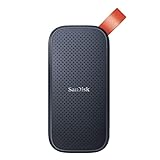
- Solid state performance with up to 800MB/s read speeds in a portable drive. (Based on internal testing; performance may be lower depending on host device, interface, usage conditions and other factors. 1MB=1,000,000 bytes.)
- Back up your content and memories on a storage solution that fits seamlessly into your mobile lifestyle.
- Take it with you on your adventures—up to two-meter drop protection means this durable drive can take a beating. (Based on internal testing.)
- Secure it to your belt loop or backpack for extra peace of mind thanks to the tough rubber hook.
- From Sandisk, a brand professional photographers trust to take on assignments.
Choose Neon if branching and serverless database behavior are central requirements. Choose another provider if the database is continuously busy and a fixed monthly bill or more traditional infrastructure model is more important.
3. Amazon RDS for PostgreSQL: best for AWS-native production
Amazon RDS for PostgreSQL is the best PostgreSQL hosting choice for teams already building inside AWS or needing extensive cloud infrastructure controls. RDS integrates with AWS networking, identity, monitoring, encryption, storage, and deployment architecture.
According to AWS’s RDS for PostgreSQL pricing page, RDS uses pay-as-you-go pricing with no minimum commitment and supports On-Demand and Reserved Instance purchasing models. The final cost varies by AWS Region, instance type, storage, backup usage, deployment model, data transfer, and selected options; AWS does not publish one universal production starting price.
The same AWS pricing documentation describes a possible new-customer free tier with 750 hours per month on selected Single-AZ instances, 20 GB of General Purpose SSD storage, and 20 GB of automated backup storage for one year. Eligibility, regions, engine versions, and account status must be verified before relying on that offer.
RDS supports Multi-AZ deployments with a standby in another Availability Zone and also offers a configuration with two readable standby instances. Multi-AZ can automatically fail over after certain planned or unplanned outages, but a standby does not replace backups or protect against an accidental destructive migration.
What does RDS really cost?
The instance price is only one component. Budget for storage, I/O, automated backup storage, data transfer, monitoring, NAT or other networking services, standby instances, replicas, support, and possibly extended support. AWS notes that RDS Extended Support charges can depend on PostgreSQL version, region, and the time since standard support ended.
Choose RDS if AWS integration, VPC design, IAM, KMS, CloudWatch, Multi-AZ, replicas, and instance choice outweigh operational simplicity. Avoid RDS for a small app if the team lacks AWS experience and wants a transparent all-in-one monthly price.
Do these 3 things before closing this tab:
1Repair Windows errors before they cause bigger problems2Fix the driver behind crashes, sound loss and screen glitches3Clear out junk files and repair common Windows errors4. Google Cloud SQL for PostgreSQL: best for Google Cloud applications
Google Cloud SQL for PostgreSQL is the best PostgreSQL hosting choice for applications already using Google Cloud services such as GKE, BigQuery, IAM, VPC networking, and Google’s observability tools. Cloud SQL provides a managed database while preserving the surrounding Google Cloud operating model.
According to Google Cloud’s Cloud SQL pricing page, pricing combines CPU and memory, storage, and networking charges. Cloud SQL offers Enterprise and Enterprise Plus editions with different availability, performance, and data-protection characteristics. New customers may receive $300 in Google Cloud credits under the offer’s current terms, and committed-use discounts are available for customers committing to continuous usage for one or three years.
Cloud SQL is less application-oriented than Supabase and less PostgreSQL-specialist-oriented than Crunchy Bridge. It is most compelling when keeping the database close to Google Cloud identity, networking, analytics, and application services reduces architecture friction.
Choose Cloud SQL if the application already depends on Google Cloud. Do not choose Cloud SQL solely because a credit or introductory offer looks inexpensive; model regional networking, storage, backups, and egress before committing.
Recommended Free Tools
5. Crunchy Bridge: best PostgreSQL specialist
Crunchy Bridge is the best PostgreSQL hosting choice for production teams that value PostgreSQL expertise and managed database operations over an all-in-one backend platform. Crunchy Bridge runs managed PostgreSQL on AWS, Azure, and Google Cloud.
Also popular on Amazon

- Easily store and access 2TB to content on the go with the Seagate Portable Drive, a USB external hard drive
- Designed to work with Windows or Mac computers, this external hard drive makes backup a snap just drag and drop
- To get set up, connect the portable hard drive to a computer for automatic recognition no software required
- This USB drive provides plug and play simplicity with the included 18 inch USB 3.0 cable
- The available storage capacity may vary.
According to Crunchy Data’s pricing page, plans start at $10 per month and the stated managed pricing includes infrastructure, backups, and data transfer. Crunchy Data lists hourly billing, daily and WAL backups, point-in-time recovery, team access controls, monitoring, private networking, encryption, audit logs, and compliance features. Its Crunchy Bridge product page also describes connection pooling and backup storage as included in the base service.
The advertised starting price should not be treated as the cost of every production deployment. Cloud, region, instance class, storage, availability configuration, and workload requirements can materially change the bill.
Choose Crunchy Bridge if PostgreSQL operations, recovery, monitoring, and specialist support are more important than built-in authentication or file storage. Choose another option if the immediate goal is a small disposable prototype or a complete backend platform.
6. DigitalOcean Managed PostgreSQL: best for simple managed infrastructure
DigitalOcean Managed PostgreSQL is the best PostgreSQL hosting choice for small teams that want a conventional managed database without the breadth and billing complexity of AWS or Google Cloud.
According to DigitalOcean’s PostgreSQL pricing documentation, single-node clusters start at $15 per month for 1 GiB of RAM. High-availability clusters start at $30 per month for a 2 GiB primary node, with at least one matching $30-per-month standby. Read-only nodes start at $15 per month, and additional storage starts at $0.21 per GiB per month.
DigitalOcean explicitly distinguishes single-node and HA clusters. The documentation positions single-node clusters mainly for preliminary development and testing, while an HA configuration adds a standby for automatic failover. Database traffic does not count against the normal bandwidth allowance according to the cited documentation, but readers should still check current regional and service-specific rules.
Choose DigitalOcean if straightforward deployment and relatively transparent monthly pricing matter most. Do not treat the $15 single-node plan as production HA; a primary-plus-standby design costs substantially more and still requires backup and restore testing.
The Tool Desk
Outbyte Driver Updater FREEScan for outdated or missing drivers - takes under a minuteDriver Scan →Outbyte PC Repair FREERepair Windows errors before they cause bigger problemsFix Now →7. Render PostgreSQL: best for Render-hosted applications
Render PostgreSQL is the best PostgreSQL hosting choice for developers who already deploy web services, workers, and other application components on Render. The value is the integrated application-and-database workflow, including environment variables and private service connectivity.
Render is commonly included in managed PostgreSQL comparisons because its database integrates with Render web services, workers, private networking, and deployment workflows. Secondary coverage describes paid PostgreSQL plans, automatic backups, point-in-time recovery on qualifying plans, read replicas, and HA options, but plan-specific details must be verified against Render’s first-party pricing page before purchase.
Secondary 2026 coverage reports a $7 monthly entry-level service price and a temporary free database that may be deleted after its retention period if the user does not upgrade. Those signals are not sufficient to present exact April 2026 database pricing as verified. Confirm the database tier, storage, retention, connection limits, backup policy, and workspace charges in an archived April 2026 pricing page or current official documentation.
Choose Render if the application already lives on Render and deployment simplicity outweighs database customization. Do not use a free Render database for durable production data without confirming its lifecycle and recovery policy.
8. Railway PostgreSQL: best for rapid prototypes
Railway PostgreSQL is the best PostgreSQL hosting choice for prototypes, side projects, internal tools, and early applications where provisioning speed matters more than advanced high availability. Railway lets developers create application and database services in the same project with private service-to-database connectivity.
Also popular on Amazon

- NEARLY 2X FASTER THAN OUR PREVIOUS GENERATION(8) – move 1,000 high-res photos in under 60 seconds(6) with up to 2000MB/s transfer speeds(2).
- IP65 RATING AND UP TO 3M DROP PROTECTION(3) – protects against spills and drops.
- POCKET-SIZED – fits easily in pockets and small bags.
- SPACE TO OWN YOUR AI CONTENT – speed and capacity to download your high-res clips and photo edits.
- 256-BIT AES ENCRYPTION(4) – helps keep private files secure with password protection.
Railway is commonly positioned as a developer-friendly platform with one-click PostgreSQL provisioning, automatic backups, private networking, and usage-based billing. Secondary comparison coverage reports a $5 monthly Hobby plan including $5 of usage and estimates that small databases may cost approximately $5–$15 per month. Those figures require verification against Railway’s official pricing page and should not be labeled as confirmed April 2026 prices without archived first-party evidence.
Usage-based costs can become less predictable as compute, storage, traffic, backups, and environments grow. Railway also offers less extensive high-availability depth and infrastructure configuration than RDS, Cloud SQL, or a PostgreSQL specialist.
Choose Railway if a working prototype must be deployed quickly. Choose a more production-focused service if the system needs mature HA, compliance controls, predictable enterprise billing, or a deeply specified recovery architecture.
Quick wins for a faster PC:
Clear out junk files and repair common Windows errorsFree Scan →Fix the driver behind crashes, sound loss and screen glitchesFind Drivers →What is the difference between Supabase and Neon?
Supabase is a full backend platform built around PostgreSQL, while Neon is primarily a serverless PostgreSQL service with branching and development-focused workflows.
| Decision factor | Supabase | Neon |
|---|---|---|
| Primary product | PostgreSQL plus authentication, storage, APIs, realtime, and edge tooling | Serverless PostgreSQL with separated compute and storage |
| Best development feature | Fast backend creation | Database branching and preview environments |
| Best pricing fit | Teams wanting a plan plus bundled backend services | Intermittent or bursty workloads using usage-based compute |
| Application services | Broad set included around the database | Usually supplied by the customer or another platform |
| Main risk | Ancillary services and usage can exceed the headline plan price | Variable bills and wake-up latency require monitoring |
When should you choose Neon instead of RDS?
Choose Neon for serverless behavior, branching, and preview databases; choose RDS when AWS integration, Multi-AZ architecture, detailed infrastructure controls, or established enterprise operations matter more. Neon can be efficient for intermittent applications, while RDS is usually easier to align with an existing AWS VPC, IAM, monitoring, encryption, and deployment design.
RDS is not automatically the better production database, and Neon is not automatically cheaper. The decision depends on uptime pattern, connection behavior, recovery requirements, region, networking, storage growth, and whether the team can operate AWS billing and infrastructure safely.
Should you choose DigitalOcean, Render, or Railway?
Choose DigitalOcean for a more conventional managed database, Render for an application already hosted on Render, and Railway for the fastest prototype workflow.
| Requirement | Most suitable option | Reason |
|---|---|---|
| Simple standalone managed database | DigitalOcean | Conventional clusters and relatively clear monthly node pricing |
| Application and database deployed together on Render | Render | Integrated services, environment variables, and private connectivity |
| Fastest disposable prototype setup | Railway | Developer-oriented provisioning and project workflow |
| Explicit HA database architecture | DigitalOcean, subject to plan and region | HA is separately identified with a primary and matching standby |
| Broad cloud controls or enterprise integration | Neither by default | Consider RDS, Cloud SQL, or Crunchy Bridge instead |
When is Crunchy Bridge better than RDS or Cloud SQL?
Crunchy Bridge is better when PostgreSQL expertise and managed database operations are the primary requirement; RDS or Cloud SQL is better when deep integration with an existing hyperscaler is the primary requirement. Crunchy Bridge offers multi-cloud deployment and PostgreSQL-focused features, while RDS and Cloud SQL fit naturally into their respective cloud identity, networking, monitoring, and data ecosystems.
How should you compare PostgreSQL hosting prices?
Compare the complete workload bill, not the advertised starting price. A meaningful estimate needs the region, PostgreSQL version, compute size, storage, uptime, backup retention, point-in-time recovery, HA, replicas, egress, logs, support, private networking, and any bundled application services.
| Cost item | Why it matters | Providers requiring particular attention |
|---|---|---|
| Compute | May be a fixed tier, instance charge, or usage-based compute unit | Neon, Supabase, RDS, Cloud SQL, Railway |
| Storage | Grows independently from compute and may have separate disk pricing | All providers |
| Backups and PITR | Retention and WAL storage can be included, limited, or separately billed | Supabase, RDS, Cloud SQL, Render, Railway |
| HA standby | High availability commonly requires another continuously provisioned node | RDS, DigitalOcean, Crunchy Bridge, Cloud SQL |
| Read replicas | Each replica adds compute, storage, and often network complexity | Neon, RDS, Cloud SQL, DigitalOcean, Render |
| Egress and networking | Cross-cloud application traffic, analytics exports, and cross-region copies can be expensive | RDS, Cloud SQL, Supabase, Neon, multi-cloud deployments |
| Logs and support | Retention, observability, and human support may be plan-dependent | Supabase, RDS, Cloud SQL, Crunchy Bridge |
| Bundled backend services | Authentication, file storage, APIs, and realtime can be valuable or unnecessary | Supabase |
For a prototype, a small intermittent database without HA may be sensible. For a small production application, budget for always-on compute, backups, monitoring, and a tested restore. For a business-critical system, include HA, point-in-time recovery, private networking, replicas where justified, support, alerting, and documented recovery procedures. These are workload profiles, not invented price quotes.
Independent reader supportYour contribution helps us test, update, and keep practical guides available for everyone.How do HA, backups, and point-in-time recovery differ?
High availability reduces downtime, backups provide recoverable copies, and point-in-time recovery allows restoration to a selected moment when continuous WAL archiving is available. The three controls solve different failure modes.
- Single node: simpler and cheaper, but a hardware or infrastructure failure can make the database unavailable.
- HA standby: can support failover after certain infrastructure failures, but does not undo an accidental delete or destructive migration.
- Snapshot or daily backup: provides a copy at a particular time, with recovery limited by backup frequency and retention.
- Point-in-time recovery: can reduce data loss within the retention window when continuous WAL archiving is configured.
- Cross-region copy: can improve regional disaster resilience but adds storage, transfer, and operational complexity.
DigitalOcean documents separate single-node and HA cluster options, and AWS documents Multi-AZ standby deployments for RDS. Neither HA nor automatic backups should be treated as proof that a recovery plan works until the customer performs a restore test.
Also popular on Amazon
- Easily store and access 5TB of content on the go with the Seagate portable drive, a USB external hard Drive
- Designed to work with Windows or Mac computers, this external hard drive makes backup a snap just drag and drop
- To get set up, connect the portable hard drive to a computer for automatic recognition software required
- This USB drive provides plug and play simplicity with the included 18 inch USB 3.0 cable
- The available storage capacity may vary.
Which PostgreSQL extensions and connection features should you verify?
Confirm extension availability and connection limits before choosing a provider because PostgreSQL-compatible does not mean every PostgreSQL extension or superuser capability is available.
- PostGIS: required for many geospatial applications.
- pgvector: useful for vector search and AI-related workloads.
- TimescaleDB: relevant to time-series workloads.
- Full-text search and foreign data wrappers: may have version or privilege restrictions.
- Logical replication: important for migrations, analytics pipelines, and some multi-region designs.
- Superuser-requiring extensions: may be unavailable or require provider approval.
Serverless and autoscaled applications can exhaust PostgreSQL connections even when CPU utilization is low. Use a supported pooler, set a sensible application pool size, avoid creating one connection per request, and monitor active, idle, and waiting connections. Neon advertises PgBouncer-based pooling, while Supabase publishes separate direct and pooled connection figures by compute size on its pricing page.
What can go wrong with free PostgreSQL hosting?
Free PostgreSQL plans are generally appropriate for learning, experiments, demos, and some previews—not for durable production data unless their lifecycle and recovery guarantees meet the application’s requirements.
- A project may pause after inactivity.
- Storage, compute hours, projects, connections, or traffic may be capped.
- Automatic backups may be excluded.
- A temporary database may be deleted after a retention period.
- Support, networking, logs, and recovery features may be restricted.
- Credits may expire rather than provide permanently free hosting.
Supabase states that Free projects pause after one week of inactivity and do not include automatic backups. Render’s free database lifecycle must be confirmed from first-party documentation before publication or production use.
How should you test PostgreSQL recovery?
Test recovery on a non-production instance before trusting a managed PostgreSQL provider’s backup or PITR claims.
- Create a restore from a backup or point-in-time recovery window.
- Confirm the PostgreSQL version and required extensions on the restored instance.
- Check row counts, critical indexes, sequences, identities, and representative application queries.
- Validate application connectivity, TLS settings, roles, and permissions.
- Measure the actual recovery time and identify the amount of data that could be lost.
- Document the restore and cutover procedure, including DNS or connection-string changes.
- Repeat the test periodically and after major schema or provider changes.
How do you avoid migration and egress problems?
Place the database near the application and verify replication, extension, and export paths before migration. A low database price can be outweighed by cross-cloud application traffic, analytics exports, cross-region backups, or large object storage and API responses.
Common migration tools include pg_dump and pg_restore. Larger or lower-downtime migrations may use logical replication where the provider supports the required direction, networking, extensions, and permissions. Plan for role and permission recreation, SSL requirements, sequences and identities, large objects, extension compatibility, final synchronization, and DNS or connection-string cutover. Do not promise zero-downtime migration without confirming the provider’s supported replication path.
Free tools Windows power users keep installed
One-click scans. No signup required.
What security and compliance controls should you check?
Choose a security configuration that matches the application’s data and regulatory requirements rather than relying on the provider’s brand or a generic “enterprise” label.
- Require TLS and store credentials in a secret manager rather than source code.
- Use separate least-privilege roles for applications, migrations, reporting, and administration.
- Prefer private networking, VPC connectivity, or IP restrictions where appropriate.
- Confirm encryption at rest, key-management options, audit logs, SSO, and access reviews.
- Check region and data-residency requirements.
- Confirm support commitments, service-level terms, backup retention, and incident processes.
- Verify whether compliance features are available on the selected plan.
Compliance is plan-dependent and does not make the customer’s application compliant by itself. The dossier identifies SOC 2 and HIPAA features on particular Neon plans and SOC 2, ISO 27001, and a paid HIPAA add-on for specified Supabase plans; verify the current plan terms and any required agreement before making a compliance decision.
Alternatives worth considering
Some credible services fit narrower requirements and should not be forced into the main eight:
- Azure Database for PostgreSQL – Flexible Server suits Azure-native organizations and Microsoft-centered identity or compliance requirements.
- Aiven for PostgreSQL is relevant to teams seeking a managed service across multiple underlying cloud providers.
- Heroku Postgres fits teams already committed to Heroku’s application platform.
- Timescale Cloud or Tiger Data deserves consideration for TimescaleDB and time-series workloads.
- Tembo is worth evaluating for extension-heavy or specialized PostgreSQL stacks.
- Self-hosted PostgreSQL on a VPS may cost less and provide more flexibility, but the customer owns patching, backups, security, failover, monitoring, and recovery.
Which PostgreSQL hosting provider should you choose?
Use this decision tree to narrow the shortlist:
- Want the easiest full backend? Choose Supabase.
- Want serverless PostgreSQL, scale-to-zero, or branching? Choose Neon.
- Already operating in AWS? Choose Amazon RDS for PostgreSQL.
- Already operating in Google Cloud? Choose Google Cloud SQL for PostgreSQL.
- Want PostgreSQL-focused operations and multi-cloud choice? Choose Crunchy Bridge.
- Want a straightforward managed database? Choose DigitalOcean Managed PostgreSQL.
- Already hosting the application on Render? Choose Render PostgreSQL, after verifying the relevant plan’s recovery features.
- Need a fast prototype or side-project deployment? Choose Railway PostgreSQL, with usage and backup limits monitored closely.
Frequently Asked Questions
Is managed PostgreSQL worth paying for?
Managed PostgreSQL is usually worth paying for when the team wants the provider to handle provisioning, patching, backups, monitoring, and some recovery operations. Managed hosting does not remove responsibility for permissions, schema design, migrations, connection handling, or restore testing.
What is the cheapest PostgreSQL hosting provider?
There is no universal cheapest PostgreSQL hosting provider because the total cost depends on region, compute, storage, uptime, backups, HA, replicas, egress, and support. The dossier lists low entry signals for Neon, Crunchy Bridge, DigitalOcean, Supabase, Render, and Railway, but those prices describe different plans and workloads.
Is a free PostgreSQL database suitable for production?
A free PostgreSQL database is generally suitable for experiments, demos, learning, and some previews, but it may pause, limit storage or compute, exclude automatic backups, or delete data after a temporary retention period. Production use requires verified durability, backups, recovery, and support.
Do high availability and backups provide the same protection?
High availability and backups provide different protection. HA can reduce downtime after certain infrastructure failures, while backups and point-in-time recovery help recover from deletion, corruption, or destructive application changes; both should be tested independently.
The Bottom Line
Bottom line: choose the platform that matches the operating model, not just the lowest advertised number. Supabase is the most complete backend, Neon is the most compelling serverless PostgreSQL option, RDS and Cloud SQL are strongest inside their cloud ecosystems, Crunchy Bridge is the PostgreSQL specialist, DigitalOcean is the straightforward managed choice, Render is best for Render applications, and Railway is best for rapid prototypes. Before committing, calculate the complete bill and perform a real restore test.
What’s actually slowing this PC down?
Pick the symptom - the matching free tool is one click away.

