
What’s actually slowing this PC down?
Pick the symptom - the matching free tool is one click away.
iTechGuides is reader-supported. When you buy through links on our site, we may earn an affiliate commission. As an Amazon Associate I earn from qualifying purchases. Learn more
The 8 Best Free and Open Source Network Intrusion Detection Systems are Suricata, Snort, Zeek, Security Onion, Kismet, Wazuh, Sagan, and Prelude-SIEM. Suricata is the best default dedicated NIDS/IPS; Zeek is stronger for network visibility, Kismet for wireless, and Wazuh, Sagan, and Prelude-SIEM complement sensors rather than replace packet inspection.
These eight tools are not identical products. Suricata and Snort inspect network traffic for signatures and can prevent traffic inline; Zeek produces rich network-security-monitoring data; Security Onion packages several components; Kismet watches wireless activity; and Wazuh, Sagan, and Prelude-SIEM focus on endpoint, log, or event correlation. The order below is an editorial fit-based shortlist, not a claim of benchmark superiority.
Key takeaways
- Suricata is the best default dedicated open-source NIDS/IPS for most new deployments because it supports passive detection, inline prevention, and structured network telemetry.
- Snort is the strongest established rule-driven alternative, with packet sniffing, packet logging, IDS, and IPS modes plus a large rules ecosystem.
- Zeek is a passive network-security-monitoring platform that produces rich protocol and transaction logs rather than replacing a conventional signature engine.
- Security Onion packages Suricata, Zeek or Suricata metadata, packet capture, file analysis, search, and analyst workflows into one distribution.
- Kismet is the specialist choice for Wi-Fi and other wireless or radio monitoring, while Wazuh, Sagan, and Prelude-SIEM mainly correlate events from sensors and infrastructure.
What is the difference between a NIDS, NIPS, NSM, WIDS, and SIEM?
A network intrusion-detection system (NIDS) inspects live or recorded network traffic and reports suspicious activity; a network intrusion-prevention system (NIPS) can also operate inline and block matching traffic. The terms below describe related but different categories:
| Category | What it does | Typical examples in this list |
|---|---|---|
| NIDS | Analyzes packets or flows and raises detection alerts without necessarily sitting in the traffic path. | Suricata, Snort |
| NIPS | Runs inline so matching traffic can be blocked or rejected. | Suricata, Snort |
| NSM | Creates detailed protocol, connection, file, and transaction records for hunting and investigation. | Zeek, Security Onion |
| WIDS | Monitors 802.11 and other wireless or radio activity for rogue devices and hostile behavior. | Kismet |
| SIEM or XDR | Collects and correlates alerts, logs, endpoint events, and infrastructure telemetry. | Wazuh, Prelude-SIEM |
| Log-analysis engine | Evaluates security logs in real time and correlates events using detection rules. | Sagan |
That distinction matters because the eight tools are not eight identical packet-inspection engines. Suricata and Snort are direct NIDS/IPS choices; Zeek emphasizes network context; Security Onion is an integrated operating platform; Kismet specializes in wireless; and Wazuh, Sagan, and Prelude-SIEM add correlation or log analysis around other sensors.
Popular on Amazon
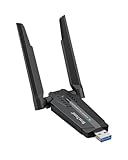
- Linux Plug-and-Play: This AXE3000 WiFi 6E Linux USB adapter works with all Linux distributions with kernel of 5.18 or newer (older kernels not supported)
- Broad Linux Compatibility: The Linux USB WiFi adapter is compatible with Ubuntu, Linux Mint, Debian, Raspberry Pi OS, Kali Linux, Fedora, Arch Linux, and more. Perfect for users running dual-boot setups, multiple distros, or virtual machines. Also supports Windows 11/10 (driver required)
- WiFi 6E Tri-Band Speeds: Get up to 1201 Mbps on 6 GHz, 1201 Mbps on 5 GHz, or 574 Mbps on 2.4 GHz with the Linux USB WIFi adapter. Ideal for coding, large file transfers, server access, and remote collaboration. Built with a Mediatek MT7921AU chipset. 6 GHz is only available on recent Linux distros or Windows 11
- Extended Range with Dual Antennas: This Linux compatible WiFi adapter features dual adjustable antennas and Beamforming technology to enhance signal focus, providing stronger and more reliable coverage throughout your home or office
- High-Speed USB 3.0 Interface: USB 3.0 ensures the wireless Linux USB adapter reaches its full WiFi 6E speeds, delivering fast and stable connections. For optimal performance, plug the adapter into a USB 3.0 port
How do the eight open-source network security tools compare?
The ranking below is an editorial shortlist based on direct fit, current official documentation, breadth of use cases, and clarity of each tool’s role. The ranking is not a benchmark result, and no independent performance testing was conducted.
| Rank | Tool | Primary role | Detection model or input | Inline prevention | Best fit |
|---|---|---|---|---|---|
| 1 | Suricata | Dedicated NIDS, IPS, and NSM engine | Live or recorded network traffic, signatures, protocol analysis, structured output | Yes, when deployed inline | General-purpose wired NIDS/IPS |
| 2 | Snort | Rule-driven IDS and IPS | Packet sniffing, packet logging, and signature rules | Yes, when deployed inline | Established signature workflows |
| 3 | Zeek | Passive network-security monitor | Stateful protocol analysis, structured logs, and scripts | No; passive by default | Threat hunting and network forensics |
| 4 | Security Onion | Integrated network-monitoring distribution | Suricata alerts, Zeek or Suricata metadata, PCAP, and file analysis | Depends on the included sensor; the platform itself is not a single inline engine | Packaged SOC and blue-team workflows |
| 5 | Kismet | Wireless IDS and discovery platform | Wireless and radio captures, fingerprints, trends, and alerts | No; wireless monitoring and alerting platform | Wi-Fi, Bluetooth, Zigbee, and radio visibility |
| 6 | Wazuh | Open-source XDR and SIEM platform | Endpoint, infrastructure, firewall, switch, router, and NIDS events | No; normally relies on a separate network sensor | Cross-source endpoint and network correlation |
| 7 | Sagan | Real-time security-log analysis engine | Logs evaluated with Snort- or Suricata-like detection concepts | No; analyzes upstream logs | Fast SOC log correlation |
| 8 | Prelude-SIEM | Event normalization and correlation layer | Heterogeneous security events normalized around IDMEF | No; aggregates events from other tools | Mixed-IDS event management |
1. Why is Suricata the best overall dedicated NIDS/IPS?
Suricata is the best overall dedicated open-source NIDS/IPS when a deployment needs signature detection, optional inline blocking, and structured network telemetry from one engine. The official Suricata documentation describes Suricata as a high-performance Network IDS, IPS, and NSM engine developed by the Open Information Security Foundation.
Suricata can monitor a perimeter or internal segment passively, run inline as a prevention control, and emit structured records such as EVE JSON for downstream search or SIEM integration. Suricata’s source code is licensed under GPLv2. Suricata also fits naturally into larger open-source deployments, including Security Onion and Wazuh integrations documented by the respective projects.
Suricata is not a turnkey SOC. A useful deployment still needs a TAP or SPAN source, a suitable capture interface, enough processing and storage capacity, current detection rules, alert tuning, and a logging or search layer. Detection quality depends on what traffic the sensor can see, rule coverage, tuning, encryption, traffic volume, and the network architecture.
Verdict: Choose Suricata first when the requirement is a conventional open-source network IDS or IPS and there is no strong reason to prefer another category.
2. Why choose Snort for a rule-based IDS or IPS?
Snort is the best-established rule-driven alternative to Suricata for readers who value mature signature workflows, broad community knowledge, and a clear progression from passive detection to inline prevention. The official Snort project site identifies packet sniffing, packet logging, and full network intrusion prevention as Snort’s primary uses.
Snort rules identify malicious network activity and generate alerts. Snort can also run inline so matching packets can be stopped. The long-established project has extensive operational and educational documentation, making Snort a practical choice for teams that already understand its rule syntax or have existing Snort-compatible processes.
Free software does not mean that every rule feed has identical terms. Snort distinguishes its Community Ruleset from the Subscriber Ruleset developed, tested, and approved by Cisco Talos. Readers should check the current licensing, update cadence, access conditions, and redistribution terms for the particular rules source they plan to use rather than assuming that every Talos rule or service is unlimited and cost-free.
Snort’s main operational drawback is rule management and tuning. Snort is also less naturally focused than Zeek on producing broad, high-fidelity behavioral and protocol metadata.
Also popular on Amazon

- Supports Aircrack-NG suite, Monitor mode, Packet injection with Linux, Native support on Linux distros including Kali Linux (NO needs for any drivers).
- Supported Systems: Kali Linux (Kali\ubuntuAircrack_ng), Archlinux manjaro 16.10, Linux 2.6.X, Ubuntu, CD Linux, Centos, Windows 2000/XP/7/8/10 32/64-bit, ROS etc.
- Wireless 2.4GHz data rate up to 150Mbps, NOT supports with 802.11ac. Complies with IEEE 802.11b/g/n standards.
- All of the above is tested with Kali 2017.1 and 2017.2 both as a virtual machine and as a main OS.
- Each pack come with: 1x AR9271 USB WLAN Adapter, 1x 3dBi Antenna (NO Retail Packaging).
Verdict: Choose Snort when established signature-oriented detection and the Snort ecosystem matter more than selecting the broadest general-purpose starting point.
3. What is Zeek best used for?
Zeek is best for passive network-security monitoring, protocol-aware threat hunting, network forensics, and custom detection logic. The Zeek project documentation describes Zeek as an open-source network traffic analyzer that produces detailed logs about connections and application-layer activity.
Instead of acting primarily as a byte- or signature-centric IDS, Zeek records structured information about protocols and transactions. Depending on the traffic, useful records can include HTTP activity, DNS, TLS certificates, SMTP, connection details, and other application-layer context. Zeek’s scripting language allows defenders to express site-specific monitoring and detection policies, which makes Zeek valuable for networks whose normal behavior or risks do not fit generic signatures.
Zeek’s project describes the software as BSD-licensed. Zeek documentation has feature and long-term-support release lines, so administrators should select the documentation branch that matches the release they install and confirm current deployment requirements before production use.
Zeek is not a drop-in replacement for Snort or Suricata’s classical signature engine. Zeek’s long-term-support documentation explicitly positions byte-centric intrusion detection as better suited to engines such as Snort or Suricata. Zeek is passive by default and should not be described as an inline prevention system.
Verdict: Choose Zeek when rich network context, investigation, protocol analysis, and custom scripting matter more than conventional signature-only alerting. Many mature deployments use Zeek alongside Suricata rather than choosing between them.
Free tools Windows power users keep installed
One-click scans. No signup required.
4. Is Security Onion a NIDS or a complete monitoring platform?
Security Onion is an integrated network-security-monitoring distribution, not a single NIDS engine. Security Onion documentation explains that its stack can use Suricata for NIDS alerts, Zeek or Suricata for network metadata, Strelka for file analysis, and Stenographer or Suricata for packet capture.
Security Onion is the best choice in this list for readers who want a packaged workflow for live monitoring, alert review, network metadata, file analysis, packet capture, search, and analyst operations. Security Onion’s network-visibility documentation covers the way the platform uses these components together, while its introduction explains the broader integrated approach.
The advantage is operational coherence: a home lab, SOC prototype, or blue-team training environment can begin with an integrated console and multiple sensors instead of assembling every component independently. The cost is complexity. Security Onion needs substantially more resources and administration than installing one Suricata or Snort sensor.
Also popular on Amazon

- Linux-Focused AC1200 WiFi Adapter: Realtek RTL8812AU dual-band USB WiFi adapter supports 2.4GHz and 5GHz networks. Designed for Linux desktops, laptops, live environments, repair systems, gaming distributions, and advanced Kali Linux networking.
- Plug-and-Play Tested on Multiple Linux Distributions: Verified without manual driver installation on Ubuntu, Fedora Workstation, Elementary OS, openSUSE, Garuda Linux, Bazzite, Solus Budgie, Batocera, CachyOS, and Arch Linux. Compatibility can vary by kernel, system, and distribution version.
- Kali Linux Driver and Offline Setup Available: Kali requires RTL88xxAU driver installation before a usable wireless interface appears. Online instructions and a downloadable driver package are provided for offline installation, monitor mode setup, and authorized packet-injection testing.
- Built for Kali Monitor Mode: The RTL8812AU chipset supports monitor mode, packet capture, and packet injection with a compatible Kali Linux driver and configuration. Intended for authorized cybersecurity labs, wireless diagnostics, education, and networks you own or have permission to test.
- USB 3.0 with Dual External Antennas: Supports rated wireless speeds up to 867Mbps on 5GHz and 300Mbps on 2.4GHz. Two adjustable antennas and the included USB extension cradle help improve placement, reception, and connection stability.
Security Onion’s hardware documentation lists x86-64 support and minimum requirements that vary by node type. Those minimums are not universal production sizing: traffic rate, packet-capture retention, enabled services, metadata volume, and the number of monitored interfaces can raise the requirement significantly. The evaluation installation is intended for temporary or homelab use, not production.
The Tool Desk
Outbyte Driver Updater FREEFix the driver behind crashes, sound loss and screen glitchesFind Drivers →Outbyte PC Repair FREEClear out junk files and repair common Windows errorsFree Scan →Verdict: Choose Security Onion when the desired outcome is an integrated network-monitoring and hunting environment. Choose Suricata or Snort instead when the desired outcome is simply one standalone sensor.
5. Why is Kismet the best wireless IDS in this list?
Kismet is the best specialized open-source wireless IDS and discovery platform because Kismet monitors the radio layer that ordinary wired NIDS tools cannot see. The official Kismet documentation describes Kismet as an open-source sniffer, wireless IDS, wardriver, and packet-capture tool supporting Wi-Fi, Bluetooth, Bluetooth Low Energy, Zigbee, and other wireless or radio sources.
Kismet can operate as a standalone, headless capture and wireless-IDS system or through its web interface. Its alert system uses stateless and stateful fingerprinting along with trend-based monitoring. Those mechanisms can identify hostile wireless behavior and unusual activity such as flooding or denial-of-service patterns, subject to the capture source’s visibility and configuration.
Hardware and driver support are central to Kismet. On Linux, raw Wi-Fi capture requires monitor mode, and Kismet’s Linux Wi-Fi documentation warns that not all adapters and drivers support it. Some out-of-kernel USB chipsets can be problematic, so verify the chipset, Linux driver, bands, and monitor-mode support before buying or deploying a sensor.
A single radio may need to hop between channels, which reduces continuous coverage of any one channel. Kismet’s datasource documentation explains how multiple data sources can improve coverage. A USB Wi-Fi adapter with monitor mode can be appropriate for a lab or sensor, but generic Wi-Fi compatibility should never be assumed.
Verdict: Choose Kismet for wireless discovery and WIDS work. Kismet complements rather than replaces a wired enterprise NIDS such as Suricata or Snort.
6. Is Wazuh a packet-based network intrusion-detection system?
Wazuh is primarily an open-source XDR and SIEM platform, not a standalone packet-based NIDS. Wazuh normally receives network-IDS events from a sensor such as Suricata, then correlates those events with endpoint, workload, device, vulnerability, configuration, and compliance telemetry.
Wazuh’s official documentation describes a free and open-source platform with endpoint agents, log analysis, intrusion and malware detection, file-integrity monitoring, configuration assessment, vulnerability detection, compliance capabilities, and integrations with agentless devices. Those devices can include firewalls, switches, routers, and network IDS platforms.
Recommended Free Tools
The Wazuh server analyzes data from agents, APIs, and network devices through decoders and rules. Its documented Suricata integration provides a clear example: Suricata performs the network inspection, while Wazuh provides central analysis and correlation. Wazuh’s components and server documentation explain the surrounding collection and processing path.
Also popular on Amazon

- 【Fast WiFi 6E Connectivity】: Experience the latest WiFi 6E technology with EDUP USB adapter, delivering high-speed AX3000M transmission. It supports three frequency bands - 6GHz, 5GHz, and 2.4GHz - enabling seamless connections for multiple devices on your PC or laptop, ensuring a stable and lag-free wireless network experience.
- 【Powerful Signal Coverage】: EDUP AX3000Mbps WiFi Adapter features dual 5dBi antennas that provide robust signal enhancement, extending the range and stability of your wireless connection for a more reliable and uninterrupted experience. Whether you're participating in real-time meetings, streaming your favorite shows, or playing games, you can enjoy seamless connectivity without any interference.
- 【USB 3.0 Hi-Speed Transfer】: Featuring a USB 3.0 interface, EDUP WiFi 6E adapter offers blazing-fast data transfer speeds, 10 times faster than traditional USB 2.0 interfaces. Enjoy quicker response times during data transfers, smooth video streaming, and online gaming.
- 【Operating System Support 】: EDUP AX3000Mbps WiFi Dongle is highly compatible, making it suitable for various devices. It works seamlessly with desktop PCs and laptops running Windows 10 ( 32/64-bits ) / Windows 11( 64-bits )/ Linux ( ≥ Kernel 5.19 ) , 802.11 ax/ac/a/b/g/n devices, ensuring a hassle-free setup and reliable wireless connectivity. WARM TIPS : This wifi dongle can work for 5Ghz and 2.4Ghz on Windows 10 ; It can work for 6Ghz, 5Ghz and 2.4Ghz on Windows 11 and Linux ( if your router can work for 6Ghz );
- 【Install Driver Tips for Windows 10/11】: Please download and install the driver for this wifi adapter from U disk before use it. You also can online download driver on Site: szedup.com/usb-adapters/EP1672.html. ( A friendly reminder: You need to decompression software before install the driver )
Wazuh is therefore especially useful when a network alert needs context from the affected endpoint, a cloud workload, a firewall, a configuration change, or a vulnerability record. Wazuh alone should not be marketed as a replacement for a packet-inspection sensor.
Verdict: Choose Wazuh as the correlation, analytics, and response layer around a NIDS, especially in mixed endpoint and infrastructure environments.
7. When does Sagan make sense?
Sagan makes sense when a SOC already receives security logs from network sensors, firewalls, or other devices and needs real-time analysis and correlation before events reach analysts. Sagan is not a packet-capture NIDS; Sagan analyzes logs produced by upstream tools.
Do these 3 things before closing this tab:
1Scan for outdated or missing drivers - takes under a minute2Clear out junk files and repair common Windows errors3Fix the driver behind crashes, sound loss and screen glitchesThe Sagan project documentation describes Sagan as a GPLv2 real-time log-analysis engine designed for SOC environments. Sagan treats log data in a way analogous to how Snort or Suricata analyze packet data, so teams familiar with those detection concepts can apply a similar rule-oriented approach to event streams.
Sagan’s effectiveness depends on the quality, timeliness, and completeness of upstream logs. A missing firewall event, delayed sensor record, or poorly normalized message limits what Sagan can detect. Sagan is best positioned as a complementary correlation engine rather than as a direct competitor to Suricata, Snort, or Zeek.
Verdict: Choose Sagan for real-time security-log correlation when a separate packet or device-monitoring layer already exists.
8. What problem does Prelude-SIEM solve?
Prelude-SIEM solves the problem of aggregating, normalizing, sorting, correlating, and reporting security events from heterogeneous IDS and security products. Prelude-SIEM is an event-management and correlation layer, not a modern packet-inspection engine.
Crashes, No Sound, or Screen Glitches?
Random freezes, missing sound and display glitches usually trace back to one bad driver. Find and replace yours safely.Free scan · under a minuteWindows Errors? Fix Them Before They Spread
Repair common Windows errors and clear accumulated junk for a smoother, more stable PC - no reinstall needed.Free scan · no reinstallPrelude-SIEM’s documentation describes an agentless, universal, hybrid SIEM that uses IDMEF-oriented normalization to combine events from different security products and IDS types. That role can make multiple NIDS and HIDS sources more consistent and useful to analysts.
Prelude-SIEM is most relevant when an organization has several existing protective mechanisms and needs a central event model rather than another sensor. Readers looking for direct packet inspection should start with Suricata or Snort; readers looking for rich passive network metadata should consider Zeek.
Also popular on Amazon

- Cutting-Edge, latest 802.11ac Wi-Fi technology. Dual-Band 2.4GHz(150Mbps) and 5GHz(433Mbps) Performance to prevent network freezing and lags when streaming and gaming online
- High-Sensitivity Dual-Band external antenna optimizes signal for more coverage
- Compact design, saving space without blocking other USB peripherals on your laptop/desktop computer
- Driver support for Windows XP/ Vista / 7 / 8 / 8.1 and Windows 10, Apple MacOS 10.4 to 10.12 and Linux
Verdict: Choose Prelude-SIEM when heterogeneous event normalization and correlation are the main requirement.
Independent reader supportYour contribution helps us test, update, and keep practical guides available for everyone.Which network intrusion-detection system should you choose?
Choose the tool according to the visibility and decision problem you need to solve, not simply according to which project has the word “IDS” in its name.
Quick wins for a faster PC:
Repair Windows errors before they cause bigger problemsFix Now →Scan for outdated or missing drivers - takes under a minuteDriver Scan →| Primary requirement | Best starting point | Reason | Likely companion |
|---|---|---|---|
| One general-purpose open-source NIDS or IPS | Suricata | Combines dedicated detection, inline prevention, and structured telemetry. | Zeek or Wazuh |
| Mature signature rules and established operational knowledge | Snort | Provides long-established packet, logging, IDS, and IPS workflows. | Wazuh or a SIEM |
| Network hunting, protocol context, and custom detection | Zeek | Produces detailed structured network and application-layer logs. | Suricata for signatures |
| Integrated monitoring and blue-team lab | Security Onion | Packages sensors, metadata, packet capture, file analysis, and analyst workflows. | Additional storage and suitable capture interfaces |
| Wireless discovery or rogue-access-point monitoring | Kismet | Specializes in Wi-Fi and other radio sources. | Suricata for wired traffic |
| Endpoint, cloud, and network-alert correlation | Wazuh | Combines endpoint and infrastructure telemetry with imported NIDS events. | Suricata or another network sensor |
| Real-time analysis of security logs | Sagan | Applies rule-oriented correlation to logs rather than packets. | Snort, Suricata, or firewall logs |
| Normalization across multiple IDS products | Prelude-SIEM | Aggregates and correlates heterogeneous events through an IDMEF-oriented model. | Multiple NIDS or HIDS sources |
- Start with Suricata if the question is simply, “What dedicated open-source network IDS/IPS should I deploy first?”
- Start with Snort if existing rules, training, or operational procedures already use Snort concepts.
- Add Zeek when alerts need richer protocol and transaction context for investigation.
- Use Security Onion when assembling and operating the sensor, metadata, PCAP, file-analysis, and analyst layers separately would create unnecessary work.
- Use Kismet when the relevant threat surface is wireless rather than only Ethernet traffic.
- Add Wazuh, Sagan, or Prelude-SIEM when the core problem is cross-source correlation, log analysis, or event normalization.
What traffic and hardware does a NIDS need?
A NIDS cannot detect traffic that the sensor does not receive. Wired deployments commonly obtain visibility through a switch SPAN or mirror port or through a network TAP. Security Onion documents live capture from TAP and SPAN sources, and ntop’s traffic-analysis documentation explains how SPAN ports and TAP devices provide passive packet visibility without changing the production data path.
A passive Ethernet network TAP is a direct physical option for a wired sensor. A managed switch with SPAN or port mirroring can be an alternative, but the switch must actually support and be correctly configured for the required mirroring mode; an unmanaged switch should not be assumed to provide sensor visibility.
Sensor hardware must match the traffic rate, capture method, enabled services, and retention period. A capture interface needs appropriate link speed and driver support, and some designs use separate management and sniffing interfaces. An Ethernet network interface card is therefore a deployment component to evaluate for driver support, receive performance, link speed, and the number of interfaces required, not a universal product recommendation.
Security Onion deployments need particular care because the documented requirements vary by node type and workload. An x86-64 mini PC or server with multiple NICs may suit an evaluation or homelab, but production sizing requires more than selecting hardware that meets a published minimum. Packet capture and metadata retention can consume substantial storage, so an External SSD or high-capacity storage drive should be sized from traffic volume, retention period, and enabled services rather than from a generic capacity figure.
Recommended Free Tools
Wireless sensors have a different prerequisite. Kismet needs radios and drivers capable of the required capture mode, and channel hopping can limit continuous observation. Verify chipset, operating-system support, monitor mode, supported bands, antenna needs, and whether one or multiple radios are required before building a wireless sensor.
How should you combine these tools?
A practical open-source stack often combines tools by role instead of forcing one project to perform every function. A common design uses Suricata for signature alerts, Zeek for protocol and network metadata, Security Onion for the operational monitoring environment, and Wazuh or another SIEM for cross-source correlation.
| Layer | Tool | Output or responsibility | Why it is separate |
|---|---|---|---|
| Packet detection and prevention | Suricata or Snort | Signature alerts, packet logging, and optional inline blocking | These tools are designed for direct network detection. |
| Network context | Zeek | Structured connection and application-layer metadata | Protocol context supports hunting and investigation beyond a signature alert. |
| Wireless visibility | Kismet | Wireless discovery, radio captures, fingerprints, and alerts | Wired sensors do not inherently observe the radio layer. |
| Operations and packet workflow | Security Onion | Integrated alerts, metadata, PCAP, file analysis, search, and console workflows | The distribution packages multiple monitoring components. |
| Cross-source correlation | Wazuh, Sagan, or Prelude-SIEM | Endpoint, device, NIDS, and other security events correlated or normalized | Correlation platforms need upstream sensors and logs. |
This layered approach also clarifies troubleshooting. If no packets arrive, check the TAP, SPAN configuration, interface, driver, and capture path. If packets arrive but alerts are absent, check rules, protocol visibility, encryption, and tuning. If alerts exist but investigations lack context, add Zeek or improve metadata retention. If analysts cannot connect a network alert to an endpoint or configuration event, add a correlation layer such as Wazuh.
What should you check before calling an open-source NIDS “free”?
Check three separate costs: software licensing, detection-content access, and operating the sensor. The engines and platforms in this shortlist are open-source or free to use according to their project descriptions, but threat-intelligence and rule feeds can have different availability and terms.
PC Slower Than It Used to Be?
A free scan shows the junk files, broken settings and background clutter dragging Windows down - then fixes them in one click.Free scan · Windows 10 & 11Crashes, No Sound, or Screen Glitches?
Random freezes, missing sound and display glitches usually trace back to one bad driver. Find and replace yours safely.Free scan · under a minuteSnort is the clearest example. The official project site separates the Community Ruleset from the Cisco Talos Subscriber Ruleset. A deployment plan should verify which rules are available, how frequently rules update, whether commercial or redistribution restrictions apply, and how much administrator time is required for tuning.
Operational cost also includes traffic visibility, capture hardware, CPU and memory, storage, log search, retention, upgrades, and analyst time. A free engine installed without a reliable traffic source or an alert-review process is not an effective intrusion-detection program.
Final recommendation
For most new wired deployments, begin with Suricata as the dedicated open-source NIDS/IPS. Choose Snort when its established rule ecosystem is the priority, Zeek when network context and hunting are more important than signature alerts, Security Onion when an integrated platform is desired, and Kismet when wireless monitoring is the central problem. Treat Wazuh, Sagan, and Prelude-SIEM as complementary correlation and log-analysis layers rather than substitutes for packet inspection.
The Bottom Line
Bottom line: Suricata is the strongest default starting point for a dedicated open-source NIDS/IPS, but the best real-world architecture may use Suricata for alerts, Zeek for network context, Security Onion for operations, Kismet for wireless coverage, and Wazuh or another correlation layer for endpoint and infrastructure context.

