
Recommended Free Tools
iTechGuides is reader-supported. When you buy through links on our site, we may earn an affiliate commission. As an Amazon Associate I earn from qualifying purchases. Learn more
For most people, Suno is the best AI song prompt generator in 2026 because one text prompt can specify a song’s genre, mood, theme, lyrics, vocals, instrumentation, and production. Udio is the stronger alternative when you want prompt-led lyric editing, voice references, and timeline-style refinement. The other six picks below suit different prompt workflows, from producer-level control to mobile creation.
Best AI Song Prompt Generators Compared
| Tool | Starting price | Prompt workflow fit | Key limitation to check |
|---|---|---|---|
| Suno | Free; paid from $8/month | Complete vocal songs from one prompt | Free plan has no commercial rights or stem separation |
| Udio | Free; paid from $10/month; 7-day trial | Prompt-led songs with lyric and voice refinement | Audio, video, and stem downloads are disabled during the transition period |
| Eleven Music | Free; paid from $6/month | Detailed arrangement and section editing | Commercial rights vary by subscription tier |
| Loudly | Free plan | Prompt, mood, formula, and structured controls | Free generated tracks are limited to 30 seconds |
| Mureka | From $8/month when billed annually | Prompt plus genre, mood, tempo, and instrumentation controls | Studio and 12-stem splitting require Premier |
| Song.do | Free; paid from $10/month when billed annually | Text prompts for vocal or instrumental songs | Free use is limited to one credit and one generation per day |
| Musicful | Free plan | Text, lyrics, ideas, or uploaded-audio prompts | Free/Basic use is non-commercial |
| Tunee | Free plan | Conversational prompts with references and clips | Free projects are personal and require attribution |
How To Write A Useful AI Song Prompt
Give the generator a clear musical brief instead of a single adjective. State the genre or blend, mood, subject, vocal direction, instruments, tempo or energy, and song structure. If you have lyrics, label the verse, pre-chorus, chorus, and bridge so the tool can interpret the arrangement.

For example: “Dreamy synth-pop, mid-tempo, female lead vocal, lyrics about starting over after a long winter, pulsing bass, bright arpeggiated synths, restrained verse, large melodic chorus, short instrumental bridge.” Treat this as a starting brief, then revise one element at a time. Do not request a living artist’s voice or copy a specific song; use descriptive musical characteristics and obtain consent for any voice or audio reference you upload.
The 8 Best AI Song Prompt Generators
1. Suno — Best Overall For Complete Prompted Songs
Suno creates complete songs with vocals, lyrics, instrumentation, and production from a text prompt. Its own workflow is to describe a genre, mood, theme, or your lyrics and select Create, making it the most direct choice when you want a finished vocal track quickly. It also supports editing, remixing, extensions, section replacement, and stem export, with web, iOS, and Android access.
Popular on Amazon
The Free Plan includes 50 credits per day and an eight-minute audio-upload limit. Paid plans start at $8 per month; the Pro plan lists 2,500 credits and 20 song downloads per month. The Free Plan does not include commercial rights or stem separation, and Suno Studio is limited to Premier. Confirm current rights before publishing, and only use voices or uploaded material with the necessary consent.
2. Udio — Best For Prompt-Led Lyric And Voice Refinement
Udio is built around prompt-led song creation from text prompts and lyrics. You can edit lyrics, blend voice references, shape styles, extend or transform audio, and refine a result in Sessions. That makes it a good fit when the first generation is only the beginning of the workflow.
The Free plan lists 10 daily credits and 100 monthly credits. Paid access starts at $10 per month and includes a seven-day trial. During the stated transition period, audio, video, and stem downloads are disabled; stem separation exists, but stem export is currently disabled. Obtain permission for any voice reference and check Udio’s current terms before sharing or monetizing a result.
The Tool Desk
Outbyte PC Repair FREERepair Windows errors before they cause bigger problemsFix Now →Outbyte Driver Updater FREEScan for outdated or missing drivers - takes under a minuteDriver Scan →Also popular on Amazon

- Cover: Music art cover design combined with music elements.The beautiful design inspires your creativity.
- Double-coil binding: 100 page manuscript paper; 10 staves per page.The best choice for learning music.
- Premium eye protection paper ensures high quality and long life.Thick paper so ink won't bleed through.
- Dimensions: 7.48inch x 10.23inch.(26cm x 19cm)The best choice for Music composition notebook.
- 100% brand new and high quality, used for music composition.Ideal for piano and a variety of other instruments.
3. Eleven Music — Best For Detailed Arrangement Control
Eleven Music lets you set genre, mood, instruments, and structure, then adjust elements without starting over. It generates full songs with AI vocals, lyrics, or instrumental tracks and supports section editing, inpainting, genre transitions, audio references, stems, and MP3/WAV exports. Its documented multilingual generation is useful when the lyric language is part of the prompt.
The Free plan provides 10,000 credits per month; paid plans start at $6 per month. The Free plan is limited to personal use and browse-only Marketplace access. Commercial rights vary by plan and exclude film, television, and studio games, so review the applicable terms and secure consent for references or voices.
4. Loudly — Best For Structured Prompt Parameters
Loudly accepts a text prompt, mood, or song formula and also exposes controls for genre, subgenre, key, BPM, duration, energy, instruments, and structure. Its documented styles include ambient, drum ‘n’ bass, EDM, epic score, hip hop, house, lo-fi, reggaeton, synthwave, techno, trance, trap, downtempo, and rock. Use it when your prompt needs measurable settings rather than only descriptive language.
Also popular on Amazon
The free tier limits generated tracks to 30 seconds. Paid licensing rights depend on the selected plan, so check those terms before commercial release. Loudly also supports remixing uploaded audio, separated-stem export, mastering, effects, and distribution; upload only audio you are allowed to transform.
Do these 3 things before closing this tab:
1Repair Windows errors before they cause bigger problems2Scan for outdated or missing drivers - takes under a minute3Clear out junk files and repair common Windows errors5. Mureka — Best For Prompt Plus Musical Parameters
Mureka starts with a prompt and lets you configure genre, mood, tempo, and instrumentation. It supports text, lyric, style, or reference-audio input, then adds remixing, extensions, vocal generation, voice cloning, multitrack editing, stem separation, and audio/MIDI export. This combination suits musicians who want to turn a concise idea into a more controlled studio workflow.
The Basic Music & Speech plan is listed at $8 per month when billed annually ($96 billed annually), with 400 songs monthly among its stated limits. Mureka states that downloaded tracks include full commercial rights across platforms and projects. Still, obtain consent for voice cloning or reference audio, and verify the current plan terms before release.
Also popular on Amazon

- 【Hard cover】 High quality waterproof cover with note design and hard kraft paper back cover
- 【Double-coil binding】 Beautiful and solid, smooth page turning, can be on piano and music stands
- 【Manuscript paper size】7.5" x 10.23" inch / 19*26 cm, beige eye protection paper
- 160 pages staff paper notebook, 10 staves per page, enough space between staves for lyrics
- This music notebook is the best choice for kids, student, songwriter and music lovers to handwritten music notation
6. Song.do — Best For Straightforward Text-To-Vocal Prompts
Song.do turns a description of mood, genre, and topic into a fully arranged song. It supports vocal, instrumental, and lyrics-based prompts, plus song extension, MP3/WAV downloads, downloadable vocal and instrument stems, and lyrics videos. Its listed styles include blues, classical, rock, pop, EDM, funk, instrumental, metal, jazz, and rap.
The free service is limited to one credit and one generation per day. Paid plans start at $10 per month when billed annually. The supplied information does not establish a specific commercial-rights policy, so check Song.do’s current terms before publishing, and use only lyrics and voices you have permission to use.
7. Musicful — Best For Mobile Prompting And Revisions
Musicful accepts text, lyrics, ideas, or uploaded audio and can create vocal songs, instrumental tracks, and cinematic music videos. You can edit lyrics, extend songs, and separate vocal or instrumental stems, with web, iOS, and Android access and MP3/WAV downloads. Its documented catalog covers more than 100 music styles.
Also popular on Amazon
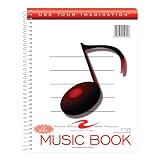
- Music notebook
- 32 sheets of extra-heavy 100# white tag
- 12 stave printing, both sides
- Heavyweight paper resists breakage from erasures
- Snag-proof wire
Musicful has a free plan, while commercial use is limited to Standard and Pro plans; Free/Basic use is non-commercial. Before uploading a reference or releasing a generated track, check the plan terms and confirm that you have consent for the source material.
8. Tunee — Best For Conversational Prompt Development
Tunee is designed for plain-language conversation: describe a mood, upload a reference, or share a clip, and it asks follow-up questions to clarify the result. It creates vocal or instrumental music and supports reference uploads, stem separation, mastering, voice cloning, and model switching across web, iOS, and macOS.
The Free plan covers personal projects with attribution to Tunee. Tunee states that each generated song and video comes with a full commercial license, but free-use attribution still applies according to its published terms. Get permission for reference clips and voices, then review the current terms for the destination platform.
What’s actually slowing this PC down?
Pick the symptom - the matching free tool is one click away.
Choosing Between Suno And Udio
Choose Suno when your priority is a complete prompt-to-song workflow with vocals, lyrics, production, editing, and mobile apps. Choose Udio when lyric edits, voice references, style shaping, and iterative Sessions matter more than immediate file export during its current transition period. For either service, treat the prompt as a creative brief, avoid impersonating a real singer, and verify the latest rights and download rules before distributing the song.

