
The Tool Desk
Outbyte PC Repair FREEClear out junk files and repair common Windows errorsFree Scan →Outbyte Driver Updater FREEFix the driver behind crashes, sound loss and screen glitchesFind Drivers →iTechGuides is reader-supported. When you buy through links on our site, we may earn an affiliate commission. As an Amazon Associate I earn from qualifying purchases. Learn more
For a quick, free vocal or instrumental track, start with Vocal Remover AI. For broader stem control, use Moises or Fadr. The six tools below all offer a free way to separate vocals online or through a web-connected service, but their upload limits, stem depth and export options differ.
Quick Comparison
| Tool | Free access | Useful vocal-removal detail | Output or platform notes |
|---|---|---|---|
| Vocal Remover AI | 120 minutes free per day | Vocal and instrumental separation | Audio or video; WAV or MP3; 500 MB maximum |
| Moises | Up to 5 uploads per month | Standard and Hi-Fi models; multiple separation targets | Web, desktop, iOS, Android and API; free files up to 5 minutes |
| Fadr | Unlimited Basic stems and MP3 downloads | Vocals plus bass, drums, melodies and other stems | Plus adds 18 stem types, WAV downloads, a DAW plugin and API access for $10/month |
| TuneStems | Free to try; no signup needed | Vocal/instrumental mode plus six-stem and other modes | Audio or video; up to 100 MB and 5 minutes; MP3, M4A, WAV or FLAC downloads |
| StemConsole | 5 splits per month; 3 before signup | Two-stem vocal/instrumental separation with an in-browser mixer | WAV and MP3 downloads; Pro is $6.99/month or $49/year |
| Sonura | Free account credits each month | Two-stem or six-stem separation | Browser-based; WAV or MP3 upload and export; paid plans start at $20/month |
Best Free Online AI Vocal Remover Tools
1. Vocal Remover AI — Best For A Fast One-Off Split
Vocal Remover AI is the most direct choice when you only need an acapella or backing track. It accepts audio and video uploads up to 500 MB, previews the separated tracks without signup, and offers 120 free minutes per day. Downloads are available as lossless WAV (44.1 kHz, 16-bit) or 320 kbps MP3.
Workflow example: Upload a song video, preview the vocal and instrumental channels, then download the instrumental for karaoke or the vocal for a remix sketch. It is web-only, with no batch processing, API or integrations.
Get consent for recordings you do not own and check Vocal Remover AI’s current terms before sharing or selling a result.
Popular on Amazon
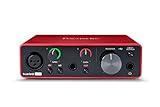
- Pro performance with great pre-amps - Achieve a brighter recording thanks to the high performing mic pre-amps of the Scarlett 3rd Gen. A switchable Air mode will add extra clarity to your acoustic instruments when recording with your Solo 3rd Gen
- Get the perfect guitar and vocal take with - With two high-headroom instrument inputs to plug in your guitar or bass so that they shine through. Capture your voice and instruments without any unwanted clipping or distortion thanks to our Gain Halos
- Studio quality recording for your music & podcasts - Achieve pro sounding recordings with Scarlett 3rd Gen’s high-performance converters enabling you to record and mix at up to 24-bit/192kHz. Your recordings will retain all of their sonic qualities
- Low-noise for crystal clear listening - 2 low-noise balanced outputs provide clean audio playback with 3rd Gen. Hear all the nuances of your tracks or music from Spotify, Apple & Amazon Music. Plug-in headphones for private listening in high-fidelity
- Everything in the box: Includes Pro Tools Intro+, Ableton Live Lite, Cubase LE, and Hitmaker Expansion: a suite of essential effects, powerful software instruments, and easy-to-use mastering tools
2. Moises — Best For Musicians Working Across Devices
Moises offers a browser app plus desktop, iPhone, iPad and Android apps. Its free plan allows up to five uploads per month, with files up to five minutes and a limited set of separation options. The service can target vocals, drums, bass, guitar, keys and more; higher plans add additional options and Hi-Fi models.
Workflow example: Upload a five-minute rehearsal reference, isolate vocals and instrumental, then use the instrumental as a practice backing track. Choose Moises when the same project needs to move between phone and computer.
Obtain permission for the source recording and review Moises’ terms for covers, samples and commercial releases.
Outdated Drivers Are Slowing You Down
One free scan finds every outdated or missing driver and matches the right update for your exact hardware.Free scan · exact hardware matchPC Slower Than It Used to Be?
A free scan shows the junk files, broken settings and background clutter dragging Windows down - then fixes them in one click.Free scan · Windows 10 & 11Also popular on Amazon

- The new generation of the songwriter's interface: Plug in your mic and guitar and let Scarlett Solo 4th Gen bring big studio sound to wherever you make music
- Studio-quality sound: With a huge 120dB dynamic range, the newest generation of Scarlett uses the same converters as Focusrite’s flagship interfaces, found in the world's biggest studios
- Find your signature sound: Scarlett 4th Gen's improved Air mode lifts vocals and guitars to the front of the mix, adding musical presence and rich harmonic drive to your recordings
- All you need to record, mix and master your music: Includes industry-leading recording software and a full collection of record-making plugins
- Everything in the box: Includes Pro Tools Intro+, Ableton Live Lite, Cubase LE, and Hitmaker Expansion: a suite of essential effects, powerful software instruments, and easy-to-use mastering tools
3. Fadr — Best For Vocal Removal Plus Remix Work
Fadr gives its Basic plan unlimited stems, remixes and DJ sets with MP3 downloads. It separates vocals, bass, drums, melodies and instrumental parts, and also provides MIDI, chord, key and tempo detection. Fadr Plus costs $10 per month and adds 18 stem types, one-hour uploads, WAV downloads, a DAW stems plugin and API access.
Workflow example: Make a vocal-only or instrumental MP3 first, then use the detected key, tempo and MIDI to build a remix. Basic is enough for MP3 sketches; choose Plus when WAV, longer uploads or plugin/API access matters.
Use only material you are allowed to process, and check Fadr’s terms before releasing remixes, covers or isolated vocals.
Also popular on Amazon
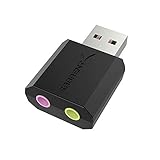
- PLUG IN AND HEAR SOUND IN SECONDS - USB Type-A connector with a 3.5mm stereo headphone output and a separate 3.5mm mono microphone input. No drivers, no software, no external power - the adapter is USB bus-powered and is recognized as a standard USB audio device.
- WORKS ON WINDOWS, MAC AND LINUX - Driverless on Windows 98SE/ME/2000/XP/Server 2003/Vista/7/8, Linux and Mac OSX, and compliant with the USB Audio Device Class 1.0 specification, so any system that supports class-compliant USB audio will see it. Select it as the sound output and input device after plugging it in.
- TWO JACKS, TWO JOBS - The green jack is stereo OUT for headphones or powered speakers; the pink jack is mono microphone IN for a 3.5mm mic. It does NOT support 4-pole headsets on a single combo plug, it does NOT power passive speakers, and it does NOT add surround sound - it is a stereo 2-channel adapter.
- FOR LAPTOPS AND DESKTOPS THAT NEED AN AUDIO PORT BACK - Adds a headphone and mic port to a laptop, desktop, or mini PC whose onboard jack has failed or was never there. Managed and work-issued computers can block new USB audio devices by policy - check with your IT department before ordering for a company machine.
- SABRENT SUPPORT AND WARRANTY - What is in the box: one USB audio sound adapter. Backed by a 1-year limited warranty, extended to 2 years when you register within 90 days on the manufacturer's website.
4. TuneStems — Best For Flexible Stem Packages
TuneStems is a web-only splitter that is free to try without signup. Its vocal/instrumental mode uses BS Roformer, and its other modes include six-stem, single-instrument and All-In separation. It accepts audio or video up to 100 MB and five minutes, with MP3, M4A, WAV and FLAC downloads; individual stems or ZIP packages are available.
Workflow example: Upload a short performance video, choose Vocals/Instrumental for karaoke, or choose Six-Stem when you need to mute drums or bass as well. Paid packs start at $5.90, while advanced output formats are reserved for Premium.
Confirm that you have permission to use the uploaded performance and read TuneStems’ terms for any public or commercial use.
Also popular on Amazon

- Podcast, Record, Live Stream, This Portable Audio Interface Covers it All - USB sound card for Mac or PC delivers 48kHz audio resolution for pristine recording every time
- Be ready for anything with this versatile M-AUDIO interface - Record guitar, vocals or line input signals with two combo XLR / Line / Instrument Inputs with phantom power
- Everything you Demand from an Audio Interface for Fuss-Free Monitoring - 1/4" headphone output and stereo 1/4" outputs for total monitoring flexibility; USB/Direct switch for zero latency monitoring
- Get the best out of your Microphones - M-Track Duo’s transparent Crystal Preamps guarantee optimal sound from all your microphones including condenser mics
- The MPC Production Experience - Includes MPC Beats Software complete with the essential production tools from Akai Professional
5. StemConsole — Best For Mixing The Split In Your Browser
StemConsole combines free AI separation with a live browser mixer. A free account includes five splits per month, with three splits available before signup, and no watermarks or credit card. Its two-stem mode isolates vocals and instrumental; four- and six-stem options are available, with some targets requiring Pro. You can solo, mute and blend stems, then download WAV or MP3.
Workflow example: Create the two-stem split, mute the vocal to audition a backing track, adjust the blend, and export the mix. Pro costs $6.99 per month or $49 per year; the service has no batch processing, integrations or public API.
Recommended Free Tools
Get consent for the recording and check StemConsole’s terms before distributing an edited or remixed file.
Also popular on Amazon

- The new generation of the artist's interface: Connect your mic to Scarlett's 4th Gen mic pres. Plug in your guitar. Fire up the included software. Start making your first big hit
- Studio-quality sound: With a huge 120dB dynamic range, the newest generation of Scarlett uses the same converters as Focusrite’s flagship interfaces, found in the world's biggest studios
- Never lose a great take: Scarlett 4th Gen's Auto Gain sets the perfect level for your mic or guitar, and Clip Safe prevents clipping, so you can focus on the music
- Find your signature sound: Air mode lifts vocals and guitars to the front of the mix, adding musical presence and rich harmonic drive to your recordings
- With Scarlett 4th Gen, you have all you need to record, mix and master your music: Includes industry-leading recording software and a full collection of record-making plugins
6. Sonura — Best For A DAW-Oriented Commercial Workflow
Sonura runs in the browser and offers two-stem vocal/instrumental or six-stem separation. Free accounts receive credits each month, with stem export included; WAV and MP3 files can be uploaded and downloaded. Paid plans start at $20 per month and add commercial-use clearance and broader DAW support. Sonura does not provide an API or standalone desktop app.
Workflow example: Choose two stems for a quick acapella or backing track, or six stems when your DAW project needs vocals, drums, bass, guitar, piano and everything else separately.
Secure the necessary consent for the source and review Sonura’s current terms and clearance conditions before commercial release.
Quick Recap
How To Remove Vocals Without Wasting Free Uploads
- Use a legally obtained audio or video file and check its length and size against the tool’s free limit.
- Choose two-stem vocal/instrumental mode when you only need karaoke or an acapella; choose multi-stem mode when you need to repair or remix other instruments.
- Preview the result before downloading. Reverb, backing vocals and effects can remain in either stem, so listen for bleed and musical artifacts.
- Export the format your next step needs: MP3 for a quick reference, or WAV/FLAC where the tool offers it and you plan to edit in a DAW.
- Keep the original file and record which tool and plan produced the split. Check the platform’s current terms before publishing, selling or distributing the result.

