
Recommended Free Tools
iTechGuides is reader-supported. When you buy through links on our site, we may earn an affiliate commission. As an Amazon Associate I earn from qualifying purchases. Learn more
For a first animation, Pencil2D is the easiest choice for simple hand-drawn 2D work; Krita suits digital painters, OpenToonz suits traditional-2D production, Synfig suits vector tweening and cutout rigs, and Blender suits 3D or mixed 2D/3D projects. All five avoid mandatory subscriptions, but the best program depends on your animation style, computer, and tolerance for complexity.
“Free” here means free to install and use without a mandatory subscription or time-limited trial. Several of these applications are also open source. That software license does not automatically cover imported fonts, music, stock images, plug-ins, character assets, or other third-party material.
Key takeaways
- Pencil2D is the best first download for a beginner who wants to draw a short, hand-animated cartoon.
- Krita combines strong digital-painting tools with frame-by-frame animation and is the least disruptive choice for illustrators.
- OpenToonz offers the most production-oriented traditional-2D workflow in this list, but its scenes, levels, palettes, and columns create a steeper learning curve.
- Synfig Studio is designed for vector tweening, bones, cutout characters, and reusable rigs rather than redrawing every frame.
- Blender is the most versatile long-term choice for 3D, cameras, lighting, compositing, editing, and Grease Pencil work, but it is usually excessive for a first hand-drawn cartoon.
What kind of animation do you want to make?
The phrase “animation software” covers several different workflows. Choosing the animation method before choosing the application prevents the most common beginner mistake: downloading a powerful program that solves a different problem from the one you actually have.
Do these 3 things before closing this tab:
1Scan for outdated or missing drivers - takes under a minute2Clear out junk files and repair common Windows errors3Fix the driver behind crashes, sound loss and screen glitches| Animation type | How it works | Good starting choices | Best suited to |
|---|---|---|---|
| Frame-by-frame 2D | You draw or edit individual frames. | Pencil2D, Krita, OpenToonz | Expressive cartoons, roughs, walk cycles, and hand-drawn movement |
| Vector or tweened 2D | You create key poses and the software calculates some intermediate movement. | Synfig, OpenToonz | Reusable shapes, motion graphics, and smoother cutout animation |
| Rigged or cutout 2D | A character is assembled from parts and moved with bones or deformers. | Synfig, OpenToonz | Reusable puppets and repeated character performances |
| 3D animation | You animate objects, characters, cameras, lights, materials, and scenes in three dimensions. | Blender | 3D characters, environments, camera moves, and rendered films |
| 2D inside a 3D-capable application | You draw in a 3D scene and combine 2D strokes with 3D cameras or objects. | Blender with Grease Pencil | Hybrid 2D/3D films and projects that may later require 3D |
Which free animation program should you download?
Use this quick decision guide: choose Pencil2D for the simplest hand-drawn start, Krita if you already paint digitally, OpenToonz for a dedicated traditional-2D production workflow, Synfig for vector rigs and automatic in-betweens, and Blender for 3D or long-term mixed-media work.
Popular on Amazon

- Wide Compatibility for Multiple Devices: Works seamlessly with Samsung, iOS, Android, Chromebook, Smartphone, and other touchscreen devices. No drivers are needed- simply open and play, ensuring compatibility with a variety of tablets and smartphones. No Charging Required, Ready Anytime.
- High-Precision Touch for Smooth Writing & Drawing: Featuring advanced capacitive technology, this stylus pen offers high sensitivity and precision, delivering a smooth, real-pen experience perfect for writing, sketching, note-taking, and more.
- Ergonomic Design for Comfortable Grip: Crafted with a lightweight and durable body, the stylus is designed for long periods of comfortable use. Whether you’re creating, studying, or performing everyday tasks, it ensures a pleasant grip.
- Scratch-Resistant & Durable, Protects Your Screen: Equipped with a soft, high-quality Disc tip that ensures smooth touch without scratching the screen, keeping your device’s display in pristine condition while providing a seamless user experience.
- A great gift: Get 3 different colors of styluses at an unbeatable price instead of a high-priced pencil. You can share these stylus pens with your friends or family.
| Program | Best for | Primary workflow | Platforms or published support | Learning curve | Official information |
|---|---|---|---|---|---|
| Pencil2D | First hand-drawn cartoon | Simple raster and vector 2D | Windows, macOS, Linux, and FreeBSD | Lowest | Project site |
| Krita | Illustrators and digital painters | Raster painting plus frame-by-frame animation | Windows, macOS, and Linux | Low to moderate | Official site |
| OpenToonz | Traditional-2D production | Scenes, levels, cleanup, effects, and frame-by-frame work | Desktop workflow; verify the current build’s requirements | High | Official site |
| Synfig Studio | Vector tweening and cutout rigs | Vector and bitmap layers, bones, and parameter controls | Windows, Linux, and macOS | Moderate | Official site |
| Blender | 3D and 2D/3D hybrid projects | 3D scenes, animation, rendering, compositing, editing, and Grease Pencil | Check the current official download for supported builds | Highest | Official download |
Every program in the table can make animation, but “best” means best for a particular workflow. A minimal 2D application can be a better first tool than a larger package because fewer controls stand between a beginner and the first moving image.
1. Is Pencil2D the easiest free animation program?
Pencil2D is the easiest starting point for simple hand-drawn 2D animation. The application is intentionally lightweight and focused, with raster and vector workflows rather than the extensive modeling, rigging, rendering, or production systems found in larger packages. The Pencil2D project describes the application as open source, cross-platform, and free for commercial use.
Pencil2D is a good fit for a bouncing ball, blinking eye, walk cycle, storyboard, rough animation, or short cartoon. The small interface helps a beginner concentrate on key poses, timing, spacing, and drawing instead of learning a complete studio pipeline.
The Tool Desk
Outbyte PC Repair FREEClear out junk files and repair common Windows errorsFree Scan →Outbyte Driver Updater FREEScan for outdated or missing drivers - takes under a minuteDriver Scan →The official download page lists Pencil2D 0.7.2 as the stable release in the dossier’s March 13, 2026 check. The same page lists builds for Windows 7 or later, macOS 10.14 or later, and Linux, while also providing legacy builds for older systems. Legacy builds may lack current security fixes and may receive limited support, so a legacy download should be a compatibility fallback rather than the default.
macOS may block the application through Gatekeeper. If macOS refuses to open a downloaded Pencil2D application, the project’s download and troubleshooting instructions explain that right-clicking the application and choosing Open, or using the system’s Open Anyway control, may be required.
What is Pencil2D’s main limitation?
Pencil2D is not the strongest choice for complex character rigs, advanced compositing, or a large studio-style pipeline. Pencil2D is most useful when the goal is to make drawings move, not when the project needs a deeply structured production system.
Linux users should also check video-export support before committing to a project. The official download page warns that the default Linux package uses ffmpeg-free, which can limit codec support. Broader H.264 compatibility may require OpenH264 or an appropriate FFmpeg package for the particular Linux distribution.
Crashes, No Sound, or Screen Glitches?
Random freezes, missing sound and display glitches usually trace back to one bad driver. Find and replace yours safely.Free scan · under a minutePC Slower Than It Used to Be?
A free scan shows the junk files, broken settings and background clutter dragging Windows down - then fixes them in one click.Free scan · Windows 10 & 11Use the stable build for a first project. Pencil2D also offers nightly builds, but the project describes nightly versions as bleeding-edge builds with the newest fixes and features; nightly software is better reserved for troubleshooting or testing a specific fix.
2. Is Krita good for animation if you already draw?
Krita is the best choice in this list for an illustrator who wants to animate painted or illustrated artwork. Krita is primarily a digital-painting application, but its official feature list includes animation tools alongside brushes, layers, stabilizers, and drawing assistants. That combination makes Krita particularly comfortable for frame-by-frame animation that depends on brush texture, painted backgrounds, and illustration-led design.
Krita works well for animating an existing drawing, creating a short hand-drawn exercise, or making a small painted scene. An artist who already understands Krita’s brushes and layers can begin animating without first learning a completely unfamiliar drawing environment.
Also popular on Amazon

- [Wide Compatibility]-This stylus pen for touchscreen is for capacitive screen electronic product and is specially designed for Android device on the market.The iphone stylus pen is suit with XiaoMi/Huawei/Vivo/Lenovo/Pixel/iPhone 6-15 ,Amazon Fire Series tablet and more other android devices. Some compatible device models- Galaxy Tab A9/A9+/S9/S23 FE/S24/S25/Z Fold5/Z Fold 6/A13 /A25/ (Note: This lenovo pen is not compatible with Microsoft devices,Apple iPad,Kindle devices,Windows,Laptop,S7+, tab s4,S10 and One note app. Please check your device model before placing an order.
- 【Smart Touch Switch & Power Save】-The touch screen pen stylus is easy to use: just double-tap the top of the android tablet capacitive stylus pen . There's no need for drivers or bluetooth settings. This iphone pen uses the USB-C charging port,just 35 minutes of charging will give you 8-10 hours of operation.Our digital pen has smart energy-saving feature, automatically turn to "sleep mode" after 5 minutes of inactivity and avoid unnecessary battery consumption.
- 【High Precise and Sensitive】-The pom tip of the stylist pen is wear-resistant,designed for professionals who need high precision and accuracy,is a great feature for anyone who uses a stylus pen android for designing work or drawing. They are very smooth and high responseon the screen, without lag or jumping.Luntak android stylus pen also a great gift for family and friends who love to create.
- 【Magnetic Absorption】-The magnetic feature is a great convenience for users who want to keep their samsung pen close at hand and prevent it from getting lost,more portable and more easier to organize.(Note: The magnetic function requires a built-in magnet on your tablet; otherwise, it cannot be attached. The magnetic surfaces of other tablets may not be a perfect fit.)
- 【What You Get】-Our tablet pens for touch screen set includes:1* stylist pens,3* Replaceable POM Tips,1* Type-C charging cable,1* User Manual.We support 1-year product warranty and 1-month free return and exchange policy for our pen with stylus tip. If you encounter any issues, please don't hesitate to contact us. Please note the apple pens does not support palm rejection, so avoid touching the screen with your hands.Does not support pressure sensitivity.
The official download page’s dossier check lists Krita 5.3.3, released July 29, 2026, for Windows, macOS, and Linux. The same page lists 4 GB of RAM as a minimum and 16 GB as recommended, with GPU support including OpenGL 3.0 or higher or Direct3D 11. These are published requirements, not a promise that every large animation will play or export smoothly.
Large, high-resolution frame-by-frame projects can consume substantial memory. A beginner should start with a modest canvas, a short frame range, and deliberately separated layers. Export a short test before spending hours on a long sequence.
When is Krita not the right animation tool?
Krita should not be treated as a universal replacement for a dedicated animation pipeline. Krita is excellent for painted frame-by-frame work, but OpenToonz is a better fit when the project needs a more production-oriented scene structure, cleanup process, palette management, or effects workflow. Synfig is a better fit when scalable vector rigs and automatic tweening matter more than brush-based drawing.
Krita’s advantage is the combination of painting and animation, not the claim that every animation workflow behaves identically inside one application. Use the current Krita site and its linked documentation for release-specific animation instructions because menu labels and export details can change.
3. Is OpenToonz worth learning for traditional 2D animation?
OpenToonz is worth learning when you want a serious traditional-2D workflow and can accept a more complicated interface. OpenToonz is built around animation rather than painting alone and includes frame-by-frame drawing, motion tweening, onion skinning, rigging, effects, palette management, scanning, and multiplane-camera work according to the official OpenToonz feature description.
OpenToonz is a strong choice for multi-scene projects, digital cleanup and ink-and-paint work, and students who want to understand a production-oriented 2D timeline. OpenToonz supports raster and vector drawing workflows and can be used alongside applications such as Krita or Pencil2D.
The trade-off is organization. Beginners may encounter scenes, columns, levels, palettes, and other concepts before they have learned the fundamentals of timing and posing. OpenToonz has more relevant features for a larger production, but that does not make OpenToonz the fastest route to a first five-second animation.
How should a beginner start in OpenToonz?
Begin with one short scene, one character, a limited palette, a simple camera setup, and onion skinning. Complete a basic frame-by-frame exercise before attempting a complex rig. The OpenToonz documentation is a better starting point than generic articles that recommend settings without considering the current build or project structure.
OpenToonz’s official site says the application is free for personal and commercial projects without license fees and that the software was released under the BSD license by Dwango in 2016. The statement concerns the software; imported assets and other content can still have separate licensing terms.
OpenToonz’s site also makes broad claims about Android and iPad availability. Treat those claims cautiously: OpenToonz is primarily a desktop workflow, and access or compatibility may depend on the specific build or method. Check the current official documentation and download information before assuming that a mobile installation is supported.
Also popular on Amazon

- 『Better Than Finger』- A stylus has a better touch point than the tip of your finger giving better accuracy to little touch focuses like keys on the console. No more big finger troubles.
- 『Anti-Scratch Tip』- The stylus pen tip was made of soft, and scratch resistant rubber,which can protect your screen from scratching and keep no fingerprints.
- 『Easy To Carry』- Slim body and lightweight. Clip design is great for clipping in your pocket, diary, etc. Great stylus for kids.
- 『Perfect For Sharing』- Get 10 of tablet stylus with an unbeatable price. You can share this tablet pen to your friends or family.
- 『Universal Capacitive Stylus』- 100% compatible with all capacitive touch screen devices,such as iPad,iPhone,tablets,samsung galaxy and so on.
4. Is Synfig best for vector tweening and cutout animation?
Synfig Studio is the best choice here for vector-based animation, reusable cutout characters, and automatic in-betweening. Synfig works with vector and bitmap artwork and provides timelines, layers, bones, bitmap deformation, linked parameters, and mathematical expressions. Its official feature list includes vector tweening, more than 50 layer types, a bone system, and linked parameter controls.
Synfig is useful when a character is assembled from reusable parts or when the animator wants to set key poses and let the software calculate some intermediate movement. Synfig can be more efficient than redrawing every frame for motion graphics, cutout characters, and repeatable performances.
The dossier’s March 22, 2026 release check lists Synfig Studio 1.5.5. The same official site publishes relatively modest requirements of a dual-core 2 GHz processor and at least 2 GB of RAM for the listed platforms. Those requirements are not performance guarantees: high-resolution artwork, complex layers, and effects can still slow a project, and actual compatibility with current operating systems should be verified against the current download build.
Quick wins for a faster PC:
Repair Windows errors before they cause bigger problemsFix Now →Scan for outdated or missing drivers - takes under a minuteDriver Scan →Clear out junk files and repair common Windows errorsFree Scan →Does Synfig’s tweening animate everything automatically?
No. Synfig can calculate intermediate changes, but good animation still requires deliberate timing, spacing, easing, anticipation, follow-through, and posing. A mathematically smooth transition can look stiff or weightless if the key poses and timing are weak. Vector rigs can also look mechanical when a character has not been designed to deform naturally.
Synfig offers stable and development versions. Beginners should choose the stable version unless they have a specific reason to test experimental features. Synfig is a better first download than Pencil2D only when the reader already knows that vector controls, bones, or tweening are central to the project.
5. Is Blender the best free animation program for 3D?
Blender is the strongest long-term choice for 3D animation and mixed 2D/3D projects. Blender combines modeling, rigging, animation, cameras, lighting, materials, rendering, compositing, and video editing in one application. Blender also supports 2D work through Grease Pencil; the official Grease Pencil feature page explains that workflow, while the Blender manual provides current instructions.
Choose Blender if you may want to animate a 3D character, build a scene, control a camera, add lights, render images, composite effects, edit video, or combine drawn strokes with 3D objects. Blender’s breadth means that skills learned in a small first project can remain useful as the project grows.
Why is Blender usually a poor first choice for a simple cartoon?
Blender is the least beginner-friendly option in this list when the goal is only a short hand-drawn cartoon. A new user can spend more time learning 3D navigation, modeling, lighting, rendering, and scene management than learning animation fundamentals. Grease Pencil is not automatically the same as a paper-like Pencil2D or Krita workflow.
Blender’s hardware needs vary significantly with scene complexity, render engine, resolution, and effects. Do not assume that a computer capable of opening Blender will render a complex scene quickly. Check the current official download page and the current manual before installing because a specific Blender version number, system requirement, or Grease Pencil interface label was not verified in this research pass.
Which program is best for your specific situation?
| Your priority | Recommended program | Reason | Important qualification |
|---|---|---|---|
| Simplest hand-drawn start | Pencil2D | Focused interface and straightforward 2D workflow | Not intended for complex rigs or advanced compositing |
| Drawing and painting | Krita | Strong brushes, layers, stabilizers, and drawing assistants | Large raster projects can become memory-intensive |
| Traditional 2D production | OpenToonz | Dedicated scenes, timeline, cleanup, palettes, scanning, and effects | More difficult to learn than Pencil2D |
| Vector tweening or cutout rigs | Synfig | Bones, linked parameters, vector layers, and automatic in-betweens | Tweening still requires animation judgment |
| 3D or long-term versatility | Blender | 3D, Grease Pencil, cameras, rendering, compositing, and editing | Its broad interface can overwhelm a 2D beginner |
| Older or modest computer | Pencil2D or Synfig | Their published requirements are relatively modest | Minimum requirements do not guarantee smooth performance |
| Existing digital painter | Krita | Animation is added to a familiar illustration workflow | Consider OpenToonz for a larger dedicated pipeline |
| Student learning studio-style 2D | OpenToonz | Its scene-based workflow exposes more production concepts | Expect a longer initial learning period |
How do you make a first animation in any of these programs?
A bouncing ball is a useful first project because the exercise teaches timing, spacing, arcs, squash and stretch, and contact with the ground without requiring a character design or complicated background.
Also popular on Amazon
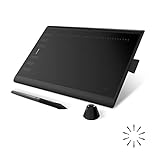
- Working Area Configuration - HUION art tablet equips with a 10 x 6.25 inches working area, providing the user with the most comfortable size to work; the 10mm slim structure and minimalist design of appearance make the drawing tablet more attractive.
- Tilt Function Battery-free Stylus: This computer graphics tablet come with a battery-free stylus PW100, no need to charge, allowing for constant uninterrupted drawing. ±60° tilt support enables imitation of lines input with diverse drawing gestures, with accuracy ensured.
- Press Keys:12 programmable press keys plus 16 programmable soft keys, you can set shortcut keys on drawing tablet's driver based on your preferences, such as erase, zoom in/out, scroll up and down, and so on.
- Compatibility: HUION graphics tablet supports Windows 7 or later/ macOS 10.12 or later/ Android 6.0 or later/ Linux (Ubuntu). A USB adapter is required to connect to a Mac computer. H1060P supports various mainstream design and drawing software, including PS, SAI, AI, CDR, etc. (Please note: The H1060P is compatible with Ubuntu, but it requires the use of the Xorg display server. Wayland is not supported.)
- NOTE: You can easily connect your phone to the art tablet via the OTG connector; while iPhone and iPad are NOT at the moment. The cursor will not show up in the SAMSUNG Galaxy S series at present. If you are not sure whether the product is compatible with your Phone or any help, please contact us.
- Create a small project. Use a modest canvas and a short frame range. Do not begin with a full minute, a detailed character, or a finished soundtrack.
- Draw the setting. Add a simple ground line and an uncomplicated background only if the background helps you judge the motion.
- Establish key poses. Mark the ball at its highest point and at each contact with the ground. The exact way to add keyframes varies by application.
- Build the movement. Add in-between drawings in Pencil2D, Krita, or OpenToonz, or use tweening and controls in Synfig or Blender where that workflow fits.
- Check the timing. Play the short sequence repeatedly. Adjust spacing and timing before adding detail.
- Add only necessary polish. A limited palette, a simple shadow, or a small squash-and-stretch change is more useful than elaborate effects on a first exercise.
- Export a test clip. Confirm that the exported video plays correctly before adding sound or extending the scene.
- Save incremental versions. Keep numbered project files so a failed experiment does not destroy the last working version.
The exercise works in all five programs, but the experience differs. Pencil2D, Krita, and OpenToonz are natural choices for drawing each frame; Synfig is suitable for a vector ball and tweened motion; Blender is suitable if the exercise is also meant to teach a 3D scene or Grease Pencil workflow.
What’s actually slowing this PC down?
Pick the symptom - the matching free tool is one click away.
Do you need a drawing tablet?
No, a drawing tablet is not mandatory for any of these programs. A tablet is much more comfortable for drawing in Pencil2D, Krita, and OpenToonz, but a mouse or trackpad can handle basic timing exercises, vector rigs in Synfig, object animation in Blender, and simple cutout work.
Separate “drawing precision” from “software compatibility.” If drawing with a mouse is the bottleneck, a tablet may improve the experience before paid software does. A tablet is a plausible next purchase for Pencil2D, Krita, and OpenToonz users, but model, price, compatibility, and return policy should be compared separately rather than assuming that an expensive tablet is necessary.
Independent reader supportYour contribution helps us test, update, and keep practical guides available for everyone.What does free mean for commercial animation?
Free animation software can be used commercially when the project’s software license allows that use, but commercial permission for the application does not make every project asset free. The Pencil2D project says Pencil2D is free for commercial use, and OpenToonz states that personal and commercial projects can be made without license fees. Krita is described as free and open source under the GNU GPL, while Synfig is free and open source under GNU GPL v3.
Before publishing or selling an animation, check the terms for:
Free tools Windows power users keep installed
One-click scans. No signup required.
- Fonts and typefaces
- Music, voice recordings, and sound effects
- Stock images, textures, and video
- Character designs or images created by someone else
- Plug-ins and scripts
- Imported brushes, models, and other assets
- Any software modification or redistribution required by an open-source license
Software licensing and content licensing are separate questions. “No software fee” is not the same as “every asset can be used without permission.”
What should you do when video export fails?
First export a short test instead of waiting until the entire animation is finished. If the animation plays correctly inside the application but the exported file fails, the problem may be a codec, package, container, or operating-system issue rather than the drawings themselves.
Pencil2D users on Linux have a documented edge case: the default package uses ffmpeg-free, which may provide limited codec support. The official Pencil2D download page recommends OpenH264 or an appropriate FFmpeg package when broader H.264 support is needed. The correct package depends on the Linux distribution, so install only packages from a trusted distribution source and follow its compatibility guidance.
Export labels and supported formats differ between applications and releases. Avoid assuming that a menu path or MP4 option from another program will exist in the same place. If a project exports as an image sequence, that can be a useful intermediate result, but the final video conversion still depends on the available codec tools.
When should you move from free software to a paid tool?
Upgrade when a specific workflow, integration, support requirement, or production constraint is slowing the project—not merely because a paid application is marketed as professional. Paid software does not replace knowledge of timing, spacing, posing, arcs, staging, or cleanup.
Also popular on Amazon

- Stylus Pen for Touchscreen: No Bluetooth or charging needed—use instantly on any capacitive touch screen (iPad, iPhone, Android, Samsung). Dual rubber tips (5mm/6.6mm) ensure precise control for writing, drawing, or gaming. Lightweight aluminum body with vibrant colors.
- Precision & Comfort Redefined: High sensitivity rubber tip glides smoothly without lag or scratches. Ergonomic design reduces wrist strain for extended use. Compatible with tablets, phones, and Laptops.
- Dual-Tip Flexibility: Switch between 0.20” and 0.26” rubber nibs for detailed art or bold notes. Anti-scratch, fingerprint-resistant tip. Pretty bright metal colors inspire creativity.
- Effortless Multi-Device Compatibility: Works seamlessly on Apple, Samsung, Android, and more. No apps or setup—just pick up and write. Perfect for notes, games, or gifts—ready to spark ideas instantly. Replaceable tips included for long-term use.
- Creative Freedom, Anywhere: Lightweight aluminum stylus with natural grip. Includes 6 replaceable tips and 3 color stylus pens. Perfect for sharing with friends, family, or colleagues, this bundle ensures you’re always equipped to capture inspiration.
| Situation | Reasonable next step | Why |
|---|---|---|
| Drawing precision is the bottleneck | Consider a beginner drawing tablet | Hardware may improve the existing free workflow more than changing software |
| A Krita project needs a dedicated 2D pipeline | Try OpenToonz | Scenes, cleanup, palettes, and effects may fit the project better |
| A free 2D project needs 3D cameras, lighting, or rendering | Try Blender | Blender provides a broader 3D and compositing workflow |
| Adobe integration, web publishing, or a commercial subscription workflow is required | Evaluate Adobe Animate | Adobe lists frame-by-frame animation, interactive web/game content, multiple publishing formats, and drawing features |
| A serious 2D production pipeline requires Harmony | Evaluate Toon Boom Harmony | Toon Boom positions Harmony as an end-to-end 2D animation product |
Is Adobe Animate worth considering after free software?
Adobe Animate is most relevant when Adobe integration, interactive publishing, or a polished commercial 2D workflow matters. The official U.S. product page showed a price signal of US$22.99 per month on an annual plan billed monthly in the dossier’s August 2026 check. Prices, plans, taxes, and regional availability can change, so verify the current Adobe Animate product page before purchase.
Adobe Animate is a poor value for someone who needs only a short personal animation and wants to avoid subscriptions. A subscription can provide a different workflow and integration benefits, but it does not automatically create better animation.
Who should consider Toon Boom Harmony?
Toon Boom Harmony is aimed at serious 2D students, studios, and users targeting production pipelines where Harmony is used. Toon Boom describes Harmony as an end-to-end 2D animation product and lists major animation studios among its clients on the official Harmony page. The current price was not reliably visible in the retrieved product page, so check the regional purchasing page rather than relying on an old price.
Harmony is usually excessive for a casual beginner. A reader should first establish that a dedicated production workflow is necessary and that the cost and complexity are justified by the project, school, or studio environment.
What should you learn after the software basics?
The next improvement should usually be animation knowledge rather than another download. Practice timing and spacing with a bouncing ball, then study anticipation, follow-through, arcs, staging, and cleanup. A simple tool used deliberately can produce stronger work than a complex tool used without those principles.
Use official documentation when a program’s interface becomes confusing. Relevant starting points include the OpenToonz documentation, Synfig’s official project resources, the Pencil2D site and its manual and tutorial links, the Krita site and documentation links, and the Blender manual.
Frequently Asked Questions
Can I use these free animation programs commercially?
Yes, the software projects describe commercial use differently, but Pencil2D says it is free for commercial use and OpenToonz says personal and commercial projects can be made without license fees. You still need separate permission for music, fonts, stock assets, plug-ins, and other third-party content.
Which free animation program is easiest for beginners?
Pencil2D is the easiest general starting point for a beginner making a simple hand-drawn 2D animation. Krita may be easier for an illustrator who already knows its painting tools, while Synfig, OpenToonz, and Blender require more workflow-specific learning.
Which free animation program is best for 3D?
Blender is the best choice for 3D animation because it includes modeling, rigging, cameras, lighting, materials, rendering, compositing, and editing. Blender can also support 2D/3D hybrid work through Grease Pencil.
Which free animation programs work on Linux?
Pencil2D, Krita, Synfig Studio, and Blender provide Linux options or official Linux resources in the supplied research. OpenToonz is primarily a desktop workflow, but its exact current platform support should be checked against the current official build and documentation.
Can these programs export MP4 video?
Export formats and codec support vary by program, operating system, and package. Pencil2D specifically documents limited codec support for its default Linux package and says OpenH264 or an appropriate FFmpeg package may be needed for broader H.264 support, so export a short test before completing a project.
Crashes, No Sound, or Screen Glitches?
Random freezes, missing sound and display glitches usually trace back to one bad driver. Find and replace yours safely.Free scan · under a minuteWindows Errors? Fix Them Before They Spread
Repair common Windows errors and clear accumulated junk for a smoother, more stable PC - no reinstall needed.Free scan · no reinstallThe Bottom Line
Start with Pencil2D unless you already know that another workflow fits you better. Choose Krita for painted frame-by-frame art, OpenToonz for a deeper traditional-2D pipeline, Synfig for vector tweening and cutout rigs, and Blender for 3D or a 2D/3D future. The best first program is the one that lets you finish a small animation and learn the fundamentals rather than the one with the longest feature list.
Quick Recap
Product prices and availability are accurate as of the date/time indicated and are subject to change. Any price and availability information displayed on Amazon at the time of purchase will apply.

