
iTechGuides is reader-supported. When you buy through links on our site, we may earn an affiliate commission. As an Amazon Associate I earn from qualifying purchases. Learn more
Short answer: The Shure MV7+ is the best all-around microphone for a noisy room because it combines a close-talk dynamic cardioid capsule, passive voice isolation, USB-C and XLR connectivity, and built-in digital denoising. For gaming, the Logitech G Yeti GX is a simpler choice, while the RØDE PodMic USB is excellent for creators who want a broadcast-style microphone with USB and XLR.
No microphone can completely erase barking dogs, traffic, loud conversations, or keyboard clicks. The best results come from a dynamic microphone placed close to your mouth, aimed correctly, operated at sensible gain, and paired with appropriate software processing. This guide ranks the strongest options for 2026 based on documented microphone design, pickup pattern, isolation features, DSP, connectivity, and intended use—not independent laboratory noise tests.
What a noise-cancelling microphone really does
Noise-cancelling microphone is a useful shopping term, but it can be technically misleading. Unlike active-noise-cancelling headphones, most microphones do not generate an inverse sound wave to cancel the room. They reduce unwanted sound through one or more of these methods:
| Noise-control method | How it helps | What it cannot do |
|---|---|---|
| Dynamic capsule | Usually less sensitive to distant room noise and reflections than a condenser when used close to the speaker. | It will still hear a loud source, especially if the microphone is far away or the gain is high. |
| Directional pickup | Cardioid, tight-cardioid, or supercardioid patterns emphasize sound from the front and reject some sound from the sides or rear. | Rejection varies by frequency and angle. The microphone still needs correct orientation. |
| Passive voice isolation | Physical microphone and capsule design reduces room pickup without depending on an app or computer effect. | It does not make the microphone immune to nearby or very loud sounds. |
| Noise gate | Mutes or reduces the microphone when your voice falls below a threshold, which can make pauses quieter. | It does not remove noise that is audible while you are speaking and can cut off quiet words if set aggressively. |
| Denoiser or AI suppression | Processes the signal to reduce steady or recognizable background sounds such as fans, keyboards, and some room noise. | Heavy processing can create watery, metallic, or clipped speech and may struggle with changing sounds. |
| Echo control | Software dereverberation or room treatment reduces reflections and hollow-sounding speech. | Noise rejection and echo reduction are different problems. A directional microphone alone cannot fully repair a highly reflective room. |
That distinction explains why a close-talk dynamic microphone often outperforms a more sensitive condenser in an untreated office, even when the condenser has more detailed specifications. A well-positioned condenser with effective software can still work, but it usually demands more careful gain and placement.
Best microphones for noisy rooms at a glance
| Rank | Microphone | Best for | Main noise-control advantage | Important limitation |
|---|---|---|---|---|
| 1 | Shure MV7+ | Most noisy-room users | Dynamic cardioid design, Voice Isolation Technology, real-time denoiser | Still needs close placement |
| 2 | Shure MV7i | Two-microphone setups | Voice isolation plus SmartGate and denoising | More capability than a simple one-person setup needs |
| 3 | Shure MV7 | Proven USB/XLR speech recording | Passive voice isolation and rear rejection | Regional availability may be limited |
| 4 | Shure MV7X | Existing XLR systems | Dynamic voice-isolation design | Requires an interface or mixer |
| 5 | Shure MV6 | USB gaming | Voice isolation, denoising, Auto Level Mode | Less flexible than USB/XLR models |
| 6 | RØDE PodMic USB | Broadcast-style USB/XLR setups | Tight cardioid pattern and onboard APHEX processing | Needs close, correctly aimed placement |
| 7 | RØDE PodMic | Budget XLR recording | Tight cardioid pattern and integrated pop filter | Requires an XLR interface or mixer |
| 8 | Elgato Wave:3 MK.2 | Software-heavy streaming | DSP, Clipguard, Auto Gain, and Wave software effects | Condenser capsule hears more room sound if poorly placed |
| 9 | Logitech G Yeti GX | Gaming and keyboard noise | Dynamic supercardioid capsule designed for rejection and key-click control | Best results depend on desk placement and software setup |
| 10 | SteelSeries Alias | AI-based gaming audio | Sonar software provides AI noise cancellation and routing | Its strongest suppression features are software-dependent |
| 11 | HyperX QuadCast 2 S | RGB streamers needing flexible patterns | Cardioid mode, shock mount, and software controls | Condenser and multi-pattern design can capture room noise |
| 12 | HyperX QuadCast 2 | Flexible non-RGB recording | Selectable cardioid pattern and shock isolation | Requires careful placement in a noisy room |
| 13 | HyperX SoloCast 2 | Beginners and small desks | Compact USB design and software-adjustable filtering | Short distance and correct aim are especially important |
| 14 | Audio-Technica ATR2100x-USB | Affordable USB/XLR recording | Cardioid dynamic capsule with off-axis rejection | Fewer built-in DSP conveniences |
| 15 | Audio-Technica AT2040USB | Simple broadcast-style USB speech | Close-talk dynamic design intended to reduce environmental noise | No XLR upgrade path in the USB version |
Shopping note: If you are comparing retailers, the Shure MV7+ microphone is the most complete starting point for a noisy-room USB/XLR setup. Availability and price vary by country and should be checked at publication time. This article may contain affiliate links; they do not change the price or our recommendations.
1. Shure MV7+ — best overall microphone for a noisy room
The Shure MV7+ is the strongest all-purpose choice for a home office, podcast room, gaming desk, or streaming setup where background noise is a recurring problem. Its dynamic cardioid design and Shure Voice Isolation Technology provide physical rejection before any software effect is applied. That matters because the microphone can continue to benefit from its acoustic isolation when connected through XLR.
Popular on Amazon

- Studio-Quality Sound for Clear Podcast Recording – The K66 USB podcast microphone delivers studio-quality, broadcast-level audio using a high-performance condenser capsule and cardioid pickup pattern that focuses on your voice while reducing unwanted background noise. Designed as a reliable microphone for PC, it features a wide 40Hz–18kHz frequency response and a 46kHz sampling rate to reproduce rich lows, smooth mids, and clear highs for natural, detailed vocals. With –45dB ±3dB sensitivity, it captures balanced sound without distortion during expressive speaking. Ideal for podcasting, voice-over, online classes, meetings, and professional content creation.
- Intelligent Noise Reduction Mode for Cleaner Podcast Audio – This podcast microphone features an advanced Noise Reduction Mode designed for clearer, more focused voice recording in real-world environments. Press and hold the mute button to enable noise reduction (blue indicator). In this mode, the microphone helps reduce keyboard clicks, PC fan noise, air conditioner hum, and background chatter. Default Mode maintains a warm, natural vocal tone for quiet spaces. Designed as a reliable microphone for PC, it allows creators to identify the active mode instantly and adapt as needed, ensuring clear audio for podcasting, gaming, streaming, online classes, meetings, and recording.
- True Plug-and-Play USB Microphone with Wide Device Compatibility – Engineered for effortless plug-and-play use, the K66 USB microphone requires no drivers, apps, or software installation. Simply connect and start recording on Windows PC, Mac, laptops, PS4, PS5, and tablets. Included USB-C and Lightning adapters ensure seamless compatibility with iPhone, iPad, and modern USB-C phones and devices, making it easy to switch between desktop and mobile recording. Ideal for creators working across multiple platforms, this microphone delivers consistent, high-quality audio for YouTube, TikTok, Twitch, Zoom, Discord, OBS Studio, Streamlabs, podcasting, livestreaming, and professional voice recording.
- Real-Time Zero-Latency Monitoring with Adjustable Volume Control – This podcast microphone features real-time, zero-latency monitoring through a built-in 3.5mm headphone jack, allowing you to hear exactly what’s being recorded without delay. Designed as a reliable microphone for PC, it includes a dedicated monitoring volume control that lets you adjust headphone listening levels independently for accurate and comfortable audio monitoring. Real-time feedback helps identify distortion, background noise, or uneven volume before it affects your final recording, making this podcast microphone ideal for podcasting, streaming, online teaching, voice-over work, and professional content creation.
- Precision Audio Adjustment Knobs for Full Sound Control – This podcast microphone gives creators hands-on control with dedicated knobs for microphone volume, monitoring volume, and echo adjustment. Fine-tune mic gain to maintain clear, balanced vocal output, adjust headphone monitoring levels independently for comfortable listening, and add or reduce echo to enhance depth and presence. Designed as a reliable PC microphone, these intuitive physical controls allow fast, on-the-fly adjustments without software, helping identify distortion, background noise, or level inconsistencies instantly. Ideal for podcasting, streaming, ASMR, voice-overs, singing, and professional multi-platform recording.
For USB users, the MV7+ adds Auto Level Mode, a real-time Denoiser, a digital pop filter, USB-C connectivity, headphone monitoring, and MOTIV Mix software. Auto Level Mode helps keep speech volume consistent, while the denoiser addresses some background sound that remains after physical isolation. USB makes it approachable for remote work and streaming; XLR provides an upgrade path to a separate interface later.
Free tools Windows power users keep installed
One-click scans. No signup required.
Choose it if: you want one microphone that handles podcasting, voice-over, meetings, and streaming without closing off future XLR options.
Watch out for: digital denoising is not a replacement for moving the microphone close to your mouth. A distant MV7+ with excessive gain can still capture conversations, fans, or traffic.
2. Shure MV7i — best for an integrated two-channel setup
The Shure MV7i is the most useful pick for creators who need more than one source but want to avoid buying a separate audio interface. Its built-in smart interface lets you connect an additional XLR microphone or instrument while the MV7i supplies onboard processing such as SmartGate, real-time denoising, and Digital Popper Stopper processing.
That makes it particularly practical for two-person podcasts, interviews, musicians, and compact mobile recording systems. It retains the MV7 family’s close-talk dynamic approach, so it is a better starting point than a typical condenser when the room is untreated.
Do these 3 things before closing this tab:
1Fix the driver behind crashes, sound loss and screen glitches2Clear out junk files and repair common Windows errors3Scan for outdated or missing drivers - takes under a minuteChoose it if: you want a compact setup for two microphones or a microphone-plus-instrument workflow.
Watch out for: the integrated interface is a specialized feature. For a single-person USB podcast or gaming setup, the MV7+ may offer a simpler and more economical workflow.
3. Shure MV7 — best proven hybrid USB/XLR voice-isolation microphone
The original Shure MV7 remains a capable speech microphone where current stock makes sense. It uses a dynamic cardioid capsule, Voice Isolation Technology, rear rejection, USB and XLR outputs, headphone monitoring, and Auto Level Mode. Shure describes its isolation system as passive and independent of software, so its core acoustic benefit applies over both connection types.
It is a natural fit for podcasting, streaming, meetings, and voice-over work in an untreated room. USB supports a direct computer connection, while XLR works with an interface or mixer. That combination is useful for buyers who want convenience now and more control later.
Quick wins for a faster PC:
Fix the driver behind crashes, sound loss and screen glitchesFind Drivers →Clear out junk files and repair common Windows errorsFree Scan →Availability warning: some regional Shure pages identify the MV7 as discontinued. Verify U.S. or local stock, warranty status, seller reputation, and current price before choosing it over the MV7+.
4. Shure MV7X — best XLR-only microphone for an untreated room
The Shure MV7X is the focused choice for someone who already owns an audio interface or mixer. It uses the MV7 family’s dynamic capsule and Voice Isolation Technology but removes the USB electronics and computer-oriented features.
That makes the MV7X sensible for a multi-microphone podcast, studio voice-over chain, or existing XLR setup. It is not plug-and-play: you need an XLR cable and an interface or mixer with a suitable microphone input. The advantage is a straightforward signal path without paying for USB controls you will not use.
Choose it if: your setup is already XLR-based and your priority is spoken-word isolation rather than onboard software.
5. Shure MV6 — best simple gaming microphone with built-in denoising
The Shure MV6 is aimed more directly at gamers and streamers than the MV7 family. It combines Voice Isolation Technology with Auto Level Mode, Digital Popper Stopper, and real-time Denoiser processing in a USB-focused workflow.
Also popular on Amazon

- The Original Mini Microphone: Mini Mic Pro is the wireless microphone for iPhone & Android used by creators. Trusted by thousands, it delivers studio-quality sound in a design small enough to clip onto your shirt or slip into your pocket.
- Seamless Connection: Designed to work right out of the box with your iPhone, Android, tablet, or laptop. With both USB-C and Lightning adapters included, Mini Mic Pro connects instantly—no apps, no bluetooth, no friction. Just pure, plug-and-play performance.
- Pro sound, anywhere: From voiceovers to viral interviews, Mini Mic Pro captures crystal-clear audio and cuts through background noise and even outdoors, thanks to included wind protection like high-density foam and a dead cat cover.
- Lightweight & Durable: Crafted from premium materials and weighing under an ounce, it’s ultra-portable, rugged enough for daily use, and always ready to record—no matter where the day takes you.
- Rechargeable Battery: A wireless lavalier microphone designed for real creators. Record for up to 6 hours per charge. While using the lav mic, you can charge your device simultaneously!
It is a good choice for Discord, live streaming, and gaming users who want automatic level control and noise processing without building a more advanced audio chain. The dynamic voice-oriented design is also more forgiving of a typical desk environment than a distant condenser microphone.
Choose it if: your main use is USB gaming or streaming and you prefer an all-in-one experience.
Watch out for: buyers who expect an XLR expansion path should look at the MV7+ or PodMic USB instead.
The Tool Desk
Outbyte Driver Updater FREEScan for outdated or missing drivers - takes under a minuteDriver Scan →Outbyte PC Repair FREERepair Windows errors before they cause bigger problemsFix Now →6. RØDE PodMic USB — best dual-connect dynamic microphone
The RØDE PodMic USB is a broadcast-style dynamic microphone with both USB-C and XLR outputs. Its tight cardioid pattern reduces pickup from around and behind the microphone, while the internal pop filter and internal shock mount simplify the physical setup.
Its onboard APHEX processing includes a noise gate, compressor, and high-pass filter. The gate can reduce room noise during pauses, the compressor can make speech levels more even, and the high-pass filter can reduce some low-frequency rumble. These controls are useful, but they should be applied conservatively: a gate cannot remove noise that overlaps your voice, and aggressive compression can raise the apparent level of the remaining room sound.
Choose it if: you want direct USB computer connectivity today and XLR compatibility for a future interface or mixer.
7. RØDE PodMic — best budget XLR microphone for room-noise rejection
The original RØDE PodMic is an XLR-only dynamic microphone designed for speech. Its tight cardioid pattern and integrated pop filter make it a strong budget option for podcasting, streaming, and voice recording when the microphone can be positioned close to the speaker.
What’s actually slowing this PC down?
Pick the symptom - the matching free tool is one click away.
It needs an XLR cable plus an audio interface or mixer, so it is not a plug-and-play USB product. That extra equipment raises the total setup cost, but users who already have an interface can get a focused spoken-word microphone without paying for built-in USB electronics.
Choose it if: you already own an interface or mixer and want an affordable, tight-pattern microphone for speech.
Watch out for: the interface’s gain and preamp quality matter to the final result. Do not treat the microphone as a complete computer-ready package.
8. Elgato Wave:3 MK.2 — best USB condenser with integrated processing
The Elgato Wave:3 MK.2 takes a different approach from the close-talk dynamic microphones above. It uses a condenser capsule, which can provide a detailed sound but is generally more sensitive to room reflections and distant noise. It becomes a better noisy-room option when placed close to the speaker and operated with restrained gain.
Recommended Free Tools
Its strengths are digital workflow features: onboard DSP, Clipguard protection, Auto Gain, and Wave Link and Wave FX processing. Elgato also supports noise-removal effects. Clipguard helps prevent sudden loud speech from overloading the recording, while software routing is useful for streamers who need separate control of microphones, games, music, and voice chat.
Choose it if: streaming control, audio routing, and effects matter more to you than maximum passive room rejection.
Setup rule: reduce gain and move the microphone closer rather than leaving it across the desk and boosting the input. That is especially important with a condenser.
Also popular on Amazon

- Gaming Voice Experience — Hear Clearly. Win Together:The DGM20S gaming microphone upgrades your gaming voice experience with focused voice pickup designed for team communication. One-click noise reduction helps reduce unwanted background distractions, while the cardioid pickup pattern captures your voice clearly for Discord chat, competitive gaming, streaming, and calls.Maono noise cancellation software supports more accurate noise adjustment (Only Windows).
- Customize Your Gaming Setup: The USB mic for pc create a battle station that matches your style with controllable RGB lighting effects. Choose your favorite colors and lighting modes for gaming, streaming, or content creation—or turn the lights off for a clean look.
- Take Full Control of Your Voice: Instantly mute your pc microphone with one touch, and you can easily control your game audio. Take control of your on-stream sound with the mic gain knob, you can check if your voice level is too high or too low and adjust accordingly. Feature with 3.5mm headphone jack, the zero-latency monitoring allows you to easily maintain clear sound quality with a gaming mic. Designed for gamers who want simple control without complicated software.
- Ready in Seconds,Play Without Limits : Plug in and start gaming instantly with USB connectivity for PC, Mac, laptop, and PS5/PS4. No drivers required—perfect for Discord, streaming, online gaming, and everyday communication.(Note: Not compatible with XBOX)
- Complete and Flexible Boom On Your Desk: The adjustable metal boom arm saves desk space while positioning your RGB microphone exactly where you need it. The shock mount reduces unwanted vibration, and the removable pop filter helps deliver cleaner voice recordings for gaming and streaming without blocking the gaming computer screen.
9. Logitech G Yeti GX — best for gaming and keyboard-noise rejection
The Logitech G Yeti GX uses a custom dynamic supercardioid capsule and Logitech software. Logitech positions it for gaming and streaming, with a design intended to reject unwanted noise and key clicks while maintaining consistent speech audio.
The supercardioid pattern can work well at a gaming desk when the microphone is aimed at your mouth and positioned to reduce the path from a mechanical keyboard. A boom arm or careful desk placement can help keep keyboard sound and vibration out of the recording, while the software provides additional control.
Choose it if: gaming, Twitch, YouTube, RGB-style desk hardware, and keyboard-noise control are your priorities.
Watch out for: polar-pattern rejection is angle-dependent. A microphone that is pointed at the keyboard or placed too far away will not deliver the advertised benefit simply because it uses a supercardioid capsule.
10. SteelSeries Alias — best AI-noise-cancellation workflow
The SteelSeries Alias is a USB gaming microphone whose main noise-control advantage comes from its software ecosystem. SteelSeries Sonar for Streamers provides AI noise cancellation and audio-routing tools, making the Alias attractive to gamers who want to manage microphone, game, chat, and stream audio in one environment.
This is an important distinction: the microphone hardware and Sonar processing are separate parts of the solution. AI suppression may reduce keyboard sounds, fans, and other background sources, but it depends on compatible software and an appropriate computer workflow. It is not the same as passive acoustic rejection built into a microphone’s capsule and housing.
Choose it if: you are comfortable configuring software and want AI processing plus detailed gaming-audio routing.
Watch out for: users who need a hardware-first setup that behaves consistently across different computers, consoles, or recording devices.
11. HyperX QuadCast 2 S — best RGB microphone with flexible pickup patterns
The HyperX QuadCast 2 S is a feature-rich USB condenser microphone with cardioid, omnidirectional, bidirectional, and stereo pickup patterns. It also includes a shock mount, tap-to-mute control, USB-C, onboard controls, and HyperX NGENUITY software.
Windows Errors? Fix Them Before They Spread
Repair common Windows errors and clear accumulated junk for a smoother, more stable PC - no reinstall needed.Free scan · no reinstallOutdated Drivers Are Slowing You Down
One free scan finds every outdated or missing driver and matches the right update for your exact hardware.Free scan · exact hardware matchThe pattern flexibility is useful for interviews, group recording, and stereo experiments. For solo speech in a noisy room, however, start with cardioid. Omnidirectional, bidirectional, and stereo modes intentionally listen to more than one direction and are therefore usually the wrong choice when the goal is to minimize room sound.
Choose it if: RGB lighting, tactile controls, and multiple recording patterns are more important than the strongest passive isolation.
Watch out for: the condenser capsule and large multi-pattern design can capture more room reflections than a close-talk dynamic microphone if it is placed too far away.
12. HyperX QuadCast 2 — best non-RGB QuadCast option
The HyperX QuadCast 2 provides the QuadCast platform’s hi-res recording, four pickup patterns, tap-to-mute control, removable shock mount, onboard controls, and USB-C connectivity without making RGB the central feature.
Crashes, No Sound, or Screen Glitches?
Random freezes, missing sound and display glitches usually trace back to one bad driver. Find and replace yours safely.Free scan · under a minuteWindows Errors? Fix Them Before They Spread
Repair common Windows errors and clear accumulated junk for a smoother, more stable PC - no reinstall needed.Free scan · no reinstallIt is a good general-purpose creator microphone, especially for users who occasionally need omnidirectional, bidirectional, or stereo recording. For noisy solo speech, select cardioid, keep the microphone close, and avoid boosting the gain to compensate for excessive distance.
Also popular on Amazon

- Dual Wireless Microphones for iPhone(Both for Lightning and Type C Port Devices) This dual wireless lavalier microphone set built-in noise reduction chip, real-time auto-sync technology, and 2.4G signal transmission with super low latency(0.008s), the sound picking-up follows the picture in real-time. Lapel microphone wireless can easily cope with various noisy environments and truly restore human voices.
- Long-lasting battery lifeThe high-performance 2.4G chip reduces power consumption andeasily maintains a battery life of about 6 hours, further reducing theweight of the product
- Noise reduction, Crystal Voice Syncs: Our System is immune to interference from communication devices such as mobile phones, WLAN or Bluetooth, or light systems. Using real-time auto-sync technology, provides directional pickup with pronounced proximity effect at close range that enhances the user’s voice, extremely reduce the video post-editing. Support Multi-Channel Real-Time Mixing, it can synchronize the background music for phone and human voice in real time.
- Wide compatibility: Designed for type-c port,Provides a rechargeable high-quality Lightning adapter, which is convenient for switching between Lightning and Type-C devices, including all iPhone, iPad, And all type-c devices,Cordless Omnidirectional Condenser Recording Mic for Interview, Video, Podcast, Vlog, Live Stream, TikTok, Facebook, maximum intelligibility and clean, accurate reproduction for vocalists, lecturers, stage and television talent, and worship leaders, please check the manual for more function details.
- Warranty for the kit: Rechargeable Wireless Microphones with Receiver kit, User Manual, USB-C charging Cable, once purchased, enjoys lifetime VIP customer service, any question, contact us for faster solutions.
Choose it if: you want flexible pickup patterns and creator controls in a less RGB-focused package.
13. HyperX SoloCast 2 — best compact budget USB microphone
The HyperX SoloCast 2 is a practical plug-and-play option for beginners, students, small desks, basic voice chat, and first-time streamers. It provides USB-C connectivity, a compact stand, tap-to-mute, internal pop filtering, and software-adjustable audio filtering.
Its compact size is convenient, but it gives you less physical separation from the desk than a microphone mounted on a boom arm. Keep it close to your mouth, point its active side directly at you, and avoid placing it beside a keyboard or directly on a vibrating desk if background noise is a problem.
Do these 3 things before closing this tab:
1Fix the driver behind crashes, sound loss and screen glitches2Repair Windows errors before they cause bigger problems3Scan for outdated or missing drivers - takes under a minuteChoose it if: you want an inexpensive, simple USB microphone and do not need XLR or advanced hardware controls.
14. Audio-Technica ATR2100x-USB — best affordable USB/XLR handheld dynamic
The Audio-Technica ATR2100x-USB is a cardioid dynamic microphone with both USB and XLR outputs. Its focused pickup pattern is designed to provide off-axis rejection, making it useful for podcasting, voice-over, home recording, live use, and remote work.
Its handheld-style form factor encourages close speech, which is helpful in a noisy environment. USB provides an easy computer connection, while XLR gives you an upgrade path to an interface or mixer. It does not focus on the same level of onboard DSP as the Shure MV7+ or RØDE PodMic USB, so placement and microphone technique do more of the work.
Choose it if: you want a relatively affordable dynamic microphone with both USB convenience and future XLR compatibility.
The Tool Desk
Outbyte Driver Updater FREEScan for outdated or missing drivers - takes under a minuteDriver Scan →Outbyte PC Repair FREEClear out junk files and repair common Windows errorsFree Scan →15. Audio-Technica AT2040USB — best broadcast-style USB dynamic alternative
The Audio-Technica AT2040USB is a dynamic broadcast microphone with plug-and-play USB functionality and a design aimed at reducing environmental noise. It suits podcasting, streaming, voice-over, and home-office speech where a close-talk broadcast sound is preferable to a sensitive condenser presentation.
It is a straightforward choice for someone who wants dynamic-microphone behavior without immediately buying an interface. Keep it near the speaker and set the input level so normal speech is strong without forcing the system to amplify the room.
Choose it if: you want a simple USB broadcast microphone for spoken word.
Watch out for: the USB model is not the same purchase as an XLR microphone plus interface. Choose your connection type based on the equipment you already own and the upgrade path you actually need.
Recommended Free Tools
How to choose the right microphone
Choose a dynamic microphone for most noisy rooms
Start with a dynamic model if the room contains a fan, air conditioner, street noise, family activity, a mechanical keyboard, or noticeable reflections. Dynamic microphones are generally less sensitive to distant room sound when used close to the mouth. The Shure MV7 family, RØDE PodMic models, Logitech G Yeti GX, Audio-Technica ATR2100x-USB, and AT2040USB are the strongest fits in this list.
This is a guideline rather than a guarantee. A badly positioned dynamic microphone can still sound noisy, and a carefully placed condenser with noise-removal software can work very well. The practical question is how much room sound reaches the capsule before processing begins.
Choose USB, XLR, or both
- USB: best for a single computer, gaming, meetings, and simple streaming. It usually requires no separate interface.
- XLR: best when you already own an interface or need a multi-microphone mixer setup. It offers a more modular signal chain but requires additional hardware.
- USB and XLR: best when you want computer convenience now and an interface upgrade later. The MV7+, MV7, PodMic USB, and ATR2100x-USB fit this approach.
- Integrated interface: the MV7i is unusually useful when you need to connect another XLR microphone or instrument without buying a separate interface.
Choose onboard DSP when you want fewer software dependencies
Shure’s MV7+, MV7i, and MV6 include real-time denoising; the RØDE PodMic USB provides a noise gate, compressor, and high-pass filter; and the Elgato Wave:3 MK.2 supports processing through its hardware and software ecosystem. These features can simplify streaming and voice recording, but they should be treated as finishing tools rather than substitutes for good acoustics.
Also popular on Amazon
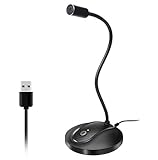
- 360 Degree Position Adjustable Gooseneck Design --Plug and play USB microphone Pick up the sound from 360-degree with high sensitivity, in the best possible location for sound to your PC gaming, dragon voice dictation, and talk to Cortana
- Mute Button & LED Indicator --One-click to mute/unmute your microphone for pc, Build-in LED indicator tells you the working status at any time
- Intelligent Noise-Canceling Tech --Premium omnidirectional condenser microphone with noise-canceling technology can pick up your clear voice and reduce background noise and echo
- USB Plug&Play(1.8/6ft USB Cable) -- No driver required. Just need to plug & play for the microphone to start recording, well compatible with Windows(7, 8, 10 and 11) and macOS. (NOT compatible with Xbox/Raspberry Pi/Android)
- Solid Construction--Adopting premium metal pipe and heavy-duty ABS stand to make sure that you will be satisfied with our computer mic quality
The SteelSeries Alias is different because its standout AI noise cancellation comes through Sonar software. That may be ideal for a gaming PC, but it is less portable than a microphone whose main isolation is physical. Software effects can also introduce artifacts or behave differently after updates and configuration changes.
Do not choose a multi-pattern microphone just because it has more patterns
Multiple patterns are useful when you record interviews, groups, instruments, or stereo content. They are not automatically better for a noisy solo desk. On the HyperX QuadCast 2 and QuadCast 2 S, begin with cardioid for one speaker. Omnidirectional and stereo modes capture more of the environment by design.
Placement and setup: the biggest performance upgrade
Changing microphone position often improves noise rejection more than changing models. Use this setup sequence:
- Move the microphone close. Place it a few inches from your mouth rather than at the far edge of the desk. Close placement lets you achieve a strong voice level without excessive gain.
- Aim the active side at your mouth. Check the model’s front or spoken-word orientation. A directional microphone cannot reject noise correctly if it is pointed sideways or backward.
- Place the rejection zone toward the main noise. With a typical cardioid microphone, the rear is generally the least sensitive direction. Put a fan, doorway, or computer tower behind the microphone when practical. Supercardioid patterns have different side-rejection behavior, so follow the model’s orientation guidance.
- Lower gain before adding software. Speak at your normal distance and set the input level so speech is healthy without clipping. Increasing gain to compensate for a microphone that is too far away increases room noise as well as voice.
- Separate the microphone from the desk. Use a boom arm, stable stand, or shock mount where appropriate. This helps reduce keyboard taps, mouse impacts, and desk vibration traveling into the microphone.
- Use a pop filter or the built-in one. Aim slightly across the microphone rather than directly blasting air into the capsule if plosive sounds remain.
- Add a gate or denoiser carefully. Set a gate so it closes during silence but does not cut the ends of words. Use denoising only as strongly as needed; listen for metallic or watery artifacts.
- Reduce reflections. Curtains, bookshelves, carpets, furniture, and basic acoustic treatment can reduce echo. They will not stop a barking dog, but they can make speech less hollow and make suppression software work less aggressively.
A microphone boom arm for close placement is often a more useful upgrade than a decorative microphone stand because it makes consistent mouth distance easier and can move the capsule away from keyboard vibration. XLR models may also need an XLR audio interface for a podcast microphone, while a pop filter or basic acoustic treatment can address plosives and reflections. Accessories help the setup, but none of them independently eliminates background noise.
Noise rejection versus noise suppression versus echo removal
These terms describe different stages of the signal chain:
- Noise rejection
- Sound reduction that happens because of the microphone’s directionality, capsule, housing, and placement. It works before computer software and is usually the most dependable foundation.
- Noise suppression or denoising
- Digital processing that estimates unwanted sound and reduces it. It can be effective against steady noise, but it may produce artifacts and cannot reliably remove every sound that overlaps speech.
- Noise gate
- A level-based control that turns the microphone down when the input falls below a threshold. It makes pauses quieter but does not remove background noise during speech.
- Echo reduction
- Room treatment or software processing that reduces reflections. It addresses reverberation, not necessarily a fan, keyboard, or conversation.
A good noisy-room setup normally uses these in order: physical placement and directionality first, conservative input gain second, and software processing last.
Troubleshooting common problems
| Problem | Likely cause | What to change |
|---|---|---|
| Voice sounds distant and the room is loud | Microphone is too far away or gain is too high. | Move it closer, speak toward the active side, and reduce gain. |
| Keyboard is loud while speaking | Keyboard is in the microphone’s pickup area or vibration is traveling through the desk. | Use a close-talk dynamic microphone, move it off the desk with a boom arm, re-aim the capsule, and use moderate software suppression. |
| Fan is muted only between sentences | A noise gate is being mistaken for a denoiser. | Use a denoiser for continuous noise and keep the gate conservative. |
| Speech sounds metallic or underwater | Denoiser or AI suppression is too aggressive. | Reduce the processing strength, improve microphone distance, and lower room noise at the source. |
| Words disappear at the beginning or end | Gate threshold or attack/release settings are too aggressive. | Lower the threshold and lengthen the release, then test quiet speech. |
| Voice sounds hollow or echoey | Room reflections, not directional noise, are the primary issue. | Move closer, add soft furnishings or acoustic treatment, and use dereverberation if available. |
| XLR microphone is very quiet | It is connected directly to a computer without an interface, or the interface gain is insufficient. | Use an appropriate audio interface or mixer and set its gain correctly. |
| Desk bumps appear in the recording | Mechanical vibration is reaching the microphone stand. | Use a boom arm or shock mount and keep the microphone physically separated from the desk. |
Our ranking method
This is an editorial fit ranking, not a laboratory comparison. No independent hands-on testing, measured comparative noise-floor test, or claim of guaranteed superiority was performed for this guide. The order reflects manufacturer-documented pickup patterns, dynamic versus condenser architecture, passive isolation, onboard DSP, software noise reduction, connection options, and each microphone’s intended use.
Because retailer stock and regional product status can change, confirm the current model, seller, warranty, and price before purchasing. This is especially important for the original MV7, which may be listed as discontinued on some regional Shure pages even though remaining stock can exist elsewhere.
Frequently Asked Questions
Do noise-cancelling microphones completely block barking dogs or traffic?
No. A directional close-talk microphone can reduce some off-axis and distant sound, while a denoiser may reduce certain background sources. Loud, nearby, or unpredictable sounds can still be heard, especially while you are speaking.
What’s actually slowing this PC down?
Pick the symptom - the matching free tool is one click away.
Is a dynamic or condenser microphone better for a noisy room?
A dynamic microphone is usually the safer starting point because it is generally less sensitive to distant room sound and reflections when used close to the mouth. A condenser can work with careful placement, lower gain, and effective software processing, but it typically requires more room discipline.
Can a noise gate remove keyboard noise?
Only when you are silent. A gate lowers the microphone when your voice falls below a threshold; it cannot remove keyboard clicks that occur at the same time as speech. Physical placement, a directional dynamic microphone, and moderate denoising are more useful for simultaneous keyboard noise.
Do I need an audio interface for these microphones?
USB models connect directly to a computer. XLR-only models such as the Shure MV7X and RØDE PodMic require an audio interface or mixer, plus an XLR cable. USB/XLR models such as the Shure MV7+, Shure MV7, RØDE PodMic USB, and Audio-Technica ATR2100x-USB can work directly over USB and later connect to an interface.
Should I buy the Shure MV7 or MV7+?
Choose the MV7+ if you want the newer all-in-one feature set, including real-time denoising, a digital pop filter, USB-C, and improved Auto Level Mode. The original MV7 remains a strong hybrid microphone when available at a sensible price, but regional availability and discontinuation status should be verified.
Free tools Windows power users keep installed
One-click scans. No signup required.
What is the best microphone for a gaming keyboard?
The Logitech G Yeti GX is the most directly targeted option in this list because its dynamic supercardioid capsule is designed for gaming and key-click rejection. A Shure MV6 or MV7+ can also work well. In every case, keep the microphone close to your mouth and position it away from the keyboard rather than relying entirely on software.
The Bottom Line
For most people recording in a noisy room, buy a close-talk dynamic microphone and fix placement before chasing stronger software cancellation. The Shure MV7+ is the most complete overall option; the RØDE PodMic USB is a strong USB/XLR alternative; the Logitech G Yeti GX suits gaming desks; and the Audio-Technica ATR2100x-USB is a practical affordable hybrid. If your room is echoey, treat the reflections separately—noise rejection, denoising, noise gates, and echo control solve different problems.

