
iTechGuides is reader-supported. When you buy through links on our site, we may earn an affiliate commission. As an Amazon Associate I earn from qualifying purchases. Learn more
A MagSafe wallet has to do more than stick to the back of an iPhone. The useful ones stay attached in a pocket, hold their advertised number of cards without becoming a brick, and do not make charging or contactless payments unnecessarily awkward.
We compared 13 current options across capacity, grip, stand design, Find My support, charging behavior, card access, and case compatibility. The biggest practical distinction is simple: most magnetic wallets must be removed before wireless charging, while tracked models add another device to keep charged.
Quick picks
| Wallet | Best for | Capacity | Tracking | Price noted |
|---|---|---|---|---|
| Apple FineWoven Wallet with MagSafe | Minimalist Apple setup | Up to 3 cards | Apple Find My | $59 |
| Nomad Leather Mag Wallet | Leather and tracking | 1–4 cards | Apple Find My | About $80 |
| ESR Geo Wallet Stand | Most features | Up to 5 cards plus cash | Apple Find My | Varies |
| ESR Geo Wallet Boost | Higher capacity | Check the exact listing | Built-in Find My | Varies |
| MOFT Trackable Snap-on Wallet | Thin tracked stand | 2 cards | Apple Find My | Varies |
| MOFT Snap Field Wallet | Roomier MOFT design | Confirm current specification | Not specified in launch details | Varies |
| Peak Design Mobile Wallet Slim | Slim, high-capacity wallet | Up to 7 cards | No built-in Find My | Varies |
| Peak Design Mobile Wallet Stand | Secure mechanical stand | Up to 7 cards | No built-in Find My | Varies |
| PopSockets Kick-Out PopWallet+ and Stand | Grip and stand combination | Up to 3 credit cards | No | $50 |
| Journey LOC8 Finder Wallet and Stand | Five-card tracked stand | 5 cards | Apple Find My | $89.99 |
| Ekster Cardholder Pro for MagSafe | Expandable metal wallet | 1–7 cards, or up to 17 with add-on | No built-in Find My | $129 |
| Spigen MagSafe Smart Fold Wallet | Covered two-card wallet | Up to 2 cards | No | Varies |
| Satechi Vegan-Leather Magnetic Wallet Stand | Affordable four-card stand | 4 cards | No | $39.99 |
1. Apple iPhone FineWoven Wallet with MagSafe
Best minimalist Apple option. Apple’s wallet remains the straightforward choice if you want a small card sleeve that integrates directly with Find My. It holds up to three cards, includes shielding for the cards, and costs $59.
Free tools Windows power users keep installed
One-click scans. No signup required.
It is compatible with iPhone 12 and later MagSafe iPhones, including the iPhone 17 series. The design is intentionally simple: there is no stand, cash compartment, pop-out mechanism, or large expandable capacity. That is an advantage if you usually carry an ID and one or two payment cards.
Popular on Amazon

- 5 Card Storage: minimalist MagSafe wallet with expanded storage for up to 5 cards or 4 cards and 3 banknotes to suit any occasion. Product dimensions: 3.74 x 2.57 x 0.44 inches. What's in the box: 1*Magnetic Wallet, 2*Metal Sticker, 1*Instruction Manual
- Strong Magnetic Lock: Engineered with 20 powerful N52 magnets delivering 3,200 g of holding force with a magnetic case, our MagSafe wallet has 4x the magnetic strength of the official MagSafe wallet. Stay confident knowing your wallet stays securely in place—no slips, no drops
- Effortless Card Access: A specially designed 20 mm slot at the bottom lets you quickly slide cards in and out—no fumbling, no hassle
- Enhance Security: Our upgraded Magnetic wallet features built-in RFID-blocking technology, creating a secure shield around your cards to block unauthorized scans. Keep your credit cards, IDs, and personal data safe from digital theft—wherever you go
- Compatibility: for iPhone 18 Pro Max/18 Pro/17e/17 Pro Max/17 Pro/17/Air, 16 Pro Max/16 Pro/16 Plus/16, 15 Pro Max/15 Pro/15 Plus/15, 14 Pro Max/14 Pro/14 Plus/14, 13 Pro Max/13 Pro/13, 12 Pro Max/12 Pro/12, and MagSafe-compatible phone cases; also for non-MagSafe phones and phone cases using the included magnetic rings, such as Samsung Galaxy S26 Plus/S26 Ultra/S25 Plus/S25 Ultra/S24 Plus/S24 Ultra/S23 Plus/S23 Ultra and Google Pixel 7-11 Series; But Not for iPhone 13/12 mini, Samsung S26/S25/S24/S23
Apple’s wallet is also the least ambiguous Find My option in this group. When attaching it for the first time, go to the iPhone Home Screen, attach the wallet, tap Continue, and follow the prompts. To add it later, open Find My, attach the wallet, tap +, choose Add MagSafe Accessory, and complete setup.
Remember that a wallet linked to another Apple Account must be removed from that account before you can add it. That matters when buying an open-box or returned unit.
2. Nomad Leather Mag Wallet
Best leather wallet with tracking. Nomad uses vegetable-tanned Horween leather and combines it with Apple Find My tracking, a rechargeable battery, and room for one to four cards. It measures approximately 96 × 66 × 9 mm and weighs 47 g.
Quick wins for a faster PC:
Clear out junk files and repair common Windows errorsFree Scan →Fix the driver behind crashes, sound loss and screen glitchesFind Drivers →The battery lasts approximately five months and can be recharged by Qi or MagSafe. Nomad’s wallet is a more substantial object than Apple’s card sleeve, but it is better suited to someone who wants a premium leather finish and occasional tracking.
There are two important limitations. Nomad says to remove the wallet before charging the iPhone, and its internal MagSafe array is intentionally offset, so it may not sit perfectly centered on a charger. Nomad also does not guarantee tap-to-pay with a card left inside; remove the card when a terminal fails to read it.
Setup differs from Apple’s accessory flow. In Find My, open the Items tab, tap +, and select Add Other Item, not Add MagSafe Accessory.
3. ESR Geo Wallet Stand
Best feature-heavy wallet. The Geo Wallet Stand combines a wallet, adjustable stand, Apple Find My support, RFID blocking, and a magnetic lock. It holds up to five cards and can accommodate extra cash, making it more practical than minimalist two- or three-card sleeves.
Recommended Free Tools
The stand is useful when watching video or making a video call, while the magnetic lock is intended to keep the wallet closed when it is not attached to the phone. The trade-off is thickness: five cards, cash, tracking hardware, and a stand inevitably make this a pocket-filling option.
ESR explicitly says the wallet must be removed for wireless charging. RFID blocking can also interfere with contactless readers, so test payment cards, transit cards, and hotel key cards independently rather than assuming they will work through the wallet.
4. ESR Geo Wallet Boost
Best for larger capacity. The Geo Wallet Boost targets people who want more than a slim card sleeve while retaining a magnetic attachment and built-in Find My tracking. It is designed for caseless MagSafe iPhones, MagSafe or HaloLock cases, and cases fitted with an ESR HaloLock Universal Ring.
Also popular on Amazon

- Upgraded Magnetic Lock: Delivers 5000g holding force—5X stronger than the official magnetic wallet. Seamlessly integrate the magnetic phone wallet onto your Magnetic case or iPhone. Keep your ID, credit cards, and other essentials firmly and feel secure with the ultra-strong built-in magnets that lock the wallet into place
- Ultra-Slim Profile for Effortless Portability: Measuring a mere 0.15 inches thick (just 3.8mm), this MagSafe Wallet slips into your pocket, jacket interior, or even the smallest bag compartment without adding bulk. No more bulky, uncomfortable protrusions—carry your essential cards (IDs, credit cards) with a "barely-there" feel that keeps your daily carry sleek and light.
- Effortless Card Access: A specially designed 20 mm slot at the bottom lets you quickly slide cards in and out—no fumbling, no hassle
- Dual-Protection Magnetic Wallet: Blocks RFID scanning and prevents card demagnetization. Safeguards credit cards & IDs from digital theft and magnetic damage. Secures identity + property with military-grade shielding
- Compatibility: Only compatible with iPhone 18 Pro Max/18 Pro/ iPhone 17/17 Air/17 Pro/17 Pro Max/iPhone 16/16 e/16 Plus/16 Pro/16 Pro Max/15/15 Plus/15 Pro/15 Pro Max/14/14 Plus/14 Pro/14 Pro Max/13/13 Pro/13 Pro Max/12/12 Pro/12 Pro Max, official magnetic case
Compatibility needs particular attention. The cited ESR listing excludes the iPhone 12 mini and iPhone 13 mini, so do not rely on the general phrase “MagSafe compatible.” Check your exact phone model, case, and ring configuration before ordering.
Like ESR’s other magnetic wallet designs, wireless charging is not a wallet-attached feature to count on. Plan to remove it before placing the phone on a charger.
5. MOFT Trackable Snap-on Phone Stand & Wallet
Thinnest tracked stand wallet. MOFT’s Trackable Snap-on Wallet holds two cards, includes built-in Apple Find My, and has a listed profile of only 0.25 inches. Its advertised magnetic force is 15 N, and its alert reaches a stated 70 dB.
The wallet folds into a stand and is aimed at people who want tracking without moving to a larger five-card design. Its battery is built in and not replaceable. MOFT specifies about 1.5 hours of wireless charging for up to six months of standby, so add periodic wallet charging to your maintenance routine.
Two cards is a hard practical limit for anyone carrying an ID, payment card, and transit card. It works best for a deliberately small everyday load rather than as a replacement for a conventional wallet.
6. MOFT Snap Field Wallet
Best roomier MOFT option. The Snap Field Wallet is a newer, larger magnetic wallet design that became available through Apple Stores and Apple.com on June 22, 2026. It is the option to investigate if MOFT’s thin tracked wallet is too restrictive but you still prefer the brand’s foldable approach.
The launch information does not specify a card limit. Confirm the current capacity, colors, price, and stock before publishing or purchasing; those details may vary by retailer and production version. Do not infer its capacity from the two-card rating of the Trackable Snap-on Wallet.
7. Peak Design Mobile Wallet — Slim
Best slim high-capacity design. Peak Design’s Slim wallet is listed at 3.75 mm empty and can hold up to seven cards. It uses recycled nylon canvas and comes with Peak Design’s lifetime guarantee.
This is a strong choice when capacity matters but you do not want a bulky stand or electronic tracker. Its mechanical approach also avoids battery maintenance. The seven-card figure should still be treated as a maximum rather than an ideal everyday load, especially with embossed cards.
Availability is inconsistent. Official listings vary by color and material, and some configurations currently show “Out of Stock.” Check the exact configuration rather than assuming the product is universally available.
Also popular on Amazon

- Tough Build, Robust Magnet: Our iPhone wallet, with strong built-in magnets, attaches to any magnetic case or MagSafe device, supporting 3X your phone's weight; It detaches with quick-release ridges, while keeping items secure with its sealed snap latch
- Sleek, Minimalist Storage: Upgrade to the Pelican MagSafe wallet case and choose a minimal wallet over traditional bulk; Featuring 2 compartments for 4 cards & cash, it secures your credit cards, IDs, & cash while ensuring quick access to your essentials
- Splash-Safe iPhone Mag Wallet: Stay worry-free with our MagSafe iPhone wallet offering IPX4 MIL-GRADE drop protection against splashes & spills! With an elegant premium polymer detailing, use it as a wallet attachment or separately for pocket-friendly use
- Never Lose Wallet Again: Keep your cards & cash safe with our MagSafe wallet, offering slim yet ample storage with compartment for both cash & cards, so no worries about losing your essentials; It functions perfectly as a Magnetic wallet for any occassion
- One-Year Limited Warranty: Get ready for superior protection & style with our iPhone MagSafe wallet, compatible with iPhone Pro Max 17, 16, 15, 14, 13, 12, and Pixel 10 series; Explore color options available in Black, OD Green, and Desert Tan; Phone case is not included
8. Peak Design Mobile Wallet — Stand
Best stand with a secure mechanical feel. The Stand version uses Peak Design’s SlimLink magnetic system, measures 6 mm empty, and holds up to seven cards. It is the better Peak Design choice if the wallet must double as a landscape or portrait phone stand.
The mechanical stand avoids the charging and pairing issues that come with tracked wallets. It is also more substantial than the Slim version, so compare the extra stand utility with the additional thickness.
Stock requires checking. Some official listings show the wallet as out of stock, while certified or refurbished versions may still be available. Treat price and availability as configuration-specific.
Windows Errors? Fix Them Before They Spread
Repair common Windows errors and clear accumulated junk for a smoother, more stable PC - no reinstall needed.Free scan · no reinstallOutdated Drivers Are Slowing You Down
One free scan finds every outdated or missing driver and matches the right update for your exact hardware.Free scan · exact hardware match9. PopSockets MagSafe Kick-Out PopWallet+ & Stand
Best grip and stand combination. This $50 wallet adds a swappable PopTop to a magnetic card holder and kick-out stand. It supports portrait and landscape viewing and measures 57.35 × 87.77 × 7.32 mm.
Capacity depends on card thickness: PopSockets rates it for up to three credit cards or up to six business cards. That distinction is important because business cards are often thinner than embossed payment cards. Load it with the cards you actually carry rather than counting only flat sample cards.
The wallet must be removed for wireless charging. Choose it for the grip and stand ecosystem, not for a seamless “leave it attached” charging experience.
10. Journey LOC8 MagSafe Finder Wallet and Stand
Best Find My wallet for five cards. Journey’s LOC8 combines a five-card capacity with Apple Find My, a built-in speaker, RFID protection, and an adjustable stand that works in portrait and landscape orientations.
The Tool Desk
Outbyte PC Repair FREEClear out junk files and repair common Windows errorsFree Scan →Outbyte Driver Updater FREEScan for outdated or missing drivers - takes under a minuteDriver Scan →Its rechargeable battery is rated for six months. Journey lists an 80–90 dB buzzer, which should make the wallet easier to locate nearby than a silent card sleeve, and includes a one-year warranty. The listed price is $89.99.
The feature set is compelling, but RFID protection and card-reader compatibility are separate questions. Test your payment and access cards individually, and expect to remove the wallet for iPhone wireless charging.
11. Ekster Cardholder Pro for MagSafe
Best expandable metal wallet. The Cardholder Pro uses 100% recycled 6061 aluminum, blocks RFID signals, supports dual-sided MagSafe attachment, and ejects cards through a pop-up mechanism. It holds one to seven cards by itself and up to 17 when paired with Ekster’s Cardholder Nano for MagSafe.
Also popular on Amazon
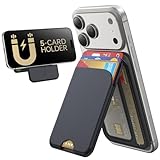
- Upgraded Magnetic Lock: Delivers 5000g holding force—5X stronger than the official magnetic wallet. Seamlessly integrate the magnetic phone wallet onto your Magnetic case or iPhone. Keep your ID, credit cards, and other essentials firmly and feel secure with the ultra-strong built-in magnets that lock the wallet into place
- Adjustable Stand: Find your perfect viewing angle! Effortlessly tilt between 15° and 175° and switch between portrait or landscape. Ideal for watching shows, FaceTiming, or browsing in total comfort
- Smart Card Storage: This phone wallet magnetic has 3 independent card slots,which holds 5 cards + clear ID window for instant access to your most-used card
- Dual-Protection Magnetic Wallet: Blocks RFID scanning and prevents card demagnetization. Safeguards credit cards & IDs from digital theft and magnetic damage. Secures identity + property with military-grade shielding
- Compatibility: Only compatible with for iPhone 18 Pro Max/18 Pro/iPhone 17/17 Air/17 Pro/17 Pro Max/iPhone 16/16 e/16 Plus/16 Pro/16 Pro Max/15/15 Plus/15 Pro/15 Pro Max/14/14 Plus/14 Pro/14 Pro Max/13/13 Pro/13 Pro Max/12/12 Pro/12 Pro Max, official magnetic case; not compatible with iPhone 13/12 mini
At a regular price of $129, it is one of the most expensive options here, but it is also the most expandable. A lifetime warranty adds value for people who intend to use it as a long-term wallet rather than a phone accessory.
Do these 3 things before closing this tab:
1Fix the driver behind crashes, sound loss and screen glitches2Clear out junk files and repair common Windows errors3Scan for outdated or missing drivers - takes under a minuteIt does not include built-in Find My. Ekster sells a separate Finder Card for MagSafe, so tracking adds another purchase rather than coming as part of the wallet.
12. Spigen MagSafe Smart Fold Wallet
Best covered two-card wallet. Spigen’s Smart Fold Wallet covers the cards for privacy and lets you access them from either the front or rear. It also includes a built-in stand.
The capacity is limited to two cards, but the covered design is useful if you dislike exposed cards or want to reduce the chance of a card sliding out. As with other small wallets, embossed cards may consume more room than the nominal capacity suggests.
Spigen specifies compatibility with iPhone 12–15 series MagSafe cases. It does not work with non-MagSafe cases or phones, so a generic magnetic-looking case is not enough.
What’s actually slowing this PC down?
Pick the symptom - the matching free tool is one click away.
13. Satechi Vegan-Leather Magnetic Wallet Stand
Best inexpensive four-card stand wallet. At a listed $39.99, Satechi’s vegan-leather wallet is one of the cheaper ways to get four-card capacity and a built-in stand. Its hinge opens through 160 degrees and supports both portrait and landscape orientations.
The product page says contactless payments can be made with a card inside the wallet. Treat that as a feature to verify, not a guarantee for every card or reader. Payment behavior can vary with card type, reader design, wallet materials, and how many cards are stacked together.
It is a sensible choice if you want a basic stand wallet and do not need Find My, RFID protection, or a metal pop-up mechanism.
Independent reader supportYour contribution helps us test, update, and keep practical guides available for everyone.What we checked in real-world use
MagSafe performance is highly dependent on the phone and case, so a useful test cannot stop at attaching each wallet to one bare iPhone.
- Test the wallet on a bare MagSafe iPhone, an Apple MagSafe case, and at least one third-party MagSafe case.
- Load an embossed credit card, a flat credit card, an ID, and a transit or hotel card. Record both the manufacturer maximum and a comfortable everyday load.
- Perform 100 pocket insertions and removals with the screen facing inward and outward.
- Shake-test the phone and wallet, then slide them against denim and cotton pockets.
- Attach and remove the wallet from a MagSafe charger at least 20 times.
- Test charging with the wallet attached and removed, including alignment on the charger.
- Try contactless payment with the card inside, then repeat with the card removed.
- For Find My models, test pairing, Play Sound, map location, left-behind notifications, battery reporting, and account removal.
- Test portrait and landscape stand stability with one card, three cards, and the maximum rated load.
Manufacturer dimensions generally describe the empty wallet. A wallet rated for seven cards may be considerably thicker once loaded, especially with raised lettering, an ID, and cash.
Also popular on Amazon

- Stronger Magnets Brings Safer: Different from ordinary magnetic wallet, N52 Ultra magnet was in built our magnetic wallet case to provide higher magnetic(Strength up to 4200Gs ) for avoiding falling apart.
- RFID Blocking Technology: Compared to transparent and regular card packs, this RFID card holder could further safeguard our personal data, effectively preventing risks such as theft and leakage of privacy information.
- For Card Storage: Our magnetic wallets were made of premium leather, which shows a sense of beauty while not appearing flashy, as well quality upgrades have been made to the edge process to ensure longer use
- Maintain the Magnetism of Cards: The non-demagnetization function of this magnetic wallet has been upgraded to provide strong magnetic attraction without erasing the card's magnetism, better fit the phone as well bring further security of card usage.
- For More Smartphones: Not only this mag safe wallet cases fit series of iPhone 12/13/14/14 Plus/14 Pro/14 Pro Max/15/15ProMax/16/16Pro Max/17/17Pro Max/18/18 Pro Max series, as well fits with official Mag safe cases and other Smartphones that with Magnetic Devices
How to choose a MagSafe wallet
Choose capacity conservatively
Count the cards you carry every day, then leave some margin. “Up to three cards” normally means three relatively thin cards. Embossed numbers, thick IDs, metal cards, and folded cash reduce usable capacity.
Decide whether tracking is worth charging
Apple Find My wallets can show a last known location through the Find My network, but they are not GPS trackers. Nearby Apple devices help update the item’s location; there is no continuous GPS trail. Battery life is typically about five to six months for the tracked models in this list.
Assume you will remove the wallet to charge
ESR and Nomad explicitly require removal for wireless charging, and RFID-blocking aluminum designs can block charging signals. Even when a wallet appears to charge through a phone, test alignment and heat before treating that as normal behavior.
Check case compatibility
A wallet can hold firmly on a bare phone and slide on a thick third-party case. Camera-bump shape, case thickness, magnet placement, wallet weight, and the strength of the case’s magnetic array all affect the result. The Spigen model, for example, is specified for iPhone 12–15 series MagSafe cases and not non-MagSafe cases.
Separate privacy from payment convenience
RFID blocking helps prevent some contactless reads but can also prevent you from tapping a card without removing it. Test credit, debit, transit, and hotel cards separately. Do not assume that one successful tap means every card will work through the same wallet.
Find My setup: Apple versus third-party wallets
Apple’s own wallet uses the dedicated MagSafe accessory route:
- Open the iPhone Home Screen.
- Attach the Apple Wallet with MagSafe.
- Tap Continue.
- Follow the onscreen instructions.
If the setup prompt does not appear, open Find My, attach the wallet, tap +, select Add MagSafe Accessory, and continue.
Third-party wallets may appear as general items instead. For Nomad’s Leather Mag Wallet, open Find My, select Items, tap +, choose Add Other Item, and follow the instructions. Using the wrong option can make the wallet appear not to support Find My even when it does.
Common MagSafe wallet problems
- The wallet falls off. Try it on a bare phone and two cases. A thick or weakly magnetized case may be the cause rather than the wallet.
- The phone will not charge. Remove the wallet first. RFID shielding, aluminum construction, and misalignment can all block or disrupt wireless charging.
- Tap-to-pay fails. Remove the card and try again. Multiple cards, RFID shielding, and wallet materials can interfere with contactless communication.
- Find My cannot add the wallet. Check whether it is still linked to another Apple Account. For some third-party wallets, use Add Other Item rather than Add MagSafe Accessory.
- The stand collapses. Reduce the card load and test both orientations. Stands often become less stable at maximum capacity.
- The wallet is not centered on a charger. Some internal magnetic arrays are offset by design. Alignment is a compatibility issue, not necessarily a defect.
FAQ
Do MagSafe wallets work with every iPhone case?
No. The case needs a properly positioned MagSafe magnetic ring, and thick cases, weak magnets, camera geometry, and wallet weight can reduce grip. Test the wallet on your actual case, not just a bare iPhone.
Can I wirelessly charge an iPhone without removing its MagSafe wallet?
Usually, no. ESR and Nomad explicitly require wallet removal, and RFID-blocking or aluminum wallets may block charging signals. Remove the wallet unless the manufacturer specifically confirms attached charging and your own charger test succeeds.
Are Find My MagSafe wallets GPS trackers?
No. They use Apple’s Find My network and report a last known location when nearby participating Apple devices detect them. They do not provide continuous GPS tracking.
How many cards should I put in a MagSafe wallet?
Use the manufacturer’s capacity as a maximum, not a target. Three thin cards may fit comfortably while three embossed cards do not. Test your actual ID, payment, transit, and hotel cards before relying on the wallet.
The Bottom Line
Buy the Apple FineWoven Wallet if you want the smallest Apple-integrated card holder, the Nomad Leather Mag Wallet for leather plus tracking, or the ESR Geo Wallet Stand for the broadest feature set. For a stand without batteries, look at Peak Design, PopSockets, Spigen, or Satechi. If you need five or more cards, prioritize the ESR Geo Wallet Boost, Journey LOC8, Peak Design, or Ekster—but check exact phone compatibility, stock, card thickness, and charging requirements before ordering.

