
iTechGuides is reader-supported. When you buy through links on our site, we may earn an affiliate commission. As an Amazon Associate I earn from qualifying purchases. Learn more
The best laptops for graphic design in 2026 are the 14-inch MacBook Pro with M5 Pro for most professionals, the ASUS ProArt P16 for Windows users who need a color-focused display and discrete GPU, and the 15-inch MacBook Air with M5 for portable 2D work. The right choice depends on software compatibility, RAM, color accuracy, storage, and whether the workload includes 3D or video.
Graphic design is not one workload. Illustrator, InDesign, Figma, branding, and moderate Photoshop usually reward fast everyday responsiveness, sufficient memory, a good display, and comfortable ergonomics more than an expensive workstation GPU. Large Photoshop documents, Lightroom catalogs, After Effects, Premiere Pro, Blender, Cinema 4D, AI features, and multi-display setups place greater demands on RAM, cooling, and graphics.
Prices and availability vary by configuration, retailer, promotions, and region. This United States guide treats prices as configuration-dependent and should be checked against the exact SKU at publication.
Key takeaways
- The 14-inch MacBook Pro with M5 Pro is the strongest general professional choice for macOS users, while M5 Max is mainly justified by heavy video, 3D, AI, or high-memory workloads.
- The ASUS ProArt P16 is the leading Windows creator choice when a wide-gamut OLED display and NVIDIA graphics are more important than maximum battery life.
- Professional 2D designers should generally target 24GB–32GB of memory and a 1TB SSD; 64GB is more appropriate for video, 3D, virtual machines, and very large Photoshop files.
- A dedicated GPU is usually optional for Figma, typography, layout, Illustrator, InDesign, and moderate Photoshop, but strongly preferred for GPU rendering, CUDA/OptiX workflows, complex 3D, and advanced motion graphics.
- Display gamut is not the same as color accuracy: a wide-gamut laptop may still need a colorimeter and the correct color profile for client- or print-critical work.
Which laptop is best for graphic design in 2026?
The 14-inch MacBook Pro with M5 Pro is the best all-round laptop for professional graphic design in 2026 when the required software runs well on macOS. The ASUS ProArt P16 is the better Windows choice for designers who need NVIDIA GPU acceleration, while the 15-inch MacBook Air with M5 is the better value and portability choice for typical 2D work.
Popular on Amazon
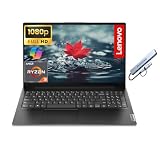
- 【Powerful AMD Ryzen 7 Performance】AMD Ryzen 3 7320 combines four cores, 8 threads, speeds up to 4.1GHz and 4MB total cache for multitasking, demanding business workloads and content creation. AMD Radeon graphics deliver smooth visuals.
- 【Outstanding 15.6" Display】1920 x 1080 high resolution LED screen provides you with a sharp and clear text and images. The ratio expands the vertical space of the screen, showing more content, providing a comfortable visual experience and greater efficiency when browsing web pages or documents.
- 【Exceptional Storage Space】Equipped with 16GB LPDDR5 RAM and up to 1TB Solid State Drive, runs smoothly, responds quickly, handles multi-application and multimedia workflows efficiently and quickly.
- 【Tech Specs】Stay connected with Wi-Fi and Bluetooth and variety of ports. The Lenovo V15 G4 laptop features 1 x USB-C, 2 x USB-A, 1 x Ethernet Port, 1 x HDMI, 1 x Headphone/Microphone Combo Jack, allowing you to connect a variety of peripherals and devices for enhanced productivity.
- 【Designed for the Office】With AMD Radeon Graphics, Numeric Keypad, Camera Privacy Shutter, Integrated Stereo Speakers, it ensures a stylish and innovative look, excellent portability, and is suitable for daily work and play. It is a great choice for businesses, offices, or students.
Apple introduced the M5 Pro and M5 Max MacBook Pro models in March 2026 with 14-inch and 16-inch sizes, Liquid Retina XDR displays, Thunderbolt 5, and a manufacturer-claimed battery life of up to 24 hours. Apple’s official M5 Pro and M5 Max announcement confirms the current-generation platform and features.
Quick comparison: the 12 best graphic-design laptops
| Laptop | Best for | Display direction | Configuration target | Price guidance | Main drawback |
|---|---|---|---|---|---|
| MacBook Pro 14-inch M5 Pro | Most professional 2D designers | Liquid Retina XDR; high-resolution wide-gamut workflow | 24GB–48GB memory; 1TB SSD | Configuration-dependent; verify U.S. price at publication | Expensive upgrades; no CUDA ecosystem |
| MacBook Pro 16-inch M5 Pro | Large canvases and desk-based work | 16-inch Liquid Retina XDR | 48GB memory; 1TB–2TB SSD | Configuration-dependent; verify U.S. price at publication | Heavy and expensive |
| MacBook Pro M5 Max | Heavy video, 3D, AI, and multitasking | Liquid Retina XDR | 64GB–128GB memory; 2TB or larger SSD | Configuration-dependent; verify U.S. price at publication | Overkill for ordinary layout work |
| MacBook Air 15-inch M5 | Students, freelancers, and portable 2D work | 15.3-inch display | 24GB or 32GB memory; 1TB SSD | Apple announced $1,299 U.S. launch pricing; later configured listings showed different prices | Fanless design is less suitable for sustained rendering |
| ASUS ProArt P16 | Windows creator work | OLED; up to 120Hz VRR; anti-reflection treatment | 32GB–64GB RAM; RTX 4060/4070/5070-class GPU; 1TB–2TB SSD | Exact H7607 SKU required; verify current price | OLED glare and battery trade-offs |
| Lenovo Yoga Pro 9i 16 | Large display and value balance | 3.2K 165Hz Mini-LED on the cited configuration | Core Ultra 9-class CPU; 32GB–64GB RAM; RTX GPU | Exact generation and configuration required | Panel and GPU options vary |
| Dell 16 Premium | Premium Windows alternative | Check the exact current panel | 32GB RAM; 1TB SSD; discrete GPU if available | Current configured price required | Thin design may limit ports and ergonomics |
| Lenovo ThinkPad P16v Gen 3 | CAD, 3D, enterprise, and ISV-certified work | Configuration-dependent professional display | 32GB–64GB RAM; professional RTX GPU; 1TB SSD | A surfaced configuration was about $5,329 U.S.; not a starting price | Bulky and excessive for ordinary 2D work |
| Dell Pro Max 16 | Business workstation buyers | Optional high-resolution OLED configurations | 32GB or more; RTX Pro graphics; 1TB SSD | Exact model and support plan required | Lower consumer value |
| ASUS ROG Zephyrus G16 | Design plus gaming and 3D | Configuration-dependent high-refresh display | 32GB RAM; RTX 4070-class or better; 1TB SSD | Configuration-dependent; verify current price | Fan noise, gaming styling, and battery trade-offs |
| Razer Blade 16 | Premium 3D and motion work | High-end configuration-dependent display | 32GB–64GB RAM; RTX 5070-class or better; 1TB SSD | Configuration-dependent; verify current price | Very expensive, hot, and power-hungry |
| Surface Laptop Studio 2 | Pen and convertible workflows | Convertible touch display | 32GB RAM; RTX 4050/4060 if discounted | Current stock and price must be reconfirmed | Older platform and weak value in 2026 |
What should professional graphic designers buy?
Professional graphic designers should buy the 14-inch MacBook Pro with M5 Pro in a 24GB–48GB memory configuration and at least a 1TB SSD unless Windows-only software, CUDA, or a specific plug-in requires a Windows laptop. The 16-inch MacBook Pro M5 Pro is preferable for users who work primarily at a desk and value a larger canvas.
1. Apple MacBook Pro 14-inch or 16-inch with M5 Pro — best overall
The M5 Pro configuration is the rational MacBook Pro choice for most professionals. M5 Pro provides more headroom than the base M5 for large Photoshop files, Lightroom catalogs, multiple Adobe applications, external displays, and sustained creative work, while M5 Max is more difficult to justify for Illustrator and InDesign alone.
What’s actually slowing this PC down?
Pick the symptom - the matching free tool is one click away.
Choose the 14-inch version when portability matters. Choose the 16-inch version when a larger working area, longer sustained workloads, and a desk-centered setup matter more than weight. Apple’s current MacBook family includes MacBook Pro configurations reaching up to 128GB of unified memory and 8TB of storage; Apple’s current MacBook specifications page lists the family-level memory and storage range.
MacBook Pro limitations include non-upgradable memory and storage, fewer discrete-GPU choices, and possible incompatibility with Windows-only CAD tools, plug-ins, utilities, or game engines. Check the exact model’s external-display limits, ports, and accessory compatibility before buying.
2. Apple MacBook Pro M5 Max — best for exceptionally heavy production
MacBook Pro M5 Max is appropriate for designers who also edit video, render 3D, run large AI-assisted workflows, use virtual machines, or keep several memory-intensive applications open simultaneously. M5 Max is not a universally faster Illustrator or InDesign solution, so ordinary 2D designers should spend the difference on memory, storage, an external monitor, or color-management equipment instead.
A 64GB–128GB configuration and a 2TB-or-larger SSD make sense for high-end production. M5 Max remains a macOS choice, so it does not replace a Windows/NVIDIA system for CUDA- or OptiX-dependent workflows.
The Tool Desk
Outbyte PC Repair FREERepair Windows errors before they cause bigger problemsFix Now →Outbyte Driver Updater FREEFix the driver behind crashes, sound loss and screen glitchesFind Drivers →Which Windows laptop is best for graphic design?
The ASUS ProArt P16 is the strongest general Windows recommendation because it combines a creator-focused display with NVIDIA graphics and modern performance options. The Lenovo Yoga Pro 9i 16 is the strongest alternative when a Mini-LED panel, large screen, and balanced design are preferred.
3. ASUS ProArt P16 — best Windows creator laptop
The ASUS ProArt P16 is a compelling choice for Windows-based Adobe users, photographers, illustrators, and creators who need discrete GPU acceleration. ASUS lists a Lumina Pro OLED display, Delta E<1 color accuracy, up to 1,600 nits peak brightness, 120Hz variable refresh, and anti-reflection treatment for the current H7607 family. These are ASUS specifications, not independent measurements; ASUS’s ProArt P16 specifications identify the claimed display features and available graphics configurations.
Target 32GB–64GB of RAM, a 1TB–2TB SSD, and an RTX 4060/4070/5070-class GPU according to the workload. Confirm the exact SKU: earlier H7606 and current H7607 families are not interchangeable, and the same product name can hide different CPUs, GPUs, displays, memory, and storage.
OLED provides excellent contrast, black levels, saturation, and resolution, but the glossy surface may reflect studio lighting. OLED buyers should also consider burn-in or image retention, PWM dimming sensitivity, oversaturated factory modes, and higher power use at high brightness.
4. Lenovo Yoga Pro 9i 16 — best display and value balance
The Lenovo Yoga Pro 9i 16 is a strong option for designers who want a large, sharp Windows display without moving to a bulky workstation. Lenovo lists a 16-inch 3.2K 165Hz Mini-LED panel, 1,200-nit brightness, Delta E<1, and 100% sRGB, P3, and Adobe RGB coverage for the cited Core Ultra 9 185H/RTX 4060 configuration. These are manufacturer claims tied to that configuration, not proof that every Yoga Pro 9i has the same panel; see Lenovo’s cited Yoga Pro 9i configuration.
Mini-LED can be preferable to OLED for designers who keep static toolbars visible for long periods, want high brightness, or feel uneasy about OLED retention. OLED generally offers deeper blacks, while Mini-LED can provide a more practical compromise for bright rooms and static desktop interfaces.
Also popular on Amazon

- Beyond Performance: The Intel Core i5-13420H processor goes beyond performance to let your PC do even more at once. With a first-of-its-kind design, you get the performance you need to play, record and stream games with high FPS and effortlessly switch to heavy multitasking workloads like video, music and photo editing.
- AI-Powered Graphics: The state-of-the-art GeForce RTX 4050 graphics (194 AI TOPS) provide stunning visuals and exceptional performance. DLSS 3.5 enhances ray tracing quality using AI, elevating your gaming experience with increased beauty, immersion, and realism.
- Visual Excellence: See your digital conquests unfold in vibrant Full HD on a 15.6" screen, perfectly timed at a quick 165Hz refresh rate and a wide 16:9 aspect ratio providing 82.64% screen-to-body ratio. Now you can land those reflexive shots with pinpoint accuracy and minimal ghosting. It's like having a portal to the gaming universe right on your lap.
- Internal Specifications: 8GB DDR5 Memory (2 DDR5 Slots Total, Maximum 32GB); 512GB PCIe Gen 4 SSD
- Stay Connected: Your gaming sanctuary is wherever you are. On the couch? Settle in with fast and stable Wi-Fi 6. Gaming cafe? Get an edge online with Killer Ethernet E2600 Gigabit Ethernet. No matter your location, Nitro V 15 ensures you're always in the driver's seat. With the powerful Thunderbolt 4 port, you have the trifecta of power charging and data transfer with bidirectional movement and video display in one interface.
5. Dell 16 Premium — premium Windows alternative
The Dell 16 Premium is worth considering as the current premium successor to Dell’s XPS-style design, but the exact branding, GPU options, panel, ports, and price must be verified before publication or purchase. Dell’s graphic-design laptop range presents creator-oriented and professional options, but category pages do not establish one universal configuration.
Choose a 32GB RAM, 1TB SSD configuration and a discrete GPU when the workload needs GPU acceleration. A minimalist chassis may look excellent but can sacrifice port selection, keyboard travel, serviceability, or convenient SD-card access.
Which laptop is best for portable and student graphic design?
The 15-inch MacBook Air with M5 is the best portable choice for students, freelancers, and designers whose work is mainly Figma, Canva, Illustrator, InDesign, web graphics, and moderate Photoshop. The 15.3-inch display offers more workspace than the smaller Air, while the fanless design remains quiet during interactive work.
6. Apple MacBook Air 15-inch M5 — best portable/value option
Apple lists the 15-inch M5 MacBook Air with a 15.3-inch display, 16GB–32GB unified memory, 512GB–4TB storage, and a manufacturer-claimed battery life of up to 18 hours. Apple’s current MacBook Air page contains the current family specifications.
Buy 24GB or 32GB of memory and a 1TB SSD when possible. Apple’s March 2026 launch announcement listed the 15-inch model from $1,299 in the United States, while a later Apple Store configuration showed a $1,499 starting price for a selected 10-core CPU/10-core GPU configuration. The difference demonstrates why an article or buyer must name the exact configuration and date; compare Apple’s launch pricing with the configured Apple Store listing.
The MacBook Air is less suitable for long renders, sustained video exports, complex 3D, or software that requires Windows or NVIDIA CUDA. A 13-inch MacBook Air is better for frequent travel, but the 15-inch model is more comfortable for palettes and side-by-side documents.
Windows Errors? Fix Them Before They Spread
Repair common Windows errors and clear accumulated junk for a smoother, more stable PC - no reinstall needed.Free scan · no reinstallCrashes, No Sound, or Screen Glitches?
Random freezes, missing sound and display glitches usually trace back to one bad driver. Find and replace yours safely.Free scan · under a minute7. Samsung Galaxy Book5 Pro 16 — portable OLED productivity option
The Samsung Galaxy Book5 Pro 16 can suit lighter 2D work when the exact configuration provides adequate memory, storage, and graphics. Treat the model as a conditional recommendation rather than a default professional pick: verify RAM, color-management behavior, GPU capability, ports, and whether the selected panel is appropriate for client-critical work.
Which laptops are best for 3D, motion graphics, and enterprise design?
3D, motion graphics, CAD, and enterprise design benefit more from discrete graphics, sustained cooling, professional drivers, and support than ordinary 2D layout work. A high-wattage NVIDIA GPU can matter greatly in Blender, Cinema 4D, Maya, GPU rendering, advanced After Effects compositions, and CUDA/OptiX-dependent applications.
8. Lenovo ThinkPad P16v Gen 3 — best workstation-oriented option
The ThinkPad P16v Gen 3 is aimed at professional users who need workstation drivers, enterprise support, CAD, 3D, or ISV-certified software. Lenovo surfaced a specific high-end listing at approximately $5,329 U.S.; that amount is configuration-specific and should not be treated as a starting price. Lenovo’s U.S. workstation listings show the relevant product and configuration context.
Choose 32GB–64GB of RAM, a professional RTX GPU, and a 1TB SSD as a baseline. The P16v is a poor choice for most students and 2D designers because its weight, cost, and workstation features do not automatically improve everyday Illustrator or InDesign responsiveness.
Recommended Free Tools
9. Dell Pro Max 16 — best business workstation alternative
The Dell Pro Max 16 is appropriate for organizations that value business support, professional warranties, and workstation-oriented RTX Pro graphics. Dell’s current designer pages describe Pro Max systems with Intel Core Ultra 9 processors, RTX Pro graphics, and high-resolution OLED options; Dell’s professional artist and workstation guidance provides the product-positioning context.
Confirm the exact GPU, display resolution, memory, storage, warranty, and support plan on the configured buying page. RTX Pro and GeForce RTX are not interchangeable labels: workstation drivers and application certification may matter more than a consumer GPU’s headline tier in enterprise software.
10. ASUS ROG Zephyrus G16 — best design-plus-gaming option
The ASUS ROG Zephyrus G16 is a sensible alternative for designers who also play games or need strong NVIDIA graphics for 3D and video. A 32GB configuration with an RTX 4070-class or better GPU and a 1TB SSD is a reasonable target, but check GPU wattage because two laptops with the same RTX name can perform very differently.
Also popular on Amazon
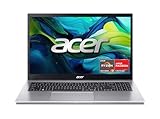
- Exceptional Performance and Productivity: Experience smooth and responsive performance powered by an AMD Ryzen 7 7730U processor and 16GB memory and 512GB SSD. Enjoy extended productivity thanks to exceptional battery life and the support of Copilot, your everyday AI companion.
- Copilot in Windows - your AI Assistant: Do more, quicker than ever across multiple applications with the centralized generative AI assistance of Copilot in Windows Accessible with a single touch of the Copilot Key
- Immersive Visuals: With its narrow bezel design the 15.6" 1080p Full HD IPS display is perfect for casual web browsing and watching movies or streaming, allowing for a sharp, detailed view of what's in front of you. And with Acer BluelightShield, lower the levels of blue light to lessen the negative effects of blue light exposure.
- User-Friendly by Design: Seamlessly connect or charge your devices through a full-function USB Type-C port, while Wi-Fi 6 and HDMI 2.1 connectivity enhance your digital experiences to be faster, smoother, and more enjoyable.
- Unlock More with AcerSense: Intuitive device control is available at the touch of a button with AcerSense, which manages battery life, storage, and apps for optimal performance. Acer TNR solution and Acer PurifiedVoice enhance your video calling experience to a new level of clarity and quality.
The trade-offs are gaming-oriented software and styling, fan noise, heat, a large power adapter, and less predictable battery life. A gaming laptop can be excellent for graphic design when its display is genuinely color-capable, but an RTX badge does not guarantee a good design screen.
Do these 3 things before closing this tab:
1Fix the driver behind crashes, sound loss and screen glitches2Clear out junk files and repair common Windows errors3Scan for outdated or missing drivers - takes under a minute11. Razer Blade 16 — best premium GPU power
The Razer Blade 16 is aimed at buyers who want a premium chassis with high-end graphics for 3D, motion work, rendering, and gaming. Target 32GB–64GB of RAM, an RTX 5070-class or better GPU, and at least a 1TB SSD when the configuration supports the workload.
Razer’s premium pricing, heat, fan noise, and battery limitations make the Blade 16 difficult to recommend for ordinary Photoshop, Illustrator, or InDesign work. The Razer Blade 16 makes more sense when GPU performance is a primary requirement and the buyer accepts the cost of a performance-first system.
12. Microsoft Surface Laptop Studio 2 — best only for discounted pen workflows
The Surface Laptop Studio 2 remains relevant to illustrators who specifically want a convertible display and pen workflow. Microsoft surfaced a configuration with a 13th-generation Intel Core i7 processor, 16GB of RAM, a 512GB SSD, and RTX 4050 graphics; Microsoft’s Surface Laptop Studio 2 listing provides the configuration reference.
Surface Laptop Studio 2 is an older-generation product in 2026 and should be purchased only at a substantial discount with a suitable return window and warranty. Pen convenience does not compensate for older CPU/GPU performance, limited value, or insufficient memory. A current pen-enabled Windows laptop or a conventional laptop paired with a Wacom, Huion, or XP-Pen tablet may be a better long-term purchase.
How much RAM does a graphic-design laptop need?
A graphic-design laptop needs 16GB of RAM at minimum for light work, 24GB–32GB for professional 2D work, 64GB for demanding production, and 96GB–128GB only for specialist high-memory workflows.
| Workload | Memory target | Why |
|---|---|---|
| Student and light 2D design | 16GB minimum; 24GB–32GB preferred | Supports design apps, browser tabs, and ordinary multitasking |
| Professional Photoshop, Illustrator, InDesign, and Lightroom | 24GB–32GB | Provides more room for large files, catalogs, and simultaneous Adobe applications |
| Large Photoshop files, After Effects, 4K video, 3D, or virtual machines | 64GB | Reduces memory pressure during complex production work |
| Heavy compositing, large AI models, and high-end 3D | 96GB–128GB | Specialist capacity for unusually large working sets |
Adobe’s surfaced Illustrator and InDesign documents mention lower minimums and recommend 16GB, but both documents contain legacy operating-system references and are not suitable as current 2026 buying requirements. The documents are useful only as evidence that a software minimum is not the same as a comfortable modern configuration: Adobe’s Illustrator reference PDF and Adobe’s InDesign reference PDF.
Many laptops solder memory to the motherboard. Choose the required RAM when ordering instead of assuming a future upgrade will be possible. On Apple silicon, unified memory also serves the CPU and GPU, so capacity should not be compared with Windows system RAM by number alone.
How much storage should a graphic-design laptop have?
A 512GB SSD is usable for cloud-based student work, 1TB is the best default for serious design, 2TB is preferable for photographers and video or 3D creators, and 4TB or more is specialist capacity for large local libraries.
Quick wins for a faster PC:
Scan for outdated or missing drivers - takes under a minuteDriver Scan →Clear out junk files and repair common Windows errorsFree Scan →| Internal storage | Best fit | Limitation |
|---|---|---|
| 512GB | Students and mostly cloud-based projects | Adobe caches, RAW files, fonts, and local archives can consume the free space quickly |
| 1TB | Most professional 2D designers | May still require external storage for large photo or video libraries |
| 2TB | Photographers, video editors, and 3D artists | Often expensive on laptops with soldered storage |
| 4TB or more | High-volume production kept locally | High upgrade cost and still not a backup |
Internal storage is not a backup strategy. Use an external SSD, NAS, or properly configured cloud and offline backup system for project protection. A USB-C or Thunderbolt dock can also simplify connections to external displays, drives, tablets, and card readers.
Does a graphic designer need a dedicated GPU?
Most graphic designers do not need a dedicated GPU for Figma, typography, vector design, page layout, branding, web graphics, or moderate Photoshop. A dedicated GPU becomes useful for large Photoshop canvases, GPU filters, Lightroom, high-resolution multi-monitor setups, animation, video, Blender, and AI features, and is strongly preferred for complex 3D rendering or CUDA/OptiX-dependent software.
| Graphics type | Appropriate workload | Buying guidance |
|---|---|---|
| Integrated graphics | Figma, Illustrator, InDesign, web design, and moderate Photoshop | Prioritize RAM, display quality, SSD, and cooling |
| Entry-level discrete GPU | Light video, GPU filters, and occasional 3D | Check VRAM, power limit, and display quality |
| RTX 4060/5060-class | Mainstream creative acceleration and moderate 3D | Good general Windows target when GPU software matters |
| RTX 4070/5070-class | Heavier 3D, video, and motion work | Check wattage and cooling rather than GPU name alone |
| RTX 4080/4090/5080/5090-class | Specialist rendering and high-end production | Expect more weight, heat, noise, cost, and reduced battery life |
Do not buy a high-end GPU at the expense of a poor display, 16GB of soldered memory, or inadequate ports. A faster GPU does not automatically make Illustrator or InDesign faster.
Independent reader supportYour contribution helps us test, update, and keep practical guides available for everyone.What display specifications matter for graphic design?
For general design, look for 100% sRGB coverage. For professional imaging, prefer verified P3 or Adobe RGB coverage, factory calibration, a suitable color mode, and a colorimeter when output must match print or another calibrated display.
Free tools Windows power users keep installed
One-click scans. No signup required.
Also popular on Amazon

- FULL HD IPS DISPLAY - Enjoy vibrant, crystal-clear images with 178-degree wide-viewing angles
- AMD RYZEN 3 30 PROCESSOR - Everyday performance you can count on; Multitask, stream, game casually, and edit photos smoothly with responsive power and vibrant HDR visuals
- ENJOY UP TO 14 HOURS AND 15 MINUTES OF BATTERY LIFE - HP Fast Charge restores battery from 0 to 50% in approximately 45 minutes
- AMD RADEON 610M GRAPHICS - Experience smooth entertainment; Built for streaming and multitasking, enjoy realistic visuals and efficient performance for work and play
- STORAGE AND MEMORY - 512 GB PCIe NVMe M.2 SSD offers fast speed and efficient storage; and 8 GB LPDDR5 RAM memory boosts performance with higher bandwidth
- Resolution: 1920×1200 is usable; 2.5K–3.2K is a strong balance of workspace, sharpness, and power use; 4K can improve detail but consumes more power.
- Aspect ratio: 16:10 provides more vertical room for toolbars, timelines, and documents than 16:9.
- Brightness: Around 400 nits is workable indoors; higher brightness helps in bright rooms and HDR workflows.
- Surface: Matte or anti-reflective screens are generally easier to use under studio lighting than glossy panels.
- Refresh rate: 120Hz or higher improves scrolling, cursor movement, and pen interaction, but refresh rate cannot replace accurate color.
- Touch and pen: Valuable for illustrators and sketching workflows, but not essential for most layout designers.
Color gamut describes the range of colors a display can show; gamut coverage does not prove accurate color. A wide-gamut display can look oversaturated in unmanaged applications or in the wrong color mode. Use the manufacturer’s profile, verify the intended mode, and calibrate with a colorimeter for client-critical work.
Is OLED better than Mini-LED for graphic design?
OLED is better for contrast, black levels, saturation, and visual review, while Mini-LED is often the safer compromise for high-brightness work, static desktop interfaces, and buyers concerned about OLED retention. Neither panel technology guarantees color accuracy.
OLED risks include burn-in or image retention, reflections from glossy surfaces, PWM dimming that may bother sensitive users, oversaturated factory modes, and higher power use at high brightness. Mini-LED can show blooming around bright objects, but its high brightness and reduced burn-in anxiety may suit long sessions with static application interfaces.
Is a Mac or Windows laptop better for graphic design?
Mac is better when the designer values battery life, quiet operation, display consistency, and the Apple ecosystem; Windows is better when the designer needs NVIDIA graphics, broader hardware choice, pen-enabled designs, workstation drivers, CAD tools, or Windows-only plug-ins.
| Choose macOS when… | Choose Windows when… |
|---|---|
| Adobe, Affinity, Figma, and required plug-ins are compatible | A required application, plug-in, or utility is Windows-only |
| Quiet operation, battery life, and a consistent high-resolution display matter | CUDA, OptiX, ray tracing, or NVIDIA-specific AI and 3D acceleration matters |
| You already use iPhone or iPad features in the workflow | You need more convertible, pen, port, or workstation choices |
| You accept non-upgradable memory and storage | You need replaceable SSDs or, on some models, expandable memory |
MacBook Pro configurations offer up to 128GB of unified memory and 8TB of storage, but Apple memory and storage are generally not user-upgradable. Windows laptops offer greater variety, although display quality, battery life, fan behavior, drivers, and vendor power modes vary significantly between configurations.
What should buyers check before ordering?
- Name the exact SKU. Check CPU, GPU, GPU wattage, RAM, SSD, display resolution, gamut, refresh rate, battery size, and ports. A model family can contain materially different laptops.
- Choose memory before storage. For Adobe multitasking, moving from 16GB to 32GB is often more valuable than moving from 1TB to 2TB.
- Verify color mode and calibration. Test the intended profile rather than assuming that OLED, Mini-LED, or 100% Adobe RGB means accurate output.
- Check sustained cooling. Thin or fanless laptops can be excellent for interactive 2D design but are less suitable for long renders and exports.
- Check ports and displays. Look for Thunderbolt 4 or 5, USB-C charging, HDMI, SD or microSD, headphone output, dock compatibility, and the number of external displays supported. Apple’s 2026 MacBook Pro announcement highlights Thunderbolt 5 and a 12MP Center Stage camera, but port counts vary by model.
- Confirm software and plug-ins. Check current Adobe, Affinity, CAD, game-engine, printer, scanner, and tablet compatibility separately. Legacy Adobe requirement PDFs should not be treated as current 2026 requirements.
- Budget for accessories. A colorimeter, external SSD, dock, drawing tablet, stylus, or calibrated external monitor may matter more than a higher CPU tier.
When is an older laptop worth buying?
An older laptop is worth considering when the price is at least 25%–35% below its current-generation successor, the laptop has 32GB of memory where possible, the display is color-capable, the required ports and software work, and the purchase includes a warranty and return window.
Older coverage can mix generations: an established buying guide may still recommend an M4 MacBook Pro or the earlier ASUS ProArt P16 H7606 while newer M5 and H7607 products are available. RTINGS’ graphic-design guide is useful comparison context, but its surfaced recommendations should be checked against current 2026 models before purchase.
Accessories that improve a design laptop
- Colorimeter: A Calibrite or Datacolor display calibrator can improve consistency when print or client color matters.
- External SSD: Use a fast external SSD for active project overflow and archives, while maintaining a separate backup.
- Thunderbolt or USB-C dock: A dock can connect a calibrated monitor, tablet, storage, card reader, keyboard, and network with one cable; verify exact display-output compatibility.
- Drawing tablet: Wacom, Huion, and XP-Pen tablets are alternatives when a laptop has no suitable built-in pen display.
- Calibrated external monitor: A laptop screen can be sufficient for mobile work but may not be the right sole reference display for print-critical production.
Frequently Asked Questions
Is 16GB RAM enough for graphic design in 2026?
16GB is a sensible minimum for students and light 2D design, but 24GB–32GB is a better baseline for professional Photoshop, Illustrator, InDesign, Lightroom, and multitasking. Choose 64GB for large Photoshop files, After Effects, 4K video, 3D, or virtual machines.
Outdated Drivers Are Slowing You Down
One free scan finds every outdated or missing driver and matches the right update for your exact hardware.Free scan · exact hardware matchWindows Errors? Fix Them Before They Spread
Repair common Windows errors and clear accumulated junk for a smoother, more stable PC - no reinstall needed.Free scan · no reinstallIs the MacBook Air good for Photoshop and Illustrator?
The 15-inch MacBook Air with M5 is good for Photoshop and Illustrator in typical 2D workflows, especially with 24GB or 32GB memory and a 1TB SSD. The fanless design is less suitable for sustained rendering, long video exports, complex 3D, or Windows-only software.
Do graphic designers need an RTX GPU?
Graphic designers do not usually need an RTX GPU for Figma, typography, layout, Illustrator, InDesign, or moderate Photoshop. RTX graphics become important for CUDA or OptiX workflows, complex 3D scenes, GPU rendering, advanced motion graphics, some AI tools, and demanding video work.
Is OLED better than Mini-LED for graphic design?
OLED is better for contrast and black levels, while Mini-LED can be preferable for high-brightness work, static application interfaces, and buyers concerned about burn-in. Color accuracy depends on the panel’s calibration and color mode, not only its display technology.
Should a graphic designer buy a workstation laptop?
A workstation laptop is justified for CAD, enterprise software, ISV-certified applications, professional drivers, complex 3D, or organizational support requirements. A workstation is usually excessive for ordinary Photoshop, Illustrator, InDesign, Figma, branding, and layout work.
Free tools Windows power users keep installed
One-click scans. No signup required.
The Bottom Line
For most professionals, buy the 14-inch MacBook Pro with M5 Pro and at least 24GB–48GB of memory plus a 1TB SSD. Choose the ASUS ProArt P16 when Windows, NVIDIA graphics, or a creator-focused display is more important; choose the 15-inch MacBook Air with M5 for portable 2D design. Spend extra on RAM, a color-capable display, storage, and reliable backups before paying for a workstation-class GPU that your software does not use.

